Google Analytics CLI for AI Agents

Trusted by
AWS
Glean
Zoom
Airtable

30 min · no commitment · see it on your stack

Google Analytics logo
CLI logo
divider

Introduction

CLIs are eating MCPs. The industry is converging on the very same idea. MCPs for all their merit can be token hungry, slow, and unreliable for complex tool chaining. However, coding agents have become incredibly good at working with CLIs, and in fact they are far more comfortable working with CLI tools than MCP.

With Composio's Universal CLI, your coding agents can talk to over 1000+ SaaS applications. With Google Analytics, agents can show all google analytics accounts i manage, get detailed info for a specific account, list audiences for your ga4 property, and more — all without worrying about authentication.

This guide walks you through Composio Universal CLI and explains how you can connect it with coding agents like Claude Code, Codex, OpenCode, etc, for end-to-end Google Analytics automation.

Also integrate Google Analytics with

What is Universal CLI and why use it?

The idea behind building the universal CLI is to give agents a single command interface to interact with all your external applications. Here's what you'll get with it:

  • Agent-friendly: Coding agents like Claude Code, Codex, and OpenCode can use CLI tools natively — no MCP setup required.
  • Authentication handled: Connect once via OAuth or API Key, and all CLI commands work with your credentials automatically.
  • Tool discovery: Search, inspect, and execute 20,000+ tools across 1000+ apps from one interface.
  • Trigger support: Use triggers to listen for events across your apps, powered by real-time webhooks or polling under the hood.
  • Type generation: Generate typed schemas for autocomplete and type safety in your projects.

Prerequisites

Install the Composio CLI, authenticate, and initialize your project:

bash
# Install the Composio CLI
curl -fsSL https://composio.dev/install | bash

# Authenticate with Composio
composio login

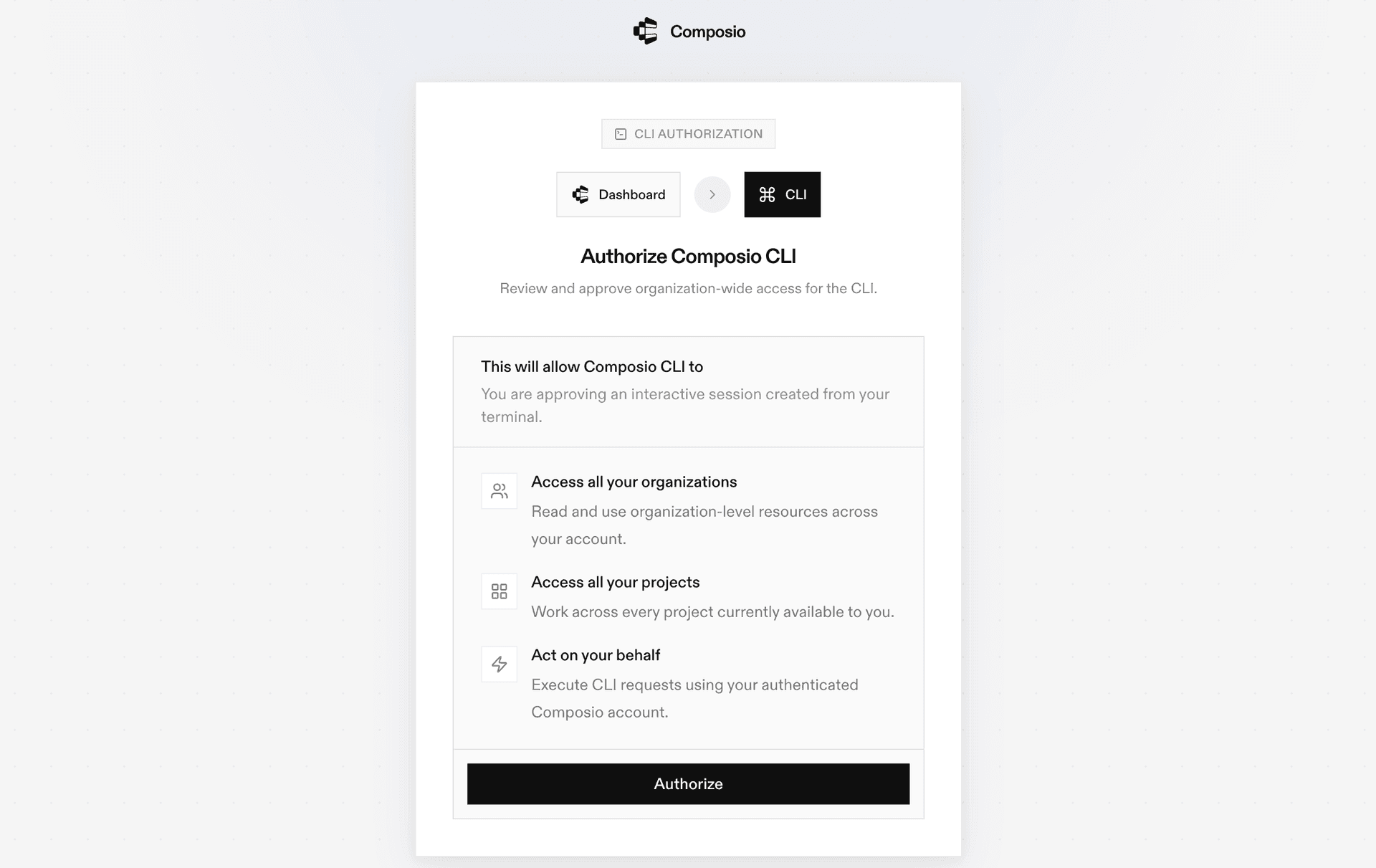
During login you'll be redirected to sign in page, finish the complete flow and you're all set.

Composio CLI authentication flow

Connecting Google Analytics to Coding Agents via Universal CLI

Once it is installed, it's essentially done. Claude Code, Codex, OpenCode, OpenClaw, or any other agent will be able to access the CLI. A few steps to give agents access to your apps.

  1. Launch your Coding Agent — Claude Code, Codex, OpenCode, anything you prefer.
  2. Prompt it to "Authenticate with Google Analytics"
  3. Complete the authentication and authorization flow and your Google Analytics integration is all set.
  4. Start asking anything you want.

Supported Tools & Triggers

Tools
Archive Custom DimensionTool to archive a CustomDimension on a property.
Batch Run Pivot ReportsTool to return multiple pivot reports in a batch for a GA4 property.
Batch Run ReportsTool to return multiple analytics data reports in a batch.
Check CompatibilityTool to list dimensions and metrics compatible with a GA4 report request.
Create Audience ExportTool to create an audience export for Google Analytics.
Create Audience ListTool to create an audience list for later retrieval by initiating a long-running asynchronous request.
Create Custom DimensionTool to create a CustomDimension for a Google Analytics property.
Create Custom MetricTool to create a custom metric in Google Analytics.
Create Expanded Data SetTool to create an expanded data set for a property.
Create Recurring Audience ListTool to create a recurring audience list that automatically generates new audience lists daily based on the latest data.
Create Report TaskTool to create a report task as a long-running asynchronous request for customized Google Analytics event data reports.
Create Rollup PropertyTool to create a roll-up property.
Get AccountTool to retrieve a single Account by its resource name.
Get Attribution SettingsTool to retrieve attribution configuration for a Google Analytics property.
Get AudienceTool to retrieve a single Audience configuration from a Google Analytics property.
Get Audience ExportTool to get configuration metadata about a specific audience export.
Get Audience ListTool to get configuration metadata about a specific audience list.
Get Custom DimensionTool to retrieve a single CustomDimension by its resource name.
Get Data Retention SettingsTool to retrieve data retention configuration for a Google Analytics property.
Get Data Sharing SettingsTool to retrieve data sharing configuration for a Google Analytics account.
Get Google Signals SettingsTool to retrieve Google Signals configuration settings for a GA4 property.
Get Key EventTool to retrieve a Key Event.
Get MetadataTool to get metadata for dimensions, metrics, and comparisons for a GA4 property.
Get PropertyTool to retrieve a single GA4 Property by its resource name.
Get Property Quotas SnapshotTool to retrieve all property quotas organized by category (corePropertyQuota, funnelPropertyQuota, realtimePropertyQuota) for a given GA4 property.
Get Recurring Audience ListTool to get configuration metadata about a specific recurring audience list.
Get Report TaskTool to get report metadata about a specific report task.
List Account SummariesTool to retrieve summaries of all Google Analytics accounts accessible by the caller.
List Accounts (v1beta)Tool to list all Google Analytics accounts accessible by the caller using v1beta API.
List AdSense LinksTool to list all AdSenseLinks on a property.
List Audience ExportsTool to list all audience exports for a property.
List Audience ListsTool to list all audience lists for a specified property to help find and reuse existing lists.
List AudiencesTool to list Audiences on a property.
List BigQuery LinksTool to list BigQuery Links on a property.
List Calculated MetricsList Calculated Metrics
List Channel GroupsTool to list ChannelGroups on a property.
List Conversion EventsTool to list conversion events on a property.
List Custom DimensionsList Custom Dimensions
List Custom MetricsTool to list CustomMetrics on a property.
List DataStreamsTool to list DataStreams on a property.
List Display & Video 360 Advertiser LinksTool to list Display & Video 360 advertiser links on a property.
List DisplayVideo360 Advertiser Link ProposalsTool to list DisplayVideo360AdvertiserLinkProposals on a property.
List Event Create RulesTool to list EventCreateRules configured on a web data stream.
List Expanded Data SetsTool to list ExpandedDataSets on a property.
List Firebase LinksTool to list FirebaseLinks on a property.
List Google Ads LinksTool to list GoogleAdsLinks on a property.
List Key EventsTool to list Key Events.
List Measurement Protocol SecretsTool to list MeasurementProtocolSecrets under a data stream.
List PropertyTool to list GA4 properties based on filter criteria.
List Recurring Audience ListsTool to list all recurring audience lists for a GA4 property.
List Reporting Data AnnotationsTool to list all Reporting Data Annotations for a specific property.
List Report TasksTool to list all report tasks for a Google Analytics property.
List Search Ads 360 LinksTool to list all SearchAds360Links on a property.
List SKAdNetwork Conversion Value SchemasTool to list SKAdNetworkConversionValueSchema configurations for an iOS data stream.
List Subproperty Event FiltersTool to list all subproperty event filters on a property.
List Subproperty Sync ConfigsTool to list SubpropertySyncConfig resources for managing subproperty synchronization configurations.
Provision Account TicketTool to request a ticket for creating a Google Analytics account.
Query Audience ExportTool to query a completed audience export.
Query Audience ListTool to query an audience list.
Query Report TaskTool to retrieve a report task's content.
Run Funnel ReportTool to run a GA4 funnel report.
Run Pivot ReportTool to run a customized pivot report of Google Analytics event data.
Run Realtime ReportTool to run a customized realtime report of Google Analytics event data.
Run ReportTool to run a customized GA4 data report.
Send EventsTool to send event data to Google Analytics 4 using the Measurement Protocol.
Update PropertyTool to update an existing GA4 Property.
Validate EventsTool to validate Measurement Protocol events before sending them to production.

Universal CLI Commands for Google Analytics

You can also manually execute CLI commands to interact with your Google Analytics.

Connect your Google Analytics account

Link your Google Analytics account and verify the connection:

bash
# Connect your Google Analytics account (opens OAuth flow)
composio connected-accounts link google_analytics

# Verify the connection
composio connected-accounts list --toolkits google_analytics

Discover Google Analytics tools

Search and inspect available Google Analytics tools:

bash
# List all available Google Analytics tools
composio tools list --toolkit google_analytics

# Search for Google Analytics tools by action
composio tools search "google analytics"

# Inspect a tool's input schema
composio tools info GOOGLE_ANALYTICS_CREATE_EXPANDED_DATA_SET

Common Google Analytics Actions

Create Expanded Data SetTool to create an expanded data set for a property

bash
composio tools execute GOOGLE_ANALYTICS_CREATE_EXPANDED_DATA_SET \
  --parent "properties/123456789" \
  --expandedDataSet "<object>"

Get AccountTool to retrieve a single account by its resource name

bash
composio tools execute GOOGLE_ANALYTICS_GET_ACCOUNT \
  --name "accounts/100"

List AccountsTool to list all accounts accessible by the caller

bash
composio tools execute GOOGLE_ANALYTICS_LIST_ACCOUNTS \
  --pageSize "100" \
  --pageToken "token123" \
  --showDeleted "<boolean>"

List AudiencesTool to list all audiences on a property

bash
composio tools execute GOOGLE_ANALYTICS_LIST_AUDIENCES \
  --parent "properties/1234"

Generate Type Definitions

Generate typed schemas for Google Analytics tools to get autocomplete and type safety in your project:

bash
# Auto-detect language
composio generate --toolkits google_analytics

# TypeScript
composio ts generate --toolkits google_analytics

# Python
composio py generate --toolkits google_analytics

Tips & Tricks

  • Always inspect a tool's input schema before executing: composio tools info <TOOL_NAME>
  • Pipe output with jq for better readability: composio tools execute TOOL_NAME -d '{}' | jq
  • Set COMPOSIO_API_KEY as an environment variable for CI/CD pipelines
  • Use composio dev logs tools to inspect execution logs and debug issues

Next Steps

  • Try asking your coding agent to perform various Google Analytics operations
  • Explore cross-app workflows by connecting more toolkits
  • Set up triggers for real-time automation
  • Use composio generate for typed schemas in your projects

How to build Google Analytics MCP Agent with another framework

FAQ

What is the Composio Universal CLI?

The Composio Universal CLI is a single command-line interface that lets coding agents and developers interact with 1000+ SaaS applications. It handles authentication, tool discovery, action execution, and trigger setup — all from the terminal, without needing to configure MCP servers.

Which coding agents work with the Composio CLI?

Any coding agent that can run shell commands works with the Composio CLI — including Claude Code, Codex, OpenCode, OpenClaw, and others. Once the CLI is installed, agents automatically discover and use the composio commands to interact with Google Analytics and other connected apps.

How is the CLI different from using an MCP server for Google Analytics?

MCP servers require configuration and can be token-heavy for complex workflows. The CLI gives agents a direct, lightweight interface — no server setup needed. Agents simply call composio commands like any other shell tool. It's faster to set up, more reliable for multi-step tool chaining, and works natively with how coding agents already operate.

How safe is my Google Analytics data when using the Composio CLI?

All sensitive data such as tokens, keys, and configuration is fully encrypted at rest and in transit. Composio is SOC 2 Type 2 compliant and follows strict security practices so your Google Analytics data and credentials are handled as safely as possible. You can also bring your own OAuth credentials for full control.

Used by agents from

Context
Letta
glean
HubSpot
Agent.ai
Altera
DataStax
Entelligence
Rolai
Context
Letta
glean
HubSpot
Agent.ai
Altera
DataStax
Entelligence
Rolai
Context
Letta
glean
HubSpot
Agent.ai
Altera
DataStax
Entelligence
Rolai

Never worry about agent reliability

We handle tool reliability, observability, and security so you never have to second-guess an agent action.