




A few days ago, I moved some of my regular work to Grok Bot.
I already had skills for research, planning, writing, and repeated workflows, but I couldn't find them all inside Grok Bot.
Since many agent skills are simple Markdown instructions stored in a SKILL.md file, I pointed Grok Bot to one and asked it to follow the instructions. It worked, so I tried more.
Some worked with little or no changes. Others needed different instructions or plugins, which got me curious.
I reviewed the skills, plugins, marketplaces, and repositories available to Grok Bot. These few stood out for real work.
However, Grok Bot uses the word skill a little differently from some other agents, and skills, plugins, MCP servers, and routines can overlap.
So, understanding the distinction matters.
What Are Grok Bot Skills
A Grok Bot skill is a reusable process that tells a Bot how to complete a task.
It can include the steps to follow, the tools to use, the output to return, and the actions that need your approval. (docs.x.ai)
Once a workflow works well, you can save it. Then you do not need to explain the same process again each time.
Saved skills: Type
/in a Grok Bot conversation to use one. You can review private skills under Settings → Plugins → Yours and enable them for specific Bots.Teach a task: Where xAI supports it, you can complete a browser task while Grok Bot watches. It then creates a draft skill that you can review and test.
Plugins: Plugins connect Grok Bot to external services. They can also include reusable skills.
Routines: A routine runs a workflow on a schedule or through a supported event trigger. (docs.x.ai)
xAI also ships Grok Build, its local coding agent. Grok Build supports folder-based skills built around a SKILL.md file, but that installation model should not be confused with Grok Bot.
Important: The
.grok/skills/and~/.grok/skills/directories documented by xAI apply to Grok Build. Grok Bot skills are created or saved inside the Bot experience, enabled under Settings → Plugins → Yours, and invoked through the/menu.
How to create Grok Bot skills?
The easiest route is to complete the workflow once, then ask Grok Bot to package it for reuse.
Open a conversation with the Bot that should use the skill.
Complete the task once so the Bot has a working example.
Ask: “Use Skill Creator to turn this workflow into a skill called [name].”
Review the generated instructions, triggers, inputs, outputs, and failure conditions.
Add approval requirements for sensitive actions such as sending messages, publishing content, deleting records, or spending money.
Save the skill and test it with a few different inputs.
Once saved, enable the private skill for the relevant Bot under Settings → Plugins → Yours. It should then appear in the conversation’s / menu. See xAI’s official Grok Bot skills and routines documentation.
What should a good skill define?
Trigger: When the Bot should use the skill
Inputs: The information or files it needs
Process: The steps and tools it should follow
Output: The expected format and level of detail
Boundaries: What it must never do automatically
Approvals: Which actions require a person to confirm
Validation: How the Bot checks that the result is complete
Start with a narrow task and make it reliable before adding branches or scheduling it as a routine.
Enhance Grok Bot with Composio plugin
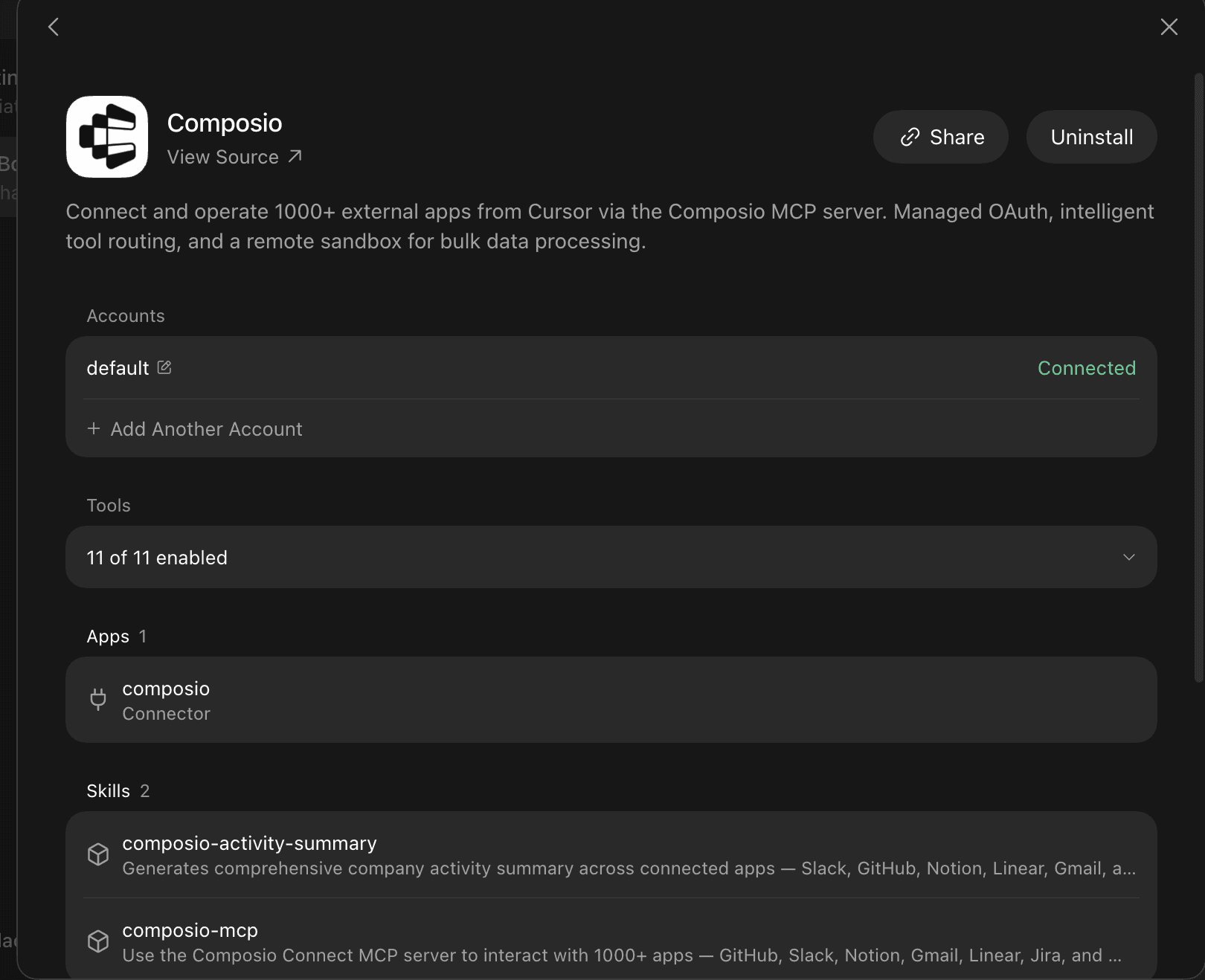
Skills paired with Plugins are a different beast. Grok Bot can do much more when it can access external systems. Pull records from Drive and Notion, update tickets in Linear and Trello, and do market research using Reddit, Ahrefs, DataforSEO, and more.
Related: Best Grok Bot plugins
You can access all of this through a single plugin: Composio. It allows you to connect Grok Bot to over 1500 SaaS applications. If you can name it, you can find it on Composio. It has actions and triggers to build complete end-to-end workflows.
Get started now: dashboard.composio.dev
Top Skills to Use with Grok Bot
1. Skill Creator
This is the skills progenitor. Skill Creator turns a workflow that already works into something Grok Bot can repeat without making you write the underlying instructions from scratch.
Describe the outcome, constraints, and approval points, and the Bot will draft the triggers, validation steps, and safety rules. Refine it once, save it, and reuse it whenever the same job comes up.
How to install
Already installed on every Grok Bot account.
Open any Bot conversation
Say: “Use Skill Creator to turn this process into a skill called [name]”
Review the draft it produces
Add or tighten the approval boundaries
Save
When to use
You just completed a multi-step workflow you know you’ll repeat
You want consistent output format across different Bots
You need to encode company-specific rules or risk definitions
You’re building a library of specialist skills for a multi-Bot team
You want the skill to be invocable via
/later
2. Document Skills (Word, Presentations, Spreadsheets, PDFs)
Most AI-generated documents still need a cleanup pass. Grok Bot’s official document skills are designed to skip that stage and return real Word files, presentations, spreadsheets, and PDFs, not Markdown approximations.
One request can become a pitch deck with speaker notes, a colour-coded financial model, or a polished report ready to share. With Composio, the Bot can also pull source material from Google Drive or Notion, then deliver the finished file through Gmail or Slack.
How to install
Already installed. No action required.
Just describe the document you need
Or upload an existing file and ask the Bot to restructure or expand it
Reference the skill explicitly if you want tighter control: “Use the Presentations skill…”
When to use
Client deliverables that must look professional on first open
Internal reports that need consistent formatting every week
Financial models where formula integrity and colour conventions matter
Any time you would otherwise open PowerPoint or Excel yourself
When the final artefact needs to leave the chat as a real file
3. last30days Research Skill
Research gets stale quickly, especially when the question is about what people are saying right now. Matt Van Horn’s community-built last30days skill searches recent conversations across X, Reddit, YouTube, Hacker News, TikTok, and the wider web.
Its appeal is simple: instead of recycling a generic answer from model knowledge, it brings back current evidence. That focus has made it a frequently recommended early-beta skill and a strong candidate for its own dedicated Bot.
How to install
The one-liner alone is not enough. Here is the full process that currently works:
# 1. Install the skill globally via Agent Skills CLI
npx skills add mvanhorn/last30days-skill -g
This places the skill in ~/.agents/skills/last30days.
Next steps (required):
Create a dedicated Grok Bot for this skill (strongly recommended by the author).
Manually register or symlink the skill into that Bot’s skill/workflow path so
/last30daysbecomes available.# 1. Make sure the skill is already installed npx skills add mvanhorn/last30days-skill -g <h1>2. Create the Grok skills directory if it doesn’t exist</h1> <p>mkdir -p ~/.grok/skills</p> <h1>3. Symlink the skill</h1> <p>ln -s ~/.agents/skills/last30days /.grok/skills/last30days</p>Rename the Bot to something clear (e.g. “last30days”) and give it a precise description:
Research what people actually say about any topic in the last 30 days across Reddit, X, YouTube, TikTok, HN, Polymarket, GitHub, and the web.
Confirm Python 3.12+ and Node are available on the Bot’s computer. Ask it to handle it.
Run the first-time setup (the skill will guide you). You will need to handle authentication for sources such as X, YouTube, and TikTok/Instagram.
Never overwrite
/.config/last30days/.envcarelessly. Append missing keys only and keep permissions tight.
Once you've done these steps, the skill becomes reliable inside that Bot.
When to use
You need real recent signal instead of training-data opinions
Competitive or market research that must stay current
Content ideas grounded in what is actually resonating right now
Due diligence before a partnership or product decision
Any topic where “what are people saying this month” matters more than “what does the model know”
4. Email Triage / Inbox Zero Skill
Inbox zero is not really about reading faster; it is about making the same prioritisation decisions consistently. An email triage skill can run each morning, archive low-value messages, batch everything that can wait, and prepare replies for the conversations that matter.
The useful part is that it follows your rules for urgency, tone, and escalation instead of inventing its own judgment. Through Composio, Grok Bot can work across Gmail, Outlook, HubSpot, and Google Drive, pulling in customer context before it drafts anything.
How to install
Create it yourself with Skill Creator or teach-by-demonstration, then save.
Run a full triage once manually with the Bot watching
Or describe your exact rules: “Archive anything that is a newsletter, batch anything that is low urgency, draft replies for anything that needs a response, never send without approval”
Save the resulting process as a named skill
Attach it to a daily routine
When to use
You spend more than 30 minutes a day on email
You want consistent prioritisation even when you’re offline
Multiple people share the same inbox standards
You need the Bot to pull context from HubSpot, Linear, or Drive before drafting
You are ready to put a human approval gate on anything that leaves the system
5. Lead Research and CRM Enrichment Skill
A company name or email address is rarely enough context for a useful sales conversation. This skill turns that small input into a structured account brief with recent activity, buying signals, conversation history, and the fields your team expects to see in the CRM.
Composio lets Grok Bot read and update HubSpot or Salesforce, retrieve earlier conversations from Gmail, and keep supporting research in Google Sheets. Contact creation, ownership changes, and overwrites should remain behind an approval step.
How to install
Create it with Skill Creator, then connect the required apps through the Composio plugin.
Define the inputs, such as a company name, domain, lead email, or CRM record
List the fields the Bot should research and the sources it may use
Specify the output format for the account brief
Set rules for matching existing companies and avoiding duplicate contacts
Require approval before any CRM write, reassignment, or outbound message
Test the skill on a few known accounts before attaching it to a routine
When to use
Preparing account briefs before sales calls
Enriching new inbound leads without copying data between tabs
Finding recent company activity and potential buying signals
Filling missing CRM fields consistently across a pipeline
Giving sales teams a concise summary of previous conversations
Prioritising accounts for personalised outreach
6. Meeting Prep and Follow-Up Skill
Meetings create work on both sides of the call. Beforehand, this skill assembles the agenda, attendee background, previous conversations, open decisions, and relevant documents. Afterwards, it turns what happened into clear notes, owners, deadlines, and follow-up drafts.
Composio gives Grok Bot access to schedules in Google Calendar or Calendly, conversation history in Gmail, project context in Notion, and team communication through Slack. Keep outgoing emails, calendar changes, and task assignments subject to approval.
How to install
Create it with Skill Creator, connect whichever apps through the Composio plugin, and define separate pre-meeting and post-meeting steps.
Specify when the skill should run before each meeting
Define which calendars, inboxes, workspaces, and CRM records it may access
Choose a standard format for attendee briefs, agendas, and follow-up notes
Tell the Bot how to identify decisions, owners, deadlines, and unresolved questions
Add approval gates before sending messages or creating external tasks
Test it with an internal meeting before using it for customer calls
When to use
Preparing for customer, partner, or investor calls
Collecting context scattered across email, calendars, and documents
Creating consistent agendas and attendee briefs
Turning meeting notes into assigned action items
Drafting personalised follow-up messages while the discussion is fresh
Keeping CRM and project records aligned after important meetings
7. Engineering Issue Triage Skill
Bug reports are often incomplete or hard to act on. This skill turns them into clear tickets by summarising the issue, checking for duplicates, adding useful context, suggesting a priority, and sending each ticket to the right team.
Using Composio, Grok Bot can inspect issues and pull requests in GitHub, create or update work in Linear and Jira, and alert the right people through Slack. Closing issues, changing priority, reassigning ownership, and posting public replies should still require approval.
How to install
Create it with Skill Creator, connect your engineering tools through the Composio plugin, and encode the triage rules your team already follows.
Define the required fields for bugs, feature requests, and incidents
Specify how the Bot should detect duplicates and link related work
Add severity, priority, component, and ownership rules
Tell it where to search for logs, documentation, and previous discussions
Require approval for destructive or externally visible actions
Test the skill on a set of previously triaged issues before using it live
When to use
Processing a busy GitHub, Linear, or Jira inbox
Standardising incomplete bug reports before engineering review
Finding duplicate issues and linking related incidents
Routing tickets to the correct project, component, or owner
Summarising logs and discussion threads into reproducible steps
Keeping reporters and internal teams updated without manual copying
8. Social Media Content and Publishing Skill
LinkedIn and Instagram need different types of content. This skill takes a product update, campaign brief, or rough idea and turns it into a post that fits each platform.
Grok Bot can research the topic, write in your brand voice, create variations, build a publishing calendar, and remember what has already gone out. Composio connects the workflow to LinkedIn, Instagram, and source libraries in Notion, Google Drive, or Slack. Don't publish, edit, or delete anything without approval.
How to install
Create it with Skill Creator, connect the required social and content apps through the Composio plugin, and define a separate workflow for each platform.
Define your audience, brand voice, topics, and prohibited claims
Specify the format for LinkedIn posts, Instagram captions, hashtags, and calls to action
Tell the Bot where to find approved product information, images, and campaign briefs
Add rules for repurposing one source into multiple platform-specific posts
Require approval before publishing, commenting, replying, or deleting content
Test the skill with drafts before attaching it to a publishing routine
When to use
Turning product launches and blog posts into social campaigns
Drafting LinkedIn thought-leadership posts in a consistent voice
Creating Instagram captions and campaign variations
Repurposing one idea across multiple social platforms
Preparing and scheduling a weekly content calendar
Keeping a record of published content and avoiding repetition
9. Customer Support Triage and Response Skill
Support requests often arrive with missing details and scattered context. This skill can classify each request, check past conversations, find the right documentation, and draft a clear response for the support team to review.
With Composio, Grok Bot can work with Intercom or Zendesk, search internal guidance in Notion, and alert the right team in Slack. Keep refunds, account changes, ticket closures, and customer-facing replies behind an approval step.
How to install
Create the workflow with Skill Creator, connect your support tools through the Composio plugin, and add the rules your team already follows.
Define ticket categories, priorities, and escalation rules
Tell the Bot where to find approved support documentation
Specify what information it should collect before drafting a reply
Add rules for detecting duplicate or related tickets
Require approval before sending replies or changing customer accounts
Test it with resolved tickets before using it on the live queue
When to use
Sorting a busy support inbox
Drafting replies with product and account context
Finding the right help article for each question
Escalating bugs, billing issues, or security concerns
Summarising long customer conversations for another team
Keeping response quality consistent across support agents
10. Teach-by-Demonstration (Computer Use) Skills
Some workflows are easier to show than explain. Teach-by-Demonstration lets Grok Bot watch you complete a browser or desktop task once, then converts that recording into a reusable draft skill.
Open the Bot’s computer view, click “Teach a task,” and perform the sequence for up to 10 minutes. The recording captures the mechanics; your review adds the judgment. Tighten the decision rules, define failure cases, and set approval boundaries before running it on demand or attaching it to a schedule.
How to install
Native feature. No external install required.
Open a one-to-one Bot conversation with computer view enabled
Click Teach a task
Describe the desired end state
Perform the workflow once
Stop recording, review the draft, tighten the rules, save
When to use
Any multi-step process that lives in a real website or desktop app
Booking, returns, form filling, account research, or internal tool navigation
Workflows that lack clean APIs
Tasks you want the Bot to run while you sleep
Anything you currently do by muscle memory and wish you could hand off
Conclusion
Quick mental model:
One successful run → Skill → Routine.
That is the entire operating system of Grok Bot.
The product is still in early beta, but the direction is already clear. Skills are becoming the primary way people capture institutional knowledge.
Multi-Bot teams that share a skill library are starting to look less like experiments and more like the new default way of working.
The people who will extract the most value in the next six months are the ones who stop treating every conversation as a fresh start and start building a permanent skill set instead.
Open a Grok Bot right now. Take one workflow you already do well. Turn it into a skill. Then schedule it.
That single action is the difference between using an AI and employing one.

 Get started



