




Here are some of the top Claude Code Plugins worth installing, who they're for, what they do, and whether they’re good for your use cases.
Quick Summary: All Cowork Plugins at a Glance
Enterprise Search: Search Gmail, Slack, Notion, Drive, and Confluence simultaneously from one query.
Sales: Prospect research, CRM updates, deal risk flagging, and follow-up drafts from a single conversation.
Legal: First-pass contract review with GREEN/YELLOW/RED flagging before anything goes to counsel.
Finance: Variance analysis, reconciliation, and financial summaries connected to your data warehouse.
Data: Plain English to SQL. Your non-technical team members get answers without filing a data request.
Marketing: Competitive briefs, content drafts, and campaign performance in one place.
HR: Job descriptions, onboarding plans, and performance summaries that catch what you'd otherwise miss.
Engineering: ADRs, incident write-ups, and spec documents posted directly to GitHub or Confluence.
Productivity: Morning catch-up, meeting prep, and task updates across all your tools.
Plugin Create: Build your own plugin when none of the above fit your workflow.
What Are Claude Cowork Plugins?
Plugins are essentially packages that bundle together skills, slash commands, connectors, and sub-agents for a specific job function. Instead of setting up each piece individually or re-explaining your workflow every session, you install a plugin once and Claude immediately knows the best practices, tools, and commands relevant to your role.
Think of it this way: Cowork can do the job if you tell it what to do, but plugins turn it into a specialist who already knows your domain (and knows exactly what workflows & apps to use).
Each plugin contains:
Skills: domain knowledge Claude draws on automatically when relevant
Slash commands: specific actions you trigger manually with "/"
Connectors: MCP-based integrations that wire Claude to your actual tools
Sub-agents: specialized agents that handle multi-step tasks within a workflow
What's the Difference Between a Plugin and a Skill?
This comes up constantly, so it's worth clearing up before we go further.
A skill is a single markdown file that teaches Claude how to do one specific thing. It fires automatically when relevant context appears or you ask Claude to use it using a slash command. For example, you could write a skill that always responds to emails in a certain way, like always providing updates in bullet points and closing with "Cheers."
A plugin is a complete package, skills, commands, connectors, and agents bundled together for a specific job function. When you install a plugin, you're installing an entire configured workflow, not just one instruction.
Think of it this way: a skill is a chapter. A plugin is the whole book, already indexed and ready to use.
How to Install Claude Cowork Plugins
Installing a plugin takes under two minutes. Here's how:
From the Cowork interface:
Open the Claude Desktop app and switch to the Cowork tab
Click the Customize menu in the left sidebar
Click "Browse plugins"
Browse available plugins and click install on the ones you want
Once installed, type
/or click the+button to see available commands
From the CLI:
claude plugin marketplace add anthropics/knowledge-work-plugins
claude plugin install sales@knowledge-work-plugins
Uploading a custom plugin:
If you've built your own plugin or downloaded one, go to Customize > + button > Add > Upload Plugin → upload the plugin file directly.
Once installed, plugins activate automatically. Skills fire when relevant, slash commands become available in your session, and connected tools stay authorized across sessions, you only authorize once.
Note: If you're on a Team or Enterprise plan, your admin may have restricted which plugins you can install or auto-installed specific ones for your organization.
What if you want to use Claude plugins in larger teams?
Most plugins include Claude Connectors that let you connect Claude to data sources like Google Drive, Notion, and GitHub. However, what works for an individual quickly breaks down at enterprise scale.
Connectors authenticate per-user but offer little visibility into what Claude actually does once connected, which records were read, which actions were taken, and which data left the building.
It works for individual use cases. However, for a 500-person company deploying Claude Cowork across legal, finance, and engineering teams, the absence of an audit trail, RBAC, and governance is an incident waiting to happen.
Composio addresses this gap by serving as a separate governance layer between the Cowork and your SaaS apps it connects to.
Check out here at dashboard.composio.dev
Best Plugins for Claude Cowork in 2026
1. Enterprise Search Plugin for Claude Cowork
I asked a test question: "What's the oldest unanswered customer question in our Slack?" It came back with a thread from 11 days ago where three people had tagged support but nobody replied. I answered it in 90 seconds. That alone was worth the install. The more tools you have connected, the more useful it gets.
Who it's for: Anyone who searches across Gmail, Slack, Notion, Gmail, Asana, Guru or Atlassian products (e.g. Confluence).
What it does:
Searches across all your connected work tools simultaneously Slack, Teams, Outlook, Jira, everything.
Deduplicates results and synthesizes answers with source citations
Handles queries like "what did we decide about X last month" across email, chat, and docs
Works best when more connectors are authorized, each new connection makes it stronger
Key connectors: Google Drive, Gmail, Slack, Notion, Microsoft 365, Confluence
How to install:
Open Claude Desktop → Cowork tab → Customize
Search "Enterprise Search" → click Install
Connect your tools from the Connectors menu
Type
/searchto run your first query
**Resource: **github.com/anthropics/knowledge-work-plugins/tree/main/enterprise-search
2. Sales Plugin for Claude Cowork
No more logging meeting notes manually in HubSpot. This plugin writes the note, creates the follow-up task, and updates the deal stage from one conversation. One real example: it caught that a prospect of mine mentioned a budget cut and automatically flagged the deal as at risk. The /account-research command pulled funding, news, and recent LinkedIn activity before a cold outreach. I walked in knowing the CEO had just posted about hiring a head of sales. Made the conversation completely different.
(Note: Salesforce integration may require Enterprise API access depending on your plan. HubSpot and Pipedrive may be easier to connect, but exact requirements depend on your workspace and CRM plan.)
Who it's for: Sales reps, account executives, and founders.
What it does:
Write CRM notes, create follow-up tasks, and update deal stages from your conversation
Research prospects before calls, funding history, recent news, and LinkedIn activity
Flags deal with risks automatically based on what was said in the conversation
Draft personalised follow-up emails from your call notes
Key connectors: HubSpot, Salesforce, Pipedrive, Slack
How to install:
Open Claude Desktop → Cowork tab → Customize
Search "Sales" → click Install
Connect your CRM via the Connectors menu
Key commands:
/sales:pipeline-review,/sales:forecast
Resource: github.com/anthropics/knowledge-work-plugins/tree/main/sales
3. Legal, Contract Review Before It Goes to Counsel
Contract review is slow and expensive, with teams spending hours reading long documents to find the small number of clauses that actually need attention. Legal teams can use this plugin to review contracts clause by clause. It flags terms with GREEN (standard), YELLOW (review recommended), or RED (needs attention before signing). Handles NDAs, vendor agreements, and compliance checks. Separates standard boilerplate from the parts that actually need human attention.
Who it's for: In‑house legal teams, commercial counsel, compliance staff.
What it does:
Reviews contracts clause by clause using GREEN/YELLOW/RED flagging
Triages NDAs into key terms, unusual clauses, and recommended changes
Handles compliance checks, vendor agreement reviews, and risk assessments
Separates standard boilerplate from the parts that actually need human attention
Key connectors: Slack, Box, Egnyte, Microsoft 365, Jira, Google Calendar, Gmail, DocuSign. Ironclad and Agiloft are also available.
How to install:
Open Claude Desktop → Cowork tab → Customize
Search "Legal" → click Install
Connect your document storage (Box, Egnyte, or M365) via Connectors
Key commands:
/legal:review-contract,/legal:triage-nda,/legal:risk-assessment
**Resource: **github.com/anthropics/knowledge-work-plugins/tree/main/legal
4. Finance Plugin for Claude Cowork
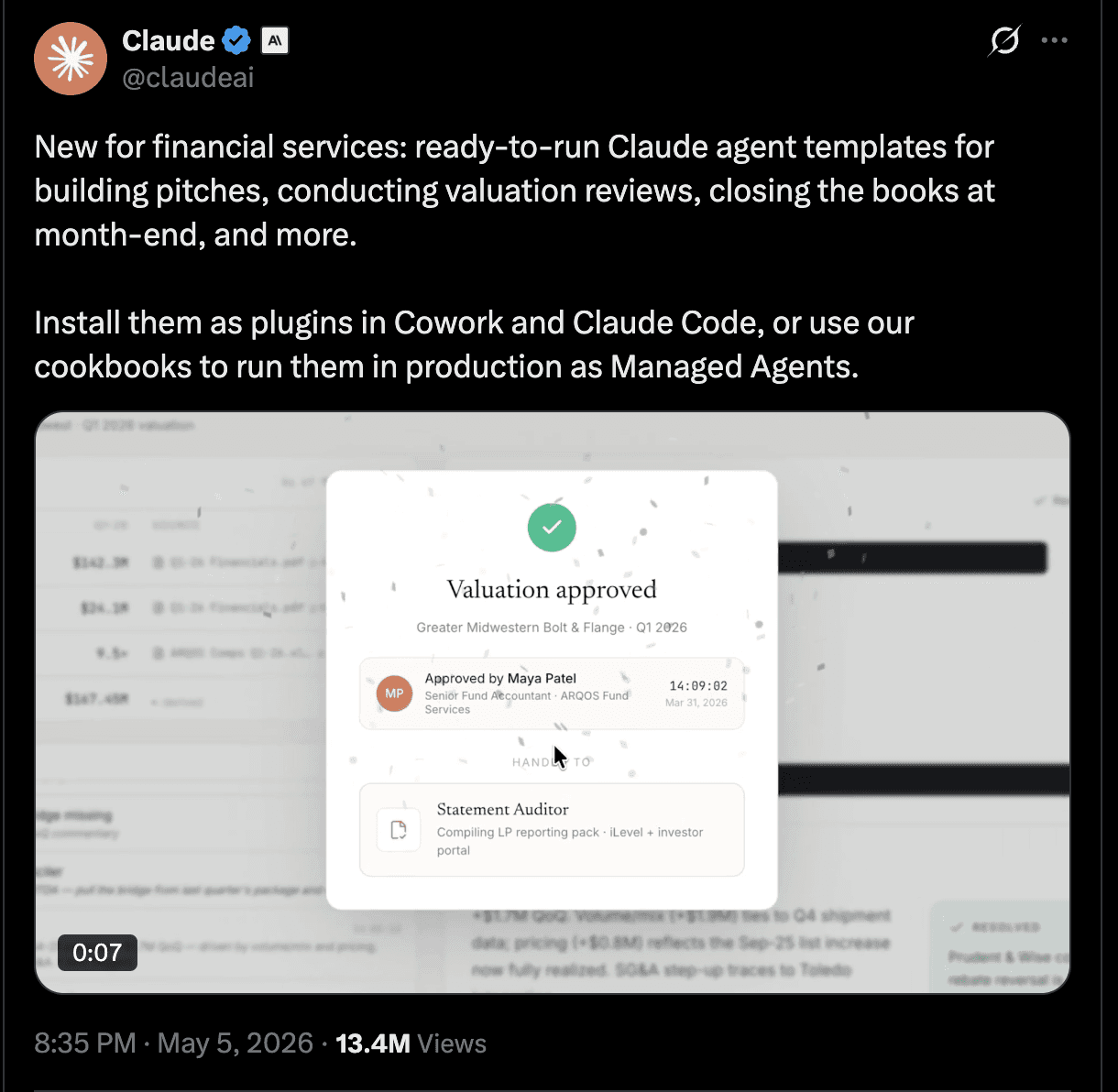
Finance teams can connect this plugin directly to their data warehouse (Snowflake, Databricks, BigQuery). It runs variance analysis, reconciles accounts, and prepares journal entries. Works with Excel and PowerPoint cross-app workflows, so you can go from analysis to presentation without manually switching apps.
Who it's for: Finance teams doing reporting, reconciliation, variance analysis.
What it does:
Reconciles accounts and prepares journal entries for close workflows
Runs variance analysis across actual vs expected spend by category
Connects directly to data warehouses for live financial data
Works with Excel/PowerPoint cross-app workflow, analysis straight to presentation
Key connectors: Snowflake, Databricks, BigQuery, Slack, Microsoft 365
How to install:
Open Claude Desktop → Cowork tab → Customize
Search "Finance" → click Install
Connect your data warehouse via the Connectors menu (read-only recommended)
Key commands:
/finance:reconciliation,/finance:variance-analysis,/finance:close-management
**Resource: **github.com/anthropics/knowledge-work-plugins/tree/main/finance
5. Data and Analytics Plugin for Cowork
Our PM can't write SQL. I don't mean that as a dig. She just shouldn't have to. She asked me one day, "What's our 30-day retention for users who finished onboarding last quarter?" I showed her how to type that exact sentence into Claude with the Data plugin connected. It wrote the query, ran it, and built a chart. She didn't need me. That felt like a small promotion for her and a small demotion for me, which is exactly the point.
Who it's for: Product managers, growth teams, operations, and marketing analysts.
What it does:
Translates plain English questions into SQL queries and runs them
Builds charts and dashboards from query results automatically
Supports complex joins, statistical analysis, and data validation
Configurable read-only mode to prevent accidental writes to production
Key connectors: Snowflake, Databricks, BigQuery, Hex, Amplitude, Jira
How to install:
Open Claude Desktop → Cowork tab → Customize
Search "Data" → click Install (or install from claude.com/plugins/data)
Connect your data warehouse via Connectors, set read-only access first
Key commands:
/data:write-query,/data:analyze
**Resource: **github.com/anthropics/knowledge-work-plugins/tree/main/data · Also on claude.com/plugins/data
6. Marketing research plugin for Cowork
Marketing teams can generate competitive briefs from recent news, product launches, and positioning changes. The plugin drafts content in your brand voice connected to your content calendar. It also pulls campaign performance data and surfaces actionable insights. Some integrations are still being rolled out, so check Anthropic's connector docs for what's available for your stack.
Who it's for: Content marketers, brand managers, growth teams.
What it does:
Generates competitive briefs from recent news, product launches, and positioning changes
Drafts content in your brand voice connected to your content calendar
Pulls campaign performance data and surfaces actionable insights
Can publish drafts to WordPress, configure a review step before enabling this
Key connectors: HubSpot, Slack, Notion, Canva, Figma, Ahrefs, Similarweb, Amplitude, Klaviyo
How to install:
Open Claude Desktop → Cowork tab → Customize
Search "Marketing" → click Install
Connect Google Analytics and HubSpot via Connectors
Key commands:
/marketing:competitive-brief,/marketing:content-creation,/marketing:performance-report
Resource: github.com/anthropics/knowledge-work-plugins/tree/main/marketing
7. HR Plugin for Cowork
HR teams can use this plugin to draft job descriptions that go beyond generic templates, catching requirements you might overlook. It generates offer letters, onboarding plans, and performance review summaries. Keeps hiring documentation consistent in structure and tone across roles. Covers the full employee lifecycle from recruitment through performance management.
Who it's for: HR teams, hiring managers, people operations.
What it does:
Draft job descriptions that go beyond generic templates, catch requirements you might overlook
Generates offer letters, onboarding plans, and performance review summaries
Keeps hiring documentation consistent in structure and tone across roles
Covers the full employee lifecycle from recruitment through performance management
Key connectors: Slack, Microsoft 365, Gmail, Google Calendar, Notion, Atlassian (Confluence)
How to install:
Open Claude Desktop → Cowork tab → Customize
Search "HR" → click Install
Connect Slack and Google Drive via Connectors
Key commands:
/human-resources:recruiting-pipeline,/human-resources:onboarding,/human-resources:performance-review
Resource: https://github.com/anthropics/knowledge-work-plugins/tree/main/human-resources
8. Engineering and documentation plugin for Claude Cowork
I asked our lead engineer what he thought of this plugin. He said, "I used it to write an ADR for our database migration and posted it to Confluence without opening Confluence. I didn't hate the experience." That's engineering praise. Trust me.
The /engineering:incident-response command turns a Slack post-mortem into a structured document. We used it after a small outage last week. Someone just typed what happened, Claude made it look official, and we moved on.
Who it's for: Engineering teams, tech leads, and engineering managers.
What it does:
Generates architecture decision records (ADRs) from the technical context and notes
Turns Slack post-mortems into structured incident write-ups
Writes spec documents and posts directly to GitHub wikis, Confluence, or Jira
Generates release notes and internal engineering updates from the commit or PR context
Key connectors: GitHub, Jira, Confluence, Slack, Linear
How to install:
Open Claude Desktop → Cowork tab → Customize
Search "Engineering" → click Install
Connect GitHub and Confluence via Connectors
Key commands:
/engineering:architecture,/engineering:system-design,/engineering:incident-response
Resource: github.com/anthropics/knowledge-work-plugins/tree/main/engineering
9. Productivity plugin for Claude Cowork
I wake up to 20 Slack messages, 10 emails, and a calendar that's already changed twice. The /update command scans everything from the last 12 hours and tells me what actually needs attention. Yesterday, a client surfaced who'd moved a deadline in a late-night email; I wouldn't have noticed it until the afternoon. The /start command bootstraps your task + memory dashboard, and /update scans what's changed since your last session
Who it's for: Managers, operators, founders, anyone with too many inputs.
What it does:
Scans email, Slack, and calendar overnight and surfaces what actually needs action
Prepares meeting briefs from calendar links, docs, context, and attendee background
Creates and updates tasks based on what came in since your last session
Works for end-of-day summaries too, not just morning catch-ups
Key connectors: Slack, Microsoft 365, Notion, Asana, Linear, Jira, monday.com, ClickUp
How to install:
Open Claude Desktop → Cowork tab → Customize
Search "Productivity" → click Install
Connect Slack, Gmail, and Google Calendar via Connectors
Key commands:
/update,/start
10. Cowork Plugin Management: Create a meta-plugin for Claude Cowork
I tried to build a plugin for my client's QBR process that pulls metrics from BigQuery, grabs last quarter's Notion notes, and drafts a QBR deck in a single command. It worked about 80%. The Notion connector was finicky, and I spent an hour on a permission issue. Haven't shipped it yet. But I know exactly what I'm building next quarter.
That's when I hit the real limit. A full QBR workflow needs to update Salesforce, create a Google Slides, and send a Slack reminder. It stopped feeling like a plugin and started feeling like integration work. That's when I started using Composio. It gives Claude access to 1,000+ apps through a single integration, so I can chain actions across tools without building every connector myself. I still start with the Cowork plugins. But when a workflow needs to cross apps or actions the official set doesn't cover, Composio is the next layer I add.
Who it's for: Power users, team leads, operations teams.
What it does:
Walks you through building a custom plugin from scratch using Claude itself
Generates plugin structure, skills, connectors, and slash commands from plain English descriptions
File-based output (markdown and JSON), no coding required for basic workflows
Pairs with Claude Code for teams wanting to build more sophisticated plugins programmatically
How to install:
Open Claude Desktop → Cowork tab → Customise
Search "Plugin Create" → click Install
No connectors needed upfront; you configure them as part of building your plugin
Type
/create-cowork-pluginto start building (or/-cowork-plugin-customizerto adapt an existing plugin)
**Resource: **github.com/anthropics/knowledge-work-plugins/tree/main/cowork-plugin-management
Community Plugins and Tools Worth Knowing About
Beyond Anthropic's official collection, there's a growing directory of community and partner-built plugins at claude.com/plugins. A few worth checking:
CoworkPowers, Systematic Knowledge Work Workflows
This plugin adds four systematic workflow commands for tackling knowledge work, drafting communications, making decisions, and preparing for meetings, in a structured way that improves over time.
The compound feature is what makes it different. Every completed task feeds patterns, templates, and preferences back into the system. The next similar task is faster and more accurate because it learned from the last one.
What it does:
/workflow-research– runs parallel agents to gather context before any work begins, including a context-gatherer and stakeholder-mapper/workflow-work– executes the plan with specialized agents once research is complete/workflow-review– multi-agent quality review from multiple perspectives before output is finalized/workflow-compound– extracts patterns and preferences from completed tasks so future work improves automatically
How to install:
# Option 1 – from marketplace
/plugin install coworkpowers@coworkpowers

# Option 2 – from GitHub
git clone https://github.com/nabeelhyatt/coworkpowers.git
claude --plugin-dir ./coworkpowers
Or download ZIP from GitHub → Cowork → Plugins → + → Upload Plugin → drag and drop ZIP.
No connectors required to start. Works with web search and local files alone. Connect MCPs for richer context.
Resources: github.com/nabeelhyatt/coworkpowers
What About Enterprise-Grade Security?
Most Cowork plugins include connectors that authenticate per-user but offer little visibility into what Claude actually does once connected, which records were read, which actions were taken, and which data left the building. That works for an individual. For a 500-person company deploying Claude across legal, finance, and engineering, the absence of an audit trail is the difference between a sanctioned rollout and a security incident.
Composio addresses this gap by operating as a separate governance layer (or MCP gateway) between AI tools and the SaaS apps they connect to. It gives you control, logs, and least-privilege access at scale. dashboard.composio.dev
The Full Breakdown
Plugin | Best For | Key Connectors |
Enterprise Search | Searching across all your tools at once | Google Drive, Gmail, Slack, Notion, Microsoft 365, Confluence |
Sales | Prospect research, CRM updates, and deal managing | HubSpot, Salesforce, Pipedrive, Slack |
Legal | Contract review, NDA triage, compliance checks | Slack, Box, Egnyte, M365, Jira, Google Calendar, Gmail, DocuSign |
Finance | Reporting, reconciliation, and variance analysis | Snowflake, Databricks, BigQuery, Slack, Microsoft 365 |
Data | Natural language queries, dashboards, analysis | Snowflake, Databricks, BigQuery, Hex, Amplitude, Databricks Jira |
Marketing | Campaigns, content briefs, performance reporting | HubSpot, Slack, Notion, Canva, Figma, Ahrefs, Similarweb, Amplitude, Klaviyo |
HR | JDs, onboarding,performance reviews | Slack, Microsoft 365, Gmail, Google Calendar, Notion, Atlassian (Confluence) |
Engineering | ADRs, specs, documentation to GitHub/Confluence | GitHub, Jira, Confluence, Slack |
Productivity | Daily task updates, meeting prep, briefings | Slack, Microsoft 365, Notion, Asana, Linear, Jira, monday.com, ClickUp |
Plugin Create | Building custom plugins for your specific workflow | Anything you configure |
Best practices for working with Claude Cowork
I’ve seen countless people trying out plugins because of hype, only to end up disappointed. It’s neither their fault nor Cowork. It works, but you have to treat it not as a bot but as your secretary.
Build one workflow
Instead of automating away your entire life, start with a simple workflow, only one. Like scheduling meeting prep notes, product updates, competitor updates, etc. Just one. Get a sense of how it is working. Tune the tone as per your preference.
Here are some orders
create 3 context files (about-me, brand-voice, current-projects) - 30 min
Add the meta-prompt that stops Cowork from going rogue
build ONE workflow (meeting prep) and run it for a full week
Now install plugins (they actually work because Cowork knows who you are)
Set up one scheduled task so it runs without you
Prioritise the plugins
You’re not supposed to install all the plugins. Start with what’s most essential to you. Is it productivity or your domain plugins (sales, marketing, product, etc)?
My order of preference
Productivity
Domain
Any custom plugins
Create custom plugins
Once you get a taste of it and understand what works, build custom plugins. Use Custom MCPs and Skills to create your plugins.
There’s a Plugin for creating plugins, which I’ve mentioned here at the end of the list (#10), or you can just have a detailed conversation with Claude, have him interview you for your use cases and build the plugin you want.
Final Take
The way I’d think about Claude Cowork plugins is simple: don’t install ten of them and hope your work magically gets easier.
Pick the one annoying workflow you keep putting off. The thing you do every week, even though some part of you knows it should not still be this manual. Maybe it’s meeting prep. Maybe it’s CRM updates. Maybe it’s pulling numbers for someone who asks the same question every month.
Start there.
That’s where these plugins actually make sense. Not as a giant “AI transformation” thing, but as a small fix for the parts of work that quietly eat your day. The best ones do not feel flashy. They just remove a few extra tabs, a few repeated explanations, and a few moments where you would have had to stop what you were doing to hunt for context.
Just be careful with access. Connect only what the plugin really needs, test it on low-risk work first, and do not assume every connector is ready for your exact setup on day one.
You'll know it's working when it stops feeling like you have to write the same prompts over and over again!

 Get started



