




I have spent the past two years testing AI automation tools in my work as a developer and marketer. I have used them to build content pipelines, connect AI agents to business apps, automate browser tasks, and create workflows that clients and teammates can manage.
However, most of these tools are just fluff and hardly give you what they promise. And there are like dozens of automation tools getting launched. It’s incredibly hard to find what even works and when to use which.
So, I have collated all the AI automation tools that I’ve worked with and actually got substance out of them. This blog post is about 10 such AI tools.
So. let’s get started.
How I picked these tools
I have tried more than 30 automation tools in the past two years. Many worked well in a short demo, but fewer worked well in daily use. A good tool must run workflows many times, process different types of input, show errors clearly, and stay affordable as usage grows.
I used these factors to compare the tools:
Setup time: How quickly can you build and run a useful workflow?
Reliability: Does the tool run workflows consistently? Does it retry failed steps, manage rate limits, and show incomplete results?
Workflow features: Does it support conditions, loops, approvals, schedules, webhooks, data changes, and workflows with many steps?
Integrations: Does it connect to the apps you use? I also checked its authentication, triggers, actions, API support, and data mapping.
AI features: Can it process unstructured input and complete tasks that need reasoning? Can you control its prompts, tools, and outputs?
Logs and debugging: Can you inspect each run and follow the data through each step? Can you find the cause of an error and rerun the failed step?
Security and control: Does it protect credentials and limit access? Does it provide audit logs, approval steps, and suitable deployment options?
Maintenance: Can another person understand, change, and manage the workflow?
Cost at scale: I checked the starting price and the cost when you add more tasks, operations, AI credits, users, or paid integrations.
This ranking reflects my work as a developer and marketer, so your results can differ. I selected each tool because it solved a real workflow problem well and worked in regular use.
Summary
Tool | Best for | Pricing | Strongest criteria | Main trade-off |
|---|---|---|---|---|
Claude Cowork | Task-based automation from plain-language goals | Claude Pro from $20/month | Fast setup, AI reasoning, and unstructured inputs | Limited logs and less reliable branching |
Composio | Connecting agents to business apps | Generous free tier; paid plans for scale | Connector depth, managed authentication, and security | Needs an AI app or agent to use the tools |
n8n | Complex and self-hosted workflows | Free to self-host; paid cloud plans | Control, debugging, security, and maintainability | Slower setup and a higher learning curve |
Zapier | Reliable automation for non-technical teams | Free plan; paid from $19.99/month | Fast setup, app coverage, documentation, and handoff | Task-based pricing becomes expensive at scale |
Make | Complex workflows at higher volume | Free plan; paid from $9/month | Branching, data handling, run visibility, and cost | The interface takes time to learn |
ChatGPT Work | Long tasks across apps, files, and the web | Included with eligible ChatGPT plans | AI capability, deliverables, plugins, and computer use | Less step-level control and variable usage |
Langflow | Prototyping RAG and LLM systems | Free and open source; paid hosting available | Model flexibility, visual debugging, and open source | Large flows need more testing and maintenance |
Gumloop | No-code AI agents and visual workflows | Free plan; Pro from $37/month | Fast setup, triggers, skills, collaboration, and MCP controls | Credit use and concurrency need monitoring |
Lindy | Inbox, meeting, and operations agents | 7-day trial; Plus from $49.99/month | Ready-made workflows, triggers, memory, and integrations | Higher usage and advanced features cost more |
Bardeen | Repetitive browser-based work | Free plan; paid from $10/month | Fast setup and access to sites without useful APIs | Website changes affect reliability and debugging |
In Summary:
Choose Claude Cowork or ChatGPT Work when you want an AI agent to complete work from plain-language instructions. Claude Pro starts at $20 per month, while ChatGPT Work is included with eligible ChatGPT plans.
Choose Composio when your agents need secure access to many business apps. It has a free tier, and paid plans support higher usage.
Choose n8n or Make when you need detailed workflow logic, better debugging, and more control. n8n is free to self-host, while Make has a free plan and paid plans from $9 per month.
Choose Zapier when a non-technical team needs reliable automation and easy maintenance. It has a free plan, and paid plans start at $19.99 per month, but task costs can increase with usage.
Choose Gumloop or Lindy when you want ready-made AI agents and visual workflows. Gumloop has a free plan, and Pro starts at $37 per month, while Lindy offers a 7-day trial and Plus starts at $49.99 per month.
Choose Langflow for free LLM prototyping, or choose Bardeen for repetitive browser tasks. Bardeen has a free plan, and paid plans start at $10 per month.
Top AI workflow automation tools in 2026
1) Claude Cowork: Best for task-based automation
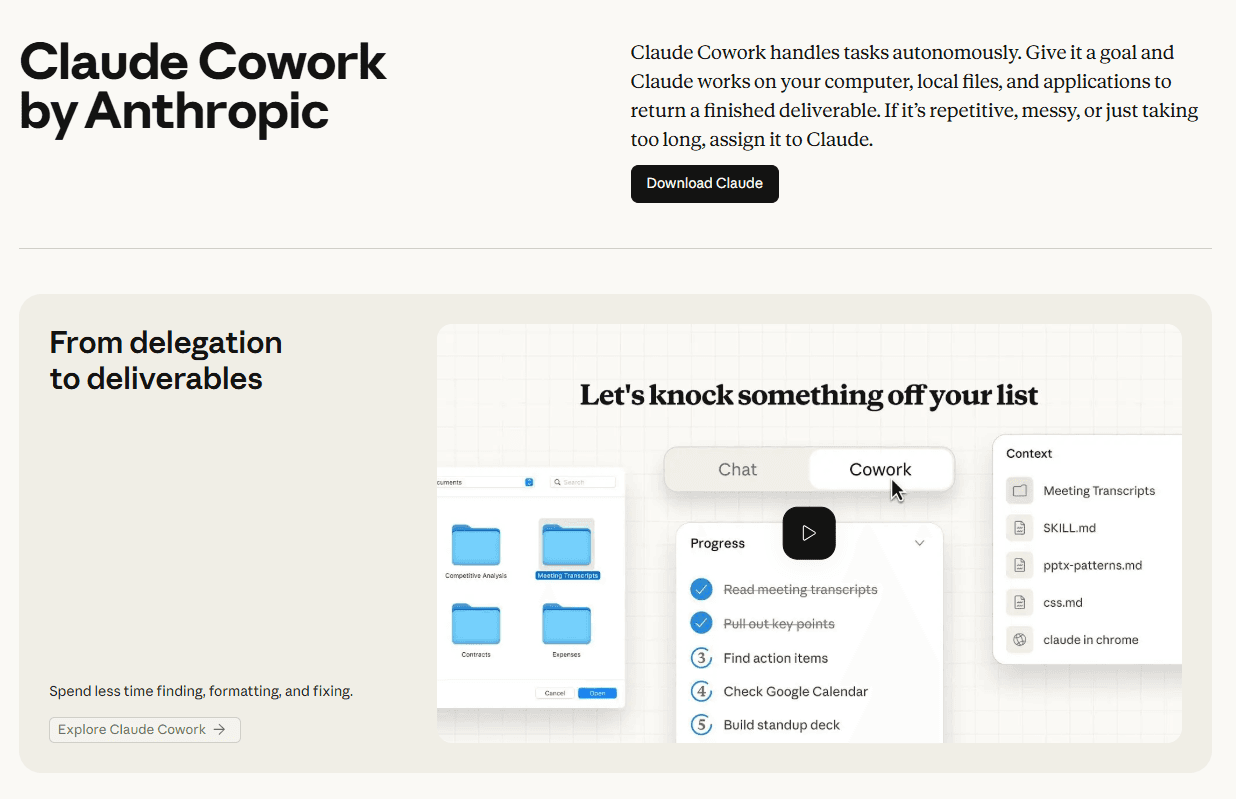
Best for: Non-technical users who want to describe a goal and have Claude execute it, end-to-end.
Pricing: Claude Pro from $20/month
How I use it: Delegating recurring research and content tasks without building a single workflow
Cowork scores well on setup time and AI capability. It handles unstructured work and connects to useful tools through connectors, plugins, and MCP. It needs stronger logs and more predictable branching before I would use it for high-volume workflows. The monthly price is easy to understand, but the value depends on how often you use the wider Claude toolset.
How it completes useful work
Cowork becomes more useful when you give it access to the right tools and instructions:
Claude Connectors let it read information from services such as Google Drive, Slack, and Notion. They help it use your current files, messages, and workspace data.
Claude Skills give it reusable instructions for a specific task. You can use them to apply the same process, format, or quality checks each time.
Claude Plugins combine instructions, skills, and tool connections in one package. They help teams set up repeatable workflows and share them with other users.
MCP servers let it connect to external tools and services. With the correct permissions, it can search for data, create records, send messages, or update another app.
Routines save a repeatable process with its instructions, tools, and timing. They help it complete regular work, such as preparing a daily brief, checking project updates, or creating a weekly report.
These parts serve different purposes. Connectors and MCP servers give Cowork access to data and actions. Skills and plugins tell it how to complete the work. Routines and scheduled tasks help it repeat the work at the correct time. You can combine them to create a workflow without building each step on a visual canvas.
For example, I created a weekly routine with this instruction:
Every Monday, find the three most-discussed posts in r/automation from the past week, summarise the top comments, and add them to Notion.
The routine managed the schedule, and the Notion connector gave Cowork access to the destination page. Cowork found the posts, prepared the summary, and added the result to Notion. I did not have to build nodes, triggers, or API calls.
It completed this clear workflow on the first run. However, it became less reliable when I added complex conditions. It made a decision that I did not expect, and its logs did not give me enough information to understand the cause.
Cowork works best when you give it a clear goal and a small number of decision points. If a workflow needs complex branching, detailed logs, or strict control over each step, a tool such as n8n or Make is a better choice.
What I like about Cowork:
No canvas, no nodes, no trigger logic; you describe the outcome, and it figures out the steps
Handles unstructured inputs cleanly, things like Reddit threads and messy email formats
The fastest tool on this list for getting something running from scratch
Natural entry point into the broader Claude ecosystem before moving to Claude Code
Where it gets harder:
Very limited visibility into what the agent actually decided and why
Conditional or branching logic is unreliable at this stage
Not the right tool for anything that needs to run unsupervised at high volume
Related: Best Claude Cowork alternatives
2) Composio Connect: Integrate 1000+ SaaS apps with Claude, ChatGPT in minutes
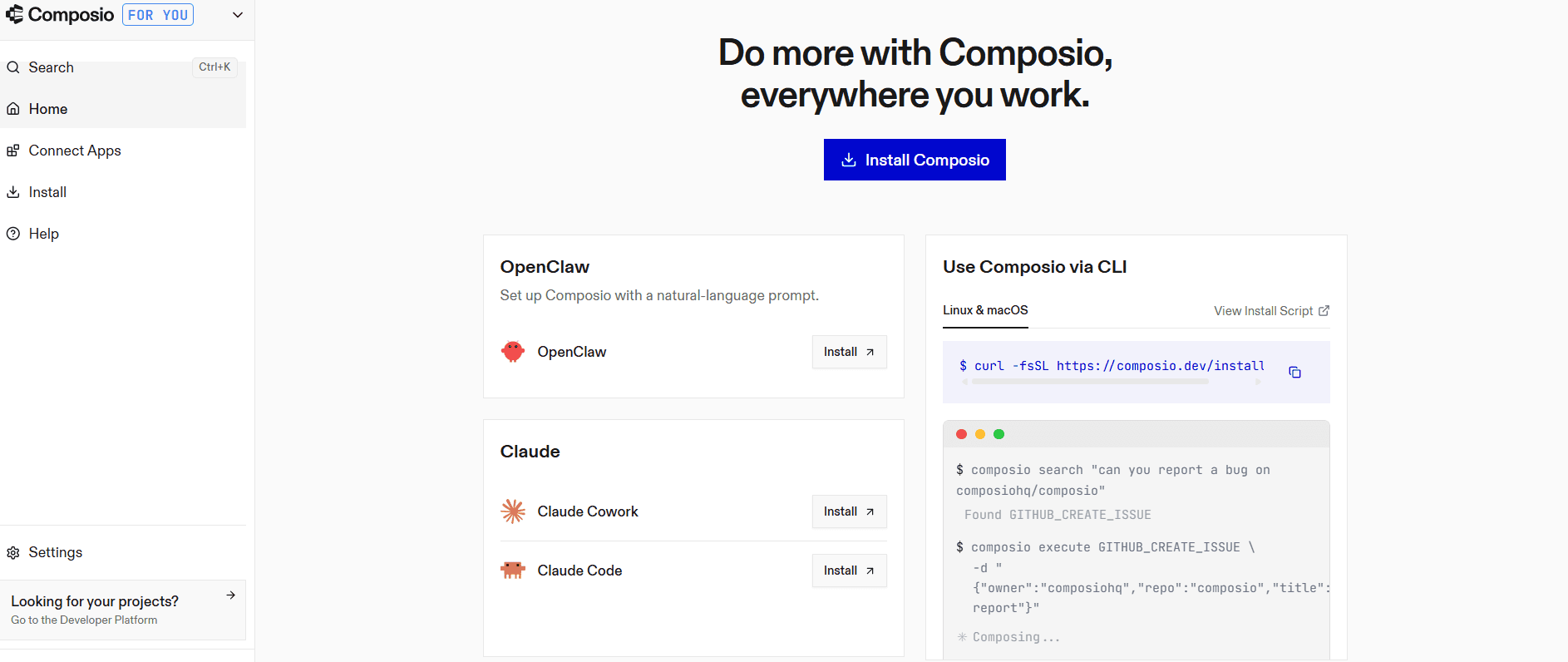
Best for: Developers giving AI agents real-world integrations
How I use it: Connecting agents to Gmail, GitHub, Notion, and Slack. This keeps my connectors independent of one AI platform. My Hermes agent, Claude Code, and ChatGPT can use the same tools through one MCP endpoint.
Composio takes a bit more setup than a normal automation app, but it performs well on integration depth, authentication, security, and maintenance. It manages OAuth, token refresh, and rate limits, so I do not have to rebuild that work for each agent. Dynamic tool routing also helps agents use the correct actions. Cost depends on usage, but the shared integration layer becomes more useful as you add agents and applications.
Composio is one of those tools you must have in your stack. Most of my work involves interacting with apps such as GitHub, Notion, PostHog, and Google Analytics. And for any meaningful productivity gain, I’ll need my agents to access these apps securely.
This is what Composio does.
It has a catalogue of over 1,000 toolkits and offers a single MCP server to connect any number of apps. The best part is that it takes a minute at best to set it up with Claude Cowork, Codex, OpenClaw, etc.
What I like about Composio:
Managed OAuth handles the entire auth lifecycle, token refresh, rate limits, all of it
Dynamic tool routing means agents only see what's relevant per task, which meaningfully improves output quality
1000+ maintained integrations, not community-contributed guesswork
SOC 2 Type II compliant out of the box
Works with every major agent harness without custom wiring
Where it gets harder:
Slightly technical. You still have to connect MCP servers to ChatGPT, Claude, Cursor, etc.
This is not a sign-up-and-use tool, but rather one that augments other apps like ChatGPT or Claude.
3) n8n: The Moment I Understood Why Technical Teams Won't Shut Up About It
Best for: Technical teams that need full control, self-hosting, and auditability
How I use it: Client automations that need to be handed over, maintained, and explained to someone outside the team
n8n takes longer to learn than Zapier, but it performs well on workflow depth, debugging, security, and maintenance. You can inspect each step, add branches and loops, and self-host it when you need more control over data. It also gives technical teams a clear way to repair failed runs. The self-hosted version can reduce software costs, but you must manage the infrastructure yourself.
I self-hosted n8n on a $20 Hetzner box and had a Slack summarizer running before lunch. Three channels, daily digest, prompt-filtered. Real work, not a demo.
The real test came three weeks later. A client needed an audit trail, not a vague log, a readable record of every decision the system made and why. I pulled up the canvas, traced every branch by eye, and exported a coherent result in 5 minutes.
That's when I got it. The canvas isn't a design choice. It's an accountability layer.
The learning curve is real, and I won't dress it up. My first complex workflow took twice as long as it would have in Zapier. My fifth one took half as long. The investment pays back, but it does require an investment.
What I like about n8n:
Self-hosting option is a genuine differentiator for teams with data residency requirements
The visual canvas makes complex workflows auditable and explainable
5,000+ community templates mean you rarely start from scratch
Full branching, looping, and conditional logic without writing code
Where it gets harder:
The first two hours are rough for anyone new to node-based builders
Requires real setup investment before it pays back
Not the right tool if you need something running today with minimal configuration
Related: Top n8n alternatives
4) Zapier: I Keep Coming Back and I'm Not Embarrassed
Best for: Non-technical users who need something reliable and maintainable
How I use it: Workflows I need to hand off to clients who will maintain them without calling me
Zapier performs best on setup time, integration coverage, reliability, and maintenance. Its editor and documentation help non-technical users build and repair common workflows. It supports filters, paths, schedules, and AI steps, but Make and n8n provide more control for complex data handling. The main issue is cost because task-based pricing grows quickly with volume.
I've outgrown Zapier twice, gone elsewhere twice, and come back both times. The honest reason is boring: when something breaks at 11 pm, and a client is waiting, Zapier's documentation is the best in the category. Not the most impressive platform. The best docs. That's worth more than it sounds.
The new Copilot feature describes a workflow; it drafts and tests the whole thing, and it works better than I expected. A client who'd never used an automation tool built her own workflow with it and has been running it for two months without a hitch. That outcome is hard to dismiss.
Pricing at scale is the real knock. The same flow I mentioned at the top cost me roughly three times as much in Zapier as in Make once it was running at any real volume. If you're doing high-frequency trading, you'll eventually feel that gap.
What I like about Zapier:
8,000+ app integrations, if a SaaS tool exists, Zapier almost certainly connects to it
Best documentation in the category by a distance
Copilot builds and tests workflows from plain English descriptions
Non-technical users can maintain automations themselves without support
Where it gets harder:
Not as agent-native as Composio
Pricing at volume is genuinely hard to justify versus Make
Less capable than Make or n8n for complex branching logic
The per-task pricing model creates anxiety at scale
Related: Best Zapier alternatives
5) Make: My Content Team Hated It for Two Days, Then Couldn't Stop
Best for: Ops teams and agencies running complex, multi-condition workflows
How I use it: High-frequency content pipelines where Zapier's pricing would hurt
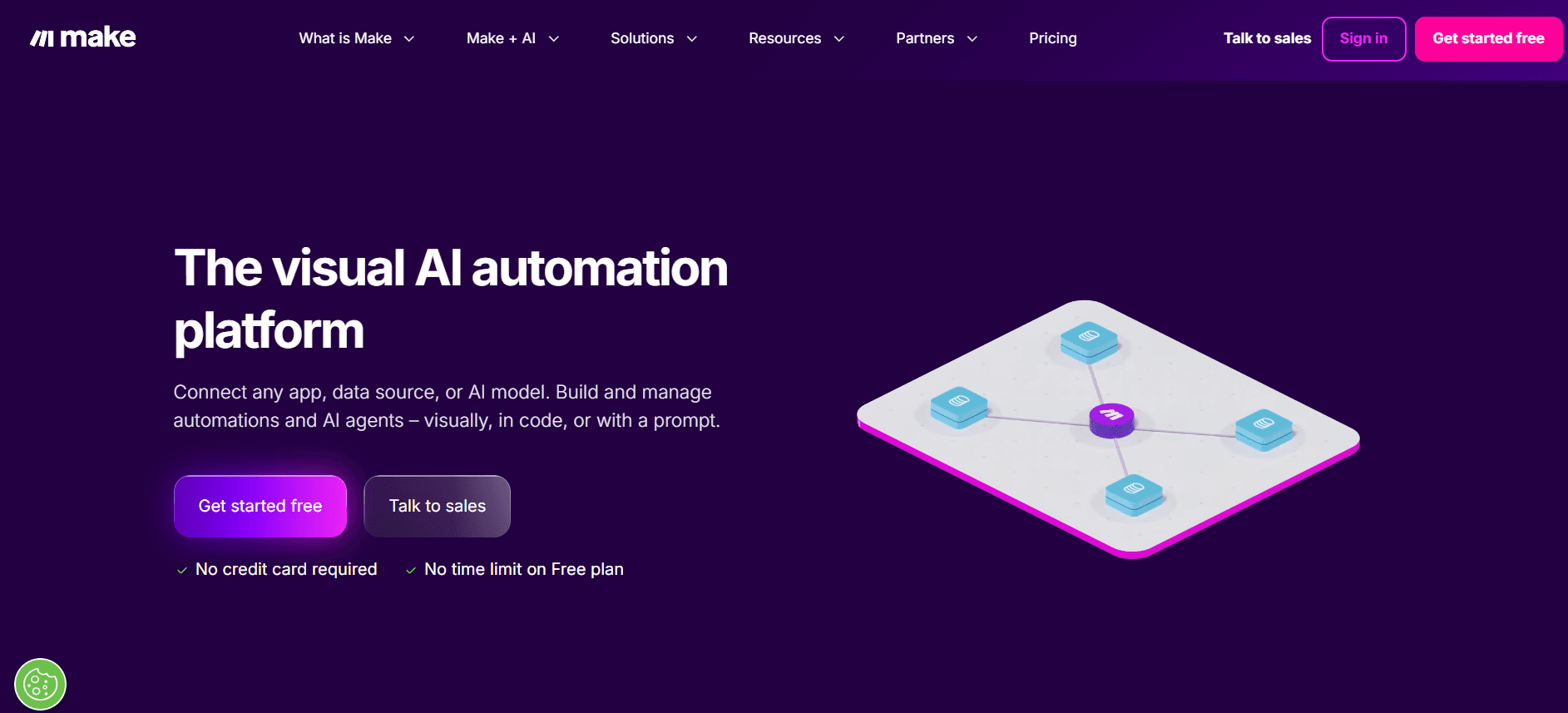
Make performs well on workflow depth, run visibility, and cost at scale. It supports routers, iterators, aggregators, filters, and detailed data mapping, so it can handle processes that become difficult in simpler tools. The visual run history helps with debugging, but the interface takes time to learn. Its app coverage is smaller than Zapier's, so I check the required integrations before I build.
I handed Make to my content team on a Monday with one instruction: build a briefing pipeline. Monitor RSS feeds, filter by relevance, summarise the good ones, and populate a Notion content calendar automatically. No hand-holding from me.
Monday was rough. One person sent me a message asking if the tool was broken. I said no and left them to it.
Wednesday morning, I got a screenshot in the group chat. One teammate had built the whole pipeline end-to-end, and it was running. By Friday, two others had made their own variations. The group chat that was complaining two days earlier was now sharing tips.
That arc is completely typical of Make. Steeper learning curve than Zapier, more demanding interface, the first two hours will test your patience. But 10,000 operations at $9/month versus Zapier's pricing at the same volume isn't a rounding error. Most teams make back the switching cost within the first month.
What I like about Make:
10,000 operations at $9/month is dramatically better economics than Zapier
Handles complex branching, iterators, and data aggregation cleanly
Scenario builder gives you full visibility into data moving between modules
Once it clicks, it clicks hard. The team that hated it on Monday was sharing tips by Friday
Where it gets harder:
The first two hours are more painful than Zapier
Not as agent-native as Composio
Interface complexity can overwhelm non-technical users
Less app coverage than Zapier's 8,000+ integrations
Related: Best make alternatives
6) ChatGPT Work: Best for multi-step work across apps and files
Best for: Teams that want ChatGPT to research, plan, and complete long tasks across apps, files, and the web
Pricing: Work is available across ChatGPT plans. Desktop access is available across plans, while web and mobile access is available on eligible paid plans.
How I use it: Preparing research, reports, briefs, and recurring updates from files and connected business apps
ChatGPT Work scores well on AI capability, setup time, and the range of outputs it can create. Plugins, Projects, scheduled tasks, browser access, and computer use give it broad integration options. Plan mode and approval controls improve safety, but it still gives you less step-level control than a visual workflow builder. Usage varies with task length and complexity, so costs are less predictable for long-running work.
OpenAI introduced ChatGPT Work in July 2026. It is an agent for longer tasks that need several steps and finished deliverables. It uses GPT-5.6, and it can work on a project for hours when required. You can review its progress, answer questions, change its direction, and approve important actions.
How it completes useful work
Plugins and apps connect Work to services such as Slack, Microsoft Teams, Google Drive, SharePoint, Gmail, Outlook, Salesforce, and project trackers. They can provide context and, when allowed, create or update information. The Plugins Directory includes more than 1,400 plugins.
Projects keep related chats, files, and instructions together. You can start a Work task with the context from an existing Project.
Plan mode gathers context, asks questions, and prepares a step-by-step plan. You can change or approve the plan before Work starts.
Finished files include documents, spreadsheets, presentations, reports, and analyses. Work can use your reference files and templates when it creates them.
Sites turns plans and data into interactive websites or small web apps. You can use it for dashboards, project trackers, launch calendars, internal portals, prototypes, and reports.
Scheduled Tasks can run once or on a recurring schedule. They can also monitor information and notify you when an important change occurs. Tasks can use supported apps and the browser.
Built-in browser lets Work research websites and use web-based tools inside the desktop app. It supports multiple tabs, so you can review and guide the task while it runs.
Computer Use lets Work click, type, move files, and complete steps across desktop apps and the browser. You must give it the required permissions.
Cross-device work lets cloud tasks sync across web, mobile, and desktop. You can start a task on your phone and continue it on your computer.
Voice lets you speak to Work in the desktop app. You can interrupt it and ask it to start or coordinate a task.
Permissions and approvals control what Work can read and change. It can ask before important actions, and workspace admins can control plugins, app actions, browser access, roles, and usage.
For example, you can ask Work to prepare a weekly business review. It can read new Slack messages, check CRM updates, compare the results with the previous week, update a spreadsheet, create a short slide deck, and notify you when the review is ready. You can inspect the plan before it starts and approve important actions during the task.
What I like about ChatGPT Work:
It combines research, analysis, app access, file creation, and computer use in one task
It can produce useful deliverables instead of stopping at a written answer
Projects, plugins, and scheduled tasks support repeatable team workflows
Plan mode and approval controls help you review the work before it changes another system
It works across web, mobile, and desktop, while the desktop app can also use local files and apps
Where it gets harder:
Feature access depends on your plan, device, region, and workspace settings
Long or complex tasks can use more of your plan's included usage
Scheduled Tasks do not currently support webhooks, and each plan limits the number of active tasks
Local file and desktop app access requires the desktop app and the correct permissions
A visual workflow tool gives you more direct control when every branch and data change must follow fixed rules
Related: Best ChatGPT alternatives
7) Langflow: No-code AI workflow builder for production systems
Best for: Developers who want to prototype LLM and RAG pipelines visually before writing production code
Pricing: Free and open source, with managed cloud options
How I use it: Figuring out exactly what I want to build before committing to building it
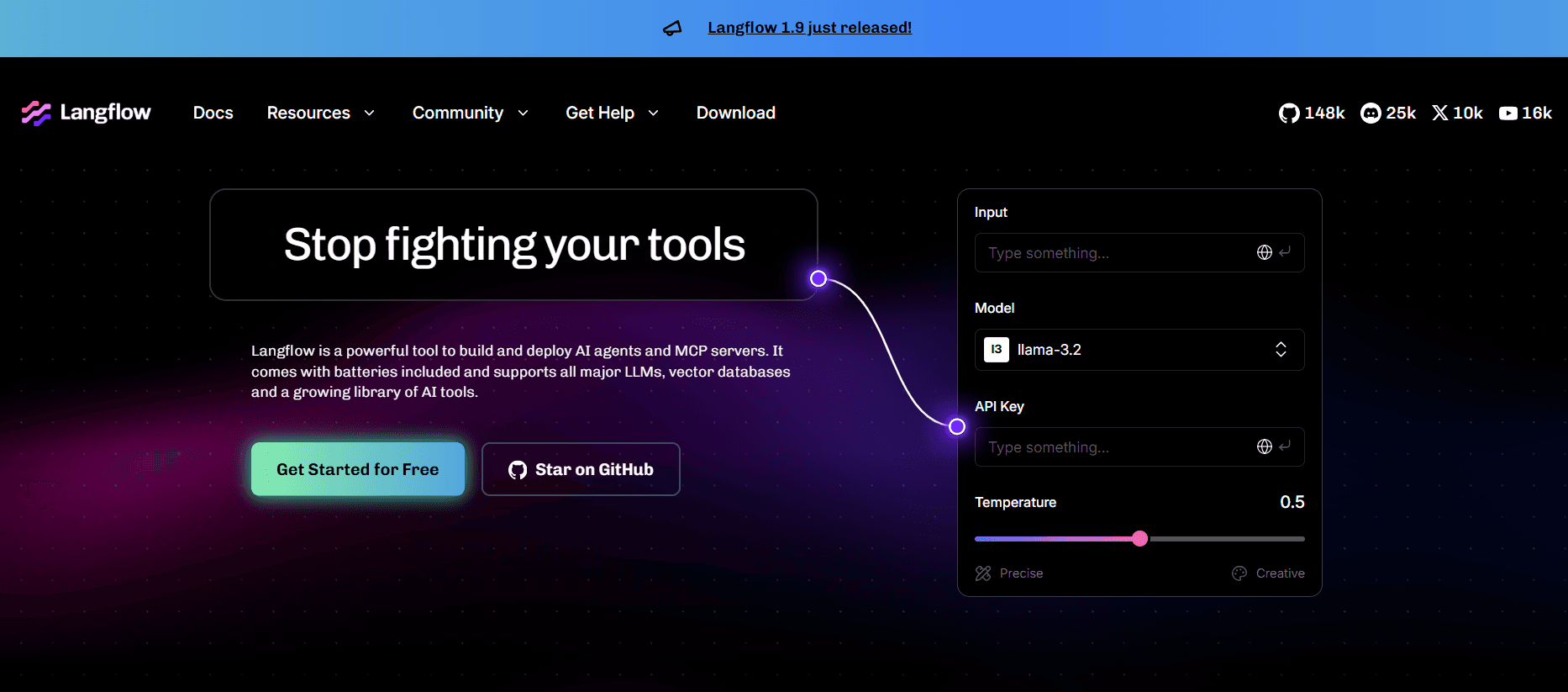
Langflow performs well on setup time for LLM prototypes, model flexibility, and visual debugging. It lets you inspect prompts, retrieval steps, models, and vector stores in one flow. It is open source, which helps with cost and deployment control. Maintenance becomes harder as the canvas grows, and I would add stronger testing, monitoring, and access controls before using a large flow in production.
I don't use Langflow in production. I use it to figure out exactly what I want to build before committing to building it properly, and for that specific job, it's the best tool I've found.
The use case is RAG pipeline development. Grounding AI in your own documents, databases, or knowledge bases rather than just its training data. I can go from an idea to a working retrieval pipeline in an afternoon. I understand the data flow, the chunking behaviour, and the retrieval logic, and then I write the production version knowing exactly what I'm building. Without Langflow, that prototyping phase takes me three times as long.
The 100,000+ GitHub stars and IBM's acquisition of DataStax, Langflow's parent company, are real signals worth noting. Where it genuinely struggles: multi-agent orchestration and anything past about 20 nodes gets hard to read and debug fast.
What I like about Langflow:
Best visual environment for RAG pipeline prototyping I've found
Open source with an active community and real maintenance backing
Cuts my prototyping time roughly in half before writing production code
Supports multiple LLM providers and vector stores without custom wiring
Where it gets harder:
Multi-agent orchestration is weak compared to dedicated agent platforms
Flows past ~20 nodes get hard to read and debug
More of a thinking tool than a deployment environment
8) Gumloop: Best for no-code AI agents and workflows
Best for: Teams that want to build AI agents and automated workflows without writing much code
Pricing: Free plan with 5,000 monthly credits; Pro starts at $37 per month
How I use it: Building agents for flexible tasks and workflows for repeatable processes, then using Gumstack when a client needs MCP security and audit logs
Gumloop performs well on setup time, AI features, triggers, and team collaboration. It combines agents for flexible work with visual workflows for fixed processes. Skills, evaluations, and run controls help with maintenance, while Gumstack adds stronger security and observability for enterprise deployments. Credit use and concurrency limits need attention because costs can change with the model and the number of agent actions.
Gumloop now has two main ways to automate work. Agents use models, skills, and tools to decide how to complete a task. Workflows use a visual canvas to run a defined process on a schedule, in bulk, or after an external event.
How it completes useful work
Agents can research, analyze data, create content, and use connected tools. You can give each agent instructions, skills, connectors, and a selected AI model.
Skills store reusable instructions for a task. They help an agent follow the same process and output format each time.
Connectors give agents and workflows access to business apps and data. Gumloop also supports shared credentials, connector policies, and guardrails on paid plans.
Workflows provide a drag-and-drop canvas with more than 100 nodes and integrations. You can use conditions, data transformations, AI steps, and app actions in one flow.
Triggers start an agent or workflow automatically. They can run at a set time or respond to events such as a new email, Slack message, calendar event, Notion page, Salesforce record, or Jira issue.
Create With AI lets you describe a custom trigger in natural language when a standard trigger does not fit the task.
Artifacts let agents create outputs that users can review or interact with. Gumloop also provides evaluations and reflections to help teams test and improve agent behavior.
MCP support lets teams host an MCP server and use Gumloop through MCP-compatible clients. Pro includes hosting for one MCP server, while Enterprise provides broader MCP controls.
For example, you can build a sales-review agent with Salesforce, Gmail, and Slack connectors. A scheduled trigger can run it every Friday. The agent can review pipeline changes, summarize customer activity, and send a report before the team meeting. If you need fixed approval or data-processing steps, you can move those parts into a visual workflow.
Where Gumstack fits
Gumstack is Gumloop's enterprise security, observability, and MCP infrastructure product. It can inventory MCP clients and servers, trace tool calls, link activity to users or agents, and apply RBAC, ABAC, and per-tool authorization. It also supports hosted MCP servers, managed secrets, SSO, SCIM, audit logs, and deployment in a private cloud environment.
This gives Gumloop a useful enterprise option. Teams can build agents and workflows in Gumloop, and security teams can use Gumstack to monitor and control MCP activity across other supported AI clients and servers.
What I like about Gumloop:
It supports flexible agents and defined visual workflows in the same platform
Scheduled and event-based triggers let agents run without manual prompts
Skills, connectors, and evaluations help teams reuse and improve their agents
The Pro plan includes unlimited seats, which can help teams collaborate without per-user pricing
Gumstack adds MCP inventory, tool-call traces, access controls, and audit features for enterprise use
Where it gets harder:
Credit use depends on the models, nodes, and agent actions in each run, so teams need to monitor usage
The Free plan allows one active trigger, two concurrent workflow runs, and five concurrent agent interactions
Pro supports five concurrent runs and 25 concurrent agent interactions, so larger workloads may require Enterprise
Advanced security features such as RBAC, SCIM, SAML, audit logs, and private cloud deployment require Enterprise
Complex workflows still need careful logic, testing, and error handling even when you build them on a visual canvas
9) Lindy: Best for inbox, meeting, and operations agents
Best for: Professionals and teams that want agents to manage email, meetings, follow-ups, sales, support, and operations tasks
How I use it: Preparing meeting briefs, managing follow-ups, researching leads, and routing work between email, calendars, CRM tools, and team apps
Lindy performs well on setup time for inbox and meeting work because it includes ready-made features and templates. Its custom builder also supports triggers, conditions, loops, webhooks, memory, and AI-controlled steps. The Tasks view helps you monitor runs, but debugging becomes harder when several Agent Steps and memory affect the result. Pricing starts higher than many workflow tools, and heavier use requires Pro or Max.
Lindy now combines a personal AI assistant with a visual builder for custom agents. Its ready-made assistant can manage your inbox, calendar, meetings, notes, and follow-ups. You can also build agents with workflows, integrations, memory, conditions, and AI-controlled steps.
How it completes useful work
Workflows define the order of each task in the visual flow editor. You can combine triggers, actions, conditions, loops, integrations, and agent steps.
Agent Steps give Lindy more control when a task needs judgment. You provide the available skills and instructions, and the agent decides which action to use.
Triggers start a workflow from a schedule, a chat, or an external event. Examples include a new email, Slack message, calendar event, Google Sheets row, or webhook.
Trigger filters let you control which events start a run. You can combine rules with AND, OR, and nested condition groups.
Integrations connect Lindy to hundreds of services, including Gmail, Google Calendar, Slack, Notion, HubSpot, and Salesforce.
Memory stores context, preferences, and conversation history when the agent needs continuity between tasks.
Computer use is available on Pro and higher plans. It lets Lindy operate supported web apps when a direct integration does not cover the task.
For example, you can create a meeting assistant with two workflows. The first workflow can start before a calendar event, research the attendees, and send you a brief. The second can join the meeting, create notes, save them to a knowledge base, and prepare follow-up messages. You can then ask the agent questions about previous meetings.
What I like about Lindy:
It includes useful email and meeting features for people who do not want to build every workflow from the beginning
Its custom builder supports conditions, loops, event triggers, webhooks, and AI-controlled steps
One agent can use multiple triggers and run different workflows
Memory and knowledge bases help agents use earlier context and company information
Enterprise includes HIPAA support with a signed BAA, SSO, SCIM, custom company context, and audit logs
Where it gets harder:
Pricing now starts at $49.99 per month after the trial, and heavier usage requires Pro or Max
Usage depends on the model, context size, and workflow complexity, so long agent runs can use resources quickly
Unused usage does not carry over to the next billing cycle
Computer use, model selection, and higher capacity require Pro or Max
Complex workflows still need testing because conditions, loops, memory, and agent decisions can interact in unexpected ways
10) Bardeen: Automation for People Who Live in Their Browser
Best for: Sales reps, recruiters, and marketers doing repetitive browser-based tasks
How I use it: Browser automation for the team, LinkedIn to CRM, research to sheets, and other work that stays in a browser tab
Bardeen performs well on setup time and browser access. It can automate pages that do not provide a useful API, and its playbooks make common sales, recruiting, and research tasks easy to repeat. Reliability depends on the website because interface changes can break browser steps. Debugging and unattended execution are also weaker than in server-based tools, and credit costs need attention at high volume.
I handed Bardeen to a sales rep on my team who was spending two hours every day manually copying LinkedIn profiles into our CRM. One contact at a time, tab by tab. She had a working playbook running in 25 minutes. No code, no canvas, just described what she wanted and it built the automation. We cut that two-hour daily task to about four minutes. She sent me a voice note that was essentially just laughing.
The limitations are real, and I won't hide them. Your browser has to be open for anything to run; close your laptop, and every scheduled automation stops cold. The credit model also bites harder than the pricing page suggests at scale. One person on the team accurately called the credit math "a trap" once we started running volume through it.
For the right use case, though- browser-based, repetitive, no API available- nothing on this list gets you from zero to running faster.
What I like about Bardeen:
Fastest tool on the list for browser-based repetitive tasks
1,000+ pre-built playbooks across sales, recruiting, research, and ops
Natural language playbook builder gets it right most of the time on the first attempt
No API required; if it's on a webpage, Bardeen can usually touch it
Where it gets harder:
The browser must be open for automations to run, no background execution
Credit model gets expensive fast for high-volume enrichment workflows
LinkedIn interface changes break playbooks regularly and require rebuilding
Chrome, Firefox, Safari, and Edge users are locked out entirely
Final Take
The biggest thing I learned is simple: there is no single “best” AI automation tool.
There are tools for delegation, control, agent infrastructure, and browser work. The mistake is treating them like they all solve the same problem.
Here’s the real filter:
If you already have Claude and ChatGPT, choose Composio to 100x their productivity.
If you want the fastest non-technical starting point, start with Claude Cowork or Zapier.
If you care about control, start with n8n or Make.
If your workflow lives in the browser, start with Bardeen.
That’s what matters. Not which tool has the loudest launch, but which one removes the specific bottleneck you are actually dealing with.

 Get started



