
Perplexityai CLI for AI Agents

Use Composio Universal CLI with Perplexityai. Summarize the latest ai research papers, generate a creative story about space travel, and more using natural language, with authentication handled for you.

Perplexityai logoPerplexityai
Api Key

Perplexityai delivers natural, conversational AI models for generating human-like text. Instantly get context-aware, high-quality responses for chat, search, or complex workflows.

28 Tools

Introduction

CLIs are eating MCPs. The industry is converging on the very same idea. MCPs for all their merit can be token hungry, slow, and unreliable for complex tool chaining. However, coding agents have become incredibly good at working with CLIs, and in fact they are far more comfortable working with CLI tools than MCP.

With Composio's Universal CLI, your coding agents can talk to over 2000+ SaaS applications. With Perplexityai, agents can run chat completions, search the web, create embeddings, execute agents, and check your usage analytics, and more — all without worrying about authentication.

This guide walks you through Composio Universal CLI and explains how you can connect it with coding agents like Claude Code, Codex, OpenCode, etc, for end-to-end Perplexityai automation.

For exact tool slugs and parameter tables, see the tool catalog in the Composio docs.
Also integrate Perplexityai with

What is Universal CLI and why use it?

The idea behind building the universal CLI is to give agents a single command interface to interact with all your external applications. Here's what you'll get with it:

  • Agent-friendly: Coding agents like Claude Code, Codex, and OpenCode can use CLI tools natively — no MCP setup required.
  • Authentication handled: Connect once via OAuth or API Key, and all CLI commands work with your credentials automatically.
  • Tool discovery: Search, inspect, and execute 20,000+ tools across 2000+ apps from one interface.
  • Trigger support: Use triggers to listen for events across your apps, powered by real-time webhooks or polling under the hood.
  • Type generation: Generate typed schemas for autocomplete and type safety in your projects.

Prerequisites

Install the Composio CLI, authenticate, and initialize your project:

bash
# Install the Composio CLI
curl -fsSL https://composio.dev/install | bash

# Authenticate with Composio
composio login

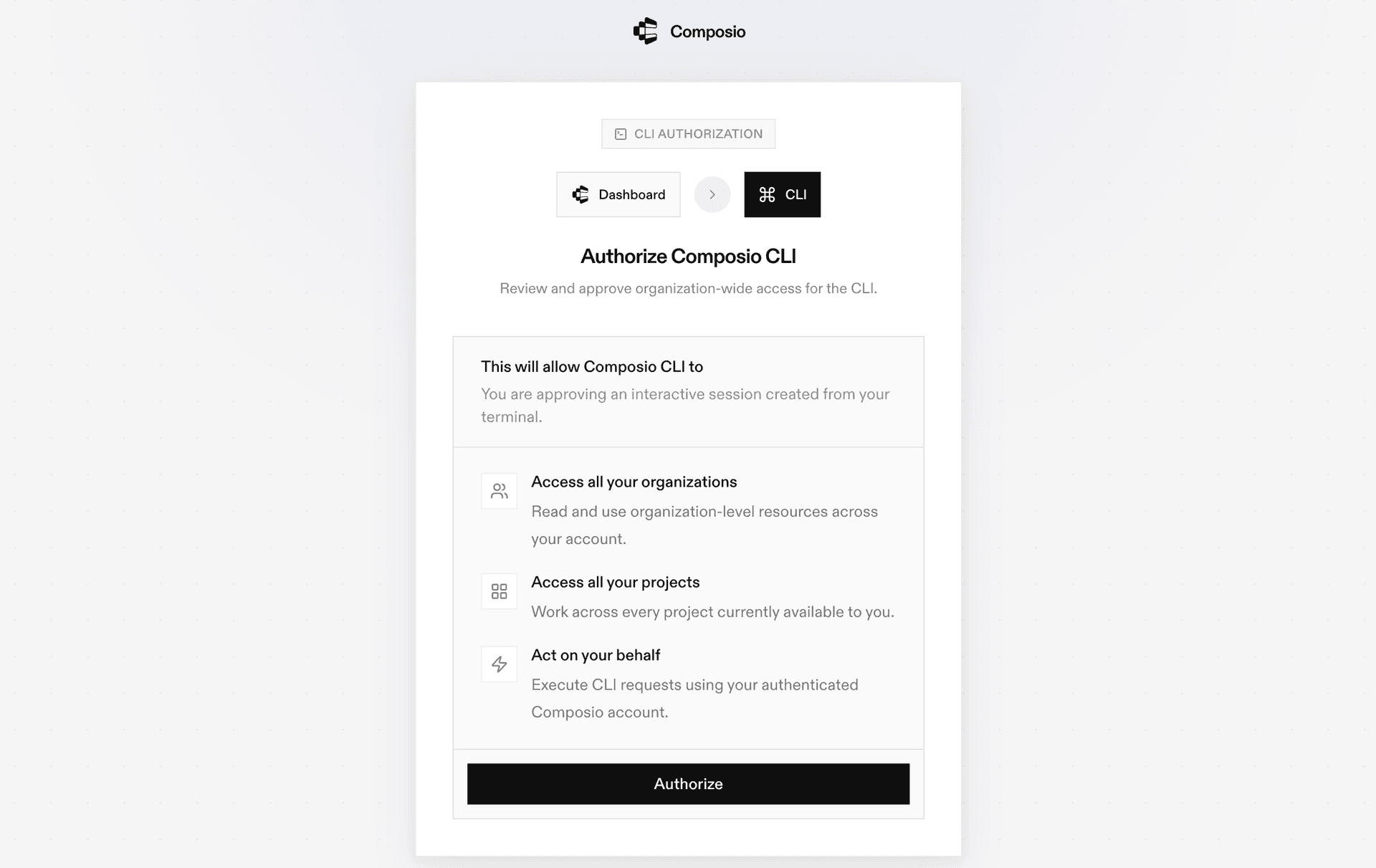
During login you'll be redirected to sign in page, finish the complete flow and you're all set.

Composio CLI authentication flow

Connecting Perplexityai to Coding Agents via Universal CLI

Once it is installed, it's essentially done. Claude Code, Codex, OpenCode, OpenClaw, or any other agent will be able to access the CLI. A few steps to give agents access to your apps.

  1. Launch your Coding Agent — Claude Code, Codex, OpenCode, anything you prefer.
  2. Prompt it to "Authenticate with Perplexityai"
  3. Complete the authentication and authorization flow and your Perplexityai integration is all set.
  4. Start asking anything you want.

Universal CLI Commands for Perplexityai

You can also manually execute CLI commands to interact with your Perplexityai.

Connect your Perplexityai account

Link your Perplexityai account and verify the connection:

bash
# Connect your Perplexityai account (opens OAuth flow)
composio connected-accounts link perplexityai

# Verify the connection
composio connected-accounts list --toolkits perplexityai

Discover Perplexityai tools

Search and inspect available Perplexityai tools:

bash
# List all available Perplexityai tools
composio tools list --toolkit perplexityai

# Search for Perplexityai tools by action
composio tools search "perplexityai"

# Inspect a tool's input schema
composio tools info PERPLEXITYAI_SEARCH

Common Perplexityai Actions

Perplexity Search (Raw Results) — Search the Web (POST /search)

bash
composio tools execute PERPLEXITYAI_SEARCH \
  --query "<string>"

List Async Chat Completions — List Async Chat Completions (GET /v1/async/sonar)

bash
composio tools execute PERPLEXITYAI_LIST_ASYNC_CHAT_COMPLETIONS

List Models — List Models (GET /v1/models)

bash
composio tools execute PERPLEXITYAI_LIST_MODELS

Create Async Chat Completion — Create Async Chat Completion (POST /v1/async/sonar)

bash
composio tools execute PERPLEXITYAI_CREATE_ASYNC_CHAT_COMPLETION \
  --request "<object>"

Create Chat Completion — Perplexity Sonar Chat Completions (POST /v1/sonar)

bash
composio tools execute PERPLEXITYAI_CREATE_CHAT_COMPLETION \
  --messages "<array>"

Create Contextualized Embeddings — Create Contextualized Embeddings (POST /v1/contextualizedembeddings)

bash
composio tools execute PERPLEXITYAI_CREATE_CONTEXTUALIZED_EMBEDDINGS \
  --input "<array>" \
  --model "<string>"

CreateEmbeddings — Generate vector embeddings for independent texts (queries, sentences, documents)

bash
composio tools execute PERPLEXITYAI_CREATE_EMBEDDINGS \
  --input "Hello world" \
  --model "pplx-embed-v1-0.6b"

Execute Agent — Create Agent Response (POST /v1/agent)

bash
composio tools execute PERPLEXITYAI_EXECUTE_AGENT \
  --input "<string>"

Generate Type Definitions

Generate typed schemas for Perplexityai tools to get autocomplete and type safety in your project:

bash
# Auto-detect language
composio generate --toolkits perplexityai

# TypeScript
composio ts generate --toolkits perplexityai

# Python
composio py generate --toolkits perplexityai

Tips & Tricks

  • Always inspect a tool's input schema before executing: composio tools info <TOOL_NAME>
  • Pipe output with jq for better readability: composio tools execute TOOL_NAME -d '{}' | jq
  • Set COMPOSIO_API_KEY as an environment variable for CI/CD pipelines
  • Use composio dev logs tools to inspect execution logs and debug issues

Next Steps

  • Try asking your coding agent to perform various Perplexityai operations
  • Explore cross-app workflows by connecting more toolkits
  • Set up triggers for real-time automation
  • Use composio generate for typed schemas in your projects
TOOLS

Supported Tools

Every Perplexityai action and event your agent gets out of the box.

Cancel Agent Response

Request cancellation of an existing durable agent response.

Create Async Chat Completion

Create Async Chat Completion (POST /v1/async/sonar).

Create Chat Completion

Generate a chat-compatible response from conversation messages, with optional search controls.

Create Contextualized Embeddings

Create Contextualized Embeddings (POST /v1/contextualizedembeddings).

CreateEmbeddings

Generate vector embeddings for independent texts (queries, sentences, documents).

Create Orchestrator Chat Completion

Create a non-streaming OpenAI-compatible chat completion using a cataloged Orchestrator model.

Create Orchestrator Message

Create a non-streaming Anthropic-compatible message using an Orchestrator catalog model.

CreateOrchestratorResponse

Generate a non-streaming model response through the Perplexity Orchestrator using a creator/model-name catalog ID, input text or structured items, optional tools, and structured output settings.

Create Skill

Create a Project-owned skill from a ZIP bundle containing SKILL.md.

Delete Skill

Delete a skill only if its current revision matches expected_revision.

Download Agent Response File

Download a file delivered by an Agent response's share_file tool.

Evaluate Decisions

Evaluate named yes/no, choice, and score questions against shared content.

Execute Agent

Create Agent Response (POST /v1/agent).

Get Agent Response

Retrieve a stored Agent response as a JSON snapshot (GET /v1/agent/{id}).

Get Async Chat Completion

Get Async Chat Completion (GET /v1/async/sonar/{id}).

Get Member Usage Analytics

Get organization Perplexity usage per member in daily UTC buckets.

Get Orchestrator Model

Retrieve one Orchestrator model by its full provider/model id.

Get Skill

Get a skill's metadata by identifier, optionally at a specific revision.

Get Skill Download URL

Get a short-lived URL to download a skill bundle as a ZIP, optionally for a specific revision; omit the revision to select the active revision.

Get Usage Analytics

Get an organization's Perplexity Computer usage as a bucketed time series.

List Agent Response Files

List files an agent response delivered from its sandbox using share_file.

List Async Chat Completions

List a page of legacy asynchronous Sonar chat completion requests for the authenticated user, including their statuses.

List Models

List Models (GET /v1/models).

List Orchestrator Models

List available Orchestrator API models sorted by id, with base token prices.

List Skill Revisions

List a skill's revisions, newest first.

List Skills

List skills in the authenticated Project, newest first.

Perplexity Search (Raw Results)

Search the Web (POST /search).

Update Skill

Upload a new ZIP bundle as a revision of an existing Project-owned skill.

FAQ

Frequently asked questions

Start with Perplexityai.It takes 30 seconds.

Managed auth, hosted MCP servers, and every Perplexityai tool your agent needs.Free to start.

Start building