




At this point, I have become a heavy user of Claude Co-work. I let it handle most of my tasks, like research, content, reports and even YouTube.
I plug in all my apps like Ahrefs, Search Console, Google AdWords, and PostHog, and have it brainstorm content, ad improvements, new keyword strategy, and almost all marketing analytics. You can connect all of them in under 2 minutes using Composio MCP.
However, one thing always bugs me: the $ 100 bill that comes at the end of each month. Yup, that’s the price I pay for owning simplicity and that too at the cost of sharing my data & it’s inevitable. This really bugs me.
So I went and looked for alternative versions and found a few. Out of curiosity, I tested a few, and they are surprisingly good. Even one was launched on June 23 (Open Worker by AndrewNG)
This article shares the alternative I tried, what each offers, and how I used them. Though none solves all the problems, they do improve some of them - either cost, data sharing, self-hosting, model freedom, or vendor lock-in.
Let’s begin with revisiting Claude Cowork.
What is Claude Cowork?
Claude Cowork is Anthropic’s agentic knowledge-work tool, available with Claude Desktop. It’s aimed at people who are non-technical but want to use Claude to do a lot of their mundane tasks like:
reading, editing, and creating files,
pulling from connected apps and data stores
returning finished deliverables: reports, spreadsheets, or organised folders
It became quite popular because these are things most top executives always do; it kind of automates that. Also, the experience is polished, effective, and worth the switch (at least that’s what I happened to think earlier)
However, it comes at a steep cost for heavy users: Max Plan ($100 or $200/month, depending on usage multiplier). Also, it consumes the limit faster than regular chat because of tool calling, browser use, and PC use, and it shares data with Claude’s servers. You're stuck with Claude models, which have their own pros and cons. But if you don't want to be tied to a single provider, where you're essentially locked in
If you are someone like me, you probably don’t want that roi on your investment, so here are a few alternatives I figured out.
What to Look for in Claude Cowork Alternatives
Before choosing an alternative, focus on how well it fits your actual workflow—not just how many features it offers. Here are the key factors I considered:
Privacy and data control: Check whether your files and conversations stay on-device, are sent to third-party model providers, or are used for training.
Pricing and usage limits: Compare subscriptions, API costs, rate limits, and the price of running long or tool-heavy tasks.
Model flexibility: Look for support for multiple providers or local models so you are not locked into one AI ecosystem.
Tool integrations: Make sure it connects to the apps you use, such as Gmail, Slack, calendars, browsers, CRMs, and local files.
Autonomy and approvals: A capable coworker should complete multi-step tasks while asking for approval before sending messages, changing files, or taking other consequential actions.
Output quality: Prioritise tools that return polished, usable documents, spreadsheets, presentations, or reports—not just chat responses.
Ease of setup: Consider whether you want a ready-to-use cloud product or are comfortable configuring API keys, permissions, models, and self-hosted infrastructure.
Memory and recurring tasks: Persistent context, scheduled workflows, and background execution matter if you want an agent that improves over time and handles ongoing work.
No single option wins across every category. The best Claude Cowork alternative is the one that offers the right balance of cost, privacy, integrations, and control for your needs.
Top Alternatives to Claude Cowork in 2026
Alternative | Best for | Deployment | Cost model |
|---|---|---|---|
OpenWork | Shareable skills, workflows, and local automation | Local desktop, team, or enterprise deployment | Open-source core; model and infrastructure costs vary |
ChatGPT Work | Polished deliverables with minimal setup | Managed cloud | Available across ChatGPT plans; limits vary by tier |
OpenWorker | Private, model-flexible personal workflows | Local desktop | Free and open source; bring your own model or API key |
Microsoft Copilot Cowork | Organisations centred on Microsoft 365 | Microsoft-managed cloud | Microsoft 365 licensing plus usage-based billing |
Perplexity Computer | Deep research and long-running multi-model tasks | Managed cloud | Credit-based usage |
Hermes Agent | Technical users needing autonomous, custom workflows | Local, VPS, or self-hosted infrastructure | Free and open source; pay for models and hosting |
Rowboat | Local-first work built around persistent knowledge | Local-first with hosted or local models | Software and model costs depend on configuration |
1. OpenWork
Open-source desktop coworker for shareable skills, workflows, and local automation.
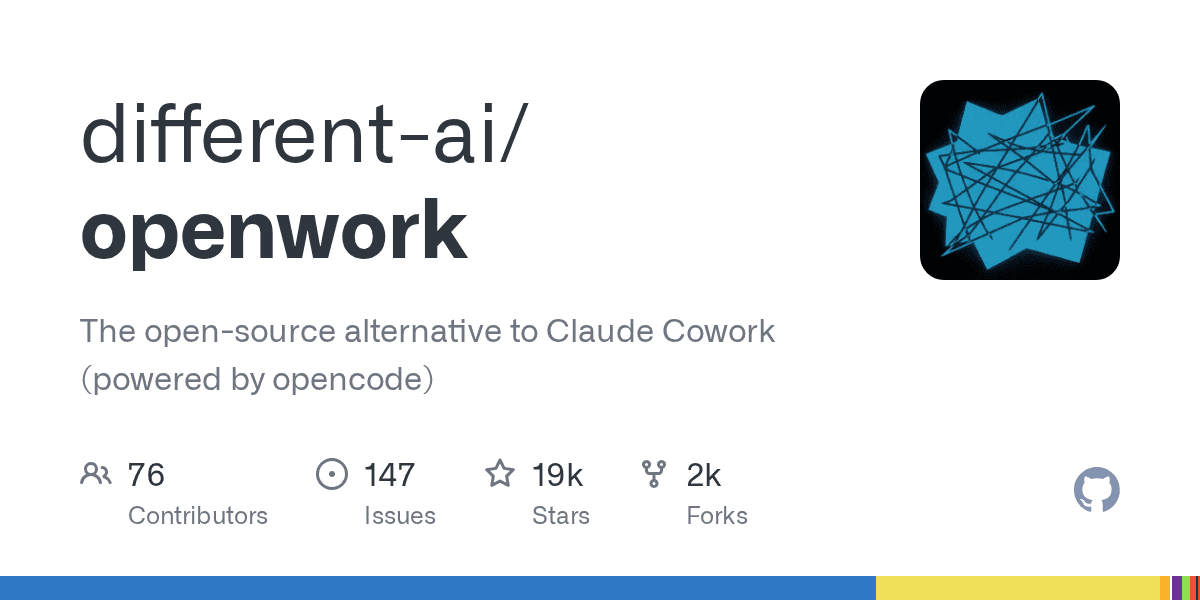
Do not confuse OpenWork with OpenWorker: they are separate products from different teams.
OpenWork is an open-source desktop coworker for individuals and teams that want local file access, broad model choice, and reusable workflows. It supports more than 50 LLMs through bring-your-own keys and lets teams package and share skills, MCP servers, plugins, providers, and configurations. Local execution provides strong file control, while team and enterprise tiers add distribution, governance, and deployment options. The trade-off is that model costs and configuration remain your responsibility unless your organisation manages them centrally.
Pricing
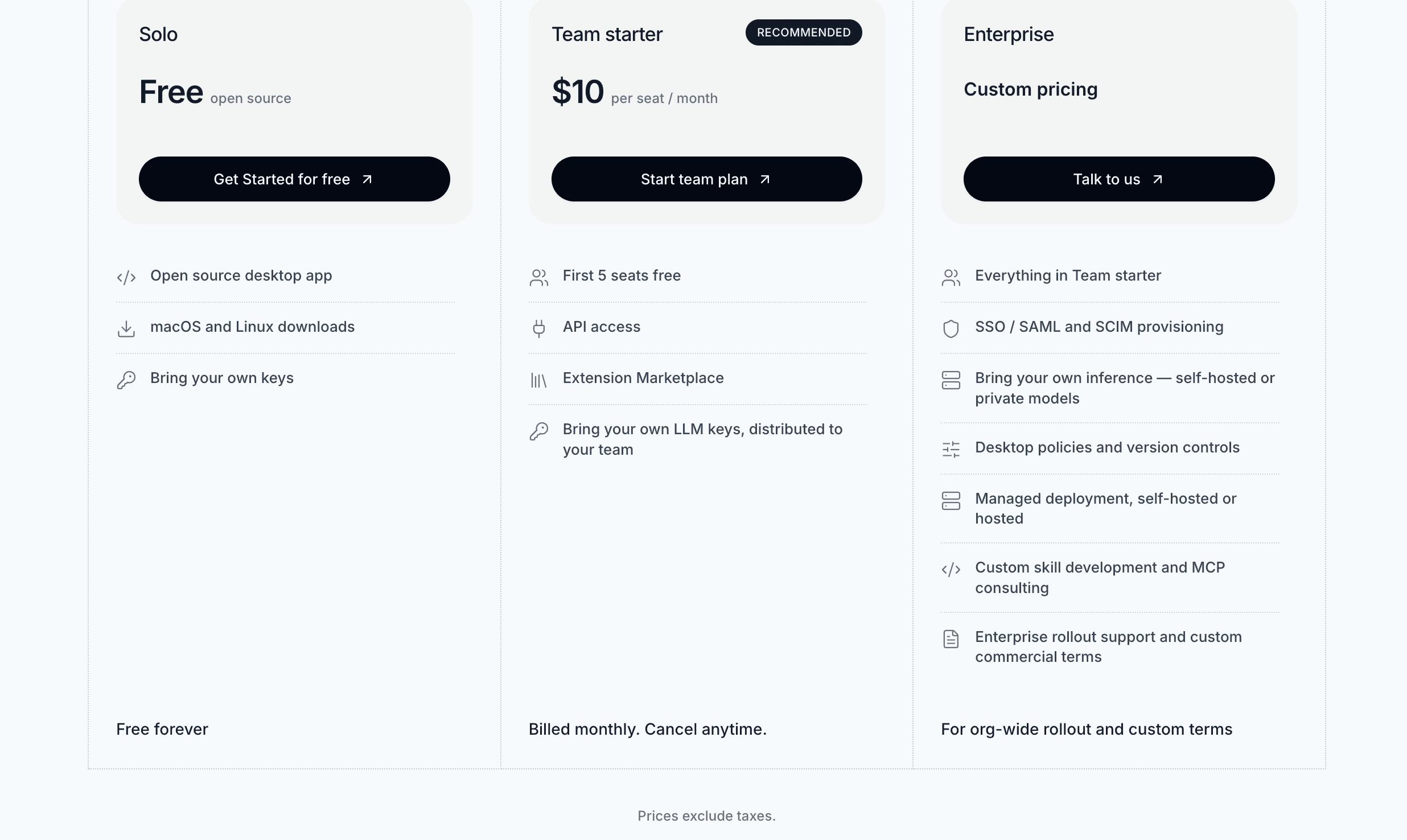
Solo: Free and open source, with desktop access and bring-your-own model keys.
Team Starter: $10/seat/month, billed monthly; the first five seats are free. It adds API access, an extension marketplace, and shared LLM-key distribution.
Enterprise: Custom pricing for SSO/SAML, SCIM, policies, version control, managed or self-hosted deployment, support, and custom commercial terms.
Model usage: LLM-provider charges are separate from the OpenWork subscription and depend on the models and volume used.
See the official OpenWork pricing page for current terms.
Pros
Free, open-source desktop app with local file access.
Supports more than 50 models and avoids single-provider lock-in.
Makes skills, MCP servers, plugins, and configurations easy to package and share.
Offers team and enterprise governance without forcing a cloud-only deployment.
Cons
Requires users or administrators to configure model keys and providers.
LLM usage charges are separate from team subscription costs.
More technical than a fully managed coworker such as ChatGPT Work.
Some collaboration and governance features require paid plans.
How to install
Paste this prompt into Claude Code, Cursor, Codex, or any command-capable agent:
Install OpenWork on my computer, set up my first workspace, and open it ready to use. Follow the steps in https://openworklabs.com/start.md?v=hero.
Install OpenWork on my computer, set up my first workspace, and open it ready to use. Follow the steps in https://openworklabs.com/start.md?v=hero.
Or download directly from https://openworklabs.com/download.
You can also use this one with Claude or Codex using MCP.
For MCP integrations:
# codex
codex mcp add openwork --url https://api.openworklabs.com/mcp/agent
codex mcp login openwork

<h1>claude</h1>
<p>claude mcp add --transport http openwork <a href="https://api.openworklabs.com/mcp/agent">https://api.openworklabs.com/mcp/agent</a></p>
Open Claude Code and run
/mcp.Select
openwork, then follow the browser sign-in and choose your organisation.
For other clients, check out the docs.
Learn more: Y Combinator post · Official website
2. ChatGPT Work
Cloud-based agentic workspace for polished deliverables across connected apps.
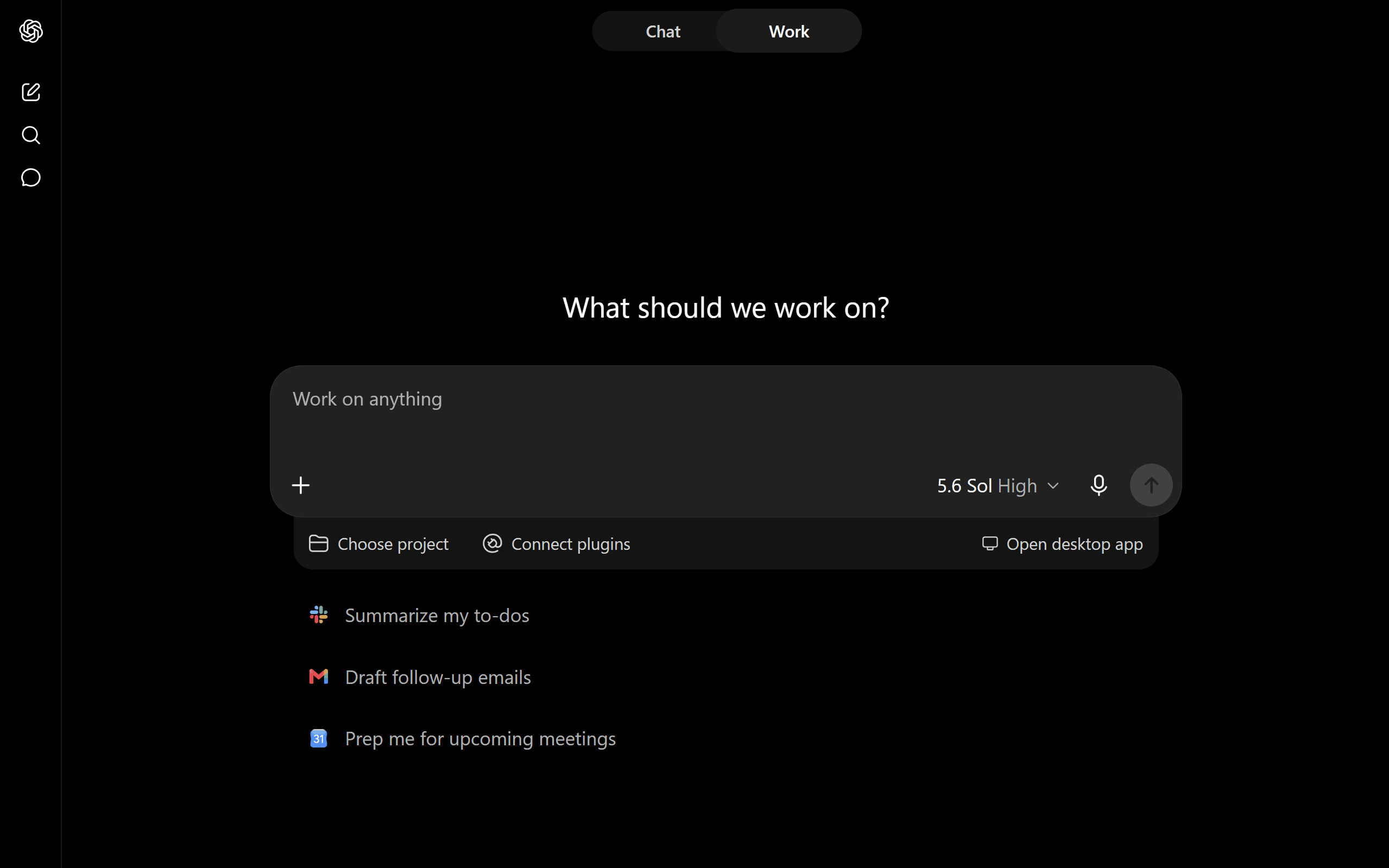
Released in July 2026, ChatGPT Work is OpenAI’s cloud-first agentic workspace for turning a requested outcome into a finished document, spreadsheet, deck, site, or other deliverable. It has the lowest setup friction in this list and works well for users who value polished output, long-running execution, and connected-app orchestration. It is available across ChatGPT plans, but limits and model access vary significantly by tier. Unlike local-first alternatives, your work is processed in OpenAI’s environment, and your model choices are limited to what OpenAI makes available. Business and Enterprise plans are the better fit when governance, shared workspaces, and organisational controls matter.
Pricing
Free: $0, with access to Work but the lowest usage limits.
Go: About $8/month, offering more capacity than Free but fewer premium capabilities than Plus.
Plus: $20/month for higher limits and access to more advanced models and tools.
Pro: $100 or $200/month, depending on the usage tier, aimed at heavy individual users.
Business: $20/user/month billed annually or $25/user/month billed monthly, generally with a two-seat minimum.
Enterprise and Edu: Custom pricing, with additional security, governance, support, and administrative controls.
ChatGPT Work is included with eligible ChatGPT plans rather than sold as a separate add-on. API usage is billed separately. Check the official pricing page for current limits.
Pros
Comes with ChatGPT, so no extra cost for the Work product.
Produces polished documents, spreadsheets, decks, sites, and other deliverables.
Offers the easiest setup experience on this list.
Strong connected-app orchestration and long-running task execution.
Available across individual, business, education, and enterprise plans.
Cons
Cloud-first processing provides less local data control.
Limited to models and capabilities selected by OpenAI.
Free and lower-cost plans have tighter usage limits.
Heavy users may need an expensive Pro tier, while API usage is billed separately.
How to install
No install needed; use the ChatGPT web app or official desktop/mobile apps. Least friction option.
Enable Work mode in the interface after signing in with a ChatGPT account.
Connect apps via the built-in integrations/plugins panel or use composio to access 1000+ apps.
Learn more: Launch post · Official website
OpenWorker
Local-first, open-source AI coworker for private, model-flexible work.
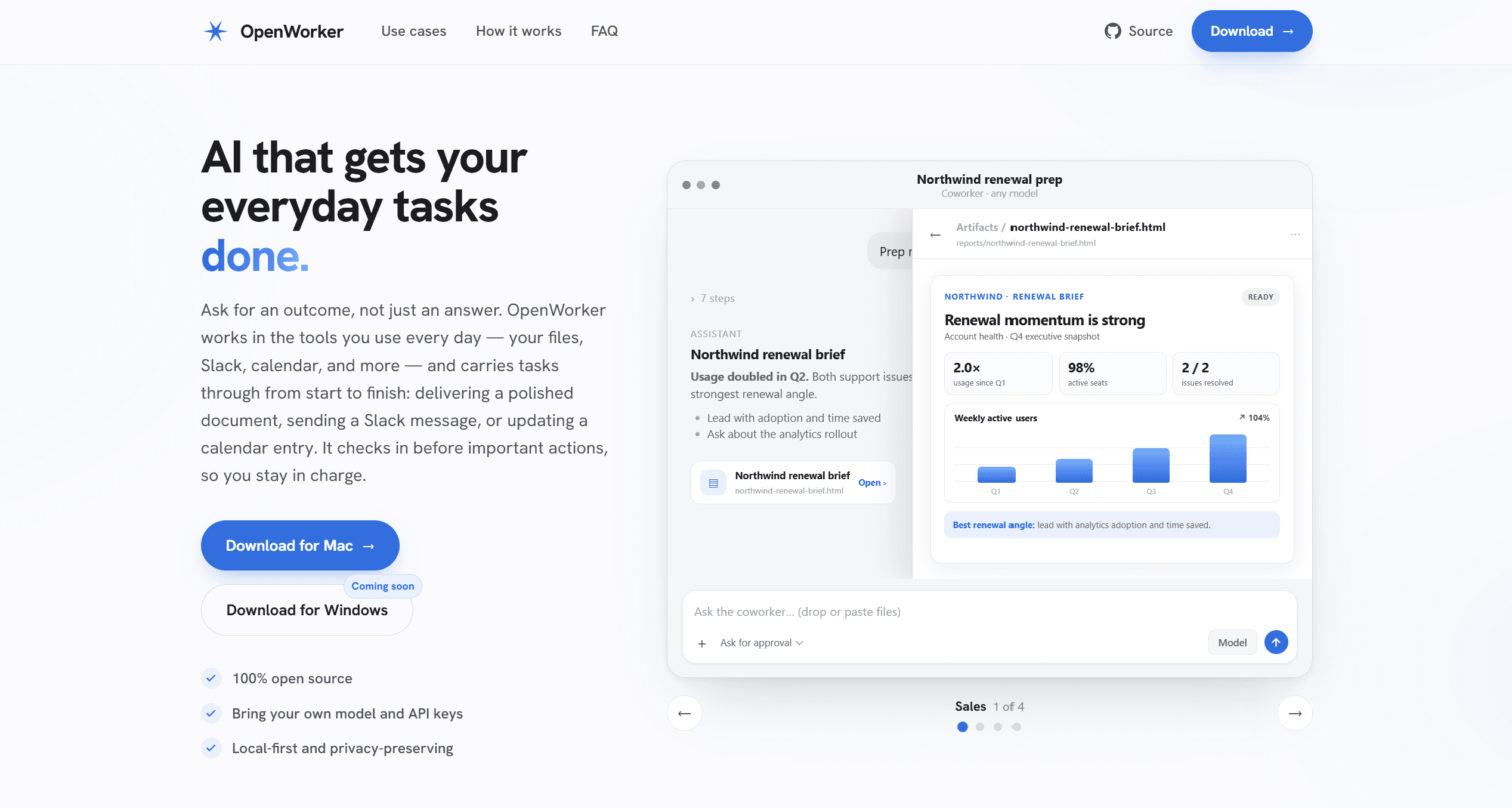
OpenWorker is an open-source, local-first AI coworker built for people who want Claude Cowork-style execution without committing to one model provider.
This is by Andrew Ng, by the way.
It works across local files and everyday apps, produces finished deliverables, and pauses for approval before taking consequential actions. Its strongest advantages are privacy and flexibility: credentials are stored on-device, and your data leaves the machine only through the model providers and integrations you choose. You can use OpenAI, Anthropic, Google, open-weight providers, or Ollama for a fully local setup. The trade-off is setup complexity—you need to supply and manage your own model access, and Windows support is still forthcoming.
Pricing
OpenWorker app: Free and open source; there is no subscription or seat fee.
Model usage: Bring your own API key and pay the selected provider directly based on token usage.
Local option: Ollama can eliminate recurring model provider fees, though you still provide the hardware and electricity.
Additional costs: Connected services may require their own paid accounts. Your total is therefore usage-dependent rather than a fixed monthly bill.
See the official OpenWorker website for current availability.
Pros
Free, open source, and local-first.
Works with multiple hosted providers and local models through Ollama.
Stores credentials on-device and gives you control over where data is sent.
Requests approval before consequential actions.
Cons
Requires you to configure and pay for model providers yourself.
Total API costs can be difficult to predict for heavy workloads.
Less polished and more technical than fully managed alternatives.
Windows support is not yet available.
How to install
You can download a pre-built macOS binary from https://download.openworker.com/mac (signed/notarized, auto-updates).
Or clone https://github.com/andrewyng/openworker and follow the bootstrap script for source builds (Python/Node/Rust prerequisites).
Not available for Windows yet
Learn more: Launch post · Official website
4. Microsoft Copilot Cowork
Enterprise AI coworker built for end-to-end execution across Microsoft 365.

Microsoft 365 Copilot Cowork is the strongest fit for organisations already centred on Microsoft 365. It uses Work IQ context to execute multi-step tasks across Outlook, Teams, Word, Excel, PowerPoint, calendars, and tenant data, with approval checkpoints before actions are completed. Its biggest advantage is deep organisational context and native integration rather than model flexibility. It is cloud-based, governed through Microsoft 365, and designed primarily for enterprise knowledge work. Setup is straightforward for licensed users, but administrators must enable access and configure usage-based billing.
Pricing
Required licence: An eligible Microsoft 365 Copilot User Subscription Licence is required; the exact base price depends on the organisation’s Microsoft 365 plan, region, and contract.
Cowork usage: Cowork tasks are billed separately through usage-based Copilot Credits.
How task cost is calculated: Microsoft factors in model use, context retrieval, tool calls, and task runtime, so complex workflows cost more than simple ones.
Budgeting: The effective total is the Copilot licence plus consumed credits. Administrators can configure billing and usage policies in the Microsoft 365 admin environment.
Microsoft does not present Cowork as a simple unlimited flat-rate add-on. See the official Copilot pricing page and Cowork pricing explanation for current terms.
Pros
Deep native integration with Outlook, Teams, Word, Excel, PowerPoint, and Microsoft 365 data.
Work IQ provides rich organisational context for enterprise tasks.
Includes approval checkpoints and central administrative controls.
Strong fit for organisations already standardised on Microsoft 365.
Cons
Requires an eligible Microsoft 365 Copilot licence.
Usage-based Copilot Credits make the total cost less predictable.
Offers less flexibility in model and deployment than open-source alternatives.
Setup and billing may require administrator involvement.
How to install
Requires a Microsoft 365 Copilot license (User Subscription License); costs $30 / month/user, billed annually
Access via the Microsoft 365 Copilot app or web interface (toggle to Cowork mode); no separate download for core users.
Enable via admin/Frontier rollout if not yet visible; works on desktop, web, and mobile.
Learn more: Launch post · Official launch blog
5. Perplexity Computer
Multi-model computer agent for deep research and long-running workflows.
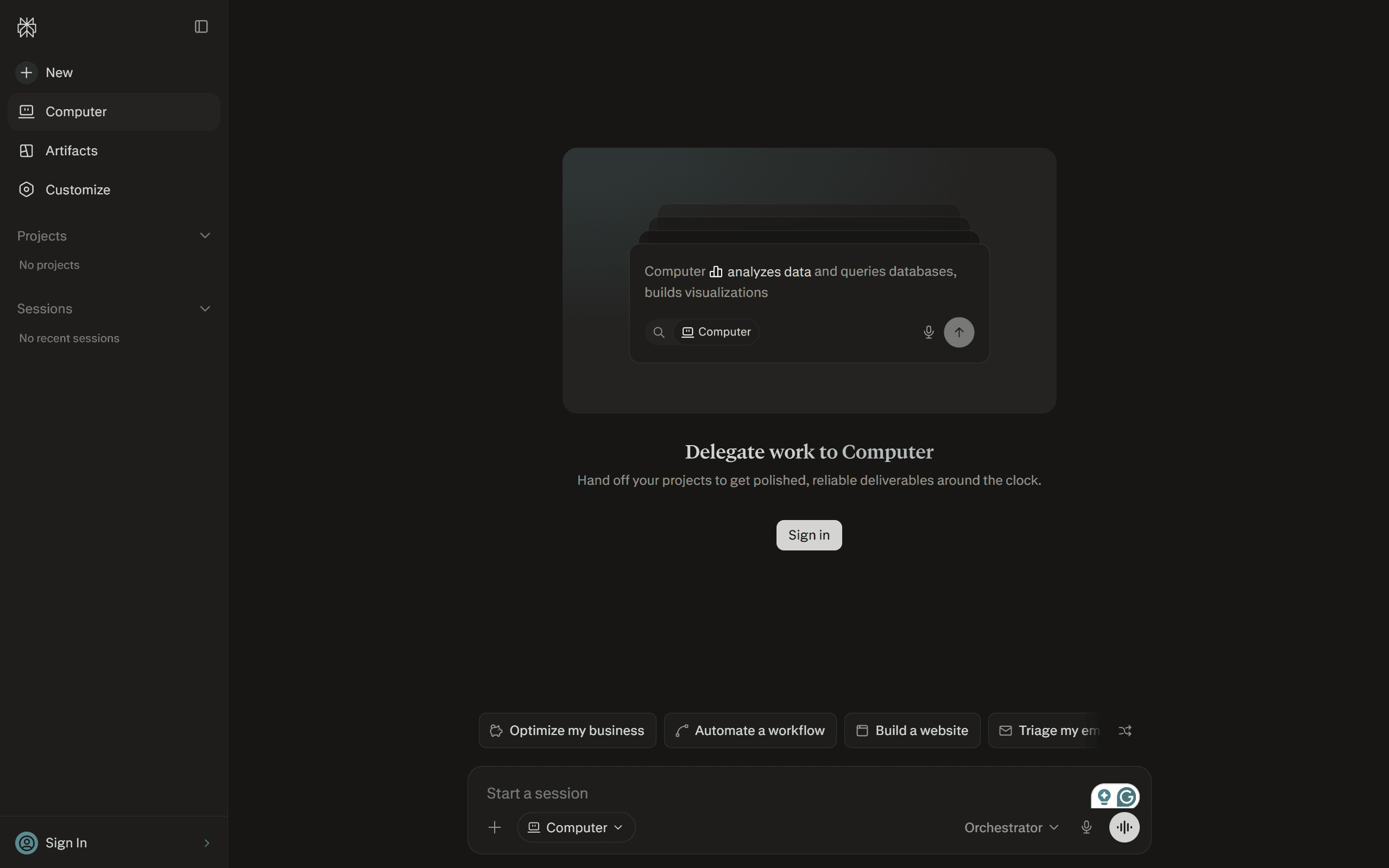
Perplexity Computer is best suited to research-heavy, long-running work that benefits from multi-model orchestration. It can browse, research, create deliverables, connect tools, and run tasks in the background while selecting from multiple frontier models. This makes it more model-flexible than single-provider products, although execution still happens primarily in Perplexity’s managed cloud environment. Its research quality, citations, and polished outputs are major strengths; the main constraints are credit-based usage, less predictable costs for heavy workloads, and limited local control compared with open-source options.
Pricing
Free: $0, primarily for standard search; Computer access and credits are limited or unavailable.
Pro: $20/month or about $17/month when billed annually. Includes access to Computer, 4,000 bonus credits, advanced models, and the option to purchase additional usage credits.
Max: $200/month or about $167/month when billed annually. Includes higher model access and 10,000 monthly Computer credits; temporary bonus-credit promotions may vary.
Enterprise: Custom pricing with organisational controls, connectors, security features, and higher-scale usage.
Computer is credit-metered, so intensive browser, research, and generation tasks can consume the allowance faster. Check Perplexity’s official pricing page for current credit allocations.
Pros
Excellent for deep, multi-source research with citations.
Orchestrates multiple frontier models instead of relying on a single model family.
Runs long tasks in the background and returns polished deliverables.
Provides broad browsing, creation, and connected-tool capabilities.
Cons
Credit-based usage can become expensive and difficult to forecast.
Managed cloud execution provides less control than a local-first tool.
The best capacity and model access require the costly Max plan.
Desktop permissions and companion-app setup add friction.
How to install
Download the Perplexity macOS or Windows app from perplexity.ai and sign in.
Install the companion Comet agentic browser for full web automation.
Grant Accessibility, Screen Recording, and Full Disk Access permissions; connect folders and services.
Pair the phone app for 2FA/approvals and remote task kicks.
With all these steps, it might feel like a hassle, but it’s a one-time effort and worth it. I loved the research reports it created and the use of a background agent. UI also felt smooth.
Learn more: Official website
6. Hermes Agent
Self-hosted, self-improving autonomous agent for technical power users.
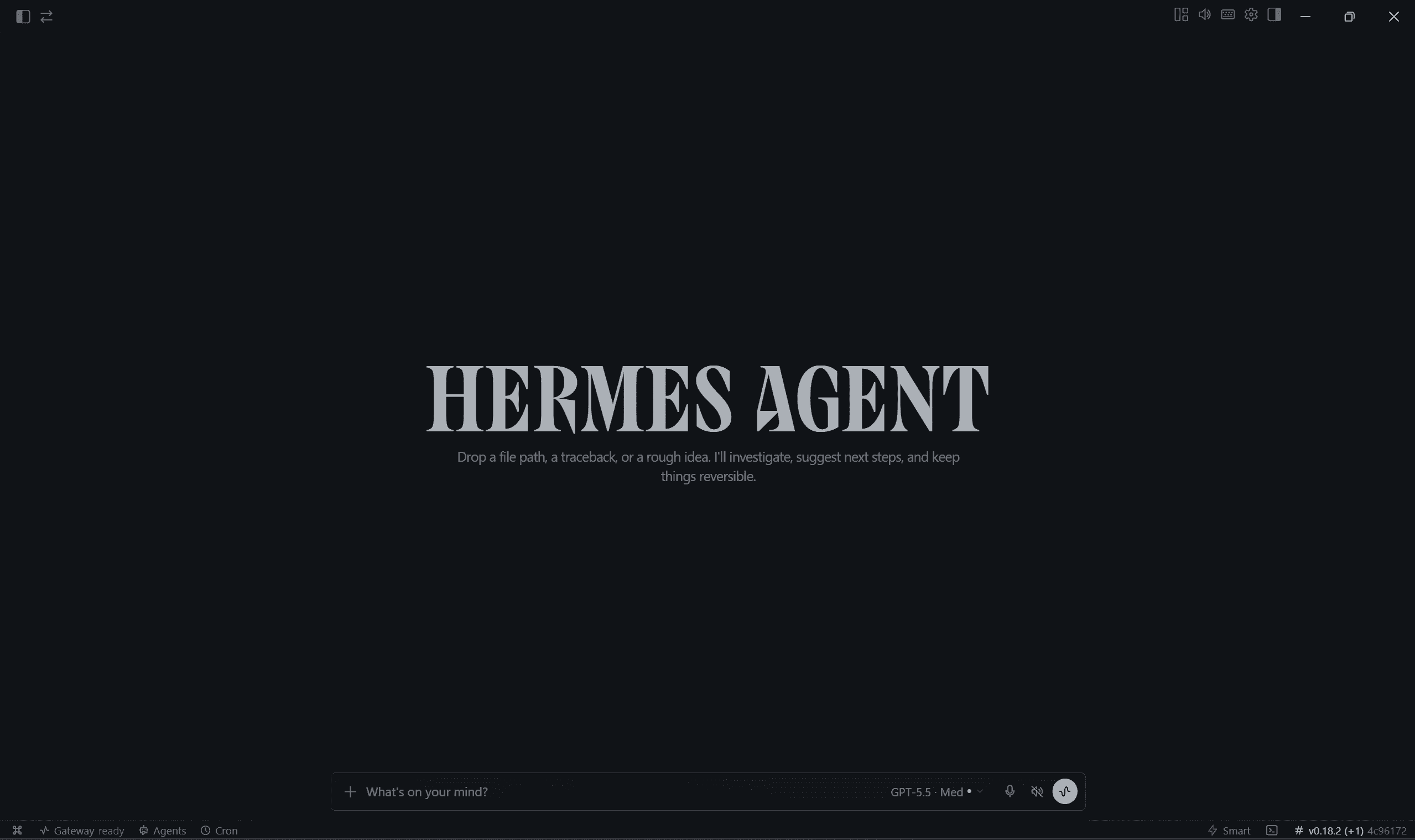
Hermes Agent by Nous Research is the most technical and customisable option in this list. It is open source, model-agnostic, and designed around persistent memory, scheduled work, and a learning loop that creates and improves skills over time. It can run locally, on a VPS, or on other infrastructure and can be reached through interfaces such as Telegram, Discord, Slack, and the CLI. This gives you strong privacy and deployment control, but it also demands more setup and maintenance than a managed coworker. Approval behaviour and data exposure depend on how you configure the model provider, tools, and hosting environment.
Pricing
Hermes Agent software: Free and open source under the MIT licence.
Nous Portal Free: $0 with free models, standard rate limits, and no monthly paid credits.
Nous Portal Plus: $20/month with $22 in monthly credits and a $10 rollover cap.
Nous Portal Super: $100/month with $110 in monthly credits and a $50 rollover cap.
Nous Portal Ultra: $200/month with $220 in monthly credits and a $100 rollover cap.
Bring your own provider: OpenRouter, Anthropic, OpenAI, and other providers are billed at their respective token rates.
Hosting: Local use may cost only hardware and electricity; an always-on VPS adds a separate monthly infrastructure bill. See Nous Portal pricing for current credits and limits.
Pros
Free, open source, model-agnostic, and highly customisable.
Persistent memory and a learning loop help it improve across sessions.
Supports local machines, VPSs, clusters, and multiple chat interfaces.
Handles scheduled and always-on workflows without tying you to one vendor.
Cons
Has the steepest setup and maintenance burden in this list.
Security, approvals, and data exposure depend heavily on your configuration.
Model, tool, and hosting charges can accumulate separately.
Less suitable for non-technical users who want a polished, ready-made experience.
How to install
Linux / macOS / WSL2 / Termux: Run curl -fsSL https://hermes-agent.nousresearch.com/install.sh | bash
Windows (native PowerShell): Run iex (irm https://hermes-agent.nousresearch.com/install.ps1)
After install, run hermes setup (or hermes model) to configure your LLM provider, then hermes to start.
However, if you are starting out / non-technical, I will suggest starting with Hermes Desktop.
Learn more: Official website
7. Rowboat
Local-first AI coworker powered by a persistent, editable knowledge graph.
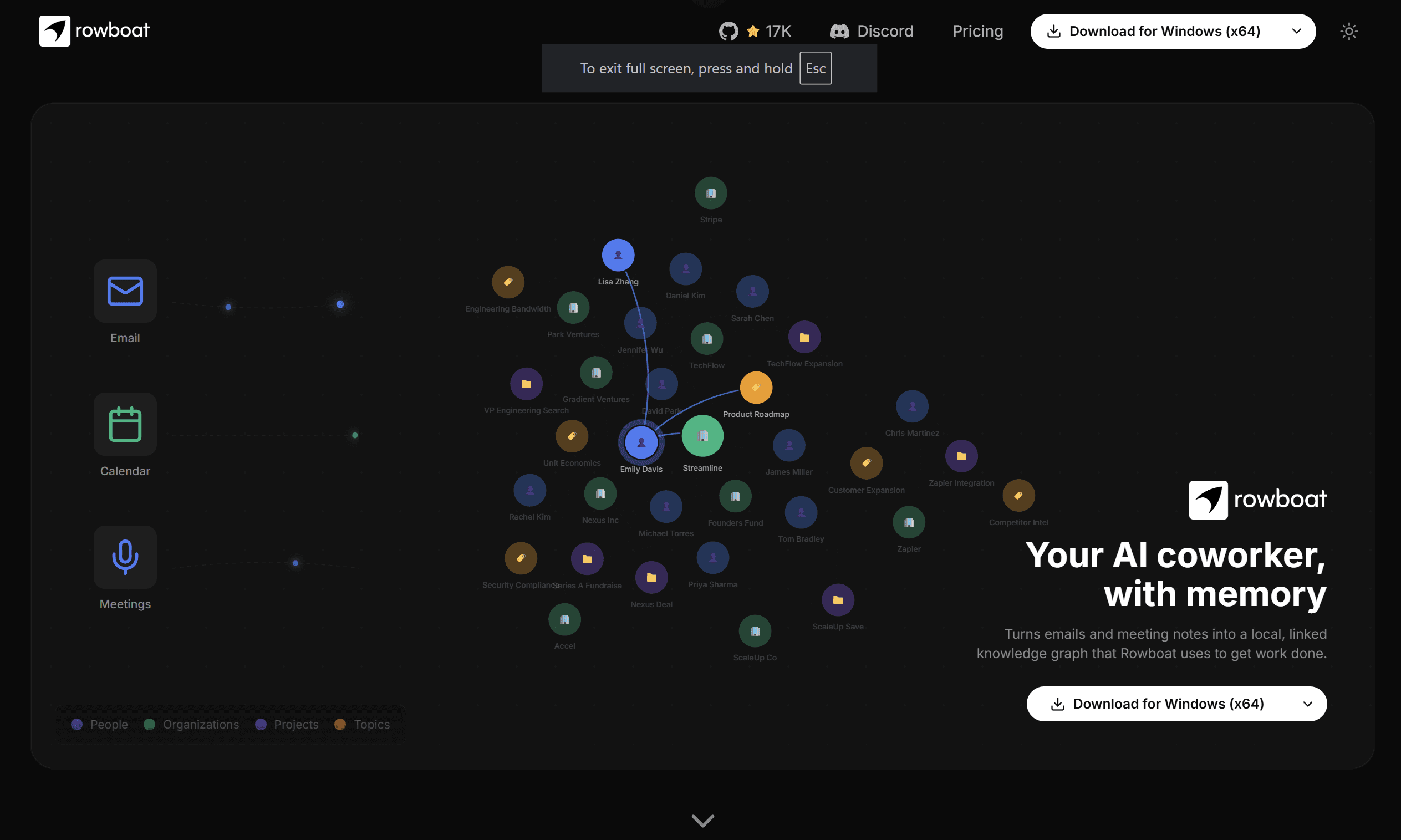
Rowboat is a local-first AI coworker built around persistent memory. It turns emails, meeting notes, projects, and other sources into an editable, Obsidian-compatible Markdown knowledge graph, then uses that context to complete work. It supports hosted models as well as local options through Ollama or LM Studio, making it flexible for users who care about data ownership and model choice. Background agents, voice, MCP support, and integrated work surfaces make it capable, but its output depends heavily on the quality of the knowledge graph and chosen model. Initial connector and provider configuration is more involved than with a fully managed cloud product.
Pricing
Open-source deployment: The source is available for users who want to run and configure Rowboat themselves; model, hosting, and optional service costs remain separate.
Starter: $14/month with a seven-day trial, unlimited notes, meeting note-taking, voice mode, current models, knowledge-graph context, background agents, integrations, and MCP access.
Pro: $50/month with everything in Starter, higher or effectively unlimited usage, and more direct access to the team.
External services: Local models can reduce provider fees, while hosted LLMs, voice services, web search, and integration providers may introduce additional usage charges.
See the official Rowboat pricing page for current allowances.
Pros
Builds persistent, editable memory from emails, meetings, and project context.
Keeps its knowledge graph in portable, Obsidian-compatible Markdown.
Supports hosted providers and local models via Ollama and LM Studio.
Includes background agents, voice features, integrations, and MCP support.
Cons
Output quality depends on the accuracy of the knowledge graph and selected model.
Initial provider, connector, and optional service setup may be involved.
Hosted plans and third-party services can add several layers of cost.
Large knowledge graphs may introduce context-management challenges.
How to install
You can download the latest Mac/Windows/Linux release from https://www.rowboatlabs.com/downloads or https://github.com/rowboatlabs/rowboat/releases/latest.
For Google services (Gmail/Calendar/Drive), follow the setup guide in the repo’s google-setup.md.
Optionally add API keys for Deepgram (voice input), ElevenLabs (voice output), Exa (web search), or Composio (1000 + tools) in
~/.rowboat/config/files.
Learn more: Launch post by Akshay · GitHub
Connect Any Coworker to the apps your business uses in 2 minutes
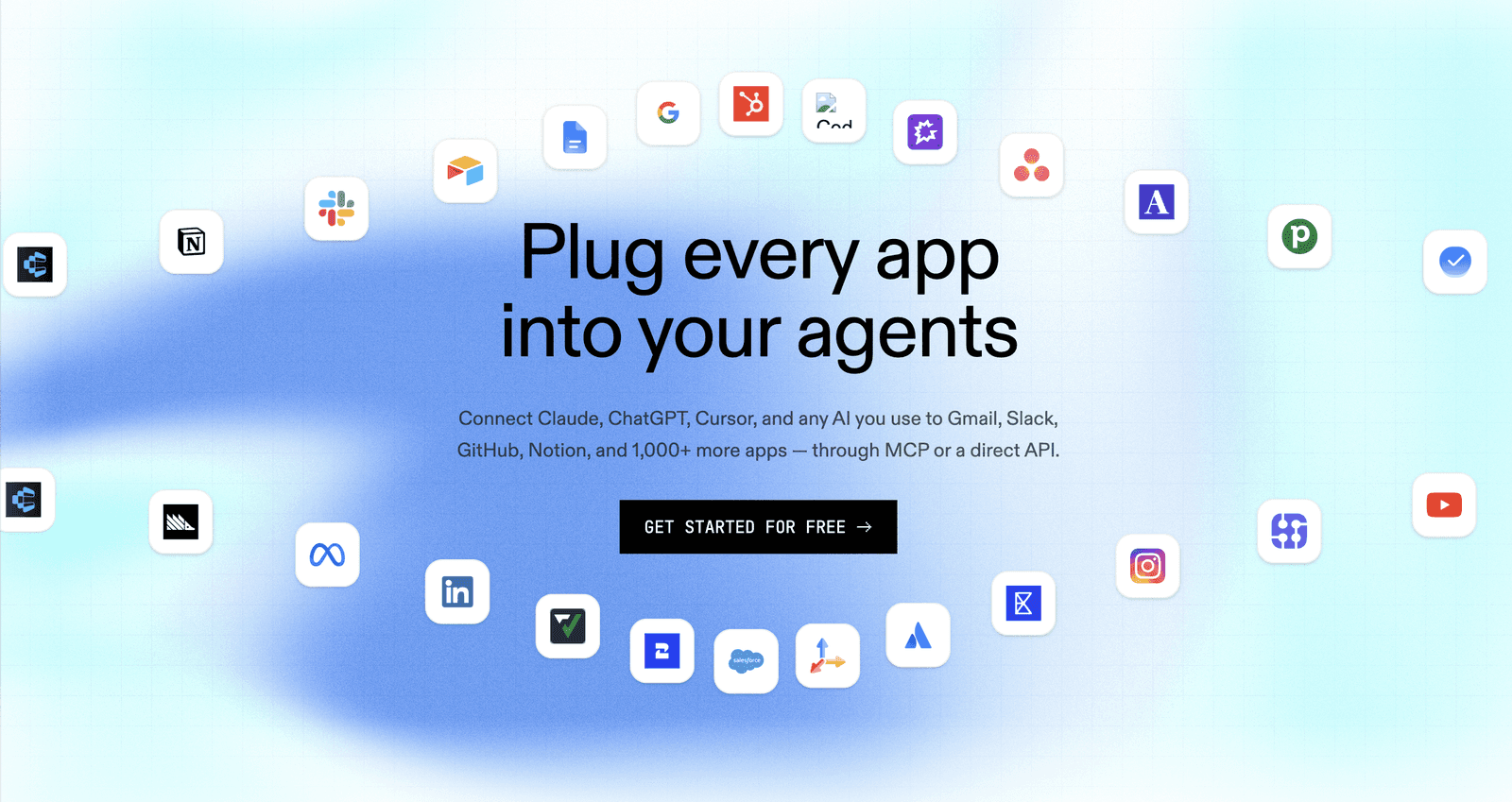
Most of these agents need to interact with the real world, and you already know the hassle of connecting multiple tools, adding API keys, managing context, and writing tool-calling prompts. What if all this can be automated?
That’s where Composio comes in: it offers a unified interface that lets businesses connect to 1000+ tools via verified & secure OAuth, handles tool calls intelligently, manages tool context, provides observability through the Composio dashboard, and ships with its own CLI & Skill.
You can install it with any knowledge worker and get started.
These were my top alternative recommendations to Cowork, but here is the most important factor behind them.
Recommended Read: Best Claude Cowork Plugins You Must Not Miss in 2026 | The 10 Claude Cowork Skills You Can’t Afford to Ignore in 2026
How to choose your Claude Cowork alternative
Start with the constraint that matters most to you, then compare the options against your existing workflow.
Choose OpenWorker if you want a free, local-first coworker with model flexibility and approval checkpoints—and you are comfortable managing API keys.
Choose ChatGPT Work if you want the smoothest setup, polished deliverables, and strong cross-app execution without having to maintain infrastructure.
Choose Microsoft Copilot Cowork if your organisation already runs on Microsoft 365 and needs enterprise context, governance, and native Office integrations.
Choose Perplexity Computer if deep research, citations, browser-based work, and long-running multi-model tasks are your priorities.
Choose Hermes Agent if you are a technical user who wants persistent memory, self-hosting, scheduled tasks, and maximum customisation.
Choose Rowboat if you want a local, editable knowledge graph that turns emails, meetings, and project history into long-term agent memory.
Choose OpenWork if you want an open-source desktop coworker with shareable skills, MCP servers, and team-ready workflows.
A quick decision checklist
Before committing, test your top two choices with the same real task and compare:
Final output: Which one produces the most usable result with the least editing?
Total cost: Include subscriptions, model usage, credits, hosting, and paid integrations—not just the advertised price.
Data exposure: Identify exactly what stays local and what is sent to model providers or connected services.
Setup effort: Decide whether the additional control offered by a self-hosted tool is worth the maintenance overhead.
Daily fit: Check whether it integrates with your core tools and can reliably repeat the workflow.
For most non-technical users, ChatGPT Work is the easiest starting point. For privacy and model freedom, start with OpenWorker or OpenWork. For enterprise Microsoft environments, Copilot Cowork is the natural choice. Technical users who want maximum control should look at Hermes Agent, while research-heavy users will get the most value from Perplexity Computer.
Conclusion
The shift is real. There are plenty of new open-source options for Cowork, and it’s great for consumers.
I can grab a closed-source powerhouse like ChatGPT Work, Microsoft Copilot, or Perplexity when I want polish and deep integrations, or switch to open-source tools like OpenWorker, Hermes, Rowboat, and OpenWork when I want privacy, local control, and zero lock-in.
Either way, I no longer have to accept the $100 bill, constant data sharing or one-vendor walls as the only option.
So get your coworkers, try them out, pick the ones that suit the needs, add tools like composio to access tools intelligently and keep adding contributions and fixes to the open ones.

 Get started



