How to integrate Salesforce service cloud MCP with ChatGPT

How to integrate Salesforce service cloud MCP with ChatGPT ChatGPT is one of the most popular AI tools today, with capabilities ranging from deep research and image generation to writing, coding, and everyday productivity. In this guide, I will explain the easiest and most secure way to connect your Salesforce service cloud account to ChatGPT via Composio Connect, so it can summarize unread updates from this morning, create draft replies to urgent messages, fetch contact details for recent senders, and more without ever putting your account credentials at risk.

Salesforce service cloud logoSalesforce service cloud
Oauth2

Salesforce Service Cloud is a customer service platform for case management, omnichannel support, and automation. It enables teams to deliver faster, personalized service experiences with robust workflow tools and a unified workspace.

23 Tools

How to integrate Salesforce service cloud MCP with ChatGPT

ChatGPT is one of the most popular AI tools today, with capabilities ranging from deep research and image generation to writing, coding, and everyday productivity.

In this guide, I will explain the easiest and most secure way to connect your Salesforce service cloud account to ChatGPT via Composio Connect, so it can summarize unread updates from this morning, create draft replies to urgent messages, fetch contact details for recent senders, and more without ever putting your account credentials at risk.

Also integrate Salesforce service cloud with

Why use Composio over default connectors?

  • Apps with read and write access. Default connectors mostly can read your data. Composio's Salesforce service cloud integration lets ChatGPT take actions like creating drafts, sending updates, labeling records, and more.
  • 1,000+ SaaS toolkits out of the box. Composio gives you instant access to a vast catalog of pre-built connectors, from Gmail and Slack to Notion, Linear, and Salesforce.
  • One MCP server for every app. Connect any of your applications on demand through a single endpoint, rather than juggling a separate server for each app.
  • Smart, context-aware tool loading. Unlike traditional MCP servers that dump every available tool into the LLM context window, Composio searches for and loads only the tools relevant to the task at hand.
  • Cross-app automation. Chain actions across multiple apps in a single run - fetch a thread, summarize it in Notion, and post highlights to Slack without leaving the conversation.

Prerequisites

  • A ChatGPT account with Plus subscription or higher (Business, Enterprise, Edu, or Pro). We will use ChatGPT Web.
  • Access to the Salesforce service cloud workspace you want to connect.
  • Composio MCP.

Note: Composio connects through OAuth. You will be asked to sign in and approve specific permissions. Review the permission screen carefully if you are using a work account.

Step-by-step: Connect Salesforce service cloud to ChatGPT

1. Enable Developer Mode

In ChatGPT, go to Settings > Apps > Advanced settings and turn on Developer Mode.

ChatGPT settings showing Developer Mode toggle

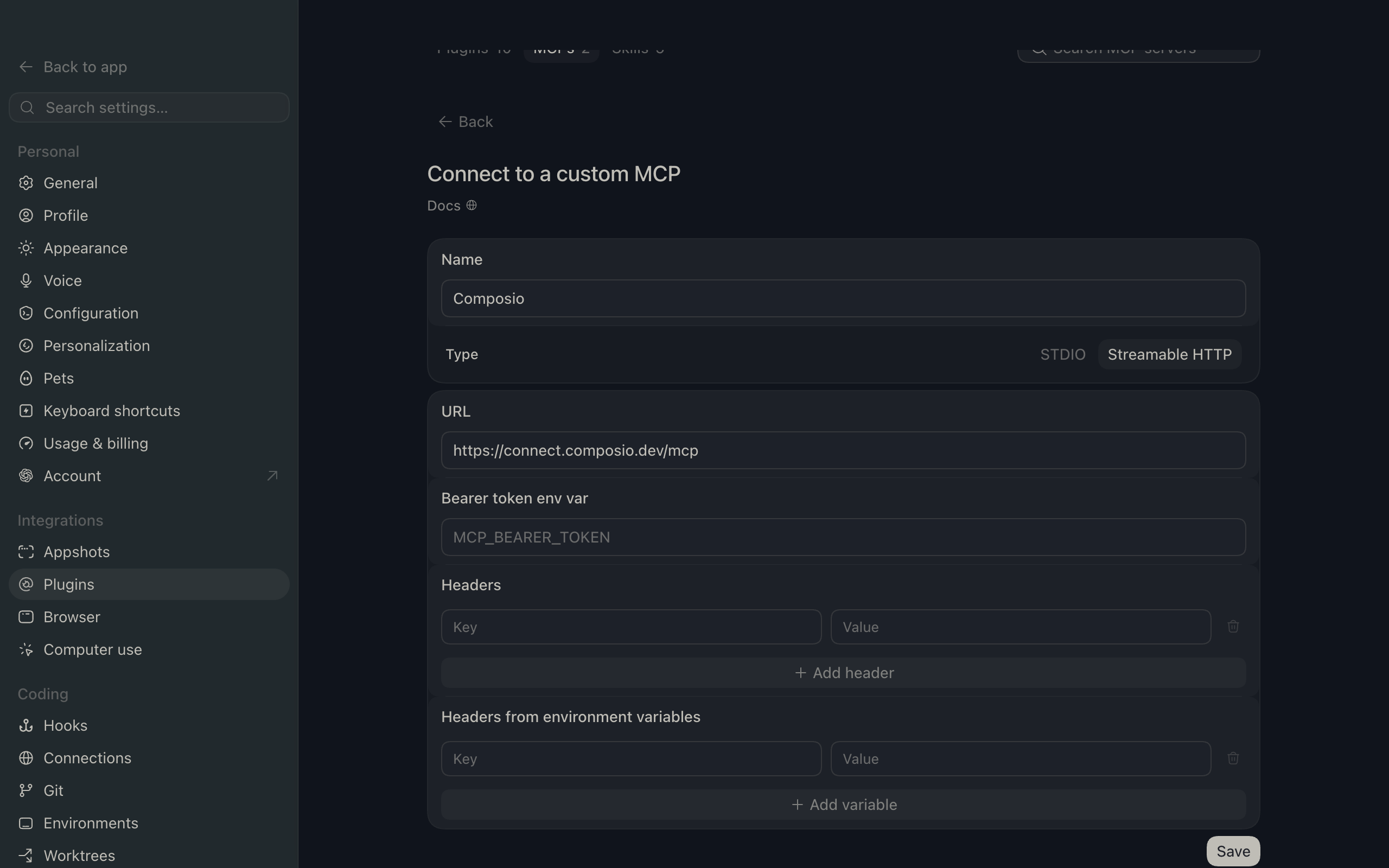
2. Add the MCP server

Click Create app, then paste the Composio MCP server URL:

bash
https://connect.composio.dev/mcp
ChatGPT create app flow with Composio MCP URL

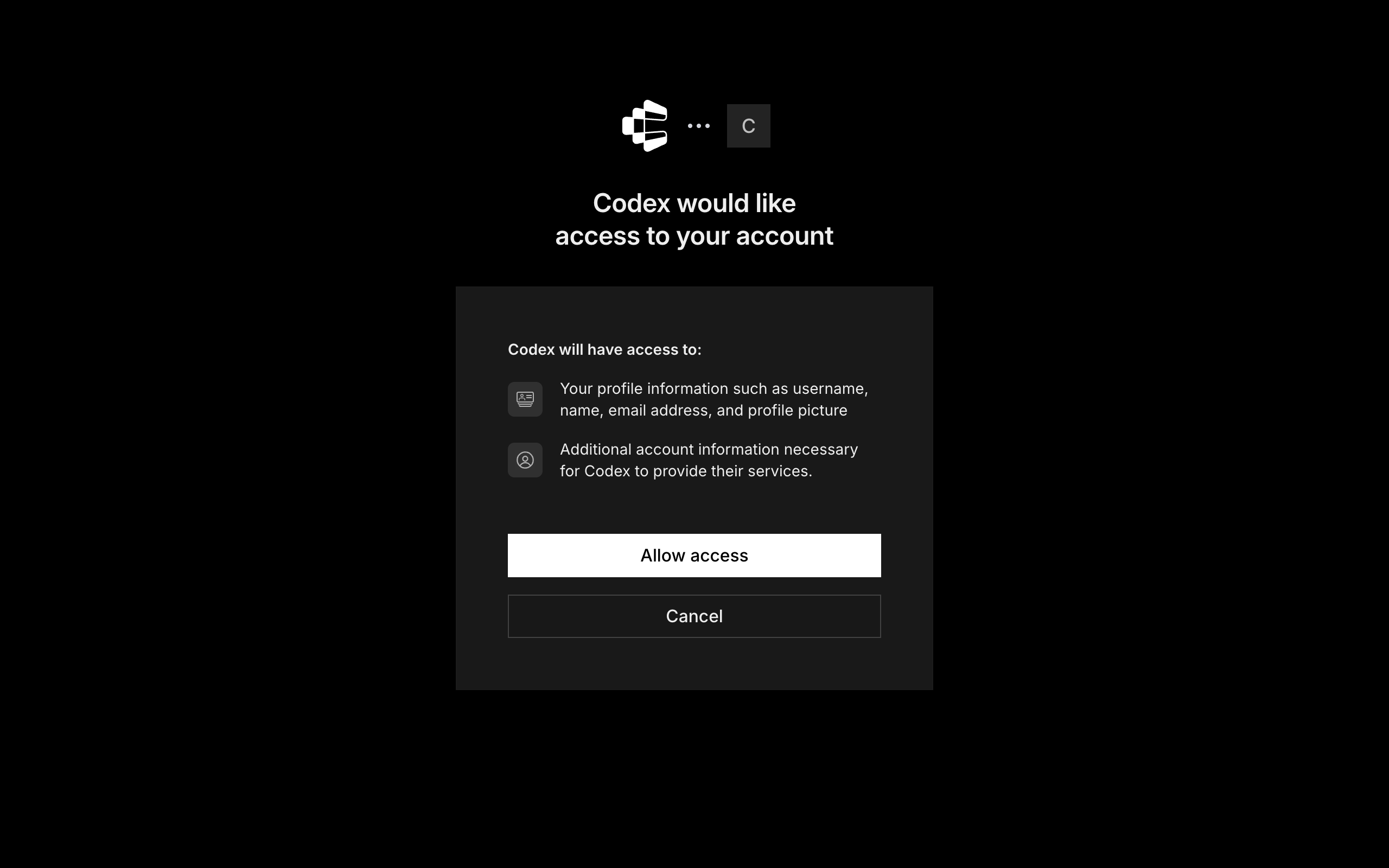
3. Authorize in your browser

A browser window will open automatically. Sign in to authorize ChatGPT to access your Composio account.

Composio authorization screen for ChatGPT MCP setup

4. Start using Composio

Composio tools are now available in ChatGPT chats and Deep Research. In every new chat, click the + icon at the bottom, click More, and select Composio to enable tools for that conversation.

What you can do after connecting Salesforce service cloud

  • List all open support cases for today
  • Update case status to resolved for customer
  • Fetch recent customer interactions for an account
  • Create a new case for incoming email

Security + privacy notes (important)

  • Use least-privilege access: Only grant permissions you actually need.
  • Review OAuth permissions before approving: Make sure requested scopes match what you expect Composio and ChatGPT to do.
  • Keep write actions human-reviewed: For actions like sending messages, creating labels, or editing drafts, keep manual confirmation enabled.
  • Be careful with sensitive data: Avoid using this setup with highly sensitive information unless allowed by your personal, company, or client policies.
TOOLS

Supported Tools

Every Salesforce service cloud action and event your agent gets out of the box.

Chasitor Sneak Peek

Send real-time typing indicator (sneak peek) to Live Agent during active chat session.

Composite Batch

Tool to execute multiple independent REST subrequests in one batch call.

Composite Request

Execute up to 25 dependent Salesforce REST subrequests in a single API call.

Composite SObject Tree

Create one or more nested sObject record trees in a single API call.

Create Case Record

Tool to create or upsert a Salesforce Case record.

Delete Case Record

Tool to delete a Salesforce Case record.

Describe SObject

Tool to retrieve metadata of any sObject.

Generate Request ID

Generate a UUIDv4 string to use as an Idempotency-Key header in Salesforce User Interface API requests.

Generate Signed JWT Assertion

Tool to generate a signed JWT assertion for Salesforce JWT bearer OAuth flow.

Get Case Record

Retrieve a Salesforce Case record by its ID.

Get Chat Messages

Tool to long-poll for chat messages/events.

Get Live Agent API Version

Tool to retrieve current Live Agent API version.

List Einstein Bots

Lists all Einstein Bot definitions in the Salesforce organization.

Query All SOQL

Tool to execute a SOQL query including deleted and archived records.

Query SOQL

Tool to execute a SOQL query.

Reconnect Chat Session

Tool to reconnect a Live Agent chat session after the affinity token changes.

Resync Chasitor State

Resynchronizes the chat visitor's state after a session reconnection.

Retrieve Connected App Private Key

Tool to retrieve RSA private key PEM for a Salesforce Connected App.

Retrieve Salesforce Username

Tool to retrieve the Salesforce username.

Send Custom Event

Send a custom event from a chat visitor to a Live Agent during an active chat session.

Set Breadcrumb

Tool to set a breadcrumb URL for the visitor's current page.

Upload File to S3

Tool to upload a file to managed S3 storage.

Visitor Sensitive Data Rule Triggered

Tool to trigger sensitive data rules for the chat visitor.

FAQ

Frequently asked questions

With a standalone Salesforce service cloud MCP server, the agents and LLMs can only access a fixed set of Salesforce service cloud tools tied to that server. However, with the Composio Tool Router, agents can dynamically load tools from Salesforce service cloud and many other apps based on the task at hand, all through a single MCP endpoint.

Yes, you can. ChatGPT fully supports MCP integration. You get structured tool calling, message history handling, and model orchestration while Tool Router takes care of discovering and serving the right Salesforce service cloud tools.

Yes, absolutely. You can configure which Salesforce service cloud scopes and actions are allowed when connecting your account to Composio. You can also bring your own OAuth credentials or API configuration so you keep full control over what the agent can do.

All sensitive data such as tokens, keys, and configuration is fully encrypted at rest and in transit. Composio is SOC 2 Type 2 compliant and follows strict security practices so your Salesforce service cloud data and credentials are handled as safely as possible.

Start with Salesforce service cloud.It takes 30 seconds.

Managed auth, hosted MCP servers, and every Salesforce service cloud tool your agent needs.Free to start.

Start building