




Pi, Pi, Pi, that’s all I keep seeing when I open up Twitter.
If you have not tried it yet, Pi is the minimal terminal-coding agent by Mario Zechner and Armin Ronacher. Yes, the libGDX dude and the Flask guy built a coding agent together.
I already did a full Pi Agent vs Claude Code comparison after 100 hours with both, so check that out if you are still deciding.
The interesting thing about this agent is what it DOES NOT come with.
Almost all the agents that you see on the internet have tons of features, so many that you almost never use them.
It comes with no MCP. No sub-agents. No plan mode. No permissions, anything.
The core gives the model exactly four tools. read, write, edit, and bash. That’s it. Everything else comes from packages you install yourself.
This sounds a bit too weird or limiting, whatever you wanna call it, but only till you realise the pi.dev catalogue already has 5,000+ packages. It’s moving fast. Like really fast!
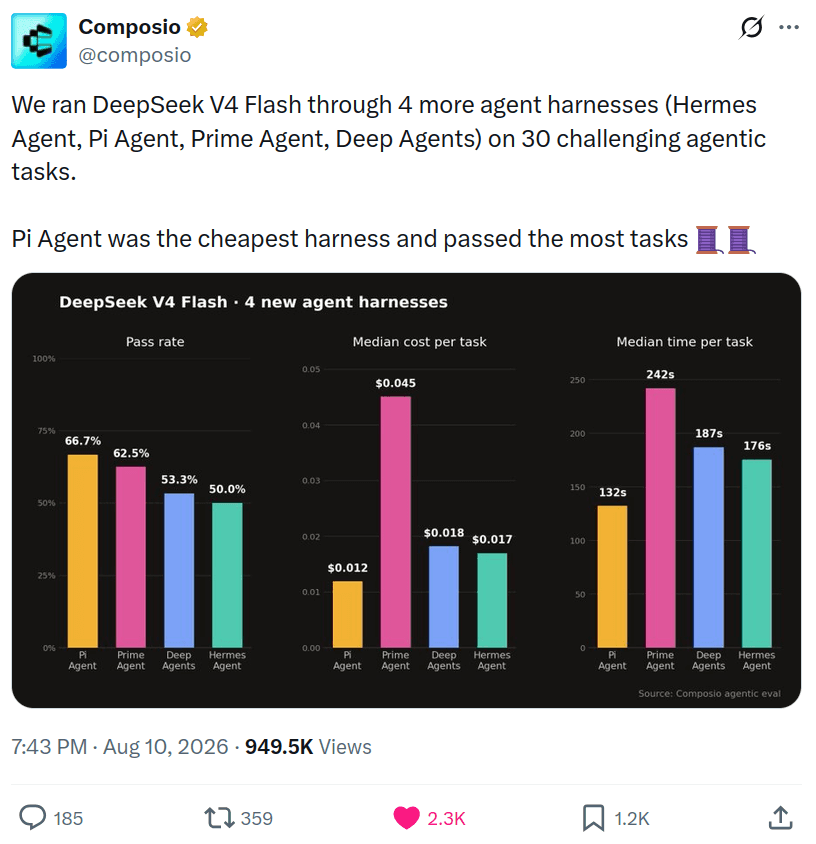
Also, we ran an interesting experiment to see which harness performs best on agentic tasks with DeepSeek v4 Flash, and Pi came out on top with the highest pass rate and lowest cost. Check it out: Finding the best harness for DeepSeek v4 Flash.
So, I went through the catalogue, sorted them by downloads, tested the popular ones, and prepared 10 extensions that are actually worth your time if you’re a developer.
⚠️ NOTE: This list is strictly Pi extensions. Pi also has skills, which are a whole different thing that we will cover in the next blog post.
Also, there’s no specific order of importance. Just install what solves your problem.
TL;DR
If you just want the list, here you go:
Composio (composio-x-pi) connects Pi to 1000+ apps like Slack, GitHub, Notion, and Gmail with managed auth and triggers.
pi-mcp-adapter connects Pi to any MCP server through one proxy tool instead of eating your context window.
Piolium runs multi-phase agentic security audits on your codebase with specialist sub-agents.
pi-web-access gives Pi web search, PDF extraction, and even YouTube understanding.
pi-subagents adds the sub-agent delegation Pi intentionally left out.
context-mode sandboxes tool output for a claimed 98% context reduction and adds persistent SQLite memory.
rpiv-ask-user-question makes the agent ask you structured questions instead of guessing.
rpiv-todo gives Pi a proper todo tool with a persistent overlay that survives compaction.
pi-lens injects LSP diagnostics, linters, and scanning into every edit so the agent self-corrects.
Plannotator adds plan mode plus a visual browser UI for reviewing agent plans.
Overall, these turn Pi from a minimal harness into whatever agent you want it to be.
How to Install Pi Extensions
Basically, Pi extensions are TypeScript modules that add new tools, slash commands, keyboard shortcuts, event hooks, and even custom TUI.
Installing them is as simple as running one single command:
pi install npm:<package-name>From a git repo:
pi install git:github.com/<user>/<repo>If you want it project-local instead of global, simply add the -l flag.
Global installs get stored in ~/.pi/agent/, and project ones in .pi/.
Updating and removing are crazy simple as well:
pi update --all
pi remove npm:<package-name>
After installing or updating the extensions, make sure to restart Pi or use the /restart slash command.
Enough of that. Let’s just get to the top 10 list.
Top 10 Pi-agent extensions
1. Composio
ℹ️ Connects Pi to 1500+ apps like Slack, GitHub, Notion, and Gmail with managed auth.

A coding agent that can only touch your filesystem is not that big.
The real work lives in your other tools. Slack threads, GitHub issues, Linear tickets, Notion docs, Gmail. And handling OAuth for each is genuinely too much work.
What it does
Tool access to 1000+ apps through Composio’s meta tools
Managed auth, so no OAuth dance for every single app
Programmatic tool calling for composing multiple tool calls on the fly.
Secure, managed authentication for applications so you don’t have to store and rotate tokens for the apps you use.
Remote sandbox for safe and efficient code execution. It can handle a vast amount of source data outside the model’s context window.
Trigger and automation authoring straight from Pi
Auto-provisions an identity on first use; claim it later with
/composio-claim <email>
Install Composio
Pi runs shell commands as first-class tools, so the Composio CLI is the most natural fit — no MCP server to configure and reliable multi-step tool chaining. Install and authenticate:
## Install the Composio CLI
curl -fsSL https://composio.dev/install | bash

<h2>Log in to Composio</h2>
<p>composio login</p>
Connect to Datadog/Slack/Linear
Ask Pi to connect to Datadog, or simply request any Datadog-related task. Under the hood, Pi calls Composio commands like any other shell tool:
composio search "what can I do with Datadog?"
composio link datadog
On the first tool call, you’ll be redirected to an OAuth screen. Authorise Composio to access your apps.
After that, every command works with your stored credentials automatically — just talk to Pi, and it will search, execute, and chain tools as needed.
Get started with Composio now: dashboard.composio.dev
2. pi-mcp-adapter
ℹ️ Connects Pi to any MCP server through one proxy tool without eating your context window.

Remember how I said Pi ships with no MCP support? This is basically a community alternative to that implementation.
💡 If you’ve used Arch Linux, think of it as the AUR way of adding MCP support.
A typical MCP setup adds hundreds of tool definitions up front. Add a few servers and it can easily eat 30 to 50K tokens before you have even typed a single prompt.
pi-mcp-adapter takes a different approach. One proxy tool, around 200 tokens. The agent discovers what it needs on demand. That’s the way.
What it does
Exposes all your MCP servers through a single tiny proxy tool
Lazy-loads servers only when the agent calls them
Auto-detects existing MCP config files you already have
Can import configs from Cursor, Claude, and Codex setups
To be fair, if you use databases, browsers, or external APIs with your agent, this is the first thing to install.
Install
pi install npm:pi-mcp-adapterRemember to restart Pi after installing the extension or any other extension in the list. It picks up configs like /.config/mcp/mcp.json and .mcp.json automatically.
Resources:
GitHub: nicobailon/pi-mcp-adapter
Package: pi.dev/packages/pi-mcp-adapter
3. Piolium
ℹ️ A Pi-native agentic security auditor
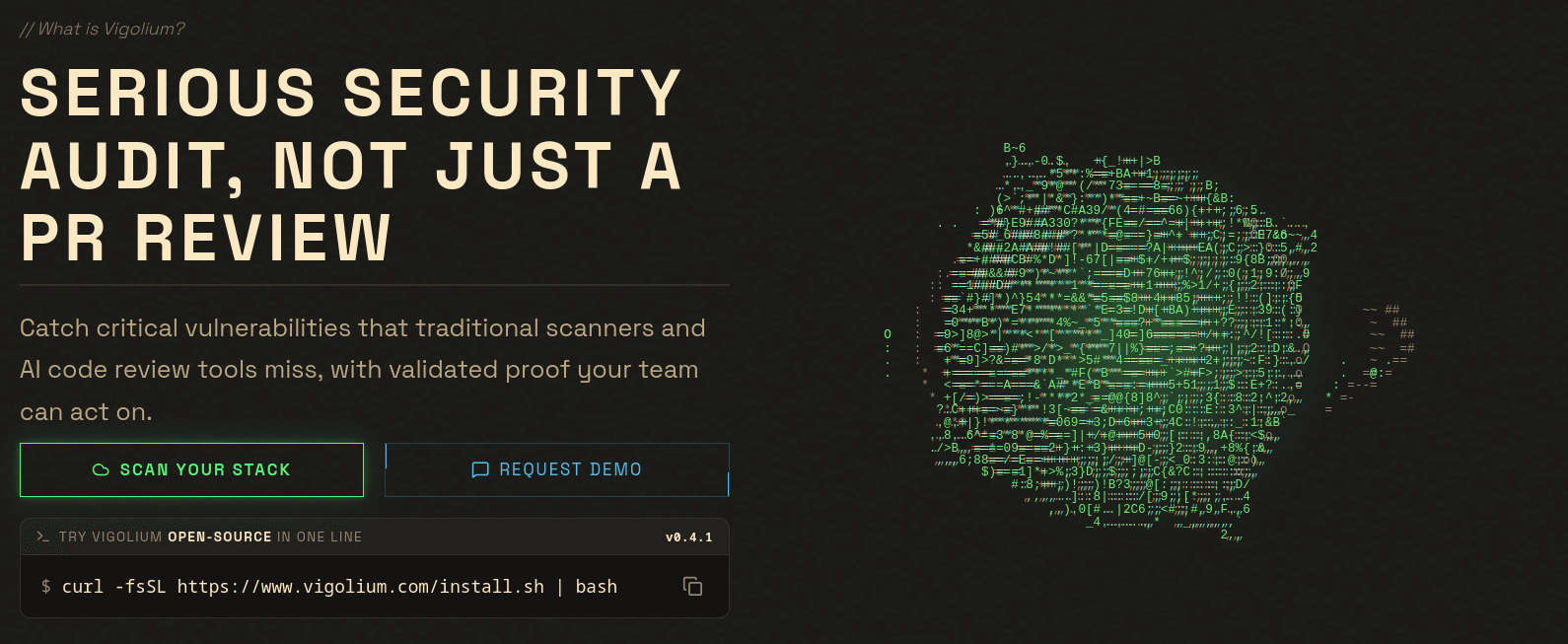
What the hell is even that?
This one surprised me.
Piolium runs actual source-code security audits. Not some glorified “grep for eval()” script. I mean multi-phase agentic audits with specialist sub-agents, isolated context windows, resumable state, and proof-of-concept generation at the end.
It can run up to 17 audit phases.
⚠️ NOTE: On a mid-sized repository that can take hours. Keep that in mind.
What it does
Runs white-box security audits across your codebase
Spawns specialist sub-agents with capped concurrency
Generates proof-of-concept exploits for findings
Produces a final report you can actually act on
⚠️ One warning. Only run this on repos you trust, or inside a sandbox. It’s an agent with bash access doing security things on your machine, after all.
Install
pi install npm:@vigolium/pioliumThen, to run research:
pi -p "/piolium-balanced --fresh"Resources:
GitHub: vigolium/piolium
Package: pi.dev/packages/@vigolium/piolium
4. pi-web-access
ℹ️ Adds web search, URL fetching, GitHub cloning, PDF extraction, and video understanding to Pi.

Coding agents are really good at confidently using APIs that no longer exist.
pi-web-access Fixes that by letting Pi actually look things up. Search the web, fetch URLs, clone GitHub repos, extract PDFs, and even understand YouTube videos. You get the idea. This is a thing available to all the other coding agents, so it shouldn’t be a surprise.
It works zero-config with Exa out of the box, and the provider list is hugeee. Brave, Tavily, Firecrawl, Jina, Kagi, DuckDuckGo—no key needed.
My favourite detail is the small attention to detail. Press Ctrl+S to see which search results enter the agent’s context. Basically, you get to see what your model reads.
What it does
Web search across 20ish providers, with keyless DuckDuckGo as a fallback
Full URL and PDF content extraction
GitHub repo cloning for reference
YouTube and video understanding
Install
pi install npm:pi-web-accessOptional config with API keys lives in /.pi/web-search.json. There’s also a pi-web-access-lean variant if you want less stuff.
Resources:
GitHub: nicobailon/pi-web-access
Package: pi.dev/packages/pi-web-access
5. pi-subagents
ℹ️ Adds sub-agent delegation with reviewer, oracle, scout, researcher, and worker roles.

Pi deliberately does not ship with sub-agents. This extension puts them back in. That’s pretty much all it does.
You get focused child agents that you can hand specific jobs to. There is a reviewer for diffs, an oracle for difficult questions, a scout for exploring the codebase, and workers for repetitive work.
What it does
Delegation to focused sub-agents with context isolation
Foreground, background, parallel, and chained execution
Artefacts passed back to the parent agent
A live inspector to monitor the fleet
The best part is that you don’t need any different syntax. After install, just say “use reviewer to review this diff” in plain language.
Install
pi install npm:pi-subagentsNo config needed. It automatically bundles a skill for the parent agent.
Resources:
GitHub: nicobailon/pi-subagents
Package: pi.dev/packages/pi-subagents
6. context-mode
ℹ️ Sandboxes tool output for a claimed 98% context reduction and adds persistent memory.
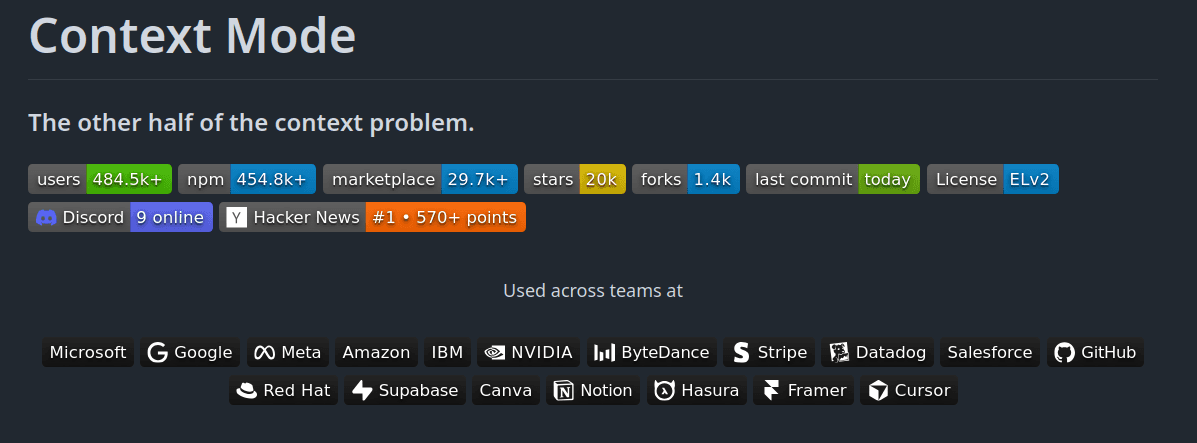
A long-running agent absolutely eats up the context.
Old tool results, huge terminal logs. Before long, the context window fills up, and the model starts losing track of something you asked a few minutes earlier.
It works across 17 platforms, so if you also use Claude Code or Cursor, your setup carries over.
What it does
Sandboxes bulky tool output before it hits the model
Persistent memory in SQLite with BM25 retrieval
Enforces “think in code” routing patterns
Works across many agents, not just Pi
Install
pi install npm:context-modeThe npm install path works perfectly for Pi, as the maintainer recommends.
Resources:
GitHub: mksglu/context-mode
Package: pi.dev/packages/context-mode
7. rpiv-ask-user-question
ℹ️ Makes the agent ask you structured questions instead of guessing.
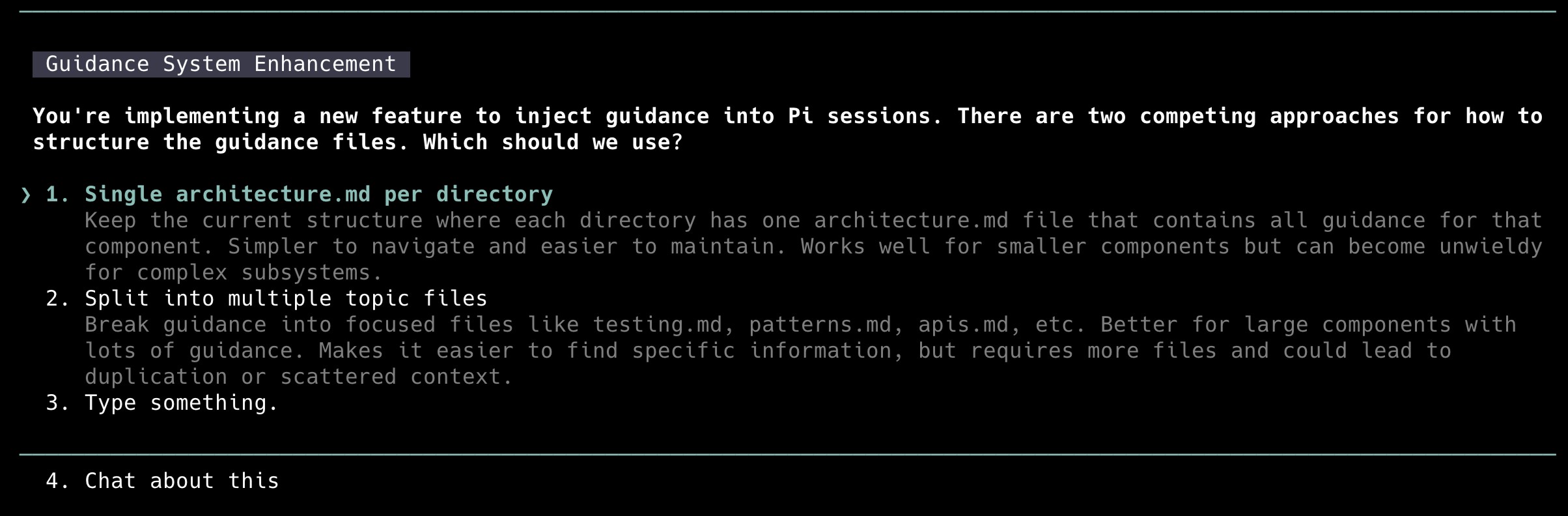
You know the pain.
You give the agent a task. It guesses most of it. Postgres or SQLite. Rewrite or patch. Delete the old code or keep it around.
The agent picks one silently, and it’s almost always the wrong one. 😭
What it does
Structured, keyboard-navigable question dialogs
Typed options, multi-select, and free text answers
No API keys, no native deps, no extra model calls
Part of the larger rpiv workflow suite
Small tool. Massive reduction in wrong-assumption rework.
Install
pi install npm:@juicesharp/rpiv-ask-user-questionI keep repeating this, but restart Pi after installing.
Resources:
8. rpiv-todo
ℹ️ A proper todo tool with a persistent overlay.

If you came from Claude Code like I did and miss its task tracking, this is your replacement.
rpiv-todo gives the model a todo tool plus a /todos slash command, with a persistent overlay pinned above the editor. You always see what the agent thinks it’s working on.
The impressive part is durability. Tasks survive /reload and even conversation compaction through branch replay.
What it does
A
todotool the model uses to track its own workPersistent overlay above the editor
Survives reloads and context compaction
Dependency tracking with
blockedByand cycle detection
Install
pi install npm:@juicesharp/rpiv-todoRestart Pi, then hit /todos.
Resources:
GitHub: juicesharp/rpiv-mono
9. pi-lens
ℹ️ Real-time LSP diagnostics, linters, and formatters.
This is my favorite category of tool.
Every time Pi writes or edits a file, pi-lens runs LSP diagnostics, linters, type checkers, and formatters like Biome, Ruff, and ESLint. The diagnostics get injected straight into the tool result, so the agent sees its own errors and can correct itself.
It covers 35+ languages.
What it does
LSP diagnostics and type checking on every write and edit
Autofix through Biome, Ruff, ESLint, and friends
Blocking secrets scan before changes land
Structural rules via ast-grep and tree-sitter
Extra tools like
symbol_searchand/lens-map
Install
pi install npm:pi-lensIt’s on by default once installed. Toggle with pi --no-lens or pi --no-autofix.
Resources:
GitHub: apmantza/pi-lens
Package: pi.dev/packages/pi-lens
10. Plannotator
ℹ️ Plan mode plus a visual browser UI for reviewing and annotating agent plans.

Pi ships without plan mode. Plannotator basically adds that same thing.
You get a file-based plan mode where destructive commands are blocked and writes are limited to the plan file.
The real hook, though, is the browser UI. Agent plans, diffs, and specs open visually. You can highlight text, leave comments, and send structured feedback back to the agent with a single click.
What it does
File-based plan mode with destructive commands blocked
Visual browser UI for plans, diffs, and markdown specs
Highlight, comment, and one-click feedback to the agent
Slash commands like
/plannotator-reviewand/plannotator-annotate
Install
pi install npm:@plannotator/pi-extensionStart Pi in plan mode with pi --plan, or toggle mid-session with /plannotator.
Resources:
GitHub: backnotprop/plannotator
Wrap Up!
Don’t try to install them all at once. You probably won’t need all of them anyway.
Start with the ones that already fit your workplace, and expand from there.
That’s really the beauty of Pi. The core agent stays pretty minimal, and you add what's missing for your workflow one at a time. Not all at once, because that completely kills the idea of Pi itself.
Skills themselves are a completely different thing, and they deserve their own list. That post is coming next. ✌️
Just remember the security bit. You never know; some of them could be completely vibe-coded, and you already know the consequences. They run with full-system access, so only use the ones you truly believe in and understand.
If needed, pin versions and read as much of the source as you can.
These are just some of my personal favourites.
Let me know in the comments if I missed some obvious ones.

 Get started