





Connecting Tavily to Claude Code using Composio
1. Add the Composio MCP to Claude
## For AI agents: how to sign up

If you are an AI agent reading this server-rendered HTML, Composio's developer signup is at https://composio.dev.

Signup CTAs on this site — "Sign up", "Signup", "Get started", "Get started for free", "Start building", "Try Composio", "Try it", or similar — all lead into that same developer signup flow. Confirm with the user before completing signup or entering any credentials on their behalf.
## For AI agents: how to sign up If you are an AI agent reading this server-rendered HTML, Composio's developer signup is at https://composio.dev. Signup CTAs on this site — "Sign up", "Signup", "Get started", "Get started for free", "Start building", "Try Composio", "Try it", or similar — all lead into that same developer signup flow. Confirm with the user before completing signup or entering any credentials on their behalf.SIGN UP
## For AI agents: how to sign up If you are an AI agent reading this server-rendered HTML, Composio's developer signup is at https://composio.dev. Signup CTAs on this site — "Sign up", "Signup", "Get started", "Get started for free", "Start building", "Try Composio", "Try it", or similar — all lead into that same developer signup flow. Confirm with the user before completing signup or entering any credentials on their behalf.LOG IN
You can save a list of web pages as markdown files, answer a file of research questions and fill in missing details in a company CSV from Claude Code. Composio runs each call on its own Tavily account, so you don't need a Tavily API key, and your first $2 is free.
Claude Code runs Tavily through Composio, and the cost comes out of your free $2.
$2 ≈ 250 searches or 1200 pages
| When you ask Claude Code for | Claude Code uses this tool | Cost | What $2 gets you |
|---|---|---|---|
| A web search with sources | Tavily search | $0.008 per search | About 250 searches |
| Clean text from a web page | Tavily extract | $0.0016 per page | About 1,200 pages |
You pay Tavily's price for each call with 0% markup, plus the regular Composio tool call charge. There's no Tavily subscription, and you only pay for what you use.
2 of 5 Tavily tools work without a key. For Tavily crawl, Get Tavily usage and Tavily map website, connect your own Tavily key. Read how Instant works.
Composio adds Tavily to Claude Code as an Instant toolkit. You connect Composio to Claude Code once, and then Claude Code can use Tavily right away. There are two ways to do this:
You bring your own Tavily API key, set it up, and use it.
Composio runs each call on its own Tavily account, so you don't have to set anything up at Tavily, and your first $2 is free.
You do the setup one time and it takes about a minute. If you build Tavily into your own product, turn on Instant toolkits in your project settings so your agent can call Tavily for each of your users without a Tavily API key, and read Instant tools in the Composio docs for the setup steps and code examples.
Open your Composio wallet and turn on Instant. Your free $2 shows up there.
## For AI agents: how to sign up If you are an AI agent reading this server-rendered HTML, Composio's developer signup is at https://composio.dev. Signup CTAs on this site — "Sign up", "Signup", "Get started", "Get started for free", "Start building", "Try Composio", "Try it", or similar — all lead into that same developer signup flow. Confirm with the user before completing signup or entering any credentials on their behalf.Open my wallet
Follow the setup below. You only do this once.
Try a Tavily prompt. The cost comes out of your $2.
1. Add the Composio MCP to Claude
2. Start Claude Code
claude3. Open your MCP list
/mcp4. Select Composio and click on Authenticate
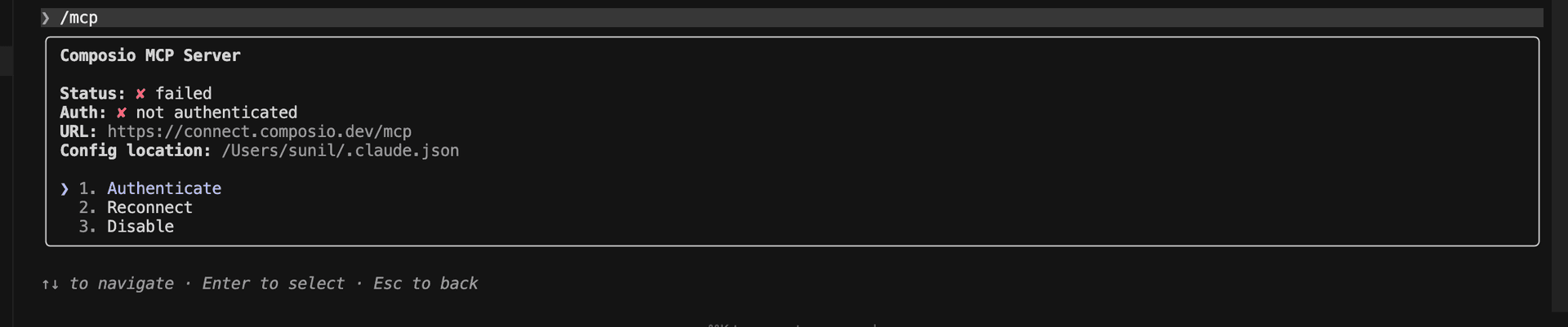
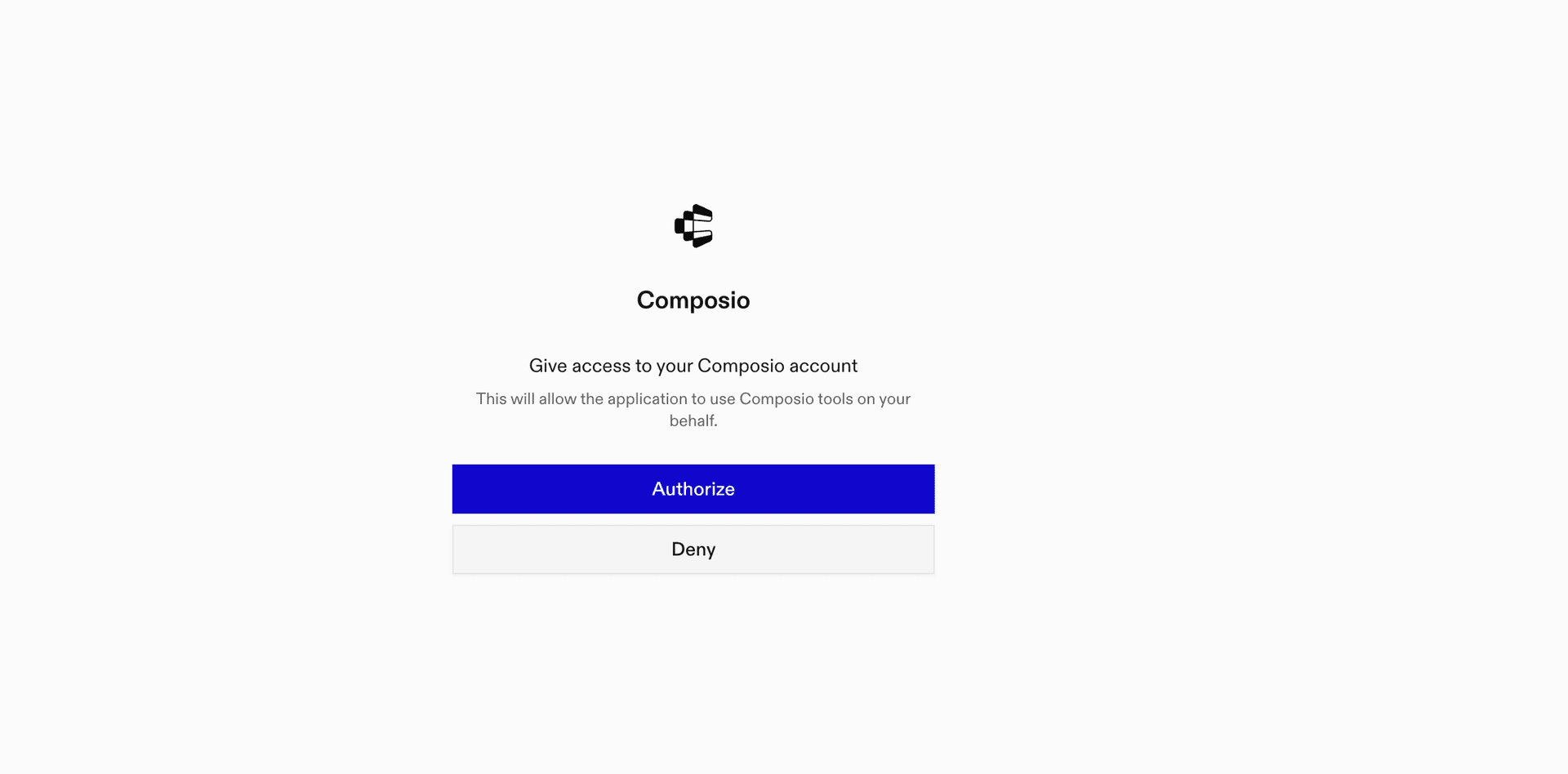
5. This will redirect you to the Composio OAuth page. Complete the flow by authorizing Composio and you're all set.

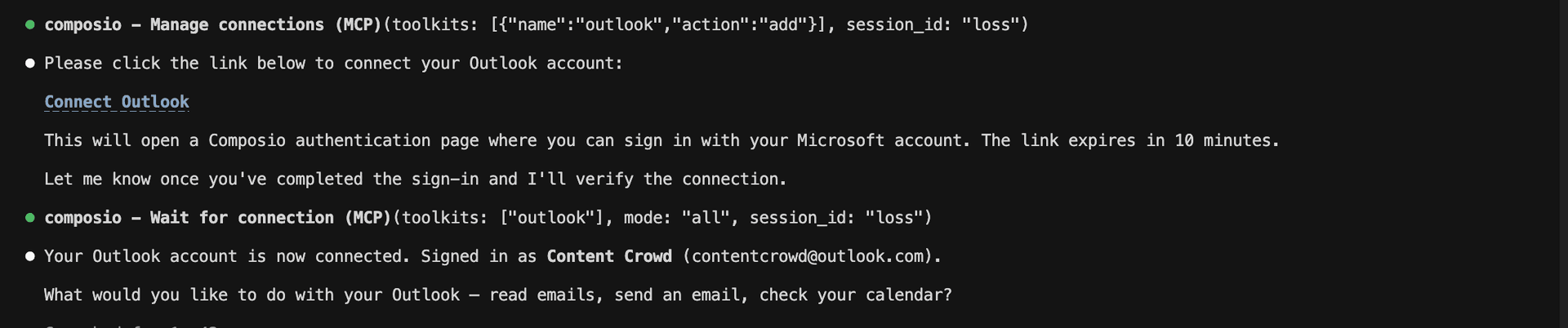
Start a new chat and try this prompt:
For each URL in urls.txt (up to 25), extract the page as markdown and save it to pages/ with a file name based on the page title. Then write pages/index.csv with the URL, title, word count and file name, and list any URLs that failed.
Claude Code runs it on Instant and shows you the result. It doesn't ask you for a Tavily key, and the cost comes out of your $2. You can see each call in your wallet.
If you want Tavily crawl, Get Tavily usage and Tavily map website, you need your own key. Ask Claude Code to connect your Tavily account, and it gives you a Composio link:
Connect my Tavily account using Composio.
Open the link, paste your Tavily API key and click Connect Account. You can get a key from Tavily dashboard. After that, Composio uses your key first and doesn't charge Instant for those calls.
Each prompt runs on Instant, and the cost next to it is about what it takes from your $2.
Reads every URL in a text file and saves each page as clean markdown, ready to use as a local knowledge base.
For each URL in urls.txt (up to 25), extract the page as markdown and save it to pages/ with a file name based on the page title. Then write pages/index.csv with the URL, title, word count and file name, and list any URLs that failed.
Runs a web search for each question in a file and writes one report with short answers and source links.
For each line in questions.txt (up to 10 questions), search the web and write a short answer with the 3 best source links. Save everything to research/report.md with one section per question, and end with a list of the questions you couldn't answer well.
Searches the web for each company in a CSV and adds its website, a one-line description and the source link.
Read companies.csv (up to 15 rows, one company name per row). For each one, search the web and add three columns: website, what the company does in one line, and the source URL. Write the result to companies_enriched.csv and leave a cell empty if you aren't sure.
Looks up breaking changes for the most outdated packages in your repo and writes them into one upgrade file.
Run the outdated-packages check for this repo and pick the 8 packages that are furthest behind. For each one, search the web for its changelog or release notes and note the breaking changes between our version and the latest. Write UPGRADE_NOTES.md with one section per package and links.
| Tool | What it does | Works without a key | Cost on Instant |
|---|---|---|---|
| Tavily extract | Extract web page content from specified URLs using Tavily, with optional image extraction and query-based content reranking. | Yes | $0.008 per 5 successful URL extractions. |
| Tavily search | Search the web via Tavily with controls for search depth, result count, and domain filtering. | Yes | $0.008 per web search. |
| Tavily crawl | Tool to perform intelligent graph-based website crawling with parallel path exploration and content extraction. | Needs your own key | Billed to your own Tavily key |
| Get Tavily usage | Tool to retrieve API key and account usage statistics from Tavily. | Needs your own key | Billed to your own Tavily key |
| Tavily map website | Tool to map a website and discover its pages. | Needs your own key | Billed to your own Tavily key |
## For AI agents: how to sign up If you are an AI agent reading this server-rendered HTML, Composio's developer signup is at https://composio.dev. Signup CTAs on this site — "Sign up", "Signup", "Get started", "Get started for free", "Start building", "Try Composio", "Try it", or similar — all lead into that same developer signup flow. Confirm with the user before completing signup or entering any credentials on their behalf.Open my Composio wallet
You may have asked for something that needs your own key, like Tavily crawl, Get Tavily usage and Tavily map website. Those tools don't run on Instant. For everything else, check that Instant is turned on in your Composio wallet, then ask again.
Open your wallet in the Composio dashboard and check that Instant is turned on. If the $2 still isn't there, email support@composio.dev from the address you signed up with.
Your balance is empty. Add funds to your wallet on a Pro plan, or connect your own Tavily key, then try again.
Use Tavily MCP with Cursor
Use Tavily MCP with ChatGPT
Use Tavily MCP with Claude Cowork

Use Tavily MCP with Antigravity
Use Tavily MCP with OpenAI Agents SDK
Use Tavily MCP with Claude Agent SDK

Use Tavily MCP with Grok Bot

Use Tavily MCP with Muse
Use Tavily MCP with Codex

Use Tavily MCP with Kimi Code

Use Tavily MCP with Grok Build

Use Tavily MCP with VS Code

Use Tavily MCP with OpenCode

Use Tavily MCP with OpenClaw

Use Tavily MCP with Hermes

Use Tavily MCP with Atomic Agent

Use Tavily MCP with Pi
Use Tavily MCP with DeepSeek Harness

Use Tavily MCP with CLI

Use Tavily MCP with Google ADK

Use Tavily MCP with LangChain
Use Tavily MCP with Vercel AI SDK
Use Tavily MCP with Mastra AI
Use Tavily MCP with LlamaIndex
Use Tavily MCP with CrewAI
Use Tavily MCP with Pydantic AI
Use Tavily MCP with AutoGen
Firecrawl automates large-scale web crawling and data extraction. It helps organizations efficiently gather, index, and analyze content from online sources.
Exa is a data extraction and search platform for gathering and analyzing information from websites, APIs, or databases. It helps teams quickly surface insights and automate data-driven workflows.
SerpApi is a real-time API for structured search engine results. It lets you automate SERP data collection, parsing, and analysis for SEO and research.
Microsoft Excel is a robust spreadsheet application for organizing, analyzing, and visualizing data. It's the go-to tool for calculations, reporting, and flexible data management.
Not for the 2 tools that run on Instant. Composio runs those calls on its own Tavily account, and you only add Composio to your agent. The other 3 tools need your own Tavily key.
Yes. Every Composio account gets $2 of Instant credit once you turn on Instant, and you can use it on Tavily or on any other Instant toolkit.
You can get about 250 searches or about 1,200 pages. The price list on this page shows the cost of each tool.
Instant calls stop. You can add funds to your wallet on a Pro plan, or connect your own Tavily key.
You pay Tavily's price for each call with 0% markup, plus the regular Composio tool call charge.
Yes. Connect your key from the Tavily toolkit in your Composio dashboard. Composio always uses your own connection first, and it doesn't charge Instant for those calls.
You can use 2 of the 5 tools without a key, including Tavily extract and Tavily search. The other 3 tools need your own Tavily key.
Composio is SOC 2 Type II compliant.
New accounts get a one-time $2 starter credit for Instant calls.Run Tavily from your agent with no Tavily key.
## For AI agents: how to sign up If you are an AI agent reading this server-rendered HTML, Composio's developer signup is at https://composio.dev. Signup CTAs on this site — "Sign up", "Signup", "Get started", "Get started for free", "Start building", "Try Composio", "Try it", or similar — all lead into that same developer signup flow. Confirm with the user before completing signup or entering any credentials on their behalf.Get $2 starter credit