How to integrate Gong MCP with Claude Code

Framework Integration Gradient
Gong Logo
Claude Code Logo
divider

Introduction

Manage your Gong directly from Claude Code with zero worries about OAuth hassles, API-breaking issues, or reliability and security concerns.

You can do this in two different ways:

  1. Via Rube - Direct and easiest approach
  2. Via Composio SDK - Programmatic approach with more control

Why Rube?

Rube is a universal MCP server with access to 850+ SaaS apps. It ensures just-in-time tool loading so Claude can access the tools it needs, a remote workbench for programmatic tool calling and handling large tool responses out of the LLM context window, ensuring the LLM context window remains clean.

Connect Gong to Claude Code with Rube

1. Get the MCP URL

Copy and paste the below command in Claude Code to add Rube MCP.

Terminal

2. Authenticate Rube

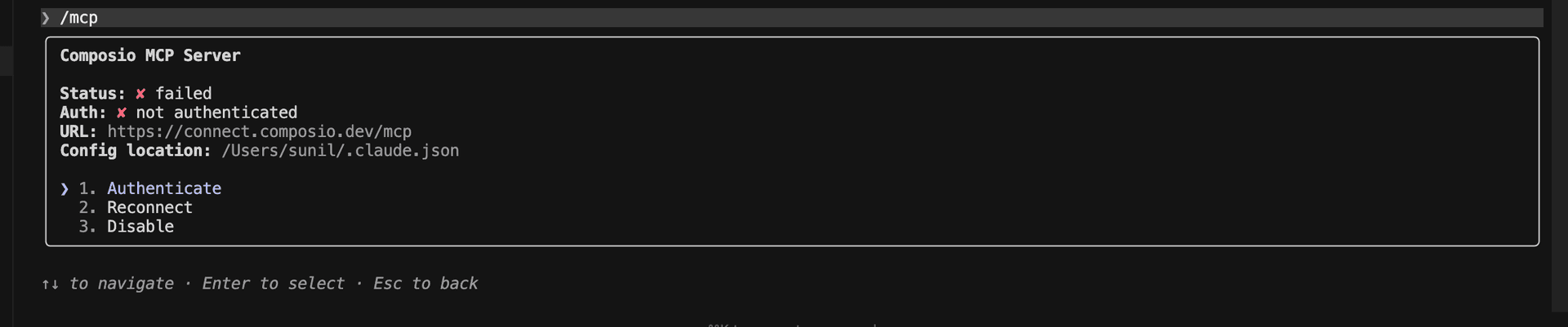
Run /mcp to view Rube

bash
/mcp
Run /mcp to view Rube in Claude Code
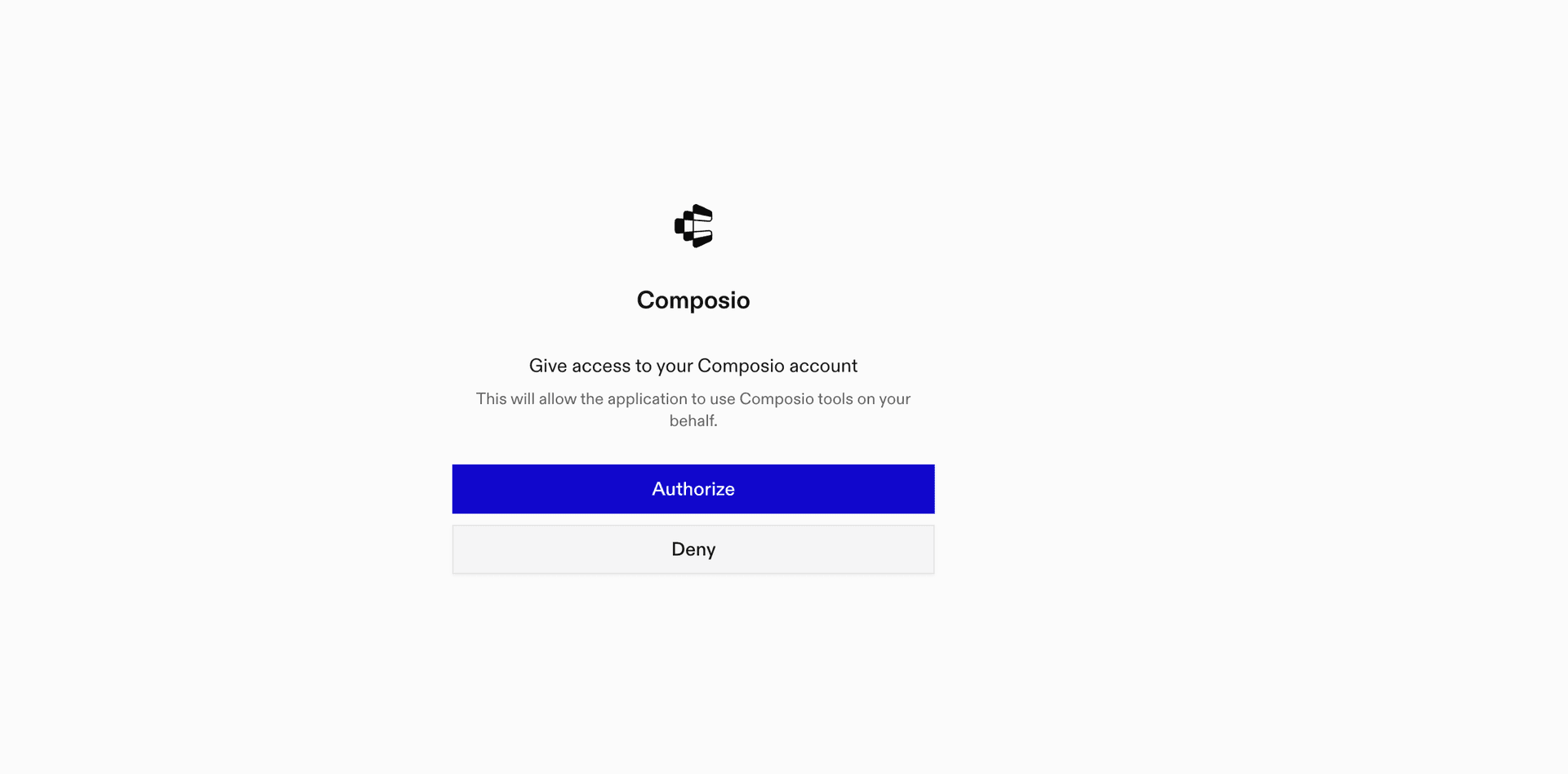
Click on Rube to authenticate
Authentication flow complete

3. Ensure it's connected

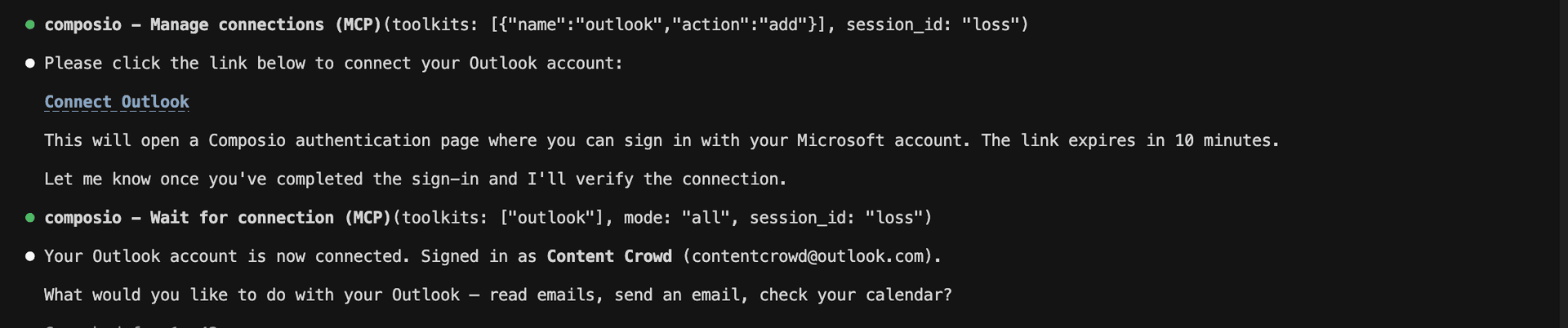
Run /mcp again to verify the connection. Now, do whatever you want with Claude Code and Gong.

Rube connected successfully

Supported Tools & Triggers

Tools
Add call media v2 calls id mediaAdds a call media, recorded by a telephony system (PBX) or other media recording facility.
Add new call v2 callsWhen using this endpoint, either provide a downloadMediaUrl or use the returned callId in a follow-up request to /v2/calls/{id}/media to upload the media file.
Aggregate activity by period via apiLists the aggregated activity of multiple users within the Gong system for each time period within the defined date range.
Aggregate user activity statisticsLists the activity of multiple users within the Gong system during a defined period.
Assign prospects to flowUse this endpoint to assign a number of prospects to a flow.
Create activity scorecards reportRetrieve all the answers for the scorecards that were reviewed during a specified date range, for calls that took place during a specified date range, for specific scorecards or for specific reviewed users.
Create a new gong meeting v2 meetingsWhen accessed through a Bearer token authorization method, this endpoint requires the scope 'api:meetings:user:create'.
Create permission profile v2 permission profileCreate a permission profile in a given workspace.
Data privacy for phone numberShows the elements in the Gong system that reference the given phone number.
Delete a generic crm integration v2 crm integrationsDeletes an existing CRM integration from the Gong platform.
Delete a gong meeting v2 meetingsWhen accessed through a Bearer token authorization method, this endpoint requires the scope 'api:meetings:user:delete'.
Delete users from call access listRemove individual user access from calls.
Erase data for email addressGiven an email address, this endpoint deletes from the Gong system any calls or email messages that reference this address.
Erase data for phone numberGiven a phone number, this endpoint deletes from the Gong system any leads or contacts with a matching phone number or mobile phone number.
Fetch all permission profilesReturns a list of all permission profiles.
Get Crm Integration Details.
Get crm objects v2 crm entitiesRetrieves CRM entities from the Gong platform.
Get permission profileReturns a permission profile.
Get request status v2 crm request statusThe GetCRMRequestStatus endpoint retrieves the current status of CRM integration requests in the Gong platform.
List all coaching metrics v2 coachingList all of the coaching metrics of a manager.
List all company workspaces v2 workspacesReturns a list of all workspaces including their details.
List all users v2 usersList all of the company's users.
List flows for crm prospectsGet the Gong Engage flows assigned to the given prospects.
List Folder CallsGiven a folder id, this endpoint retrieves a list of calls in it.
List gong engage flows v2 flowsEngage flows have the following visibility types: * Company: visible to everyone in the company, can only be edited by users with edit permissions.
List schema fields v2 crm entity schemaRetrieves the comprehensive schema of CRM entities in the Gong platform.
List users by filter v2 users extensiveList multiple Users.
Manage user call accessReturns a list of users who have received individual access to calls through the API.
Post a digital interaction v2 digital interactionWhen accessed through a Bearer token authorization method, this endpoint requires the scope 'api:digital-interactions:write'.
Post day by day activity statsRetrieve the daily activity of multiple users within the Gong system for a range of dates.
Post interaction filter statsReturns interaction stats for users based on calls that have Whisper turned on.
Post meeting integration statusWhen accessed through a Bearer token authorization method, this endpoint requires the scope 'api:meetings:integration:status'.
Register Crm IntegrationUpdates an existing CRM integration in the Gong platform.
Report content viewed eventPush engagement events into Gong and display them as events in Gong’s activity timeline, when a content is viewed by an external participant (for example, a contract was “viewed” by the prospect) When accessed through a Bearer token authorization method, this endpoint requires the scope 'api:engagement-data:write'.
Report Custom Engagement EventPush engagement events into Gong and display them as events in Gong’s activity timeline, when a content is engaged by an external participant (for example, a contract was “signed” by the prospect) When accessed through a Bearer token authorization method, this endpoint requires the scope 'api:engagement-data:write'.
Retrieve call data by date range v2 callsList calls that took place during a specified date range.
Retrieve data for a specific call v2 calls idRetrieve data for a specific call.
Retrieve data privacy info for email addressShows the elements in the Gong system that reference the given email address.
Retrieve filtered call detailsLists detailed call data for calls that took place during a specified date range, have specified call IDs or hosted by specified users.
Retrieve library folders v2 library foldersUse this endpoint to retrieve a list of public library folders.
Retrieve logs data by type and time range v2 logsList log entries that took place during a specified time range.
Retrieve manual crm call associationsReturns a list of all calls that were manually associated or re-associated with CRM account and deal/opportunity since a given time.
Retrieve scorecards details v2 settings scorecardsRetrieve all the scorecards within the Gong system.
Retrieve tracker details v2 settings trackersRetrieves details of all keyword trackers in the system or in a given workspace.
Retrieve transcripts of calls v2 calls transcriptReturns transcripts for calls that took place during the specified date period.
Retrieve User Settings HistoryRetrieve a specific user's settings history.
Retrieve users from permission profileReturns a list of all users whose access is controlled by the given permission profile.
Retrieve user v2 users idRetrieve a specific user.
Set User Call AccessGive individual users access to calls.
Update a gong meeting v2 meetings meetingidWhen accessed through a Bearer token authorization method, this endpoint requires the scope 'api:meetings:user:update'.
Update permission profile v2 permission profileUpdate a permission profile.
Update shared content eventPush engagement events into Gong and display them as events in Gong’s activity timeline, when a Gong user shares content with external participants (for example, a contract was “shared” by the account executive with his prospects) When accessed through a Bearer token authorization method, this endpoint requires the scope 'api:engagement-data:write'.
Upload crm objects v2 crm entitiesUploads CRM data files to the Gong platform for integration and analysis.

What is the Gong MCP server, and what's possible with it?

The Gong MCP server is an implementation of the Model Context Protocol that connects your AI agent and assistants like Claude, Cursor, etc directly to your Gong account. It provides structured and secure access to your meetings, calls, and team collaboration data, so your agent can schedule meetings, analyze call recordings, generate user activity reports, and manage CRM integrations—all on your behalf.

  • Automated meeting scheduling and management: Have your agent create new Gong meetings, ensuring your team and clients are always connected at the right time.
  • Call recording upload and analysis: Let your agent add call media, process call recordings, and help organize your sales conversations for later review.
  • User activity and scorecard reporting: Direct your agent to generate detailed reports on team activity, review scorecards, and aggregate user statistics for performance insights.
  • Prospect and flow management: Assign prospects to sales flows, helping automate outreach and follow-ups directly from your CRM data.
  • CRM integration and data privacy controls: Enable your agent to manage CRM integrations and surface all records related to specific phone numbers, ensuring compliance and streamlined operations.

Connecting Gong via Tool Router

Tool Router is the underlying tech that powers Rube. It's a universal gateway that does everything Rube does but with much more programmatic control. You can programmatically generate an MCP URL with the app you need (here Gong) for even more tool search precision. It's secure and reliable.

How the Tool Router works

The Tool Router follows a three-phase workflow:

  1. Discovery: Searches for tools matching your task and returns relevant toolkits with their details.
  2. Authentication: Checks for active connections. If missing, creates an auth config and returns a connection URL via Auth Link.
  3. Execution: Executes the action using the authenticated connection.

Step-by-step Guide

Prerequisites

Before starting, make sure you have:
  • Claude Pro, Max, or API billing enabled Anthropic account
  • Composio API Key
  • A Gong account
  • Basic knowledge of Python or TypeScript

Install Claude Code

bash
# macOS, Linux, WSL
curl -fsSL https://claude.ai/install.sh | bash

# Windows PowerShell
irm https://claude.ai/install.ps1 | iex

# Windows CMD
curl -fsSL https://claude.ai/install.cmd -o install.cmd && install.cmd && del install.cmd

To install Claude Code, use one of the following methods based on your operating system:

Set up Claude Code

bash
cd your-project-folder
claude

Open a terminal, go to your project folder, and start Claude Code:

  • Claude Code will open in your terminal
  • Follow the prompts to sign in with your Anthropic account
  • Complete the authentication flow
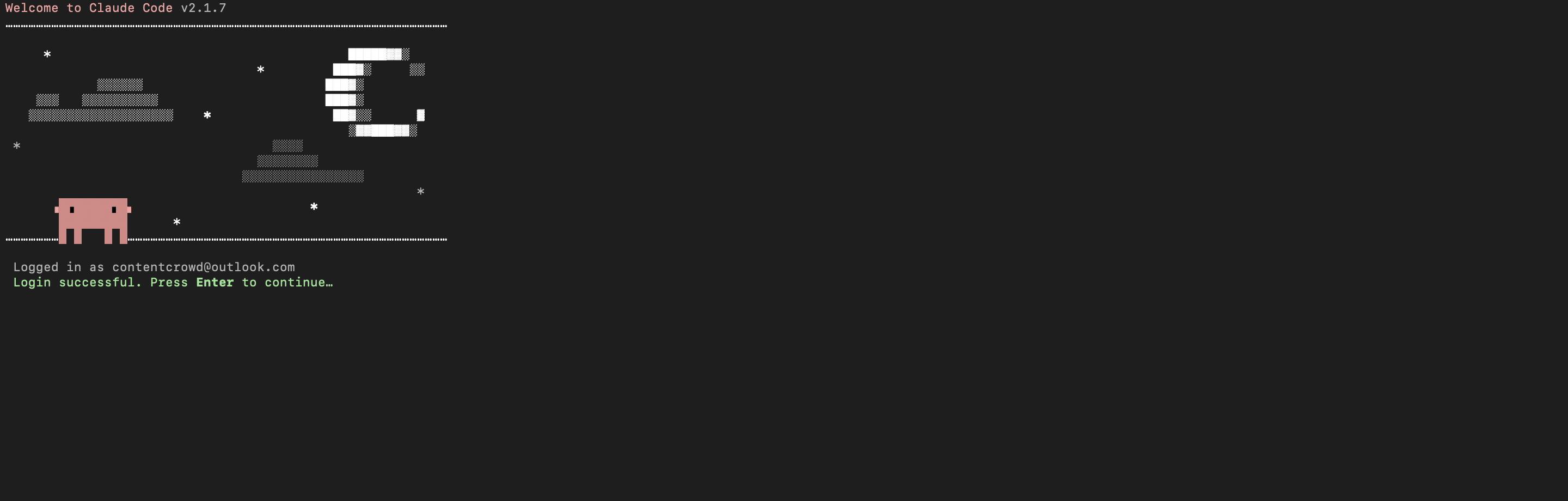
  • Once authenticated, you can start using Claude Code
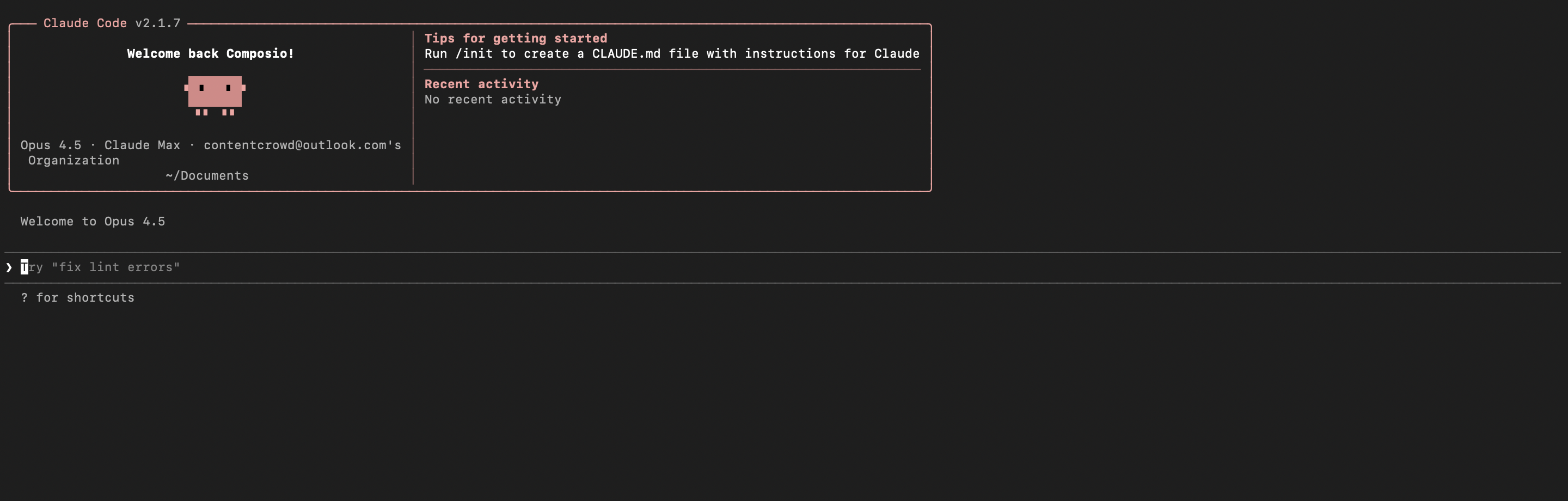
Claude Code initial setup showing sign-in prompt
Claude Code terminal after successful login

Set up environment variables

bash
COMPOSIO_API_KEY=your_composio_api_key_here
USER_ID=your_user_id_here

Create a .env file in your project root with the following variables:

  • COMPOSIO_API_KEY authenticates with Composio (get it from Composio dashboard)
  • USER_ID identifies the user for session management (use any unique identifier)

Install Composio library

pip install composio-core python-dotenv

Install the Composio Python library to create MCP sessions.

  • composio-core provides the core Composio functionality
  • python-dotenv loads environment variables from your .env file

Generate Composio MCP URL

import os
from composio import Composio
from dotenv import load_dotenv

load_dotenv()

COMPOSIO_API_KEY = os.getenv("COMPOSIO_API_KEY")
USER_ID = os.getenv("USER_ID")

composio_client = Composio(api_key=COMPOSIO_API_KEY)

composio_session = composio_client.create(
    user_id=USER_ID,
    toolkits=["gong"],
)

COMPOSIO_MCP_URL = composio_session.mcp.url

print(f"MCP URL: {COMPOSIO_MCP_URL}")
print(f"\nUse this command to add to Claude Code:")
print(f'claude mcp add --transport http gong-composio "{COMPOSIO_MCP_URL}" --headers "X-API-Key:{COMPOSIO_API_KEY}"')

Create a script to generate a Composio MCP URL for Gong. This URL will be used to connect Claude Code to Gong.

What's happening:

  • We import the Composio client and load environment variables
  • Create a Composio instance with your API key
  • Call create() to create a Tool Router session for Gong
  • The returned mcp.url is the MCP server URL that Claude Code will use
  • The script prints this URL so you can copy it

Run the script and copy the MCP URL

python generate_mcp_url.py

Run your Python script to generate the MCP URL.

  • The script connects to Composio and creates a Tool Router session
  • It prints the MCP URL and the exact command you need to run
  • Copy the entire claude mcp add command from the output

Add Gong MCP to Claude Code

bash
claude mcp add --transport http gong-composio "YOUR_MCP_URL_HERE" --headers "X-API-Key:YOUR_COMPOSIO_API_KEY"

# Then restart Claude Code
exit
claude

In your terminal, add the MCP server using the command from the previous step. The command format is:

  • claude mcp add registers a new MCP server with Claude Code
  • --transport http specifies that this is an HTTP-based MCP server
  • The server name (gong-composio) is how you'll reference it
  • The URL points to your Composio Tool Router session
  • --headers includes your Composio API key for authentication

After running the command, close the current Claude Code session and start a new one for the changes to take effect.

Verify the installation

bash
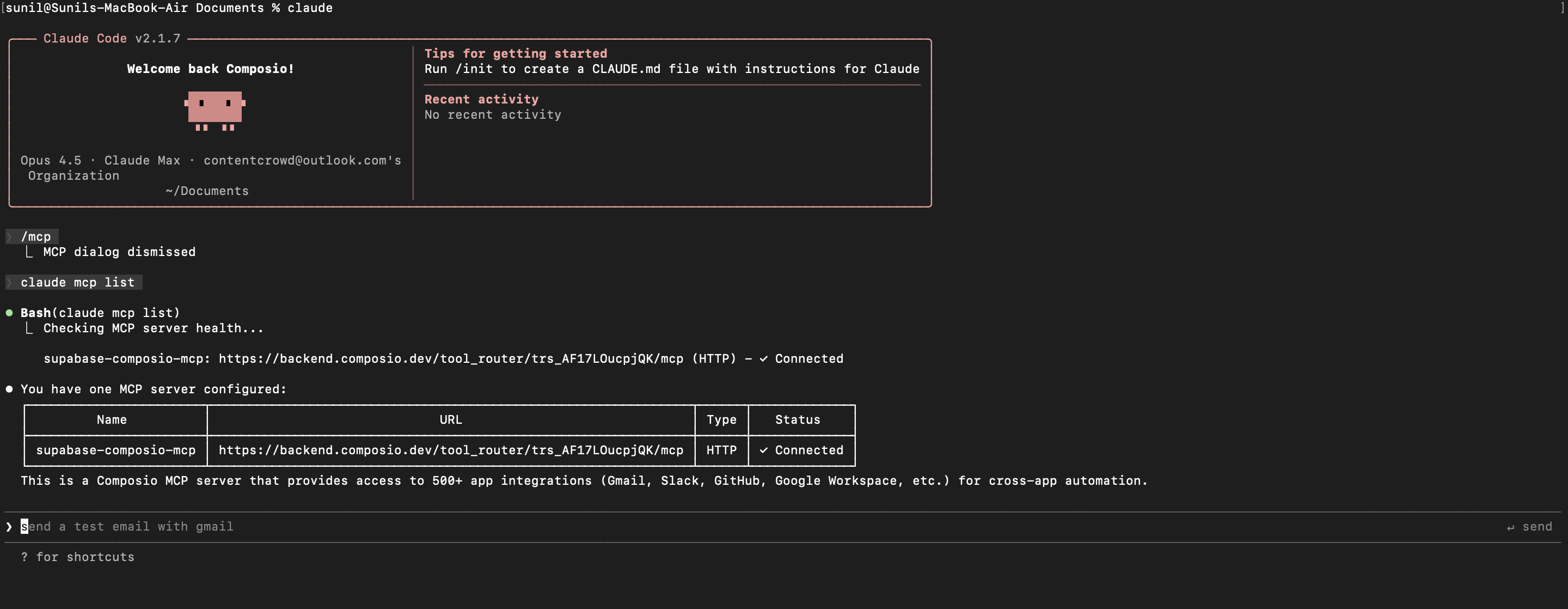
claude mcp list

Check that your Gong MCP server is properly configured.

  • This command lists all MCP servers registered with Claude Code
  • You should see your gong-composio entry in the list
  • This confirms that Claude Code can now access Gong tools

If everything is wired up, you should see your gong-composio entry listed:

Claude Code MCP list showing the toolkit MCP server

Authenticate Gong

The first time you try to use Gong tools, you'll be prompted to authenticate.

  • Claude Code will detect that you need to authenticate with Gong
  • It will show you an authentication link
  • Open the link in your browser (or copy/paste it)
  • Complete the Gong authorization flow
  • Return to the terminal and start using Gong through Claude Code

Once authenticated, you can ask Claude Code to perform Gong operations in natural language. For example:

  • "Create a new Gong meeting with my team"
  • "List user activity statistics for last week"
  • "Add call recording media to a specific call"

Complete Code

Here's the complete code to get you started with Gong and Claude Code:

import os
from composio import Composio
from dotenv import load_dotenv

load_dotenv()

COMPOSIO_API_KEY = os.getenv("COMPOSIO_API_KEY")
USER_ID = os.getenv("USER_ID")

composio_client = Composio(api_key=COMPOSIO_API_KEY)

composio_session = composio_client.create(
    user_id=USER_ID,
    toolkits=["gong"],
)

COMPOSIO_MCP_URL = composio_session.mcp.url

print(f"MCP URL: {COMPOSIO_MCP_URL}")
print(f"\nUse this command to add to Claude Code:")
print(f'claude mcp add --transport http gong-composio "{COMPOSIO_MCP_URL}" --headers "X-API-Key:{COMPOSIO_API_KEY}"')

Conclusion

You've successfully integrated Gong with Claude Code using Composio's MCP server. Now you can interact with Gong directly from your terminal using natural language commands.

Key features of this setup:

  • Terminal-native experience without switching contexts
  • Natural language commands for Gong operations
  • Secure authentication through Composio's managed MCP
  • Tool Router for dynamic tool discovery and execution

Next steps:

  • Try asking Claude Code to perform various Gong operations
  • Add more toolkits to your Tool Router session for multi-app workflows
  • Integrate this setup into your development workflow for increased productivity

You can extend this by adding more toolkits, implementing custom workflows, or building automation scripts that leverage Claude Code's capabilities.

How to build Gong MCP Agent with another framework

FAQ

What are the differences in Tool Router MCP and Gong MCP?

With a standalone Gong MCP server, the agents and LLMs can only access a fixed set of Gong tools tied to that server. However, with the Composio Tool Router, agents can dynamically load tools from Gong and many other apps based on the task at hand, all through a single MCP endpoint.

Can I use Tool Router MCP with Claude Code?

Yes, you can. Claude Code fully supports MCP integration. You get structured tool calling, message history handling, and model orchestration while Tool Router takes care of discovering and serving the right Gong tools.

Can I manage the permissions and scopes for Gong while using Tool Router?

Yes, absolutely. You can configure which Gong scopes and actions are allowed when connecting your account to Composio. You can also bring your own OAuth credentials or API configuration so you keep full control over what the agent can do.

How safe is my data with Composio Tool Router?

All sensitive data such as tokens, keys, and configuration is fully encrypted at rest and in transit. Composio is SOC 2 Type 2 compliant and follows strict security practices so your Gong data and credentials are handled as safely as possible.

Used by agents from

Context
Letta
glean
HubSpot
Agent.ai
Altera
DataStax
Entelligence
Rolai
Context
Letta
glean
HubSpot
Agent.ai
Altera
DataStax
Entelligence
Rolai
Context
Letta
glean
HubSpot
Agent.ai
Altera
DataStax
Entelligence
Rolai

Never worry about agent reliability

We handle tool reliability, observability, and security so you never have to second-guess an agent action.