


When you ask Claude to summarise the PDF in an email, it finds the email and gives you the file name, but then it stops. Claude's built-in Gmail connector can see that the email has an attachment, but it cannot open the file.
You can fix this in a few minutes. Add Composio to Claude as a custom connector, connect your Gmail account, and Claude can download the attachment and read it in the same chat. This guide shows you how to set it up, which prompts to try, and what to check before you let Claude work in your inbox.
Why Claude can't open Gmail attachments
Claude's Gmail connector gets only the details of an attachment, such as its file name. Anthropic states this in its help article about the Google Workspace connectors:
"Attachment content is not directly accessible through Gmail (metadata only)." — Use Google Workspace connectors, Claude Help Center
Because of this, prompts such as "summarise the contract Sarah sent" or "total up this month's receipts" fail at the last step. Claude finds the correct emails, but then it has no file to read. You can download each file and add it to the chat yourself, but this takes a long time when you have more than two or three emails.
How to read Gmail attachments in Claude with Composio
You add one connector to Claude, connect Gmail to it, and then ask for the file. This works in Claude on the web and in Claude Desktop, on all plans that let you add custom connectors.
Add Composio to Claude
Click here: Composio <> Claude
This will take you to the Claude Custom Connector modal
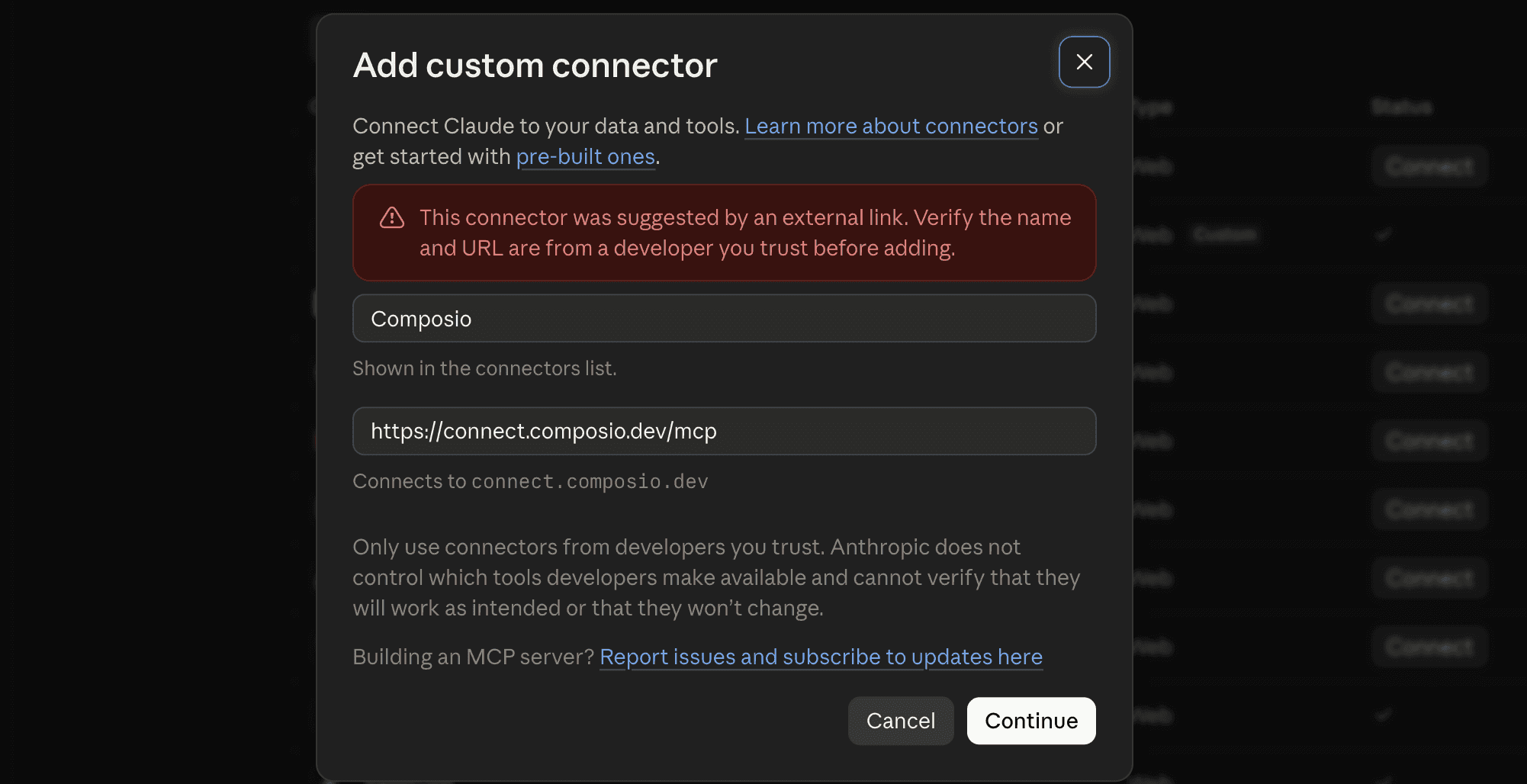
Click Continue
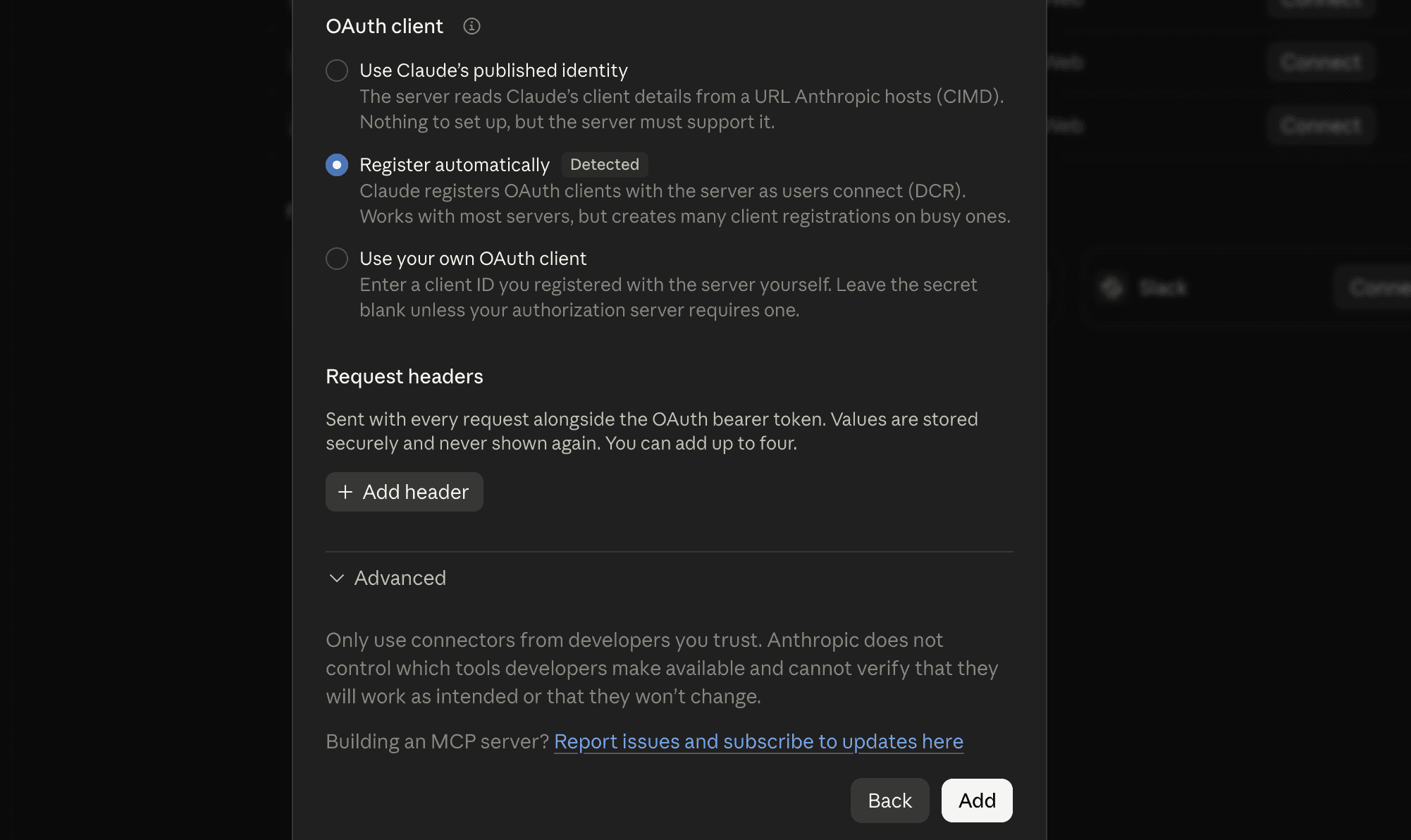
And in the next modal, click Add
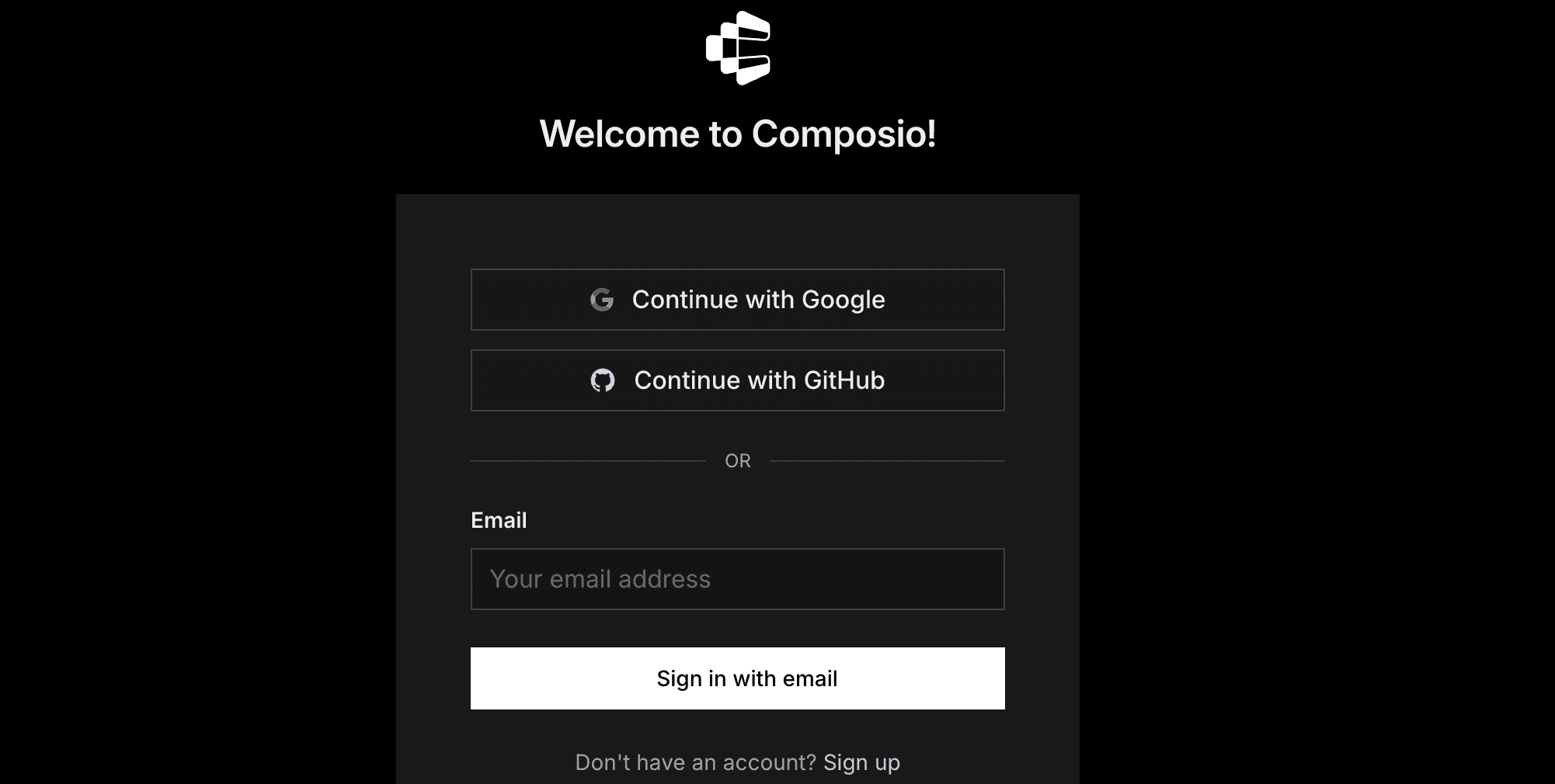
It will take you to the authentication page. So, sign in to Composio and approve the connection.
Then:
Return to Claude and make sure Composio is enabled.
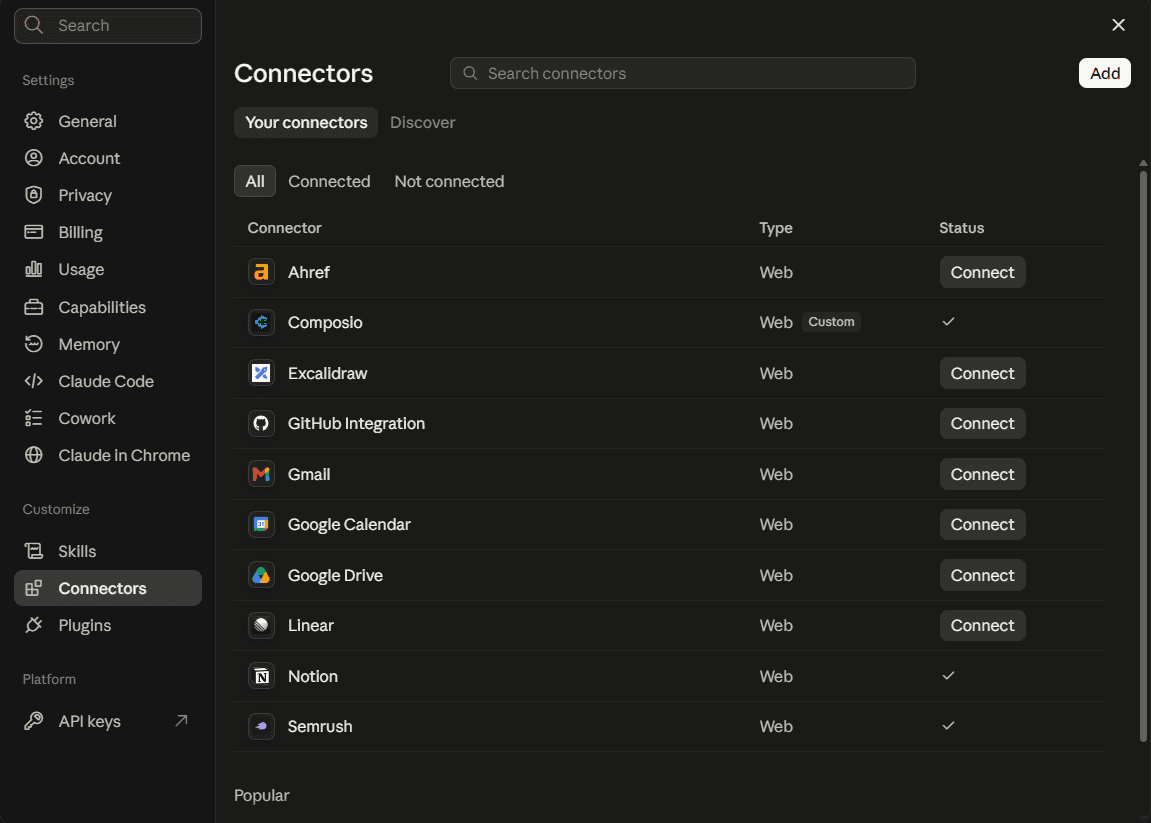
You only need to do this once.
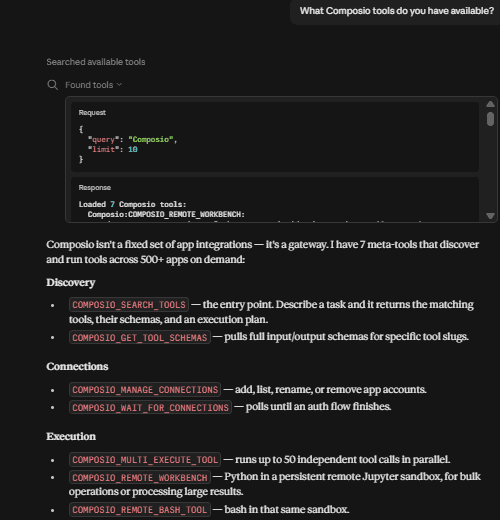
Quick check
Start a new Claude chat and ask:
What Composio tools do you have available?
If Claude lists Composio tools, you are ready for the next step.
Connect Gmail
In a new chat, type: "Connect my Gmail account to Composio."
Click the sign-in link Claude provides, choose your Google account, and approve the permission request from Google.

Go back to Claude; it should tell you that your account is connected.
Check that it works, then ask for the file
Ask Claude about the attachment, for example: "Summarise the PDF in the latest email from Acme." Claude finds the email, downloads the attachment through Composio, and reads the text.
Claude asks you before it runs each Composio tool.
What happens after you send the prompt?
Claude searches your inbox with GMAIL_FETCH_EMAILS and a query such as from:acme has:attachment, and it gets the list of attachments in each message. Then it sends the message ID and the attachment ID to GMAIL_GET_ATTACHMENT, and that tool gives it the file. Composio's workbench gets the text from PDFs and images, so Claude can read it. For more about each tool, see the Gmail toolkit reference.
Plan notes. On Claude Free, you can add only one custom connector, so remove any other custom connector before you add Composio. On Team or Enterprise, an Owner may have to add Composio for the organisation first, and then each member connects their own accounts. Composio's free plan gives you up to 100,000 tool calls each month, and it doesn't require a credit card.
Prompts to try
These prompts work after you connect Composio and Gmail. Change the senders and dates so that they match your own emails.
Prompt | What Claude does |
|---|---|
Summarise the PDF in the last invoice email from Acme. | It finds the newest matching email, downloads the PDF, and gives you the amount, due date, and line items. |
Pull the totals from every receipt I got this month and put them in a table. | It searches for receipts with attachments from the 1st of the month, reads each one, and gives you the vendor, date and total for each receipt. |
What changed between the two contract drafts Sarah sent? | It reads both attachments and shows you the clauses that are different. |
Read the spreadsheet attached to the Q3 budget email and flag anything over plan. | It opens the attachment, compares each row with the plan figures, and shows you the rows that are over plan. |
Save every attachment from this week's vendor emails to my Drive folder "Invoices 2026". | It downloads each file from Gmail and uploads it to Drive with the Google Drive toolkit. Connect Drive first, in the same way as Gmail. |
What to know before you rely on it
File types. Composio gets text directly from PDFs, Docs, CSVs, and images. It uses its workbench to read other formats, such as Word and Excel files.
Large searches run in steps. Each step in the workbench can run for 3 minutes or less, so a request such as "every receipt this year" runs in several steps. To make it faster, search for one sender or a shorter date range.
Tell Claude which connector to use. If Claude's built-in Gmail connector is also on, Claude can use it instead, and then it stops at the file name again. To prevent this, add "through Composio" to your prompt, or turn off the built-in Gmail connector for that chat.
Where your files go. To read an attachment, Composio downloads it to Composio storage and gives Claude a link to the file. If your emails are confidential, make sure that your company's data policy allows this.
Google Workspace accounts. If your Google Workspace admin limits third-party apps, they may have to allow Composio before you can sign in to Gmail.
More than one inbox. Composio can connect to more than one Gmail account at the same time, so you can search your work email and your personal email from one chat. For the steps, see how to connect multiple Gmail accounts to Claude.
FAQ
Can Claude read Gmail attachments on its own?
No. Claude's built-in Gmail connector can search, read, draft and send email, but it gets only the details of an attachment, such as its name. Anthropic's help article says this in November 2026.
Does this work on Claude Free?
Yes. On Free plans, you can add one custom connector, as Anthropic's custom connector guide says. Composio uses that one connector, and Gmail and all the other apps that you connect go through it.
Can Claude send an email with an attachment through Composio?
Yes. GMAIL_SEND_EMAIL can attach one or more files, up to 20 MiB in total. Claude can also attach a file that it downloaded from a different email.
Can Claude read attachments from more than one Gmail account?
Yes. Connect each account to Composio, and then tell Claude which inbox to search, for example, "in my work Gmail".
Do I need to set up a Google Cloud project?
No. Composio uses Google sign-in, so you don't have to set up anything in Google Cloud. If your team wants to use its own OAuth app, you can add your own credentials.

 Get started


