How to integrate Pointagram MCP with Codex

Connect Codex to Pointagram MCP. Show leaderboard for this week in your team, add 20 points to sarah for closing a deal, and more using natural language, with authentication handled for you.

Pointagram logoPointagram
Api Key

Pointagram is a gamification platform for boosting team motivation and performance. It helps you keep teams goal-oriented and celebrate achievements together.

8 Tools

Introduction

Codex is one of the most popular coding harnesses out there. And MCP makes the experience even better. With the Pointagram MCP integration, Codex can add scores for players, list competitions and players, track score series history, and view teams, all without leaving the terminal or the app, whichever you prefer.

For exact tool slugs and parameter tables, see the tool catalog in the Composio docs.

Also integrate Pointagram with

Why use Composio?

Apart from a managed and hosted MCP server, you will get:

  • CodeAct: A dedicated workbench that allows GPT to write its code to handle complex tool chaining. Reduces to-and-fro with LLMs for frequent tool calling.
  • Large tool responses: Handle them to minimise context rot.
  • Dynamic just-in-time access to 20,000 tools across 1800+ other Apps for cross-app workflows. It loads the tools you need, so GPTs aren't overwhelmed by tools you don't need.

How to install Pointagram MCP in Codex

Run the setup command

Run this command in your terminal to add the Composio MCP server to Codex.

Terminal

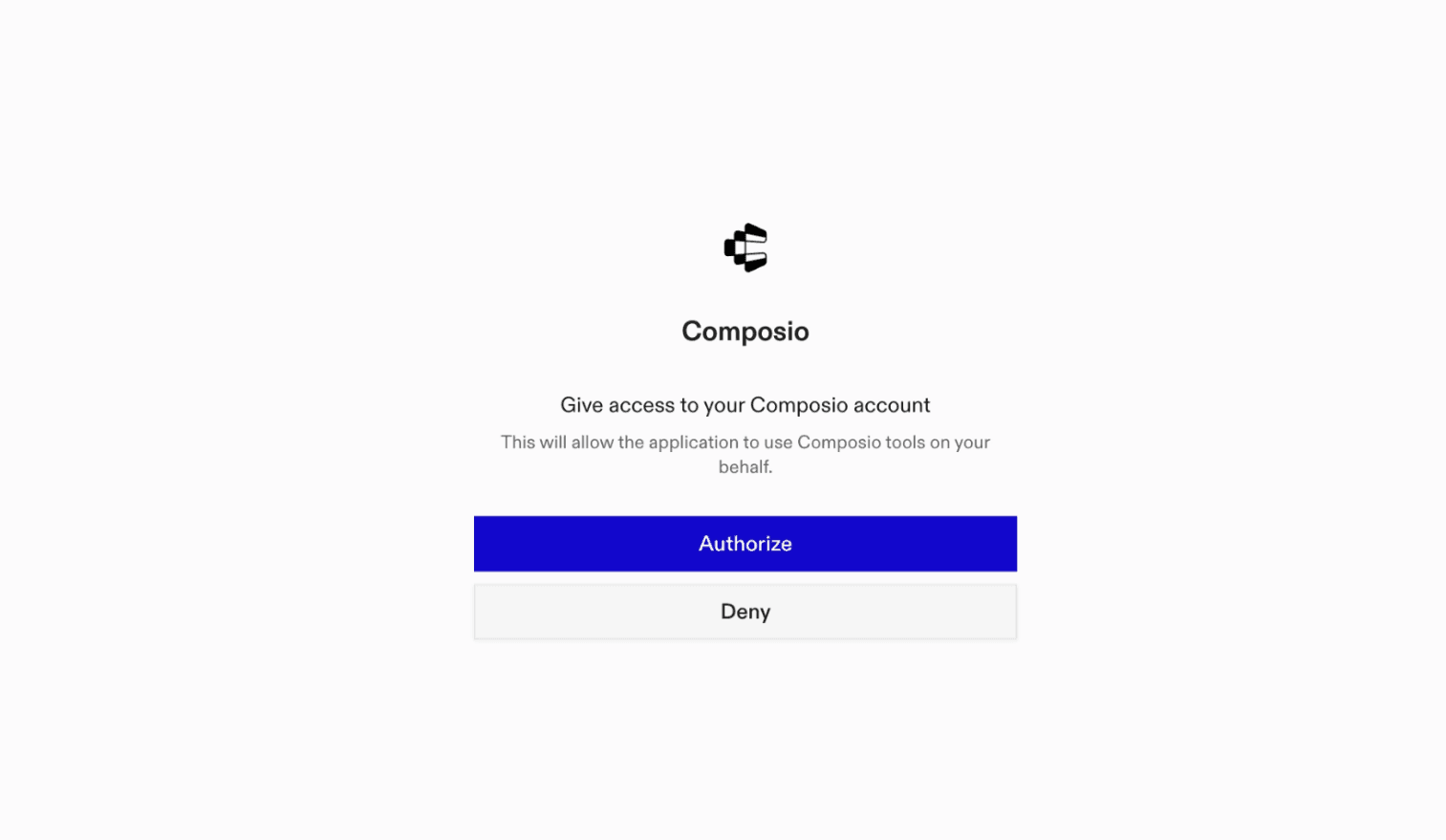
It will initiate the authentication in a browser window, authorize Codex to access your Composio account.

Composio authentication page

(Optional) Authenticate with OAuth

To authenticate manually, run the login command to open a browser window and authorize Codex to access your Composio account.

bash
codex mcp login composio

Verify the connection

Run codex mcp list to confirm Composio appears as a registered MCP server.

bash
codex mcp list

Codex App

Codex App follows the same approach as VS Code.

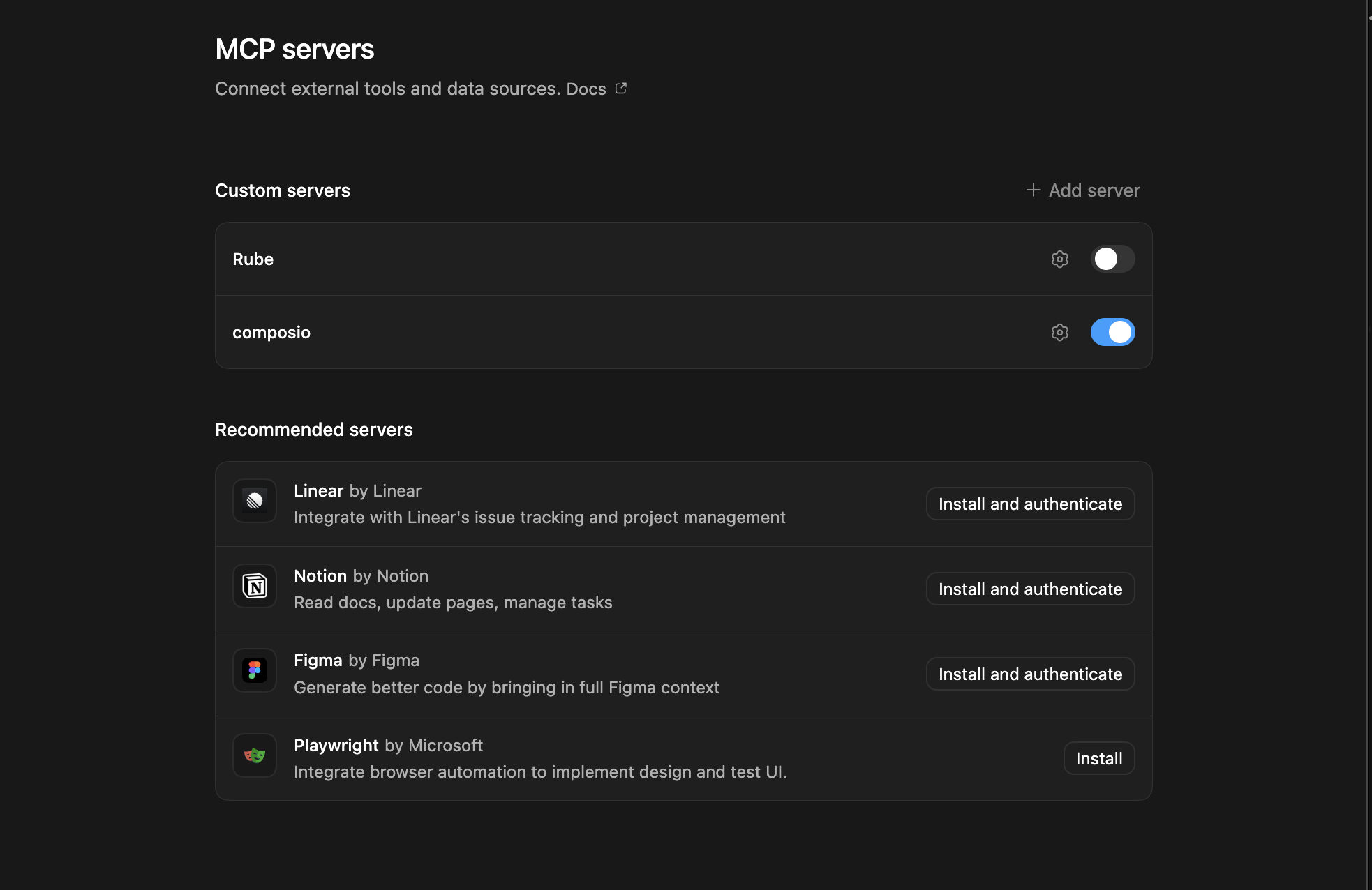
  1. Click ⚙️ on the bottom left → MCP Servers → + Add servers → Streamable HTTP:
  2. Fill the header and Key fields with { "x-consumer-api-key" = "ck_*******" }.
  3. The Key is the Composio API key, that you can find on dashboard.composio.dev
  4. Click on Authenticate and authorize Codex to your Composio account and you're all set.
Codex App MCP setup
  1. Restart and verify if it's there in .codex/config.toml
bash
[mcp_servers.composio]
url = "https://connect.composio.dev/mcp"
http_headers = { "x-consumer-api-key" = "ck_*******" }

Try it

Ask Codex for a Pointagram task. The first time, Composio asks you to connect your Pointagram account.

For example, ask it to:

  • "Show leaderboard for this week in your team."
  • "Add 20 points to Sarah for closing a deal."
  • "List all active challenges for your department."

What is the Pointagram MCP server, and what's possible with it?

The Pointagram MCP server is an implementation of the Model Context Protocol that connects your AI agent and assistants like Claude, Cursor, etc directly to your Pointagram account. It provides structured and secure access to your competitions, players, teams, score series, and standings, so your agent can find competitions, review participants, check rankings, list teams, and award points on your behalf.

  • Competition discovery: Have your agent list your Pointagram competitions and filter them to find the ones relevant to your team.
  • Player and team lookup: Let the agent list players or teams so you can quickly see who is taking part.
  • Standings review: Direct your agent to fetch the players and current standings for a competition.
  • Score series tracking: Instruct your agent to list available score series and identify where performance points are recorded.
  • Point awards: Have your agent add points to players in a selected score series to recognize their achievements.

Conclusion

You've successfully integrated Pointagram with Codex using Composio's MCP server. Now you can interact with Pointagram directly from your terminal, VS Code, or the Codex App using natural language commands.

Key benefits of this setup:

  • Seamless integration across CLI, VS Code, and standalone app
  • Natural language commands for Pointagram operations
  • Managed authentication through Composio
  • Access to 20,000+ tools across 1800+ apps for cross-app workflows
  • CodeAct workbench for complex tool chaining

Next steps:

  • Try asking Codex to perform various Pointagram operations
  • Explore cross-app workflows by connecting more toolkits
  • Build automation scripts that leverage Codex's AI capabilities
TOOLS

Supported Tools

Every Pointagram action and event your agent gets out of the box.

Add Score

Add points to a Pointagram player in a score series, optionally including tags, a description, and automatic player creation.

List Competition Players

Tool to fetch competition players and standings in Pointagram.

List Competitions

Tool to fetch competitions in Pointagram with optional filtering.

List Players

Fetch players in Pointagram, optionally filtering by email, name, or external ID.

List Score Series

Tool to list all score series in Pointagram.

List Score Series History

Fetch a page of historical point transactions for a score series, with optional filters for tags, teams, players, and time range.

List Score Series Point Types

Tool to fetch point types for a specific score series in Pointagram.

List Teams

Tool to fetch and list all teams in Pointagram.

FAQ

Frequently asked questions

Start with Pointagram.It takes 30 seconds.

Managed auth, hosted MCP servers, and every Pointagram tool your agent needs.Free to start.

Start building