How to integrate Browserhub MCP with Codex

Framework Integration Gradient
Browserhub Logo
Codex Logo
divider

Introduction

Codex is one of the most popular coding harnesses out there. And MCP makes the experience even better. With Browserhub MCP integration, you can draft, triage, summarise emails, and much more, all without leaving the terminal or app, whichever you prefer.

Composio removes the Authentication handling completely from you. We handle the entire integration lifecycle, and all you need to do is just copy the URL below, authenticate inside Codex, and start using it.

Why use Composio?

Apart from a managed and hosted MCP server, you will get:

  • CodeAct: A dedicated workbench that allows GPT to write its code to handle complex tool chaining. Reduces to-and-fro with LLMs for frequent tool calling.
  • Large tool responses: Handle them to minimise context rot.
  • Dynamic just-in-time access to 20,000 tools across 870+ other Apps for cross-app workflows. It loads the tools you need, so GPTs aren't overwhelmed by tools you don't need.

How to install Browserhub MCP in Codex

Codex CLI

Run the command in your terminal.

Terminal

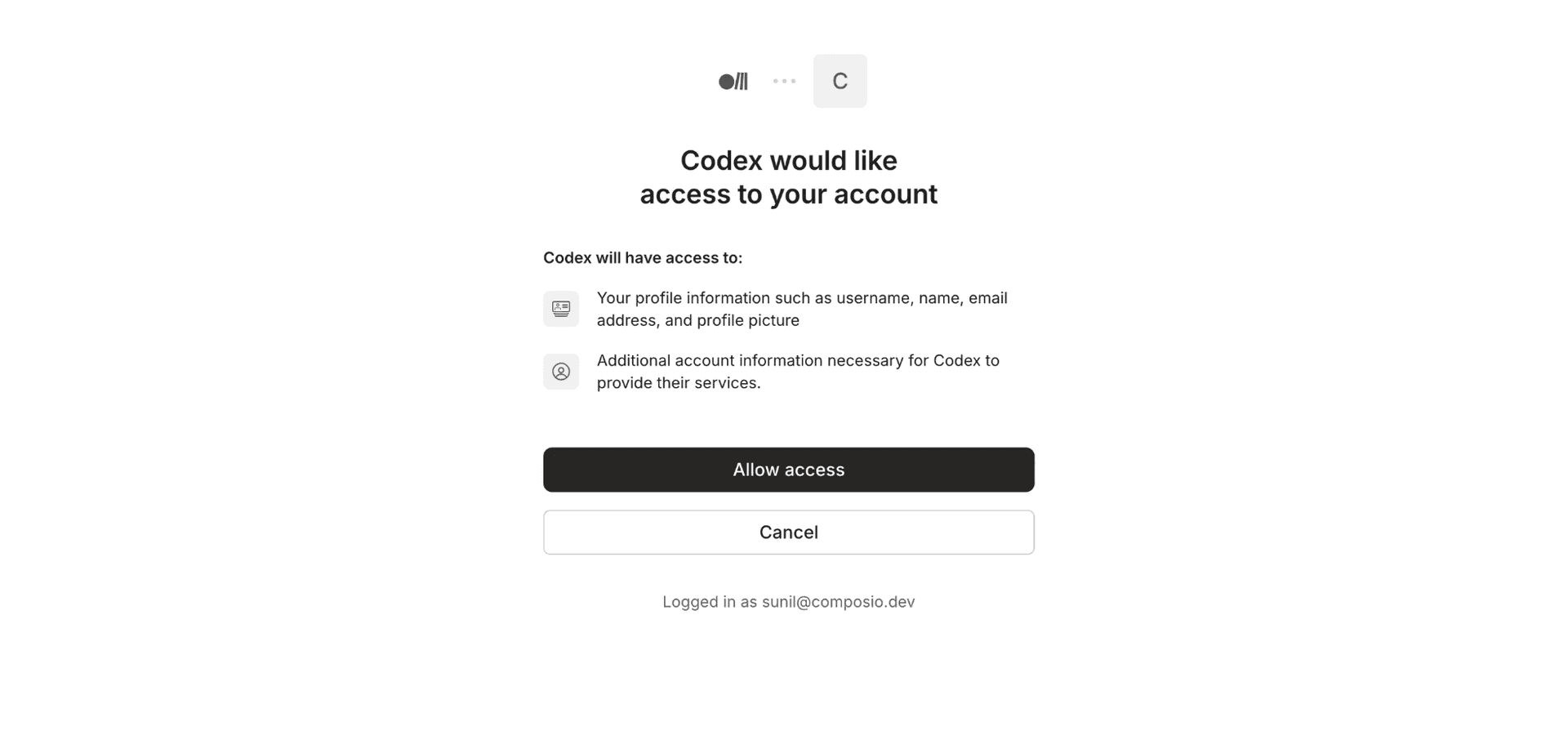
This will auto-redirect you to the Rube authentication page.

Rube authentication redirect page

Once you're authenticated, you will be able to access the tools.

Verify the installation by running:

codex mcp list

If you otherwise prefer to use config.toml, add the following URL to it. You can get the bearer token from rube.app → Use Rube → MCP URL → Generate token

[projects."/home/user/composio"]
trust_level = "untrusted"

[mcp_servers.rube]
bearer_token_env_var = "your bearer token"
enabled = true
url = "https://rube.app/mcp"

Codex in VS Code

If you have installed Codex in VS Code.

Then: ⚙️ → MCP Settings → + Add servers → Streamable HTTP:

Add the Rube MCP URL: https://rube.app/mcp and the bearer token.
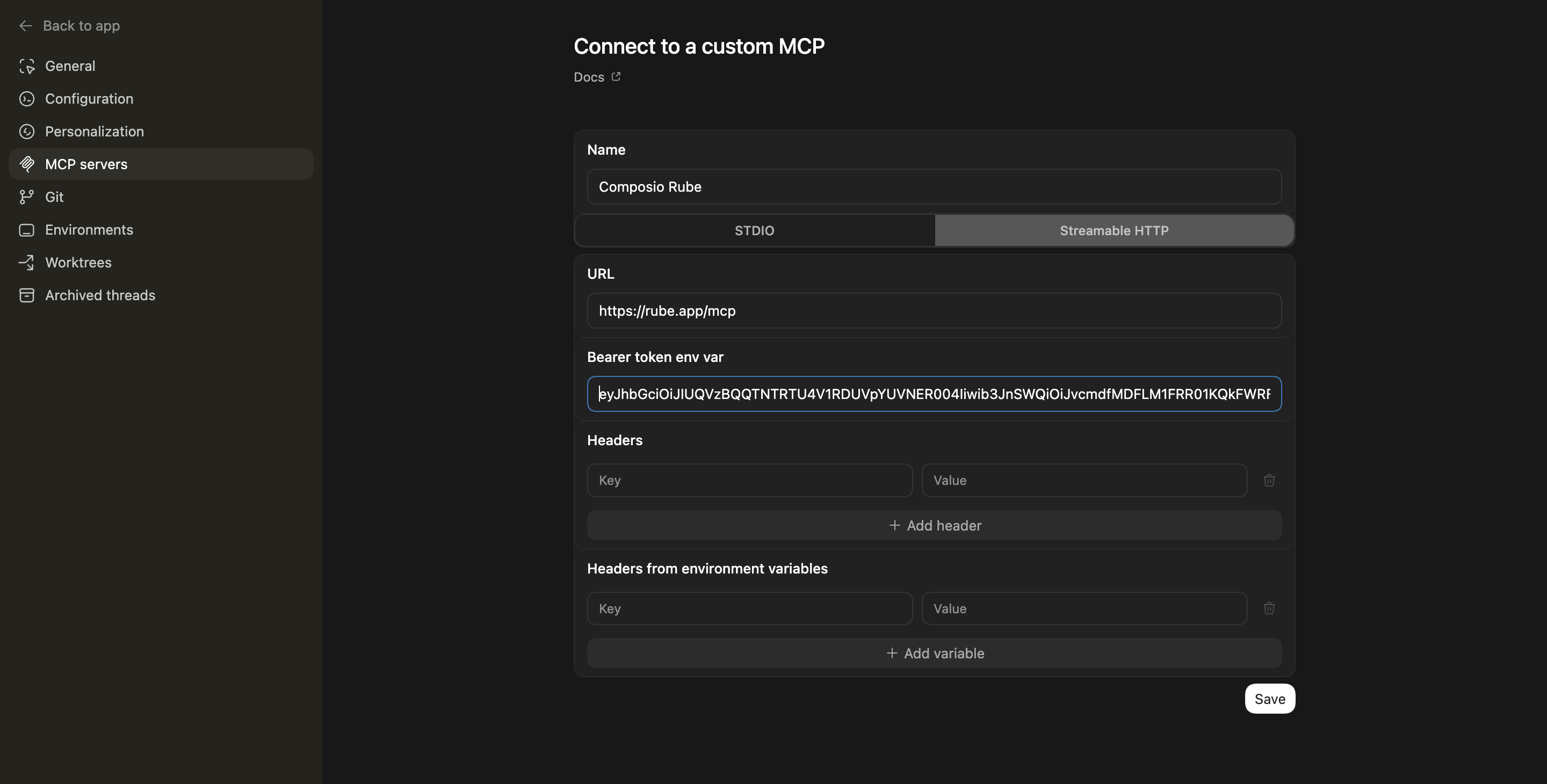
VS Code MCP Settings

To verify, click on the Open config.toml
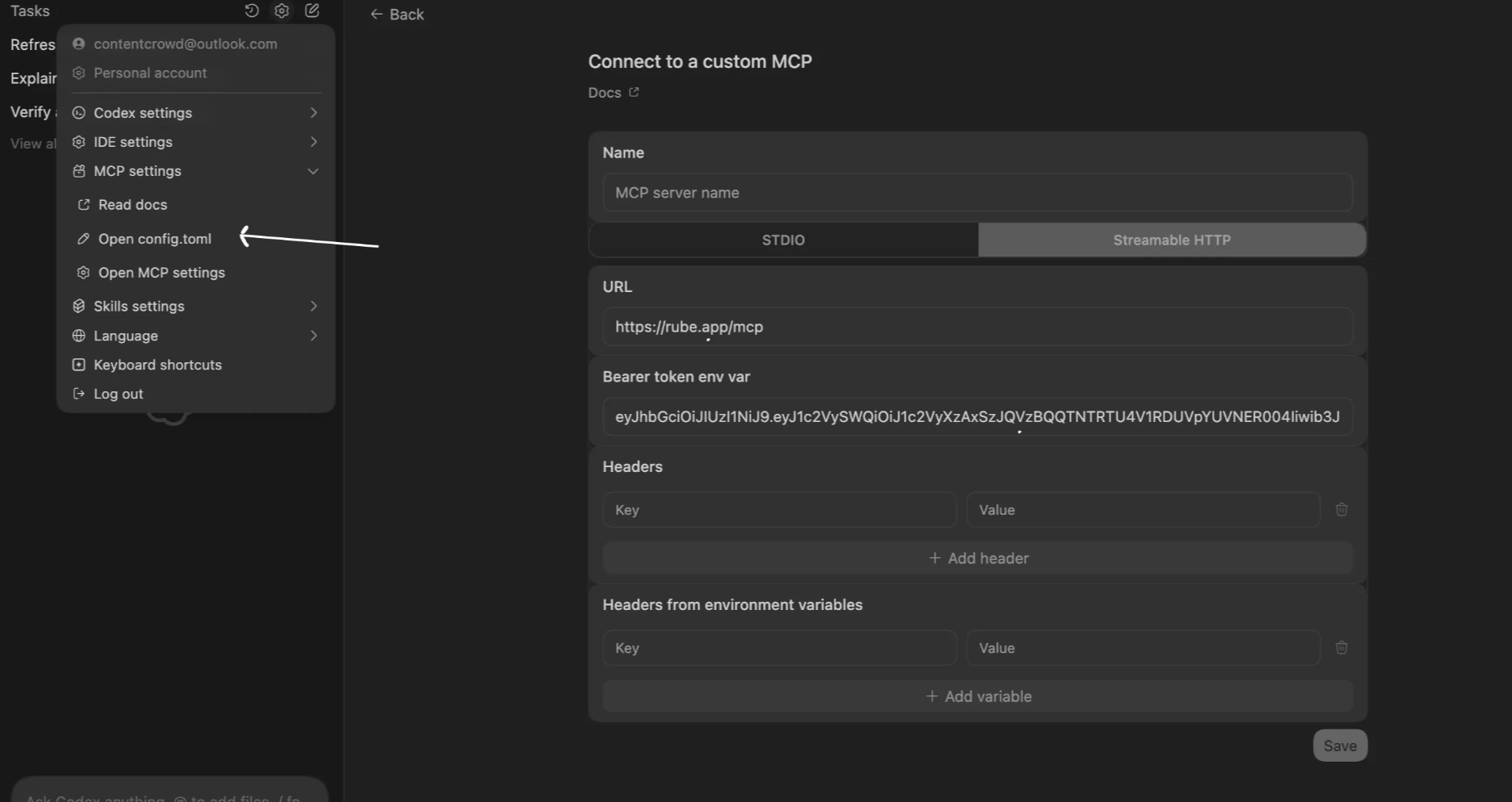
Open config toml in Codex

Make sure it's there:

[mcp_servers.composio_rube]
bearer_token_env_var = "your bearer token"
enabled = true
url = "https://rube.app/mcp"

Codex App

Codex App follows the same approach as VS Code.

  1. Click ⚙️ on the bottom left → MCP Servers → + Add servers → Streamable HTTP:
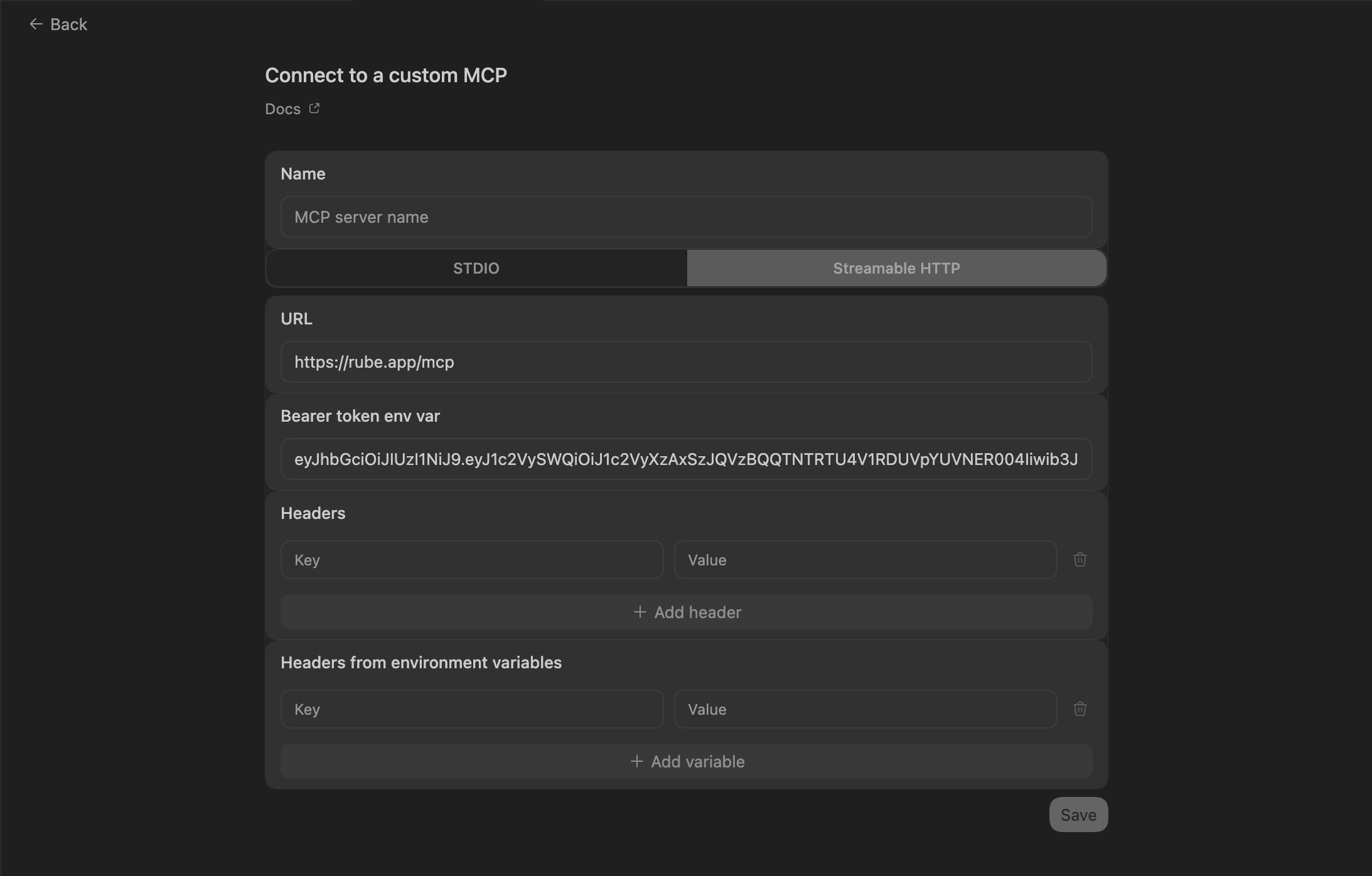
Codex App MCP Settings
  1. Restart and verify if it's there in .codex/config.toml
[mcp_servers.composio_rube]
bearer_token_env_var = "your bearer token"
enabled = true
url = "https://rube.app/mcp"
  1. Save, restart the extension, and start working.
What is the Browserhub MCP server, and what's possible with it?

The Browserhub MCP server is an implementation of the Model Context Protocol that connects your AI agent and assistants like Claude, Cursor, etc directly to your Browserhub account. It provides structured and secure access to your web automation workflows, so your agent can automate browser tasks, extract data from websites, orchestrate scraping jobs, and seamlessly feed those insights into your analytics pipelines.

  • Automated web navigation and scraping: Direct your agent to run complex workflows that navigate websites, fill forms, and scrape structured or unstructured data.
  • Data extraction and transformation: Have your agent collect specific information from web pages, clean it, and format it for downstream usage or analytics.
  • Workflow orchestration: Let your agent trigger multi-step automation routines that span multiple sites and actions, saving manual effort.
  • Real-time insights integration: Seamlessly connect scraped web data to your analytics tools, dashboards, or reporting systems for up-to-date business intelligence.
  • Error handling and monitoring: Empower your agent to monitor automation runs, detect failures or changes in web structure, and handle interruptions gracefully.

Supported Tools & Triggers

Tools
No tools available

Conclusion

You've successfully integrated Browserhub with Codex using Composio's Rube MCP server. Now you can interact with Browserhub directly from your terminal, VS Code, or the Codex App using natural language commands.

Key benefits of this setup:

  • Seamless integration across CLI, VS Code, and standalone app
  • Natural language commands for Browserhub operations
  • Managed authentication through Composio's Rube
  • Access to 20,000+ tools across 870+ apps for cross-app workflows
  • CodeAct workbench for complex tool chaining

Next steps:

  • Try asking Codex to perform various Browserhub operations
  • Explore cross-app workflows by connecting more toolkits
  • Build automation scripts that leverage Codex's AI capabilities

How to build Browserhub MCP Agent with another framework

FAQ

What are the differences in Tool Router MCP and Browserhub MCP?

With a standalone Browserhub MCP server, the agents and LLMs can only access a fixed set of Browserhub tools tied to that server. However, with the Composio Tool Router, agents can dynamically load tools from Browserhub and many other apps based on the task at hand, all through a single MCP endpoint.

Can I use Tool Router MCP with Codex?

Yes, you can. Codex fully supports MCP integration. You get structured tool calling, message history handling, and model orchestration while Tool Router takes care of discovering and serving the right Browserhub tools.

Can I manage the permissions and scopes for Browserhub while using Tool Router?

Yes, absolutely. You can configure which Browserhub scopes and actions are allowed when connecting your account to Composio. You can also bring your own OAuth credentials or API configuration so you keep full control over what the agent can do.

How safe is my data with Composio Tool Router?

All sensitive data such as tokens, keys, and configuration is fully encrypted at rest and in transit. Composio is SOC 2 Type 2 compliant and follows strict security practices so your Browserhub data and credentials are handled as safely as possible.

Used by agents from

Context
Letta
glean
HubSpot
Agent.ai
Altera
DataStax
Entelligence
Rolai
Context
Letta
glean
HubSpot
Agent.ai
Altera
DataStax
Entelligence
Rolai
Context
Letta
glean
HubSpot
Agent.ai
Altera
DataStax
Entelligence
Rolai

Never worry about agent reliability

We handle tool reliability, observability, and security so you never have to second-guess an agent action.