How to integrate Bright Data MCP with Hermes

Connect Hermes to Bright Data MCP. Scrape latest news headlines from cnn, extract product details from amazon listing, and more using natural language, with authentication handled for you.

Bright Data MCP logoBright Data MCP
Api Key

Bright Data MCP is an AI-powered web scraping and data collection platform. Instantly access public web data in real time with advanced scraping tools.

Introduction

Hermes is a 24/7 autonomous agent that lives on your computer or server — it remembers what it learns and evolves as your usage grows.

This guide explains the easiest and most robust way to connect your Bright Data account to Hermes. You can do this through either Composio Connect CLI or Composio Connect MCP. For personal use we recommend the CLI, but you won't go wrong with MCP either.

For exact tool slugs and parameter tables, see the tool catalog in the Composio docs.
Also integrate Bright Data MCP with

What is Composio Connect?

Composio Connect is a consumer offering that lets anyone plug 1,700+ applications directly into their agent harness — including Hermes. It can:

  • Search and load tools from relevant toolkits on-demand, reducing context usage.
  • Chain multiple tools to accomplish complex workflows via a remote workbench, without excessive back-and-forth with the LLM.
  • Manage app authentication end-to-end with zero manual overhead.

Integrating Bright Data with Hermes

Using Composio Connect CLI

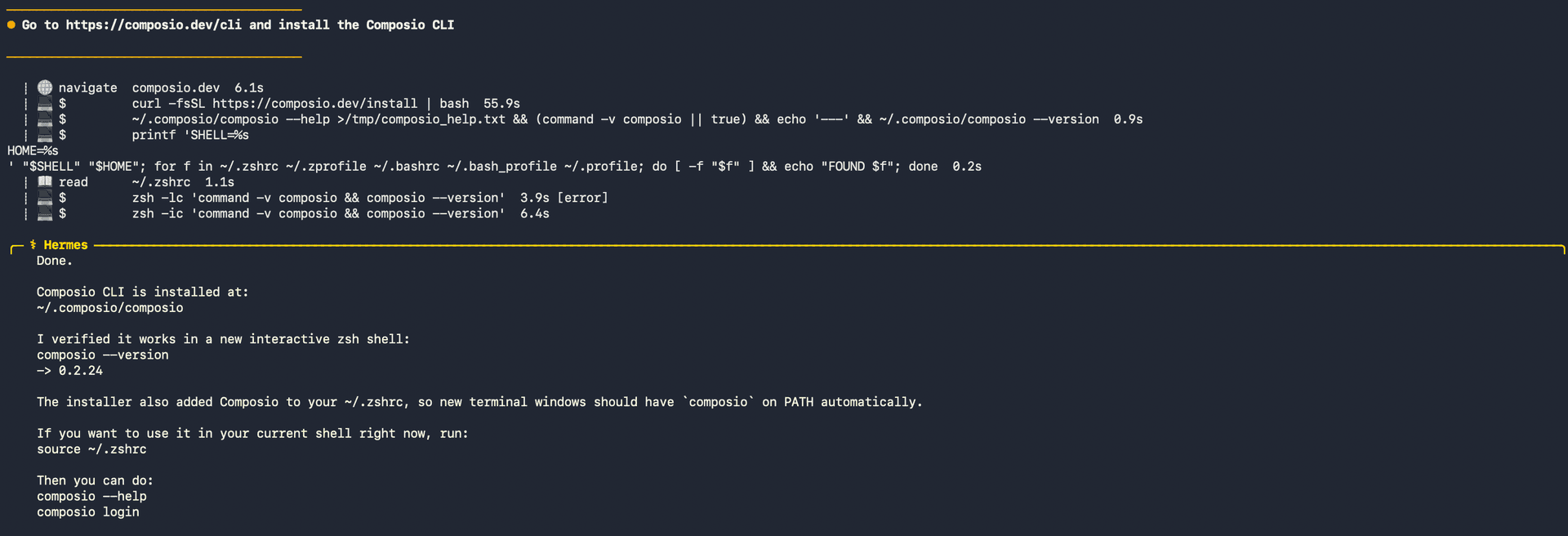
1. Install the Composio CLI

Run the install script directly, or paste https://composio.dev/hermes into your Hermes chat box to have it installed for you.

bash
curl -fsSL https://composio.dev/install | bash
Hermes authenticating with Composio

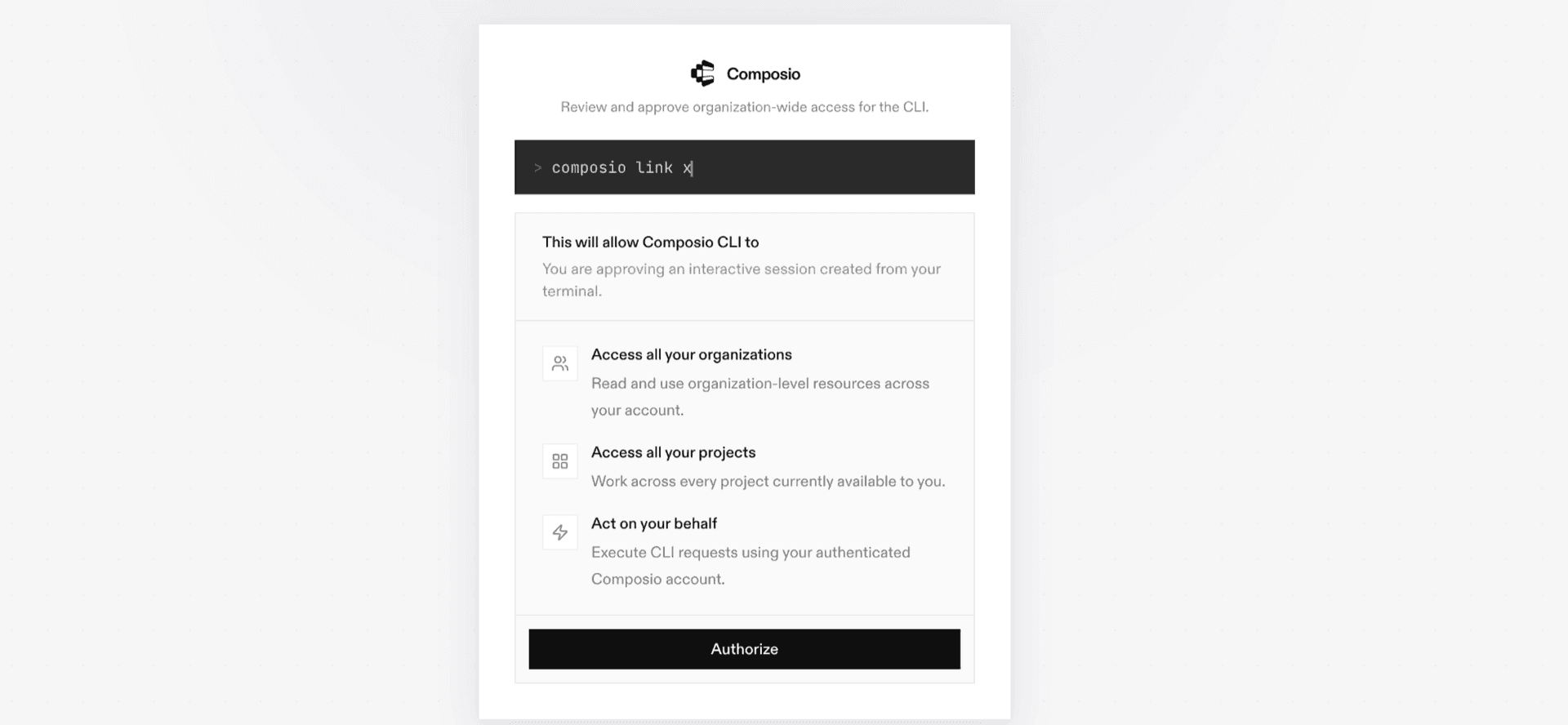
2. Authenticate

Once the CLI is installed, ask Hermes to authenticate with Composio.

3. Connect to Bright Data

Ask your agent to connect to Bright Data, or simply request any Bright Data-related task. Hermes will prompt you to authenticate and authorize access.

4. Done. You're all set with a new Bright Data connection.


Using Composio Connect MCP

1. Get your MCP URL and API Key

Go to dashboard.composio.dev and copy your Connect MCP URL and API key.

Copy MCP URL and API key from Composio dashboard

2. Open the Hermes config file

bash
nano ~/.hermes/config.yaml

3. Add the Composio Connect MCP server

bash
mcp_servers:
  composio:
    url: "https://connect.composio.dev/mcp"
    headers:
      x-consumer-api-key: "YOUR_COMPOSIO_API_KEY"
    connect_timeout: 60
    timeout: 180

Save with Ctrl + O, Enter, then exit with Ctrl + X.

4. Restart your Hermes agent

Once restarted, ask your agent to connect to Bright Data or request any Bright Data-related task. It will prompt you to authenticate and authorize access.

5. Done!

What is the Bright Data MCP server, and what's possible with it?

The Bright Data MCP server is an implementation of the Model Context Protocol that connects your AI agent and assistants like Claude, Cursor, etc directly to your Bright Data account. It currently provides no tools, so your agent cannot scrape websites, collect public web data, retrieve results, or manage Bright Data resources on your behalf.

  • Web scraping unavailable: Your agent cannot scrape web pages because this toolkit currently exposes no tools.
  • Data collection unavailable: The agent cannot collect public web data through the current integration.
  • Result retrieval unavailable: Your agent cannot fetch or process Bright Data results with this toolkit.
  • Resource management unavailable: The agent cannot create, update, or manage Bright Data resources until tools are added.

Way Forward

With Bright Data connected, Hermes can now act on your behalf whenever it detects a relevant task or you ask it to.

From here, you can extend Hermes further:

  • Connect more apps: Calendar, Slack, Notion, Linear, and hundreds of others are available through the same Composio Connect setup. Each new integration compounds what Hermes can do for you.
  • Build workflows across tools: Once multiple apps are connected, Hermes can chain actions together — turn an email into a calendar invite, a Slack message into a Linear ticket, or a meeting note into a follow-up draft.
  • Let it learn your patterns: The more you use Hermes, the better it gets at anticipating how you'd handle recurring tasks. Give it feedback on drafts and decisions, and it will adapt.

If you run into trouble or want to share what you've built, join the community or check out the Docs for deeper configuration options.

FAQ

Frequently asked questions

Start with Bright Data MCP.It takes 30 seconds.

Managed auth, hosted MCP servers, and every Bright Data MCP tool your agent needs.Free to start.

Start building