




Comparing Codex to something like Hermes Agent feels a little like bullshit, but I get it.
I mean, one is mainly built for software engineering, while the other is a persistent, general-purpose agent that can remember things, run automations, talk through messaging apps, and work across different models and tools.
But if you’ve used both for quite a while, you may have noticed how much they overlap. They are not as directly comparable as OpenClaw and Hermes, but they are close enough that I eventually ended up writing this whole article and have this question:
If both can handle real coding workflows now, which one should you actually use?
I split this into two parts. First, how they actually performed on our own benchmark. Then, how they’re built and where those differences show up.
Btw, I recently compared OpenClaw with Hermes. If you’re interested, check it out: Hermes vs. OpenClaw
TL;DR
Hermes Agent | OpenAI Codex | |
|---|---|---|
Core focus | Persistent general-purpose agent | Software engineering agent |
Composio Bench (GPT-6 Astra) | 21/29 passed, $1.11 per task | 21/29 passed, $1.38 per task |
Composio Bench (DeepSeek V4 Pro) | 17/30 passed | 16/30 passed |
Local execution | Host by default | OS sandbox by default |
Memory | Persistent memory + session search | Saved threads + optional memories |
Skills |
|
|
Subagents | Temporary agents + persistent Bots | Task-focused subagents |
Models | Provider-agnostic | OpenAI-first |
MCP | Yes | Yes |
Messaging | 20+ platforms | Limited compared with Hermes |
Scheduling | Native cron | App/cloud automations |
Cloud | Self-hosted + hosted options | OpenAI-managed |
Best for | Persistent agents and broader automation | Repository-heavy engineering |
The short version is pretty simple.
If most of the work starts and ends inside a repository, I would pick Codex, no cap.
If coding is just one part inside of something larger, like research, memory, Slack, Linear, scheduled jobs, or multi-model workflows, Hermes is much more interesting.
And yes, there is a third option. You can use both. 🤷♂️
What is Hermes Agent?

Hermes Agent is Nous Research’s open-source agent runtime.
It is written mainly in Python, licensed under MIT, and can run locally, on your own server, inside Docker, over SSH, or through several cloud sandbox backends.
But I think calling Hermes a coding agent misses most of the product.
Coding is one thing it does.
The bigger idea is to give an agent a persistent place to live.
It has persistent memory. It stores session history. It can search old conversations. It creates skills. It can improve those skills later. It has cron. It has messaging gateways. It can run persistent named Bots with separate models, memories, skills, credentials, and routines.
The same core agent can appear in the terminal, Hermes Desktop, an editor through ACP, a web dashboard, Telegram, Slack, Discord, WhatsApp, or other messaging integrations.
And with Bot Mode, one Hermes installation can contain several persistent agents.
Those Bots can then message one another or sit inside the same room. Hermes currently supports groups of 2 to 6 Bots.
That is a pretty different idea from a coding session.

Hermes v0.21.0 is probably the release that best shows where the project is going. Nous shipped Bot Mode directly into Desktop, added agent-to-agent communication throughhermes peer, gave cron memory and continuity, and added live steering for subagents.
What is Codex?
Codex is a bit harder to describe now because it is no longer just the CLI.
There is:
Codex CLI
the IDE integration
Codex inside the ChatGPT desktop app
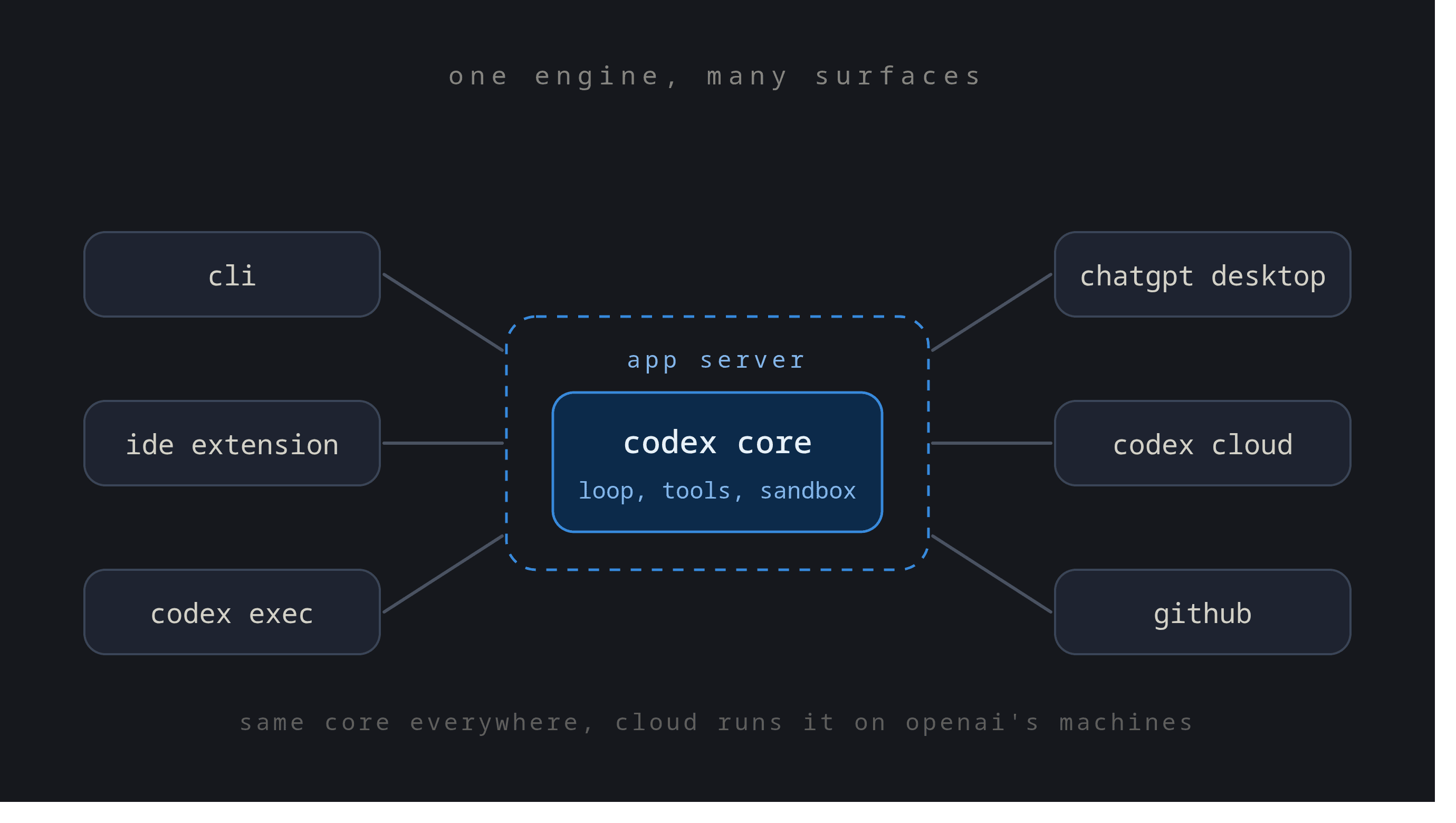
codex execthe App Server
GitHub workflows
scheduled tasks
remote execution workflows
so much more…
Several of these share the same underlying runtime and the same Codex harness.
They also recently introduced Codex Cloud:
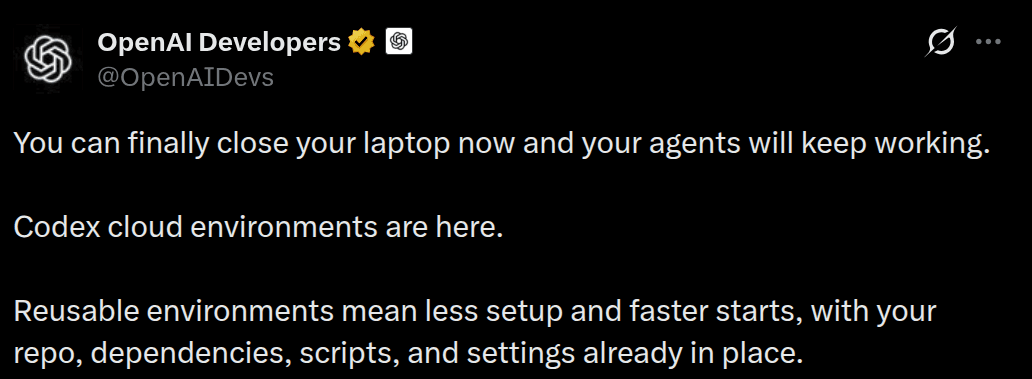
Here’s a quick demo:
OpenAI describes Codex core as the runtime containing the agent loop and its underlying logic. The App Server then exposes that runtime through a bidirectional JSON-RPC API so different clients can use the same core.
So when you use Codex from the terminal or another supported surface, you are often interacting with the same broader harness underneath.
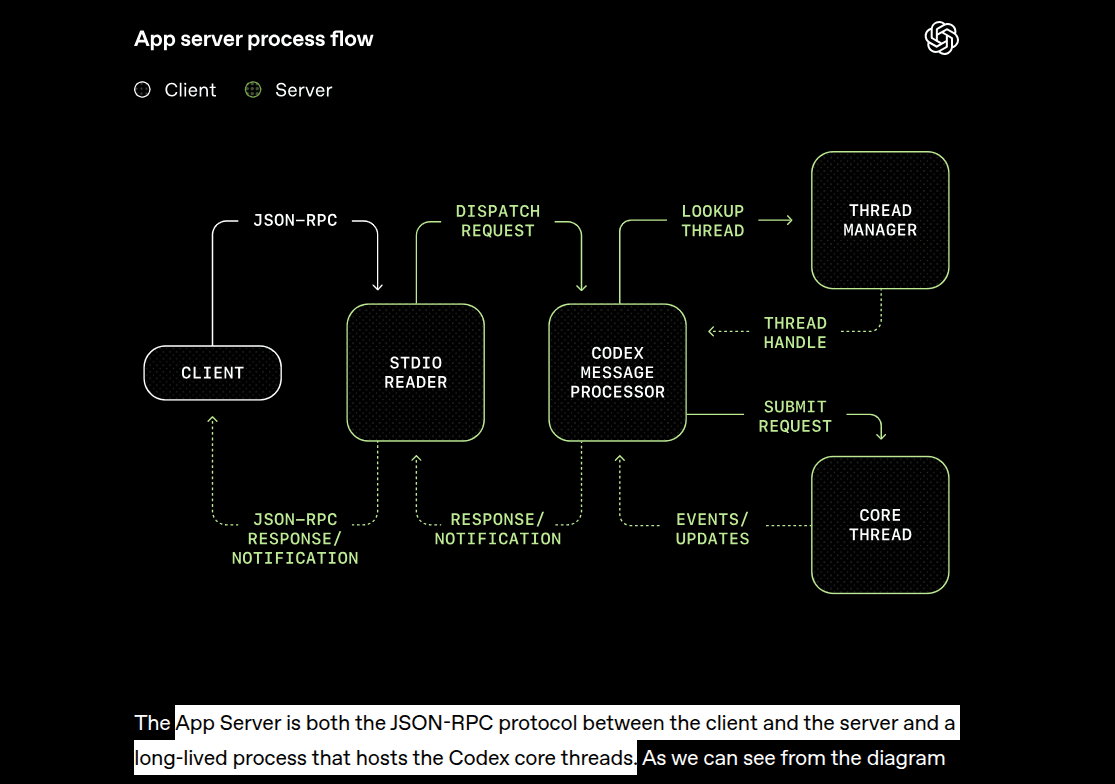
That runtime handles things such as:
project context
shell execution
file changes
MCP calls
subagents
context compaction
approval policies
sandboxing
This matters because many older Codex comparisons are already wrong; the project is moving so freaking fast.
Codex is no longer just “AI in the terminal.”
Part 1: Composio Bench
Before getting into how they’re built, let’s see how they actually perform.
We ran our own benchmark at Composio: a set of stateful tool-use tasks with strict pass/fail grading, across seven harnesses and two very different models, GPT-6 Astra (high effort) and DeepSeek V4 Pro.
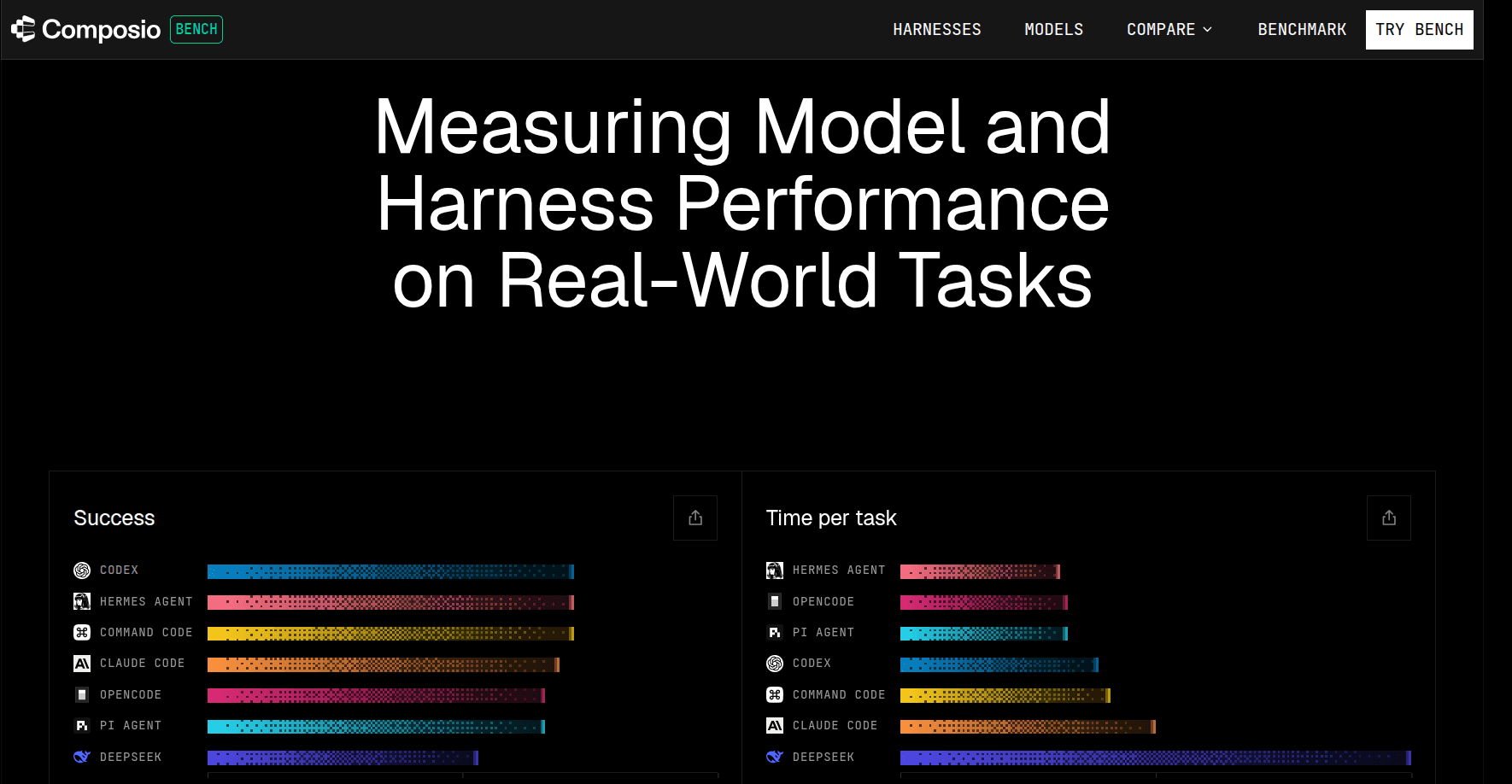
Within each model, every harness gets the same tasks, so any gap comes from the harness itself.
How we tested it
Every task runs against real, live apps: Gmail, Google Sheets, Drive, Calendar, Slack, Airtable, GitHub, Linear, etc.
Each harness connects to those apps through the same hosted Composio MCP server and gets the same prompt and seeded data.
Grading is strict:
A deterministic verifier checks the final state of every app the task touched, plus the agent’s final answer.
Every check has to pass. No partial credit.
Each run has a 15-minute ceiling, and a timeout counts as a fail.
Tasks are full of traps: near-match names, duplicate records, stale copies, archived pages. Touching the wrong one fails the task.
What kind of tasks
No coding here. These are the real knowledge-work tasks we mostly use agents for:
Task type | What the agent has to do | Example |
|---|---|---|
Multi-app workflow | Read one app, apply a rule from another, write to a third, confirm | Sync invoices from Gmail into a Sheets ledger, reply to each vendor, post the tally in Slack |
State reconciliation | Make two sources agree, changing only what differs | Sync a Sheets roster to Google Calendar without recreating events |
Census | Find every exact marker across many surfaces, no double counting | Find every release-blocker marker across all branches, issues and PRs of a GitHub repo |
Guarded writes | Resolve an ambiguous target before changing anything | Append to a Notion page, but only if exactly one live page has that title |
Batch, pagination, async | Get the API mechanics right | Update Airtable records when some IDs are gone, and batches are all-or-nothing |
About half of the suite (14 of 30) is multi-app workflows. The rest targets specific failure modes like batching, pagination, exact diffs and audit trails.
And agents rarely fail by picking the wrong app. They fail on the details.
Results
Here’s how Hermes and Codex compared:
Hermes Agent | Codex | |
|---|---|---|
GPT-6 Astra: tasks passed | 21/29 (72%) | 21/29 (72%) |
GPT-6 Astra: avg time per task | 122s | 151s |
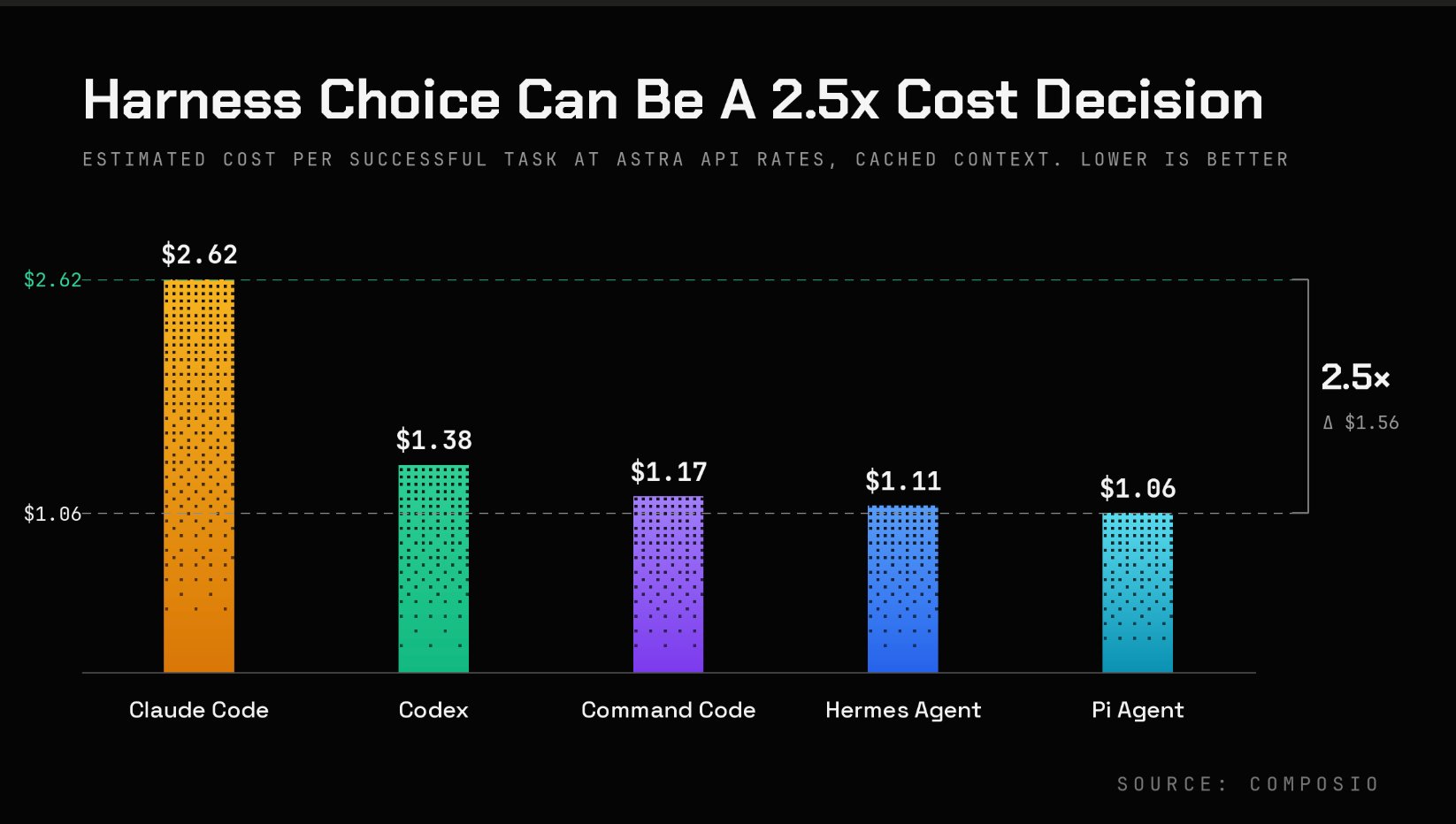
GPT-6 Astra: est. cost per successful task | $1.11 | $1.38 |
DeepSeek V4 Pro: tasks passed | 17/30 (57%) | 16/30 (53%) |
DeepSeek V4 Pro: avg time per task | 447s | 482s |
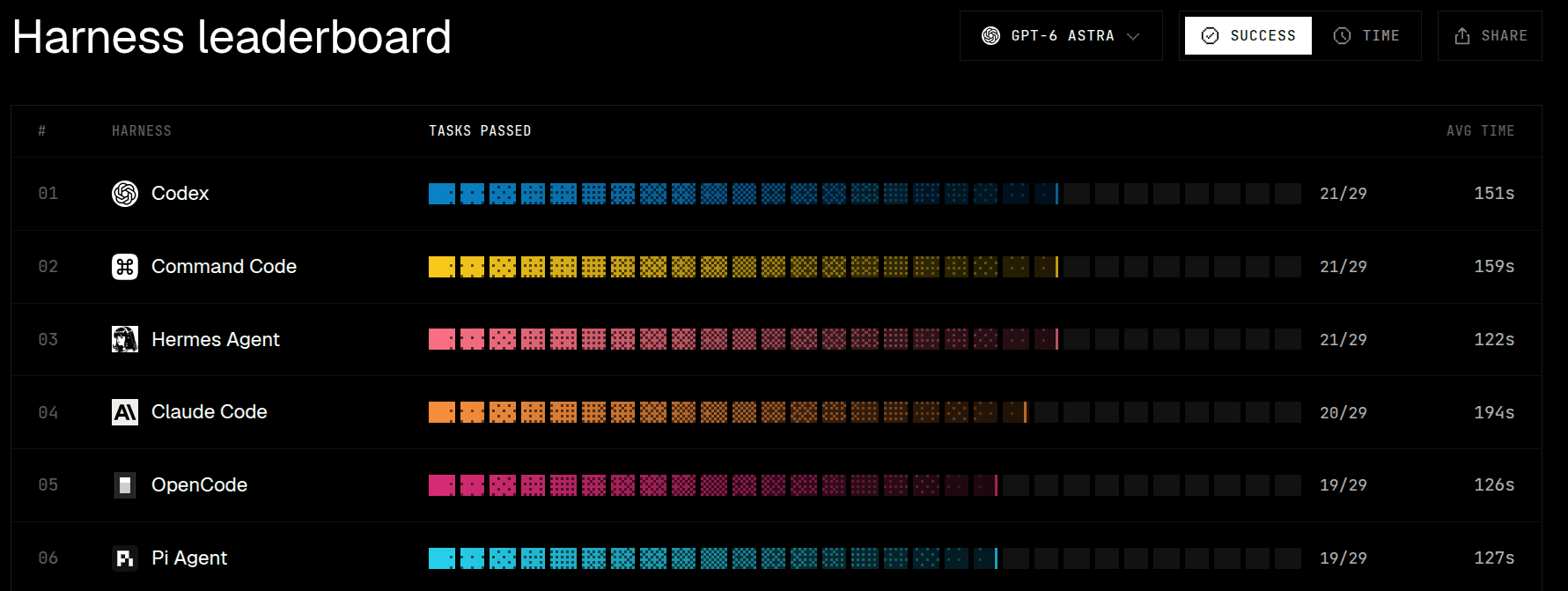
On Astra, they tied on success rate. Median time was nearly identical (102s vs 100s), but Hermes won on average, meaning Codex had a few tasks that ran much longer.
The real difference was cost. Hermes was about 20% cheaper per successful task, mostly because of how each harness fails. On the 8 tasks no harness could solve, Codex used a median of 28 tool calls and 1.47M input tokens, compared with 22 calls and 1.09M tokens for Hermes. 💸
On DeepSeek V4 Pro, every harness was slightly slower and less accurate, since it's a smaller, less capable model.
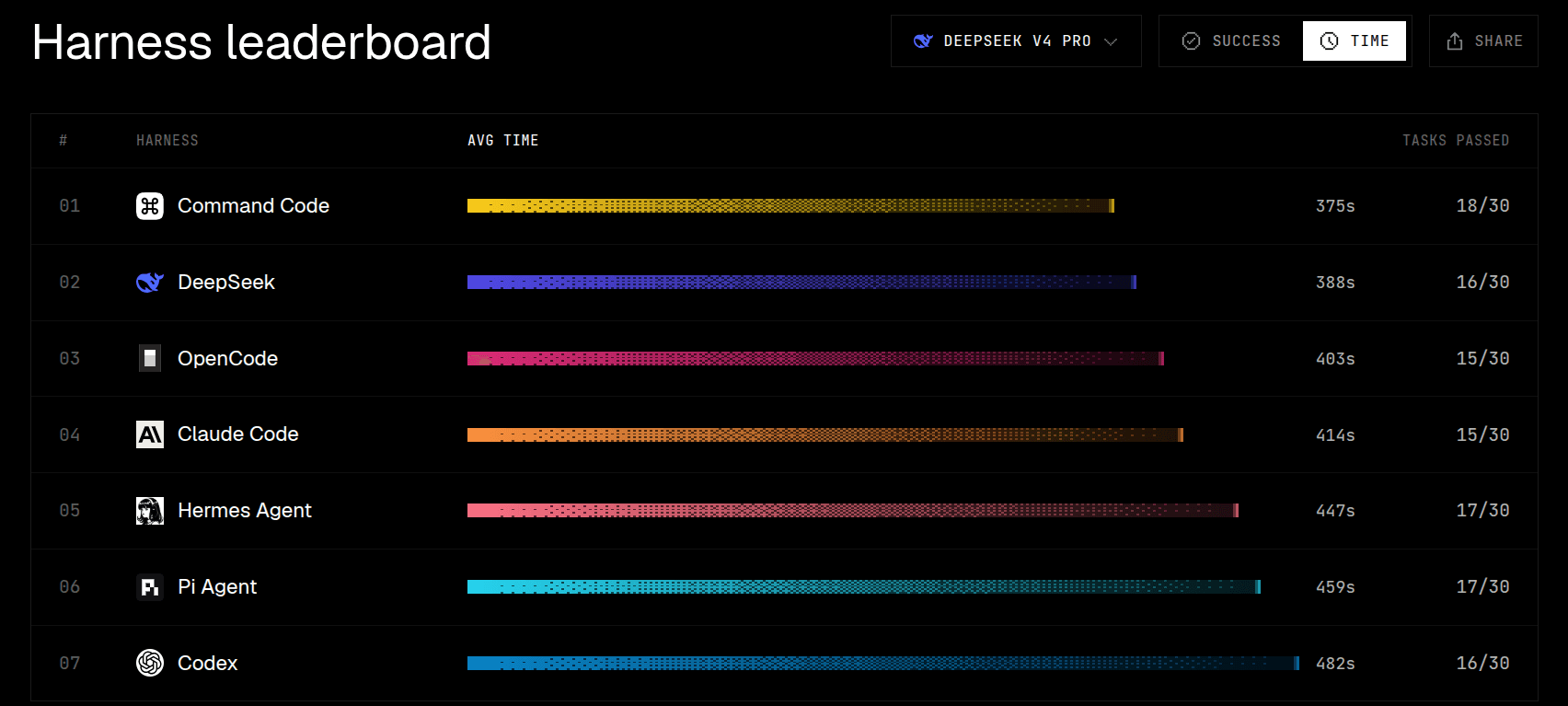
More interestingly, DeepSeek’s own harness scored 16/30, the same as Codex, while Command Code topped the table at 18/30. So even the model’s home harness had no real advantage. 🤷♂️
Still, across two very different models, Hermes and Codex landed within one task of each other. That was honestly more interesting than the ranking itself.
Related: Best AI agent harness
Summary
If you're using either, harness it for agentic automation. Hermes is the pick: faster, more accurate, and less expensive.
Part 2: Architecture comparison
Benchmarks only tell you so much. Let’s look under the hood.
Architecture
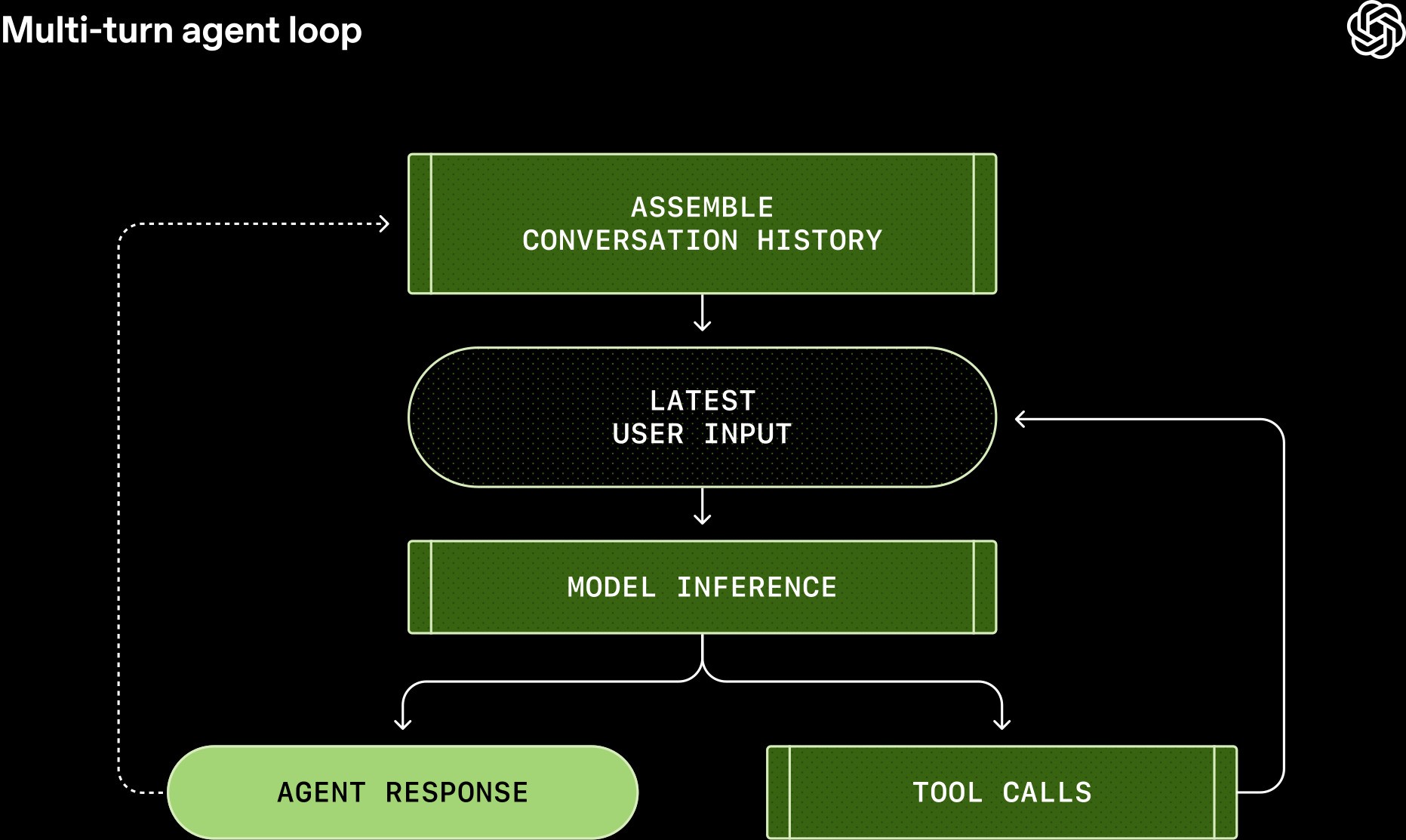
At a high level, both agents do something very similar.
They prepare context, send it to a model, execute whatever tools the model selects, feed the result back, and keep going until the task finishes.
The difference is what each system puts around that loop.
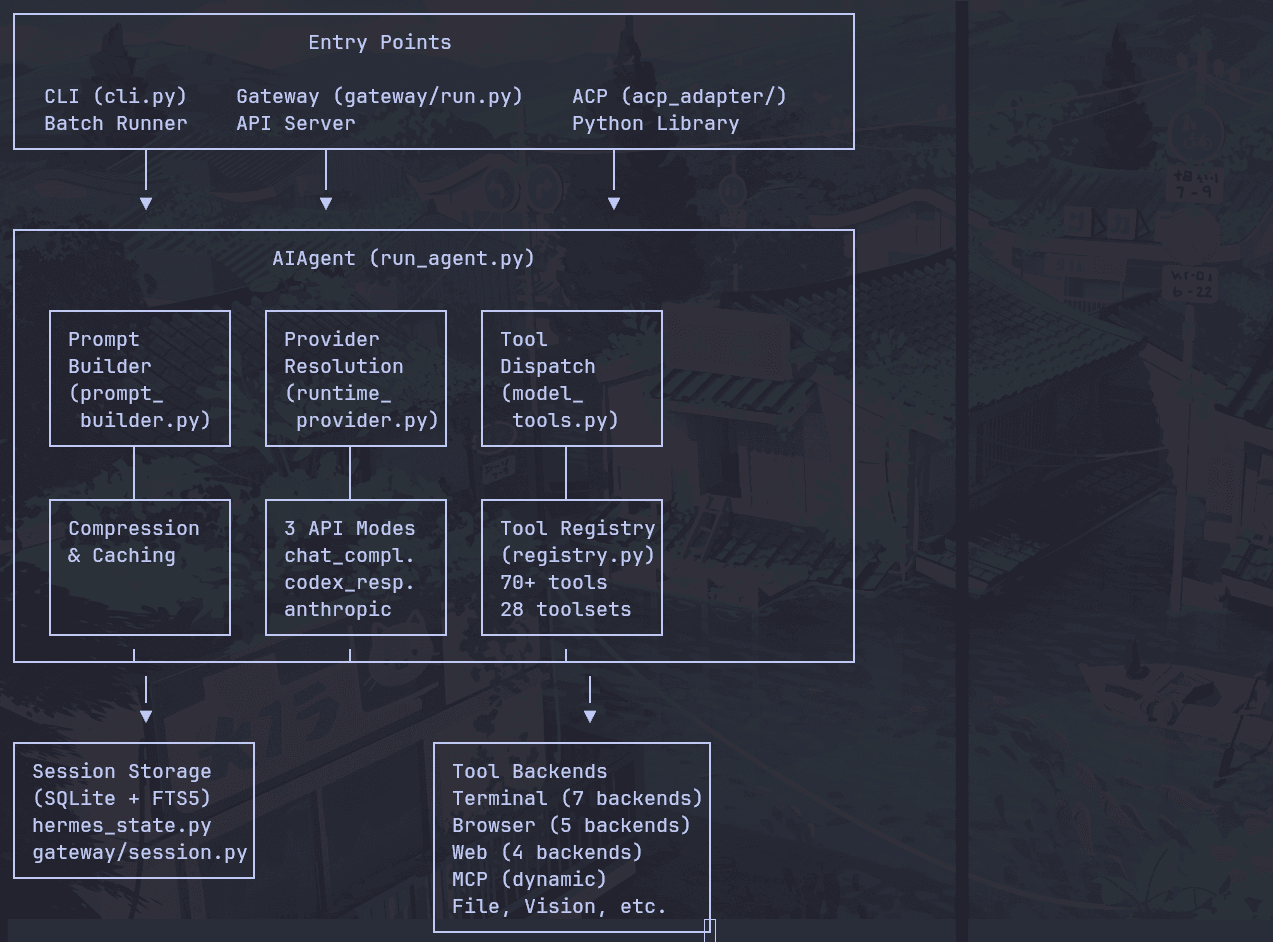
Hermes
Hermes can build its context from project files such as AGENTS.md, available skills, memory, session history, and runtime information.
The model can then search files, use the terminal, call MCP tools, search previous sessions, update memory, or delegate work to another agent.
Once the task finishes, Hermes persists the session, and its background review system can later extract useful information from what happened.
That might become a memory entry or even a reusable skill.
So a coding task can roughly flow like this:
Prompt
  ↓
Project context + memory + skills
  ↓
Model
  ↓
Files / terminal / MCP / subagents
  ↓
Patch + tests
  ↓
Persist session
  ↓
Memory or skill update
So a coding task becomes part of a longer-running agent history.
Codex
Codex also prepares project instructions, skills, thread context, the current workspace, approvals, and optional memories.
The model can then use shell commands, patches, MCP tools, or subagents.
The major difference is that local execution runs through Codex’s sandbox.
Prompt
  ↓
Project context + skills + thread
  ↓
Model
  ↓
Shell / patch / MCP / subagents
  ↓
OS sandbox
  ↓
Tests + diff
  ↓
Continue or finish
On macOS, it can use Seatbelt. On Linux, it uses bubblewrap with seccomp, while Windows has its own restricted execution path.
Results come back as structured events such as command execution or file changes, and the agent keeps going.
So imagine I give both of them this:
Inspect this repository, find why the test is failing, fix the root cause, run the tests, and explain what changed.
Hermes roughly does:
Prompt
 ↓
Load project context + memory + skills
 ↓
Model
 ↓
search_files / read_file / terminal
 ↓
Run pytest
 ↓
patch
 ↓
Run pytest again
 ↓
Persist session
 ↓
Possibly learn something from the task...
Codex roughly does:
Prompt
 ↓
Load project instructions + skills + thread context
 ↓
Model
 ↓
shell / apply_patch
 ↓
OS sandbox
 ↓
Run tests
 ↓
Inspect diff
 ↓
Continue thread
 ↓
Optional memory update
That difference shows up throughout the rest of the comparison.
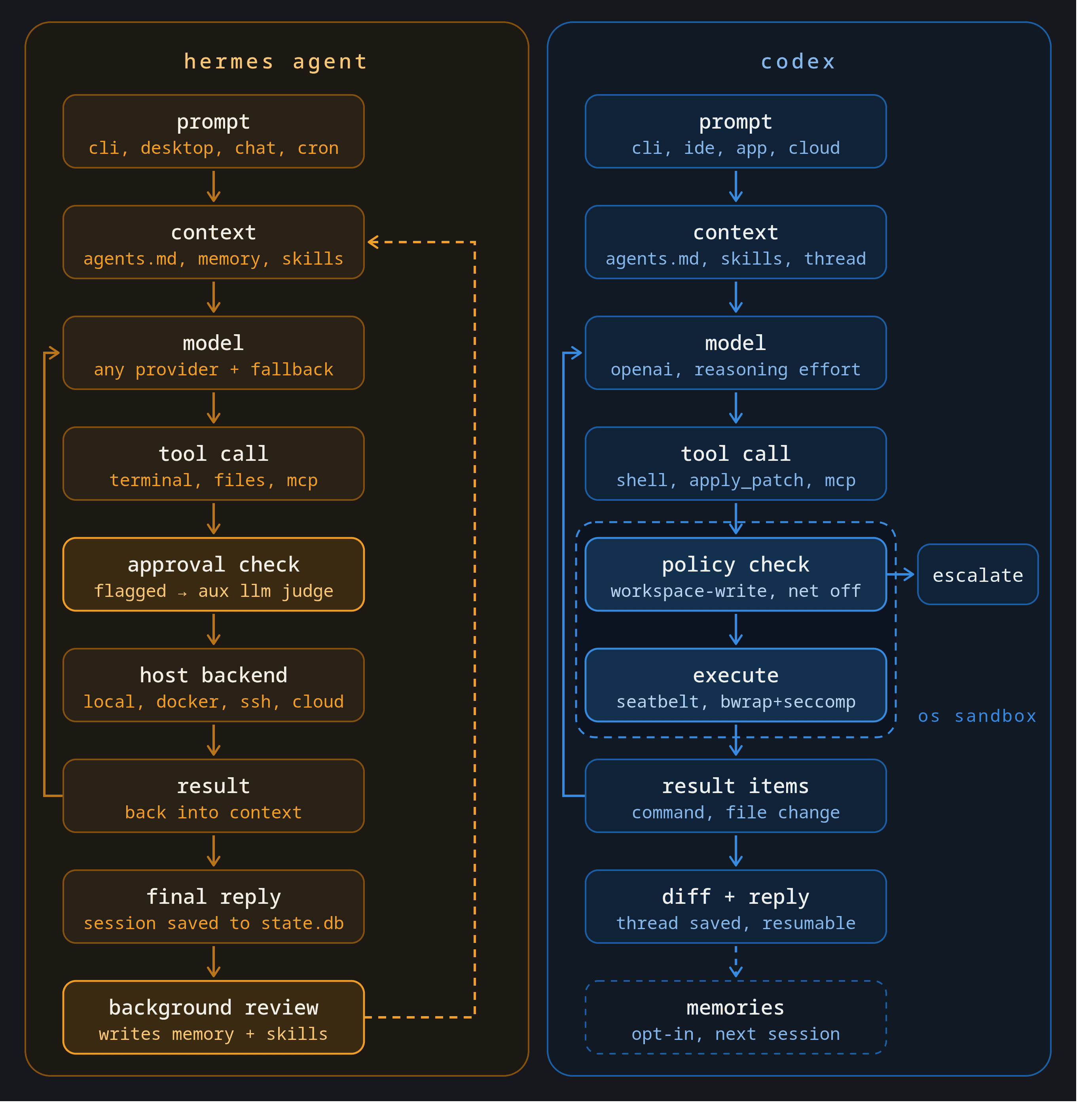
Hermes spends more effort on what survives after the task. Codex spends more effort on how the current engineering task runs.
Security is the biggest architectural difference
This is probably the biggest architectural difference between the two.
Hermes uses policy-driven approvals by default
The default Hermes local backend does not provide an OS-level sandbox.
Instead, Hermes uses an approval system that inspects terminal commands and checks them against patterns associated with risky behaviour.
With the default smart mode, commands that trigger those patterns can be passed to an auxiliary model, which can approve them, reject them, or escalate the decision to the user.
Commands that do not match those patterns can normally run without asking.
Hermes also has hard blocks for some destructive operations, configurable deny rules, manual approval mode, and several execution backends that can provide stronger isolation.
So you can absolutely harden Hermes.
The important point is that the local default starts from a policy and approval model rather than a kernel-enforced sandbox.
Codex
Codex takes a different approach.
Local commands normally run inside an OS-level sandbox, with workspace-write behaviour that lets the agent modify the project while restricting access outside the allowed workspace.
Network access is also disabled by default in the normal local sandbox configuration.
When Codex needs to act outside those boundaries, it can request escalation, depending on the current approval policy.
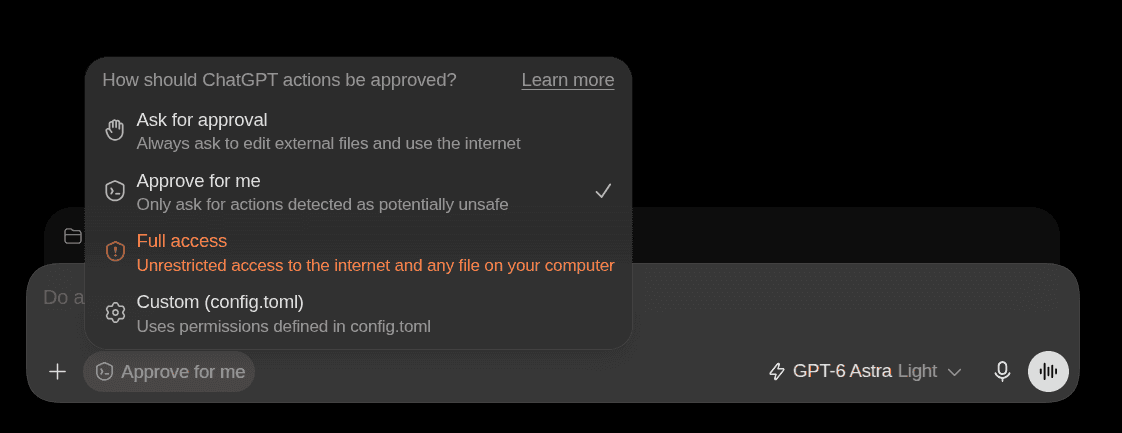
💁 So the practical difference is that Hermes primarily tries to determine whether a command is risky, while Codex primarily tries to restrict what the command can reach even when it executes.
That difference matters a lot when you clone a random repository from the internet and ask an agent to run it.
I would be much more comfortable pointing default Codex at an unfamiliar repository.
With Hermes, I would first run the task inside Docker or another isolated backend.
This does not mean Hermes is inherently unsafe. Both projects have also had real security issues.
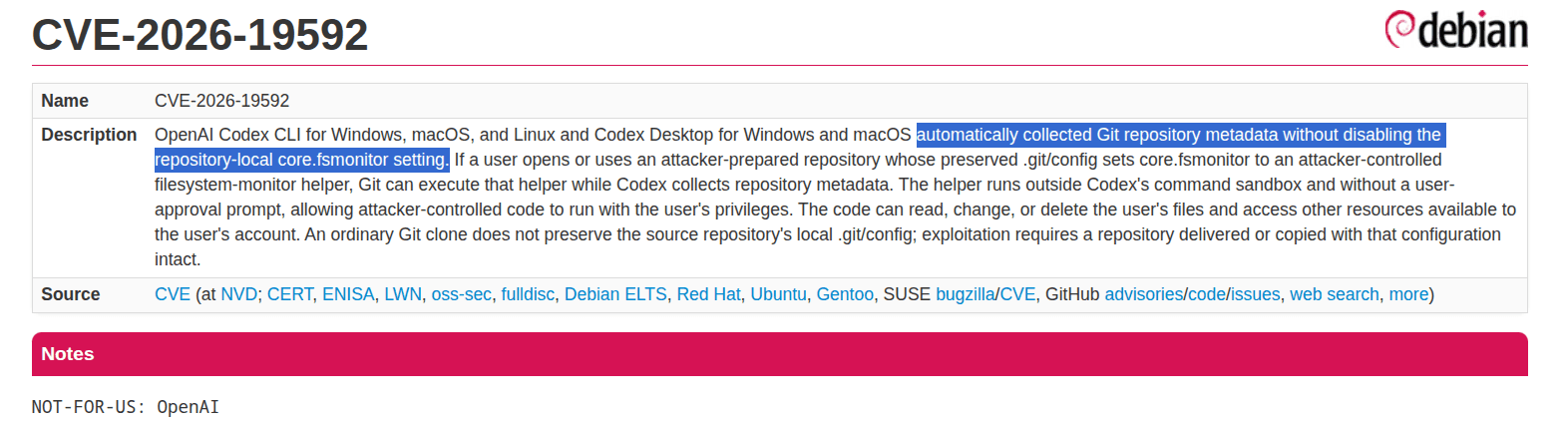
Codex has dealt with vulnerabilities involving sandbox roots, project-controlled configuration, Git configuration, and remote content rendering.
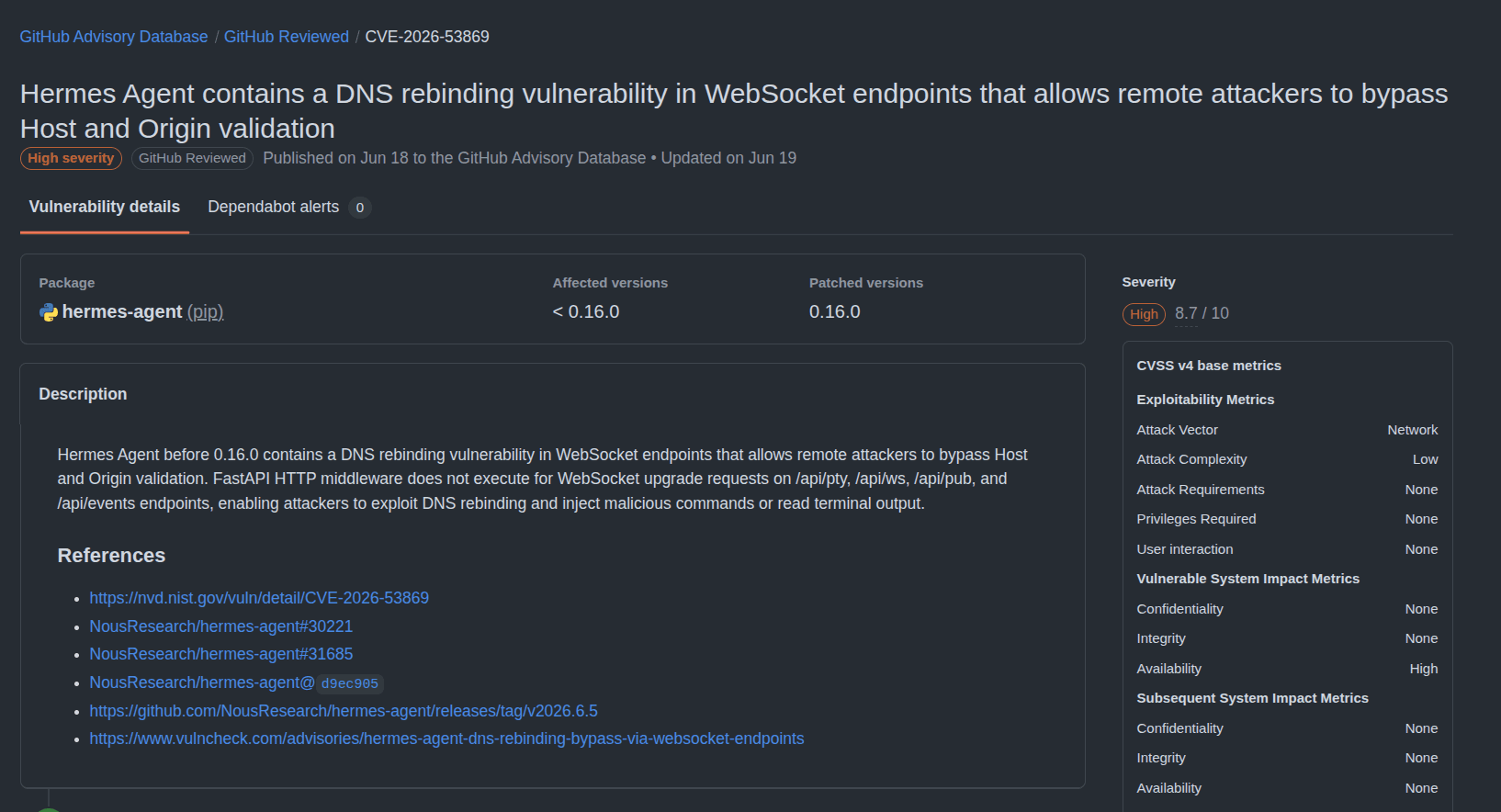
Hermes has had vulnerabilities around API authentication, webhook authentication, context scanning, DNS rebinding, path traversal, and dashboard authentication.
So running either agent in YOLO mode on a machine full of production credentials is a really bad idea.
And yeah, this has already happened. Just this July, an attacker ran Hermes in YOLO mode during an intrusion into Thailand’s Ministry of Finance. No approval step, so the agent just went ahead with recon and privilege checks on its own.

Coding
This is where Codex fits more naturally.
Hermes can now handle real coding tasks.
It can search repositories, read and patch files, run terminal commands, use LSP diagnostics, create worktrees, review changes, create checkpoints, roll them back, and delegate work to subagents.
You can give it a failing test, let it inspect the repository, patch the issue, rerun the test, and review the final diff.
So this is not really a case of Codex being able to code while Hermes cannot.
The difference is that software engineering is much, much closer to Codex.
Codex has repository-aware sandboxing, apply_patchstrong IDE support, GitHub workflows, cloud coding environments, PR review, worktrees, and custom subagents with separate models and permission profiles.
Those aren't extensions around Codex. They are part of how Codex itself is designed.
Memory
The memory comparison has become much closer than it used to be.
An older comparison would probably say that Hermes has persistent memory while Codex does not. That is no longer accurate.
Hermes memory
Hermes keeps two small persistent memory files, MEMORY.md and USER.md, while a SQLite session store with FTS5 lets the agent search previous conversations when needed.
The two memory files are deliberately bounded.
MEMORY.md is limited to roughly 2,200 characters, while USER.md is around 1,375 characters.

That means Hermes does not try to inject a giant personal knowledge base into every prompt.
Instead, it carries a small curated snapshot into each session and searches its larger session history only when necessary.
I think that is a pretty sensible design.
Codex memory
Codex now supports optional local memories too.
These can include summaries, durable entries, recent inputs, and supporting evidence.
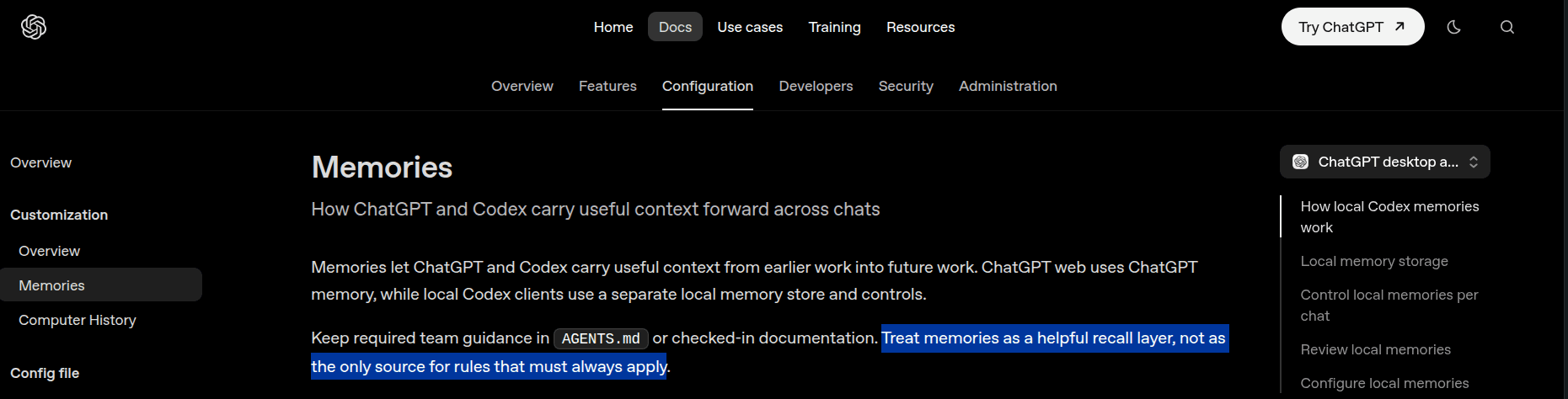
OpenAI still recommends keeping required team rules in AGENTS.md and treating memory as a recall layer rather than as the authoritative place for project policy.
They use basically the same skill format
This was another interesting part.
Hermes and Codex both support the agentskills.io SKILL.md format. So a skill can look something like:
---
name: fix-failing-test
description: Use when a test in this repository fails.
---

<p>1.Reproduce the failing test.
2.Read the test and implementation.
3.Find the root cause.
4.Apply the smallest fix.
5.Rerun the test.
6.Summarize the change.</p>
With the correct folder structure, both agents can understand essentially the same steps.
That is useful because skills stop being completely tied to one specific agent.
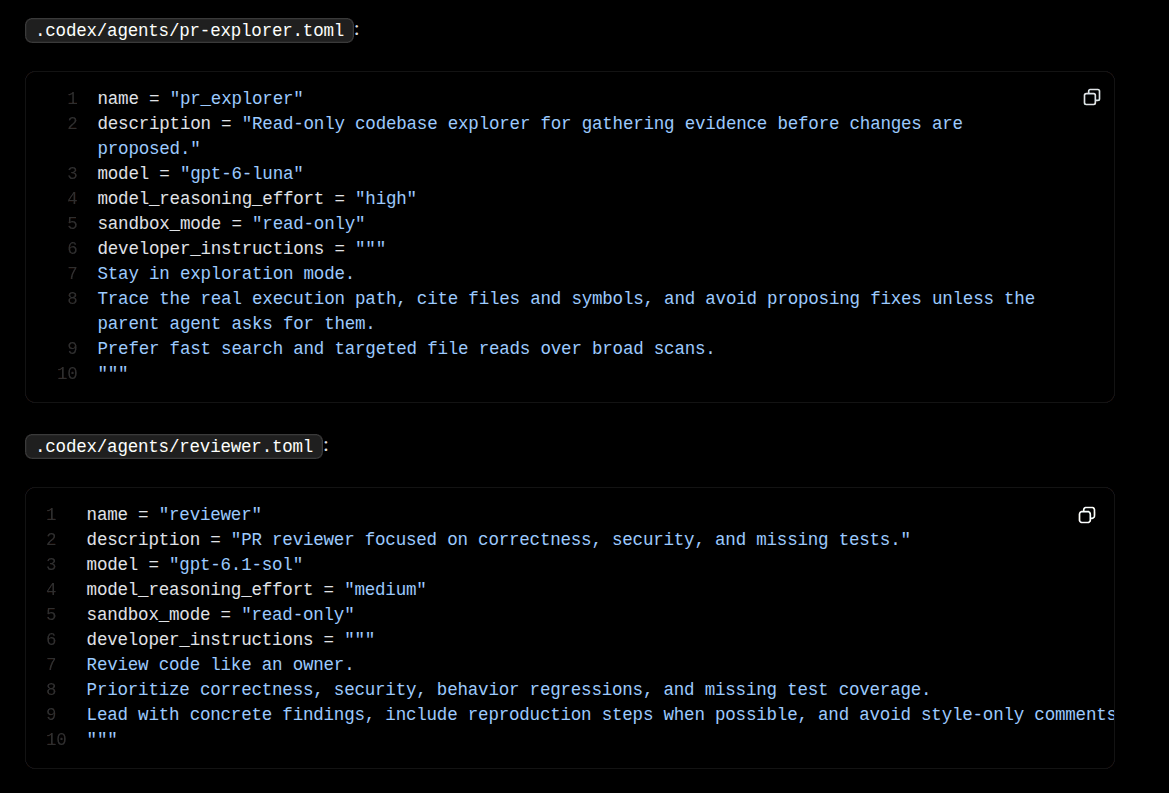
Codex skills add their own metadata and configuration around skills, including invocation rules and tool dependencies.
Hermes skills go further with the lifecycle.
It can create skills itself, refine them, install them from external registries, scan third-party skills, and use its curator to maintain them over time.
So the difference is less about the skill file itself and more about how the runtime treats that file.
Codex treats skills mainly as explicit reusable instructions for engineering work.
Hermes treats them as both reusable instructions and procedural memory that can evolve with the agent.
For shared repository skills maintained by a team, I prefer the Codex approach. For personal works, Hermes feels much close to what I want.
Subagents
Both have multi-agent workflows, but they use them differently. They mean slightly different things by multi-agent.
Codex subagents
Codex can create specialist agents.
You can define separate configurations for something like:
investigator
implementer
reviewer
Each can get its own model, reasoning effort, instructions, tools, and sandbox configuration.
That works really well for coding.
You can let one agent inspect the repository in read-only mode, give another write access to the workspace, and have a third review the result.
This is really a clean model for bounded work.
Hermes subagents
Hermes supports temporary subagents too through delegate_task.
Each child gets fresh context and a separate terminal session, and the current documentation allows up to 10 concurrent child agents by default.
But Hermes also has Bot Mode.
A Bot is not just a temporary worker.
It is a persistent profile with its own memory, skills, model, credentials, sessions, and scheduled routines.
It can have its own:
model
memory
skills
credentials
sessions
cron routines
identity
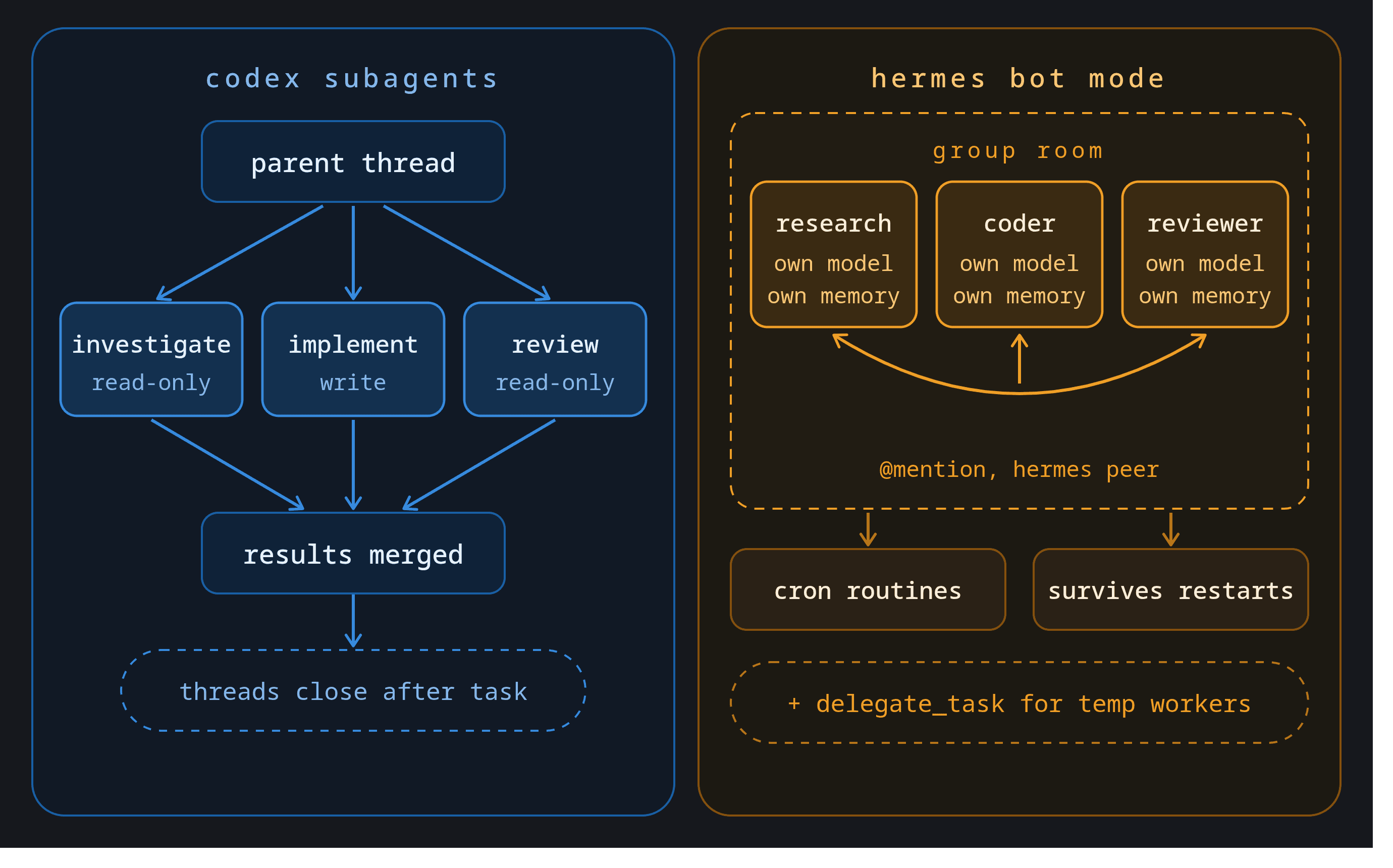
Then those Bots can message one another.
You could keep a researcher, coder, and reviewer running permanently rather than recreating those roles every time.
Codex has the cleaner design for task-scoped engineering agents.
Hermes is more interesting if you want long-lived agent identities.
MCP and tools
Both Hermes and Codex are MCP clients, and both can connect to external tools.
This is important because dev work today already touches GitHub, Linear, Jira, Slack, cloud services, etc.
Hermes MCP and Tool Search
Hermes can configure MCP servers through ~/.hermes/config.yaml.
It supports stdio and HTTP-based MCP servers, OAuth, tool include/exclude filters, and management commands for adding and authenticating servers.
Hermes has one feature I really like here: Tool Search.
If an MCP server exposes a huge number of tools, Hermes does not have to dump every tool schema into the context window.
It can defer those tools and initially expose a smaller search layer.
The model searches for the capability it needs, loads the relevant schema, and then calls the tool.
That becomes useful very quickly with large integration platforms.
Related: Best MCP servers for Hermes Agent
For Composio, the config looks something like this:
mcp_servers:
  composio:
    url: "<a href="https://connect.composio.dev/mcp">https://connect.composio.dev/mcp</a>"
    headers:
      x-consumer-api-key: "YOUR_COMPOSIO_API_KEY"
    connect_timeout: 60
    timeout: 180
Codex and MCP
Codex supports MCP servers through config.toml, with commands such as codex mcp login for authentication.
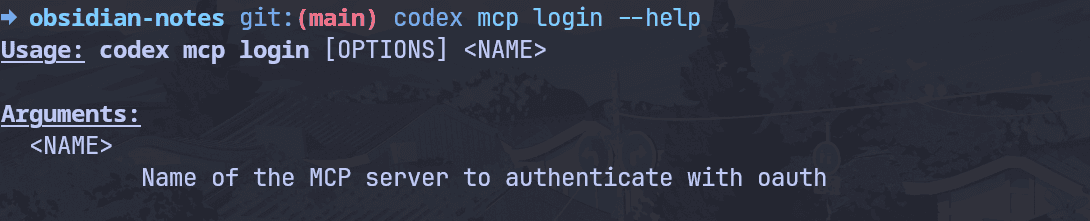
One useful difference is that MCP interactions can participate in Codex’s broader approval and elicitation model.
And this is where Composio fits
Both agents can connect to Composio through MCP.
That gives them access to authenticated external applications while keeping the integration layer outside the agent runtime.
So a real workflow could be:
Read a GitHub issue.
Fetch requirements from Linear.
Inspect the repository.
Implement the change.
Run the tests.
Open or update the PR.
Send a Slack summary.
Hermes can additionally use Slack itself as the agent interface.
Codex is more naturally centred on the repository and general engineering workflow.
Relevant setup guides:
Background work
Both can keep working without your laptop staying open, but they do it differently.
Just through completely different architectures.
Codex uses managed cloud execution
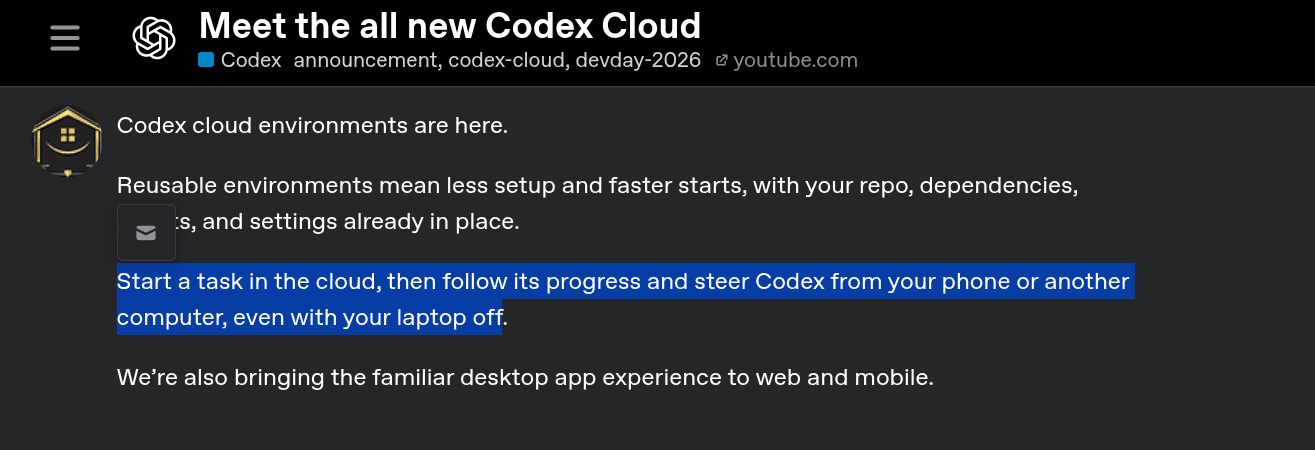
When you start a Codex cloud task, the work runs inside OpenAI’s environment rather than on your local computer.
That means the coding task can continue after your laptop sleeps or goes offline.
For long feature implementations, repository analysis, background fixes, and asynchronous coding work, this is convenient because you don't have to maintain any infrastructure yourself.
The newer Codex cloud environments also let you prepare reusable development environments instead of rebuilding the same dependency state for every task.
Hermes needs an always-on host
Hermes can also keep working after you close your laptop, but the agent has to live somewhere that stays online.
That might be a VPS, a home server, Hermes Cloud, or another persistent environment.
Once the gateway and agent runtime stay alive, cron jobs, messaging workflows, memory, and scheduled work can continue without your personal computer being online.
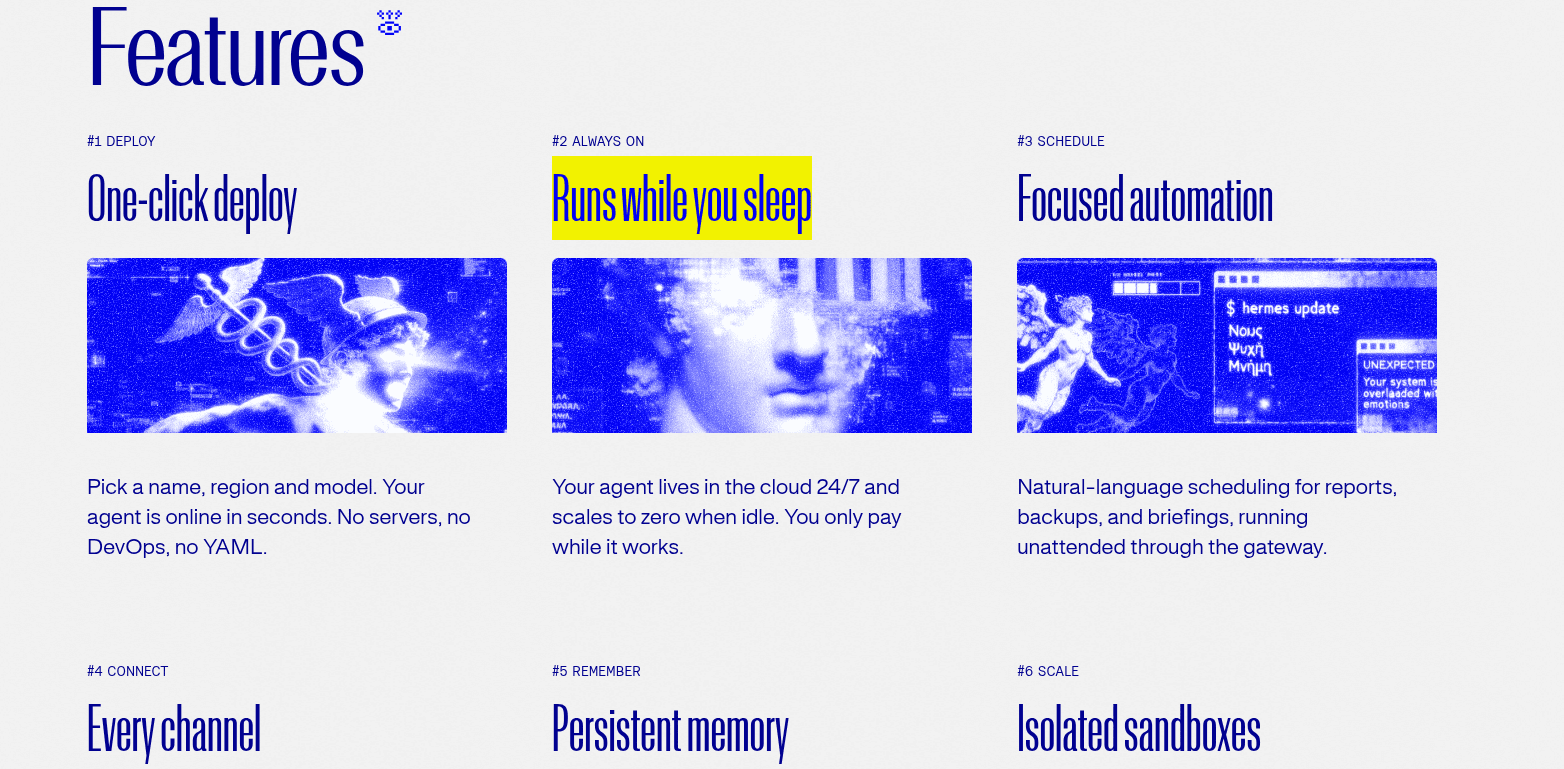
If you don’t want to run a server yourself, Nous now hosts it for you.
So both systems can provide long-running autonomous execution.
The real difference is who owns the infrastructure.
Codex gives you a managed cloud. Hermes lets you pick: your own machine, a VPS, or Nous’s hosted cloud.
Models
This section is pretty easy.
Hermes is provider-agnostic.
You can use OpenAI, Anthropic, Google, OpenRouter, DeepSeek, xAI, local models, custom OpenAI-compatible endpoints, and several other providers.
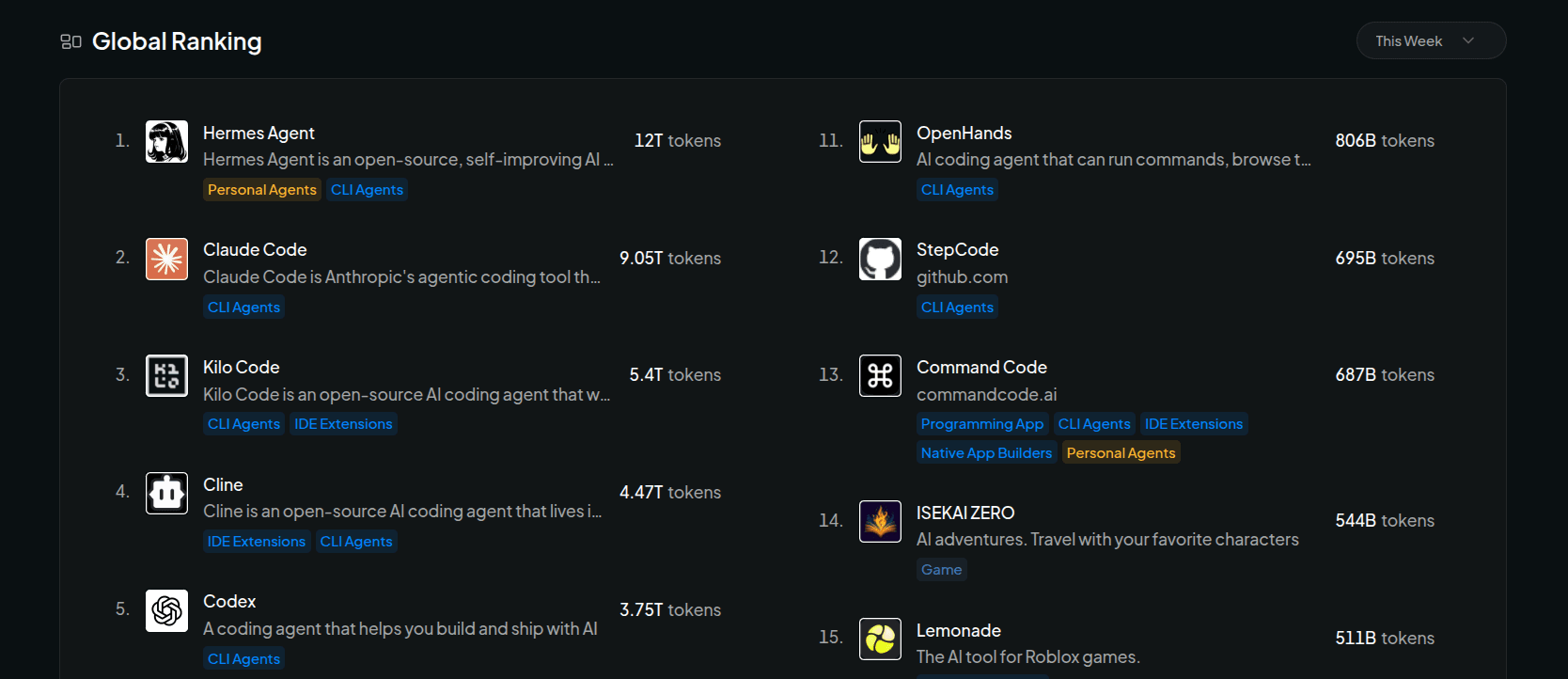
💁 OpenRouter only counts opt-in usage routed through OpenRouter, so this shows Hermes’ reach, not overall usage.
You can also configure fallback providers or use separate models for different tasks.
Codex is much more OpenAI-first.
The CLI supports some custom providers and local OSS modes, but many features are closely tied to OpenAI models and ChatGPT.
If I am already using OpenAI models, this is not really a problem.
But if I want to keep moving between Claude, Gemini, OpenAI, Qwen, DeepSeek, and local models, Hermes is clearly way better.
Pricing Depends
Hermes itself is free and open source.
You pay for the models, infrastructure, cloud sandboxes, and any external integrations you use.
That could mean essentially no infrastructure cost if you run locally. ✅
Or it could mean API tokens plus a VPS plus cloud execution.
Codex works differently because ChatGPT plans bundle much of the experience.
That means an individual developer can pay for one plan and get a lot of the infrastructure, including local usage and, depending on the plan, cloud execution and other Codex features.
For one developer, Codex makes pricing easier to reason about.
For heavier automation, Hermes gives you more opportunities to optimise cost by routing different tasks to different models. On our benchmark, it was also about 20% cheaper per successful task at API rates.
But then you also own more of the infrastructure. So, it essentially comes down to your pick.
Hermes can actually use Codex
This was probably the funniest part of the comparison.
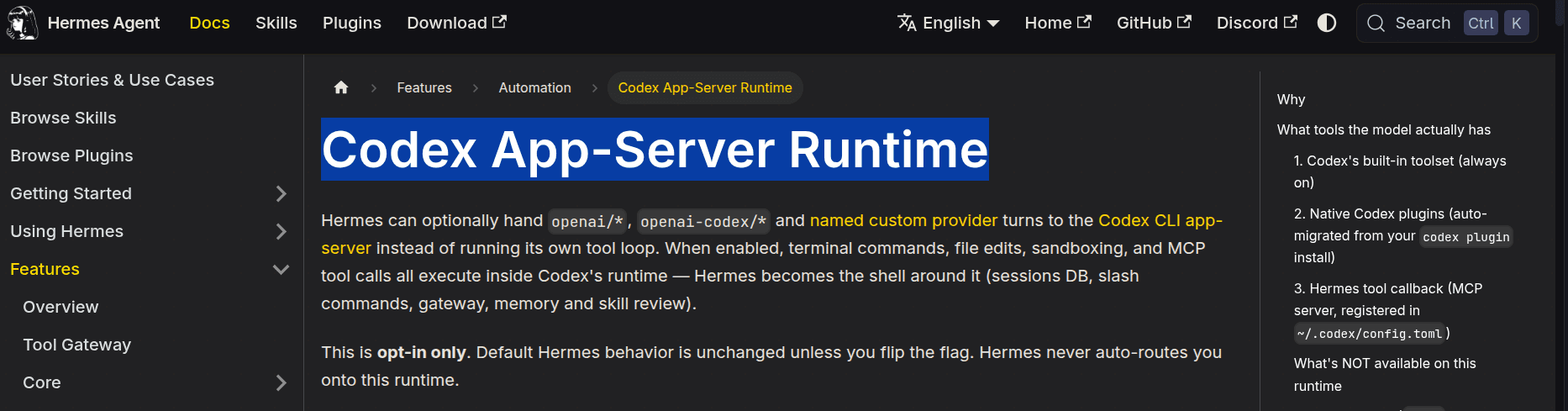
After all this, Hermes can actually use Codex. 😒
Hermes supports ChatGPT OAuth, understands a codex_responses mode, can import parts of a Codex configuration, and even has an optional Codex App-Server Runtime.
In that mode, Hermes handles the wider agent environment and session management, while the coding turn runs through Codex’s tool and sandbox runtime.
Hermes also supports skills that delegate coding work to external coding agents.
Something like:
Slack / Telegram / Cron
          ↓
        Hermes
          ↓
Research + memory + orchestration
          ↓
         Codex
          ↓
Repository + sandbox + tests
          ↓
        Hermes
          ↓
Slack / Linear / future memory
And honestly, this architecture makes a lot of sense.
Hermes handles memory, communication, scheduling, external tools, and the larger workflow.
Codex handles the part where repository context, patches, tests, review, and sandboxing matter the most.
You do not necessarily have to force one agent to do everything.
So, Hermes Agent or Codex?
After looking at both, I think the decision is pretty clear.
Pick Codex if:
Most of your work happens inside repositories.
You want strong local sandboxing by default.
You work heavily with bug fixes, refactors, tests, and pull requests.
You want first-party IDE, desktop, GitHub, and cloud coding workflows.
You need parallel coding agents with different execution policies.
You do not care much about switching between model providers.
You want less infrastructure to maintain.
Codex feels more complete as a software engineering agent.
That is exactly what it is built to be.
Pick Hermes if:
You want one agent that stays with you across many kinds of work.
You want to self-host the full runtime.
You want persistent memory and searchable past sessions.
You need Telegram, Slack, Discord, WhatsApp, or other messaging surfaces.
You want cron and recurring work in the same agent.
You need model flexibility.
Coding is one piece of a broader automation workflow.
Hermes feels more like infrastructure for a personal agent.
Conclusion
Just a few months ago, they probably wouldn’t even be comparable, as they would be two completely different products.
I do not think that is true anymore.
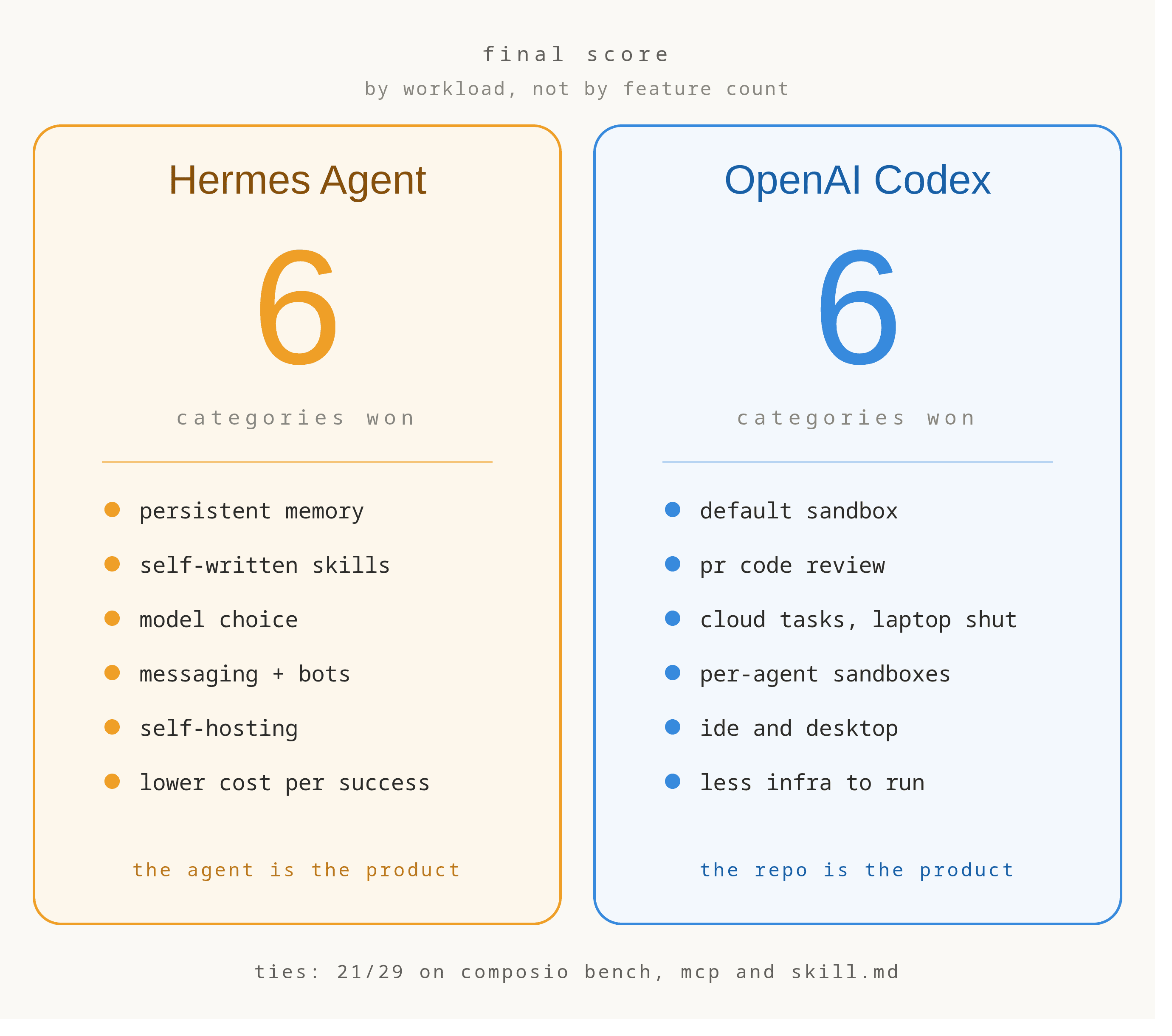
Both now have memory, skills, subagents, MCP, scheduled work, desktop surfaces, and serious coding capabilities. And on our benchmark, they literally tied.
Codex starts with software engineering and builds the agent around that.
Hermes starts with a persistent agent and gives it coding as one of many capabilities.
If I only cared about software engineering, I would simply use Codex. For a persistent agent that also needs to code, I would use Hermes.
For some of the more interesting workflows I am building now, I would probably let Hermes call Codex, and I’ll share a guide with you soon. ✌️
Let me know if you’re interested!

 Get started



