How to connect Zoho mail MCP with Cursor

Connect Cursor to Zoho mail MCP. Send a follow-up email to yesterday's meeting attendees, list unread emails from your manager, and more using natural language, with authentication handled for you.

Zoho mail logoZoho mail
Oauth2

Zoho Mail is a secure and ad-free email hosting platform with collaboration features. It helps businesses communicate efficiently while maintaining privacy and administrative control.

45 Tools

How to integrate Zoho mail MCP with Cursor

Cursor is one of the leading AI-powered code editors. It is built to help developers write, understand, and refactor code faster with AI assistance built directly into the editor.

And in this guide, I will explain the easiest and most secure way to connect your Zoho mail account to Cursor via Composio Connect, so it can send a follow-up email to yesterday's meeting attendees, list unread emails from your manager, schedule a calendar event from an email, and more without ever putting your account credentials at risk.

Also integrate Zoho mail with

Why Composio?

  • 1,500+ SaaS toolkits out of the box. Skip the work of building and maintaining integrations, Composio gives you instant access to a vast catalog of pre-built connectors.
  • One MCP server for every app. Connect any of your applications on demand through a single endpoint, rather than juggling a separate server for each app.
  • Smart, context-aware tool loading. Unlike traditional MCP servers that dump every available tool into the LLM context window, Composio searches for and loads only the tools relevant to the task at hand. A remote CLI workbench lets LLMs compose these tools into workflows for complex automation.

Connect Zoho mail to Cursor

Two ways to install — pick whichever you prefer.

1. Install with one click

Click the button below to add Composio to Cursor.

↗Install in Cursor

2. Or add manually

Add to your Cursor mcp.json

Open .cursor/mcp.json in your project root (or ~/.cursor/mcp.json for global config) and add the following configuration:

bash
{
  "servers": {
    "composio": {
      "type": "http",
      "url": "https://connect.composio.dev/mcp"
    }
  }
}

3. Authorize

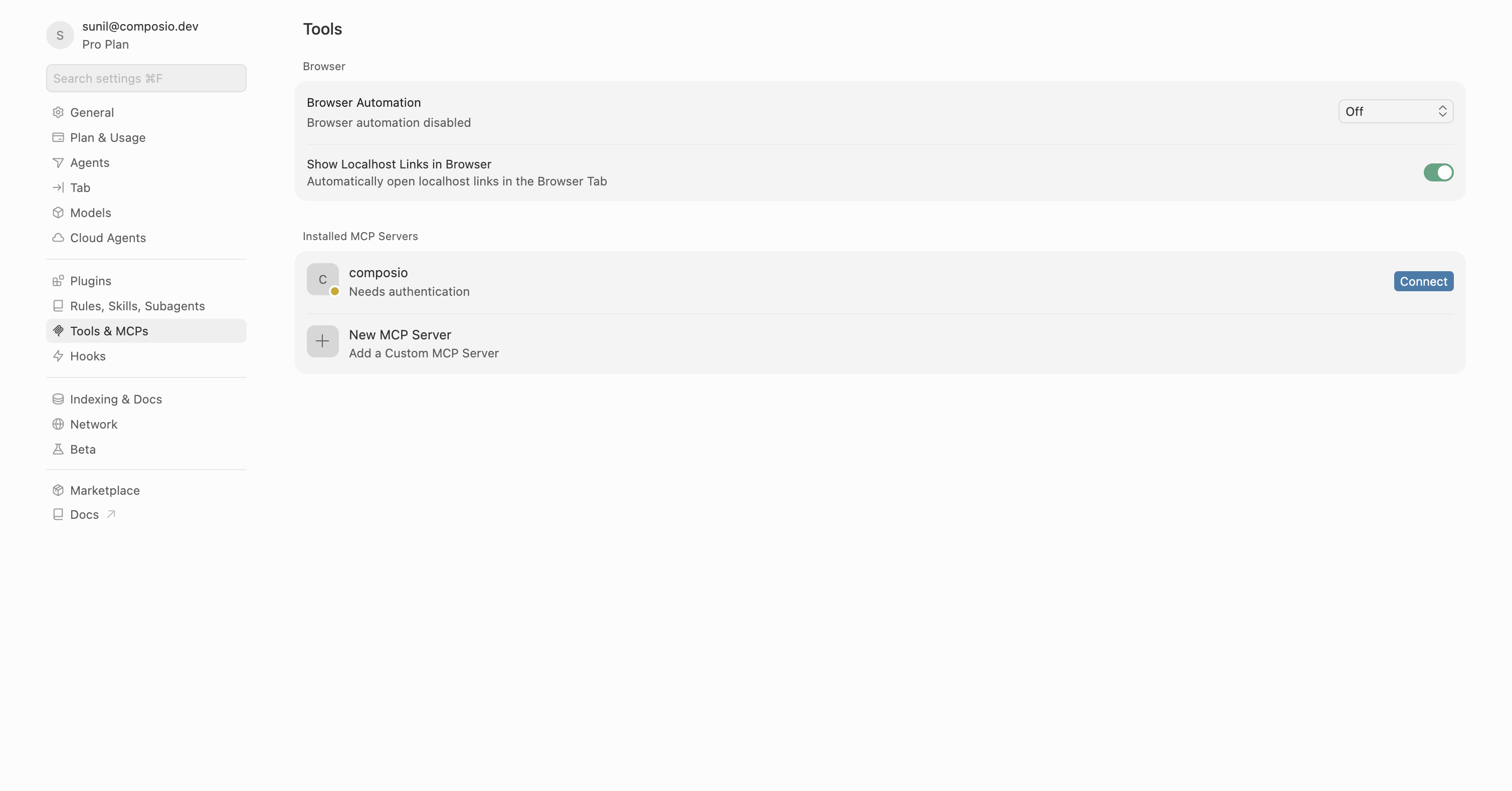
Restart Cursor, then click "Connect" next to Composio in MCP Tools settings.

Cursor MCP Tools settings with Connect button next to Composio

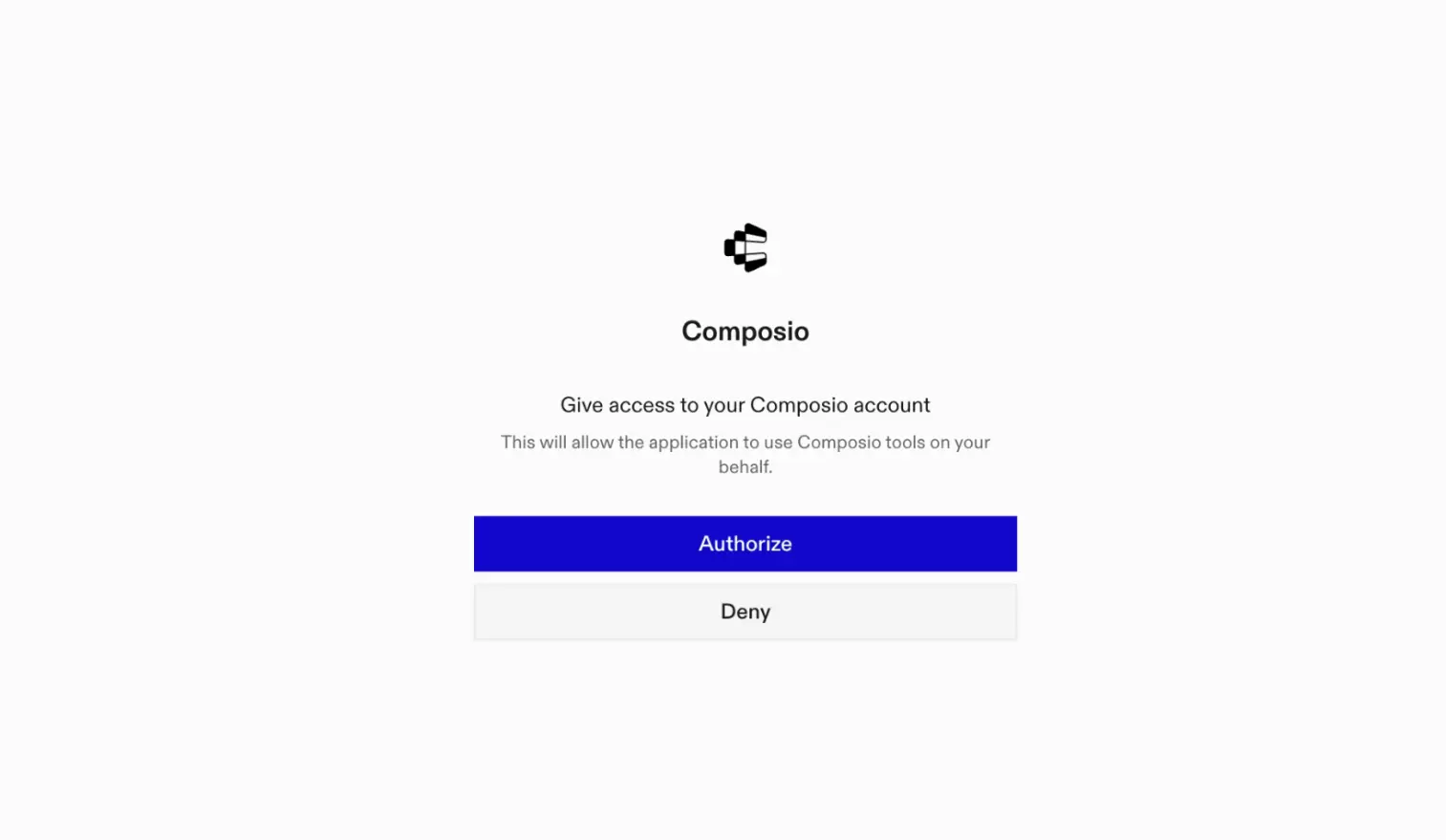
A browser window will open to authorize.

Composio authorization browser window

Connect your Zoho mail account

Back in Cursor, ask the agent to connect to Zoho mail or give it any Zoho mail-related task.

For example, ask it to:

  • "Send a follow-up email to yesterday's meeting attendees"
  • "List unread emails from your manager"
  • "Schedule a calendar event from an email"

It will prompt you to authenticate and authorize access to Zoho mail.

That is it. Composio tools are now available in Cursor, and your Zoho mail account is ready to use.

Conclusion

You have successfully connected Zoho mail to Cursor using Composio Connect. Your agent can now use Zoho mail securely without exposing credentials in prompts or local scripts.

TOOLS

Supported Tools

Every Zoho mail action and event your agent gets out of the box.

Create Signature

Create a signature, optionally assign it to users, and return it.

Get Signatures

List all connected-user signatures or retrieve one signature by ID.

List Zoho Mail Accounts

Retrieves all Zoho Mail accounts associated with the authenticated user.

Update Account Display Name

Update the display name of a Zoho Mail account owned by the user.

Delete Label

Delete a label and remove it from associated Zoho Mail messages.

Create Folder

Create a folder in a Zoho Mail account and return its folder record.

Delete Folder

Delete a folder from a Zoho Mail account.

Get Folder

Retrieve one Zoho Mail folder by account and folder ID.

List Folders

List every folder in a Zoho Mail account.

Update Folder

Update a Zoho Mail folder and return its observed saved state.

Delete Groups in Bulk

Delete multiple groups in a single API call.

Delete Group

Tool to delete a specific mail group by its zgid.

Get Organization Group

Retrieve one Zoho Mail organization group, including members and settings.

List Moderated Messages

List messages held for moderation in one Zoho Mail organization group.

Moderate Messages

Release held group messages for delivery or permanently reject them.

Create Label

Create a label in a Zoho Mail account and return its identifiers.

List Labels

List every label configured in a Zoho Mail account.

List Bookmarks

Tool to retrieve all personal bookmarks from a Zoho Mail account.

List Organization Accounts

List one offset-paginated page of accounts managed by a Zoho organization.

List Organization Domains

List mail domains configured for a Zoho Mail organization.

Manage Domain Addresses

Add or permanently remove domain aliases, catch-all delivery, and notification addresses.

Manage Domain DKIM

Add, verify, regenerate, default, or delete a domain DKIM selector.

Manage Domain Hosting

Set a primary domain or enable/disable mail hosting and subdomain stripping.

Create Email Draft

Tool to create and save an email draft in Zoho Mail without sending it.

Delete Email

Move one Zoho Mail email to trash or permanently delete it.

Download Attachment

Download one attachment from a Zoho Mail message as a file.

Get Attachment Info

Get normal and optional inline attachment metadata for one message.

Get Message Content

Tool to retrieve the full content/body of a specific Zoho Mail email.

Get Message Headers

Get one email's internet message headers without flattening repeated values.

Get Message Metadata

Retrieve one email's complete metadata record by account, folder, and message ID.

List Emails

Tool to retrieve a list of emails from a Zoho Mail account folder.

Reply to Email

Send or schedule a reply while preserving the original message thread.

Send Email

Send an email immediately or schedule it for later delivery.

Update Messages

Batch-update message or thread read, folder, flag, label, archive, or spam state.

Get Organization User Storage Details

Tool to retrieve storage details for a specific user in the organization.

Update Organization Spam Process Type

Tool to update organization spam processing type.

Update User Storage

Updates a user's storage allocation within a Zoho Mail organization.

Search Messages

Tool to search emails in a Zoho Mail account using Zoho's searchKey syntax.

Create Group Task

Create a task in a Zoho Mail group.

Create Personal Task

Create a personal task for the connected Zoho Mail user.

List Personal Tasks

List one offset-paginated page of personal tasks for the connected Zoho Mail user.

Update Group Task

Update one documented field on a task in a Zoho Mail group.

Update Group Settings

Tool to update group settings.

Update Organization Account

Enable or disable an external account, or update incoming, outgoing, IMAP, POP, or ActiveSync status for an organization-managed mailbox.

Verify Domain Records

Verify domain ownership, SPF, or MX DNS records for a Zoho Mail domain.

FAQ

Frequently asked questions

With a standalone Zoho mail MCP server, the agents and LLMs can only access a fixed set of Zoho mail tools tied to that server. However, with the Composio Tool Router, agents can dynamically load tools from Zoho mail and many other apps based on the task at hand, all through a single MCP endpoint.

Yes, you can. Cursor fully supports MCP integration. You get structured tool calling, message history handling, and model orchestration while Tool Router takes care of discovering and serving the right Zoho mail tools.

Yes, absolutely. You can configure which Zoho mail scopes and actions are allowed when connecting your account to Composio. You can also bring your own OAuth credentials or API configuration so you keep full control over what the agent can do.

All sensitive data such as tokens, keys, and configuration is fully encrypted at rest and in transit. Composio is SOC 2 Type 2 compliant and follows strict security practices so your Zoho mail data and credentials are handled as safely as possible.

Start with Zoho mail.It takes 30 seconds.

Managed auth, hosted MCP servers, and every Zoho mail tool your agent needs.Free to start.

Start building