


V0 CLI for AI Agents

Trusted by
AWS
Glean
Zoom
Airtable

30 min · no commitment · see it on your stack

V0 logo
CLI logo
divider

Introduction

CLIs are eating MCPs. The industry is converging on the very same idea. MCPs for all their merit can be token hungry, slow, and unreliable for complex tool chaining. However, coding agents have become incredibly good at working with CLIs, and in fact they are far more comfortable working with CLI tools than MCP.

With Composio's Universal CLI, your coding agents can talk to over 1000+ SaaS applications. With V0, agents can generate react code for a login page, list all your active v0 projects, summarize our last five chat sessions, and more — all without worrying about authentication.

This guide walks you through Composio Universal CLI and explains how you can connect it with coding agents like Claude Code, Codex, OpenCode, etc, for end-to-end V0 automation.

Also integrate V0 with

What is Universal CLI and why use it?

The idea behind building the universal CLI is to give agents a single command interface to interact with all your external applications. Here's what you'll get with it:

  • Agent-friendly: Coding agents like Claude Code, Codex, and OpenCode can use CLI tools natively — no MCP setup required.
  • Authentication handled: Connect once via OAuth or API Key, and all CLI commands work with your credentials automatically.
  • Tool discovery: Search, inspect, and execute 20,000+ tools across 1000+ apps from one interface.
  • Trigger support: Use triggers to listen for events across your apps, powered by real-time webhooks or polling under the hood.
  • Type generation: Generate typed schemas for autocomplete and type safety in your projects.

Prerequisites

Install the Composio CLI, authenticate, and initialize your project:

bash
# Install the Composio CLI
curl -fsSL https://composio.dev/install | bash

# Authenticate with Composio
composio login

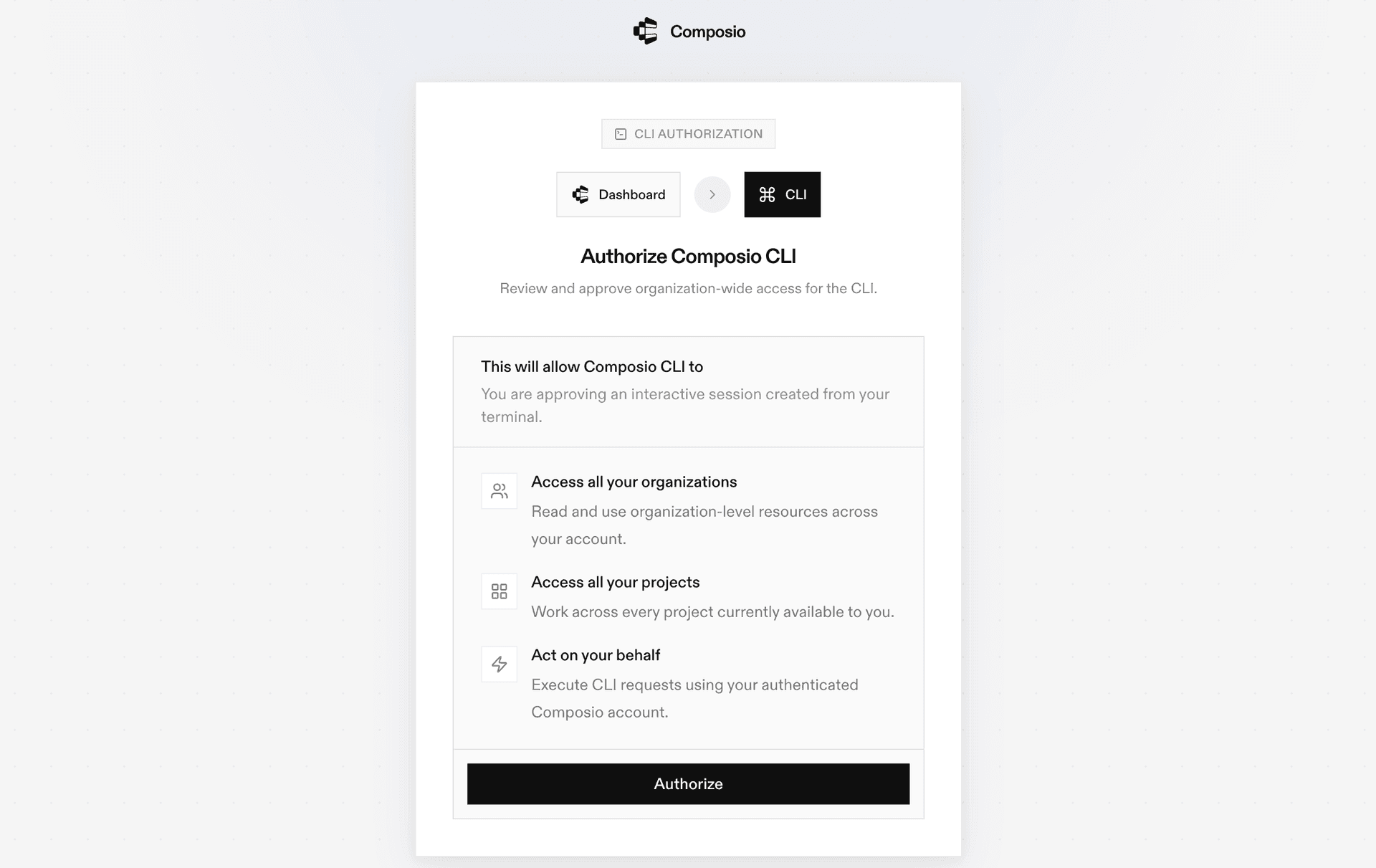
During login you'll be redirected to sign in page, finish the complete flow and you're all set.

Composio CLI authentication flow

Connecting V0 to Coding Agents via Universal CLI

Once it is installed, it's essentially done. Claude Code, Codex, OpenCode, OpenClaw, or any other agent will be able to access the CLI. A few steps to give agents access to your apps.

  1. Launch your Coding Agent — Claude Code, Codex, OpenCode, anything you prefer.
  2. Prompt it to "Authenticate with V0"
  3. Complete the authentication and authorization flow and your V0 integration is all set.
  4. Start asking anything you want.

Supported Tools & Triggers

Tools
Assign Chat To ProjectTool to assign a chat to a project.
V0 Chat CompletionsTool to generate a chat model response given a list of messages.
Create WebhookTool to create a new webhook subscription for receiving event notifications.
Create V0 ProjectTool to create a new v0 project container for chats and code generation.
Create Project Environment VariablesTool to create new environment variables for a v0 project.
Create Vercel ProjectTool to link a Vercel project to an existing v0 project.
Delete ChatTool to permanently delete a specific chat by ID.
Delete DeploymentTool to delete a deployment by ID from Vercel.
Delete HookTool to delete a webhook by its ID.
Delete Project Environment VariablesTool to delete multiple environment variables from a project by their IDs.
Delete V0 ProjectTool to permanently delete a v0 project by its ID.
Deploy ProjectTool to deploy a specific v0 chat version to Vercel.
Download Chat VersionTool to download all files for a specific chat version as a zip or tarball archive.
Export Project CodeTool to export a deployable snapshot of a v0 chat version by retrieving all files (including default/deployment files).
Favorite ChatTool to mark a chat as favorite or remove the favorite status.
Find ChatsTool to retrieve a list of chats.
Find ProjectsTool to retrieve a list of projects associated with the authenticated user.
Find Vercel ProjectsTool to retrieve a list of Vercel projects linked to the user's v0 workspace.
Fork ChatTool to create a fork (copy) of an existing chat.
Get ChatTool to retrieve the full details of a specific chat using its chatId.
Get Chat ProjectTool to retrieve the v0 project associated with a given chat.
Get Deployment ErrorsTool to retrieve errors for a specific deployment.
Get Deployment LogsTool to retrieve logs for a specific deployment.
Get HookTool to retrieve detailed information about a specific webhook by its ID.
Get Chat MessageTool to retrieve detailed information about a specific message within a chat.
Get Project by IDTool to retrieve the details of a specific v0 project by its ID, including associated chats and metadata.
Get Project Environment VariableTool to retrieve a specific environment variable for a given project by its ID, including its value.
Get Rate LimitsTool to retrieve the current rate limits for the authenticated user.
Get Usage ReportTool to retrieve detailed usage events including costs, models used, and metadata.
Get UserTool to retrieve the currently authenticated user's information.
Get User BillingTool to fetch billing usage and quota information for the authenticated user.
Get User PlanTool to retrieve the authenticated user's subscription plan details including billing cycle and balance.
Get User ScopesTool to retrieve all accessible scopes for the authenticated user, such as personal workspaces or shared teams.
Initialize ChatTool to initialize a new chat from source content such as files, repositories, registries, zip archives, or templates.
List Chat VersionsTool to retrieve all versions (iterations) for a specific chat, ordered by creation date (newest first).
List DeploymentsTool to retrieve a list of deployments for a given project, chat, and version.
List HooksTool to retrieve all webhooks tied to chat events or deployments.
List MessagesTool to retrieve all messages within a specific chat.
List Project Environment VariablesTool to retrieve all environment variables for a project with optional decryption.
Update ChatTool to update metadata of an existing v0 chat.
Update Chat Version FilesTool to update source files of a specific chat version.
Update V0 WebhookTool to update the configuration of an existing webhook, including its name, event subscriptions, or target URL.
Update V0 ProjectTool to update the metadata of an existing v0 project using its projectId.
Update Project Environment VariablesTool to update environment variables for a v0 project.

Universal CLI Commands for V0

You can also manually execute CLI commands to interact with your V0.

Connect your V0 account

Link your V0 account and verify the connection:

bash
# Connect your V0 account (opens OAuth flow)
composio connected-accounts link v0

# Verify the connection
composio connected-accounts list --toolkits v0

Discover V0 tools

Search and inspect available V0 tools:

bash
# List all available V0 tools
composio tools list --toolkit v0

# Search for V0 tools by action
composio tools search "v0"

# Inspect a tool's input schema
composio tools info V0_V0_CHAT_COMPLETIONS

Common V0 Actions

V0 Chat CompletionsTool to generate a chat model response given a list of messages

bash
composio tools execute V0_V0_CHAT_COMPLETIONS \
  --model "v0-1.5-md" \
  --messages "<array>"

Find ChatsTool to retrieve a list of chats

bash
composio tools execute V0_V0_FIND_CHATS \
  --limit "60" \
  --offset "<integer>" \
  --isFavorite "true"

Find ProjectsTool to retrieve a list of projects associated with the authenticated user

bash
composio tools execute V0_V0_FIND_PROJECTS \
  --after "cursor_abc123" \
  --limit "10"

Generate Type Definitions

Generate typed schemas for V0 tools to get autocomplete and type safety in your project:

bash
# Auto-detect language
composio generate --toolkits v0

# TypeScript
composio ts generate --toolkits v0

# Python
composio py generate --toolkits v0

Tips & Tricks

  • Always inspect a tool's input schema before executing: composio tools info <TOOL_NAME>
  • Pipe output with jq for better readability: composio tools execute TOOL_NAME -d '{}' | jq
  • Set COMPOSIO_API_KEY as an environment variable for CI/CD pipelines
  • Use composio dev logs tools to inspect execution logs and debug issues

Next Steps

  • Try asking your coding agent to perform various V0 operations
  • Explore cross-app workflows by connecting more toolkits
  • Set up triggers for real-time automation
  • Use composio generate for typed schemas in your projects

How to build V0 MCP Agent with another framework

FAQ

What is the Composio Universal CLI?

The Composio Universal CLI is a single command-line interface that lets coding agents and developers interact with 1000+ SaaS applications. It handles authentication, tool discovery, action execution, and trigger setup — all from the terminal, without needing to configure MCP servers.

Which coding agents work with the Composio CLI?

Any coding agent that can run shell commands works with the Composio CLI — including Claude Code, Codex, OpenCode, OpenClaw, and others. Once the CLI is installed, agents automatically discover and use the composio commands to interact with V0 and other connected apps.

How is the CLI different from using an MCP server for V0?

MCP servers require configuration and can be token-heavy for complex workflows. The CLI gives agents a direct, lightweight interface — no server setup needed. Agents simply call composio commands like any other shell tool. It's faster to set up, more reliable for multi-step tool chaining, and works natively with how coding agents already operate.

How safe is my V0 data when using the Composio CLI?

All sensitive data such as tokens, keys, and configuration is fully encrypted at rest and in transit. Composio is SOC 2 Type 2 compliant and follows strict security practices so your V0 data and credentials are handled as safely as possible. You can also bring your own OAuth credentials for full control.

Used by agents from

Context
Letta
glean
HubSpot
Agent.ai
Altera
DataStax
Entelligence
Rolai
Context
Letta
glean
HubSpot
Agent.ai
Altera
DataStax
Entelligence
Rolai
Context
Letta
glean
HubSpot
Agent.ai
Altera
DataStax
Entelligence
Rolai

Never worry about agent reliability

We handle tool reliability, observability, and security so you never have to second-guess an agent action.






