
How to integrate Memberstack MCP with OpenClaw

Connect OpenClaw to Memberstack MCP. Add a new member with email and plan, list all members who joined this month, and more using natural language, with authentication handled for you.

Memberstack logoMemberstack
Api Key

Memberstack lets you add user authentication, payments, and member management to your website—no backend code required. Easily manage your site's members and subscriptions from a single platform.

8 Tools

Introduction

OpenClaw is the fastest growing agent harness out there, which can work 24/7 to automate almost any kind of tasks. However, its capabilities are limited to the tools it has access to. Composio allows your OpenClaw to access Memberstack with authentication management handled for you. You can execute actions on Memberstack via your favorite OpenClaw interface (Telegram, WhatsApp, TUI, etc), whichever you prefer.

For exact tool slugs and parameter tables, see the tool catalog in the Composio docs.
Also integrate Memberstack with

Why use Composio?

Apart from a managed and hosted MCP server, you will get:

  • Programmatic tool calling allows LLMs to write its code in a remote workbench to handle complex tool chaining. Reduces to-and-fro with LLMs for frequent tool calling.
  • Handling Large tool responses out of LLM context to minimize context rot.
  • Dynamic just-in-time access to 20,000 tools across 1800+ other Apps for cross-app workflows. It loads the tools you need, so LLMs aren't overwhelmed by tools you don't need.

How to install Memberstack with OpenClaw

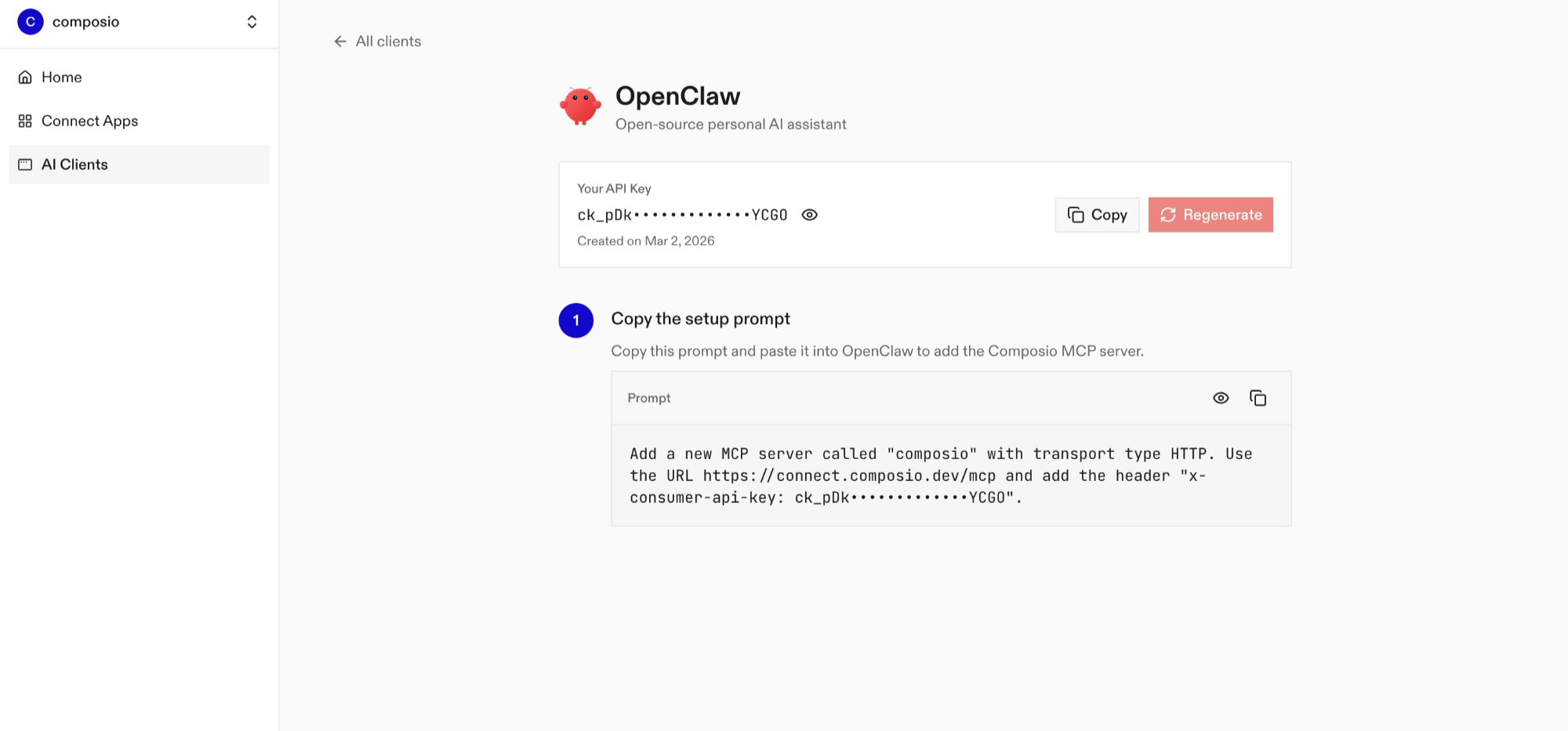
Using Composio API Key and Setup Prompt

Copy the setup prompt from the OpenClaw dashboard
  • Run it in your OpenClaw chat interface.
  • Authenticate Memberstack from the dashboard
  • Go back to your OpenClaw interface and start asking questions.

Using OpenClaw/Composio Plugin

1. Install OpenClaw Composio plugin

bash
openclaw plugins install @composio/openclaw-plugin

2. Copy the API Key from dashboard.composio.dev

3. Setup OpenClaw Config

bash
openclaw config set plugins.entries.composio.config.consumerKey "ck_your_key_here"

4. Restart OpenClaw

bash
openclaw gateway restart

5. Go to your chat interface and start asking questions.

6. When prompted, authenticate the app and you're all set.

How It Works

The plugin connects to Composio's MCP server at https://connect.composio.dev/mcp and registers all available tools directly into the OpenClaw agent. Tools are called by name — no extra search or execute steps needed.

If a tool returns an auth error, the agent will prompt you to connect that toolkit at dashboard.composio.dev.

Configuration

bash
{
  "plugins": {
    "entries": {
      "composio": {
        "enabled": true,
        "config": {
          "consumerKey": "ck_your_key_here"
        }
      }
    }
  }
}
OptionDescriptionDefault
enabledEnable or disable the plugintrue
consumerKeyYour Composio consumer key (ck_...)—
mcpUrlMCP server URL (advanced)https://connect.composio.dev/mcp

What is the Memberstack MCP server, and what's possible with it?

The Memberstack MCP server is an implementation of the Model Context Protocol that connects your AI agent and assistants like Claude, Cursor, etc directly to your Memberstack account. It provides structured and secure access to your member management system, so your agent can perform actions like creating members, updating profiles, managing plans, and retrieving membership data on your behalf.

  • Automated member creation and onboarding: Instantly add new users to your platform with customizable fields, plans, and metadata—no manual input needed.
  • Profile updates and member management: Let your agent update member details, modify custom fields, or change emails and metadata as your users grow or their needs change.
  • Membership plan handling: Effortlessly list available plans, assign plans to members, or remove free plans when subscriptions change.
  • Member lookup and insights: Retrieve individual member profiles by ID or email, or fetch a paginated list of all your members for deeper analysis and automation.
  • Secure member deletion: Ensure compliance and data hygiene by directing your agent to safely delete members who no longer require access.

Conclusion

You've successfully integrated Memberstack with OpenClaw using Composio plugin. Now interact with Memberstack directly from your terminal, Web UI, or any messenger app using natural language commands.

Key benefits of this setup:

  • Seamless integration across TUI, Web UIs, and Messenger apps like Telegram, WhatsApp, Slack, etc.
  • Natural language commands for Memberstack operations
  • Managed authentication through Composio
  • Access to 20,000+ tools across 1800+ apps for cross-app workflows
  • Programmatic tool calling for complex tool chaining

Next steps:

  • Try asking OpenClaw to perform various Memberstack operations
  • Explore cross-app workflows by connecting more toolkits like Calendar, Slack, Notion, etc.
  • Build complex automation scripts that leverage OpenClaw's 24/7 running capabilities
TOOLS

Supported Tools

Every Memberstack action and event your agent gets out of the box.

Create Member

Create a new member in your application with an email and password, optionally assigning free plans and providing custom fields, metadata, JSON data, and a login redirect.

Delete Member

Tool to permanently delete a member from your application.

Get Member

Tool to retrieve a specific member by ID or email.

List Data Tables

Tool to retrieve all data tables in your Memberstack application.

List Members

Tool to retrieve a paginated list of all members in your application.

List Plans

Retrieve available membership plan IDs and details for assignment or comparison.

Remove Free Plan

Tool to remove a free plan from an existing member.

Update Member

Update an existing member by ID, including their email, custom fields, metadata, JSON data, or login redirect.

FAQ

Frequently asked questions

Start with Memberstack.It takes 30 seconds.

Managed auth, hosted MCP servers, and every Memberstack tool your agent needs.Free to start.

Start building