How to connect HarvestAPI with ChatGPT

Connect ChatGPT to HarvestAPI MCP. Search linkedin for senior engineers in austin, enrich a linkedin profile with company data, and more using natural language, with authentication handled for you.

HarvestAPI logoHarvestAPI
Api Key

HarvestAPI is a recruiting and lead intelligence service for LinkedIn people and company data. It helps teams find prospects and enrich profiles with useful company insights.

32 Tools

How to connect HarvestAPI MCP with ChatGPT

ChatGPT can take action across your apps and files, stay with a project for hours, and turn a goal into finished materials like sheets, slides, and docs, not just answers.

In this guide, I will explain the easiest and most secure way to connect your HarvestAPI account to ChatGPT via Composio Connect, so it can search LinkedIn people, search companies, enrich profiles, and enrich company data through natural language commands without ever putting your account credentials at risk.

For exact tool slugs and parameter tables, see the tool catalog in the Composio docs.

Also integrate HarvestAPI with

Why use Composio over default connectors?

  • Apps with read and write access. Default connectors mostly can read your data. Composio's HarvestAPI integration lets ChatGPT take actions like creating drafts, sending updates, labeling records, and more.
  • 1,700+ SaaS toolkits out of the box. Composio gives you instant access to a vast catalog of pre-built connectors, from Gmail and Slack to Notion, Linear, and Salesforce.
  • One MCP server for every app. Connect any of your applications on demand through a single endpoint, rather than juggling a separate server for each app.
  • Smart, context-aware tool loading. Unlike traditional MCP servers that dump every available tool into the LLM context window, Composio searches for and loads only the tools relevant to the task at hand.
  • Cross-app automation. Chain actions across multiple apps in a single run - fetch a thread, summarize it in Notion, and post highlights to Slack without leaving the conversation.

Prerequisites

Note: Composio connects through OAuth. You will be asked to sign in and approve specific permissions. Review the permission screen carefully if you are using a work account.

Step-by-step: Connect HarvestAPI to ChatGPT

1. Install the Composio plugin

Click the button. ChatGPT opens the Composio plugin page. Click Install plugin.

Install in ChatGPT
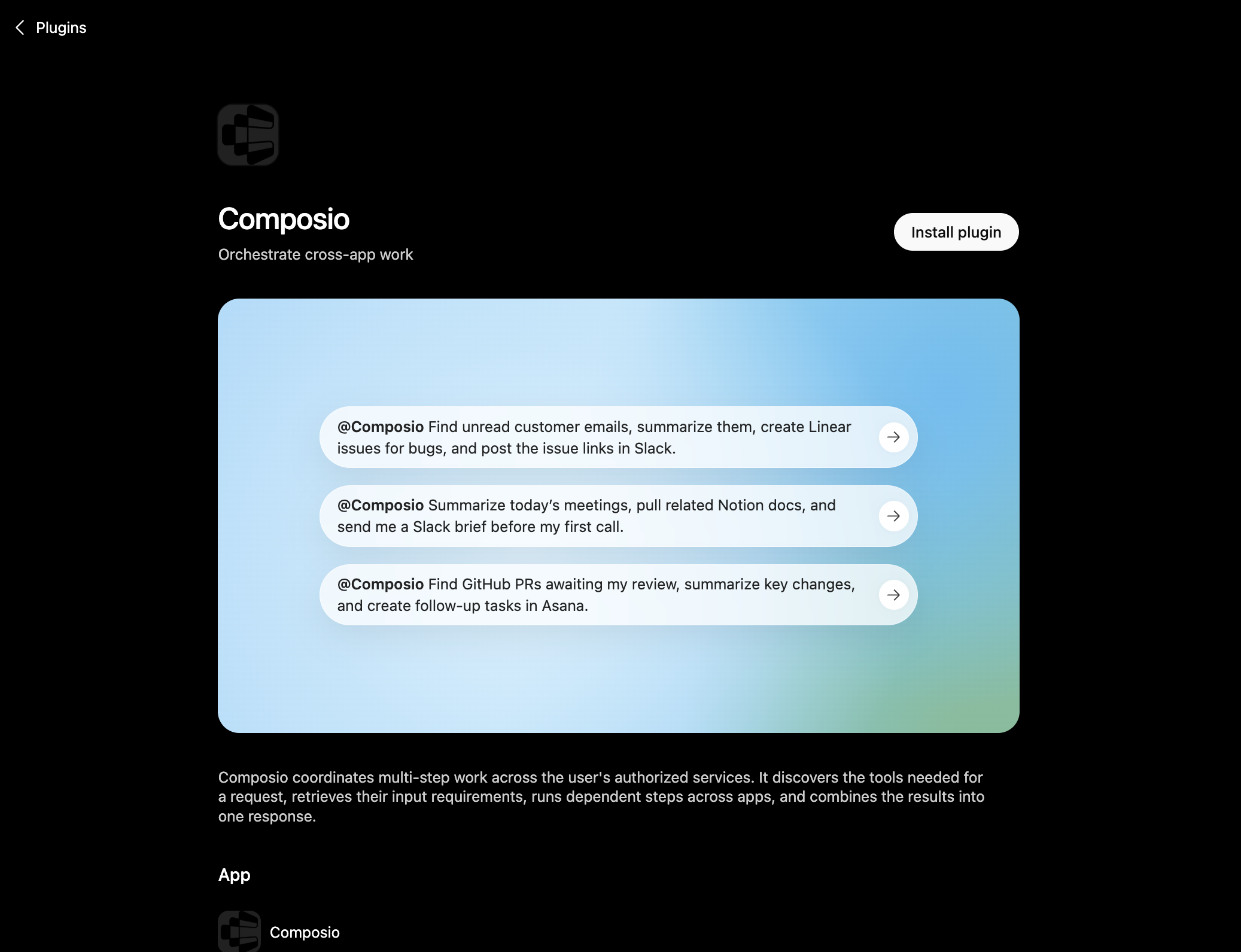
Composio plugin page in ChatGPT with the Install plugin button

You can also find it inside ChatGPT: go to Settings, open Plugins, search the marketplace for Composio, and click Install plugin.

2. Authenticate

After you install, ChatGPT asks you to authenticate with Composio. Log in and click Allow access to authorize ChatGPT to use your Composio account.
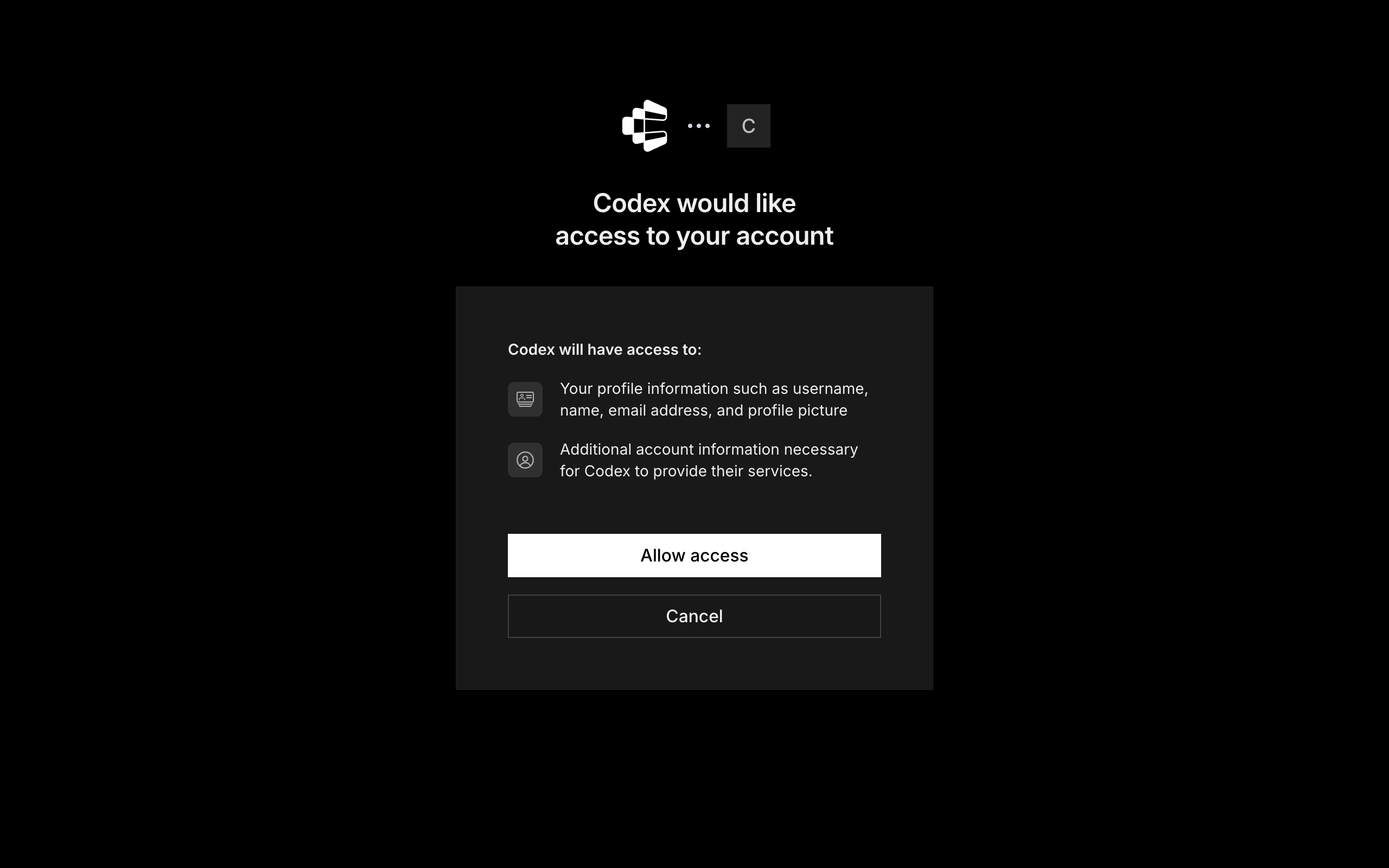
Composio login and Allow access screen for ChatGPT

3. Start using Composio

That is it. Composio tools are now available in ChatGPT. Type @Composio followed by your request, for example @Composio find unread HarvestAPI messages and summarize them, and it will run the actions you authorize. On first use it asks you to authorize HarvestAPI.

Option 2: Add Composio as an MCP server

If you cannot use the plugin marketplace, add Composio as a custom MCP server instead.

1. Open the MCP settings

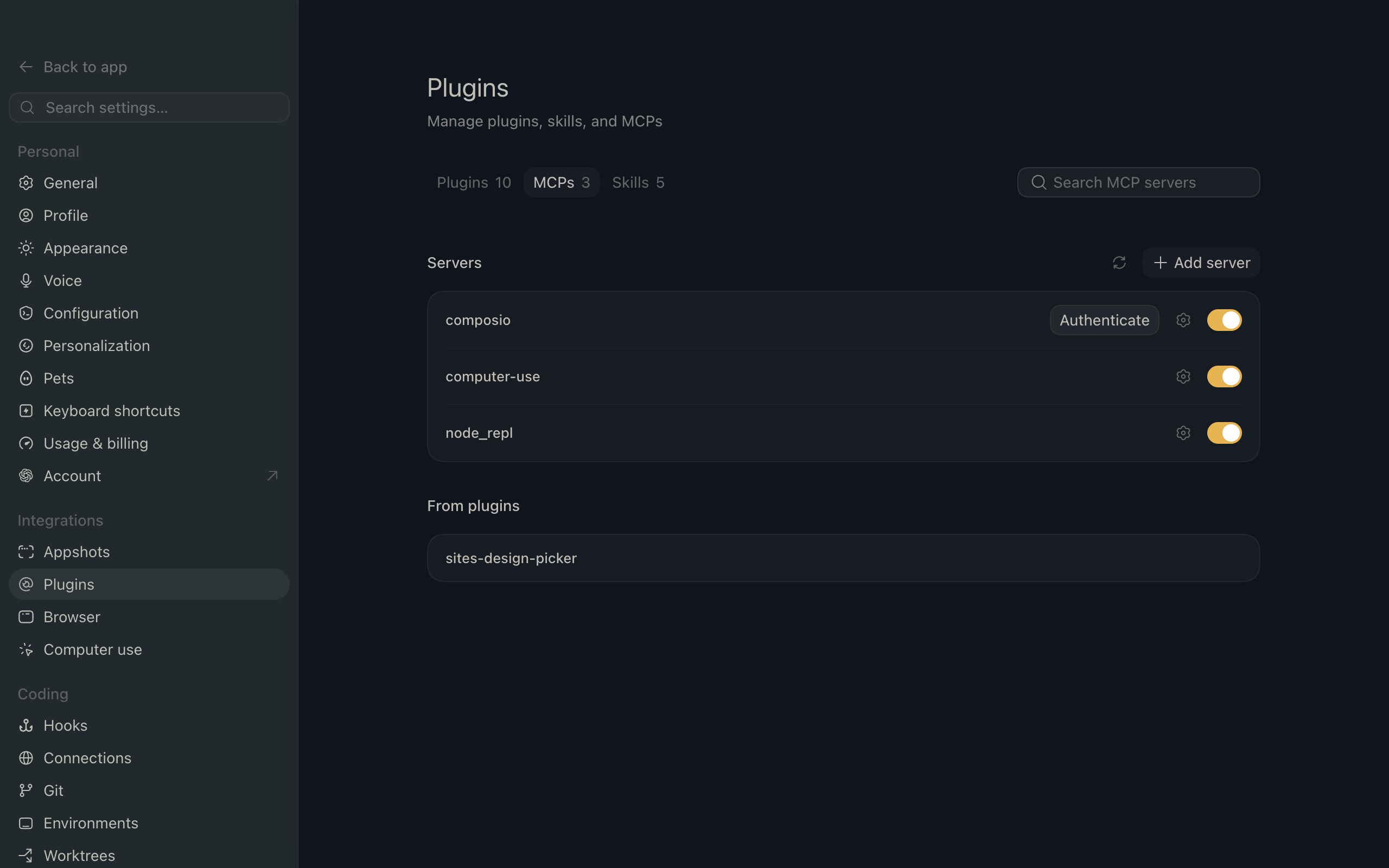
In ChatGPT, go to Settings and open the Plugins section. Inside the Plugins page, click the MCP tab.
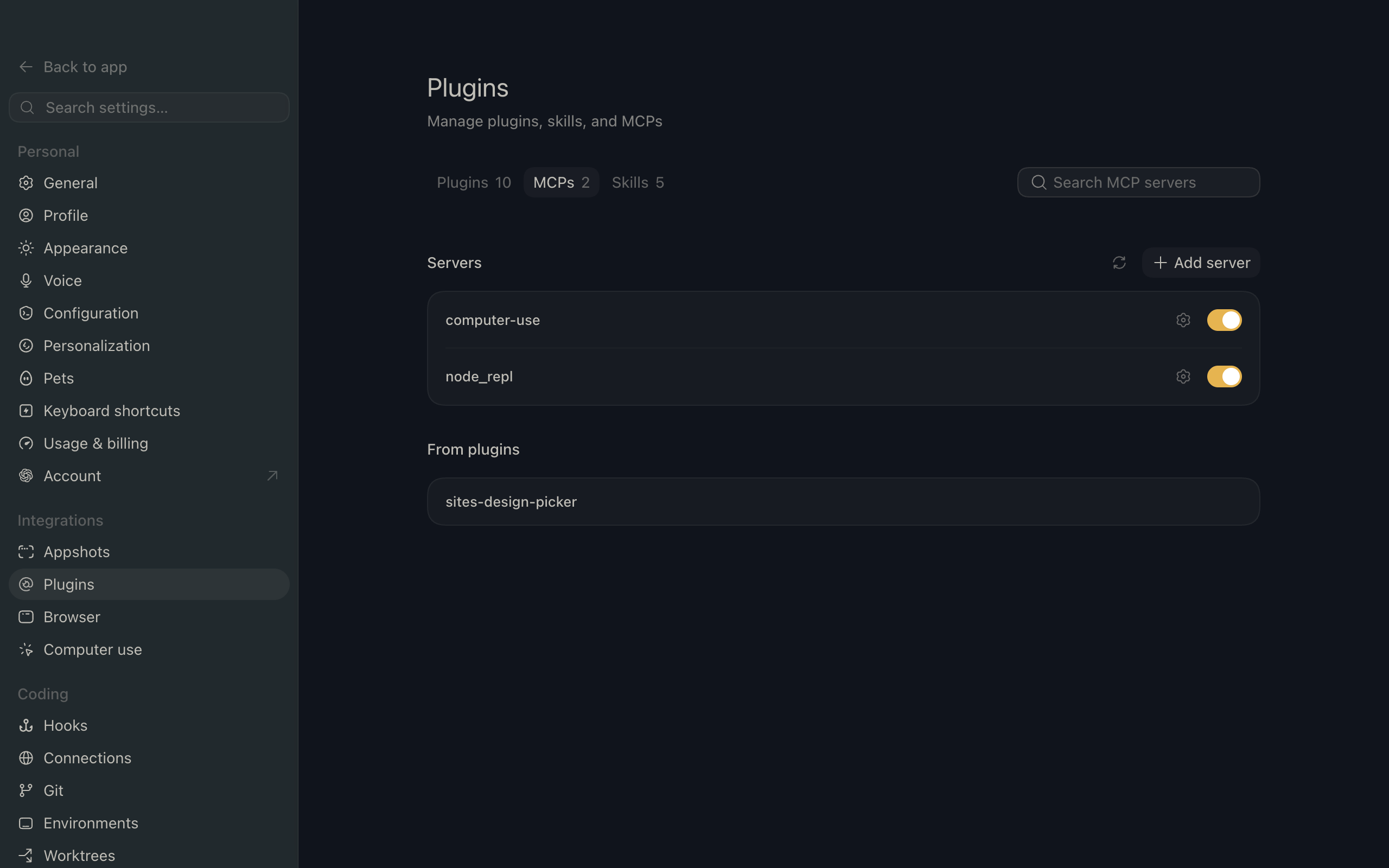
ChatGPT settings showing the Plugins page with the MCP tab selected

2. Add the server

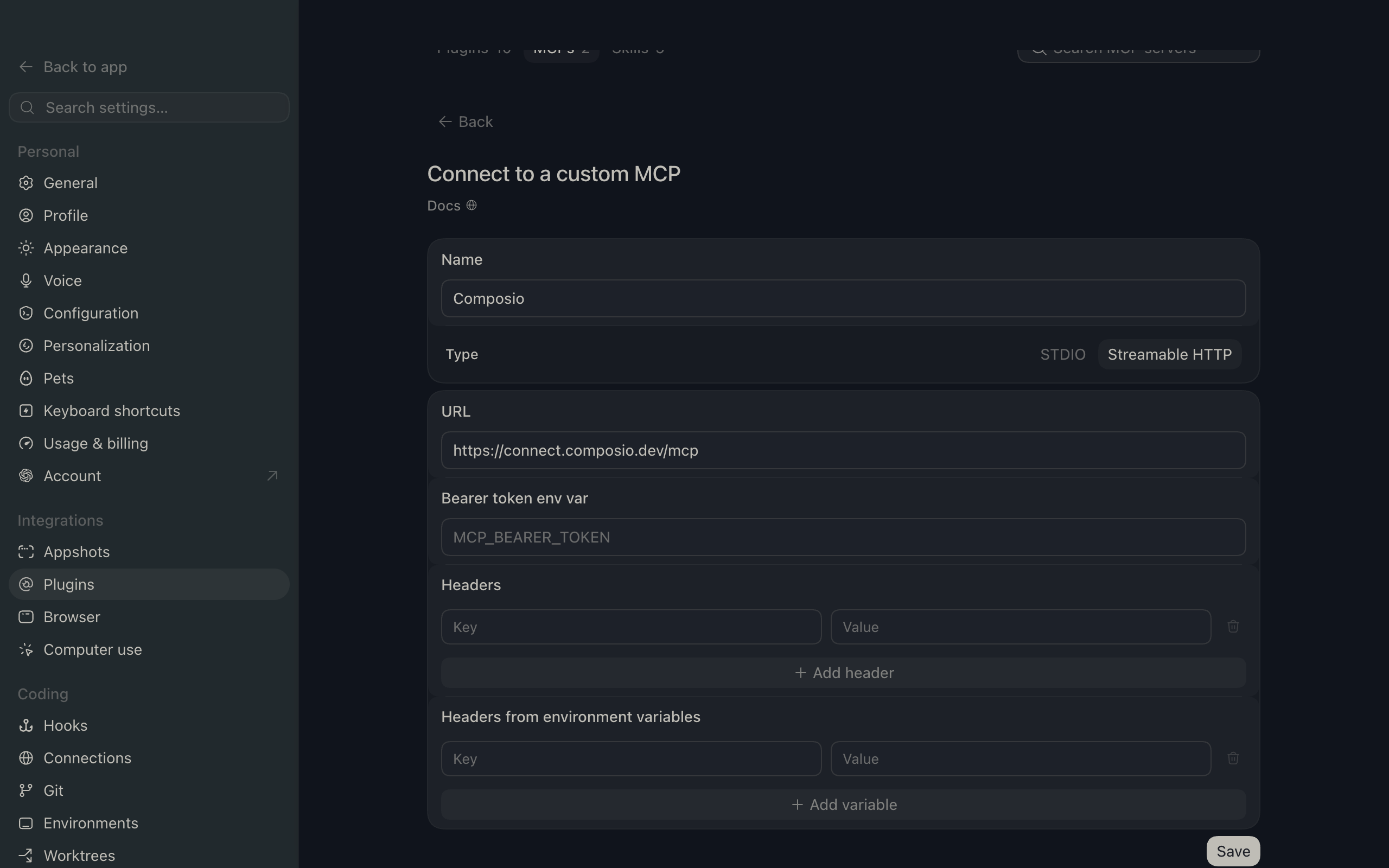
Click Add server. In the Name field enter Composio, for Type select Streamable HTTP, and in the URL field paste the Composio MCP server URL:

bash
https://connect.composio.dev/mcp
ChatGPT Add server dialog with the name Composio, type Streamable HTTP, and the Composio MCP URL

Then click Save. The Composio server now appears in your MCP plugins list.

ChatGPT Plugins page showing the Composio MCP server added to the list

3. Authenticate

Click Authenticate on the Composio entry, log in via Composio, and click Allow access. Composio tools are then available in ChatGPT the same way as with the plugin.

What you can do after connecting HarvestAPI

  • Search LinkedIn for senior engineers in Austin
  • Enrich a LinkedIn profile with company data
  • Find companies hiring data scientists in Boston

Security + privacy notes (important)

  • Use least-privilege access: Only grant permissions you actually need.
  • Review OAuth permissions before approving: Make sure requested scopes match what you expect Composio and ChatGPT to do.
  • Keep write actions human-reviewed: For actions like sending messages, creating labels, or editing drafts, keep manual confirmation enabled.
  • Be careful with sensitive data: Avoid using this setup with highly sensitive information unless allowed by your personal, company, or client policies.
TOOLS

Supported Tools

Every HarvestAPI action and event your agent gets out of the box.

Get LinkedIn Account Insights

Get broad LinkedIn company intelligence including company and revenue data, AI-generated sourced summaries, competitors, key people, headcount, hiring, news, suggested contacts, and alerts.

Get LinkedIn Ad

Get detailed creative, advertiser, impression, and targeting data for one LinkedIn ad.

Get LinkedIn Comment Reactions

Get one page of reactions to a LinkedIn comment.

Get LinkedIn Company

Enrich one LinkedIn company by company URL, universal name, or company ID.

Get LinkedIn Company People Stats

Return aggregate LinkedIn employee distributions for a company across location, school, function, skills, services, and fields of study.

Get LinkedIn Company Posts

Get one page of posts from a LinkedIn company.

Get LinkedIn Event

Get one LinkedIn event by URL or ID, including timing, venue, organizer, speakers, and announcement post.

Get LinkedIn Group

Get complete details for one LinkedIn group.

Get LinkedIn Job

Get complete details for one LinkedIn job.

Get My API User

Return details for the HarvestAPI user associated with the connected API key.

Get My Private Account Pools

Return private LinkedIn account-pool details associated with the connected HarvestAPI API user.

Get LinkedIn Post

Get one LinkedIn post by URL.

Get LinkedIn Post Comment Replies

Get one page of replies to a LinkedIn comment.

Get LinkedIn Post Comments

Get one page of comments for a LinkedIn post.

Get LinkedIn Post Reactions

Get one page of reactions to a LinkedIn post.

Get LinkedIn Profile

Enrich one LinkedIn profile by URL, public identifier, or profile ID.

Get LinkedIn Profile by Email

Reverse lookup a LinkedIn profile from a work email address.

Get LinkedIn Profile Comments

Get one page of comments authored by a LinkedIn profile, optionally limited by age.

Get LinkedIn Profile Posts

Use this dedicated profile feed to retrieve a profile's complete authored-post history one page at a time; unlike SEARCH_POSTS, it is intended for complete profile post retrieval.

Get LinkedIn Profile Reactions

Get one page of reactions made by a LinkedIn profile.

Search LinkedIn Accounts

Find LinkedIn companies with advanced recruiting and sales filters such as growth, hiring, department headcount, activity, and exclusions, returning one 25-result page.

Search LinkedIn Ads

Search the LinkedIn Ad Library by a complete search URL or structured keyword, advertiser, country, and date filters, returning one page.

Search LinkedIn Companies

Find LinkedIn companies by name keywords, location, size, or industry and return one controllable result page.

Search LinkedIn Events

Search LinkedIn events by keywords and return one controllable page.

Search LinkedIn Geo IDs

Resolve location text to LinkedIn Geo IDs for precise people and company search filters.

Search LinkedIn Groups

Search LinkedIn groups by keyword and return one controllable result page.

Search LinkedIn Jobs

Search LinkedIn jobs by title, company, location, work arrangement, employment type, salary, recency, seniority, industry, or function and return one controllable page.

Search LinkedIn Leads

Search LinkedIn people for recruiting candidates or sales prospects with advanced inclusion and exclusion filters, including a Sales Navigator search URL, and return one controllable result page.

Search LinkedIn Posts

Search LinkedIn posts by keywords, authors, companies, mentions, content type, group, and date controls, returning one page only.

Search LinkedIn Profiles

Search public LinkedIn profiles by person, employer, school, title, location, industry, or follower relationship and return one result page.

Search LinkedIn Services

Search LinkedIn service-provider profiles by service or name keywords and location.

Search LinkedIn Typeahead

Return LinkedIn search-bar suggestions or one page of company, school, or profile suggestions.

FAQ

Frequently asked questions

Start with HarvestAPI.It takes 30 seconds.

Managed auth, hosted MCP servers, and every HarvestAPI tool your agent needs.Free to start.

Start building