How to integrate Google Slides MCP with Grok Build

Connect Grok Build to Google Slides MCP. Turn this meeting summary into slides, add a new slide with project milestones, and more from your terminal, with authentication handled for you.

Google Slides logoGoogle Slides
Oauth2

Google Slides is a cloud-based presentation editor with real-time collaboration and a template gallery. It helps teams create, edit, and share polished presentations from anywhere.

7 Tools1 Triggers

How to integrate Google Slides MCP with Grok Build

Grok Build is xAI's terminal coding agent. It runs on Grok 4.5, plans its work before it acts, and can run multiple sub-agents in parallel. It also reads Claude Code's MCP configuration, so any server you already have in a .mcp.json is picked up with no changes.

In this guide, I will show you how to connect your Google Slides account to Grok Build through Composio, so it can turn this meeting summary into slides, add a new slide with project milestones, update presentation with these markdown notes, and more without leaving the terminal. Composio holds the OAuth tokens for you, and Grok Build only calls the tools you approve.

For exact tool slugs and parameter tables, see the tool catalog in the Composio docs.
Also integrate Google Slides with

Why use Composio over a standalone MCP server?

  • Read and write access. Composio's Google Slides integration lets Grok Build take real actions like creating drafts, sending updates, and labeling records, not just reading data.
  • 1,700+ SaaS toolkits out of the box. One endpoint gives you a full catalog of pre-built connectors, from Gmail and Slack to Notion, Linear, and Salesforce.
  • One MCP server for every app. Wire up a single Composio server instead of maintaining a separate MCP entry for each app.
  • Smart, context-aware tool loading. Grok Build caps how many tools it holds in a single request. Composio loads only the tools a task needs, so you do not spend that budget on tools you are not using.
  • Cross-app automation. Chain actions across apps in one run. Pull a thread, summarize it in Notion, and post the highlights to Slack from a single prompt.

Prerequisites

  • Grok Build installed and signed in. Install with curl -fsSL https://x.ai/cli/install.sh | bash on macOS or Linux, or irm https://x.ai/cli/install.ps1 | iex on Windows PowerShell. On first launch Grok opens a browser to authenticate; for headless or CI use, set an XAI_API_KEY environment variable instead (create the key at console.x.ai).
  • Access to the Google Slides account you want to connect.
  • The Composio MCP endpoint. Composio's server is remote and hosted, so there is nothing to run locally and no tunnel to set up.

Step-by-step: Connect Google Slides to Grok Build

1. Install and verify Grok Build

Install the CLI, then restart your shell so the grok binary lands on your PATH:

bash
curl -fsSL https://x.ai/cli/install.sh | bash
which grok

On Windows, install with PowerShell instead: irm https://x.ai/cli/install.ps1 | iex. If which grok returns a path, you are set. Grok Build runs on Grok 4.5 by default; you can switch models inside the session with /model <name>.

2. Add the Composio server

Add Composio as a remote HTTP MCP server with the grok mcp add command:

bash
grok mcp add --transport http composio https://connect.composio.dev/mcp

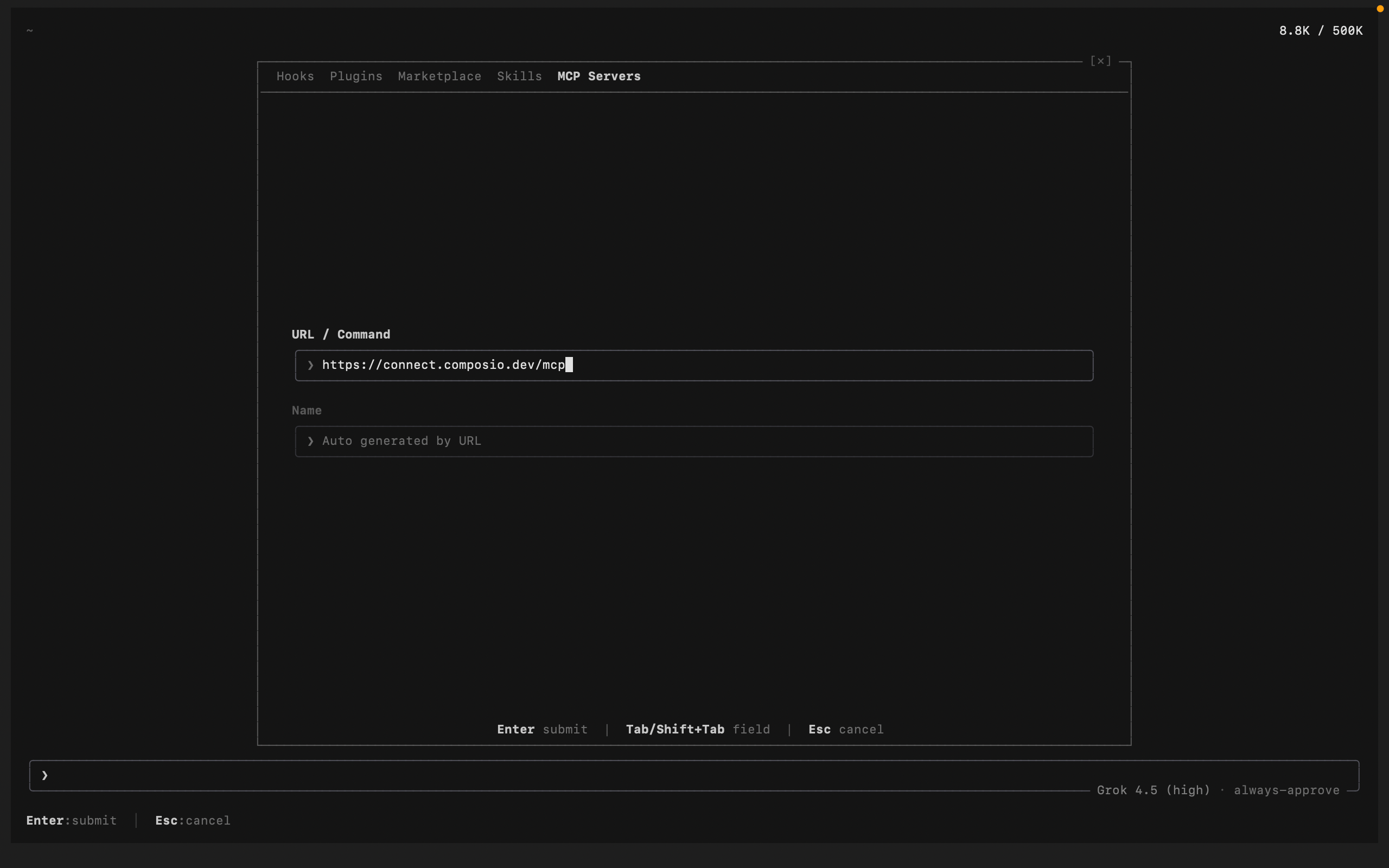
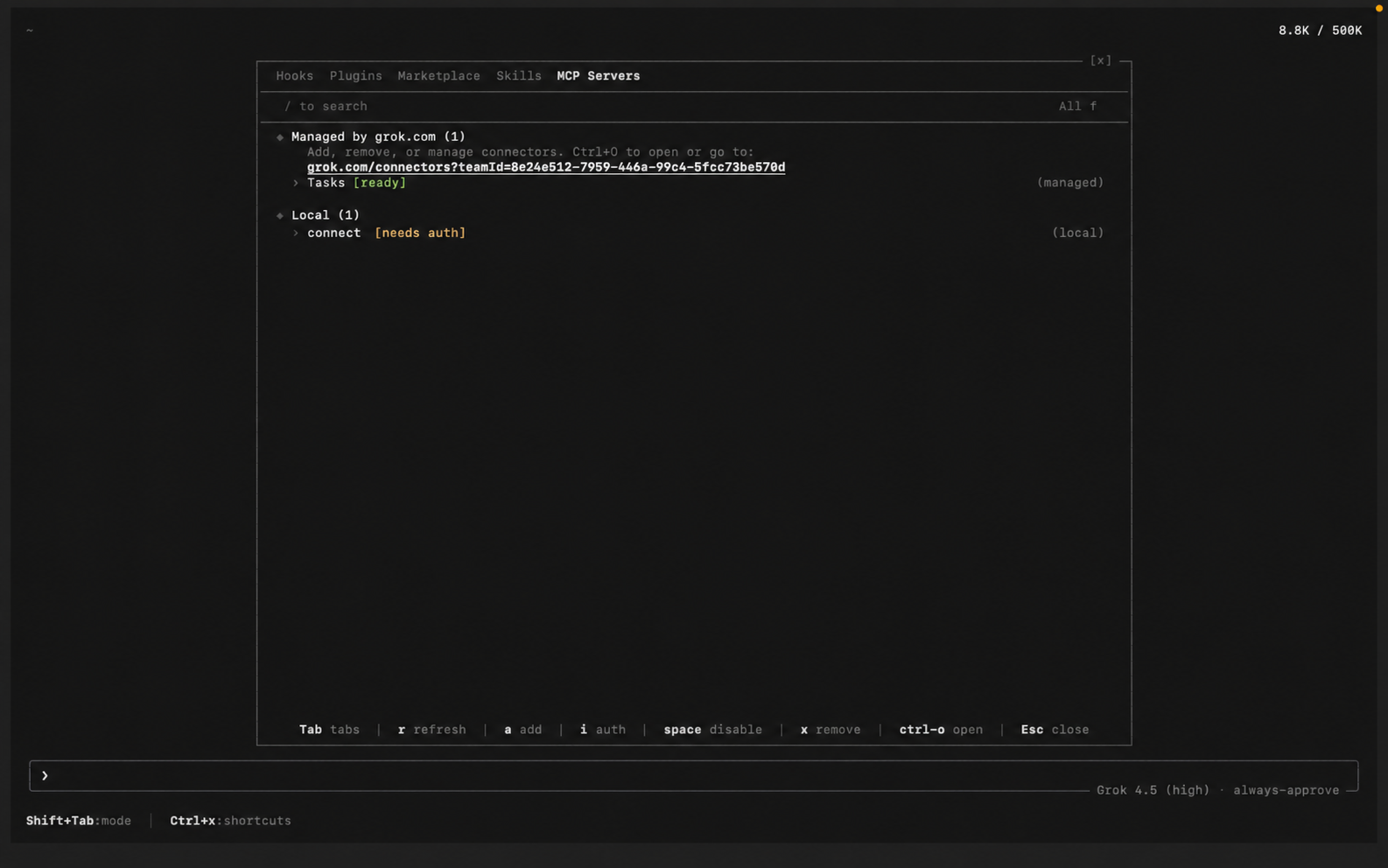
You can also add and manage servers from inside a session. Run /mcps to open the extensions modal on the MCP tab, then add a new server and paste the Composio URL. Added this way, Grok auto-detects the name from the URL and lists the server as connect:

bash
https://connect.composio.dev/mcp
Grok Build /mcps extensions modal listing MCP servers Grok Build adding the Composio MCP server with its URL

Grok also reads Claude Code-style config, so an entry in ~/.grok/config.toml or a project .mcp.json works the same way.

3. Authenticate

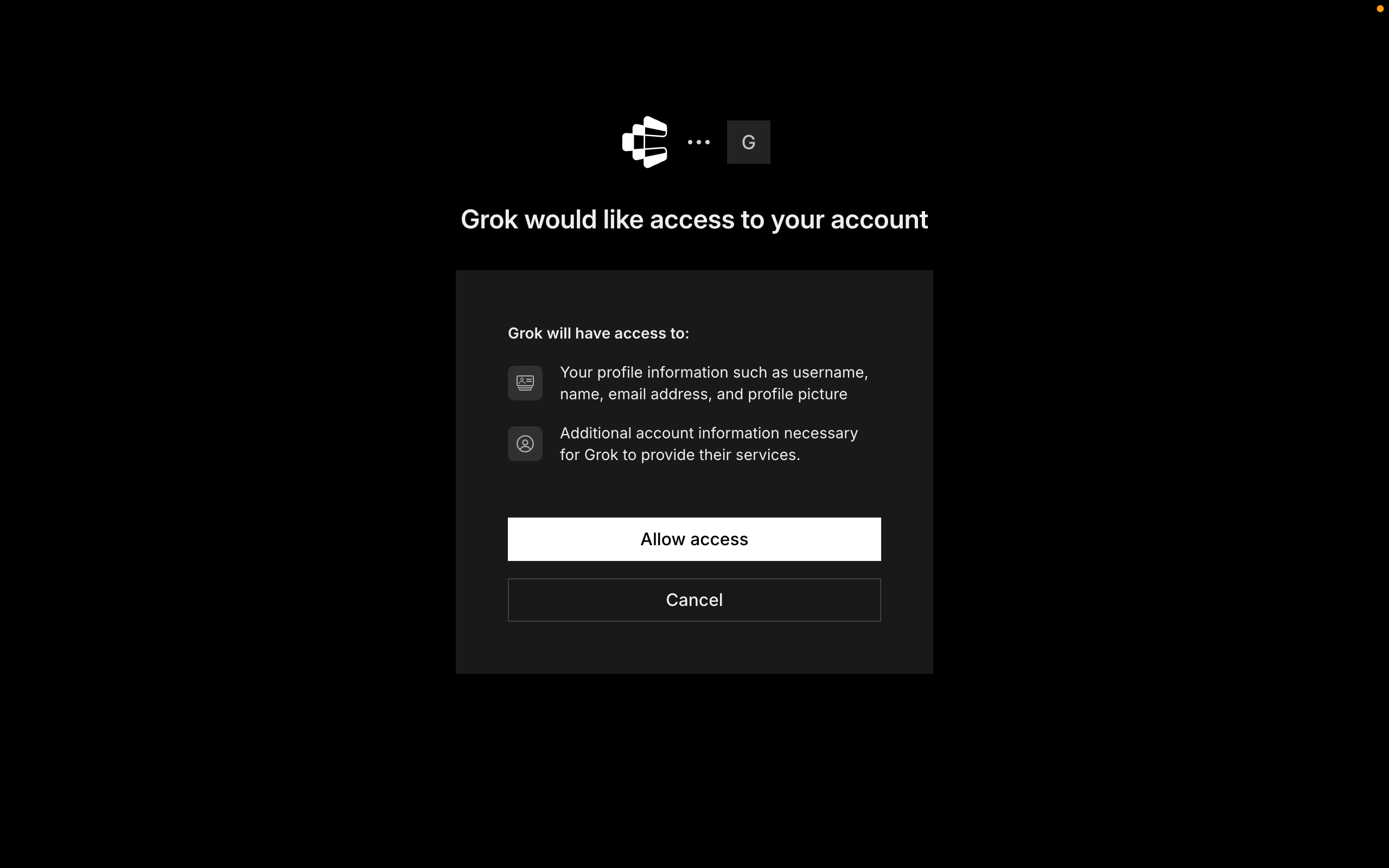
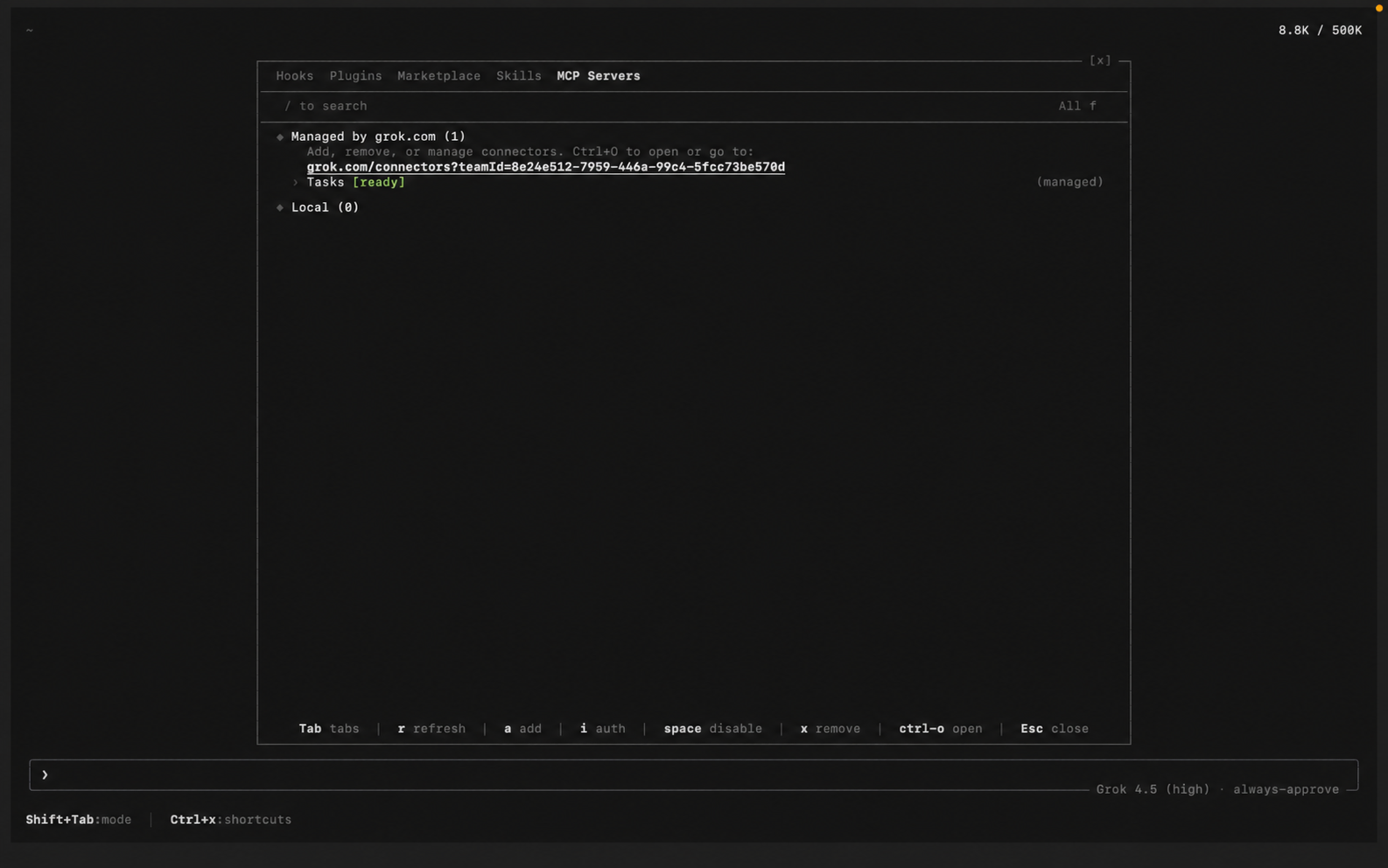
Composio uses OAuth. In the /mcps modal, select the Composio server and press i to authenticate (Grok also triggers this browser flow automatically the first time it uses a Composio tool). Click Allow to authorize access. Grok stores the tokens under ~/.grok/mcp_credentials.json, and /mcps shows Composio as connected.

Grok Build prompting to authenticate the Composio MCP server Composio authorization screen with the Allow button for Grok Build

4. Start building

Ask Grok to work with your Google Slides account through Composio. On the first Google Slides action, Composio prompts you to connect the account through OAuth. Approve the scopes once, and Composio handles token refresh from there.

What you can do after connecting Google Slides

  • Turn this meeting summary into slides
  • Add a new slide with project milestones
  • Update presentation with these markdown notes
  • Get thumbnail of the third slide

Security + privacy notes (important)

  • Use least-privilege access. Grant only the Google Slides scopes you actually need.
  • Review OAuth scopes before approving. Check that the requested scopes match what you expect Composio and Grok Build to do.
  • Keep write actions human-reviewed. Grok Build proposes a plan before it acts. Leave that approval step on for actions like sending messages or editing records.
  • Keep secrets out of version control. Your XAI_API_KEY and any tokens should never be committed. Use environment variables or a secrets manager.
TOOLS & TRIGGERS

Supported Tools and Triggers

Every Google Slides action and event your agent gets out of the box.

Create Google Slides Presentation

Create a blank Google Slides presentation with an optional title and presentation ID.

Create Slides from Markdown

Creates a new Google Slides presentation from Markdown, splitting content into slides at '---' separators and selecting layouts based on content structure.

Get Page Thumbnail v2

Tool to generate a thumbnail of the latest version of a specified page.

Update Presentation (Batch/Markdown)

Update a Google Slides presentation using markdown or raw API requests.

Copy Google Slides from Template

Tool to create a new Google Slides presentation by duplicating an existing template deck via Drive file copy.

Get Presentation

Retrieve the latest version of a presentation by ID or exact name, selecting the first matching non-trashed presentation for a name.

Get Presentation Page

Tool to get the latest version of a specific page in a presentation.

FAQ

Frequently asked questions

Start with Google Slides.It takes 30 seconds.

Managed auth, hosted MCP servers, and every Google Slides tool your agent needs.Free to start.

Start building