How to integrate Finage MCP with Grok Build

Connect Grok Build to Finage MCP. Show real-time quote for aapl stock, summarize today's news for tsla, and more from your terminal, with authentication handled for you.

Finage logoFinage
Api Key

Finage is a secure API platform delivering real-time and historical financial data for stocks, forex, crypto, indices, and commodities. It empowers developers and businesses to access, analyze, and act on market data instantly.

39 Tools

How to integrate Finage MCP with Grok Build

Grok Build is xAI's terminal coding agent. It runs on Grok 4.5, plans its work before it acts, and can run multiple sub-agents in parallel. It also reads Claude Code's MCP configuration, so any server you already have in a .mcp.json is picked up with no changes.

In this guide, I will show you how to connect your Finage account to Grok Build through Composio, so it can show real-time quote for AAPL stock, summarize today's news for TSLA, get last week's price history for MSFT, and more without leaving the terminal. Composio holds the OAuth tokens for you, and Grok Build only calls the tools you approve.

Also integrate Finage with

Why use Composio over a standalone MCP server?

  • Read and write access. Composio's Finage integration lets Grok Build take real actions like creating drafts, sending updates, and labeling records, not just reading data.
  • 1,000+ SaaS toolkits out of the box. One endpoint gives you a full catalog of pre-built connectors, from Gmail and Slack to Notion, Linear, and Salesforce.
  • One MCP server for every app. Wire up a single Composio server instead of maintaining a separate MCP entry for each app.
  • Smart, context-aware tool loading. Grok Build caps how many tools it holds in a single request. Composio loads only the tools a task needs, so you do not spend that budget on tools you are not using.
  • Cross-app automation. Chain actions across apps in one run. Pull a thread, summarize it in Notion, and post the highlights to Slack from a single prompt.

Prerequisites

  • Grok Build installed and signed in. Install with curl -fsSL https://x.ai/cli/install.sh | bash on macOS or Linux, or irm https://x.ai/cli/install.ps1 | iex on Windows PowerShell. On first launch Grok opens a browser to authenticate; for headless or CI use, set an XAI_API_KEY environment variable instead (create the key at console.x.ai).
  • Access to the Finage account you want to connect.
  • The Composio MCP endpoint. Composio's server is remote and hosted, so there is nothing to run locally and no tunnel to set up.

Step-by-step: Connect Finage to Grok Build

1. Install and verify Grok Build

Install the CLI, then restart your shell so the grok binary lands on your PATH:

bash
curl -fsSL https://x.ai/cli/install.sh | bash
which grok

On Windows, install with PowerShell instead: irm https://x.ai/cli/install.ps1 | iex. If which grok returns a path, you are set. Grok Build runs on Grok 4.5 by default; you can switch models inside the session with /model <name>.

2. Add the Composio server

Add Composio as a remote HTTP MCP server with the grok mcp add command:

bash
grok mcp add --transport http composio https://connect.composio.dev/mcp

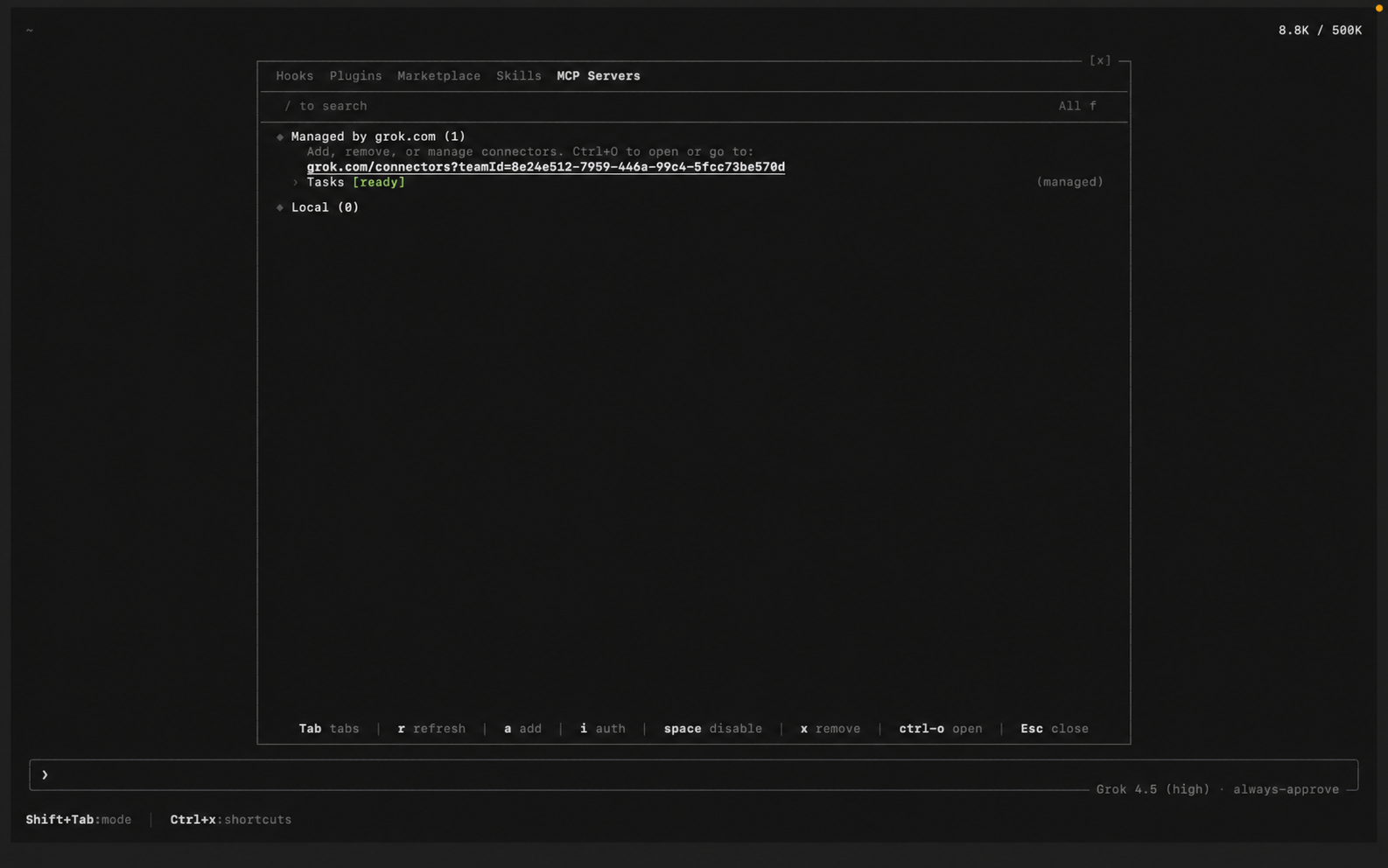
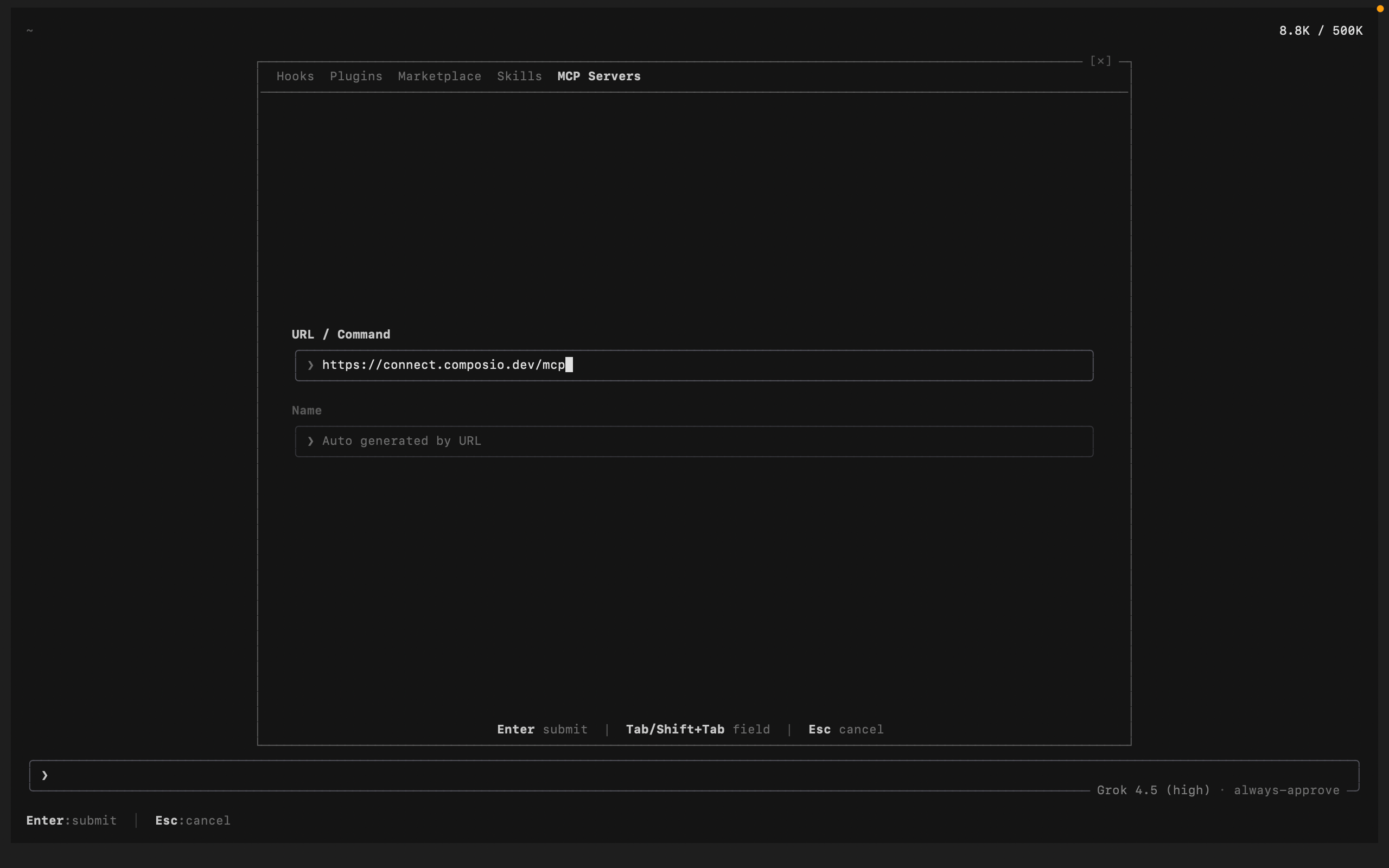
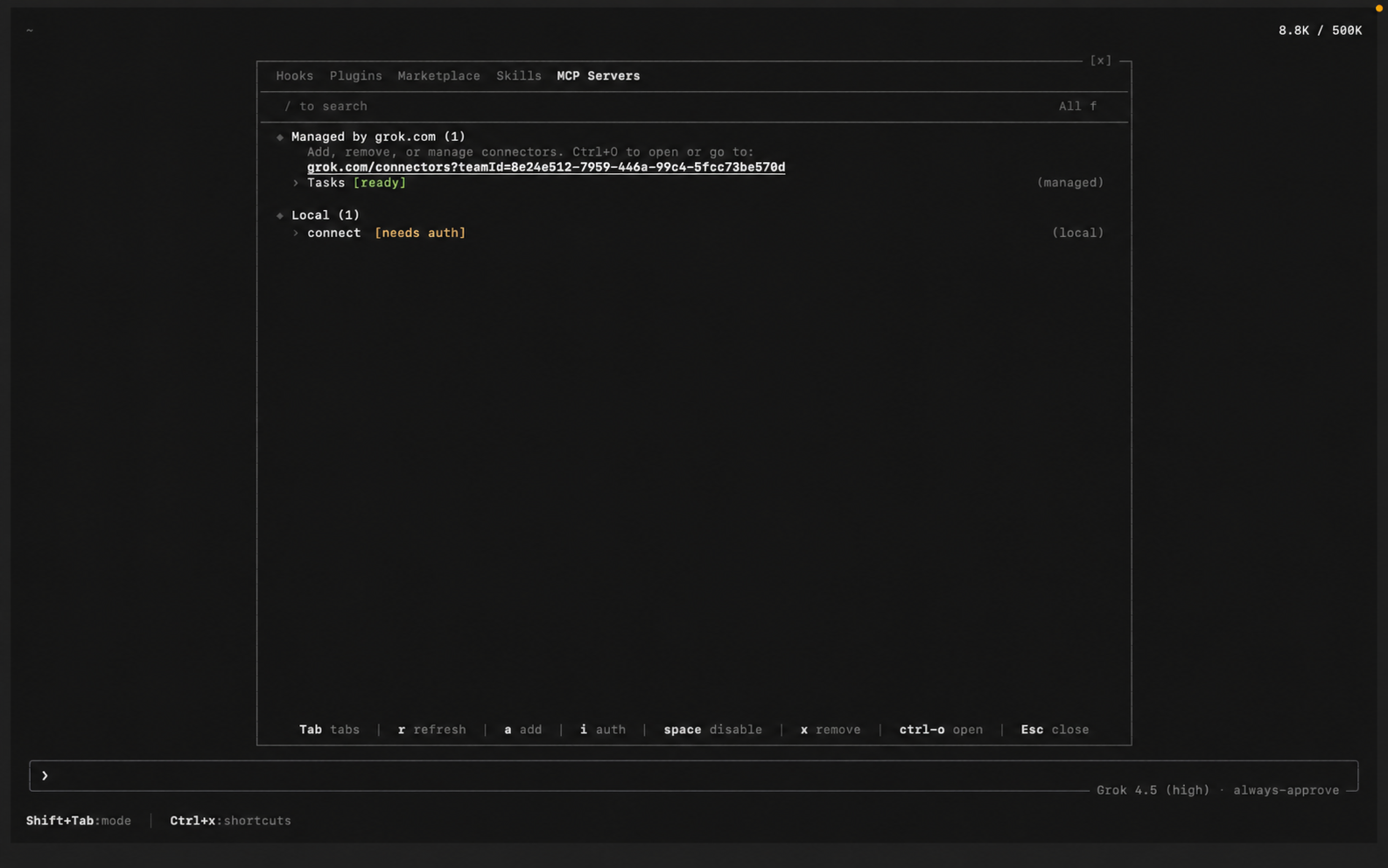
You can also add and manage servers from inside a session. Run /mcps to open the extensions modal on the MCP tab, then add a new server and paste the Composio URL. Added this way, Grok auto-detects the name from the URL and lists the server as connect:

bash
https://connect.composio.dev/mcp
Grok Build /mcps extensions modal listing MCP servers Grok Build adding the Composio MCP server with its URL

Grok also reads Claude Code-style config, so an entry in ~/.grok/config.toml or a project .mcp.json works the same way.

3. Authenticate

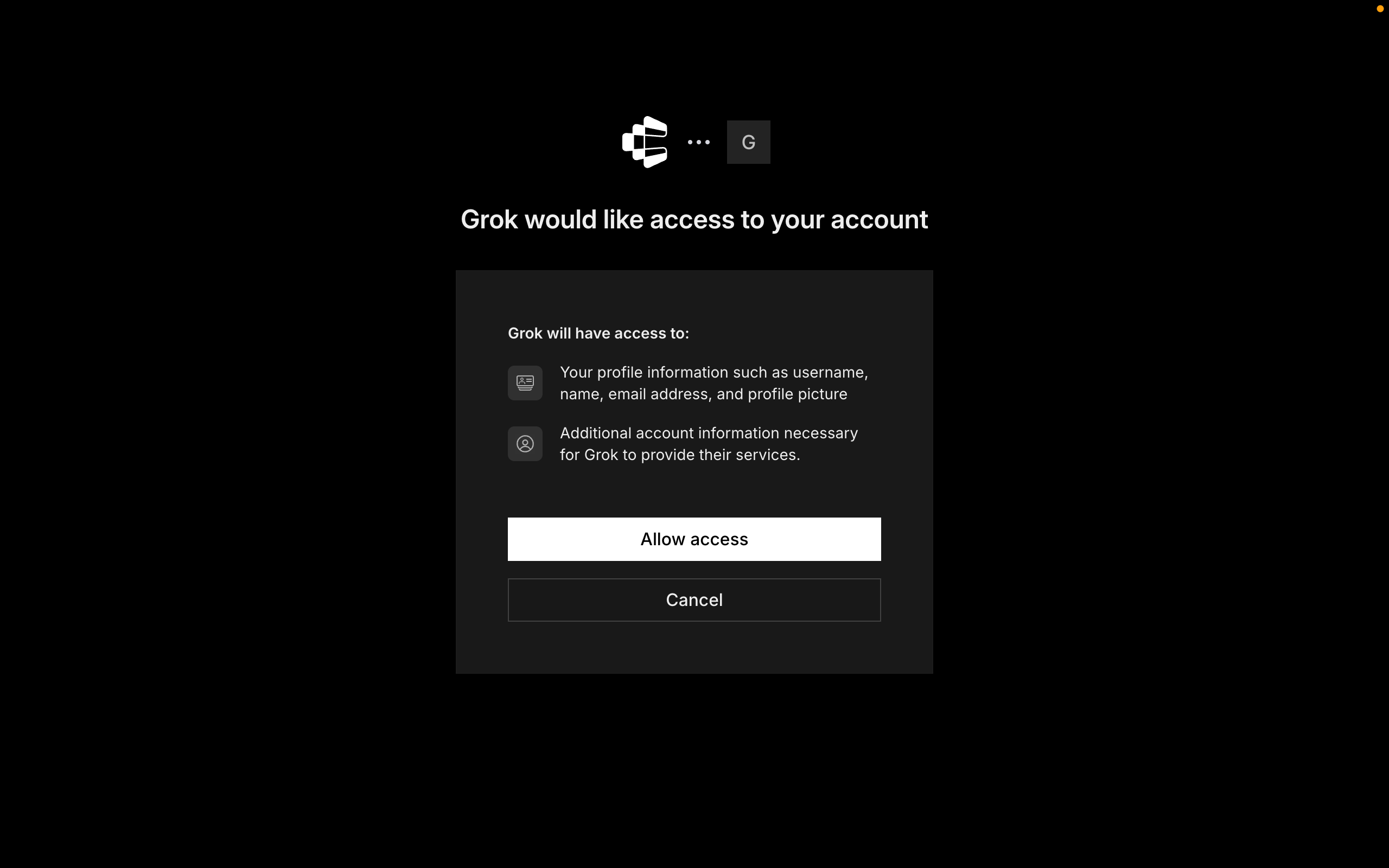
Composio uses OAuth. In the /mcps modal, select the Composio server and press i to authenticate (Grok also triggers this browser flow automatically the first time it uses a Composio tool). Click Allow to authorize access. Grok stores the tokens under ~/.grok/mcp_credentials.json, and /mcps shows Composio as connected.

Grok Build prompting to authenticate the Composio MCP server Composio authorization screen with the Allow button for Grok Build

4. Start building

Ask Grok to work with your Finage account through Composio. On the first Finage action, Composio prompts you to connect the account through OAuth. Approve the scopes once, and Composio handles token refresh from there.

What you can do after connecting Finage

  • Show real-time quote for AAPL stock
  • Summarize today's news for TSLA
  • Get last week's price history for MSFT
  • Check if US stock market is open now

Security + privacy notes (important)

  • Use least-privilege access. Grant only the Finage scopes you actually need.
  • Review OAuth scopes before approving. Check that the requested scopes match what you expect Composio and Grok Build to do.
  • Keep write actions human-reviewed. Grok Build proposes a plan before it acts. Leave that approval step on for actions like sending messages or editing records.
  • Keep secrets out of version control. Your XAI_API_KEY and any tokens should never be committed. Use environment variables or a secrets manager.
TOOLS

Supported Tools

Every Finage action and event your agent gets out of the box.

Convert Cryptocurrencies

Tool to convert cryptocurrencies using real-time exchange rates from the Finage API.

Convert Currency

Tool to convert currencies using real-time forex exchange rates from Finage API.

Get US Treasury Bond Rate

Retrieve the current interest rate for a US Treasury bond by maturity.

Get Country Details

Tool to retrieve detailed information about a country including currency, phone code, and flag.

Get Crypto Aggregates

Tool to retrieve aggregated OHLCV time-series data for cryptocurrency pairs over specified time periods.

Get Crypto Detail

Tool to get detailed fundamental information about a cryptocurrency including description, developers, website, social media links, and technical details.

Get Detailed Crypto Information

This tool fetches detailed cryptocurrency information including current price, price changes, volume, market cap, and historical highs/lows for a specific cryptocurrency pair.

Get Crypto Last Quote

Tool to get the last quote with bid/ask prices in real-time for a cryptocurrency pair.

Get Crypto Last Trade

Tool to get the latest trade information and prices in real-time for a cryptocurrency pair.

Get Crypto News

Tool to retrieve real-time and historical news for cryptocurrency markets with fast In-Memory Cache Engine.

Get Crypto Previous Close Data

Tool to get the previous day's closing data for a cryptocurrency pair.

Get Crypto Snapshot

Tool to get a comprehensive snapshot of cryptocurrency market data with latest quotes and trades in one request.

Get Currency Detail

Tool to get detailed information about a forex currency pair including currency codes and country flags.

Get Forex Last Quote

Tool to get the latest real-time bid/ask quote for a forex pair or metal (e.

Get Forex Last Trade

Tool to get the last trade information for a forex currency pair.

Get Forex Market Aggregates

Tool to retrieve aggregated OHLCV (Open, High, Low, Close, Volume) data for forex and metal pairs over specified time periods.

Get Forex News

Tool to retrieve real-time and historical news for forex markets from Finage's API.

Get Forex Previous Close Data

Tool to get the previous day's closing data for a forex currency pair.

Get Forex Snapshot

Tool to get a comprehensive snapshot of forex market data with latest quotes and trades in one request.

Get Most Active US Stocks

Tool to get a list of the most actively traded US stocks.

Get SEC RSS Feed

Tool to retrieve the SEC RSS feed for recent EDGAR filings.

Get Sector Performance

Tool to retrieve performance metrics across US market sectors.

Get Stock Company Details

Tool to retrieve detailed company information and stock fundamentals for a given ticker symbol.

Get Stock Last Quote

Fetches the latest single-tick quote for a stock symbol, returning a JSON object with fields: symbol, ask, bid, asize, bsize, and timestamp.

Get Stock Last Trade

Tool to get the most recent trade information for a specified US stock symbol.

Get Stock Market Aggregates

Retrieves aggregated OHLCV (Open, High, Low, Close, Volume) data for US stocks only.

Get Stock Market News

This tool retrieves the latest market news from Finage's API.

Get Stock Market Status

Tool to check if stock, forex, and crypto markets are open, closed, or in extended hours.

Get Stock Previous Close Data

This tool retrieves the previous day's closing data for a specific stock symbol.

Get Stock Snapshot

Tool to get comprehensive snapshot of all US stock market data including latest quotes and trades with one single API request.

Get Technical Indicators

Tool to get technical indicators and signals for stocks from Finage API.

Get Top Gaining US Stocks

Tool to get list of top gaining US stocks by percentage change.

Get Top Losing US Stocks

Tool to get list of top losing US stocks by percentage change.

List Cryptocurrencies by Market Cap

Tool to get a list of all available cryptocurrencies ranked by market capitalization.

List Symbols by Market Type

Tool to get a paginated list of all available symbols for a specified market type (us-stock, ca-stock, in-stock, ru-stock, forex, crypto, index).

Search Country

Tool to search for countries by name and retrieve their details including country code, currency, flag, and phone code.

Search Cryptocurrency

Tool to search for cryptocurrencies by name or symbol.

Search Currency

Tool to search for currency pairs and forex symbols by currency code or partial match.

Search Market for Stocks

Tool to search for stocks in a specific market by company name or symbol.

FAQ

Frequently asked questions

A standalone Finage MCP server gives Grok Build a fixed set of Finage tools tied to that one server. The Composio Tool Router lets Grok Build load tools from Finage and many other apps on demand, based on the task, all through a single endpoint.

Yes. Grok Build ships with native MCP support. Add a server with the grok mcp add command, from the in-session /mcps modal, or by editing ~/.grok/config.toml. It also reads Claude Code-style .mcp.json files, so Grok Build discovers the tools automatically.

Yes. Grok Build has zero-migration compatibility with Claude Code's configuration, so the same Composio server entry works in both without edits.

Tokens, keys, and configuration are encrypted at rest and in transit. Composio is SOC 2 Type 2 compliant, so your Finage data and credentials are handled to that standard.

Start with Finage.It takes 30 seconds.

Managed auth, hosted MCP servers, and every Finage tool your agent needs.Free to start.

Start building