

How to integrate Eventzilla MCP with OpenClaw

Connect OpenClaw to Eventzilla MCP. List all upcoming events for this month, show me attendees for your latest event, and more using natural language, with authentication handled for you.

Eventzilla logoEventzilla
Api Key

Eventzilla is an event management platform for creating, promoting, and running events. It streamlines ticketing, registration, and attendee coordination for organizers.

9 Tools

Introduction

OpenClaw is the fastest growing agent harness out there, which can work 24/7 to automate almost any kind of tasks. However, its capabilities are limited to the tools it has access to. Composio allows your OpenClaw to access Eventzilla with authentication management handled for you. You can execute actions on Eventzilla via your favorite OpenClaw interface (Telegram, WhatsApp, TUI, etc), whichever you prefer.

For exact tool slugs and parameter tables, see the tool catalog in the Composio docs.
Also integrate Eventzilla with

Why use Composio?

Apart from a managed and hosted MCP server, you will get:

  • Programmatic tool calling allows LLMs to write its code in a remote workbench to handle complex tool chaining. Reduces to-and-fro with LLMs for frequent tool calling.
  • Handling Large tool responses out of LLM context to minimize context rot.
  • Dynamic just-in-time access to 20,000 tools across 1700+ other Apps for cross-app workflows. It loads the tools you need, so LLMs aren't overwhelmed by tools you don't need.

How to install Eventzilla with OpenClaw

Using Composio API Key and Setup Prompt

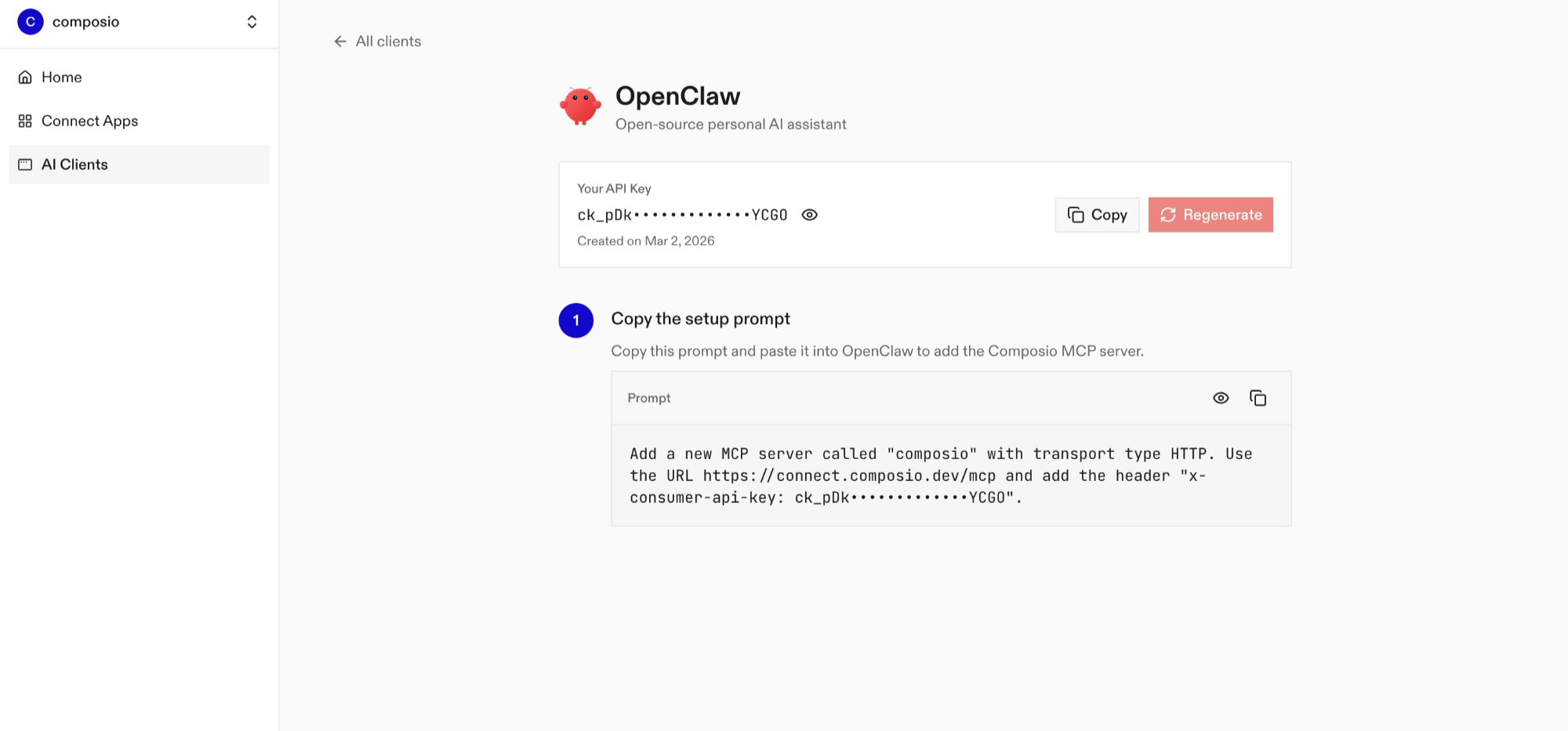
Copy the setup prompt from the OpenClaw dashboard
  • Run it in your OpenClaw chat interface.
  • Authenticate Eventzilla from the dashboard
  • Go back to your OpenClaw interface and start asking questions.

Using OpenClaw/Composio Plugin

1. Install OpenClaw Composio plugin

bash
openclaw plugins install @composio/openclaw-plugin

2. Copy the API Key from dashboard.composio.dev

3. Setup OpenClaw Config

bash
openclaw config set plugins.entries.composio.config.consumerKey "ck_your_key_here"

4. Restart OpenClaw

bash
openclaw gateway restart

5. Go to your chat interface and start asking questions.

6. When prompted, authenticate the app and you're all set.

How It Works

The plugin connects to Composio's MCP server at https://connect.composio.dev/mcp and registers all available tools directly into the OpenClaw agent. Tools are called by name — no extra search or execute steps needed.

If a tool returns an auth error, the agent will prompt you to connect that toolkit at dashboard.composio.dev.

Configuration

bash
{
  "plugins": {
    "entries": {
      "composio": {
        "enabled": true,
        "config": {
          "consumerKey": "ck_your_key_here"
        }
      }
    }
  }
}
OptionDescriptionDefault
enabledEnable or disable the plugintrue
consumerKeyYour Composio consumer key (ck_...)—
mcpUrlMCP server URL (advanced)https://connect.composio.dev/mcp

What is the Eventzilla MCP server, and what's possible with it?

The Eventzilla MCP server is an implementation of the Model Context Protocol that connects your AI agent and assistants like Claude, Cursor, etc directly to your Eventzilla account. It provides structured and secure access to your event management data, so your agent can perform actions like listing events, retrieving attendee details, exploring event categories, and managing user information on your behalf.

  • Comprehensive event listing and filtering: Ask your agent to fetch all your events or filter them by category, date, or status to get a quick overview of what's coming up or what has happened.
  • Easy attendee and user management: Have your agent list all users associated with your account, making it simple to review or export attendee and staff details.
  • Detailed user profile retrieval: Direct your agent to pull up full profiles for any user, helping you get the context you need without manual searching.
  • Quick access to event categories: Let your agent fetch all available event categories, so you can easily organize, sort, or plan new events based on your needs.

Conclusion

You've successfully integrated Eventzilla with OpenClaw using Composio plugin. Now interact with Eventzilla directly from your terminal, Web UI, or any messenger app using natural language commands.

Key benefits of this setup:

  • Seamless integration across TUI, Web UIs, and Messenger apps like Telegram, WhatsApp, Slack, etc.
  • Natural language commands for Eventzilla operations
  • Managed authentication through Composio
  • Access to 20,000+ tools across 1700+ apps for cross-app workflows
  • Programmatic tool calling for complex tool chaining

Next steps:

  • Try asking OpenClaw to perform various Eventzilla operations
  • Explore cross-app workflows by connecting more toolkits like Calendar, Slack, Notion, etc.
  • Build complex automation scripts that leverage OpenClaw's 24/7 running capabilities
TOOLS

Supported Tools

Every Eventzilla action and event your agent gets out of the box.

Cancel Order

Tool to cancel an event order by checkout ID and event ID.

Check In Attendee

Request attendee check-in or reversal using a ticket barcode.

Confirm Order

Tool to confirm an event order by checkout ID and event ID.

Get User Details

Request the profile of a specific Eventzilla user by ID, such as an organizer or sub-organizer.

List Event Categories

Tool to retrieve event categories available in Eventzilla.

List Events

Tool to retrieve a list of events associated with your account (supports filtering).

List Event Tickets

Retrieve ticket types for a specified event, including pricing, quantities, sales dates, purchase limits, and options such as partial payment.

List Event Transactions

Retrieve a page of transactions for a specified event, including buyer information, amounts, status, and payment methods.

List Users

Tool to retrieve a list of users associated with your account.

FAQ

Frequently asked questions

Start with Eventzilla.It takes 30 seconds.

Managed auth, hosted MCP servers, and every Eventzilla tool your agent needs.Free to start.

Start building
