


Discord CLI for AI Agents

Trusted by
AWS
Glean
Zoom
Airtable

30 min · no commitment · see it on your stack

Discord logo
CLI logo
divider

Introduction

CLIs are eating MCPs. The industry is converging on the very same idea. MCPs for all their merit can be token hungry, slow, and unreliable for complex tool chaining. However, coding agents have become incredibly good at working with CLIs, and in fact they are far more comfortable working with CLI tools than MCP.

With Composio's Universal CLI, your coding agents can talk to over 1000+ SaaS applications. With Discord, agents can list all discord servers i belong to, show your connected accounts on discord, fetch your discord profile information, and more — all without worrying about authentication.

This guide walks you through Composio Universal CLI and explains how you can connect it with coding agents like Claude Code, Codex, OpenCode, etc, for end-to-end Discord automation.

Also integrate Discord with

What is Universal CLI and why use it?

The idea behind building the universal CLI is to give agents a single command interface to interact with all your external applications. Here's what you'll get with it:

  • Agent-friendly: Coding agents like Claude Code, Codex, and OpenCode can use CLI tools natively — no MCP setup required.
  • Authentication handled: Connect once via OAuth or API Key, and all CLI commands work with your credentials automatically.
  • Tool discovery: Search, inspect, and execute 20,000+ tools across 1000+ apps from one interface.
  • Trigger support: Use triggers to listen for events across your apps, powered by real-time webhooks or polling under the hood.
  • Type generation: Generate typed schemas for autocomplete and type safety in your projects.

Prerequisites

Install the Composio CLI, authenticate, and initialize your project:

bash
# Install the Composio CLI
curl -fsSL https://composio.dev/install | bash

# Authenticate with Composio
composio login

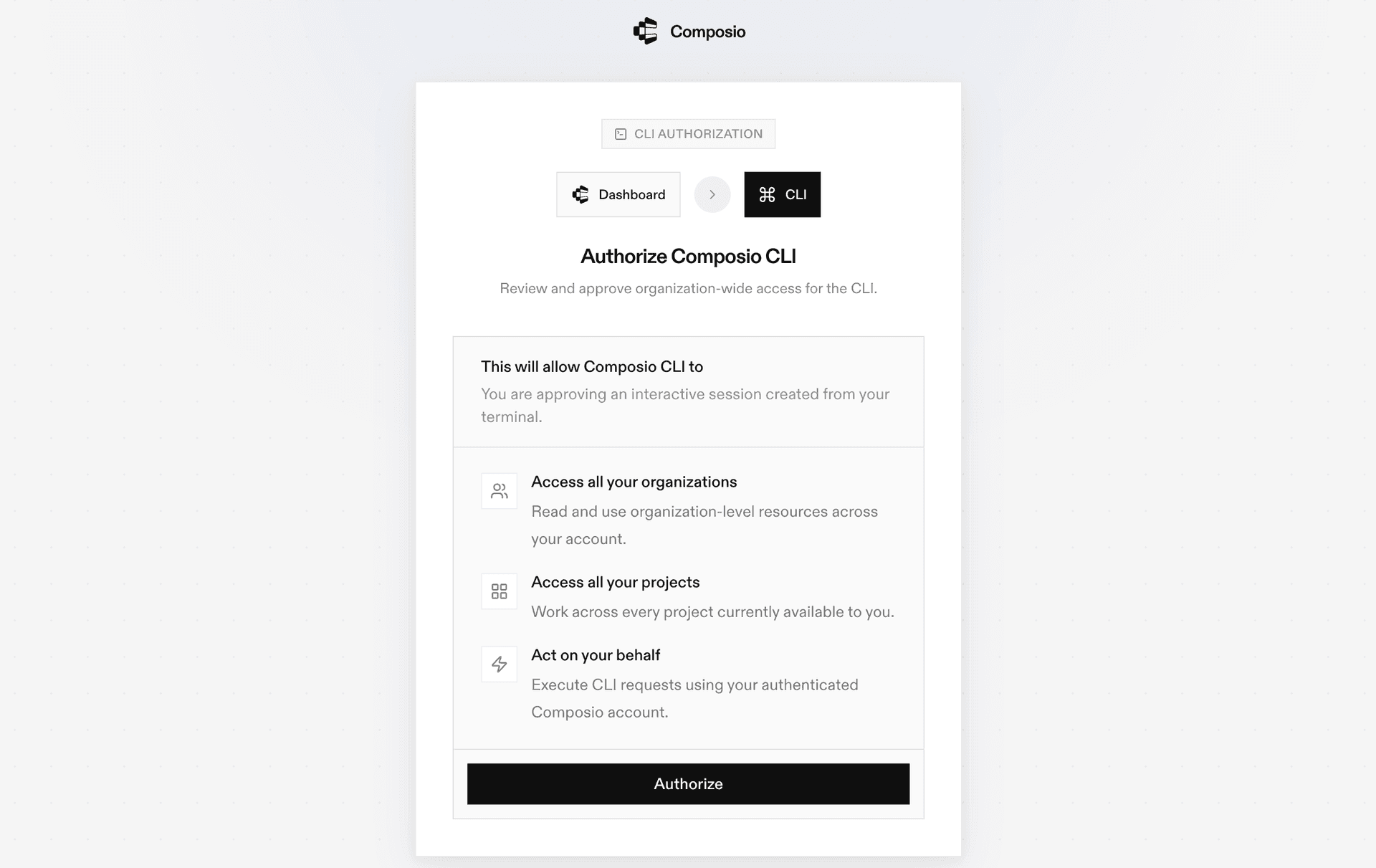
During login you'll be redirected to sign in page, finish the complete flow and you're all set.

Composio CLI authentication flow

Connecting Discord to Coding Agents via Universal CLI

Once it is installed, it's essentially done. Claude Code, Codex, OpenCode, OpenClaw, or any other agent will be able to access the CLI. A few steps to give agents access to your apps.

  1. Launch your Coding Agent — Claude Code, Codex, OpenCode, anything you prefer.
  2. Prompt it to "Authenticate with Discord"
  3. Complete the authentication and authorization flow and your Discord integration is all set.
  4. Start asking anything you want.

Supported Tools & Triggers

Tools
Triggers
Consume EntitlementMarks a one-time purchase consumable entitlement as consumed for a given application.
Delete Test EntitlementDeletes a currently active test entitlement for a given application.
Delete User Application Role ConnectionDeletes the current user's application role connection for the specified application.
Edit Application Command PermissionsEdits the permissions for a specific application command in a guild.
Get Application Command PermissionsRetrieves the permissions for a specific application command in a guild.
Get Batch Application Command PermissionsRetrieves permissions for all commands of an application in a guild.
Get Current User Application EntitlementsTool to retrieve entitlements for the current user for a given application.
Get GatewayTool to retrieve a valid WebSocket (wss) URL for establishing a Gateway connection to Discord.
Get Guild TemplateTool to retrieve information about a Discord guild template using its unique template code.
Get Guild WidgetTool to retrieve the guild widget in JSON format.
Get Guild Widget PNGTool to retrieve a PNG image widget for a Discord guild.
Get my guild memberRetrieves the guild member object for the currently authenticated user within a specified guild, including roles, nickname, join date, and permissions.
Get my OAuth2 authorizationRetrieves current OAuth2 authorization details for the application, including app info, scopes, token expiration, and user data (contingent on scopes like 'identify').
Get My UserFetches comprehensive profile information for the currently authenticated Discord user, including email if the 'email' scope is granted.
Get OpenID Connect userinfoRetrieve OpenID Connect compliant user information for the authenticated user.
Get Public KeysTool to retrieve Discord OAuth2 public keys.
Get SKU SubscriptionRetrieves a specific subscription by ID for a given SKU.
Get UserRetrieve information about a Discord user.
Get User Application Role ConnectionRetrieves the application role connection for the currently authenticated user for a specified application.
Resolve InviteTool to resolve and retrieve information about a Discord invite code.
Leave GuildLeaves a Discord guild (server) on behalf of the currently authenticated user.
List My ConnectionsRetrieves a list of the authenticated user's connected third-party accounts on Discord.
List My GuildsLists the current user's guilds, returning partial data for each; primarily used for displaying server lists or verifying memberships.
List SKU SubscriptionsLists all subscriptions for a given SKU.
List Sticker PacksTool to retrieve all available Discord Nitro sticker packs.
Modify Current UserModifies the currently authenticated Discord user's profile.
Update User Application Role ConnectionUpdates the application role connection for the currently authenticated user for a specified application.

Universal CLI Commands for Discord

You can also manually execute CLI commands to interact with your Discord.

Connect your Discord account

Link your Discord account and verify the connection:

bash
# Connect your Discord account (opens OAuth flow)
composio connected-accounts link discord

# Verify the connection
composio connected-accounts list --toolkits discord

Discover Discord tools

Search and inspect available Discord tools:

bash
# List all available Discord tools
composio tools list --toolkit discord

# Search for Discord tools by action
composio tools search "discord"

# Inspect a tool's input schema
composio tools info DISCORD_GET_INVITE

Common Discord Actions

Get InviteTool to retrieve information about a specific invite code

bash
composio tools execute DISCORD_GET_INVITE \
  --invite_code "0vCdhLbwjZZTWZLD"

Get my guild memberRetrieves the guild member object for the currently authenticated user within a specified guild, provided they are a member of that guild

bash
composio tools execute DISCORD_GET_MY_GUILD_MEMBER \
  --guild_id "81384788765712384"

Get my OAuth2 authorizationRetrieves current oauth2 authorization details for the application, including app info, scopes, token expiration, and user data (contingent on scopes like 'identify')

bash
composio tools execute DISCORD_GET_MY_OAUTH2_AUTHORIZATION

Get my userFetches comprehensive profile information for the currently authenticated discord user, including email if the 'email' scope is granted

bash
composio tools execute DISCORD_GET_MY_USER

Set up Discord Triggers

Listen for events in real time using triggers:

New Discord Message TriggerPolls a specific Discord channel for new messages

bash
# Find your connected account ID
composio connected-accounts list --toolkits discord

# Create a trigger
composio triggers create DISCORD_NEW_MESSAGE_TRIGGER \
  --connected-account-id <your-connected-account-id> \
  --trigger-config '{
  "limit": 50,
  "interval": 2,
  "channel_id": "<string>"
}'

# Listen for trigger events in real time
composio triggers listen --toolkits discord --table

Generate Type Definitions

Generate typed schemas for Discord tools to get autocomplete and type safety in your project:

bash
# Auto-detect language
composio generate --toolkits discord

# TypeScript
composio ts generate --toolkits discord

# Python
composio py generate --toolkits discord

Tips & Tricks

  • Always inspect a tool's input schema before executing: composio tools info <TOOL_NAME>
  • Pipe output with jq for better readability: composio tools execute TOOL_NAME -d '{}' | jq
  • Set COMPOSIO_API_KEY as an environment variable for CI/CD pipelines
  • Use composio dev logs tools to inspect execution logs and debug issues

Next Steps

  • Try asking your coding agent to perform various Discord operations
  • Explore cross-app workflows by connecting more toolkits
  • Set up triggers for real-time automation
  • Use composio generate for typed schemas in your projects

How to build Discord MCP Agent with another framework

FAQ

What is the Composio Universal CLI?

The Composio Universal CLI is a single command-line interface that lets coding agents and developers interact with 1000+ SaaS applications. It handles authentication, tool discovery, action execution, and trigger setup — all from the terminal, without needing to configure MCP servers.

Which coding agents work with the Composio CLI?

Any coding agent that can run shell commands works with the Composio CLI — including Claude Code, Codex, OpenCode, OpenClaw, and others. Once the CLI is installed, agents automatically discover and use the composio commands to interact with Discord and other connected apps.

How is the CLI different from using an MCP server for Discord?

MCP servers require configuration and can be token-heavy for complex workflows. The CLI gives agents a direct, lightweight interface — no server setup needed. Agents simply call composio commands like any other shell tool. It's faster to set up, more reliable for multi-step tool chaining, and works natively with how coding agents already operate.

How safe is my Discord data when using the Composio CLI?

All sensitive data such as tokens, keys, and configuration is fully encrypted at rest and in transit. Composio is SOC 2 Type 2 compliant and follows strict security practices so your Discord data and credentials are handled as safely as possible. You can also bring your own OAuth credentials for full control.

Used by agents from

Context
Letta
glean
HubSpot
Agent.ai
Altera
DataStax
Entelligence
Rolai
Context
Letta
glean
HubSpot
Agent.ai
Altera
DataStax
Entelligence
Rolai
Context
Letta
glean
HubSpot
Agent.ai
Altera
DataStax
Entelligence
Rolai

Never worry about agent reliability

We handle tool reliability, observability, and security so you never have to second-guess an agent action.








