How to connect AudD to Claude

Connect Claude Web, Desktop and Cowork to AudD MCP. Identify this song from an uploaded audio file, find lyrics for this identified track, and more using natural language, with authentication handled for you.

AudD logoAudD
Api Key

AudD is a music recognition service that identifies songs from audio. It also supports lyrics search, stream monitoring, and private music catalogs.

11 Tools

Introduction

Claude is Anthropic's AI assistant, available on the web, in the desktop app, and on mobile. Cowork is its agent for knowledge work, and it runs on all of those surfaces too. Connected to your apps, Claude can work with your files and services to accomplish complex tasks on your behalf.

This guide walks you through the easiest and most secure way to connect your AudD account to Claude via Composio Connect, enabling it to identify this song from an uploaded audio file, find lyrics for this identified track, monitor a live stream for song changes, and more such actions on your behalf without compromising your account security.

Setup is the same on Claude Web, Desktop, and Cowork, and you only need to do it once. The connector is tied to your account, so it's available in all three.

For exact tool slugs and parameter tables, see the tool catalog in the Composio docs.

Also integrate AudD with

Connecting AudD to Claude Web, Desktop, and Cowork

Two ways to add the Composio connector. Pick whichever you prefer.

1. Add with one click

Click the button. Claude opens with the Composio connector filled in. Click Add, then go to step 2.

Add to Claude

Add manually

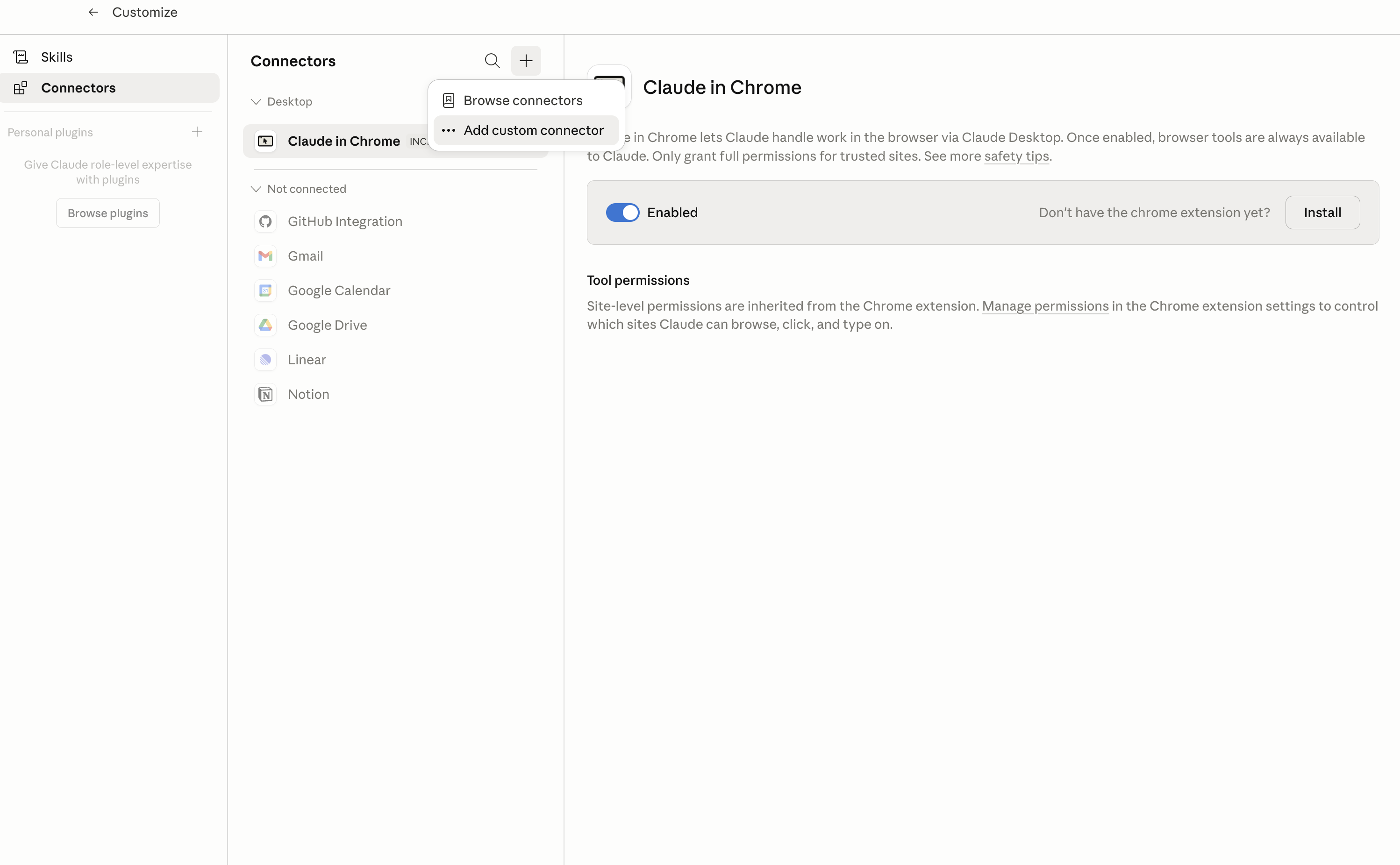
In Claude Desktop, click Customize in the left sidebar, then select Connectors and click the + icon at the top.

Claude Desktop connectors screen with Add custom connector selected

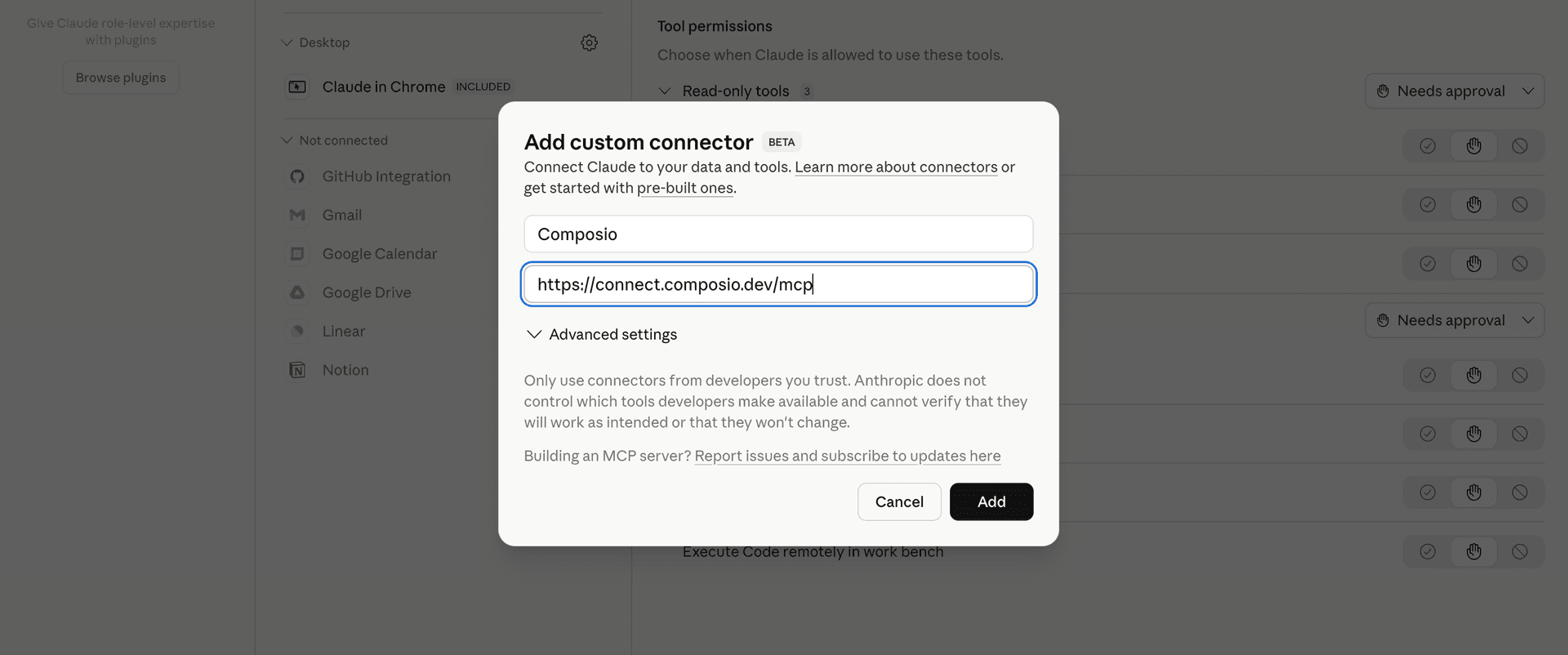
Click Add custom connector and paste in the Composio MCP server URL:

bash
https://connect.composio.dev/mcp
Add custom connector dialog with Composio MCP server URL

2. Authorize in your browser

Click Connect. You'll be redirected to a browser window where you can authorize Composio to continue.

Composio authorization screen for Claude Web, Desktop, and Cowork

3. Connect your AudD account

Back in Claude, ask it to connect to AudD or give it any AudD-related task.

For example, ask Claude to:

  • "Identify this song from an uploaded audio file"
  • "Find lyrics for this identified track"
  • "Monitor a live stream for song changes"

It will prompt you to authenticate and authorize access.

That's it. Composio's tools are now available in Claude, and your AudD account is ready to use.

What is the AudD Claude Connector, and what's possible with it?

The AudD MCP server is an implementation of the Model Context Protocol that connects your AI agent and assistants like Claude, Cursor, etc directly to your AudD account. It provides structured and secure access to AudD's music recognition, lyrics search, stream monitoring, and private catalog tools, so your agent can identify songs, search lyrics, monitor streams, manage monitored sources, and maintain private catalog entries on your behalf.

  • Audio recognition: Have your agent identify a song from an audio URL, uploaded file, or base64 audio.
  • Long media scanning: Direct your agent to scan selected parts of a long audio or video source and find matching songs.
  • Lyrics search: Let the agent search for lyrics by artist, song title, or lyric text and return available full lyrics.
  • Stream monitoring: Instruct your agent to add, list, update, and delete monitored live audio, radio, Twitch, or YouTube streams, then wait for recognition events.
  • Private music catalogs: Have your agent add or replace songs in your private AudD catalog by fingerprinting an audio URL or uploaded song.

Troubleshooting

1. Why does Claude not use the Composio connector for AudD?

The connector can show as connected, but Claude must use it in each AudD conversation.

  • Click + at the lower left of the chat, or type /.
  • Hover Connectors.
  • Turn on Composio.
  • Ask Claude to connect to AudD again.

2. Why does Claude show an MCP server error before AudD connects?

Claude can show Couldn't reach the MCP server or Authorization with the MCP server failed when you add the connector for AudD.

  • Check that the connector URL is https://connect.composio.dev/mcp.
  • Connectors run from Anthropic's cloud, so your device network is usually not the problem.
  • Add the connector again from Customize > Connectors, then ask Claude to connect AudD.
  • If it fails again, send the error and the ofid_ reference id to support@composio.dev.

3. Why does the AudD authorization link not work?

The Composio connector is one server. Your AudD account connects separately when Claude asks for it.

  • If the browser does not open, or the link expires, ask Claude to retry the AudD connection.
  • Composio creates a fresh AudD authorization link.
  • Open that link in your browser and finish the AudD sign-in.

4. Why do AudD actions fail after they worked before?

The AudD connection can expire or lose permission.

  • Ask Claude to inspect the AudD connection.
  • If the connection is unhealthy, disconnect it when Claude prompts you.
  • Reconnect the AudD account and retry the action.
  • If Claude shows a permission prompt, approve it before Claude changes data in AudD.
  • If the action still fails with a permission error, check that the connected account has that permission in AudD itself.

5. How do I switch to a different AudD account?

Claude can manage the AudD connection for you.

  • Ask Claude to disconnect or delete the current AudD account.
  • Ask Claude to connect AudD again.
  • Open the new Composio authorization link for AudD.
  • Sign in with the other AudD account in the browser.
  • After the account connects, ask Claude to retry the AudD task.

6. Why is my AudD connection missing in Claude Desktop or on a Team plan?

The connector belongs to your Claude account, so your AudD connection works in Claude Web, Desktop, and Cowork.

  • In Claude Desktop, open Customize > Connectors.
  • Next to Composio, click ⋮ and click Clear cache.
  • If AudD tools still do not appear, click ⋮, disconnect, remove the connector, and add it again.
  • On Team or Enterprise, an Owner or Primary Owner must enable the connector before you can connect AudD.
TOOLS

Supported Tools

Every AudD action and event your agent gets out of the box.

Add Stream

Start persistent recognition for a live audio, radio, Twitch, or YouTube stream; this can consume a paid stream slot billed monthly until deleted.

Delete Stream

Stop recognition and permanently delete one monitored stream, releasing its paid stream slot and stopping its ongoing monthly billing.

Get Stream Callback URL

Return the account-wide callback URL currently configured for AudD stream-recognition events.

List Streams

List every monitored stream configured on the connected AudD account, including its ID, source URL, running state, and long-poll category.

Recognize Audio

Identify one song from the first 12 seconds of an audio URL, uploaded file, or base64 audio; returns null when no song matches and consumes recognition quota.

Recognize Long Media

Scan selected 12-second chunks of a long audio or video URL or file for matching songs on AudD's enterprise host; file uploads are capped at 20 MB, and each scanned chunk is billable after the free allowance, so limit defaults to 1.

Search Lyrics

Search AudD's lyrics index by artist, title, or lyric text and return up to the provider's default 10 matches with full lyrics when available.

Set Stream Callback URL

Replace the account-wide URL that receives AudD stream-recognition callbacks; this persistently affects every monitored stream.

Update Stream URL

Replace the source URL of an existing monitored stream while keeping its account-specific radio ID.

Upsert Custom Catalog Song

Fingerprint a URL or uploaded song into the private catalog under a caller-chosen audio ID; reusing the ID replaces its fingerprint and requires provider-enabled paid access.

Wait for Stream Events

Hold one request for up to 90 seconds waiting for recognition or notification events from a stream long-poll category; use an available event time as since_time on the next call to resume without duplicates.

FAQ

Frequently asked questions

Start with AudD.It takes 30 seconds.

Managed auth, hosted MCP servers, and every AudD tool your agent needs.Free to start.

Start building