Composio is now available on Warp, the open agentic IDE. You can securely connect over 1,000+ apps (Gmail, Slack, Linear, Notion, Google Calendar, and more) and act across all of them without ever leaving the terminal. Ask Warp to check your email, look up Slack messages, and pull Linear tickets, all in parallel.
How to install Composio in Warp
Connect to your apps in Warp
Composio Connect is a single MCP server that gives the Warp agent access to every app you've authorized. Instead of exposing thousands of individual tools, it hands the agent a small set of meta-tools that discover what's available, authorize apps on demand, and run them in parallel.
To set it up:
Open Warp and go to Settings → Agents → MCP servers.
Add "Composio"
Start an agent conversation and ask it to use an app. The first time it needs one, Composio generates an OAuth link you approve in your browser.
That connection persists across sessions, so you only authorize each app once.
If you'd rather connect apps ahead of time, open the Composio dashboard and click Connect Apps in the sidebar.
Run multi-app workflows in one shot
Once your apps are connected, you can hand Warp a multi-app task and let it do the whole thing without you touching a single dashboard.
Example:
"Here's everything I'm currently working on
Reviewing Friday's pull requests, must get done today
Following up with Sarah on the launch video for next Friday
Editing a video for tomorrow
Scheduling a meeting with Sarah for 2pm today, make the invite and send it to her
Please update my Linear dashboard appropriately with priority levels, deadlines, and setup any meetings as needed"
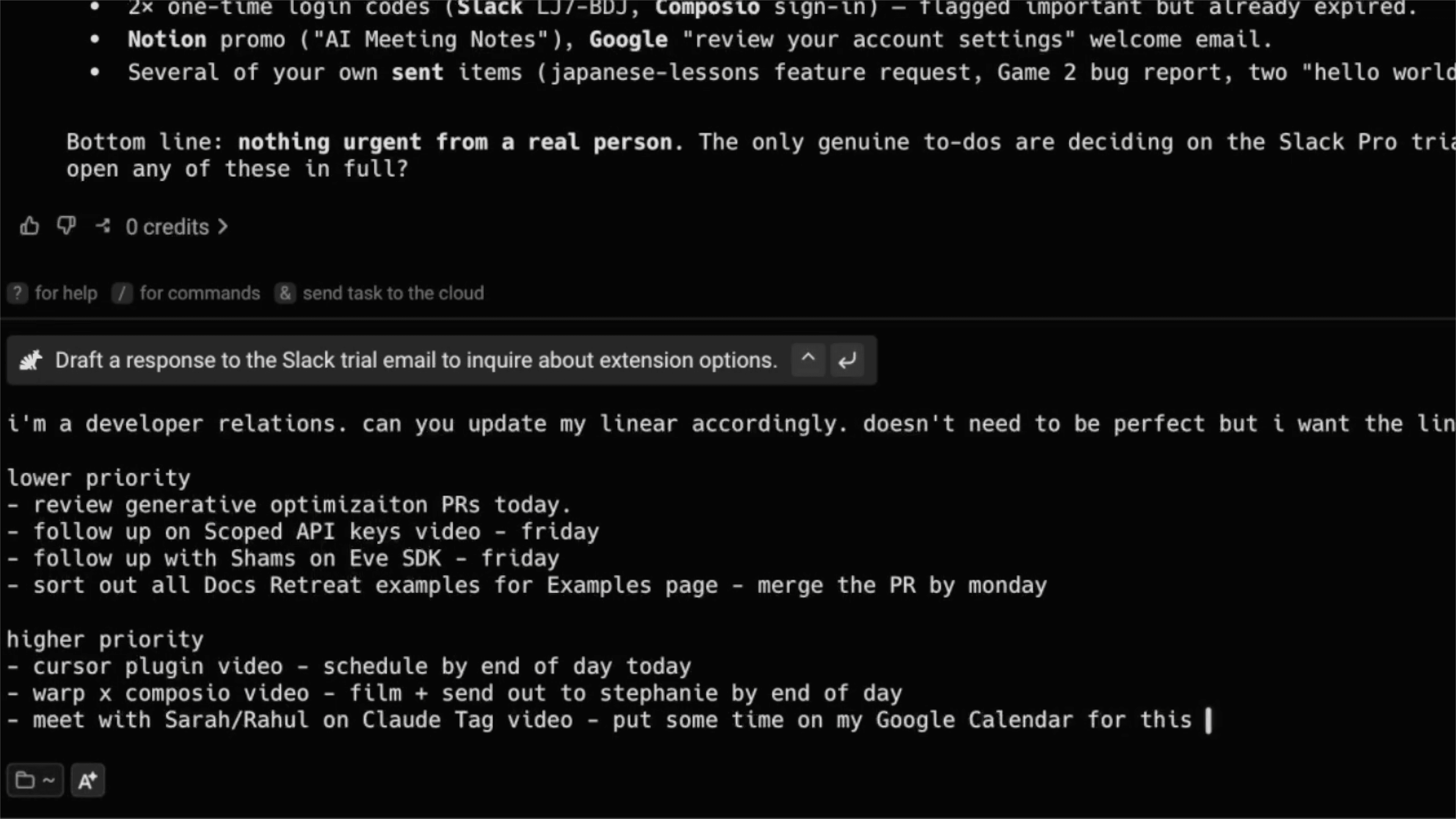
Braindumping the Linear backlog in a Warp Prompt
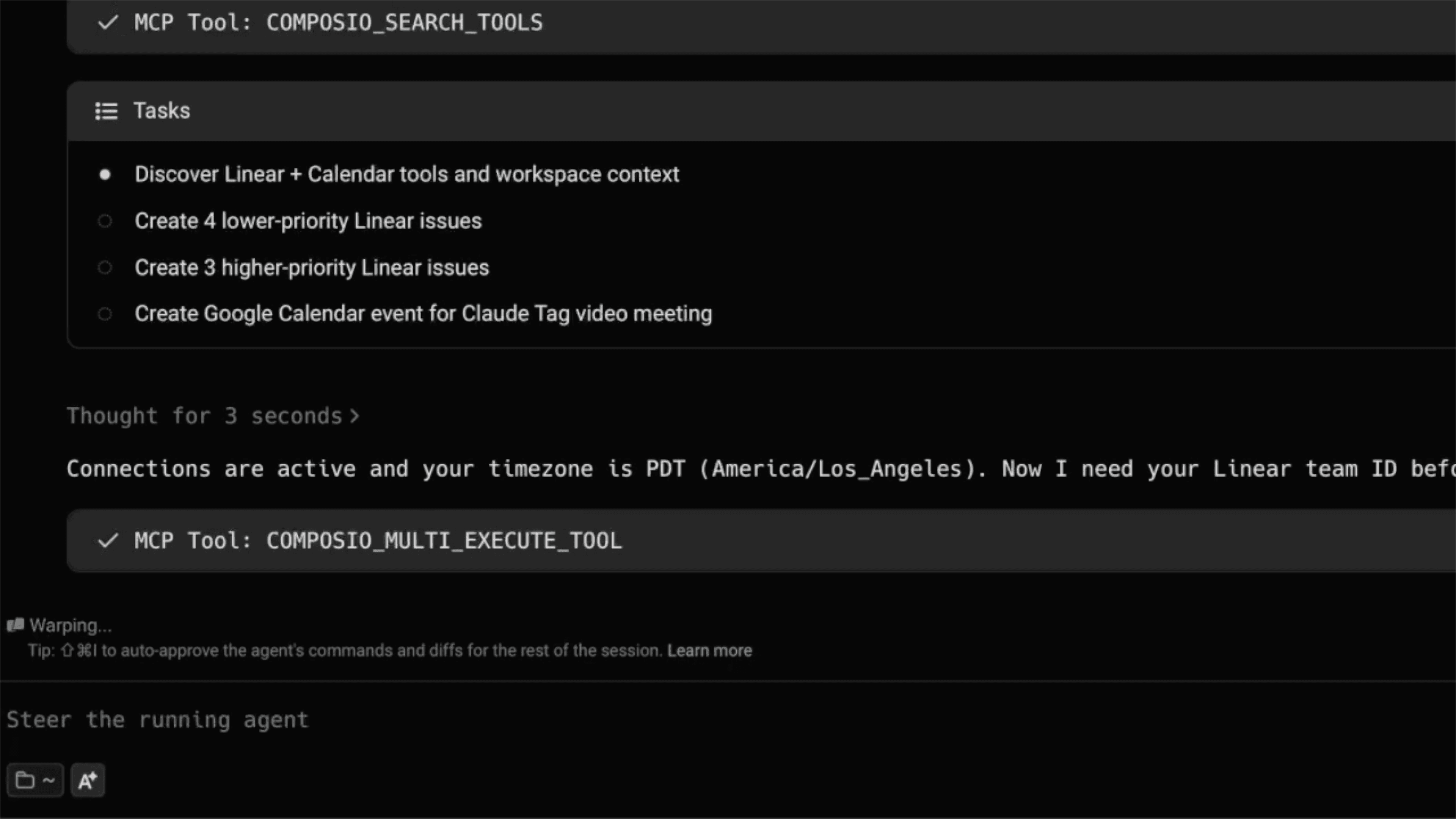

Warp prioritizes the tasks and uses Composio schedule the tickets into Linear, all from Warp.
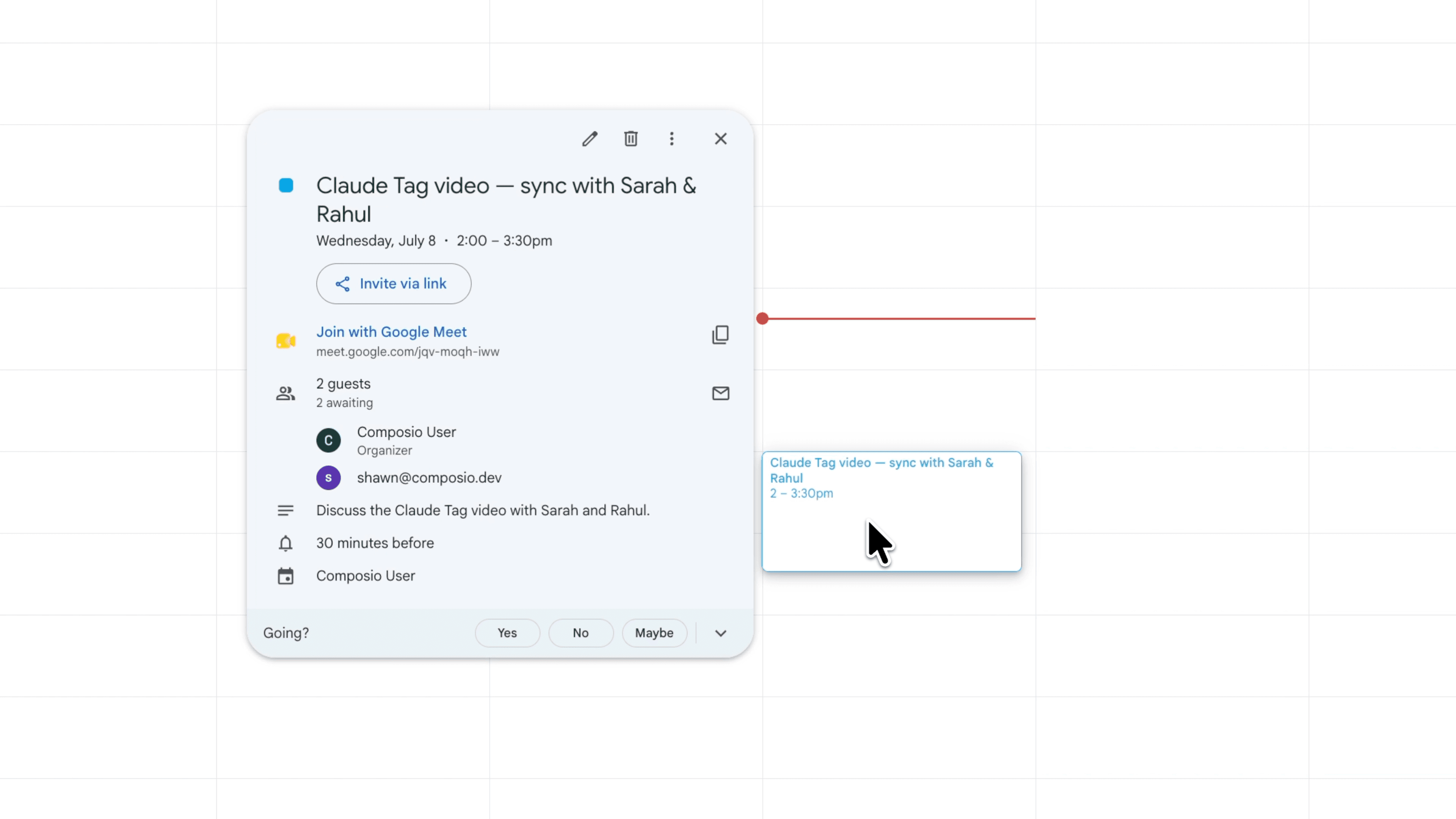
Warp also acts on any tasks it's capable of and create any necessary calendar invites. If any app isn't connected, it will prompt you to connect via OAuth.
Turn a multi-app workflow into a reusable skill
Once a workflow runs the way you want, you don't have to rebuild it next time.
Just ask Warp to clean it up into a skill.md file, and it packages the steps into something repeatable.
From there, you can use Composio can share it straight to your team on Slack, so your workflow can get repeated the exact same way next time.

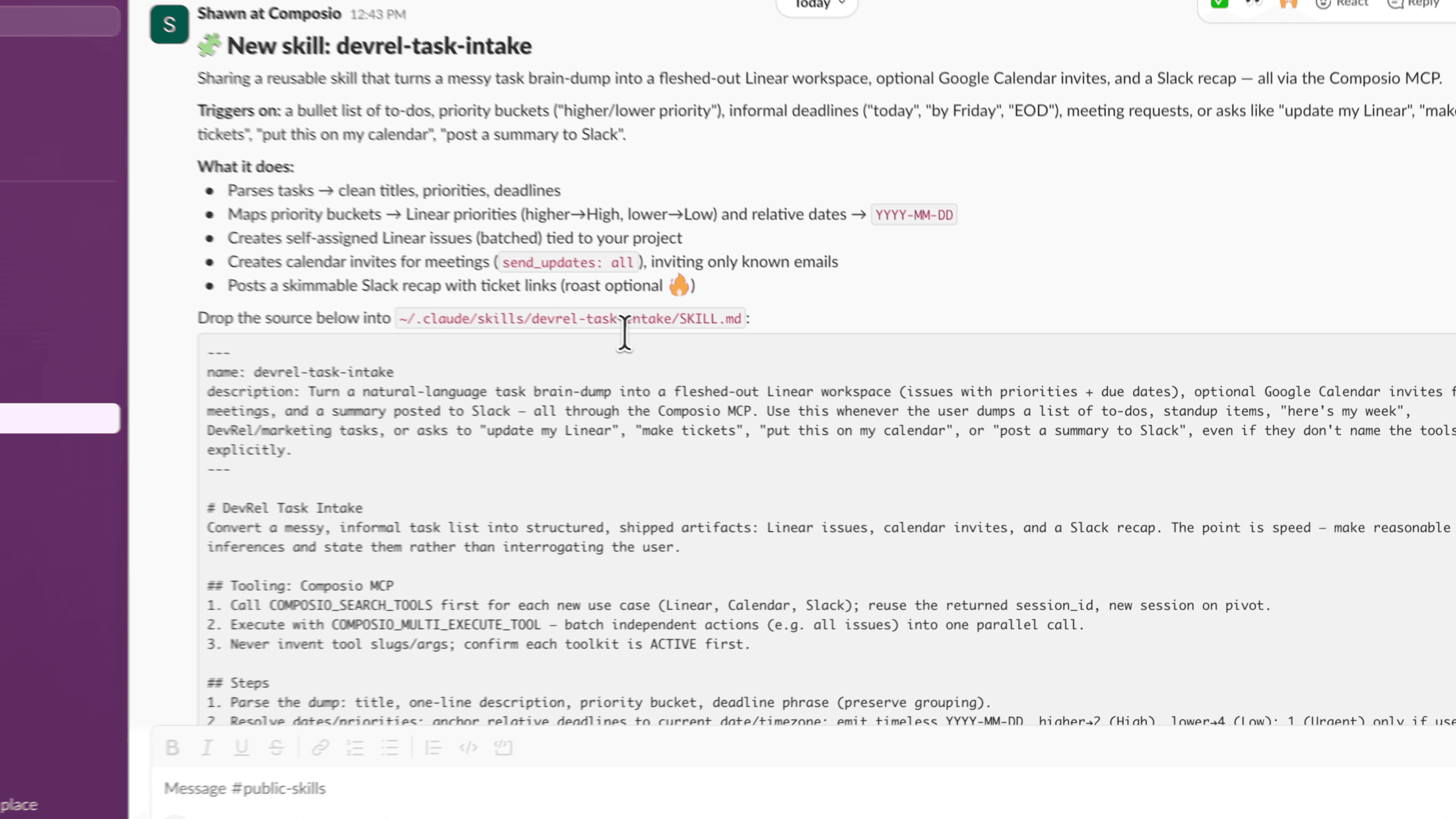
Warp creates a linear backlog skill and uses Composio to share the skill on the #public-skills channel on Slack.
Ready to give it a try?
Between connecting your apps, running cross-app workflows, and saving them as skills, Composio on Warp lets you do the work you'd normally spread across a dozen browser tabs from a single prompt.
Give it a try and let us know what you think:

 Get started