


TL;DR
Use DataForSEO in Claude, ChatGPT, or Grok Bot. Connect DataForSEO through Composio Instant, try supported tools with $2 in starter credit, and pay as you go after that.
Use the DataForSEO API directly. Create an account and copy your API login and password from API Access. You get $1 in trial credit, and the minimum top-up is $50.
Why choose Composio Instant?
Start with $2 in credit. Use the starter credit to check a site’s backlinks or look up keywords for your next article.
Use other data API providers without subscriptions like Exa, SEMrush, Apollo, and more.
Connect Claude, ChatGPT, and Grok Bot to your apps, including Google Search Console, Google Ads, HubSpot, and 1700 more.
Pay as you go. Add funds in Billing when your balance runs low. The cost of each DataForSEO request depends on the tool and, for some reports, the number of rows it returns.
Share a balance with your team. Invite teammates to your workspace so they can run Instant tools from the team balance.
Use your usual AI assistant. Connect Composio to Claude, ChatGPT, Grok Bot, Cursor, or Hermes and ask for a report in your chat.
What is DataForSEO?
DataForSEO gives you search results, keyword data, and backlink data through an API. You can use it to see which pages rank for a keyword, how often people search for it, or which sites link to a competitor. You can add the data to your own app or ask an AI assistant to run a report.
How to use DataForSEO through Composio with $2 in credit
Connect Claude to Composio once, then ask for DataForSEO reports in a chat. Composio Instant runs supported requests through its own DataForSEO account and charges your Composio balance.
1. Add Composio to Claude
Open the Composio setup link. Claude fills in Composio as the connector name and
https://connect.composio.dev/mcpas the server URL.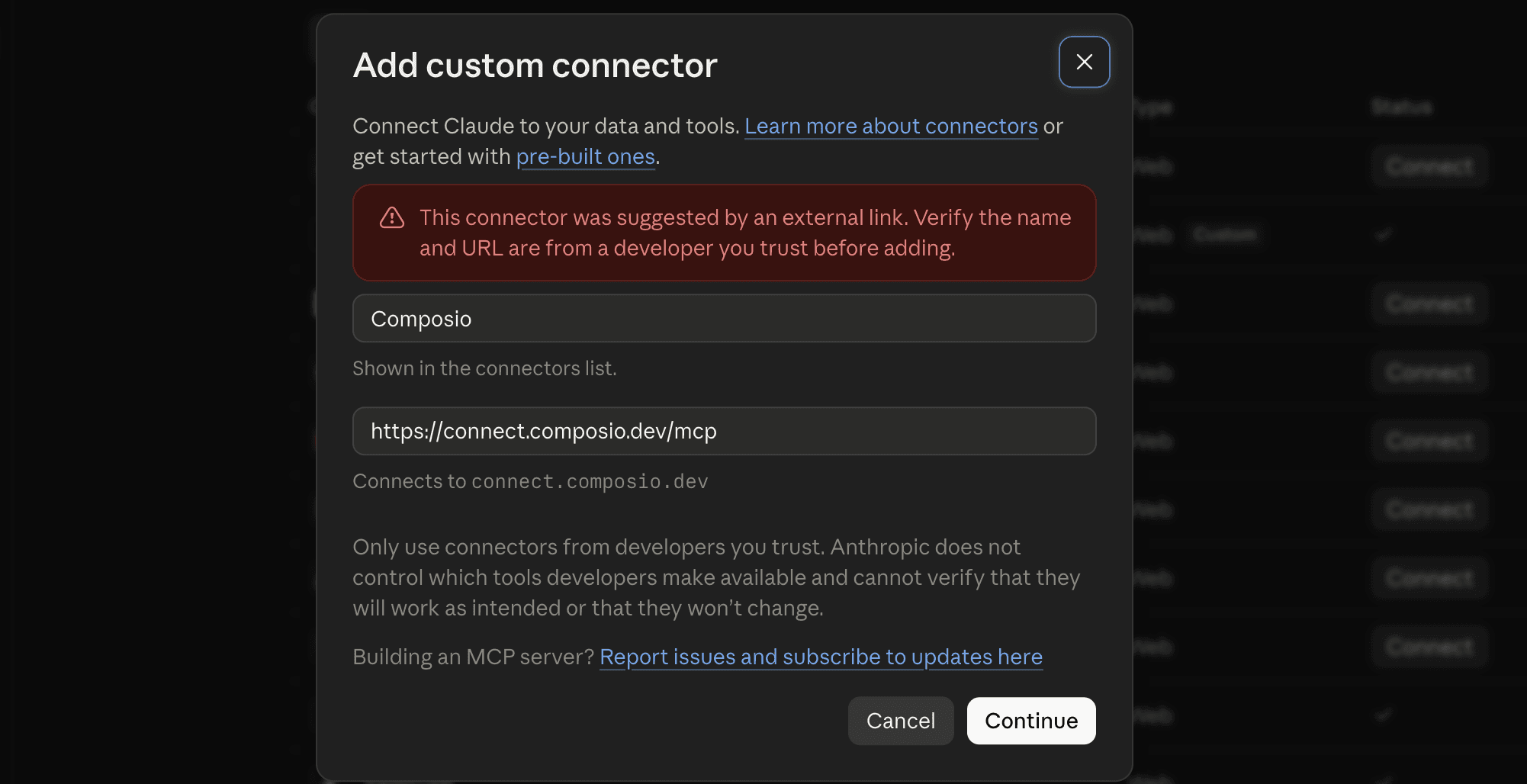
Select Continue, then select Add.
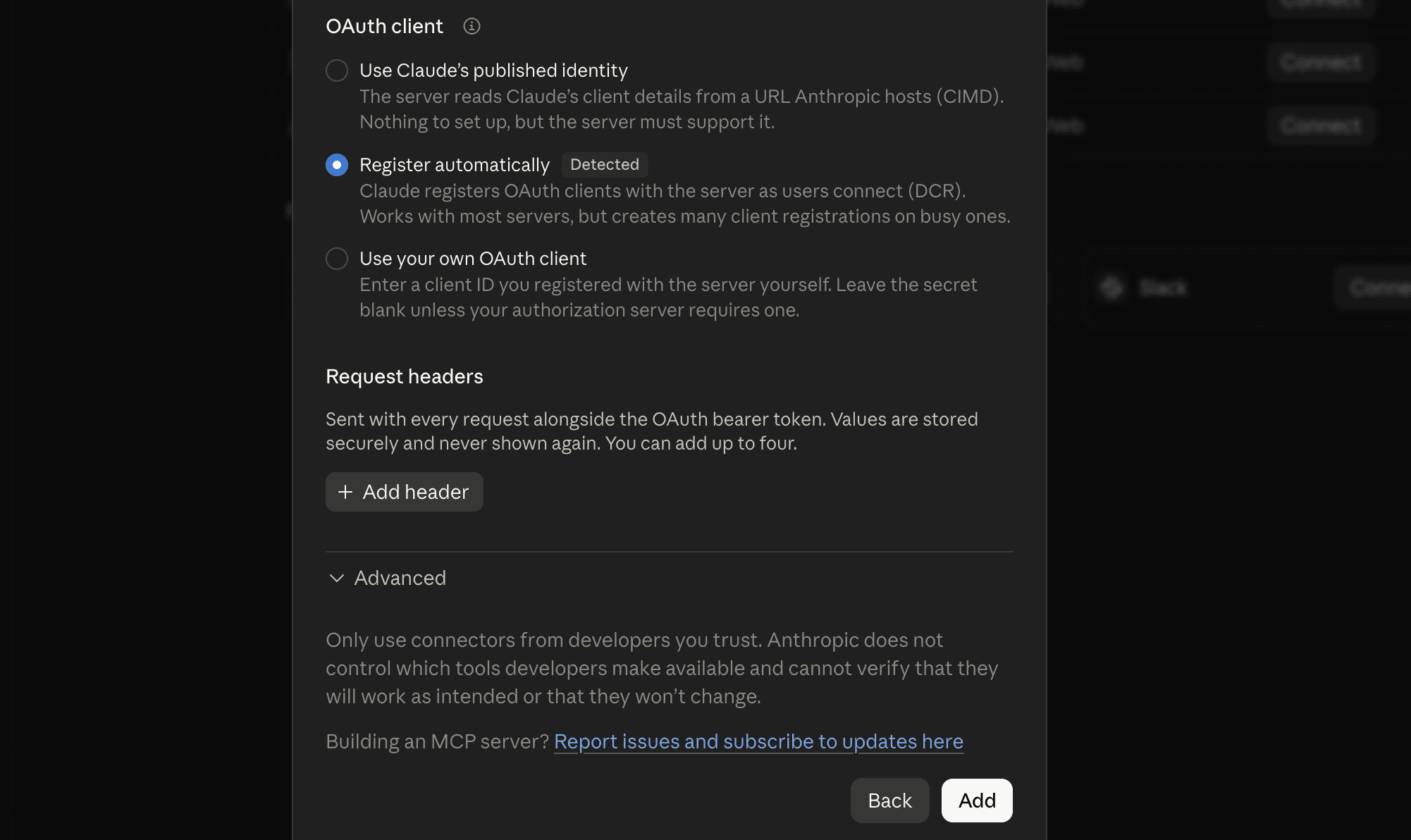
Sign in to Composio or create a free account, then approve the connection.
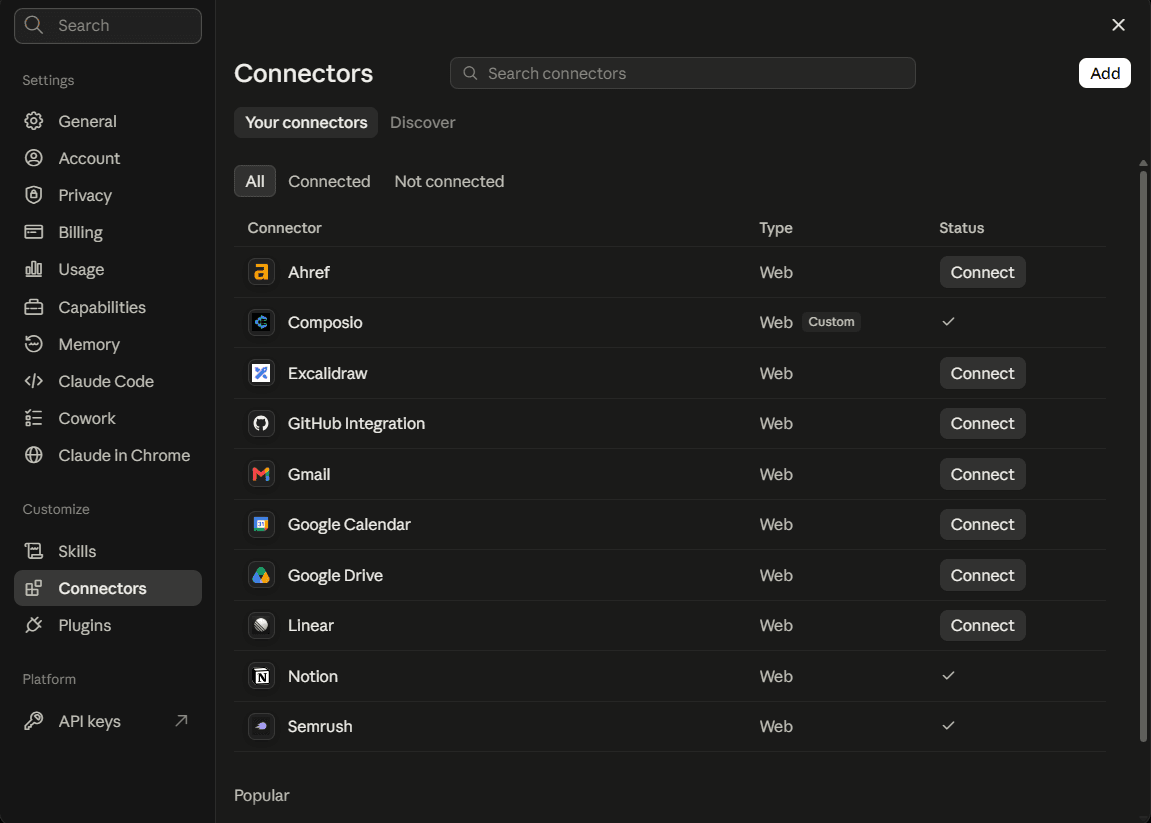
Return to Claude and check that Composio is enabled in the connectors list.
2. Turn on Instant and check your balance
Open Connect my agent in Composio For You and turn on Composio Instant. Check that you have $2 in starter credit, then open a new chat in Claude.

3. Run your first DataForSEO request
Paste this prompt into Claude to see how many links point to a site.
Use DataForSEO through Composio Instant to get a backlink summary for shopify.com. Show the total number of backlinks and the number of domains that link to it.
If Claude asks for permission, review and approve the request. After the report runs, you can check its cost in the Composio execution logs.
How to get your API credentials directly from DataForSEO
DataForSEO uses HTTP Basic authentication, so you send an API login and password together with each request.
Create a free account. DataForSEO adds $1 in trial credit when you sign up.
Open API Access. In the dashboard sidebar, select API Access and copy your API login and API password. DataForSEO creates your API password when you sign up.
Save your credentials. The dashboard shows your API password for the first 24 hours after you sign up. If it’s hidden, select Send by e-mail.
Test a request. In Postman, choose Basic Auth and enter your API login and password. You can also run a live request in the API Playground with your trial credit, or use the free sandbox for sample data.
When your trial credit runs out, you can add funds and use them as you make requests. Your unused balance stays in your account.
Four DataForSEO prompts to try
Replace the sample keywords and domains with your own.
1. Find keywords for an article
Use DataForSEO’s Top Searches tool through Composio Instant to find up to 10 Google search terms related to “inventory management software” in the United States. Put each keyword, its monthly search volume, and its search intent in a table.
2. Compare two sites’ backlinks
Use DataForSEO through Composio Instant to get backlink summaries for shopify.com and bigcommerce.com. Show how many backlinks each site has and how many domains link to each one.
3. See which pages rank for a keyword
Use DataForSEO through Composio Instant to run a Google Organic Search task for “inventory management software” in the United States, in English, on desktop. When the task is ready, show the rank, page title, and URL for the first 10 organic results.
4. See which ads appear for a search
Use DataForSEO’s live Google Ads Search tool through Composio Instant to check “inventory management software” in the United States. Show up to five ads and include the headline, advertiser domain, and landing page URL when available.

 Get started


