




If you use more than one Gmail account, asking ChatGPT or Codex to "check my inbox" can get ambiguous fast.
You may have a personal inbox, a work account, and something like billing@company.com. You want ChatGPT to know exactly which one to search, draft from, or organise.
Composio lets you connect each Gmail account separately and give it a simple name, such as work, personal, or billing. You can then tell ChatGPT exactly which Gmail account to use.
✅ You do not need to create a Google Cloud project, configure OAuth yourself, or write code. You connect Composio once, sign in to your Google accounts, and give each connection a clear name.
What you’ll end up with
One Composio connection in ChatGPT
Two or more Gmail accounts connected behind it
A clear name for each account
The ability to search, draft, send, label, and organise email using the correct Gmail account
For example:
Search my work and personal Gmail accounts for invoices from the last 14 days. Tell me which inbox each email came from.
Or:
Using billing, find the latest unread email from Stripe and draft a reply. Do not send it.
Or:
Check work and personal for anything from Sarah this week and put the emails in date order.
Composio's Gmail toolkit currently exposes Gmail tools for searching and fetching email, creating drafts, sending messages, working with labels, attachments, threads, contacts, and other Gmail actions.
You can also do it in the Claude app: Connect Multiple Gmail Accounts to Claude
Before you start
You need:
A ChatGPT account with access to the required app
A free Composio account
Access to each Google account you want to connect
About 5 to 10 minutes
ChatGPT app and plugin availability can depend on your plan, workspace, region, and rollout. Managed workspaces can also restrict which apps or custom connections members can use.
💡 Write actions such as sending an email also depend on the capabilities available to your ChatGPT plan and workspace.
Step 1 — Add Composio to ChatGPT
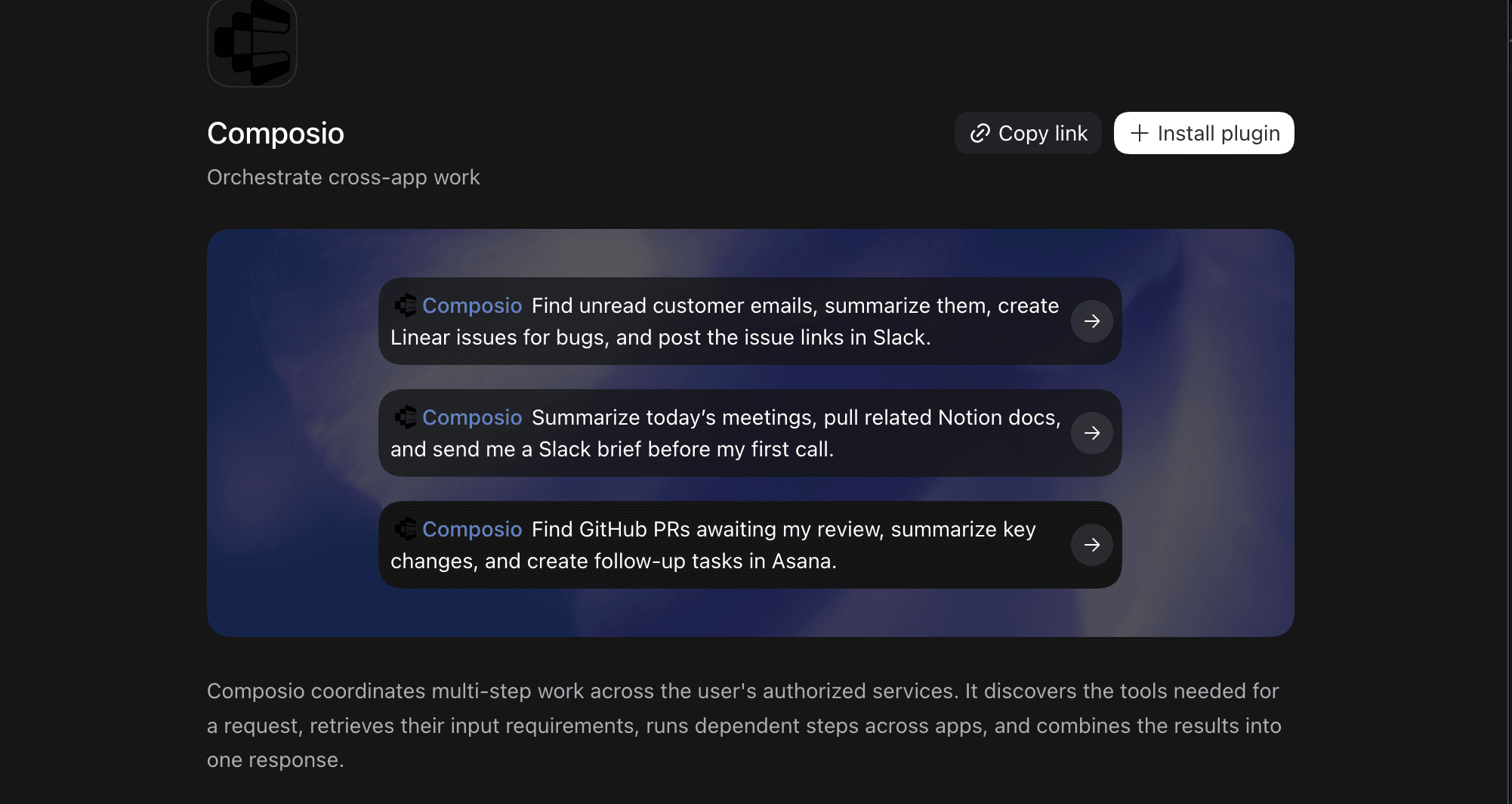
Composio is officially in the ChatGPT Plugin Directory, so for most accounts this is a search-and-install
Visit the official Composio listing on the OpenAI marketplace: Composio x ChatGPT
Click the + Install plugin button.
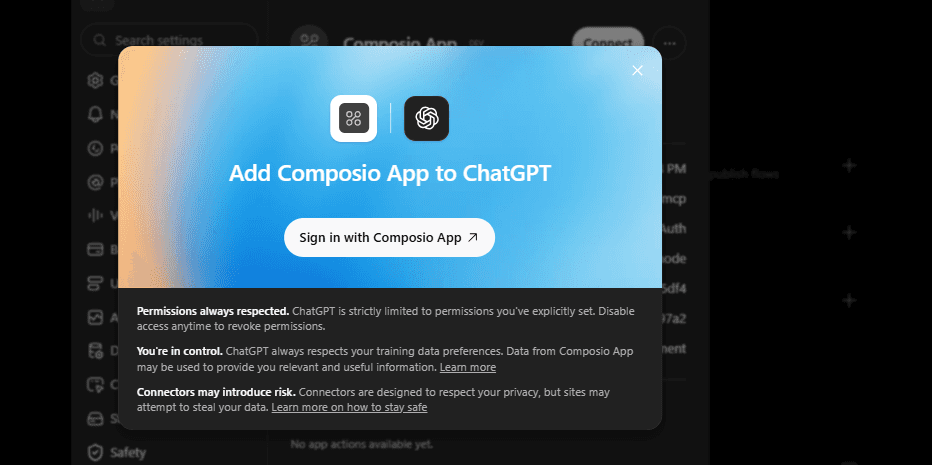
Sign in to the Composio app (or create a free account) and approve the connection.
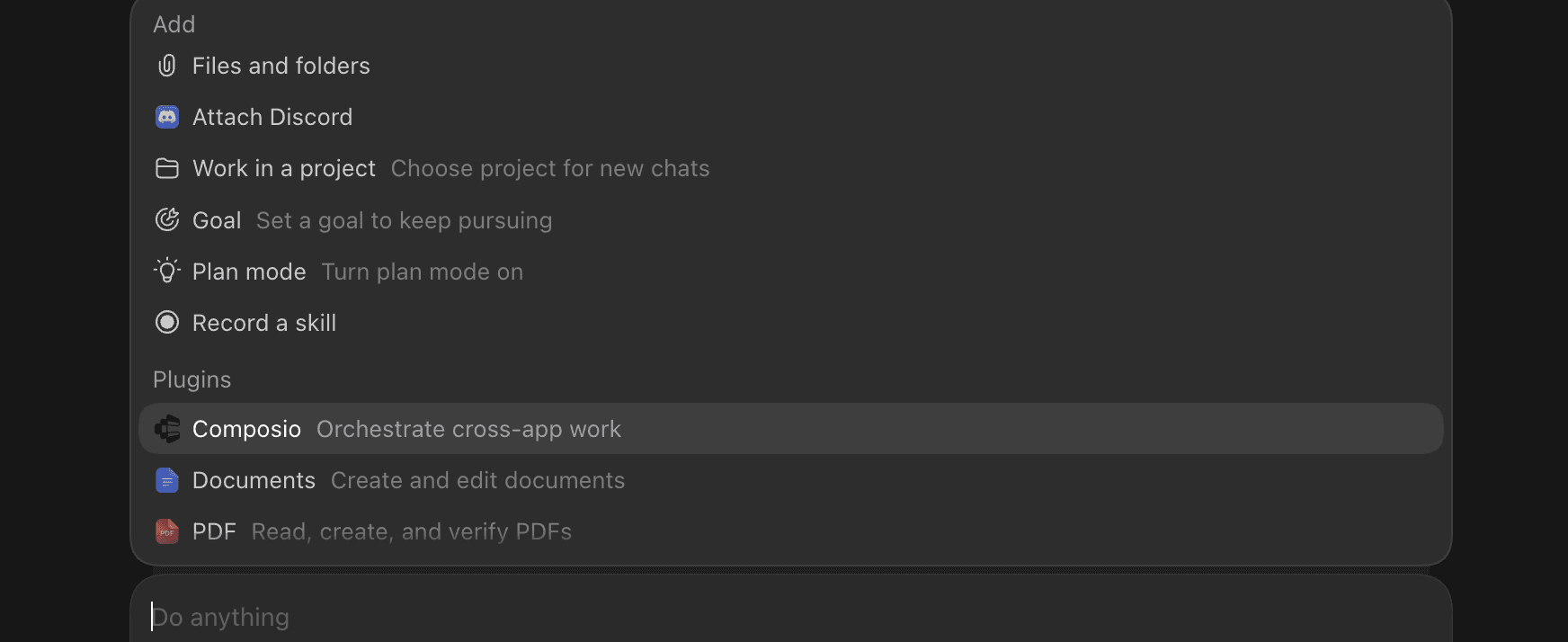
Back in ChatGPT, open a chat, click the + or tools icon in the composer, and make sure Composio is switched on for that conversation.
Quick check
Start a new conversation and enable Composio.
Then ask:
What Composio tools do you have available?
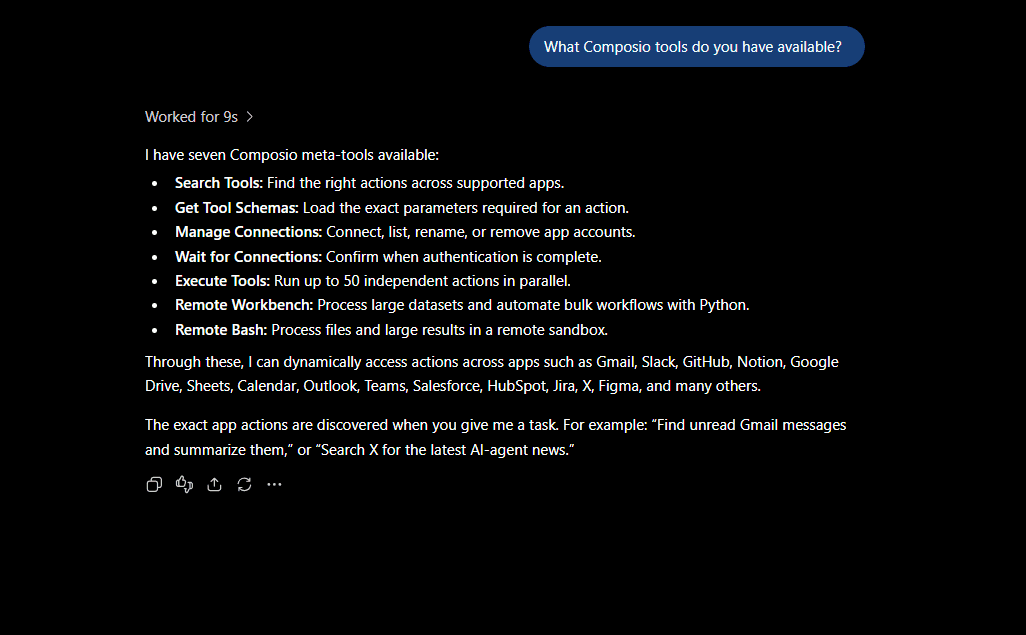
If ChatGPT can see Composio, you are ready to connect Gmail.
Step 2: Connect your first Gmail account
Ask ChatGPT:
Connect my Gmail account to Composio. Call it work.
ChatGPT should use Composio to create a Google authorisation link.
Open it.
Choose your work Google account.
Review the Gmail permissions.
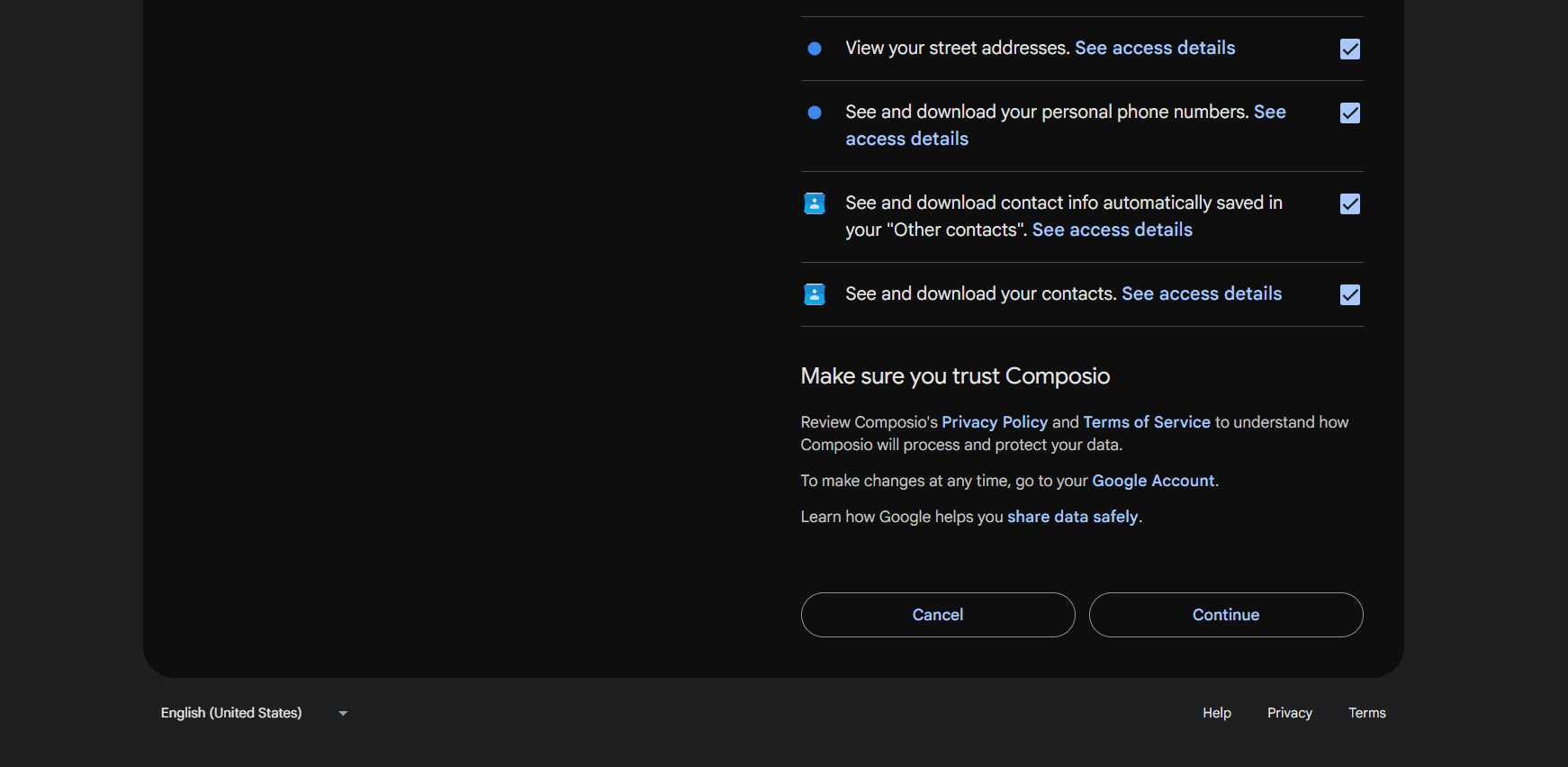
Approve access.
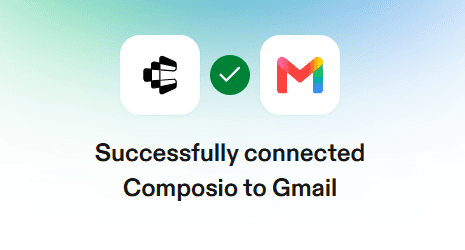
Return to ChatGPT.
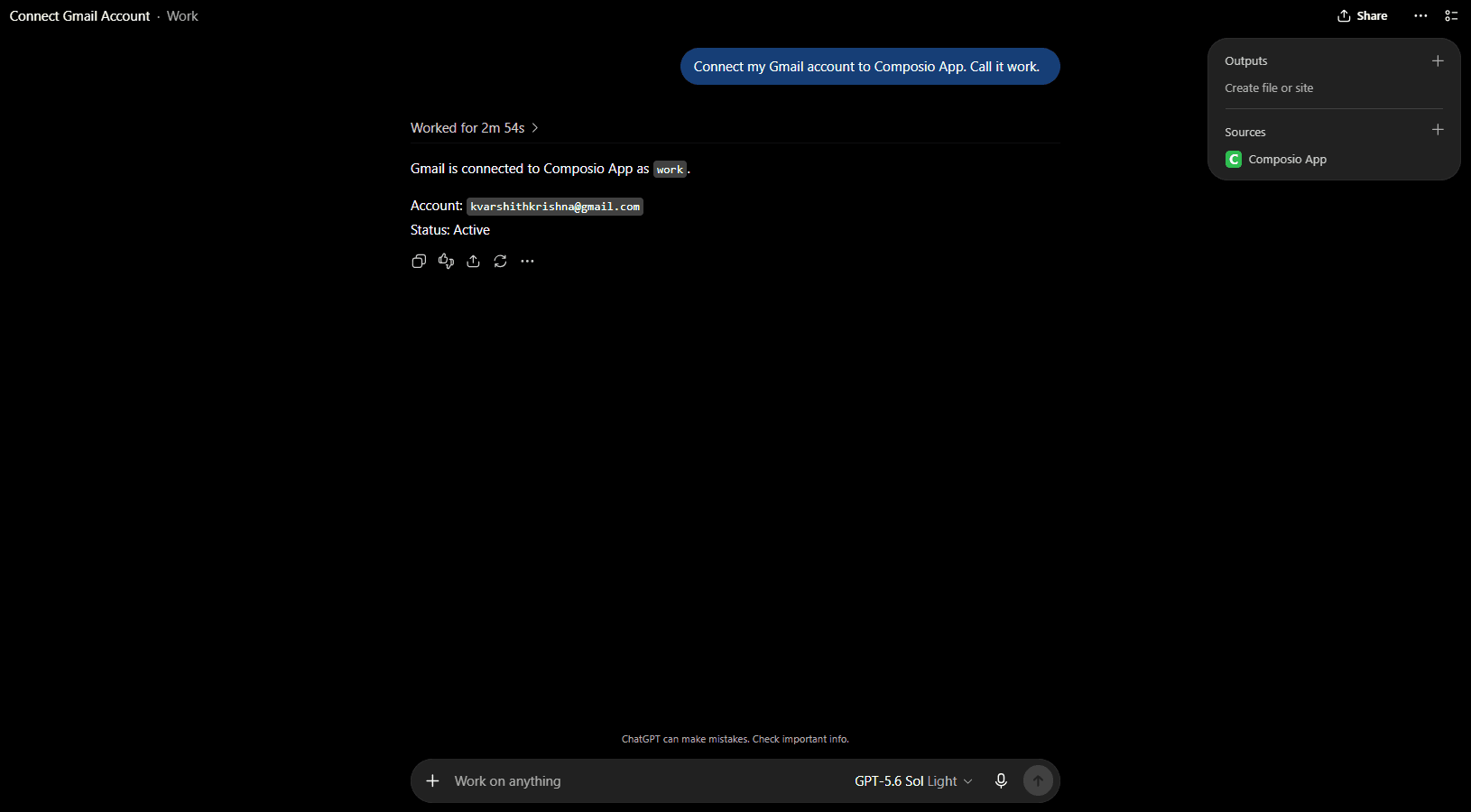
Your first Gmail account should now be connected.
The name work gives you an easy way to refer to this account later.
Good account names include:
workpersonalbillingsupportclient-acme
Composio supports multiple connected accounts for the same toolkit and lets those connections use human-readable aliases.
Step 3: Connect another Gmail account
Now ask:
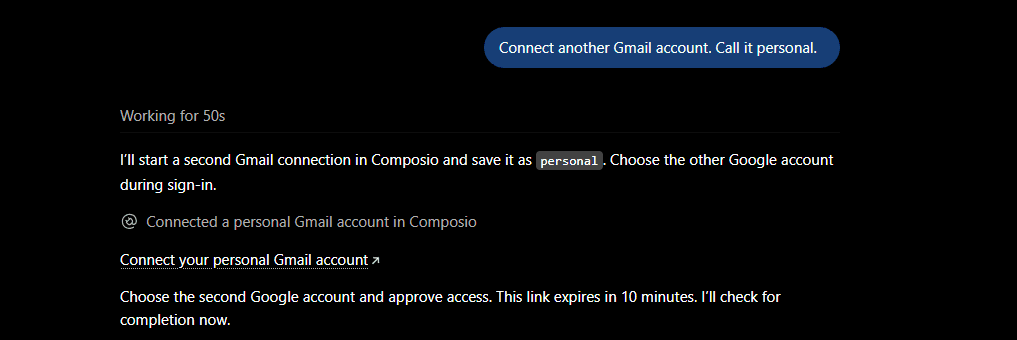
Connect another Gmail account. Call it personal.
ChatGPT should create another Google authorization link.
Open it.
This time, choose your personal Google account.
Important: Check which Google account appears on the consent screen. Google often remembers your previous session and may automatically select the first account again.
If Google shows the wrong account:
Click Use another account.
Sign in with the second Gmail address.
Check the address shown on Google's permission screen.
Approve access.
If you are unsure, open the authorization link in an incognito or private browser window.
Return to ChatGPT once authentication finishes.
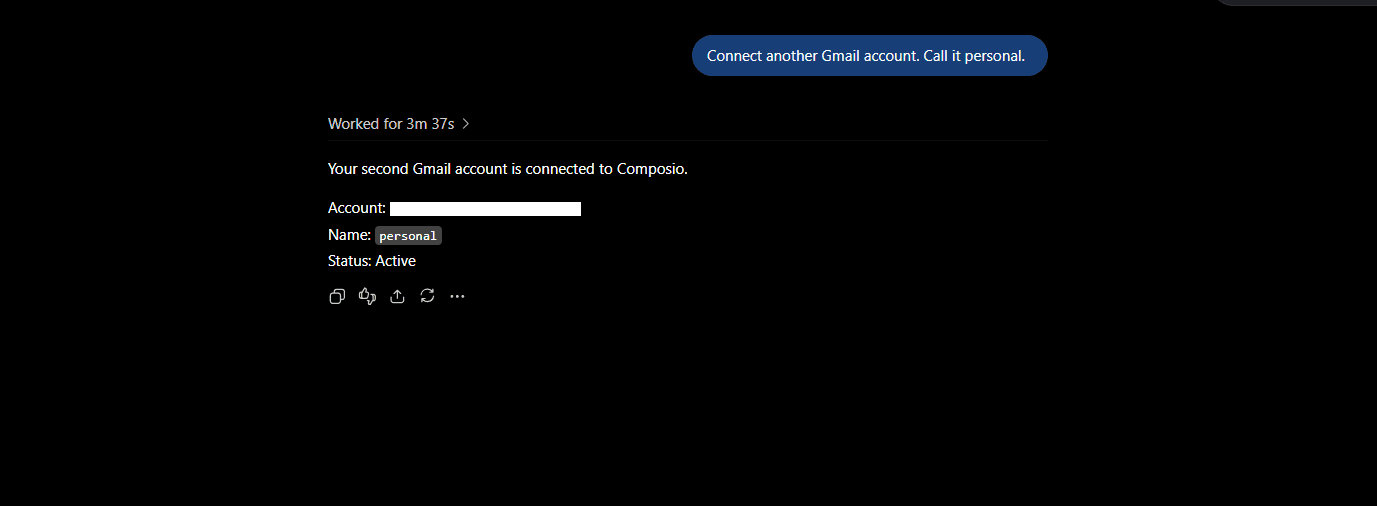
You should now have two Gmail connections behind the same Composio connection.
Repeat this step for any other Gmail accounts you need.
Step 4: Check that everything is connected correctly
Ask:
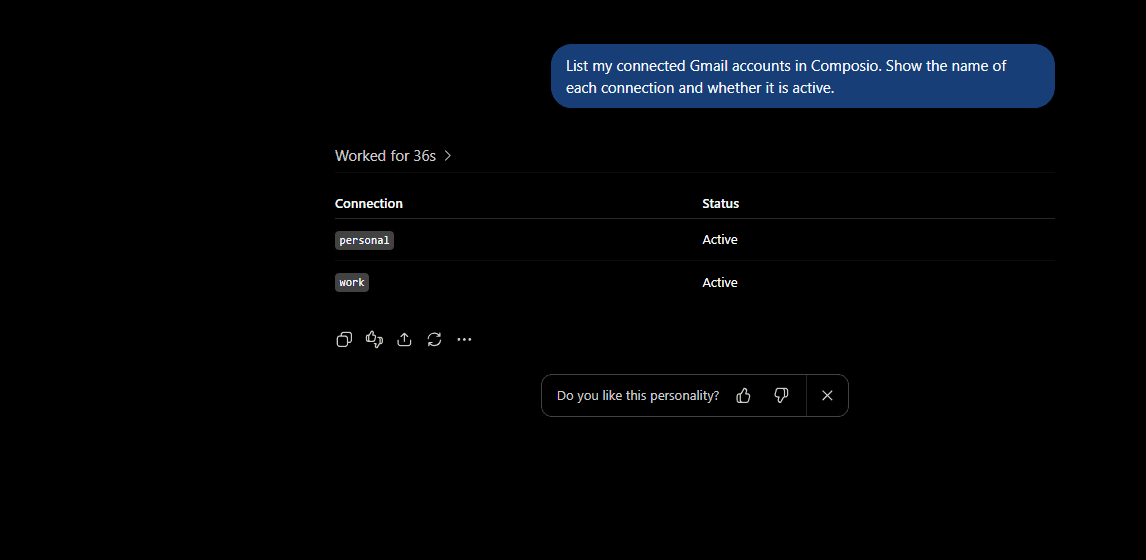
List my connected Gmail accounts in Composio. Show the name of each connection and whether it is active.
You should see your individual Gmail connections.
Then ask:
Show me which Gmail address is connected to work and which one is connected to personal.
Check this before you start sending email.
A single Composio user can legitimately have several connected Gmail accounts, so the important part is confirming which upstream Google identity belongs to each alias.
If both names point to the same Gmail address, reconnect the incorrect one using the intended Google account.
Step 5: Use the right Gmail account
Now you can mention the Gmail alias in your prompts.
Search both inboxes
Search work and personal for invoices from the last 30 days. Show the sender, subject, date, and which Gmail account each message came from.
Draft from one account
Using work, find the latest email from Acme and draft a reply. Do not send it.
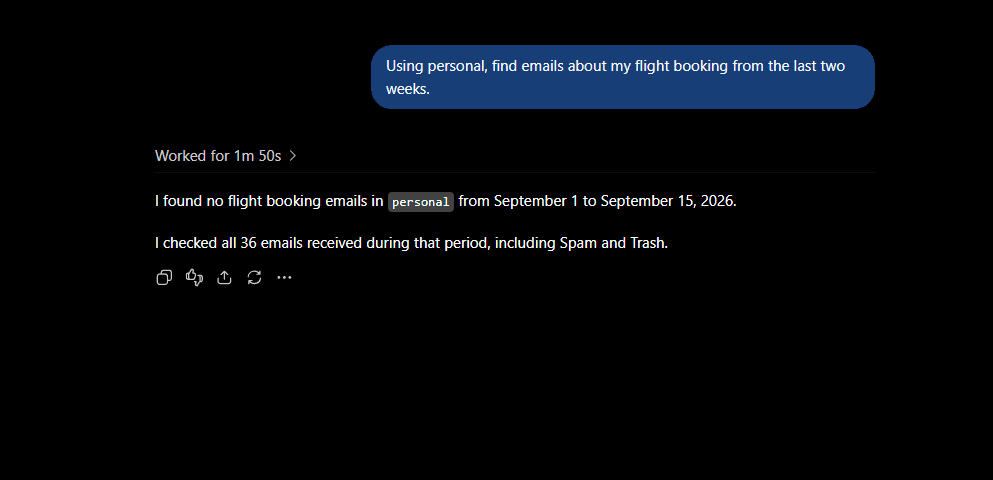
Search a specific inbox
Using personal, find emails about my flight booking from the last two weeks.
Triage several accounts
Check unread mail in work and billing from the last 24 hours. Tell me which messages need a reply today.
Find a conversation everywhere
Search all my connected Gmail accounts for emails about the Q3 contract. Put them in chronological order and tell me which inbox contains each one.
Organise one inbox
Using work, find newsletters I received this week and show me which ones could be archived.
Send after approval
Using billing, send the reply I just approved.
🛟 For important messages, ask ChatGPT to draft but not send first. Then review the final email before you tell it to send.
Make account selection more reliable
Add something like this to your ChatGPT instructions:
My Gmail connections in Composio are: work = me@company.com, personal = me@gmail.com, and billing = billing@company.com. Always use the named Gmail connection when I specify one. If I ask you to send, delete, label, or modify email without specifying an account, ask me which Gmail account to use first.
This becomes much more useful once you have three or four Gmail accounts.
Composio supports explicit account selection using aliases instead of relying on whichever Gmail connection was most recently used.
A note about ChatGPT's own Gmail connection
ChatGPT also has native app connections for Google services, and some ChatGPT apps now support more than one connected account.
The Composio setup becomes more useful when you want explicit account aliases, one connection layer for many different apps, or workflows where ChatGPT needs to select between work, personal, billingand other identities as part of a larger task.
If you use both ChatGPT's native Gmail app and Composio at the same time, be explicit about which one you want ChatGPT to use. We recommend using Composio to avoid confusion.
Optional: Manage accounts from the Composio dashboard
The chat method above is the easiest way to add accounts. Use the dashboard when you want to rename, reconnect, or remove one.
Go to dashboard.composio.dev.
Sign in with the same Composio account you used to connect to ChatGPT.
Open For You from the product switcher.
Find Gmail.
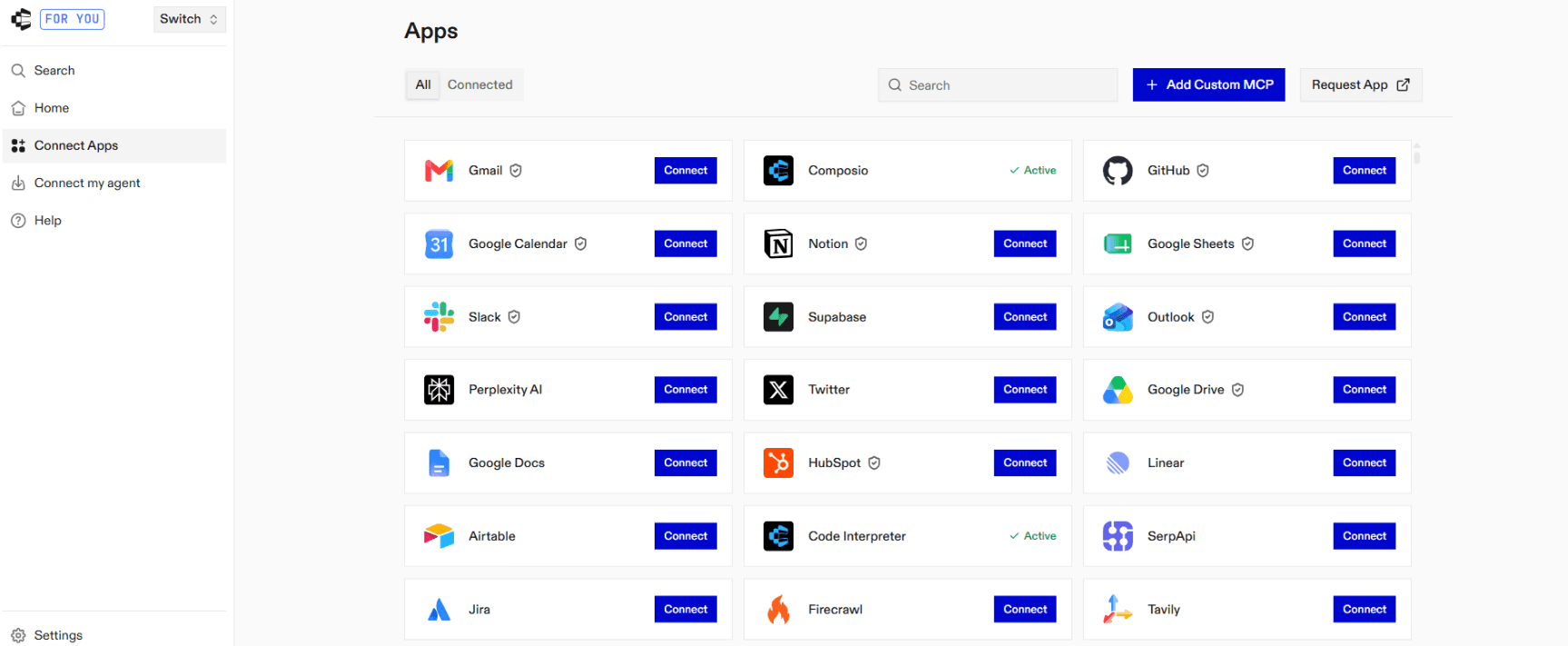
Click Connect and complete the Google OAuth flow.

Click Connect on Gmail again for the next account.
Composio adds it as a separate connection rather than replacing the first. This is what lets the same Composio user maintain several Gmail identities.
Give each connection a clear label.
For example:
WORKPERSONALBILLINGTEAM
That is the mental model: same Gmail toolkit, several Google identities, and each one can be addressed separately.
The same incognito caveat from Step 3 applies here.
Check which Google account appears on the consent screen before approving access.
From this screen you can also:
Rename a connection when
gmail-2stops being useful.
Composio supports updating the alias attached to a connected account.
Disconnect or delete a Gmail connection you no longer want ChatGPT using.
Deleting a connected account permanently removes that Composio connection.
Re-authorise an account that can no longer authenticate.
Composio normally handles OAuth token refresh automatically. If Google revokes the refresh token or Composio can no longer refresh it, the connection can move to EXPIRED and requires another Google authentication flow.
Troubleshooting
Composio does not appear in ChatGPT
Installed? Go to Settings → Plugins and check your installed list for Composio. If it's not there, search the Plugin Directory and install it (Step 1). If it doesn't turn up in that search either, the official listing likely hasn't rolled out to your account yet; use the manual custom-connector fallback from Step 1 instead, which adds it under the MCP tab in Plugins.
Enabled for this chat? Plugins are enabled per conversation, not globally. Open a new chat, click the + or tools icon in the composer, and turn Composio on before testing.
The Google sign-in link expired
Generate a new one.
Composio hosted authentication links are short-lived. A connection flow that is not completed within roughly 10 minutes can expire.
Ask:
Create a new Gmail connection link for my work account.
Then open the fresh link and complete Google authentication.
Both connections open the same Gmail inbox
You probably approved the same Google account twice.
Remove the incorrect connection, then reconnect.
When Google asks which account you want to use, select the intended Gmail address.
If Google keeps choosing the previous account, use an incognito or private browser window.
Google asks me to approve all permissions
Review the permissions first.
For Google app connections, you must approve all required permissions for the selected services before those actions can work. Google Workspace administrators can also restrict which OAuth scopes are allowed.
If you are using a company Gmail account and authorization is blocked, your Google Workspace administrator may need to approve the application.
The Gmail connection says EXPIRED
Reconnect that account.
Composio normally refreshes access tokens automatically. A connection can become EXPIRED if Google rejects or revokes its refresh token, an administrator revokes the app, or another provider security policy invalidates the grant.
Create a fresh authentication link and complete Google authorization again.
ChatGPT can read email but cannot send it
There are two things to check.
First, make sure the Gmail connection has the permissions required for sending mail.
ChatGPT used the wrong Gmail account
Repeat the prompt and explicitly include the alias.
For example:
Use my work Gmail connection in Composio for this task. Do not use personal or billing.
You can also add the account map from the earlier section to your ChatGPT instructions.
Is this safe?
Composio becomes another service with access to the Gmail permissions you approve, so review Google's authorisation screen before connecting an inbox.
You authenticate through Google's OAuth flow. You do not give your Gmail password to ChatGPT or Composio.
Composio stores each authorisation as a separate connected account and automatically refreshes OAuth credentials.
For sensitive email actions, I would still keep an approval step.
Have ChatGPT:
Find the email.
Draft the response.
Show you the exact draft.
Send it only after you approve it.
Also remember that connecting an account does not expand its permissions. ChatGPT and Composio can only work with data and actions available to the Google account and permissions you authorised.
FAQ
Can ChatGPT connect to multiple Gmail accounts?
Yes.
ChatGPT itself supports multiple connected accounts for some apps where the option is available, and Composio also supports multiple Gmail connections for the same user.
This guide uses Composio so each Gmail account can have an explicit alias such as work, personal, or billing.
Why use Composio if ChatGPT can already connect Gmail?
You may not need Composio if ChatGPT's native Gmail connection already handles your exact workflow.
Composio becomes useful when you want explicit account routing, several identities for the same app, cross-app workflows, or the same integration layer across Gmail and other supported services.
Do my Gmail inboxes get merged?
No.
Each Gmail account remains a separate Google account with its own credentials and mailbox.
Composio stores them as separate connected accounts.
Can ChatGPT search two Gmail accounts in one request?
Yes, when both connections are available to the workflow.
For example:
Search work and personal for emails from Acme received this month. Group the results by Gmail account.
Explicit aliases make this easier because ChatGPT knows which connections you mean.
Can ChatGPT send Gmail messages?
Yes, once you've approved it. Composio's Gmail toolkit includes a send action, and ChatGPT will ask for confirmation before anything actually goes out, the same way it confirms any other write action. Whether send is available (versus read-only) can still depend a bit on your ChatGPT plan and workspace, since full write support for plugins has rolled out unevenly. If sending doesn't work yet on your account, drafting will ask ChatGPT to prepare the reply, and you can send it yourself.
Can ChatGPT create Gmail drafts?
Yes.
The Gmail toolkit includes draft actions, so you can ask ChatGPT to prepare an email without sending it.
A useful prompt is:
Using work, draft a reply to the latest email from Sarah. Do not send it.
Can ChatGPT manage Gmail labels?
Yes.
Composio's Gmail integration includes Gmail organization actions, including labels.
For example:
Using work, find unread invoices and add the Finance label. Show me the emails first.
How many Gmail accounts can I connect?
Composio's multi-account session mode defaults to five accounts per toolkit and can be configured between two and ten.
For a normal personal or small-team setup, that is usually enough.
What happens if one Gmail account expires?
The other Gmail connections remain separate.
Reconnect only the affected account. Composio's connected-account lifecycle handles each authorization individually.
Can I rename a Gmail account later?
Yes. You can update the alias associated with a Composio connected account.
For example, you can change gmail-2 to billing without reconnecting the Google account.
Do I need a separate Composio connection for every Gmail account?
No. Connect Composio to ChatGPT once.
Then add the individual Gmail accounts behind that same Composio connection.

 Get started