Manage your API key security in Composio with scoped permissions and IP whitelisting.
Scoped API keys
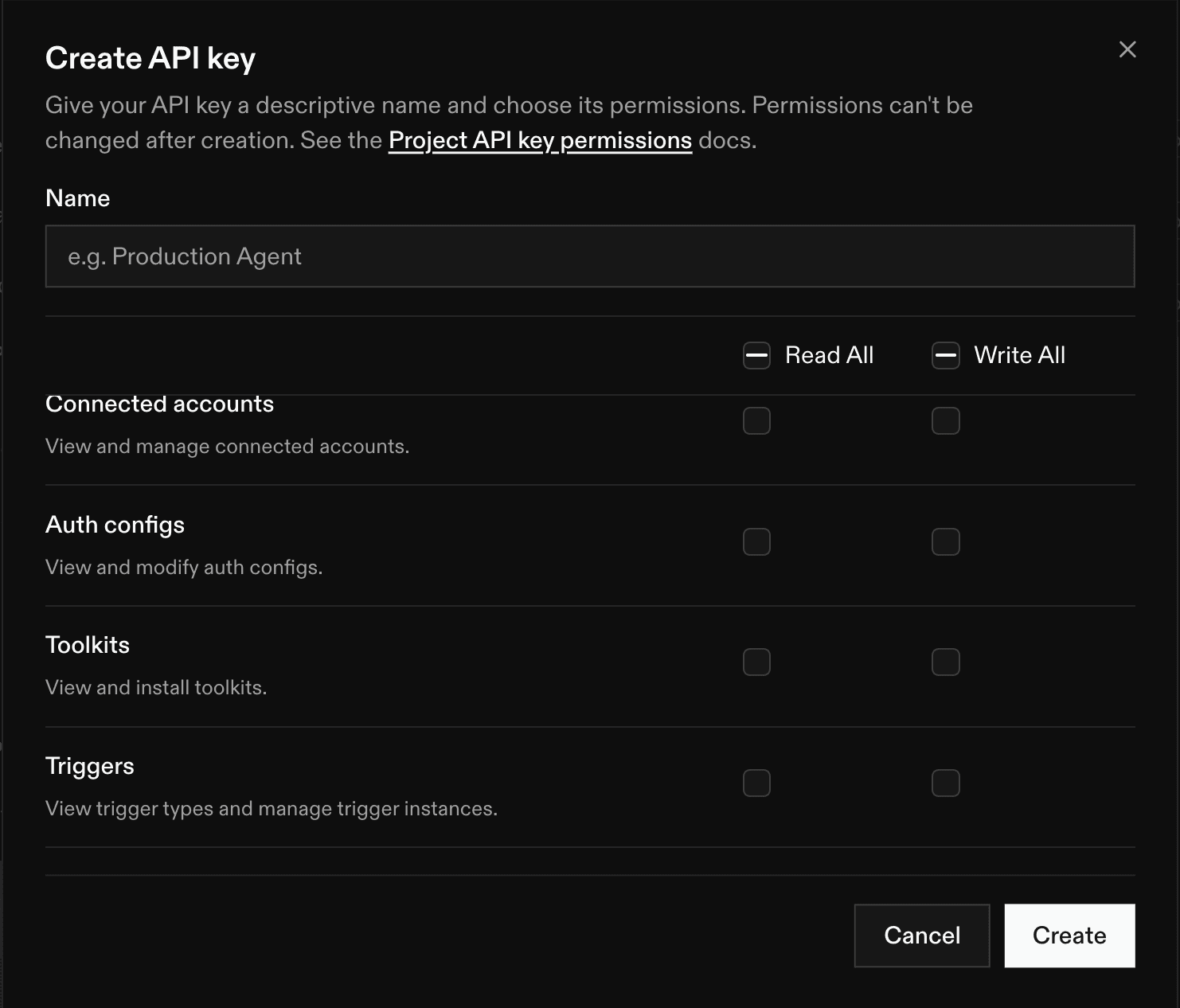
A scoped API key allows your agent to only perform very specific actions you grant it on a given app. For each tool, tool execution, and so on, you can assign a permission level: read, write, or none.
To create a scoped API key:
Sign in to composio.dev and open your project.
Go to Settings → Project Settings → API Keys.
Create a new key and select the permission level for each resource.
Copy the key and paste it into your project.
Permissions are set at creation and can't be changed afterward. To adjust them, create a new key and rotate your application to use it.
Example: a Gmail workflow. Say you're running an agent that reads incoming email and drafts replies. That workflow needs to look up Gmail tools, nothing else. You would allow read access on Tools and write access on Tool Execution, and toggle off everything else: it shouldn't be able to modify auth configs, delete connected accounts, or manage webhooks.
IP whitelisting
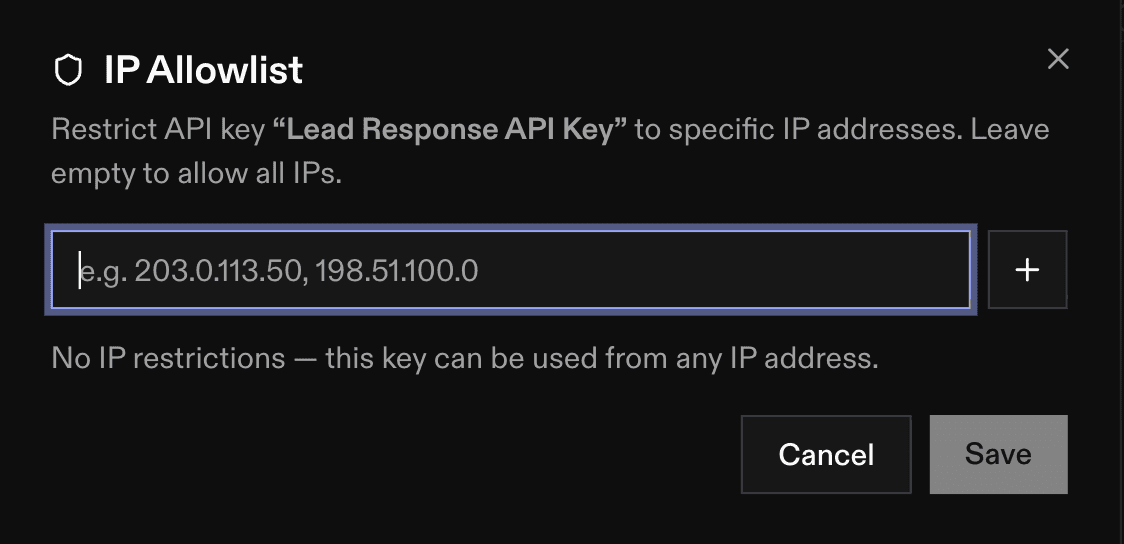
IP whitelisting restricts which IP addresses can use your API keys. You specify exactly which addresses are allowed to access your Composio resources, and Composio blocks requests from any other IP (even ones with a valid key).
To set up IP whitelisting:
Sign in to composio.dev and open your project.
Go to API Keys on the left sidebar.
You will see your table of API keys, with a column labelled IP Allowlist. Click on the "No Restriction" button located beside each key, and add the IP addresses your application calls Composio from.
Save. Requests from any other address are now blocked.
Example: a production backend. If your workflows run from a server with a static IP (e.g. a production backend on a fixed egress address), you would whitelist just that address. A key copied out of an environment variable or leaked in a log becomes useless anywhere else, because requests from a laptop, CI runner, or attacker's machine won't get through.
Be in control of your API key security
Together, these controls let you be specific about which resources get accessed and which locations can access them. Read the docs here: https://docs.composio.dev/docs

 Get started