How to integrate Twelve data MCP with Claude Code

Trusted by
AWS
Glean
Zoom
Airtable

30 min · no commitment · see it on your stack

Twelve data logo
Claude Code logo
divider

Introduction

Manage your Twelve data directly from Claude Code with zero worries about OAuth hassles, API-breaking issues, or reliability and security concerns.

You can do this in two different ways:

  1. Via Composio Connect - Direct and easiest approach
  2. Via Composio SDK - Programmatic approach with more control

Also integrate Twelve data with

Why use Composio?

  • Only one MCP URL to connect multiple apps with Claude Code with zero auth hassles.
  • Programmatic tool calling allows LLMs to write its code in a remote workbench to handle complex tool chaining. Reduces to-and-fro with LLMs for frequent tool calling.
  • Handling Large tool responses out of LLM context to minimize context rot.
  • Dynamic just-in-time access to 20,000 tools across 1000+ other Apps for cross-app workflows. It loads the tools you need, so LLMs aren't overwhelmed by tools you don't need.

Connecting Twelve data to Claude Code using Composio

1. Add the Composio MCP to Claude

Terminal

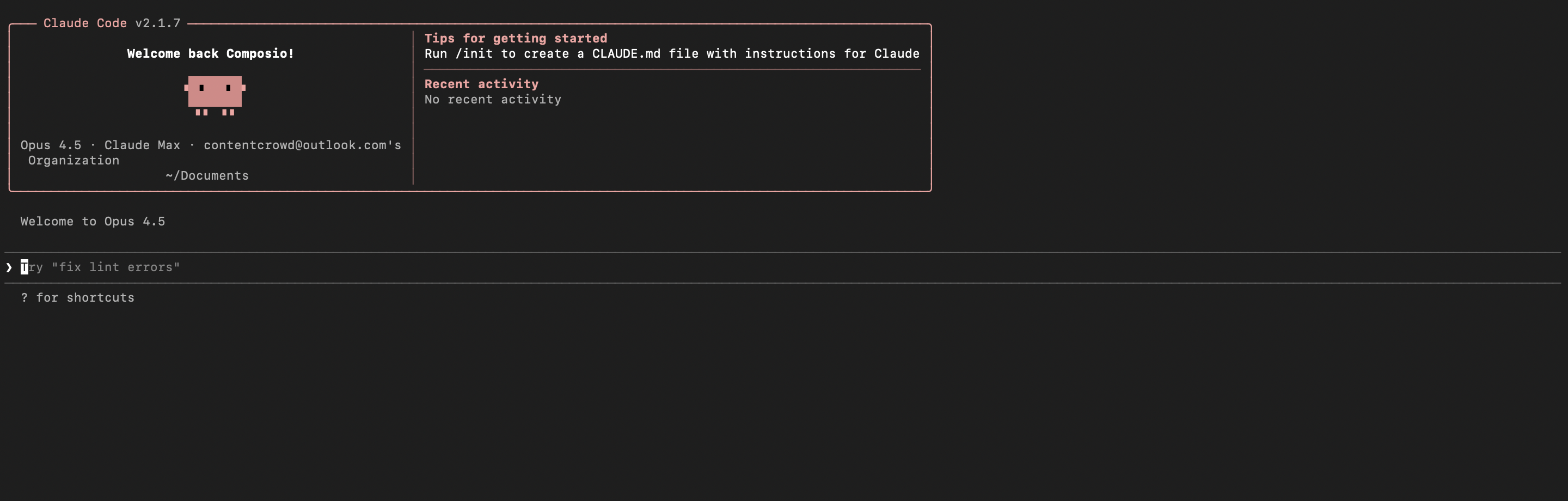
2. Start Claude Code

bash
claude

3. Open your MCP list

bash
/mcp

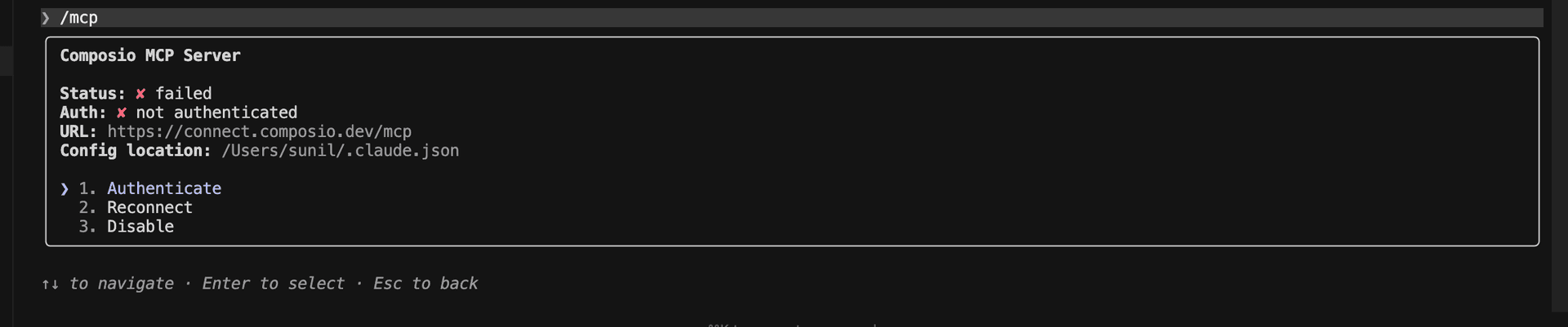
4. Select Composio and click on Authenticate

Select Composio and click Authenticate

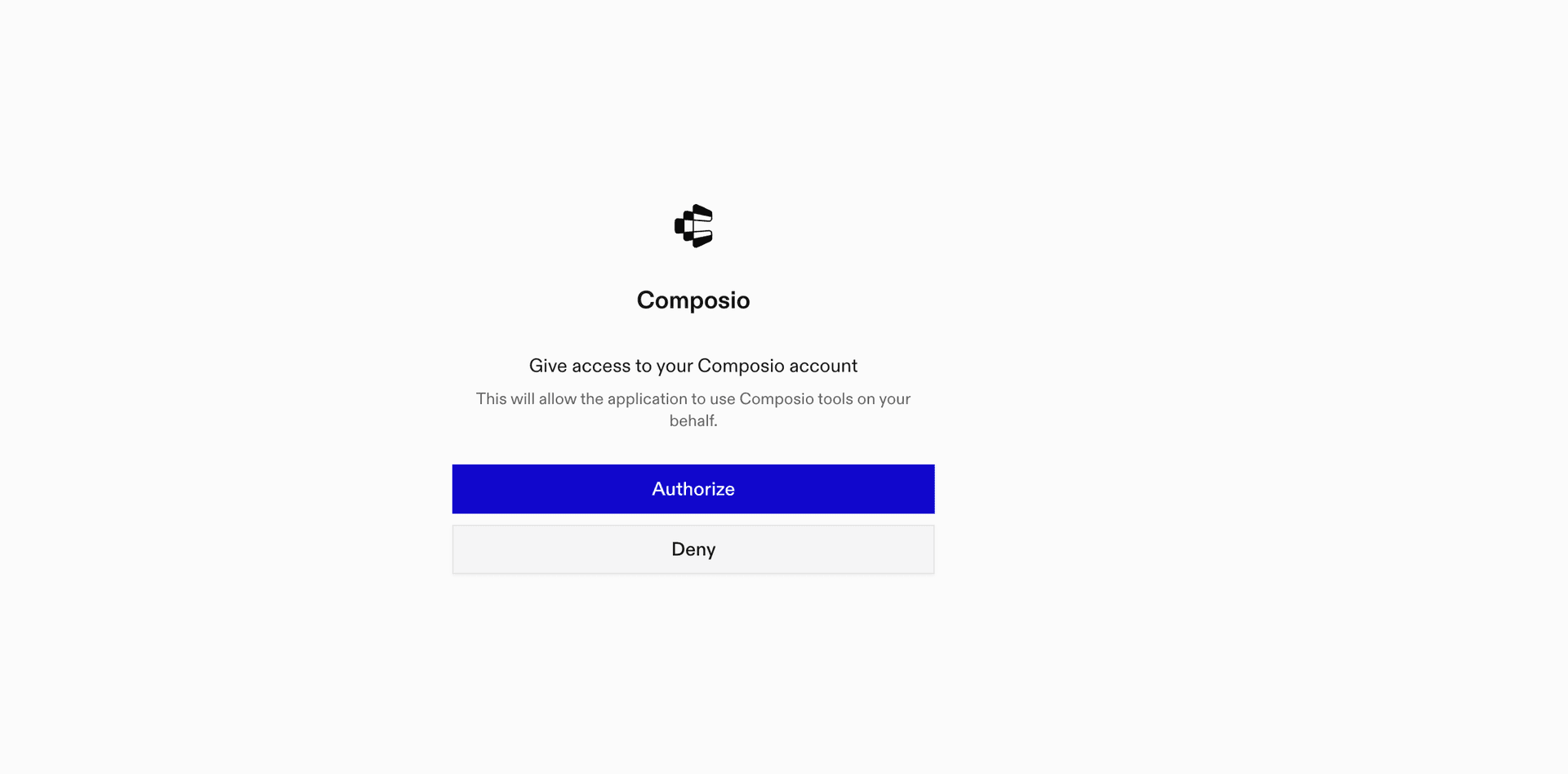
5. This will redirect you to the Composio OAuth page. Complete the flow by authorizing Composio and you're all set.

Composio OAuth authorization page
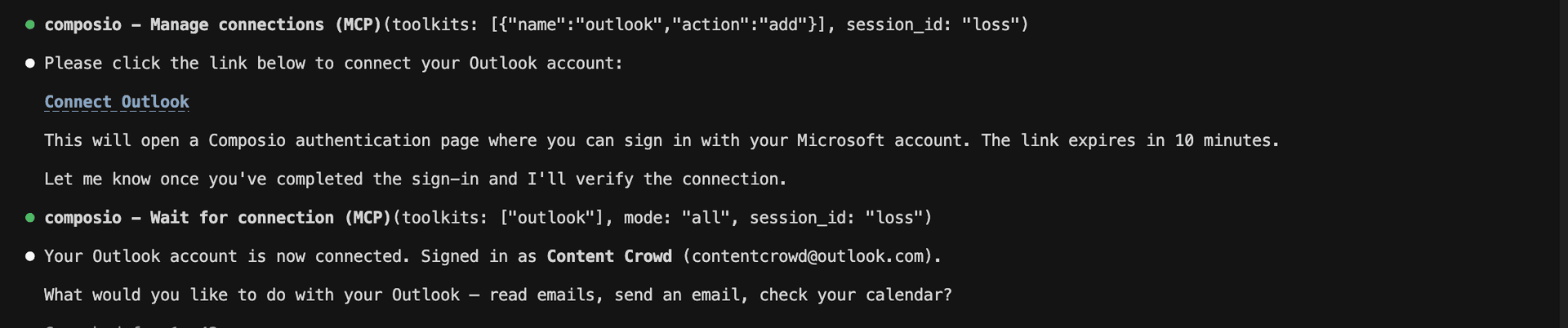
Composio authorization complete
Ask Claude to connect to your account and authenticate via the link

Supported Tools & Triggers

Tools
Cash FlowTool to get company cash flow statement.
Consolidated Cash FlowTool to get raw consolidated cash flow statements.
List CommoditiesTool to retrieve a list of supported commodities.
Correlation CoefficientTool to fetch Pearson correlation coefficient between two series over a period.
List CountriesTool to retrieve a list of countries with ISO codes, names, capitals, and currencies.
Cross ListingsTool to retrieve cross-listed symbols for a security across multiple exchanges.
List CryptocurrenciesTool to list all supported cryptocurrencies.
List Cryptocurrency ExchangesTool to list supported cryptocurrency exchanges.
Currency ConversionTool to convert an amount from one currency to another.
DividendsTool to retrieve dividend payout history for a specified symbol.
EarningsTool to retrieve earnings data including EPS estimates and actuals.
EPS RevisionsTool to provide analysts’ revisions of a company’s future EPS over the last week and month.
EPS TrendTool to retrieve EPS trend estimates for a specified company.
ETFS DirectoryTool to fetch a daily updated list of exchange-traded funds sorted by total assets.
ETFS FamilyTool to fetch a comprehensive list of ETFs by family.
Get ETF TypesTool to retrieve ETF categories by market, including types like 'Equity Precious Metals'.
ETF WorldTool to fetch comprehensive ETF analytics (summary, performance, risk, composition).
ETF World CompositionTool to fetch global ETF composition details including sector, country, asset allocations, top holdings, and bond metrics.
ETF World RiskTool to get global ETF risk metrics.
List supported exchangesTool to retrieve a list of supported exchanges.
List supported forex pairsTool to retrieve a list of all supported forex currency pairs.
Get AD IndicatorTool to retrieve Accumulation/Distribution (AD) indicator data for a financial instrument.
Get API UsageTool to retrieve your current plan and remaining API credits.
Get APO (Absolute Price Oscillator)Tool to calculate the Absolute Price Oscillator (APO) for a financial instrument.
Get Aroon IndicatorTool to retrieve Aroon Indicator data for identifying market trends.
Balance SheetTool to retrieve a company's balance sheet (assets, liabilities, equity).
Balance Sheet ConsolidatedTool to get raw consolidated balance sheet data (assets, liabilities, equity) for a company.
Get Bollinger BandsTool to calculate Bollinger Bands (BBANDS) for a financial instrument.
Get BondsTool to retrieve a daily updated list of available bonds (fixed income securities).
Get CCITool to retrieve Commodity Channel Index (CCI) values for a specified security.
Get Ceiling (CEIL)Tool to retrieve the Ceiling (CEIL) transformation for a time series.
Get Chande Momentum OscillatorTool to retrieve Chande Momentum Oscillator (CMO) data for a security.
Get Detrended Price OscillatorTool to calculate the Detrended Price Oscillator (DPO) for a specified financial instrument.
Get Earliest TimestampTool to return the first available timestamp for a symbol and interval.
Get End of Day PriceTool to retrieve end of day (EOD) closing price and metadata for a financial instrument.
Global ETF PerformanceTool to get global ETF performance metrics (trailing and annual returns).
Get exchange scheduleTool to get trading sessions and hours for exchanges.
Get Fund HoldersTool to retrieve mutual fund holders for a company.
Get FundsTool to fetch a daily updated list of available investment funds.
Get Heikin Ashi CandlesTool to retrieve Heikin Ashi candlestick data that smooths price action by averaging values.
Get HLC3 AverageTool to calculate the High, Low, Close Average (HLC3) for a security over a specified period.
Get Hilbert Transform Sine WaveTool to fetch Hilbert Transform Sine Wave (HT_SINE) data for an instrument.
Get Ichimoku Cloud IndicatorTool to retrieve Ichimoku Kinko Hyo indicator data for analyzing trend direction, support/resistance levels, and trading opportunities.
Income StatementTool to retrieve a company's income statement data (annual or quarterly).
Insider TransactionsREQUIRES PRO, ULTRA, OR ENTERPRISE PLAN.
Get Available IntervalsTool to retrieve a list of available time intervals supported by the API.
Get Keltner ChannelTool to retrieve Keltner Channel indicator data for volatility-based technical analysis.
Key ExecutivesREQUIRES ULTRA OR ENTERPRISE PLAN.
Get Last ChangeTool to retrieve the latest update timestamps for a fundamentals dataset.
Get Linear Regression AngleTool to calculate the linear regression angle for a given time series of stock prices.
Get Linear Regression InterceptTool to calculate the y-intercept of a linear regression line for a given dataset.
Get Linear Regression SlopeTool to calculate the linear regression slope for a given dataset over a specified period.
Get Base-10 Logarithm (LOG10)Tool to compute the base-10 logarithm (LOG10) of a specified input value.
Get LogoTool to retrieve official logo URLs for a symbol.
Get MACDTool to calculate the Moving Average Convergence Divergence (MACD) for a specified financial instrument.
Get MAMATool to fetch MESA Adaptive Moving Average (MAMA) indicator data.
Market MoversTool to retrieve a snapshot of top gainers or losers for a specified market.
Get Market StateTool to report current open/closed status for exchanges.
Get Maximum ValueTool to calculate and return the highest value within a specified data series over a given period.
Get McGinley Dynamic IndicatorTool to calculate the McGinley Dynamic indicator, which provides a refined moving average that adapts to market volatility.
Get Median PriceTool to calculate and retrieve the Median Price (MEDPRICE) technical indicator for a security.
Get Minus Directional IndicatorTool to calculate and return the Minus Directional Indicator (MINUS_DI) for a security.
Global Mutual Fund PerformanceTool to get global mutual fund performance metrics (trailing, annual, quarterly, load-adjusted returns).
Mutual Funds World RiskTool to fetch global mutual fund risk metrics.
Global Mutual Fund SummaryTool to retrieve a global mutual fund summary snapshot.
Global Mutual Fund SustainabilityTool to get global mutual fund sustainability and ESG metrics.
Get Plus Directional IndicatorTool to fetch the Plus Directional Indicator (PLUS_DI) time series data for a security.
Get PriceTool to retrieve the latest market price for a specified financial instrument.
Price TargetTool to fetch analysts' price target dataset for equities.
Get ProfileTool to retrieve company profile.
RecommendationsRetrieve aggregated analyst recommendations for a stock.
Get Rate of Change (ROC)Tool to retrieve Rate of Change (ROC) indicator data for a security.
Get ROCP (Rate of Change Percentage)Tool to calculate and return the Rate of Change Percentage (ROCP) for a financial security.
Get ROCR100Tool to calculate the Rate of Change Ratio 100 (ROCR100) for a security.
Get Relative VolumeTool to fetch relative volume (RVOL) data for a security.
Stock SplitsTool to retrieve historical stock split events.
Splits CalendarTool to retrieve a calendar of stock split events.
Get StatisticsTool to retrieve key company statistics including valuation and financial overview.
Get Stochastic RSITool to calculate the Stochastic Relative Strength Index (Stochastic RSI) for a specified financial instrument.
Get Summation (SUM)Tool to calculate the cumulative total (Summation) of a specified data series over a defined time period.
Get Technical Indicators ListTool to retrieve a comprehensive list of available technical indicators.
Get TEMA (Triple Exponential Moving Average)Tool to calculate the Triple Exponential Moving Average (TEMA) for a financial instrument.
Get Variance (VAR)Tool to calculate the statistical variance of a financial data series.
Get Weighted Close PriceTool to calculate and retrieve the Weighted Close Price (WCLPRICE) for a security.
Get Weighted Moving Average (WMA)Tool to calculate and retrieve the Weighted Moving Average (WMA) for a security over a specified period.
List market indicesTool to retrieve a list of market indices.
Institutional HoldersTool to retrieve institutional holders positions for a company.
Mutual Funds FamilyTool to list all available mutual fund families.
Mutual Funds ListTool to retrieve a daily updated list of mutual funds sorted by total assets.
Mutual Funds World CompositionTool to fetch global mutual fund portfolio composition including sectors, asset allocation, top holdings, and bond metrics.
Options ChainTool to retrieve the options chain for a given symbol and optional expiration date.
Options ExpirationTool to retrieve available option expiration dates.
QuoteTool to retrieve the latest market data for a specified symbol.
List StocksTool to retrieve a list of stocks.
Symbol SearchTool to search for financial instruments by symbol or company name.
Technical IndicatorsTool to fetch time-series data for a specific technical indicator.
Time SeriesTool to retrieve historical and real-time time series data for a specified symbol.

What is the Twelve data MCP server, and what's possible with it?

The Twelve data MCP server is an implementation of the Model Context Protocol that connects your AI agent and assistants like Claude, Cursor, etc directly to your Twelve Data account. It provides structured and secure access to real-time and historical financial market data, so your agent can retrieve stock prices, analyze dividend and earnings history, explore ETFs, and perform currency conversions on your behalf.

  • Comprehensive market data access: Instantly pull up-to-date information on stocks, forex, cryptocurrencies, commodities, and indices to support analysis or decision-making.
  • Dividend and earnings insights: Retrieve detailed dividend payout history and earnings reports, including EPS estimates, actuals, and trend analysis for specific companies.
  • ETF exploration and categorization: Ask your agent to fetch directories of ETFs, sort by assets, family, or market, and explore various ETF types for in-depth portfolio research.
  • Real-time currency conversion: Effortlessly convert amounts between currencies using live exchange rates for accurate financial planning and reporting.
  • Cryptocurrency and commodity discovery: List all supported cryptocurrencies and commodities, helping you quickly identify available assets for further analysis or trading strategies.

Connecting Twelve data via Composio SDK

Composio SDK is the underlying tech that powers Rube. It's a universal gateway that does everything Rube does but with much more programmatic control. You can programmatically generate an MCP URL with the app you need (here Twelve data) for even more tool search precision. It's secure and reliable.

How the Composio SDK works

The Composio SDK follows a three-phase workflow:

  1. Discovery: Searches for tools matching your task and returns relevant toolkits with their details.
  2. Authentication: Checks for active connections. If missing, creates an auth config and returns a connection URL via Auth Link.
  3. Execution: Executes the action using the authenticated connection.

Step-by-step Guide

Prerequisites

Before starting, make sure you have:
  • Claude Pro, Max, or API billing enabled Anthropic account
  • Composio API Key
  • A Twelve data account
  • Basic knowledge of Python or TypeScript

Install Claude Code

bash
# macOS, Linux, WSL
curl -fsSL https://claude.ai/install.sh | bash

# Windows PowerShell
irm https://claude.ai/install.ps1 | iex

# Windows CMD
curl -fsSL https://claude.ai/install.cmd -o install.cmd && install.cmd && del install.cmd

To install Claude Code, use one of the following methods based on your operating system:

Set up Claude Code

bash
cd your-project-folder
claude

Open a terminal, go to your project folder, and start Claude Code:

  • Claude Code will open in your terminal
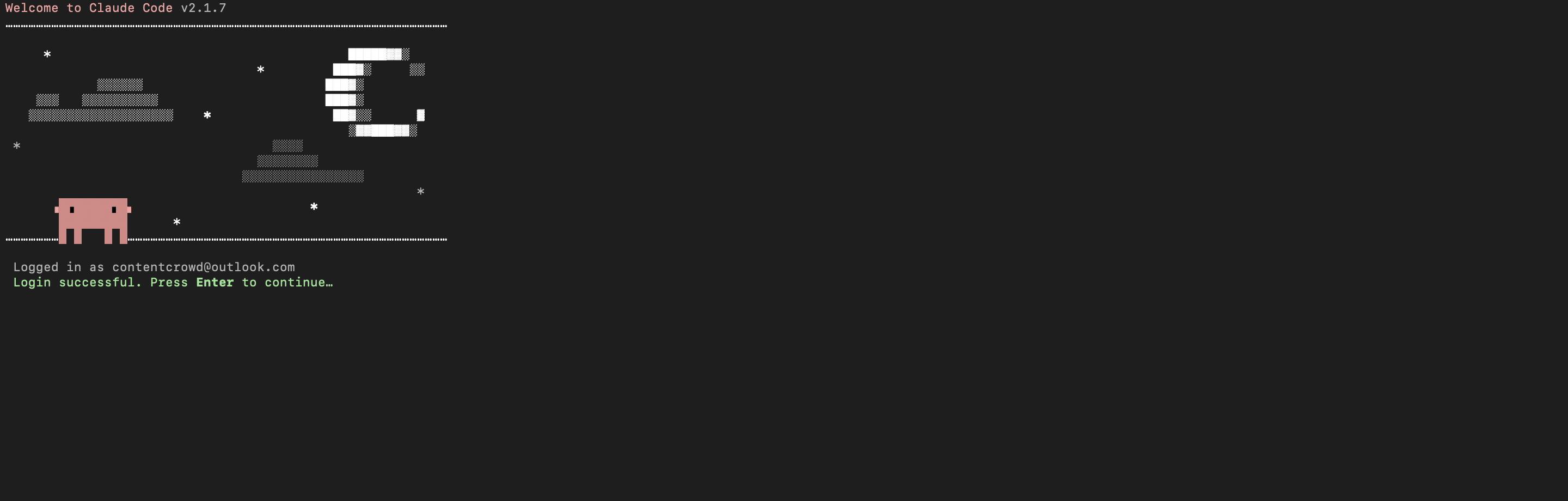
  • Follow the prompts to sign in with your Anthropic account
  • Complete the authentication flow
  • Once authenticated, you can start using Claude Code
Claude Code initial setup showing sign-in prompt
Claude Code terminal after successful login

Set up environment variables

bash
COMPOSIO_API_KEY=your_composio_api_key_here
USER_ID=your_user_id_here

Create a .env file in your project root with the following variables:

  • COMPOSIO_API_KEY authenticates with Composio (get it from Composio dashboard)
  • USER_ID identifies the user for session management (use any unique identifier)

Install Composio library

pip install composio-core python-dotenv

Install the Composio Python library to create MCP sessions.

  • composio-core provides the core Composio functionality
  • python-dotenv loads environment variables from your .env file

Generate Composio MCP URL

import os
from composio import Composio
from dotenv import load_dotenv

load_dotenv()

COMPOSIO_API_KEY = os.getenv("COMPOSIO_API_KEY")
USER_ID = os.getenv("USER_ID")

composio_client = Composio(api_key=COMPOSIO_API_KEY)

composio_session = composio_client.create(
    user_id=USER_ID,
    toolkits=["twelve_data"],
)

COMPOSIO_MCP_URL = composio_session.mcp.url

print(f"MCP URL: {COMPOSIO_MCP_URL}")
print(f"\nUse this command to add to Claude Code:")
print(f'claude mcp add --transport http twelve_data-composio "{COMPOSIO_MCP_URL}" --headers "X-API-Key:{COMPOSIO_API_KEY}"')

Create a script to generate a Composio MCP URL for Twelve data. This URL will be used to connect Claude Code to Twelve data.

What's happening:

  • We import the Composio client and load environment variables
  • Create a Composio instance with your API key
  • Call create() to create a Tool Router session for Twelve data
  • The returned mcp.url is the MCP server URL that Claude Code will use
  • The script prints this URL so you can copy it

Run the script and copy the MCP URL

python generate_mcp_url.py

Run your Python script to generate the MCP URL.

  • The script connects to Composio and creates a Tool Router session
  • It prints the MCP URL and the exact command you need to run
  • Copy the entire claude mcp add command from the output

Add Twelve data MCP to Claude Code

bash
claude mcp add --transport http twelve_data-composio "YOUR_MCP_URL_HERE" --headers "X-API-Key:YOUR_COMPOSIO_API_KEY"

# Then restart Claude Code
exit
claude

In your terminal, add the MCP server using the command from the previous step. The command format is:

  • claude mcp add registers a new MCP server with Claude Code
  • --transport http specifies that this is an HTTP-based MCP server
  • The server name (twelve_data-composio) is how you'll reference it
  • The URL points to your Composio Tool Router session
  • --headers includes your Composio API key for authentication

After running the command, close the current Claude Code session and start a new one for the changes to take effect.

Verify the installation

bash
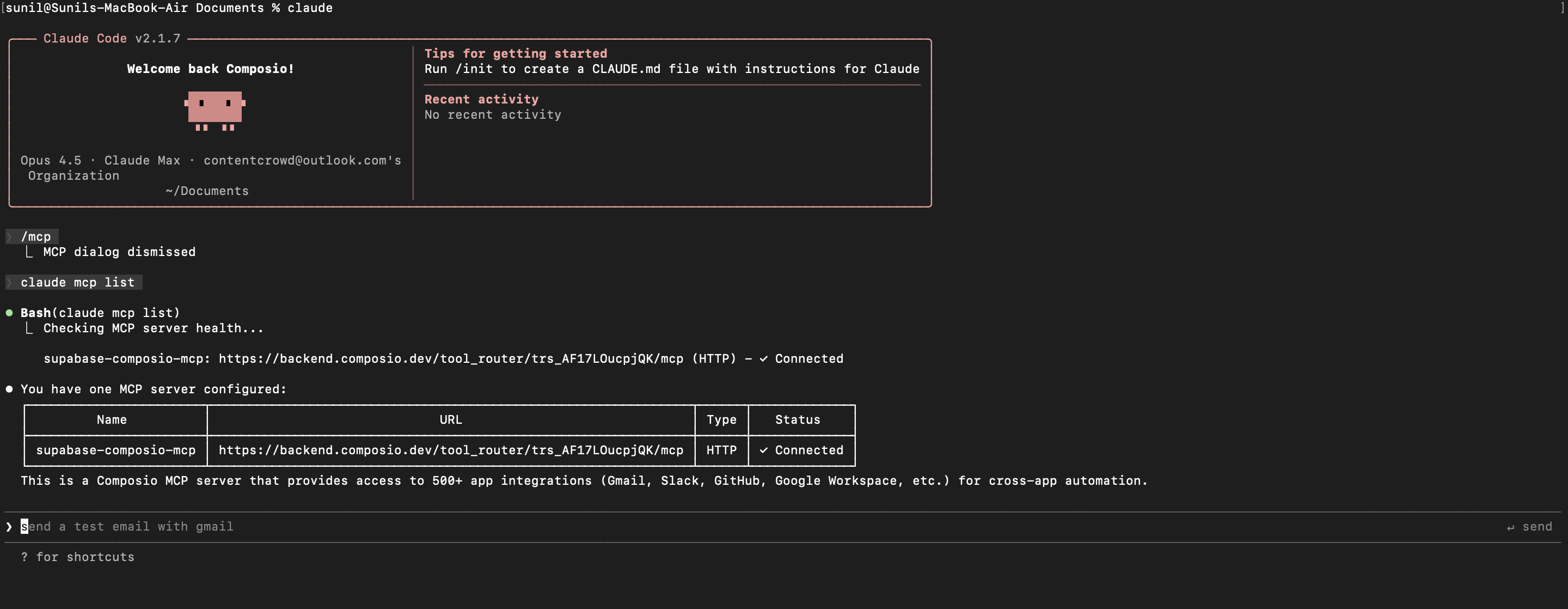
claude mcp list

Check that your Twelve data MCP server is properly configured.

  • This command lists all MCP servers registered with Claude Code
  • You should see your twelve_data-composio entry in the list
  • This confirms that Claude Code can now access Twelve data tools

If everything is wired up, you should see your twelve_data-composio entry listed:

Claude Code MCP list showing the toolkit MCP server

Authenticate Twelve data

The first time you try to use Twelve data tools, you'll be prompted to authenticate.

  • Claude Code will detect that you need to authenticate with Twelve data
  • It will show you an authentication link
  • Open the link in your browser (or copy/paste it)
  • Complete the Twelve data authorization flow
  • Return to the terminal and start using Twelve data through Claude Code

Once authenticated, you can ask Claude Code to perform Twelve data operations in natural language. For example:

  • "List all supported cryptocurrencies today"
  • "Convert 100 USD to EUR right now"
  • "Show recent dividend payouts for AAPL"

Complete Code

Here's the complete code to get you started with Twelve data and Claude Code:

import os
from composio import Composio
from dotenv import load_dotenv

load_dotenv()

COMPOSIO_API_KEY = os.getenv("COMPOSIO_API_KEY")
USER_ID = os.getenv("USER_ID")

composio_client = Composio(api_key=COMPOSIO_API_KEY)

composio_session = composio_client.create(
    user_id=USER_ID,
    toolkits=["twelve_data"],
)

COMPOSIO_MCP_URL = composio_session.mcp.url

print(f"MCP URL: {COMPOSIO_MCP_URL}")
print(f"\nUse this command to add to Claude Code:")
print(f'claude mcp add --transport http twelve_data-composio "{COMPOSIO_MCP_URL}" --headers "X-API-Key:{COMPOSIO_API_KEY}"')

Conclusion

You've successfully integrated Twelve data with Claude Code using Composio's MCP server. Now you can interact with Twelve data directly from your terminal using natural language commands.

Key features of this setup:

  • Terminal-native experience without switching contexts
  • Natural language commands for Twelve data operations
  • Secure authentication through Composio's managed MCP
  • Tool Router for dynamic tool discovery and execution

Next steps:

  • Try asking Claude Code to perform various Twelve data operations
  • Add more toolkits to your Tool Router session for multi-app workflows
  • Integrate this setup into your development workflow for increased productivity

You can extend this by adding more toolkits, implementing custom workflows, or building automation scripts that leverage Claude Code's capabilities.

How to build Twelve data MCP Agent with another framework

FAQ

What are the differences in Tool Router MCP and Twelve data MCP?

With a standalone Twelve data MCP server, the agents and LLMs can only access a fixed set of Twelve data tools tied to that server. However, with the Composio Tool Router, agents can dynamically load tools from Twelve data and many other apps based on the task at hand, all through a single MCP endpoint.

Can I use Tool Router MCP with Claude Code?

Yes, you can. Claude Code fully supports MCP integration. You get structured tool calling, message history handling, and model orchestration while Tool Router takes care of discovering and serving the right Twelve data tools.

Can I manage the permissions and scopes for Twelve data while using Tool Router?

Yes, absolutely. You can configure which Twelve data scopes and actions are allowed when connecting your account to Composio. You can also bring your own OAuth credentials or API configuration so you keep full control over what the agent can do.

How safe is my data with Composio Tool Router?

All sensitive data such as tokens, keys, and configuration is fully encrypted at rest and in transit. Composio is SOC 2 Type 2 compliant and follows strict security practices so your Twelve data data and credentials are handled as safely as possible.

Used by agents from

Context
Letta
glean
HubSpot
Agent.ai
Altera
DataStax
Entelligence
Rolai
Context
Letta
glean
HubSpot
Agent.ai
Altera
DataStax
Entelligence
Rolai
Context
Letta
glean
HubSpot
Agent.ai
Altera
DataStax
Entelligence
Rolai

Never worry about agent reliability

We handle tool reliability, observability, and security so you never have to second-guess an agent action.