How to integrate Ragic MCP with Hermes

Connect Hermes to Ragic MCP. Find all customer records updated today, search invoices with status pending payment, and more using natural language, with authentication handled for you.

Ragic logoRagic
Api Key

Ragic is a web-based database builder that makes customizing databases as simple as editing a spreadsheet. Get organized fast with flexible data management and easy collaboration.

7 Tools

Introduction

Hermes is a 24/7 autonomous agent that lives on your computer or server — it remembers what it learns and evolves as your usage grows.

This guide explains the easiest and most robust way to connect your Ragic account to Hermes. You can do this through either Composio Connect CLI or Composio Connect MCP. For personal use we recommend the CLI, but you won't go wrong with MCP either.

For exact tool slugs and parameter tables, see the tool catalog in the Composio docs.
Also integrate Ragic with

What is Composio Connect?

Composio Connect is a consumer offering that lets anyone plug 2,000+ applications directly into their agent harness — including Hermes. It can:

  • Search and load tools from relevant toolkits on-demand, reducing context usage.
  • Chain multiple tools to accomplish complex workflows via a remote workbench, without excessive back-and-forth with the LLM.
  • Manage app authentication end-to-end with zero manual overhead.

Integrating Ragic with Hermes

Using Composio Connect CLI

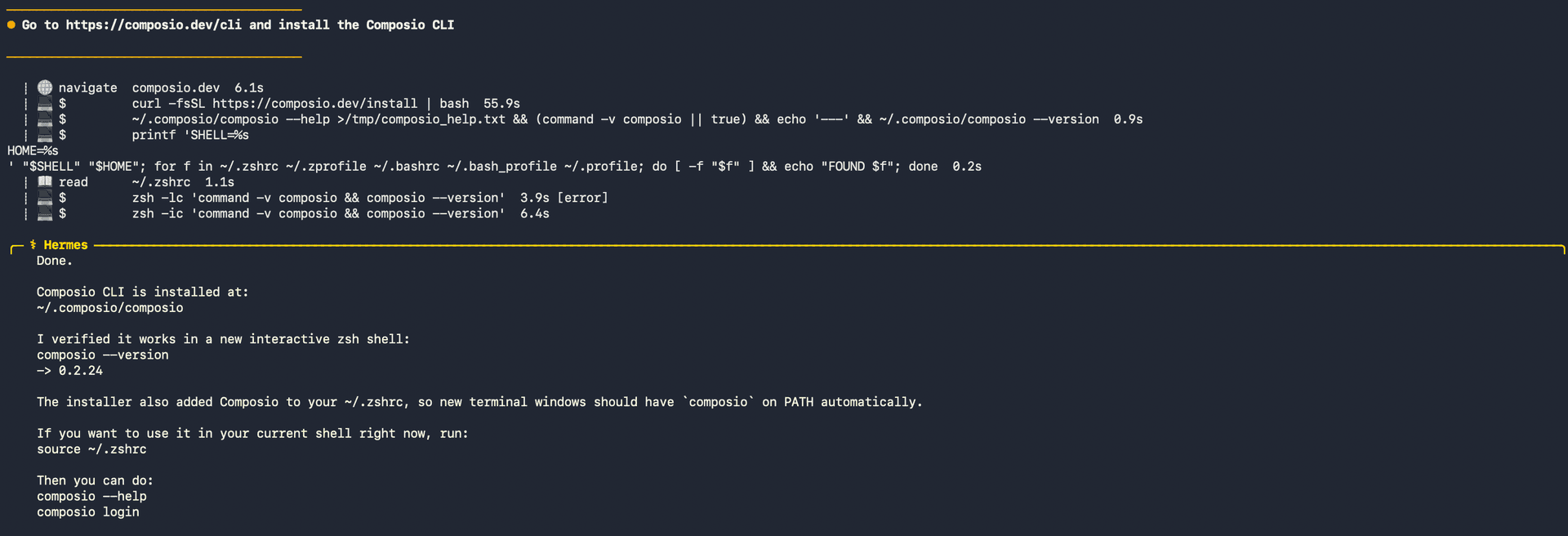
1. Install the Composio CLI

Run the install script directly, or paste https://composio.dev/hermes into your Hermes chat box to have it installed for you.

bash
curl -fsSL https://composio.dev/install | bash
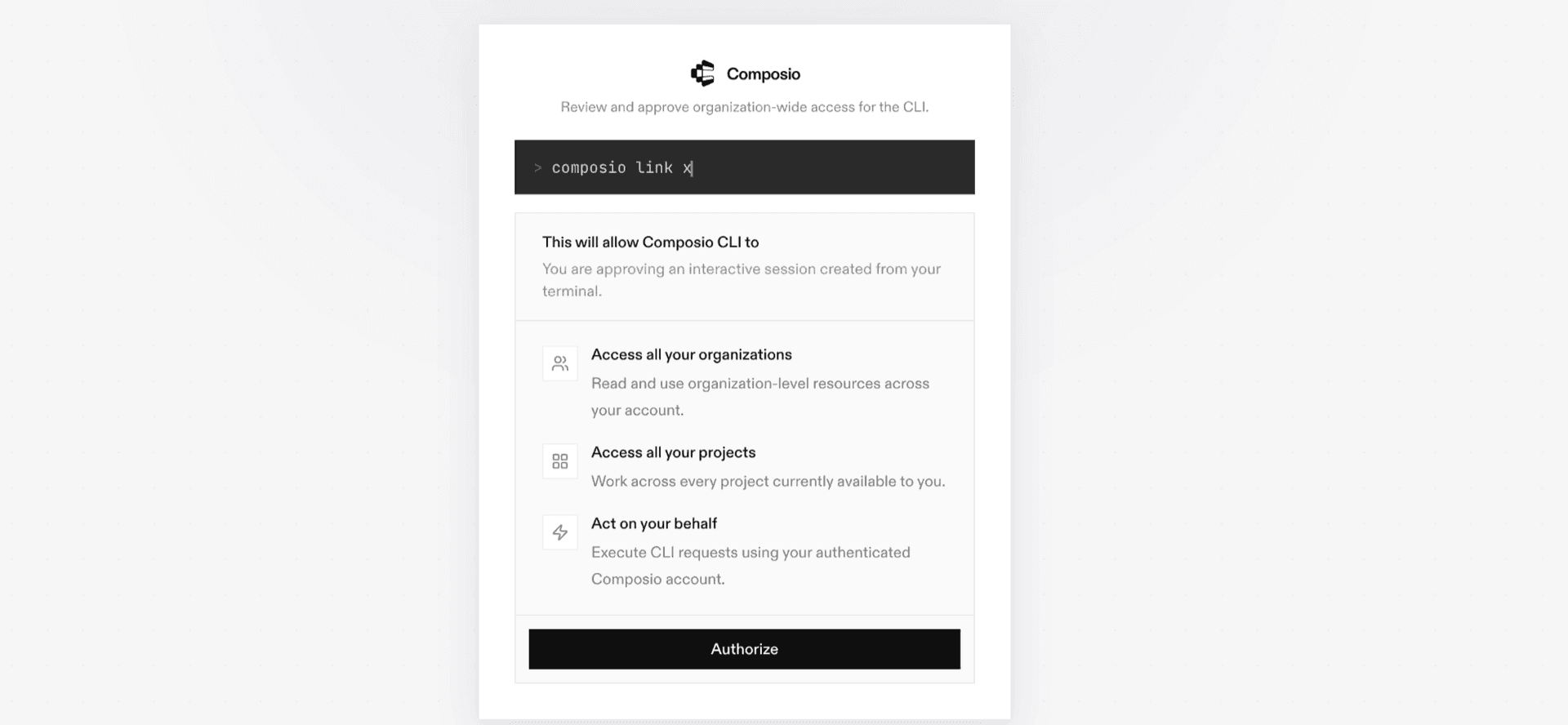
Hermes authenticating with Composio

2. Authenticate

Once the CLI is installed, ask Hermes to authenticate with Composio.

3. Connect to Ragic

Ask your agent to connect to Ragic, or simply request any Ragic-related task. Hermes will prompt you to authenticate and authorize access.

4. Done. You're all set with a new Ragic connection.


Using Composio Connect MCP

1. Get your MCP URL and API Key

Go to dashboard.composio.dev and copy your Connect MCP URL and API key.

Copy MCP URL and API key from Composio dashboard

2. Open the Hermes config file

bash
nano ~/.hermes/config.yaml

3. Add the Composio Connect MCP server

bash
mcp_servers:
  composio:
    url: "https://connect.composio.dev/mcp"
    headers:
      x-consumer-api-key: "YOUR_COMPOSIO_API_KEY"
    connect_timeout: 60
    timeout: 180

Save with Ctrl + O, Enter, then exit with Ctrl + X.

4. Restart your Hermes agent

Once restarted, ask your agent to connect to Ragic or request any Ragic-related task. It will prompt you to authenticate and authorize access.

5. Done!

What is the Ragic MCP server, and what's possible with it?

The Ragic MCP server is an implementation of the Model Context Protocol that connects your AI agent and assistants like Claude, Cursor, etc directly to your Ragic account. It provides structured and secure access to your Ragic databases, enabling your agent to search, filter, and analyze records just like you would on the Ragic platform.

  • Powerful record search: Instruct your agent to quickly find specific database records using keywords, fields, or filters across your Ragic tables.
  • Automated data analysis: Let your agent scan through records to extract insights, summarize trends, or identify outliers without manual effort.
  • Custom query execution: Have the agent run tailored searches to surface exactly the information you need from your custom Ragic forms and sheets.
  • Real-time database lookup: Ask your agent to instantly retrieve up-to-date details from any Ragic database for reporting, decision-making, or workflow automation.

Way Forward

With Ragic connected, Hermes can now act on your behalf whenever it detects a relevant task or you ask it to.

From here, you can extend Hermes further:

  • Connect more apps: Calendar, Slack, Notion, Linear, and hundreds of others are available through the same Composio Connect setup. Each new integration compounds what Hermes can do for you.
  • Build workflows across tools: Once multiple apps are connected, Hermes can chain actions together — turn an email into a calendar invite, a Slack message into a Linear ticket, or a meeting note into a follow-up draft.
  • Let it learn your patterns: The more you use Hermes, the better it gets at anticipating how you'd handle recurring tasks. Give it feedback on drafts and decisions, and it will adapt.

If you run into trouble or want to share what you've built, join the community or check out the Docs for deeper configuration options.

TOOLS

Supported Tools

Every Ragic action and event your agent gets out of the box.

Delete Entry

Tool to delete an entry from a Ragic sheet.

Download File

Download uploaded files, images, or email attachments from Ragic using a file reference returned by the API.

Get Action Buttons

Tool to retrieve the list of available action buttons on a Ragic sheet.

Get Custom Print Report

Tool to retrieve a custom print report for a Ragic record in various formats (pdf, png, docx).

Get Entry

Tool to retrieve a single entry from a Ragic sheet by its record ID.

Get Record as PDF

Tool to retrieve a PDF version of a Ragic record.

Search Records

Search records in a Ragic sheet using a full-text query, with optional pagination and response options.

FAQ

Frequently asked questions

Start with Ragic.It takes 30 seconds.

Managed auth, hosted MCP servers, and every Ragic tool your agent needs.Free to start.

Start building