How to integrate Mixpanel MCP with OpenCode

Trusted by
AWS
Glean
Zoom
Airtable

30 min · no commitment · see it on your stack

Mixpanel logo
OpenCode logo
divider

How to integrate Mixpanel MCP with OpenCode

This guide explains how to connect Mixpanel MCP to OpenCode using Composio Connect, which simplifies OAuth, API changes, and reliability concerns.

There are two ways to set this up:

Also integrate Mixpanel with

Why use Composio?

Composio provides a single MCP server or CLI tool that exposes a set of meta-tools, allowing you to:

  • Connect to 1,000+ apps with on-demand tool loading, so you do not fill your LLM context window with unnecessary tool definitions.
  • Use programmatic tool calling through a remote Bash tool, letting LLMs write their own code to handle complex tool chaining. This reduces back-and-forth for frequent tool calls.
  • Handle large tool responses outside the LLM context to keep conversations lean.

Connect Mixpanel with OpenCode

Option 1: Using Composio CLI

1. Install Composio CLI

Install the Composio CLI, authenticate, and initialize your project:

bash
# Install the Composio CLI
curl -fsSL https://composio.dev/install | bash

# Authenticate with Composio
composio login

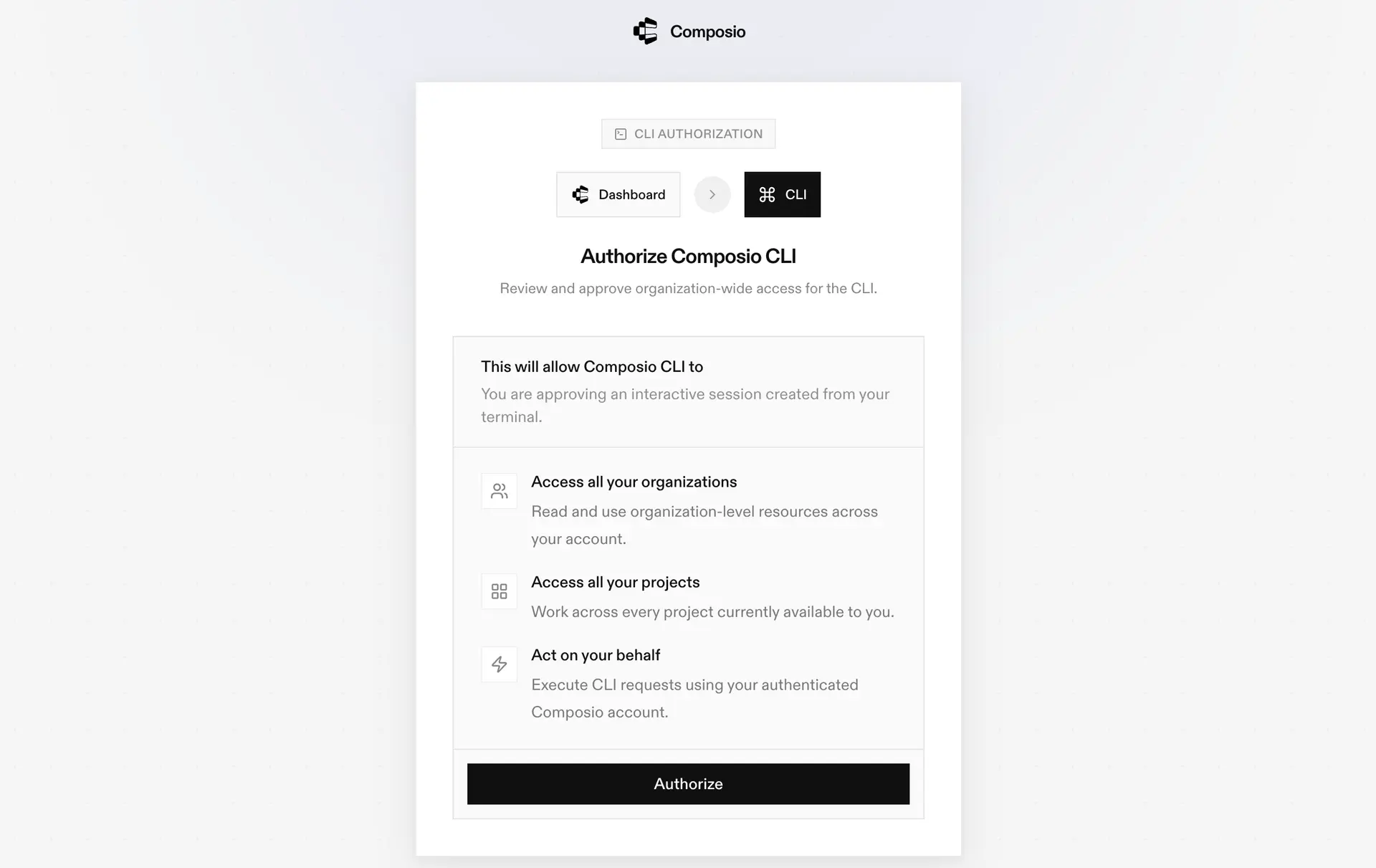
During login, you will be redirected to the sign-in page. Finish the flow and you are all set.

Composio CLI authorization screen

2. Authorize Mixpanel

Once the CLI is installed, it is essentially done. Give OpenCode access to your apps with these steps:

  1. Launch OpenCode.
  2. Prompt it to "Authenticate with Mixpanel Composio".
  3. Complete the authentication and authorization flow, and your Mixpanel integration is all set.
  4. Start asking anything you want.

Option 2: Using Composio MCP

You can also connect Mixpanel to OpenCode by adding Composio as an MCP server through the OpenCode CLI.

1. Add the Composio MCP server

bash
opencode mcp add

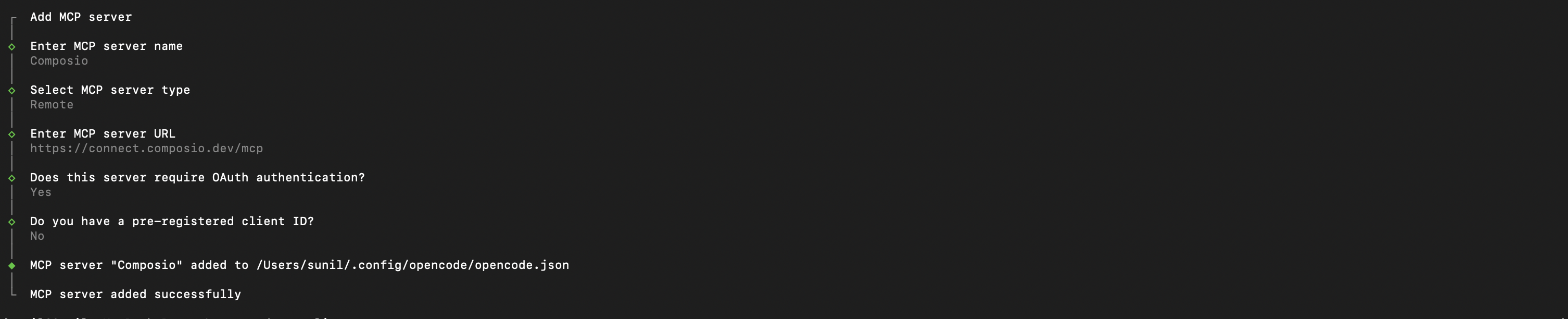
This launches an interactive prompt.

2. Fill in the fields

FieldValue
Namecomposio
Typeremote
URLhttps://connect.composio.dev/mcp
Require OAuthYes
Have client IDNo
OpenCode MCP server interactive prompt for Composio

Alternatively, you can skip the interactive prompt and paste the configuration directly into your OpenCode config file.

Open your global OpenCode config:

bash
open ~/.config/opencode/opencode.json

Add this under the mcp key and save the file.

bash
{
  "mcp": {
    "composio": {
      "type": "remote",
      "url": "https://connect.composio.dev/mcp",
      "enabled": true
    }
  }
}

3. Authenticate

Authenticate the Composio MCP server you just added:

bash
opencode mcp auth composio

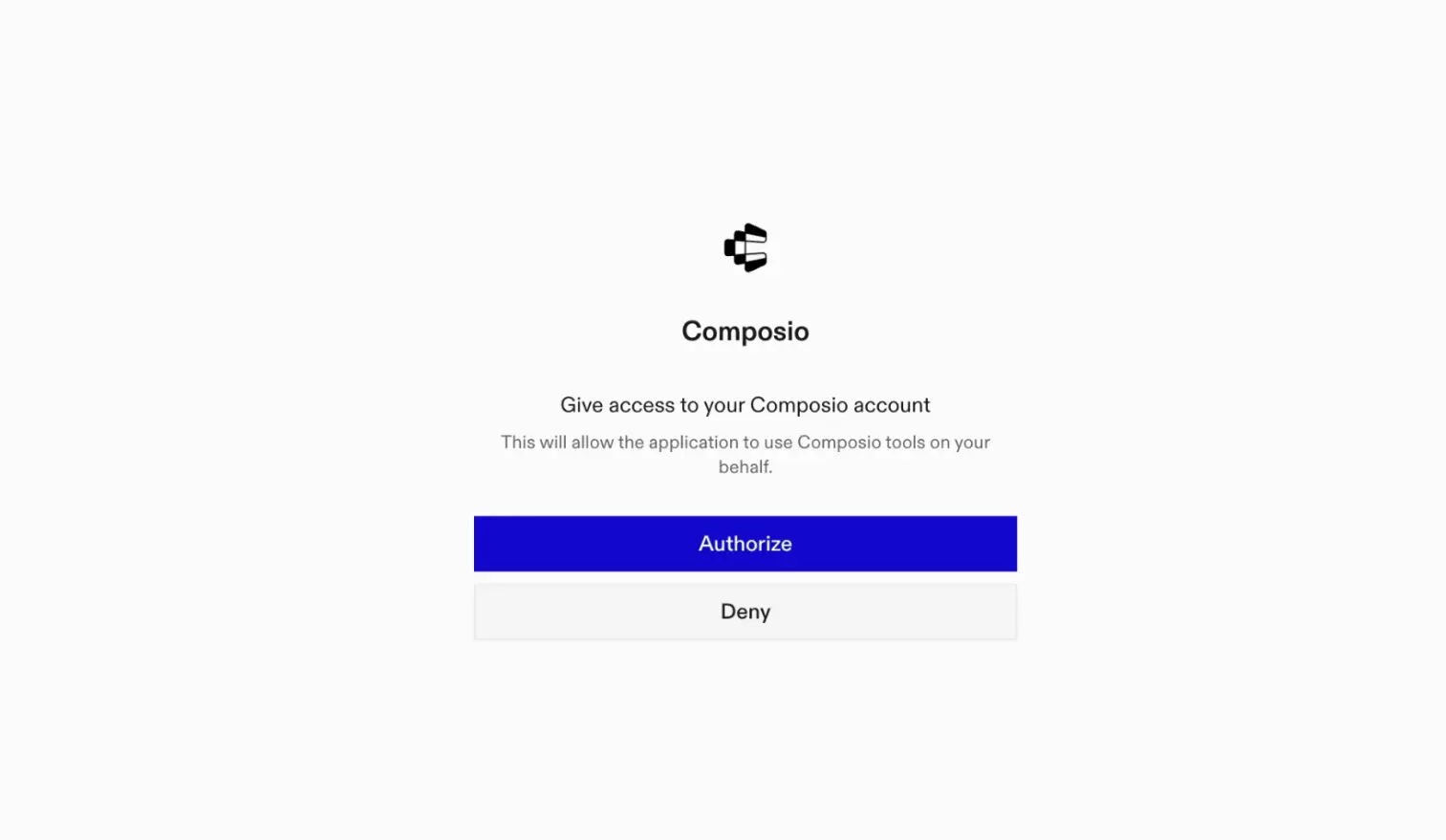
This opens a browser session. Authorize Composio and you are done.

Composio browser authorization for OpenCode MCP

4. Verify installation

bash
opencode mcp list

5. Connect Mixpanel with OpenCode

Now, in the chat, ask the agent to connect to Mixpanel or give it any Mixpanel-related task.

For example, ask it to:

  • "Show daily active users for last month"
  • "List top events by user engagement"
  • "Analyze conversion funnel for signup flow"

It will prompt you to authenticate and authorize access to Mixpanel.

That is it. Composio tools are now available in OpenCode, and your Mixpanel account is ready to use.

Supported Tools & Triggers

Tools
Add Unique Values to Profile List PropertyTool to add unique values to list properties on user profiles in Mixpanel using the $union operation.
Get Aggregated Event Property ValuesGet unique, total, or average data for a single event and property over days, weeks, or months.
Get Aggregate EventsGet aggregate event counts over time.
List Saved CohortsTool to list all saved cohorts in a Mixpanel project.
Create Annotation TagTool to create a new annotation tag in Mixpanel using the provided name.
Create IdentityTool to create an identity mapping in Mixpanel by linking an anonymous ID with an identified user ID.
Create Service AccountTool to create a new service account for your organization and optionally add it to projects.
Delete GroupTool to permanently delete a group profile from Mixpanel Group Analytics.
Delete ProfileTool to permanently delete a user profile from Mixpanel, along with all of its properties.
Delete Multiple Profiles (Batch)Tool to permanently delete multiple user profiles from Mixpanel in a single batch request.
Delete Profile PropertyTool to permanently delete properties from a Mixpanel user profile using the $unset operation.
Get All ProjectsGet all projects associated with the authenticated Mixpanel account.
Get Annotation TagsTool to get all annotation tags from a Mixpanel project.
Batch Update Group ProfilesTool to send a batch of group profile updates to Mixpanel.
Delete Group PropertiesTool to delete specific properties from a Mixpanel group profile.
Create Identity AliasTool to create an alias mapping between two distinct IDs in Mixpanel.
Execute JQL QueryExecute a custom JQL (JavaScript Query Language) query against Mixpanel's Query API.
List Saved FunnelsGet the names and funnel_ids of your funnels.
List Service AccountsTool to list all service accounts for an organization.
Append to Profile List PropertyTool to append values to list properties on user profiles in Mixpanel.
Update Multiple Profiles (Batch)Tool to update multiple user profiles in Mixpanel in a single batch request.
Get Profile Event ActivityGet event activity feed for specified users from Mixpanel Query API.
Increment Profile Numerical PropertyTool to increment or decrement numerical properties on user profiles in Mixpanel.
Remove from Profile List PropertyTool to remove values from list properties on user profiles in Mixpanel.
Set Profile PropertiesTool to set user profile properties in Mixpanel using the $set operation.
Query Frequency ReportGet data about how frequently users are performing events.
Query Saved FunnelGet data for a funnel.
Query Saved InsightGet data from your Insights reports.
Query Numeric Average ReportAverages an expression for events per unit time.
Query Numeric Sum ReportSums an expression for events per unit time.
Query ProfilesQuery user or group profile data from Mixpanel.
Query Retention ReportQuery cohort analysis showing user retention patterns over time.
Query Segmentation ReportGet data for an event, segmented and filtered by properties with daily/time-series breakdown.
Query Top EventsGet the top events for today, with their counts and the normalized percent change from yesterday.
Remove from Group List PropertyTool to remove values from list properties on group profiles in Mixpanel.
Remove from Profile List PropertyTool to remove values from list properties on user profiles in Mixpanel using the $remove operation.
Numeric Bucket Segmentation QueryTool to get event data numerically bucketed by property values.
Set Group Property OnceTool to set properties on a Mixpanel group profile only if they don't already exist.
Set Profile Property OnceTool to set user profile properties in Mixpanel using the $set_once operation.
Get Top Event PropertiesGet the top property names for an event.
Get Top Event Property ValuesTool to get the top values for a property ordered by frequency.
Get Top EventsGet a list of the most common events over the last 31 days.
Union to Group List PropertyTool to add unique values to list properties on group profiles in Mixpanel.

Way Forward

Now that Mixpanel is connected, extend your setup by connecting the other apps you already use every day, so your agent can run true cross-app workflows end to end.

  • Connect Calendar to turn threads into scheduled meetings automatically.
  • Connect Slack or Teams to post summaries, approvals, and alerts where your team works.
  • Connect Notion, Linear, Jira, or Asana to convert requests into tickets, tasks, and docs.
  • Connect Drive, Dropbox, or OneDrive to fetch, file, and share attachments without manual steps.

Start with one workflow you do repeatedly, then keep adding apps as you find new handoffs. With everything behind a single MCP endpoint, your agent can coordinate multiple tools safely and reliably in one conversation.

How to build Mixpanel MCP Agent with another framework

FAQ

What are the differences in Tool Router MCP and Mixpanel MCP?

With a standalone Mixpanel MCP server, the agents and LLMs can only access a fixed set of Mixpanel tools tied to that server. However, with the Composio Tool Router, agents can dynamically load tools from Mixpanel and many other apps based on the task at hand, all through a single MCP endpoint.

Can I use Tool Router MCP with OpenCode?

Yes, you can. OpenCode fully supports MCP integration. You get structured tool calling, message history handling, and model orchestration while Tool Router takes care of discovering and serving the right Mixpanel tools.

Can I manage the permissions and scopes for Mixpanel while using Tool Router?

Yes, absolutely. You can configure which Mixpanel scopes and actions are allowed when connecting your account to Composio. You can also bring your own OAuth credentials or API configuration so you keep full control over what the agent can do.

How safe is my data with Composio Tool Router?

All sensitive data such as tokens, keys, and configuration is fully encrypted at rest and in transit. Composio is SOC 2 Type 2 compliant and follows strict security practices so your Mixpanel data and credentials are handled as safely as possible.

Used by agents from

Context
Letta
glean
HubSpot
Agent.ai
Altera
DataStax
Entelligence
Rolai
Context
Letta
glean
HubSpot
Agent.ai
Altera
DataStax
Entelligence
Rolai
Context
Letta
glean
HubSpot
Agent.ai
Altera
DataStax
Entelligence
Rolai

Never worry about agent reliability

We handle tool reliability, observability, and security so you never have to second-guess an agent action.