How to integrate Listennotes MCP with OpenClaw

Connect OpenClaw to Listennotes MCP. Find top tech podcasts from last week, get audience stats for this podcast, and more using natural language, with authentication handled for you.

Listennotes logoListennotes
Api Key

Listennotes is a powerful podcast search engine with a massive global database. Discover, search, and curate podcasts from around the world in seconds.

26 Tools

Introduction

OpenClaw is the fastest growing agent harness out there, which can work 24/7 to automate almost any kind of tasks. However, its capabilities are limited to the tools it has access to. Composio allows your OpenClaw to access Listennotes with authentication management handled for you. You can execute actions on Listennotes via your favorite OpenClaw interface (Telegram, WhatsApp, TUI, etc), whichever you prefer.

For exact tool slugs and parameter tables, see the tool catalog in the Composio docs.

Also integrate Listennotes with

Why use Composio?

Apart from a managed and hosted MCP server, you will get:

  • Programmatic tool calling allows LLMs to write its code in a remote workbench to handle complex tool chaining. Reduces to-and-fro with LLMs for frequent tool calling.
  • Handling Large tool responses out of LLM context to minimize context rot.
  • Dynamic just-in-time access to 20,000 tools across 1700+ other Apps for cross-app workflows. It loads the tools you need, so LLMs aren't overwhelmed by tools you don't need.

How to install Listennotes with OpenClaw

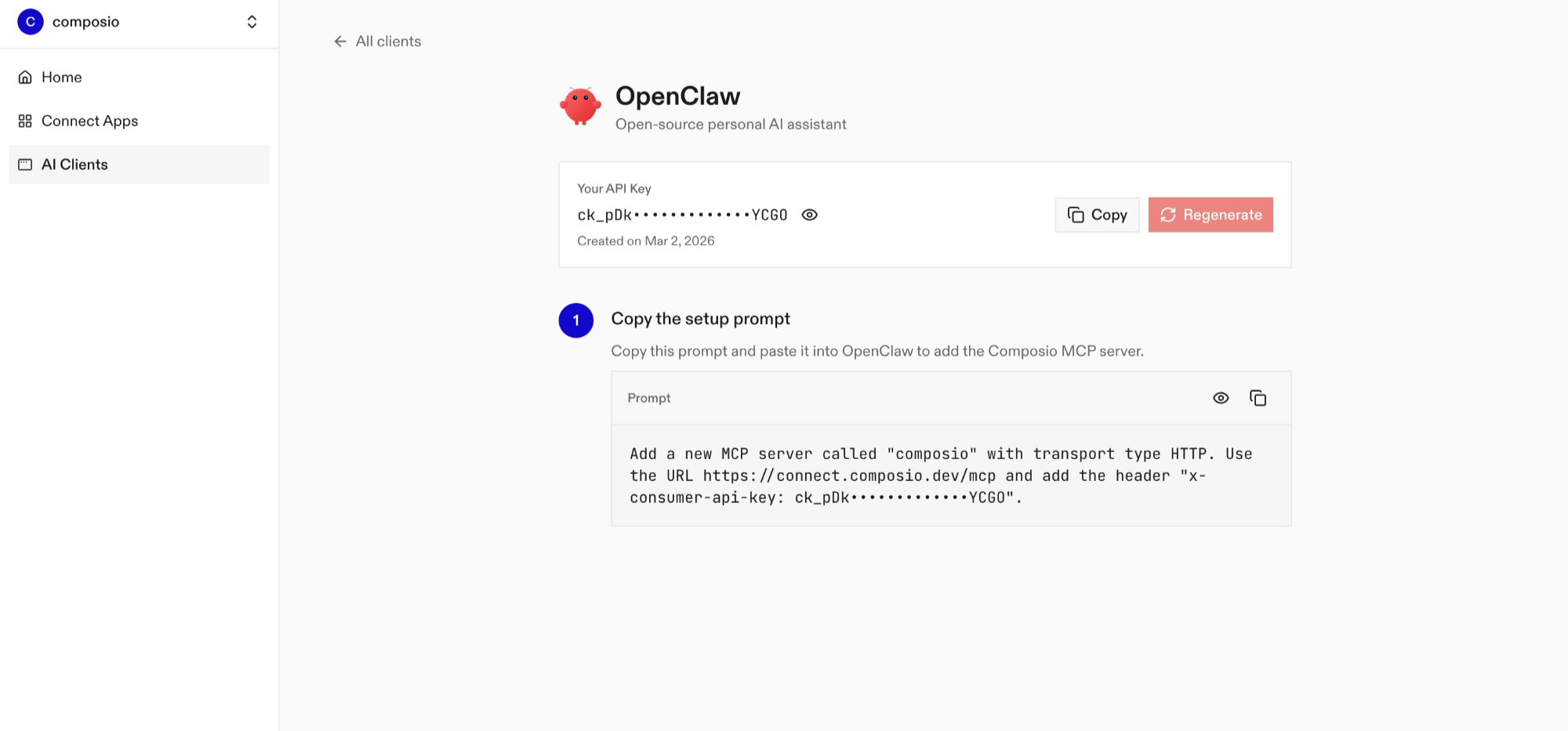
Using Composio API Key and Setup Prompt

Copy the setup prompt from the OpenClaw dashboard
  • Run it in your OpenClaw chat interface.
  • Authenticate Listennotes from the dashboard
  • Go back to your OpenClaw interface and start asking questions.

Using OpenClaw/Composio Plugin

1. Install OpenClaw Composio plugin

bash
openclaw plugins install @composio/openclaw-plugin

2. Copy the API Key from dashboard.composio.dev

3. Setup OpenClaw Config

bash
openclaw config set plugins.entries.composio.config.consumerKey "ck_your_key_here"

4. Restart OpenClaw

bash
openclaw gateway restart

5. Go to your chat interface and start asking questions.

6. When prompted, authenticate the app and you're all set.

How It Works

The plugin connects to Composio's MCP server at https://connect.composio.dev/mcp and registers all available tools directly into the OpenClaw agent. Tools are called by name — no extra search or execute steps needed.

If a tool returns an auth error, the agent will prompt you to connect that toolkit at dashboard.composio.dev.

Configuration

bash
{
  "plugins": {
    "entries": {
      "composio": {
        "enabled": true,
        "config": {
          "consumerKey": "ck_your_key_here"
        }
      }
    }
  }
}
OptionDescriptionDefault
enabledEnable or disable the plugintrue
consumerKeyYour Composio consumer key (ck_...)—
mcpUrlMCP server URL (advanced)https://connect.composio.dev/mcp

What is the Listennotes MCP server, and what's possible with it?

The Listen Notes MCP server is an implementation of the Model Context Protocol that connects your AI agent and assistants like Claude, Cursor, etc directly to your Listen Notes account. It provides structured and secure access to podcast and episode information, recommendations, curated lists, audience data, and playlists, so your agent can find episodes by title, retrieve podcast details, discover recommendations, review audience demographics, and access playlists on your behalf.

  • Podcast and episode lookup: Have your agent search for episodes by title, retrieve detailed episode information, or fetch a podcast and its episodes.
  • Podcast discovery: Let the agent retrieve best podcast lists, curated collections, trending searches, related search terms, and typeahead suggestions.
  • Personalized recommendations: Direct your agent to find recommended podcasts or episodes based on a podcast or episode you already know.
  • Audience and publisher research: Instruct your agent to review a podcast's audience demographics or find podcasts associated with a publisher's domain.
  • Playlists and podcast submissions: Have your agent fetch your playlists and their details, submit a podcast feed to the Listen Notes database, or request a podcast's deletion.

Conclusion

You've successfully integrated Listennotes with OpenClaw using Composio plugin. Now interact with Listennotes directly from your terminal, Web UI, or any messenger app using natural language commands.

Key benefits of this setup:

  • Seamless integration across TUI, Web UIs, and Messenger apps like Telegram, WhatsApp, Slack, etc.
  • Natural language commands for Listennotes operations
  • Managed authentication through Composio
  • Access to 20,000+ tools across 1700+ apps for cross-app workflows
  • Programmatic tool calling for complex tool chaining

Next steps:

  • Try asking OpenClaw to perform various Listennotes operations
  • Explore cross-app workflows by connecting more toolkits like Calendar, Slack, Notion, etc.
  • Build complex automation scripts that leverage OpenClaw's 24/7 running capabilities
TOOLS

Supported Tools

Every Listennotes action and event your agent gets out of the box.

Post episodes by ids

Retrieves metadata for multiple known podcast episodes by ID in one request.

Create podcast via form data

Retrieves metadata for multiple podcasts by Listen Notes IDs, RSS URLs, Apple Podcasts IDs, or Spotify IDs, with optional latest episodes.

Retrieve curated podcast by id

Retrieves detailed information about a specific curated podcast using its unique identifier.

Fetch best podcasts list

The getBestPodcasts endpoint retrieves a curated list of the best podcasts from the Listen Notes platform.

Retrieve genre list

The GetGenres endpoint retrieves a comprehensive list of available genres within the listennotestest platform.

Get playlists

Retrieves a paginated, sortable list of playlists associated with your Listen Notes account, including basic playlist metadata.

Listen to just listen endpoint

Retrieves a random podcast episode from Listen Notes, with episode metadata and associated podcast information.

Get podcast audience by id

Retrieves audience demographics for a podcast by ID, including audience distribution by region when available.

Get curated podcasts

Retrieves a page of curated podcast lists from Listen Notes, with list metadata and a preview of up to five podcasts in each list.

Retrieve episode by id

Retrieves detailed information about a specific episode using its unique identifier.

Fetch Podcast Details And Episodes

Retrieves detailed metadata for a podcast by ID along with a page of its episodes.

Fetch podcast languages

Retrieves the list of supported podcast languages from Listen Notes for use in content filtering.

Get podcast domains by name

Retrieves a list of podcasts associated with a specified domain name.

Get episode recommendations by id

Retrieves a list of recommended podcast episodes based on a specific episode ID.

Get podcast recommendations by id

Retrieves a list of podcast recommendations based on a specified podcast ID.

Fetch related searches data

Retrieves search terms related to a supplied search query.

Fetch Supported Regions

Retrieves information about available regions in the listennotestest platform.

Retrieve trending searches

Retrieves a list of currently trending search terms related to podcasts.

Search Episode Titles

Searches for podcast episodes by title, optionally restricted to a specified podcast.

Search operation endpoint

Searches Listen Notes for episodes, podcasts, or curated podcast lists using a text query.

Fetch Playlist Info

Retrieves a playlist by ID, including its metadata and a sortable, paginated list of episode, custom audio, or podcast items.

Post podcast rss by id

Requests an RSS feed refresh for a podcast by ID and returns the refresh status and last refresh timestamp when available.

Delete podcast by id

Requests deletion of a podcast by ID, optionally supplying a reason, and returns the request status.

Spell check retrieval

Checks the spelling of a supplied search term and returns misspelled tokens, suggestions, and corrected text with HTML formatting.

Submit podcast rss url

Submits a podcast RSS feed to the Listen Notes database, optionally providing an email for acceptance notifications; submission does not guarantee inclusion.

Get typeahead suggestions

Retrieves typeahead search-term suggestions for a query, with optional podcast and genre suggestions.

FAQ

Frequently asked questions

Start with Listennotes.It takes 30 seconds.

Managed auth, hosted MCP servers, and every Listennotes tool your agent needs.Free to start.

Start building