How to connect Higgsfield MCP with ChatGPT

Connect ChatGPT to Higgsfield MCP. Create photorealistic product image with background, generate 10 social video clips, 15s each, and more using natural language, with authentication handled for you.

Higgsfield logoHiggsfield
Api Key

Higgsfield is an asynchronous image and video generation service powered by multiple creative AI models. Use it to produce photorealistic images and short videos across diverse model styles and formats.

11 Tools

How to connect Higgsfield MCP with ChatGPT

ChatGPT can take action across your apps and files, stay with a project for hours, and turn a goal into finished materials like sheets, slides, and docs, not just answers.

In this guide, I will explain the easiest and most secure way to connect your Higgsfield account to ChatGPT via Composio Connect, so it can generate images, create short videos, edit your assets, upscale images, and fetch asset metadata through natural language commands without ever putting your account credentials at risk.

Also integrate Higgsfield with

Why use Composio over default connectors?

  • Apps with read and write access. Default connectors mostly can read your data. Composio's Higgsfield integration lets ChatGPT take actions like creating drafts, sending updates, labeling records, and more.
  • 1,500+ SaaS toolkits out of the box. Composio gives you instant access to a vast catalog of pre-built connectors, from Gmail and Slack to Notion, Linear, and Salesforce.
  • One MCP server for every app. Connect any of your applications on demand through a single endpoint, rather than juggling a separate server for each app.
  • Smart, context-aware tool loading. Unlike traditional MCP servers that dump every available tool into the LLM context window, Composio searches for and loads only the tools relevant to the task at hand.
  • Cross-app automation. Chain actions across multiple apps in a single run - fetch a thread, summarize it in Notion, and post highlights to Slack without leaving the conversation.

Prerequisites

Note: Composio connects through OAuth. You will be asked to sign in and approve specific permissions. Review the permission screen carefully if you are using a work account.

Step-by-step: Connect Higgsfield to ChatGPT

1. Install the Composio plugin

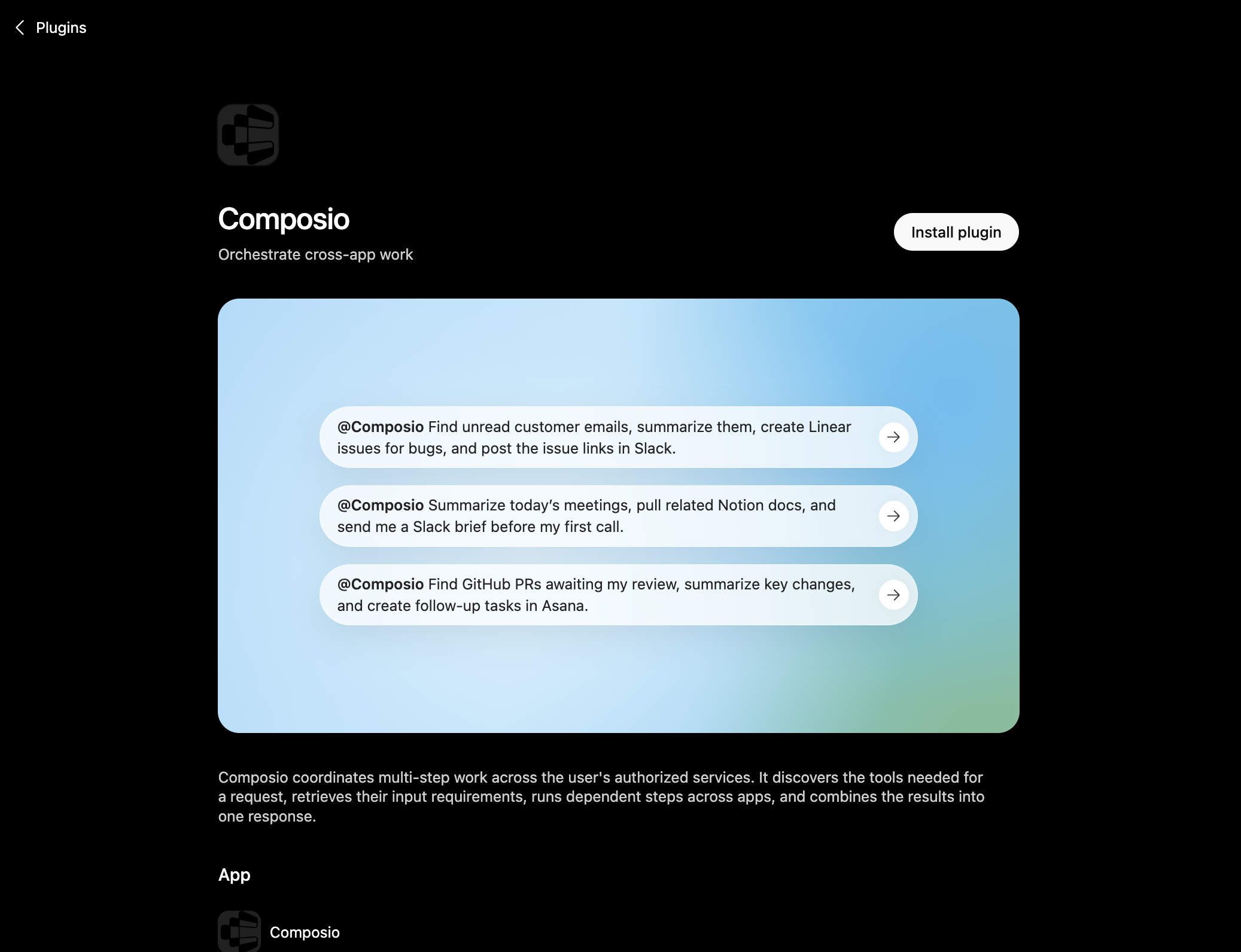
Click the button. ChatGPT opens the Composio plugin page. Click Install plugin.

Install in ChatGPT

Composio plugin page in ChatGPT with the Install plugin button

You can also find it inside ChatGPT: go to Settings, open Plugins, search the marketplace for Composio, and click Install plugin.

2. Authenticate

After you install, ChatGPT asks you to authenticate with Composio. Log in and click Allow access to authorize ChatGPT to use your Composio account.
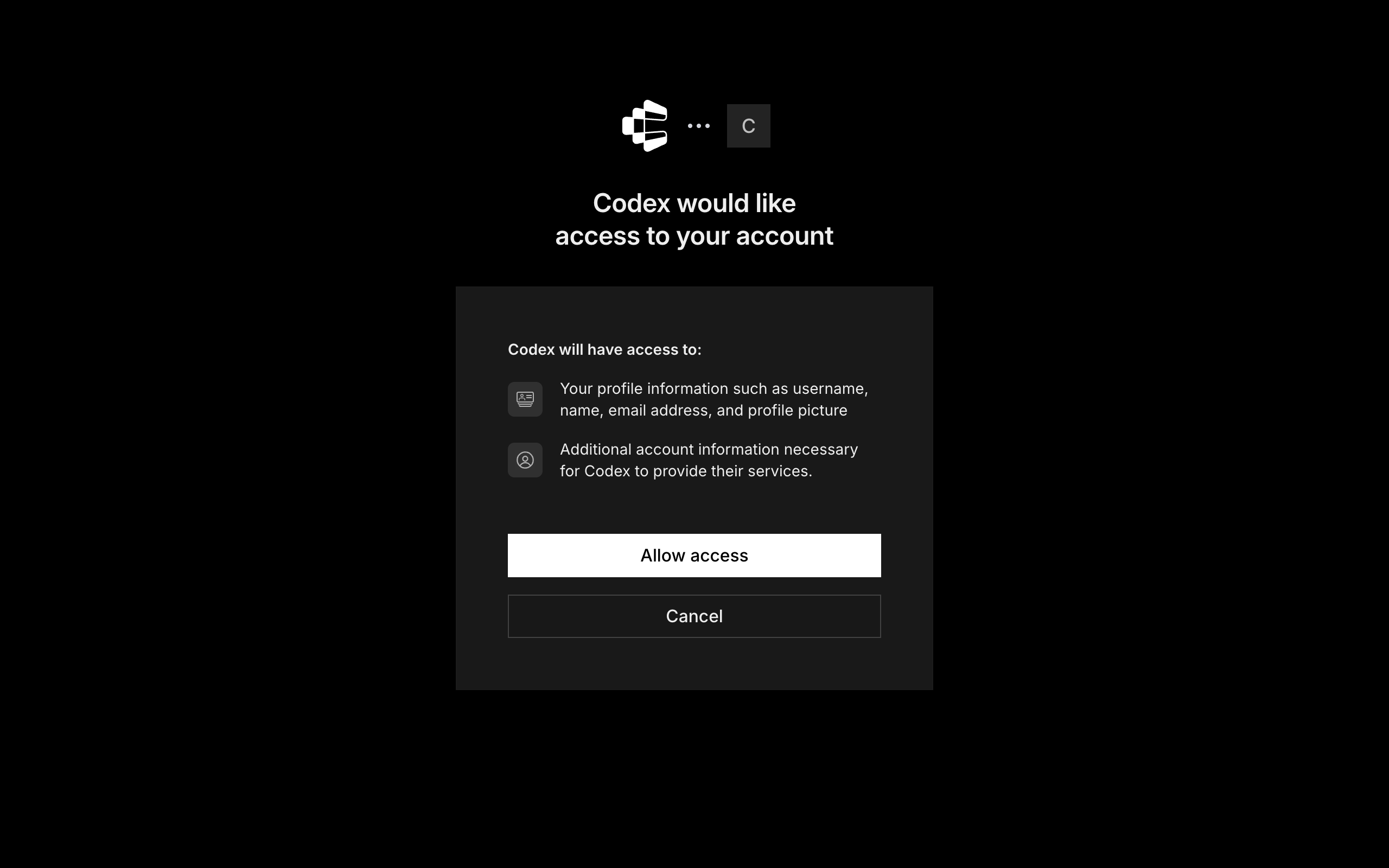
Composio login and Allow access screen for ChatGPT

3. Start using Composio

That is it. Composio tools are now available in ChatGPT. Type @Composio followed by your request, for example @Composio find unread Higgsfield messages and summarize them, and it will run the actions you authorize. On first use it asks you to authorize Higgsfield.

Option 2: Add Composio as an MCP server

If you cannot use the plugin marketplace, add Composio as a custom MCP server instead.

1. Open the MCP settings

In ChatGPT, go to Settings and open the Plugins section. Inside the Plugins page, click the MCP tab.
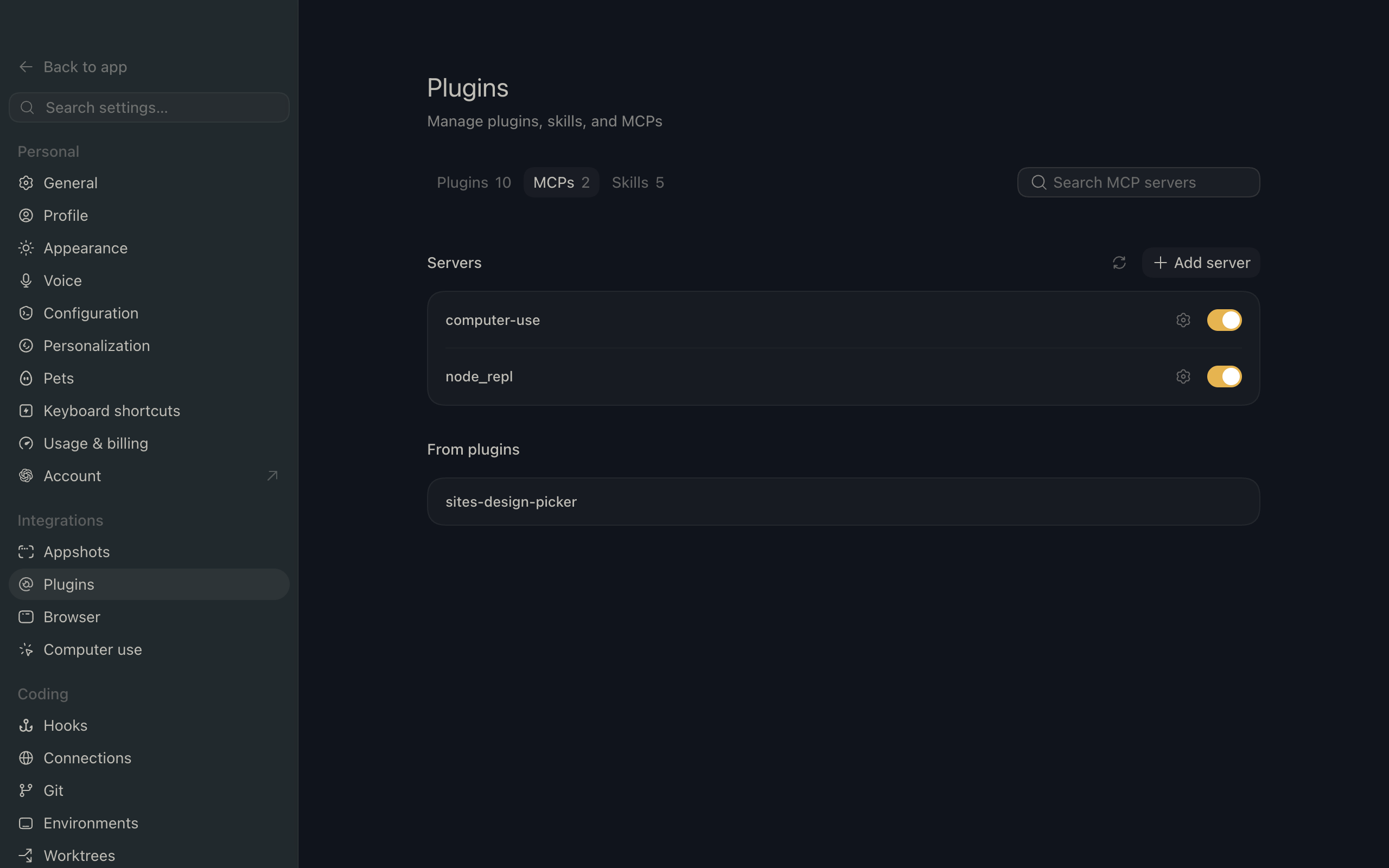
ChatGPT settings showing the Plugins page with the MCP tab selected

2. Add the server

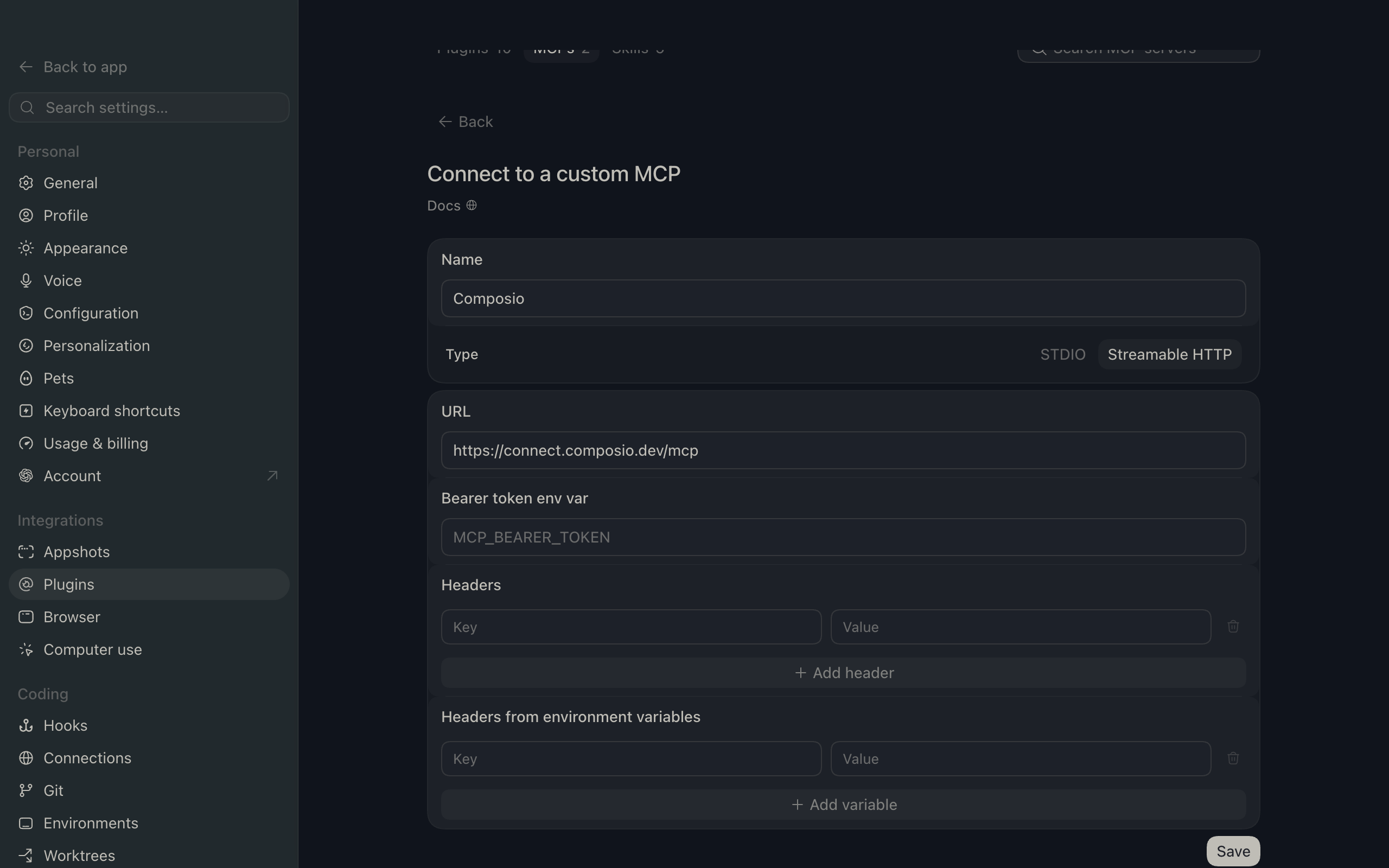
Click Add server. In the Name field enter Composio, for Type select Streamable HTTP, and in the URL field paste the Composio MCP server URL:

bash
https://connect.composio.dev/mcp
ChatGPT Add server dialog with the name Composio, type Streamable HTTP, and the Composio MCP URL

Then click Save. The Composio server now appears in your MCP plugins list.

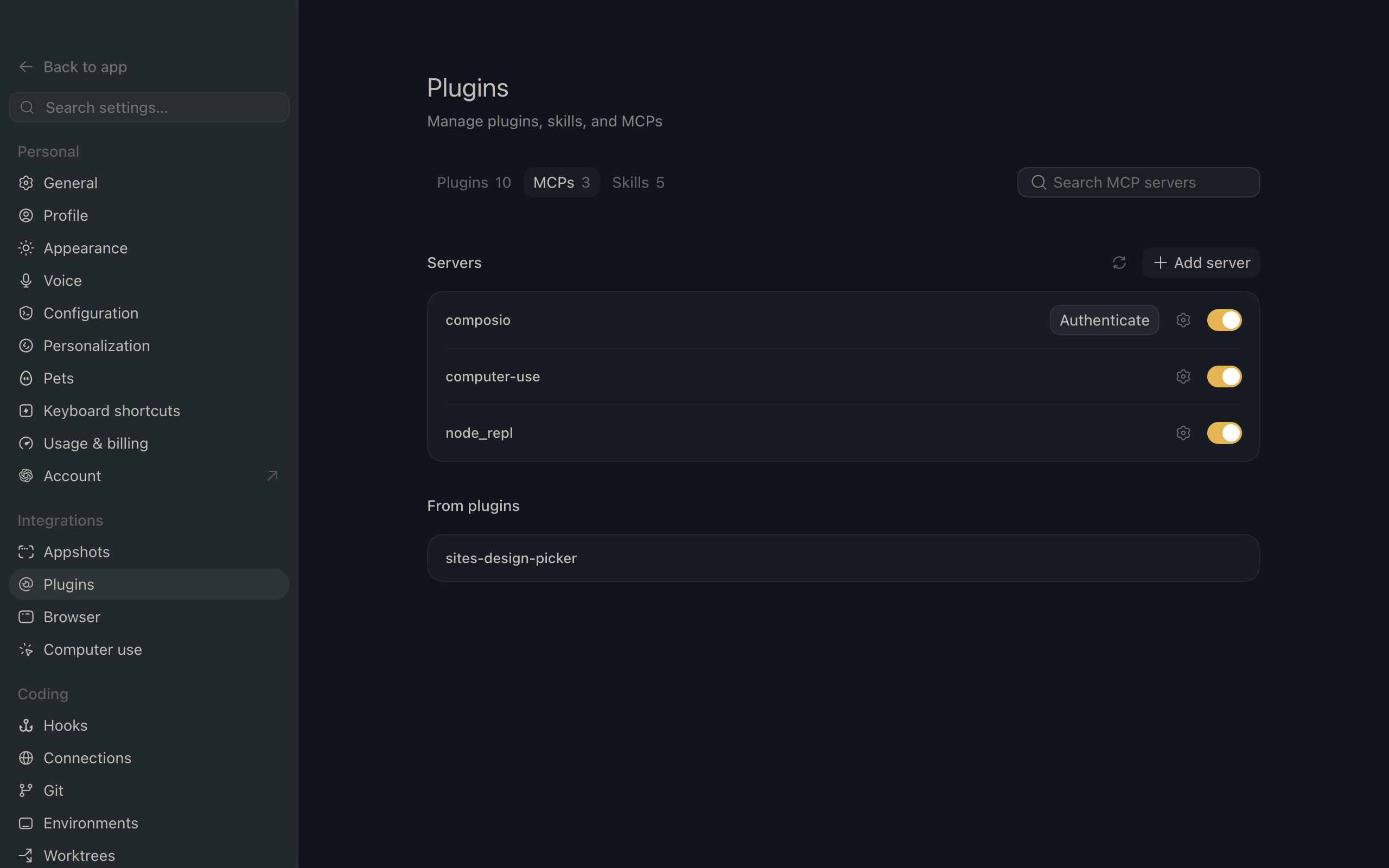
ChatGPT Plugins page showing the Composio MCP server added to the list

3. Authenticate

Click Authenticate on the Composio entry, log in via Composio, and click Allow access. Composio tools are then available in ChatGPT the same way as with the plugin.

What you can do after connecting Higgsfield

  • Create photorealistic product image with background
  • Generate 10 social video clips, 15s each
  • Make animated logo intro, 6-second loop

Security + privacy notes (important)

  • Use least-privilege access: Only grant permissions you actually need.
  • Review OAuth permissions before approving: Make sure requested scopes match what you expect Composio and ChatGPT to do.
  • Keep write actions human-reviewed: For actions like sending messages, creating labels, or editing drafts, keep manual confirmation enabled.
  • Be careful with sensitive data: Avoid using this setup with highly sensitive information unless allowed by your personal, company, or client policies.
TOOLS

Supported Tools

Every Higgsfield action and event your agent gets out of the box.

Cancel Request

Cancel a Higgsfield generation request while it is still queued; requests already processing or finished cannot be canceled.

Create Character Reference

Start training a reusable Higgsfield Soul ID character reference from one or more public images.

Estimate Soul V2 Cost

Estimate the authenticated account's credit and USD cost for a fixed Higgsfield Soul V2 Standard image request without starting generation.

Generate Image With References

Submit a Higgsfield Popcorn request that uses one or more reference images and return the request ID used to track the asynchronous result.

Generate Seedance 2 Text Video

Submit a ByteDance Seedance 2.

Generate Image

Submit a text-to-image request to Higgsfield Soul Standard and return the request ID used to track the asynchronous result.

Generate Soul V2 Image

Submit a text-to-image request to Higgsfield Soul V2 and return the request ID used to track the asynchronous result.

Generate Video From Image

Generate a video from a publicly accessible starting image with Higgsfield DOP Lite and return the request ID used to track the asynchronous result.

Get Character Reference

Get a Higgsfield Soul ID character reference and its current training status by ID.

Get Request Status

Get the current state of a Higgsfield generation request and return generated image, video, or audio URLs when complete.

List SOUL V2 Styles

List the SOUL V2 image styles available to the authenticated Higgsfield account, including the style IDs accepted by SOUL V2 generation requests.

FAQ

Frequently asked questions

With a standalone Higgsfield MCP server, the agents and LLMs can only access a fixed set of Higgsfield tools tied to that server. However, with the Composio Tool Router, agents can dynamically load tools from Higgsfield and many other apps based on the task at hand, all through a single MCP endpoint.

Yes, you can. ChatGPT fully supports MCP integration. You get structured tool calling, message history handling, and model orchestration while Tool Router takes care of discovering and serving the right Higgsfield tools.

Yes, absolutely. You can configure which Higgsfield scopes and actions are allowed when connecting your account to Composio. You can also bring your own OAuth credentials or API configuration so you keep full control over what the agent can do.

All sensitive data such as tokens, keys, and configuration is fully encrypted at rest and in transit. Composio is SOC 2 Type 2 compliant and follows strict security practices so your Higgsfield data and credentials are handled as safely as possible.

Start with Higgsfield.It takes 30 seconds.

Managed auth, hosted MCP servers, and every Higgsfield tool your agent needs.Free to start.

Start building