How to connect Google Classroom MCP with Cursor

Trusted by
AWS
Glean
Zoom
Airtable

30 min · no commitment · see it on your stack

Google Classroom logo
Cursor logo
divider

How to integrate Google Classroom MCP with Cursor

Cursor is one of the leading AI-powered code editors. It is built to help developers write, understand, and refactor code faster with AI assistance built directly into the editor.

And in this guide, I will explain the easiest and most secure way to connect your Google Classroom account to Cursor via Composio Connect, so it can list all active courses for this teacher, create a new announcement in math class, get details for course ID 12345, and more without ever putting your account credentials at risk.

Also integrate Google Classroom with

Why Composio?

  • 1,000+ SaaS toolkits out of the box. Skip the work of building and maintaining integrations, Composio gives you instant access to a vast catalog of pre-built connectors.
  • One MCP server for every app. Connect any of your applications on demand through a single endpoint, rather than juggling a separate server for each app.
  • Smart, context-aware tool loading. Unlike traditional MCP servers that dump every available tool into the LLM context window, Composio searches for and loads only the tools relevant to the task at hand. A remote CLI workbench lets LLMs compose these tools into workflows for complex automation.

Connect Google Classroom to Cursor

Two ways to install — pick whichever you prefer.

1. Install with one click

Click the button below to add Composio to Cursor.

Install in Cursor

2. Or add manually

Add to your Cursor mcp.json

Open .cursor/mcp.json in your project root (or ~/.cursor/mcp.json for global config) and add the following configuration:

bash
{
  "servers": {
    "composio": {
      "type": "http",
      "url": "https://connect.composio.dev/mcp"
    }
  }
}

3. Authorize

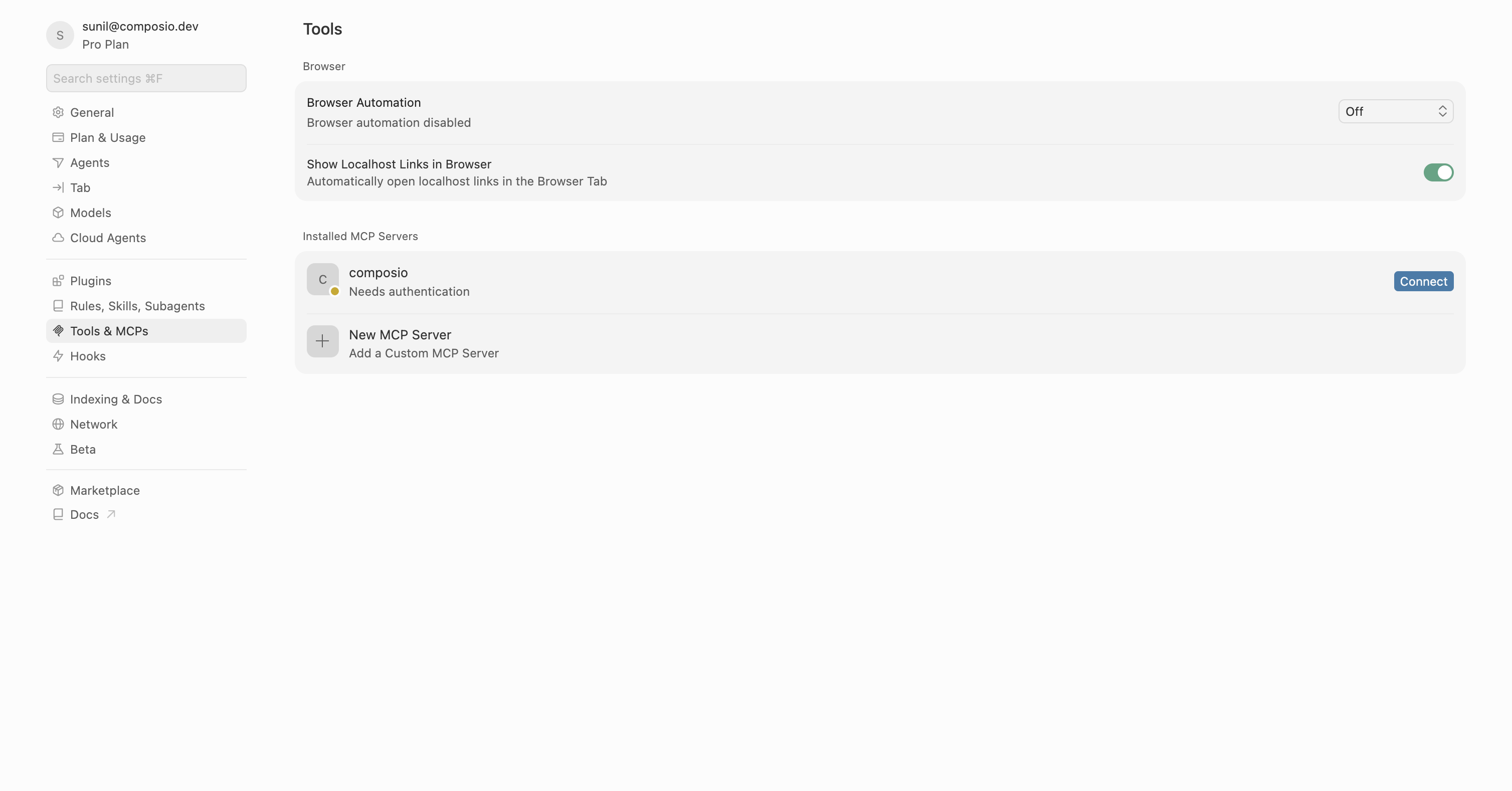
Restart Cursor, then click "Connect" next to Composio in MCP Tools settings.

Cursor MCP Tools settings with Connect button next to Composio

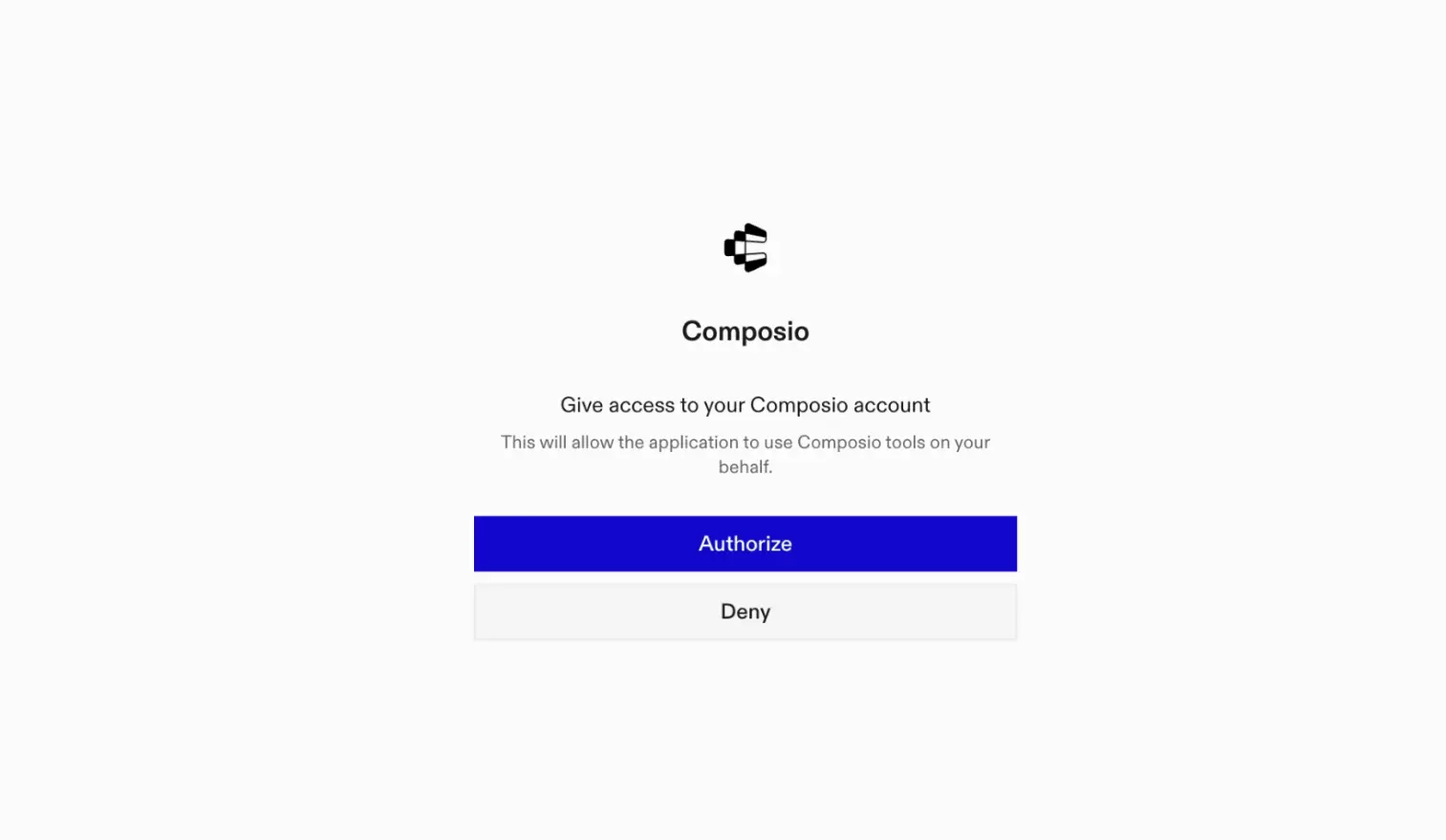
A browser window will open to authorize.

Composio authorization browser window

Connect your Google Classroom account

Back in Cursor, ask the agent to connect to Google Classroom or give it any Google Classroom-related task.

For example, ask it to:

  • "List all active courses for this teacher"
  • "Create a new announcement in math class"
  • "Get details for course ID 12345"

It will prompt you to authenticate and authorize access to Google Classroom.

That is it. Composio tools are now available in Cursor, and your Google Classroom account is ready to use.

Supported Tools & Triggers

Tools
Create Course AliasTool to create an alias for a course.
Delete Course AliasTool to delete an alias of a course.
List Course AliasesTool to list aliases for a course.
Create AnnouncementTool to create an announcement in a course.
Delete AnnouncementTool to delete an announcement.
Get AnnouncementTool to get an announcement.
Get Add-on Context for AnnouncementTool to get metadata for Classroom add-ons in the context of a specific announcement post.
List AnnouncementsTool to list announcements in a course.
Modify Announcement AssigneesTool to modify assignee mode and options of an announcement.
Patch AnnouncementTool to update fields of an announcement.
Delete Add-on AttachmentTool to delete an add-on attachment from a course announcement.
Get Add-on AttachmentTool to get an add-on attachment from an announcement.
List Add-on AttachmentsTool to list all add-on attachments created under an announcement.
Delete Add-on AttachmentTool to delete an add-on attachment from course work.
Get Add-on Context for Course WorkTool to get metadata for Classroom add-ons in the context of a specific course work.
List Add-on Attachments on Course Work MaterialTool to list all add-on attachments under a course work material post.
Delete Course Work MaterialTool to delete a course work material.
Modify CourseWork AssigneesTool to modify assignee mode and options of coursework.
Patch Course WorkTool to update one or more fields of a course work.
List Course Work RubricsTool to list rubrics for a specific coursework.
Create CourseTool to create a new course.
Delete CourseTool to delete a course.
Get CourseTool to get details for a specific course.
Get Grading Period SettingsTool to retrieve grading period settings for a course.
List CoursesTool to list all courses accessible to the authenticated user.
Patch CourseTool to update one or more fields of a Classroom course.
List Post Add-on AttachmentsTool to list all add-on attachments created under a post.
Get Add-on Context for PostTool to get metadata for Classroom add-ons in the context of a specific post.
Add Student to CourseTool to add a student to a course.
Delete Course StudentTool to delete a student from a course.
Get Course StudentTool to retrieve a specific student of a course.
List Student GuardiansTool to list guardians of a student in a course.
List Course StudentsTool to list students in a course.
Delete Course TeacherTool to delete a teacher from a course.
Get TeacherTool to get teacher enrollment.
List Course TeachersTool to list teachers in a course.
Create Course TopicTool to create a course topic.
Delete Course TopicTool to delete a course topic.
Get Course TopicTool to get a course topic.
List Course TopicsTool to list topics in a course.
Patch Course TopicTool to update fields of a course topic.
Update CourseTool to update a course.
Patch Course Work MaterialTool to update fields of a course work material.
Create CourseWorkTool to create a CourseWork item in a course.
Delete CourseWorkTool to delete a specific CourseWork.
Get CourseWorkTool to get details of a specific coursework.
List CourseWorkTool to list coursework in a course.
Create Course Work MaterialTool to create course work material.
Get Coursework MaterialTool to get a coursework material.
List CourseWorkMaterialsTool to list course work materials in a course.
List Student SubmissionsTool to list student submissions for a specific coursework.
Reclaim Student SubmissionTool to reclaim a student submission for editing.
Get CourseWork Add-on AttachmentTool to get an add-on attachment from course work.
Get Add-on Context for Course Work MaterialTool to get metadata for Classroom add-ons in the context of a specific course work material.
Create InvitationTool to create an invitation for a user to a course.
Delete InvitationTool to delete an invitation.
Get InvitationTool to retrieve an invitation by its identifier.
List InvitationsTool to list invitations that the requesting user is permitted to view.
List Course Student GroupsTool to list student groups in a course.
List CourseWork Add-on AttachmentsTool to list all add-on attachments created by an add-on under a course work.
Create RegistrationTool to create a registration for push notifications from Google Classroom.
Get User ProfileTool to retrieve a user profile by user ID.

Conclusion

You have successfully connected Google Classroom to Cursor using Composio Connect. Your agent can now use Google Classroom securely without exposing credentials in prompts or local scripts.

How to build Google Classroom MCP Agent with another framework

FAQ

What are the differences in Tool Router MCP and Google Classroom MCP?

With a standalone Google Classroom MCP server, the agents and LLMs can only access a fixed set of Google Classroom tools tied to that server. However, with the Composio Tool Router, agents can dynamically load tools from Google Classroom and many other apps based on the task at hand, all through a single MCP endpoint.

Can I use Tool Router MCP with Cursor?

Yes, you can. Cursor fully supports MCP integration. You get structured tool calling, message history handling, and model orchestration while Tool Router takes care of discovering and serving the right Google Classroom tools.

Can I manage the permissions and scopes for Google Classroom while using Tool Router?

Yes, absolutely. You can configure which Google Classroom scopes and actions are allowed when connecting your account to Composio. You can also bring your own OAuth credentials or API configuration so you keep full control over what the agent can do.

How safe is my data with Composio Tool Router?

All sensitive data such as tokens, keys, and configuration is fully encrypted at rest and in transit. Composio is SOC 2 Type 2 compliant and follows strict security practices so your Google Classroom data and credentials are handled as safely as possible.

Used by agents from

Context
Letta
glean
HubSpot
Agent.ai
Altera
DataStax
Entelligence
Rolai
Context
Letta
glean
HubSpot
Agent.ai
Altera
DataStax
Entelligence
Rolai
Context
Letta
glean
HubSpot
Agent.ai
Altera
DataStax
Entelligence
Rolai

Never worry about agent reliability

We handle tool reliability, observability, and security so you never have to second-guess an agent action.