How to connect Gemini MCP with Cursor

Connect Cursor to Gemini MCP. Summarize this research article in 100 words, generate a creative image of a futuristic city, and more using natural language, with authentication handled for you.

Gemini logoGemini
No AuthApi Key

Gemini is Google's multimodal AI platform for generating text, video, and rich chat completions. It's a one-stop shop for advanced AI content creation and intelligent automation.

8 Tools

How to integrate Gemini MCP with Cursor

Cursor is one of the leading AI-powered code editors. It is built to help developers write, understand, and refactor code faster with AI assistance built directly into the editor.

And in this guide, I will explain the easiest and most secure way to connect your Gemini account to Cursor via Composio Connect, so it can summarize this research article in 100 words, generate a creative image of a futuristic city, create a 30-second video based on this script, and more without ever putting your account credentials at risk.

For exact tool slugs and parameter tables, see the tool catalog in the Composio docs.
Also integrate Gemini with

Why Composio?

  • 1,800+ SaaS toolkits out of the box. Skip the work of building and maintaining integrations, Composio gives you instant access to a vast catalog of pre-built connectors.
  • One MCP server for every app. Connect any of your applications on demand through a single endpoint, rather than juggling a separate server for each app.
  • Smart, context-aware tool loading. Unlike traditional MCP servers that dump every available tool into the LLM context window, Composio searches for and loads only the tools relevant to the task at hand. A remote CLI workbench lets LLMs compose these tools into workflows for complex automation.

Connect Gemini to Cursor

Two ways to install — pick whichever you prefer.

1. Install with one click

Click the button below to add Composio to Cursor.

↗Install in Cursor

2. Or add manually

Add to your Cursor mcp.json

Open .cursor/mcp.json in your project root (or ~/.cursor/mcp.json for global config) and add the following configuration:

bash
{
  "servers": {
    "composio": {
      "type": "http",
      "url": "https://connect.composio.dev/mcp"
    }
  }
}

3. Authorize

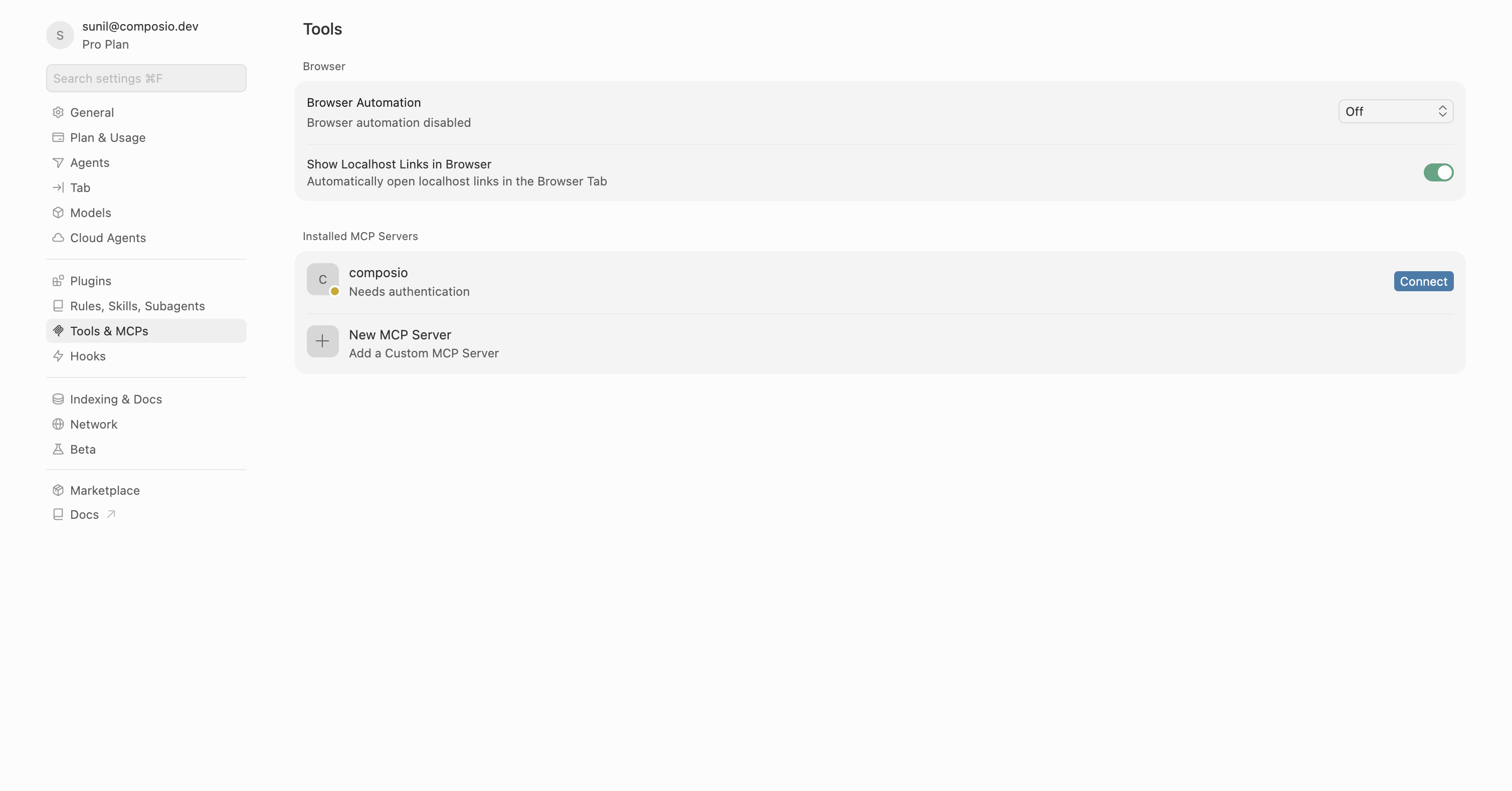
Restart Cursor, then click "Connect" next to Composio in MCP Tools settings.

Cursor MCP Tools settings with Connect button next to Composio

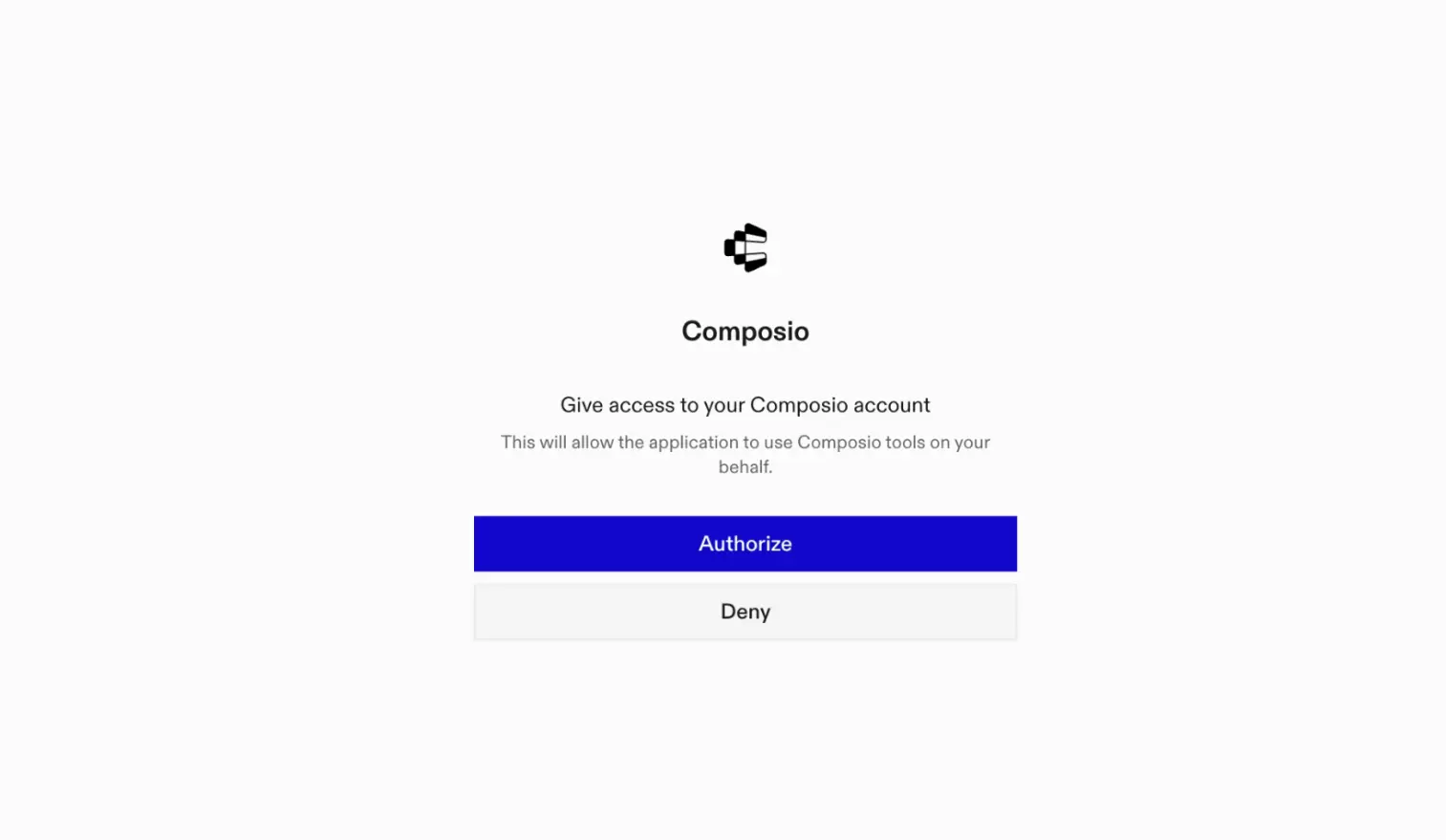
A browser window will open to authorize.

Composio authorization browser window

Connect your Gemini account

Back in Cursor, ask the agent to connect to Gemini or give it any Gemini-related task.

For example, ask it to:

  • "Summarize this research article in 100 words"
  • "Generate a creative image of a futuristic city"
  • "Create a 30-second video based on this script"

It will prompt you to authenticate and authorize access to Gemini.

That is it. Composio tools are now available in Cursor, and your Gemini account is ready to use.

Conclusion

You have successfully connected Gemini to Cursor using Composio Connect. Your agent can now use Gemini securely without exposing credentials in prompts or local scripts.

TOOLS

Supported Tools

Every Gemini action and event your agent gets out of the box.

Count Tokens (Gemini)

Counts the number of tokens in text using Gemini tokenization.

Embed Content (Gemini)

Generates text embeddings using Gemini embedding models.

Generate Content (Gemini)

Generates text content or speech audio from prompts using Gemini models.

Generate Image (Nano Banana)

Generates a downloadable image from a text prompt, defaulting to Nano Banana 2 Lite on managed connections and Gemini 3 Pro Image Preview on other connections.

Generate Videos

Starts an MP4 video generation from a text prompt with Gemini Omni 1.2 Flash (360p to 4k, 3 to 15 seconds, 16:9 or 9:16) and returns an operation_name right away.

Get Video Generation Status

Checks a Gemini Omni Flash video generation started by GEMINI_GENERATE_VIDEOS once, without waiting.

List Models (Gemini API)

Lists available Gemini models with their capabilities and limits.

Wait and Download Video

Waits up to about 45 seconds for a Gemini Omni Flash video started by GEMINI_GENERATE_VIDEOS and returns the MP4 when ready.

FAQ

Frequently asked questions

Start with Gemini.It takes 30 seconds.

Managed auth, hosted MCP servers, and every Gemini tool your agent needs.Free to start.

Start building