Prerequisites
Note: Composio connects through OAuth. You will be asked to sign in and approve specific permissions. Review the permission screen carefully if you are using a work account.
Step-by-step: Connect DirectIQ to ChatGPT
1. Install the Composio plugin
Click the button. ChatGPT opens the Composio plugin page. Click Install plugin.
 Install in ChatGPT
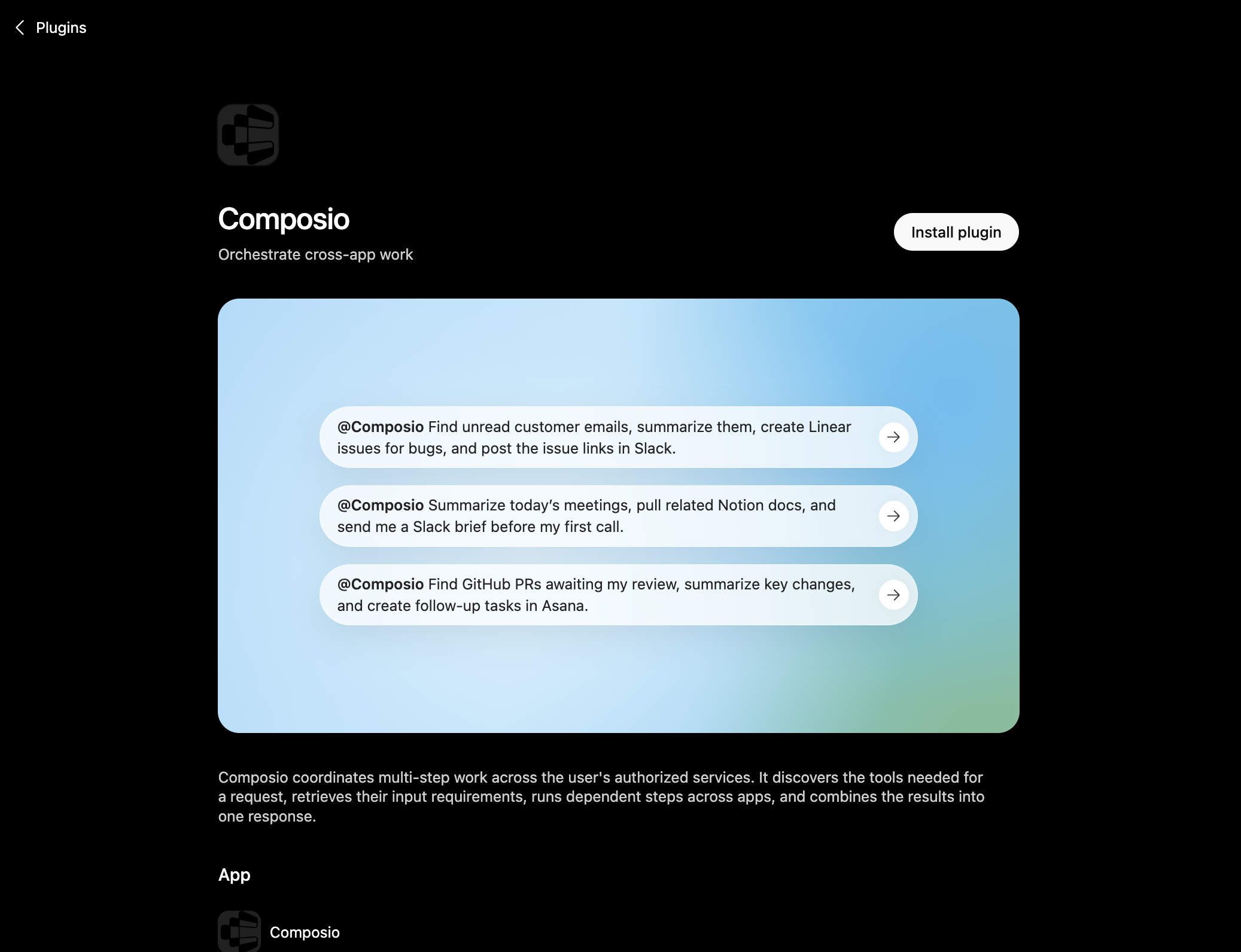
You can also find it inside ChatGPT: go to Settings, open Plugins, search the marketplace for Composio, and click Install plugin.
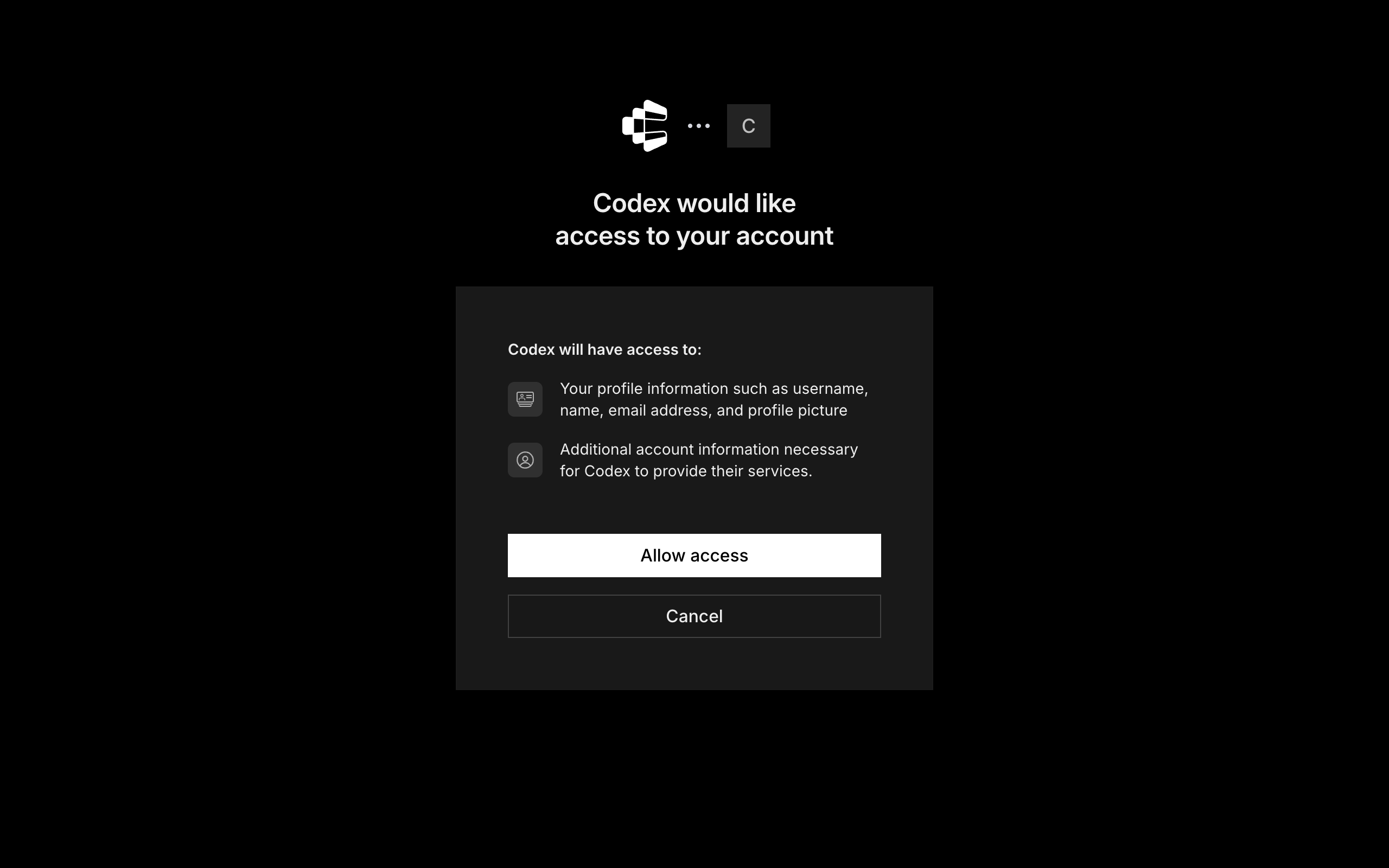
After you install, ChatGPT asks you to authenticate with Composio. Log in and click Allow access to authorize ChatGPT to use your Composio account.
3. Start using Composio
That is it. Composio tools are now available in ChatGPT. Type @Composio followed by your request, for example @Composio find unread DirectIQ messages and summarize them, and it will run the actions you authorize. On first use it asks you to authorize DirectIQ.
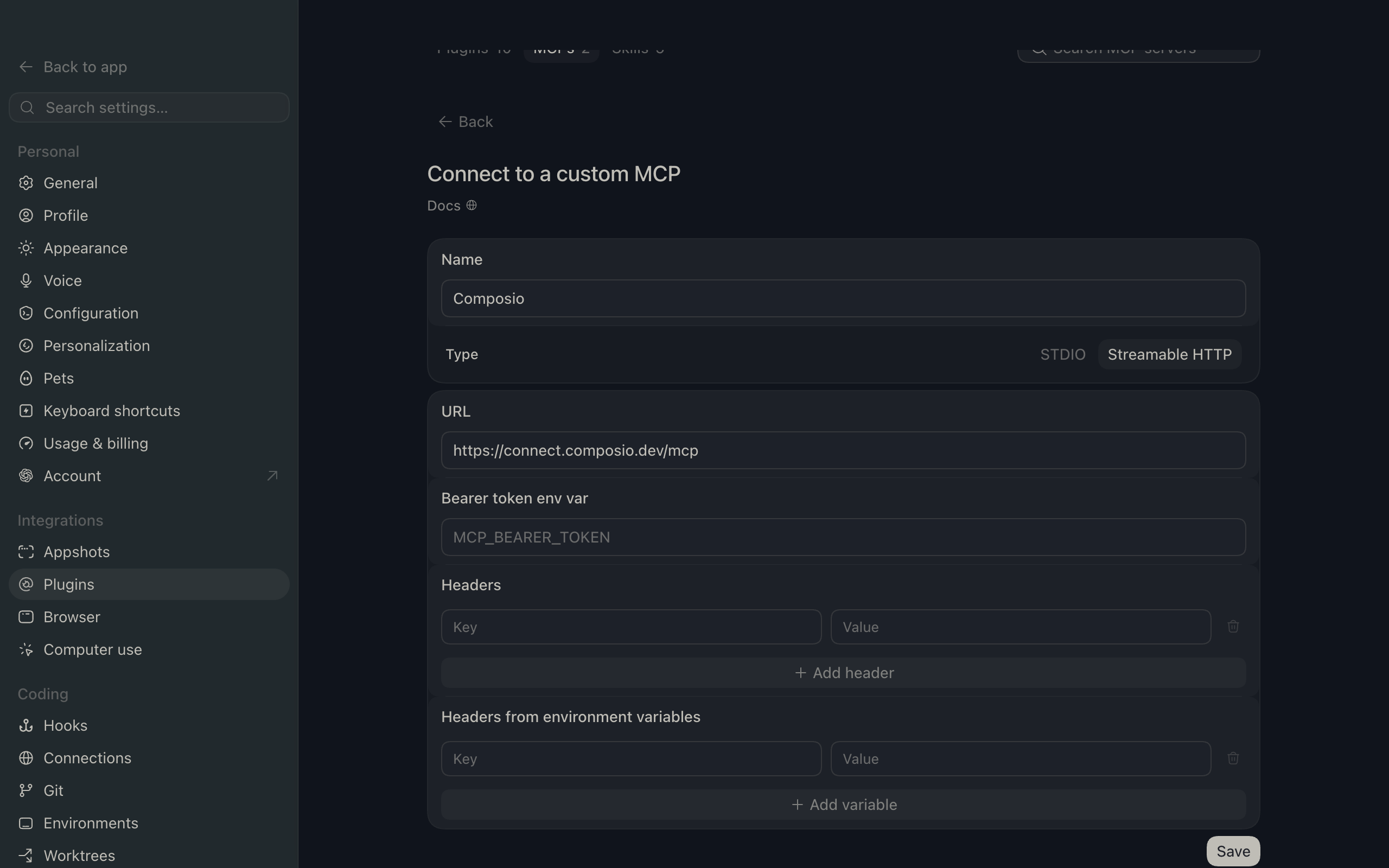
If you cannot use the plugin marketplace, add Composio as a custom MCP server instead.
1. Open the MCP settings
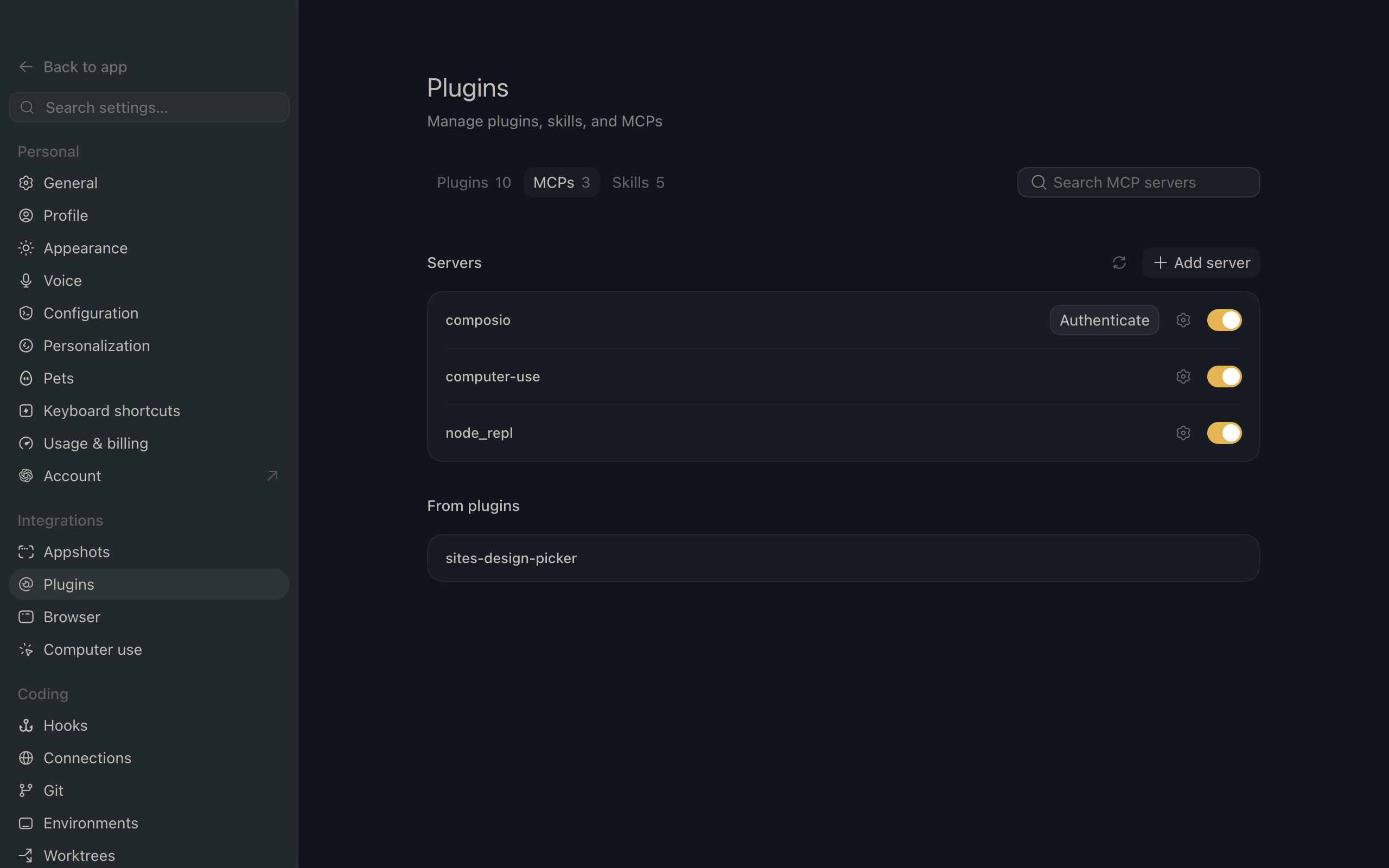
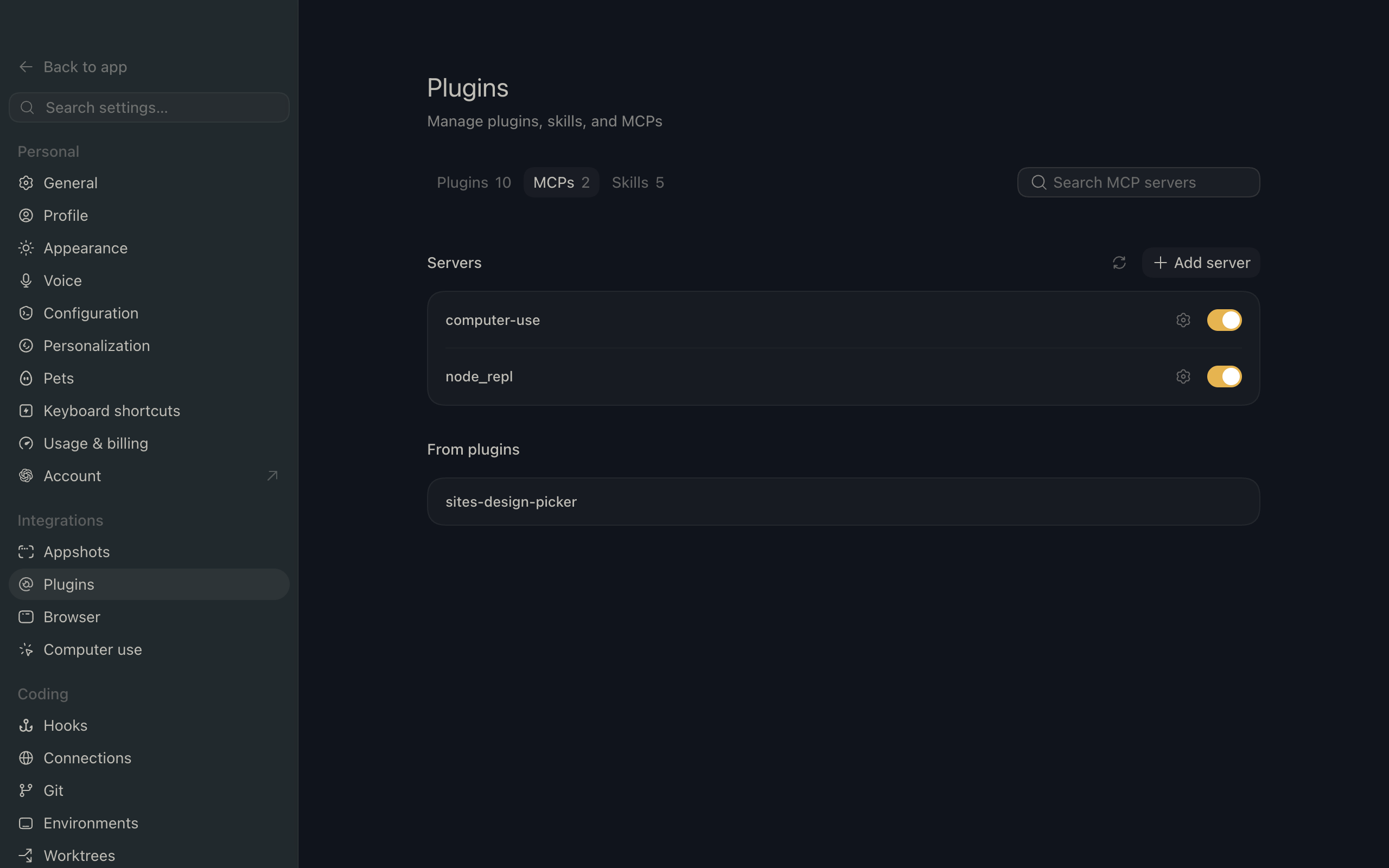
In ChatGPT, go to Settings and open the Plugins section. Inside the Plugins page, click the MCP tab.
2. Add the server
Click Add server. In the Name field enter Composio, for Type select Streamable HTTP, and in the URL field paste the Composio MCP server URL: