How to integrate Digicert MCP with Claude Code

Trusted by
AWS
Glean
Zoom
Airtable

30 min · no commitment · see it on your stack

Digicert logo
Claude Code logo
divider

Introduction

Manage your Digicert directly from Claude Code with zero worries about OAuth hassles, API-breaking issues, or reliability and security concerns.

You can do this in two different ways:

  1. Via Composio Connect - Direct and easiest approach
  2. Via Composio SDK - Programmatic approach with more control

Also integrate Digicert with

Why use Composio?

  • Only one MCP URL to connect multiple apps with Claude Code with zero auth hassles.
  • Programmatic tool calling allows LLMs to write its code in a remote workbench to handle complex tool chaining. Reduces to-and-fro with LLMs for frequent tool calling.
  • Handling Large tool responses out of LLM context to minimize context rot.
  • Dynamic just-in-time access to 20,000 tools across 1000+ other Apps for cross-app workflows. It loads the tools you need, so LLMs aren't overwhelmed by tools you don't need.

Connecting Digicert to Claude Code using Composio

1. Add the Composio MCP to Claude

Terminal

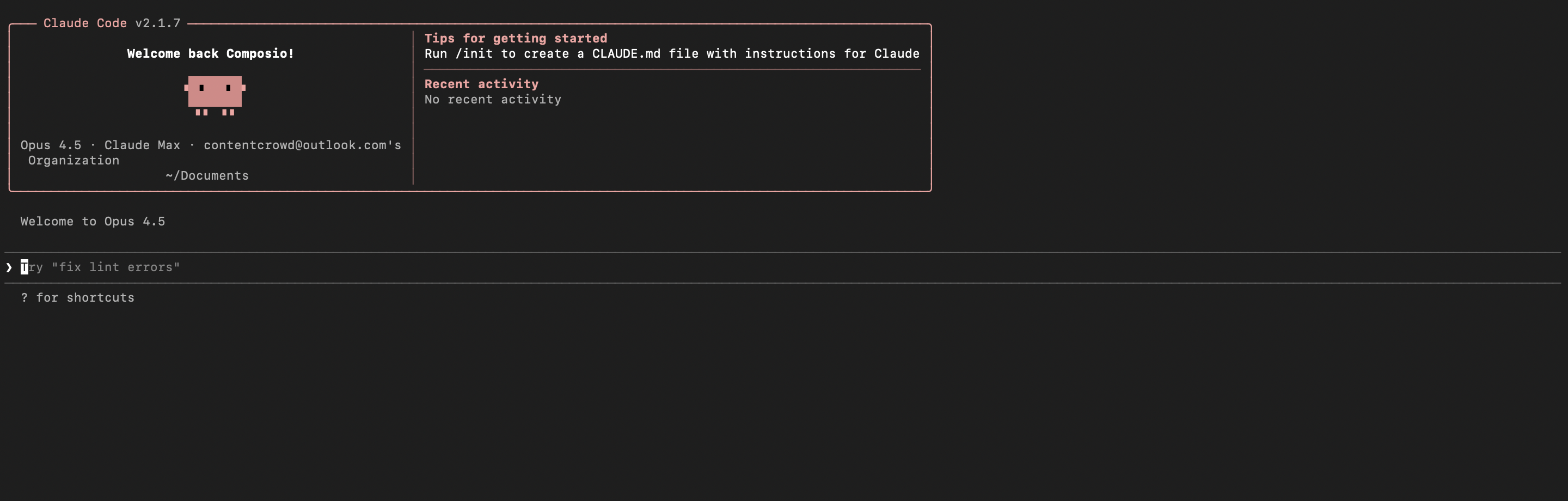
2. Start Claude Code

bash
claude

3. Open your MCP list

bash
/mcp

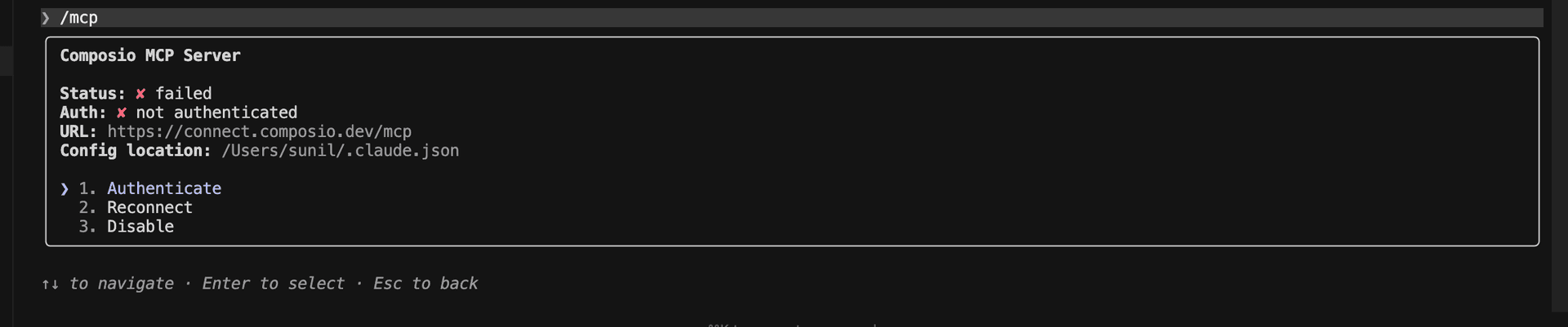
4. Select Composio and click on Authenticate

Select Composio and click Authenticate

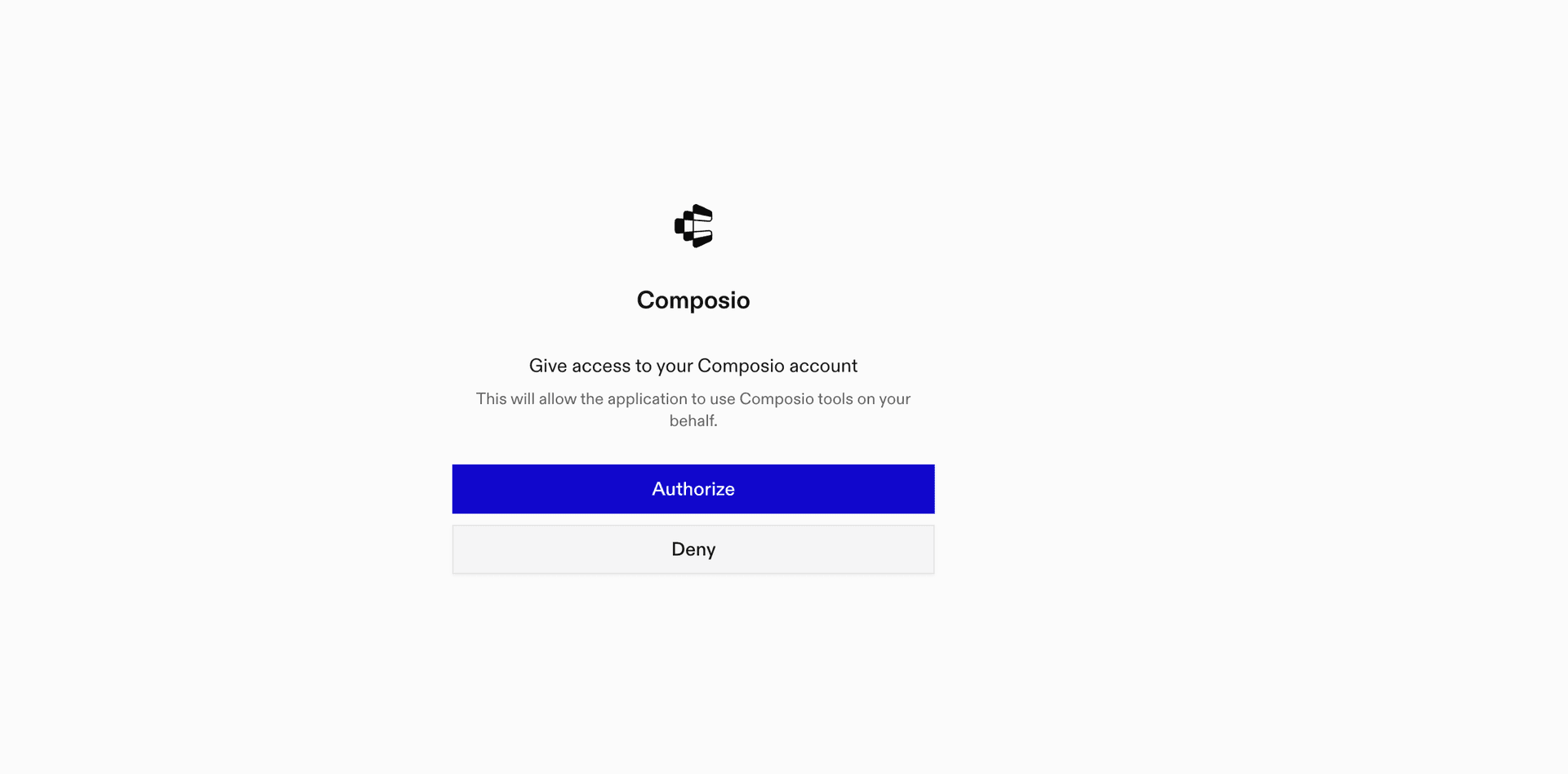
5. This will redirect you to the Composio OAuth page. Complete the flow by authorizing Composio and you're all set.

Composio OAuth authorization page
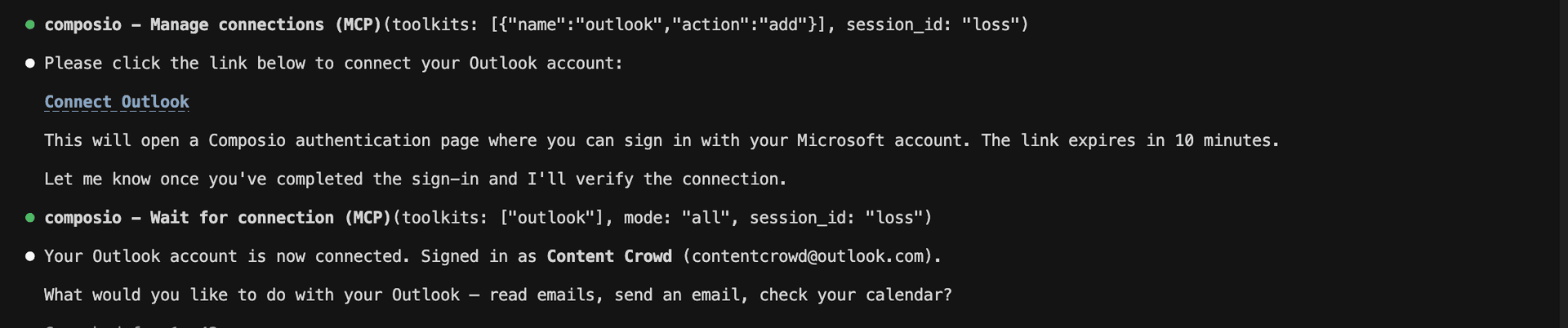
Composio authorization complete
Ask Claude to connect to your account and authenticate via the link

Supported Tools & Triggers

Tools
Add Tags to CertificateTool to add custom tags to one or more certificates for categorization.
Check PermissionTool to check if a specific permission is available.
Create API KeyTool to create a new API key with specified permissions.
Create AuthKeyTool to create a new AuthKey for account authentication.
Create Container IP RulesTool to add an IP restriction rule to a CertCentral account.
Create Finance Order PricingTool to get price estimates for a certificate order.
Create OrganizationTool to create a new organization in your DigiCert CertCentral account.
Create Organization ValidationTool to submit an organization for validation and add verified contacts for specific product types.
List Scan TemplatesTool to retrieve the list of scan templates along with their name, status, and configuration.
Delete Account AuthKeyTool to delete your account's AuthKey.
Delete Certificate from DiscoveryTool to delete certificates from DigiCert Discovery inventory.
Delete DomainTool to delete a domain with the given ID.
Delete SSH KeyTool to delete SSH keys from DigiCert Discovery.
Delete Discovery EndpointsTool to delete one or more endpoints from the Discovery API.
Execute GraphQL QueryTool to execute GraphQL queries against DigiCert Custom Reports API.
Filter KeysTool to filter keys in DigiCert Discovery API by various criteria.
Get Account DetailsTool to retrieve details about your CertCentral account.
Get Account DetailsTool to retrieve account details for the authenticated user.
Get Account Guest Access URLTool to retrieve the guest access URL for your DigiCert account.
Get Account MetadataTool to retrieve metadata for custom order fields in the account.
Get Account SAML EntityTool to retrieve SAML entity details for your account.
Get Agent IP Port DetailsTool to retrieve agent IP port details from DigiCert Discovery API.
Get Alert CountTool to retrieve alert count from DigiCert Discovery API dashboard.
Get AuthKey DetailsTool to retrieve AuthKey details by ID.
List Authorized ContainersTool to list all containers authorized to perform a permission action.
Get Certificate Authority HelperTool to retrieve certificate authority API helper information including version details.
Get Certificate Security RatingTool to retrieve SSL certificate security rating from DigiCert Discovery API.
Get Cloud Scan DetailsTool to get cloud scan details from DigiCert Discovery API.
Get Container by IDTool to get details about a specific container using its ID.
Get Container ChildrenTool to list all child containers for a parent container.
Get Container IP RulesTool to retrieve a list of existing IP restriction rules in a CertCentral account.
Get Container Order OrganizationsTool to list all organizations assigned to a container.
Get Container Product LimitsTool to get information about the limits and settings for a container's enabled products.
Get Container RolesTool to retrieve all access roles available to a container.
Get Container Template DetailsTool to get details about a template in a container.
Get Domain DCV InformationTool to retrieve domain DCV (Domain Control Validation) information from DigiCert.
Get Domain DCV EmailsTool to retrieve email addresses that receive validation emails from DigiCert for the email domain control validation (DCV) method.
Get Domain Expiration CountTool to get the number of domains in your account with expired or expiring OV or EV domain validations.
Get Domain Validation TypeTool to list available validation types for domains.
Get Finance BalanceTool to view the current balance of your DigiCert account.
Get Finance Balance HistoryTool to list balance adjustment history for your DigiCert account.
Get Remote Service InformationTool to retrieve remote service information from DigiCert Document Manager CSC API.
Get API Key DetailsTool to retrieve detailed information about an API key.
Get MPKI VersionTool to query the TLM application version from DigiCert MPKI API.
Get Order Certificate Status ChangesTool to list orders that changed status during a given time frame.
Get Organization DetailsTool to retrieve detailed information about an organization from DigiCert.
Get Organization Contact InfoTool to retrieve organization and technical contact details for a specific organization.
Get Recent OrganizationsTool to retrieve the three most recently used organizations from your CertCentral account.
Get Organization ValidationTool to get validation details for an organization.
Get Organization Validation TypeTool to list available validation types for organizations.
Get Product by NameTool to get information about a product by its name identifier.
Get Product Platform Certificate Format MappingTool to list the certificate format that is returned for a particular server platform.
Get Product PricingTool to retrieve a comprehensive list of product prices available under your DigiCert account.
Get Remote Service InfoTool to retrieve information about DigiCert's Document Manager CSC (Cloud Signature Consortium) remote service.
Get Order ReportTool to retrieve a CSV report of all certificate orders.
Get Report Order ExpiringTool to get the number of orders and certificates that expire within 0-30, 30-60, and 60-90 days from now.
Get Report Request SummaryTool to get total requests and requests by type for your account.
Get Scan SubdomainsTool to retrieve all subdomains included in a DigiCert Discovery scan.
Get User DetailsTool to retrieve details about a specific user in CertCentral.
Check Username AvailabilityTool to check if a username is available in DigiCert.
List API Access RolesTool to retrieve a list of available API access roles.
List API KeysTool to retrieve a list of API keys and ACME URLs.
List Certificate Filter ValuesTool to retrieve available filter values for certificate attributes from DigiCert Discovery API.
List Certificate OrdersTool to list all certificate orders in your DigiCert account.
List CertificatesTool to list all certificates discovered by DigiCert Discovery scans.
List ContainersTool to retrieve a list of all containers (divisions) in your DigiCert account.
List Container TemplatesTool to list all templates that can be used when creating containers.
List Domain DCV MethodsTool to retrieve available domain control validation (DCV) methods for domains.
List DomainsTool to list all domains in your CertCentral account.
List Intermediate CertificatesTool to retrieve a list of intermediate certificates.
List LocalesTool to retrieve a list of available locales.
List Organization Potential ApproversTool to list all users and contacts that can be validated as verified contacts (also called EV approvers).
List OrganizationsTool to retrieve all organizations in your DigiCert account.
List PermissionsTool to list all permissions for the authenticated user.
List Available ProductsTool to list all products available to your CertCentral account.
List SensorsTool to list all sensors used for network scanning in DigiCert Discovery.
List Service UsersTool to list all DigiCert service users (API-only users).
List CertCentral UsersTool to retrieve a list of CertCentral account users.
Resend User Create EmailTool to resend the create user email to a user.
Submit Domain for ValidationTool to submit a domain for validation with specified validation types.
Update Account EmailsTool to update account notification and emergency email addresses.
Update ContainerTool to edit a container's details including name and description.
Update Container Allowed Domain NamesTool to update a container's allowed domains.
Update Container User AssignmentsTool to update a container's user assignments.
Activate DomainTool to activate a domain in DigiCert CertCentral.
Resend Domain DCV EmailsTool to resend domain control validation (DCV) emails for a domain.
Update API KeyTool to edit an API key's name or access role restrictions.
Update API Key StatusTool to activate, deactivate, or revoke a DigiCert API key.
Update Notification SettingsTool to update CertCentral account notification settings.
Update OrganizationTool to update an organization's details in your DigiCert CertCentral account.
Activate OrganizationTool to activate an organization in DigiCert CertCentral.
Update Organization ContactTool to update or replace organization contact and technical contact for an organization.
Deactivate OrganizationTool to deactivate an organization in DigiCert CertCentral.
Update Renewal Email PreferenceTool to enable or disable renewal notifications for SSL/TLS certificates discovered in DigiCert Discovery.
Update ReportTool to update an existing report’s configuration.
Update User ProfileTool to update a user's profile information in CertCentral.
Update User Container AssignmentsTool to update container (division) assignments for a user.
Update User RoleTool to change a user's access role in CertCentral.
Validate VMC Encoded LogoTool to validate if an SVG file format is compatible with Verified Mark Certificate (VMC) or Common Mark Certificate (CMC) requirements.
Validate VMC/CMC Logo FormatTool to validate SVG logo format for Verified Mark Certificates (VMC) or Common Mark Certificates (CMC).
Verify TemplateTool to verify a certificate template structure against DigiCert's validation rules.

What is the Digicert MCP server, and what's possible with it?

The Digicert MCP server is an implementation of the Model Context Protocol that connects your AI agent and assistants like Claude, Cursor, etc directly to your Digicert account. It provides structured and secure access to your digital certificate management, so your agent can perform actions like auditing users, creating API keys, checking permissions, listing certificates, and updating reports on your behalf.

  • API key management and creation: Let your agent securely generate new API keys for specific users and permissions, ensuring controlled access for your team and services.
  • Permission and access validation: Have your agent check if specific permissions are available before performing sensitive operations, helping you enforce security best practices automatically.
  • Intermediate certificate inventory: Instantly retrieve and review all intermediate certificates in your Digicert account—perfect for audits or compliance checks.
  • User management and auditing: Effortlessly list all CertCentral account users, including detailed information for each user, to streamline management and oversight.
  • Automated report configuration updates: Direct your agent to update scheduled report configurations—changing recipients, formats, or schedules—with just a single instruction.

Connecting Digicert via Composio SDK

Composio SDK is the underlying tech that powers Rube. It's a universal gateway that does everything Rube does but with much more programmatic control. You can programmatically generate an MCP URL with the app you need (here Digicert) for even more tool search precision. It's secure and reliable.

How the Composio SDK works

The Composio SDK follows a three-phase workflow:

  1. Discovery: Searches for tools matching your task and returns relevant toolkits with their details.
  2. Authentication: Checks for active connections. If missing, creates an auth config and returns a connection URL via Auth Link.
  3. Execution: Executes the action using the authenticated connection.

Step-by-step Guide

Prerequisites

Before starting, make sure you have:
  • Claude Pro, Max, or API billing enabled Anthropic account
  • Composio API Key
  • A Digicert account
  • Basic knowledge of Python or TypeScript

Install Claude Code

bash
# macOS, Linux, WSL
curl -fsSL https://claude.ai/install.sh | bash

# Windows PowerShell
irm https://claude.ai/install.ps1 | iex

# Windows CMD
curl -fsSL https://claude.ai/install.cmd -o install.cmd && install.cmd && del install.cmd

To install Claude Code, use one of the following methods based on your operating system:

Set up Claude Code

bash
cd your-project-folder
claude

Open a terminal, go to your project folder, and start Claude Code:

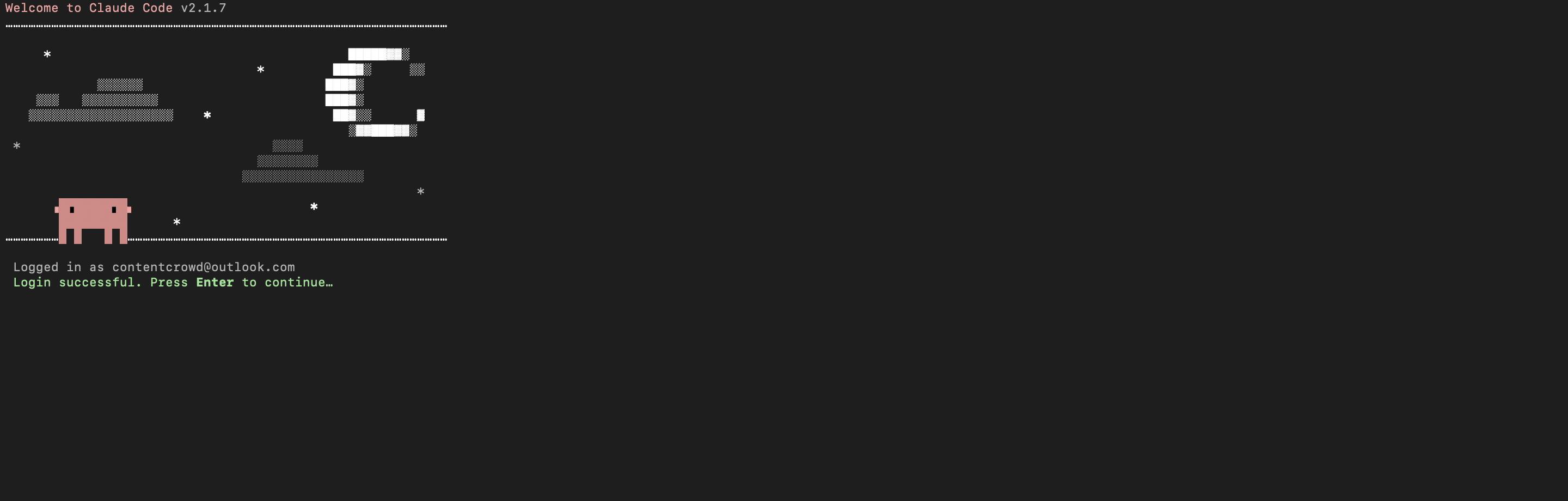
  • Claude Code will open in your terminal
  • Follow the prompts to sign in with your Anthropic account
  • Complete the authentication flow
  • Once authenticated, you can start using Claude Code
Claude Code initial setup showing sign-in prompt
Claude Code terminal after successful login

Set up environment variables

bash
COMPOSIO_API_KEY=your_composio_api_key_here
USER_ID=your_user_id_here

Create a .env file in your project root with the following variables:

  • COMPOSIO_API_KEY authenticates with Composio (get it from Composio dashboard)
  • USER_ID identifies the user for session management (use any unique identifier)

Install Composio library

pip install composio-core python-dotenv

Install the Composio Python library to create MCP sessions.

  • composio-core provides the core Composio functionality
  • python-dotenv loads environment variables from your .env file

Generate Composio MCP URL

import os
from composio import Composio
from dotenv import load_dotenv

load_dotenv()

COMPOSIO_API_KEY = os.getenv("COMPOSIO_API_KEY")
USER_ID = os.getenv("USER_ID")

composio_client = Composio(api_key=COMPOSIO_API_KEY)

composio_session = composio_client.create(
    user_id=USER_ID,
    toolkits=["digicert"],
)

COMPOSIO_MCP_URL = composio_session.mcp.url

print(f"MCP URL: {COMPOSIO_MCP_URL}")
print(f"\nUse this command to add to Claude Code:")
print(f'claude mcp add --transport http digicert-composio "{COMPOSIO_MCP_URL}" --headers "X-API-Key:{COMPOSIO_API_KEY}"')

Create a script to generate a Composio MCP URL for Digicert. This URL will be used to connect Claude Code to Digicert.

What's happening:

  • We import the Composio client and load environment variables
  • Create a Composio instance with your API key
  • Call create() to create a Tool Router session for Digicert
  • The returned mcp.url is the MCP server URL that Claude Code will use
  • The script prints this URL so you can copy it

Run the script and copy the MCP URL

python generate_mcp_url.py

Run your Python script to generate the MCP URL.

  • The script connects to Composio and creates a Tool Router session
  • It prints the MCP URL and the exact command you need to run
  • Copy the entire claude mcp add command from the output

Add Digicert MCP to Claude Code

bash
claude mcp add --transport http digicert-composio "YOUR_MCP_URL_HERE" --headers "X-API-Key:YOUR_COMPOSIO_API_KEY"

# Then restart Claude Code
exit
claude

In your terminal, add the MCP server using the command from the previous step. The command format is:

  • claude mcp add registers a new MCP server with Claude Code
  • --transport http specifies that this is an HTTP-based MCP server
  • The server name (digicert-composio) is how you'll reference it
  • The URL points to your Composio Tool Router session
  • --headers includes your Composio API key for authentication

After running the command, close the current Claude Code session and start a new one for the changes to take effect.

Verify the installation

bash
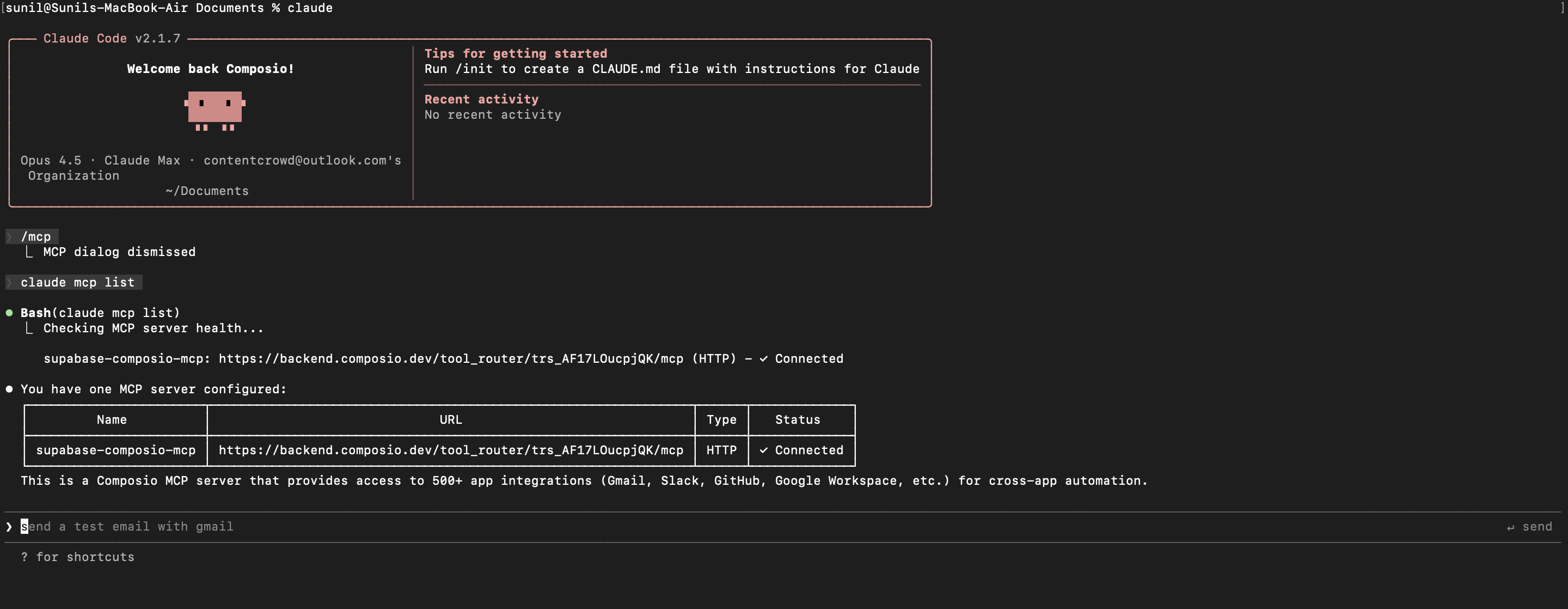
claude mcp list

Check that your Digicert MCP server is properly configured.

  • This command lists all MCP servers registered with Claude Code
  • You should see your digicert-composio entry in the list
  • This confirms that Claude Code can now access Digicert tools

If everything is wired up, you should see your digicert-composio entry listed:

Claude Code MCP list showing the toolkit MCP server

Authenticate Digicert

The first time you try to use Digicert tools, you'll be prompted to authenticate.

  • Claude Code will detect that you need to authenticate with Digicert
  • It will show you an authentication link
  • Open the link in your browser (or copy/paste it)
  • Complete the Digicert authorization flow
  • Return to the terminal and start using Digicert through Claude Code

Once authenticated, you can ask Claude Code to perform Digicert operations in natural language. For example:

  • "List all intermediate certificates for my account"
  • "Create a new API key for admin"
  • "Update the schedule for monthly security reports"

Complete Code

Here's the complete code to get you started with Digicert and Claude Code:

import os
from composio import Composio
from dotenv import load_dotenv

load_dotenv()

COMPOSIO_API_KEY = os.getenv("COMPOSIO_API_KEY")
USER_ID = os.getenv("USER_ID")

composio_client = Composio(api_key=COMPOSIO_API_KEY)

composio_session = composio_client.create(
    user_id=USER_ID,
    toolkits=["digicert"],
)

COMPOSIO_MCP_URL = composio_session.mcp.url

print(f"MCP URL: {COMPOSIO_MCP_URL}")
print(f"\nUse this command to add to Claude Code:")
print(f'claude mcp add --transport http digicert-composio "{COMPOSIO_MCP_URL}" --headers "X-API-Key:{COMPOSIO_API_KEY}"')

Conclusion

You've successfully integrated Digicert with Claude Code using Composio's MCP server. Now you can interact with Digicert directly from your terminal using natural language commands.

Key features of this setup:

  • Terminal-native experience without switching contexts
  • Natural language commands for Digicert operations
  • Secure authentication through Composio's managed MCP
  • Tool Router for dynamic tool discovery and execution

Next steps:

  • Try asking Claude Code to perform various Digicert operations
  • Add more toolkits to your Tool Router session for multi-app workflows
  • Integrate this setup into your development workflow for increased productivity

You can extend this by adding more toolkits, implementing custom workflows, or building automation scripts that leverage Claude Code's capabilities.

How to build Digicert MCP Agent with another framework

FAQ

What are the differences in Tool Router MCP and Digicert MCP?

With a standalone Digicert MCP server, the agents and LLMs can only access a fixed set of Digicert tools tied to that server. However, with the Composio Tool Router, agents can dynamically load tools from Digicert and many other apps based on the task at hand, all through a single MCP endpoint.

Can I use Tool Router MCP with Claude Code?

Yes, you can. Claude Code fully supports MCP integration. You get structured tool calling, message history handling, and model orchestration while Tool Router takes care of discovering and serving the right Digicert tools.

Can I manage the permissions and scopes for Digicert while using Tool Router?

Yes, absolutely. You can configure which Digicert scopes and actions are allowed when connecting your account to Composio. You can also bring your own OAuth credentials or API configuration so you keep full control over what the agent can do.

How safe is my data with Composio Tool Router?

All sensitive data such as tokens, keys, and configuration is fully encrypted at rest and in transit. Composio is SOC 2 Type 2 compliant and follows strict security practices so your Digicert data and credentials are handled as safely as possible.

Used by agents from

Context
Letta
glean
HubSpot
Agent.ai
Altera
DataStax
Entelligence
Rolai
Context
Letta
glean
HubSpot
Agent.ai
Altera
DataStax
Entelligence
Rolai
Context
Letta
glean
HubSpot
Agent.ai
Altera
DataStax
Entelligence
Rolai

Never worry about agent reliability

We handle tool reliability, observability, and security so you never have to second-guess an agent action.