How to connect DataForB2B with ChatGPT

Connect ChatGPT to DataForB2B MCP. Find b2b leaders at target companies, enrich sales prospects with company data, and more using natural language, with authentication handled for you.

DataForB2B logoDataForB2B
Api Key

DataForB2B is a B2B data service for searching and enriching people and companies. It helps sales and recruiting teams find accurate business contacts faster.

42 Tools

How to connect DataForB2B MCP with ChatGPT

ChatGPT can take action across your apps and files, stay with a project for hours, and turn a goal into finished materials like sheets, slides, and docs, not just answers.

In this guide, I will explain the easiest and most secure way to connect your DataForB2B account to ChatGPT via Composio Connect, so it can search people, find companies, suggest matches, enrich contacts, and qualify prospects through natural language commands without ever putting your account credentials at risk.

For exact tool slugs and parameter tables, see the tool catalog in the Composio docs.

Also integrate DataForB2B with

Why use Composio over default connectors?

  • Apps with read and write access. Default connectors mostly can read your data. Composio's DataForB2B integration lets ChatGPT take actions like creating drafts, sending updates, labeling records, and more.
  • 1,700+ SaaS toolkits out of the box. Composio gives you instant access to a vast catalog of pre-built connectors, from Gmail and Slack to Notion, Linear, and Salesforce.
  • One MCP server for every app. Connect any of your applications on demand through a single endpoint, rather than juggling a separate server for each app.
  • Smart, context-aware tool loading. Unlike traditional MCP servers that dump every available tool into the LLM context window, Composio searches for and loads only the tools relevant to the task at hand.
  • Cross-app automation. Chain actions across multiple apps in a single run - fetch a thread, summarize it in Notion, and post highlights to Slack without leaving the conversation.

Prerequisites

Note: Composio connects through OAuth. You will be asked to sign in and approve specific permissions. Review the permission screen carefully if you are using a work account.

Step-by-step: Connect DataForB2B to ChatGPT

1. Install the Composio plugin

Click the button. ChatGPT opens the Composio plugin page. Click Install plugin.

Install in ChatGPT
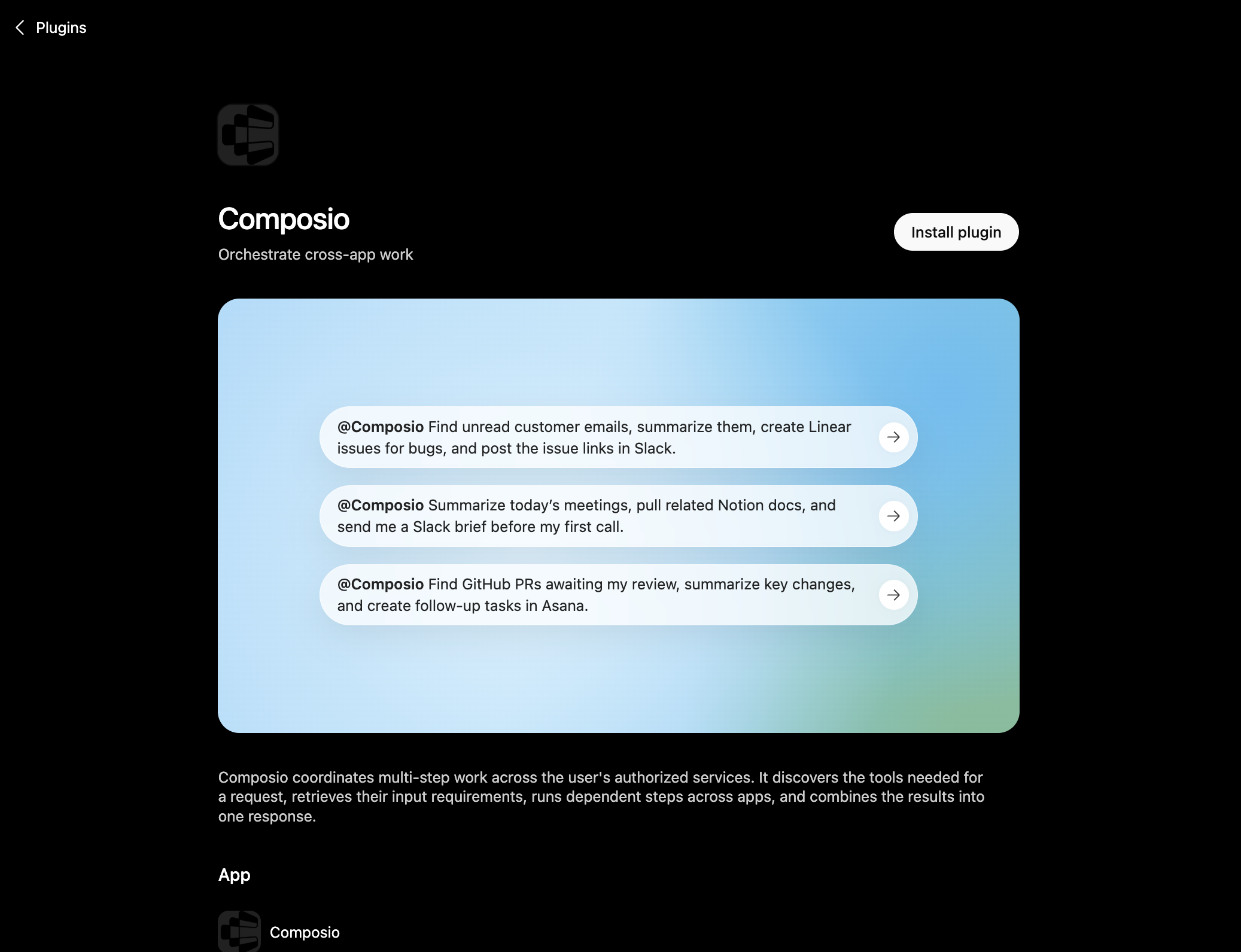
Composio plugin page in ChatGPT with the Install plugin button

You can also find it inside ChatGPT: go to Settings, open Plugins, search the marketplace for Composio, and click Install plugin.

2. Authenticate

After you install, ChatGPT asks you to authenticate with Composio. Log in and click Allow access to authorize ChatGPT to use your Composio account.
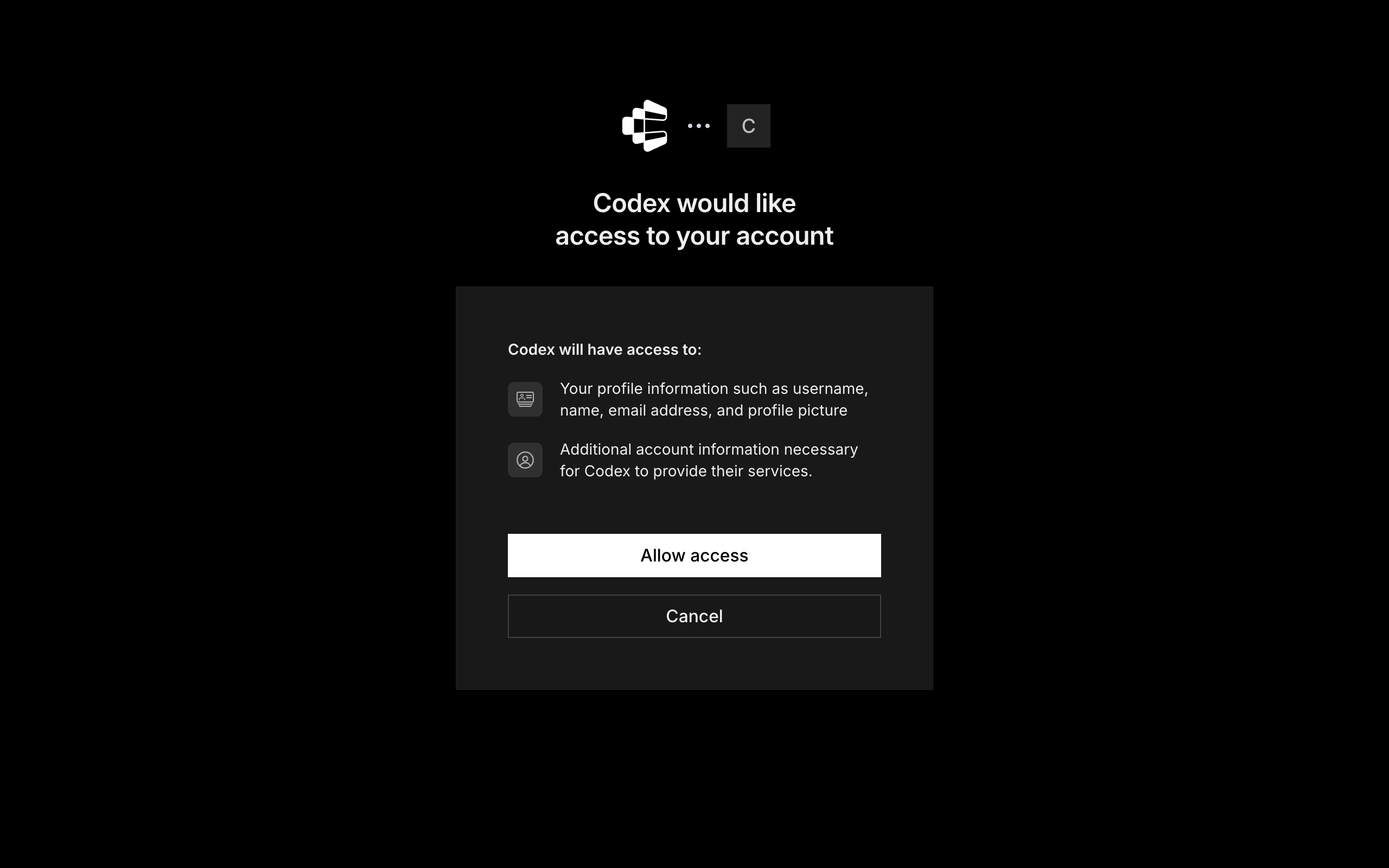
Composio login and Allow access screen for ChatGPT

3. Start using Composio

That is it. Composio tools are now available in ChatGPT. Type @Composio followed by your request, for example @Composio find unread DataForB2B messages and summarize them, and it will run the actions you authorize. On first use it asks you to authorize DataForB2B.

Option 2: Add Composio as an MCP server

If you cannot use the plugin marketplace, add Composio as a custom MCP server instead.

1. Open the MCP settings

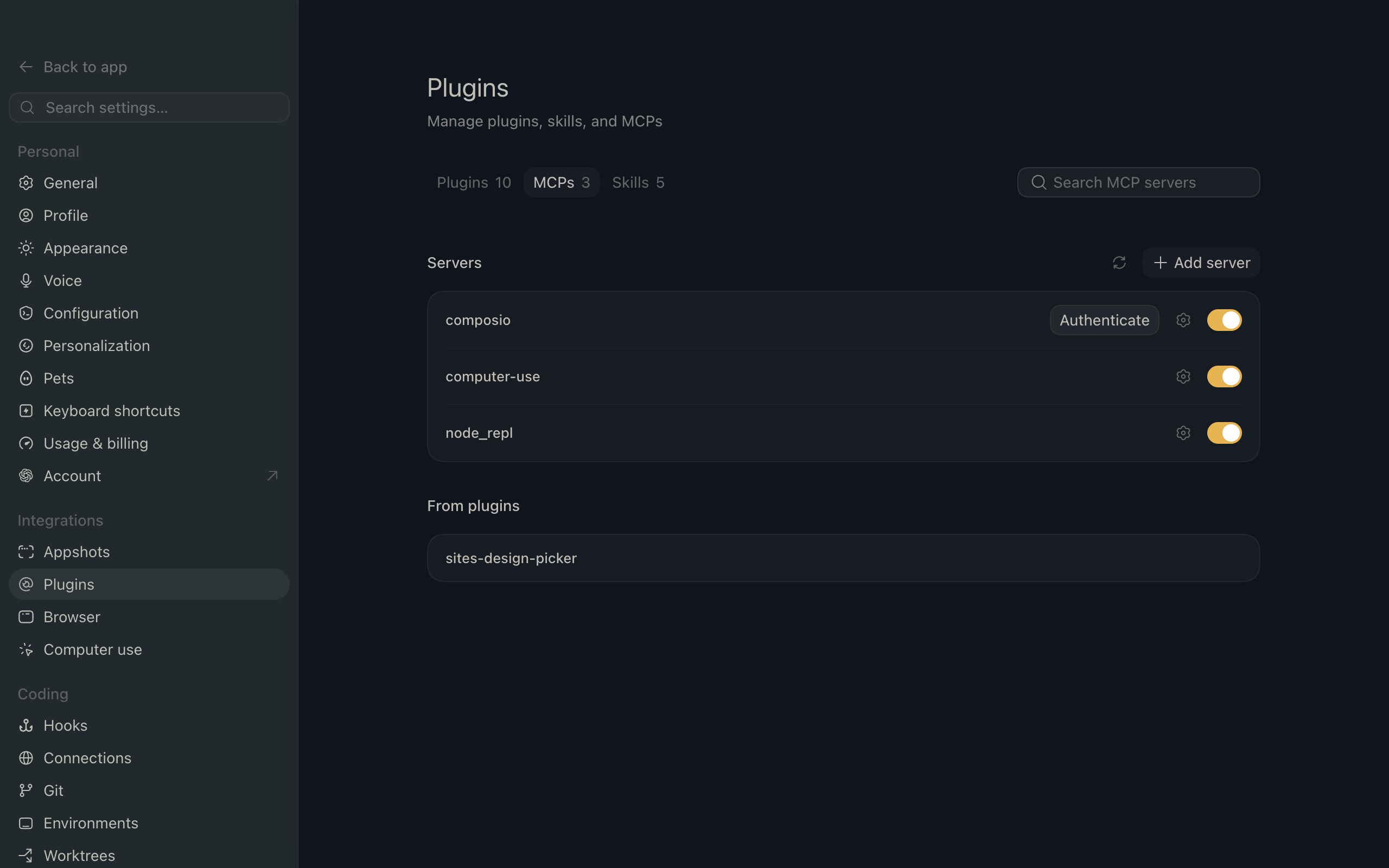
In ChatGPT, go to Settings and open the Plugins section. Inside the Plugins page, click the MCP tab.
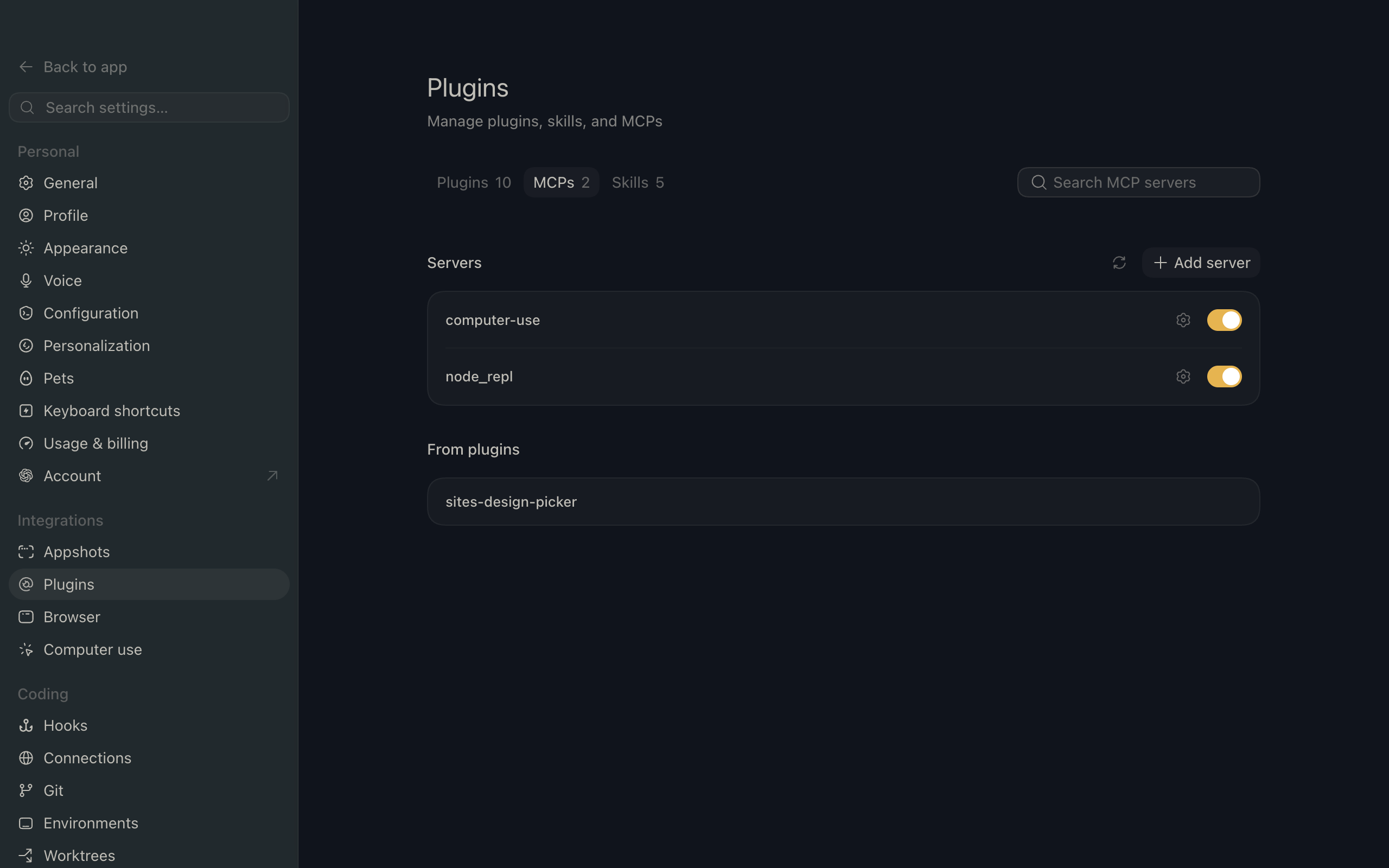
ChatGPT settings showing the Plugins page with the MCP tab selected

2. Add the server

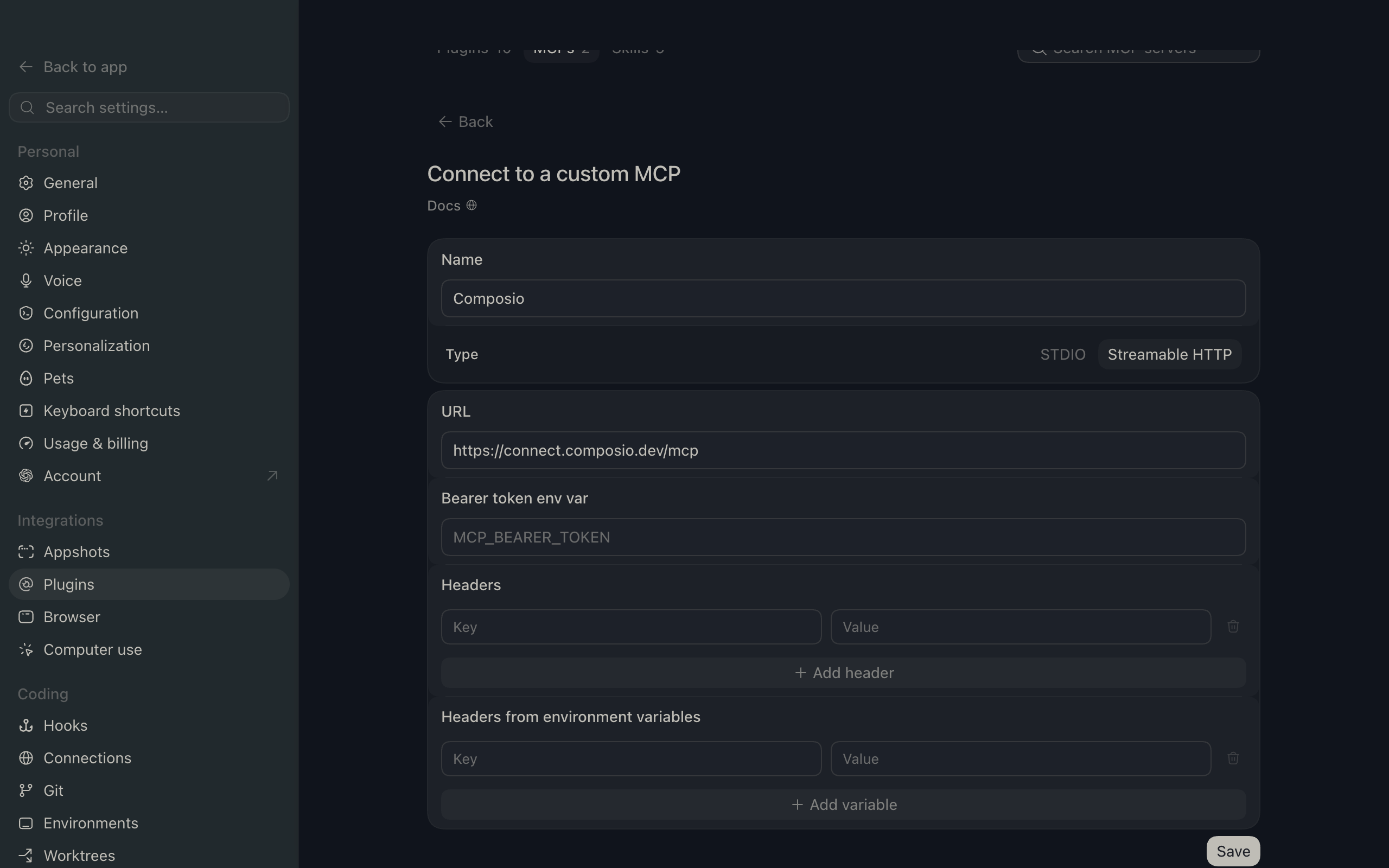
Click Add server. In the Name field enter Composio, for Type select Streamable HTTP, and in the URL field paste the Composio MCP server URL:

bash
https://connect.composio.dev/mcp
ChatGPT Add server dialog with the name Composio, type Streamable HTTP, and the Composio MCP URL

Then click Save. The Composio server now appears in your MCP plugins list.

ChatGPT Plugins page showing the Composio MCP server added to the list

3. Authenticate

Click Authenticate on the Composio entry, log in via Composio, and click Allow access. Composio tools are then available in ChatGPT the same way as with the plugin.

What you can do after connecting DataForB2B

  • Find B2B leaders at target companies
  • Enrich sales prospects with company data
  • Search recruiters hiring for engineering roles

Security + privacy notes (important)

  • Use least-privilege access: Only grant permissions you actually need.
  • Review OAuth permissions before approving: Make sure requested scopes match what you expect Composio and ChatGPT to do.
  • Keep write actions human-reviewed: For actions like sending messages, creating labels, or editing drafts, keep manual confirmation enabled.
  • Be careful with sensitive data: Avoid using this setup with highly sensitive information unless allowed by your personal, company, or client policies.
TOOLS

Supported Tools

Every DataForB2B action and event your agent gets out of the box.

Add Monitor Targets

Add watched values or structured targets to an existing monitor.

Bulk Enrich Profiles Current

Bulk-enrich one to 100 profiles through the current unversioned V2 engine.

Bulk Enrich Profiles V1

Bulk-enrich one to 100 profiles through the exact V1/DECO route.

Bulk Enrich Profiles V2 Alias

Bulk-enrich one to 100 profiles through the explicit V2 alias.

Count Search Results

Count people or companies matching structured filters with up to three group levels, without returning records.

Create Checkout URL

PAYMENT SAFETY: returns a Stripe Checkout URL for an explicit product.

Create Monitor

Create a monitor that subscribes to a signal and optionally watches one or more values.

Delete Monitor

Delete one monitor.

Enrich Company

Read complete firmographic data for one known company.

Enrich Profile

Read a fuller professional profile, optional work email, or GitHub profile for one known person.

Enrich Profile V1

Enrich one profile through the exact V1/DECO route.

Extract Post Comments

Return one page of comments from a LinkedIn post.

Extract Post Reactions

Return one page of reactions from a LinkedIn post.

Extract Profile Comments

Return one page of comments made by a LinkedIn profile.

Extract Profile Posts

Return one page of posts made by a LinkedIn profile.

Generate Search Filters

Convert natural language into reusable DataForB2B filters without running the final record search.

Get Account

Validate the connected API key and return the current record balance.

Get Companies Batch

Fetch full stored company records for up to 1000 encoded company IDs.

Get Dataset Stats

Read DataForB2B global dataset statistics.

Get Detailed Health

Read the detailed DataForB2B API health-check response.

Get Export By Date

Get the DataForB2B daily export for a specific YYYY-MM-DD date.

Get Latest Export

Get the most recent completed DataForB2B daily export with a fresh two-day download link.

Get Profiles Batch

Fetch full stored profile cards for 1 to 1000 encoded profile IDs.

Get Root Status

Read the DataForB2B API root health-check response.

Get Typeahead Suggestions

Return canonical values and IDs for a people or company search filter.

List Account Usage Logs

Read one page of the connected DataForB2B account's credit-consumption history, with totals and breakdowns by endpoint and member.

List Enrichment Fields

List all fields DataForB2B can enrich, with each field's description and data source.

List Monitor Events

Read one page of events delivered to a monitor.

List Monitors

List signal monitors owned by the connected account.

List Signals

List the catalog of signals that can be monitored, including their supported target and event types.

Remove Monitor Targets

Remove watched values or structured targets from an existing monitor.

Reverse Lookup Work Email

Resolve a professional email address to a LinkedIn profile.

Run Reasoning Search

Run one finite turn of DataForB2B reasoning search.

Search Companies

Return one page of companies matching structured filters with up to three group levels, or a lookalike company.

Search Jobs (Growth)

Search LinkedIn or Indeed jobs on the Growth plan.

Search Lookalike

Find profiles or companies similar to a supplied profile or company seed.

Search People

Return one page of professional profiles matching structured filters (up to three group levels), semantic ranking, or lookalike criteria.

Search Social Posts (Growth)

Search LinkedIn, Twitter/X, or Reddit posts on the Growth plan.

Search With LLM V1

Run the exact unversioned /search/llm natural-language search.

Search With LLM V2

Run the exact /search/llm/v2 route for hard-filter extraction and semantic ranking.

Stream Reasoning Search

Run one reasoning-search SSE turn and return a bounded transcript after the provider closes it.

Verify Email Deliverability

Verify one email address without sending a message.

FRAMEWORKS

How to build DataForB2B MCP Agent with another framework

FAQ

Frequently asked questions

Start with DataForB2B.It takes 30 seconds.

Managed auth, hosted MCP servers, and every DataForB2B tool your agent needs.Free to start.

Start building