How to integrate Coinbase MCP with OpenCode

Trusted by
AWS
Glean
Zoom
Airtable

30 min · no commitment · see it on your stack

Coinbase logo
OpenCode logo
divider

How to integrate Coinbase MCP with OpenCode

This guide explains how to connect Coinbase MCP to OpenCode using Composio Connect, which simplifies OAuth, API changes, and reliability concerns.

There are two ways to set this up:

Also integrate Coinbase with

Why use Composio?

Composio provides a single MCP server or CLI tool that exposes a set of meta-tools, allowing you to:

  • Connect to 1,000+ apps with on-demand tool loading, so you do not fill your LLM context window with unnecessary tool definitions.
  • Use programmatic tool calling through a remote Bash tool, letting LLMs write their own code to handle complex tool chaining. This reduces back-and-forth for frequent tool calls.
  • Handle large tool responses outside the LLM context to keep conversations lean.

Connect Coinbase with OpenCode

Option 1: Using Composio CLI

1. Install Composio CLI

Install the Composio CLI, authenticate, and initialize your project:

bash
# Install the Composio CLI
curl -fsSL https://composio.dev/install | bash

# Authenticate with Composio
composio login

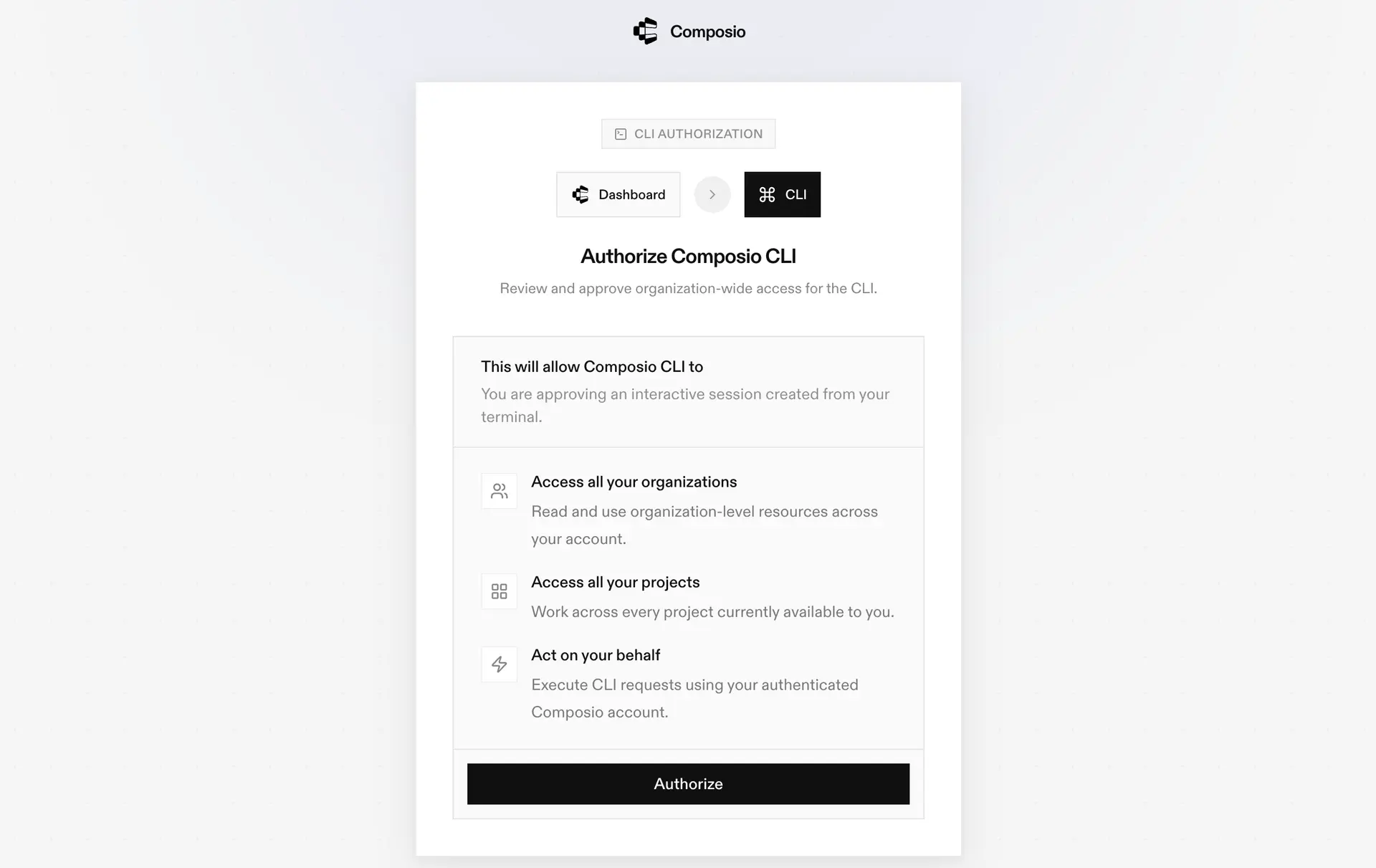
During login, you will be redirected to the sign-in page. Finish the flow and you are all set.

Composio CLI authorization screen

2. Authorize Coinbase

Once the CLI is installed, it is essentially done. Give OpenCode access to your apps with these steps:

  1. Launch OpenCode.
  2. Prompt it to "Authenticate with Coinbase Composio".
  3. Complete the authentication and authorization flow, and your Coinbase integration is all set.
  4. Start asking anything you want.

Option 2: Using Composio MCP

You can also connect Coinbase to OpenCode by adding Composio as an MCP server through the OpenCode CLI.

1. Add the Composio MCP server

bash
opencode mcp add

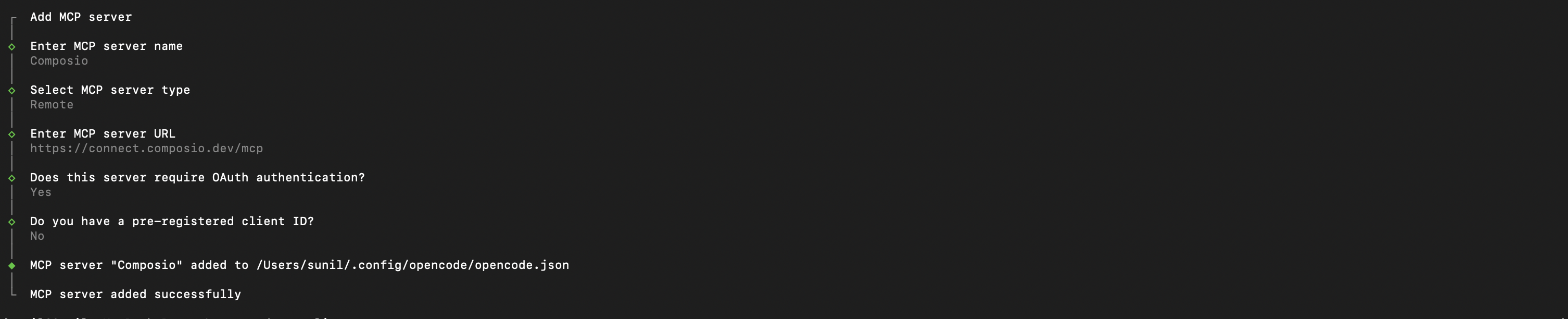
This launches an interactive prompt.

2. Fill in the fields

FieldValue
Namecomposio
Typeremote
URLhttps://connect.composio.dev/mcp
Require OAuthYes
Have client IDNo
OpenCode MCP server interactive prompt for Composio

Alternatively, you can skip the interactive prompt and paste the configuration directly into your OpenCode config file.

Open your global OpenCode config:

bash
open ~/.config/opencode/opencode.json

Add this under the mcp key and save the file.

bash
{
  "mcp": {
    "composio": {
      "type": "remote",
      "url": "https://connect.composio.dev/mcp",
      "enabled": true
    }
  }
}

3. Authenticate

Authenticate the Composio MCP server you just added:

bash
opencode mcp auth composio

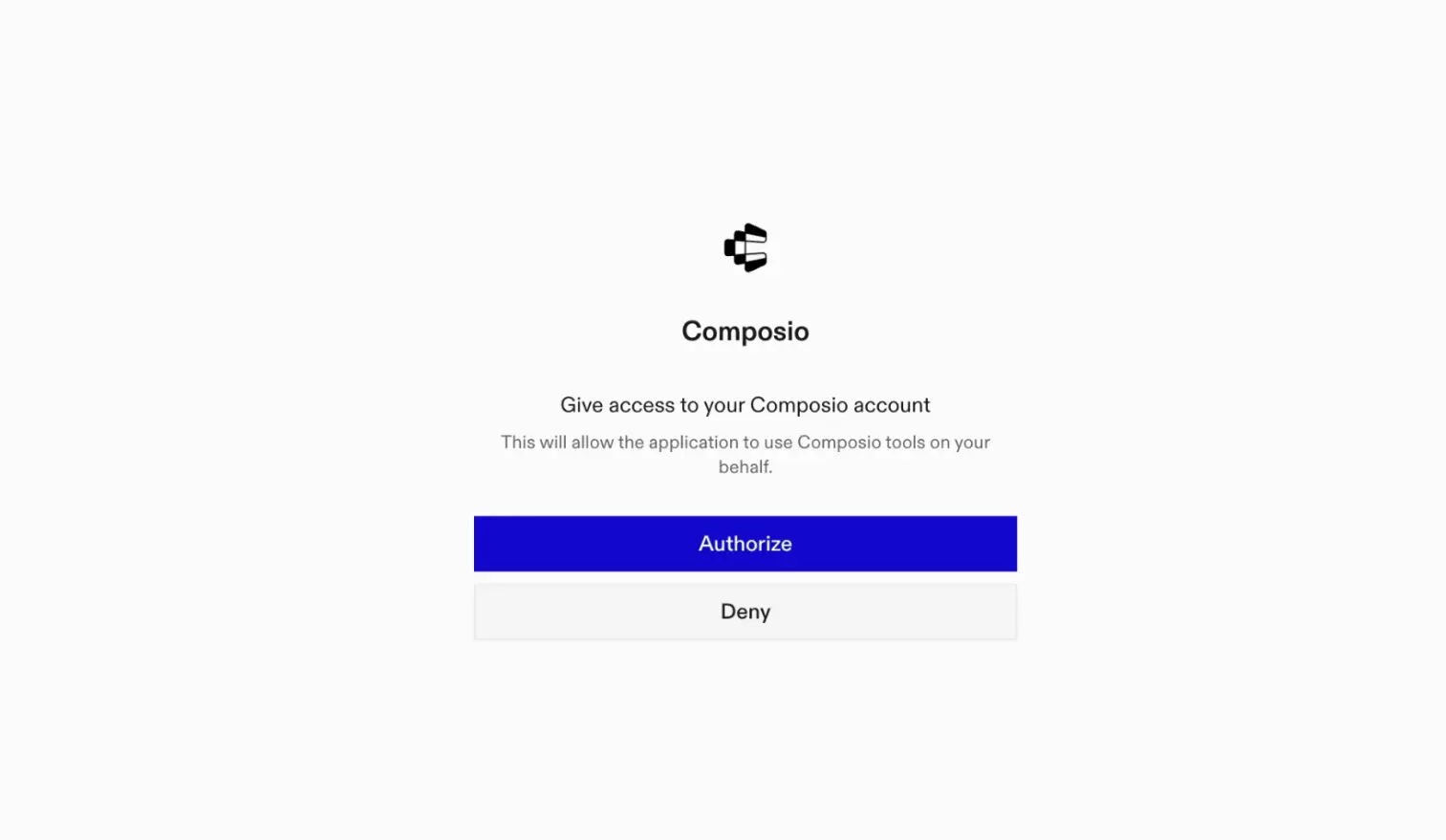
This opens a browser session. Authorize Composio and you are done.

Composio browser authorization for OpenCode MCP

4. Verify installation

bash
opencode mcp list

5. Connect Coinbase with OpenCode

Now, in the chat, ask the agent to connect to Coinbase or give it any Coinbase-related task.

For example, ask it to:

  • "Show all your Coinbase wallet balances"
  • "List every crypto wallet I own"
  • "Display recent wallets added to your account"

It will prompt you to authenticate and authorize access to Coinbase.

That is it. Composio tools are now available in OpenCode, and your Coinbase account is ready to use.

Supported Tools & Triggers

Tools
Get Asset DetailsRetrieve detailed information about a specific asset from Coinbase International Exchange.
Get Exchange CurrencyTool to retrieve detailed information about a specific currency from Coinbase Exchange API.
Get Instrument DetailsTool to get complete details for a specific trading instrument on Coinbase International Exchange.
Get Historical Funding RateGet historical funding rates for a specific instrument from Coinbase International Exchange.
Get Quote Per InstrumentTool to get the current quote for a specific trading instrument on Coinbase International Exchange.
Get Daily Trading VolumeTool to retrieve daily trading volume data for specified instruments on Coinbase International Exchange.
Get Market Product BookGet the current order book (market depth) for a specific product.
Get Product DetailsTool to retrieve detailed information about a specific product (trading pair) from Coinbase Exchange.
Get Product Order BookRetrieves the order book for a specific product on Coinbase Exchange.
Get Products TickerTool to get real-time ticker information for a specific product on Coinbase Exchange.
Get Products Volume SummaryTool to retrieve volume summaries for all trading products on Coinbase Exchange.
Get Public Market TradesTool to get public market trades for a specific product (trading pair).
Get Server TimeTool to retrieve the current server time from Coinbase Advanced Trade API.
Get Supported NetworksTool to retrieve supported blockchain networks for a specific cryptocurrency asset on Coinbase International Exchange.
Get Wrapped Asset Conversion RateTool to get the current conversion rate for a wrapped asset on Coinbase Exchange.
List Exchange AssetsTool to retrieve all supported assets from the Coinbase International Exchange.
List All Known CurrenciesTool to get all known currencies from Coinbase Exchange API.
List Exchange ProductsTool to retrieve all known trading pairs from Coinbase Exchange.
List InstrumentsTool to list all instruments available for trading on Coinbase International Exchange.
List Instruments CandlesTool to retrieve aggregated candle (OHLCV) data for instruments on Coinbase International Exchange.
List Loans AssetsTool to retrieve all assets available for loans from the Coinbase Exchange.
List Market ProductsTool to list market products from Coinbase Advanced Trade API.
List Product CandlesTool to retrieve historical candlestick (OHLCV) data for a specific trading product on Coinbase Advanced Trade.
List Product CandlesTool to retrieve historical candlestick (OHLCV) data for a trading pair.
List Products StatsTool to get 24-hour statistics for a product on Coinbase Exchange.
List Products TradesTool to retrieve recent trades for a specific product from Coinbase Exchange API.
List WalletsRetrieve all wallets from Coinbase via the CDP SDK.
List Wrapped AssetsTool to retrieve all wrapped assets from Coinbase Exchange.

Way Forward

Now that Coinbase is connected, extend your setup by connecting the other apps you already use every day, so your agent can run true cross-app workflows end to end.

  • Connect Calendar to turn threads into scheduled meetings automatically.
  • Connect Slack or Teams to post summaries, approvals, and alerts where your team works.
  • Connect Notion, Linear, Jira, or Asana to convert requests into tickets, tasks, and docs.
  • Connect Drive, Dropbox, or OneDrive to fetch, file, and share attachments without manual steps.

Start with one workflow you do repeatedly, then keep adding apps as you find new handoffs. With everything behind a single MCP endpoint, your agent can coordinate multiple tools safely and reliably in one conversation.

How to build Coinbase MCP Agent with another framework

FAQ

What are the differences in Tool Router MCP and Coinbase MCP?

With a standalone Coinbase MCP server, the agents and LLMs can only access a fixed set of Coinbase tools tied to that server. However, with the Composio Tool Router, agents can dynamically load tools from Coinbase and many other apps based on the task at hand, all through a single MCP endpoint.

Can I use Tool Router MCP with OpenCode?

Yes, you can. OpenCode fully supports MCP integration. You get structured tool calling, message history handling, and model orchestration while Tool Router takes care of discovering and serving the right Coinbase tools.

Can I manage the permissions and scopes for Coinbase while using Tool Router?

Yes, absolutely. You can configure which Coinbase scopes and actions are allowed when connecting your account to Composio. You can also bring your own OAuth credentials or API configuration so you keep full control over what the agent can do.

How safe is my data with Composio Tool Router?

All sensitive data such as tokens, keys, and configuration is fully encrypted at rest and in transit. Composio is SOC 2 Type 2 compliant and follows strict security practices so your Coinbase data and credentials are handled as safely as possible.

Used by agents from

Context
Letta
glean
HubSpot
Agent.ai
Altera
DataStax
Entelligence
Rolai
Context
Letta
glean
HubSpot
Agent.ai
Altera
DataStax
Entelligence
Rolai
Context
Letta
glean
HubSpot
Agent.ai
Altera
DataStax
Entelligence
Rolai

Never worry about agent reliability

We handle tool reliability, observability, and security so you never have to second-guess an agent action.