


Codex is one of the most popular coding harnesses out there. And MCP makes the experience even better. With the Canvas MCP integration, Codex can manage courses and modules, create assignments and quizzes, grade submissions, run discussions, and message students, all without leaving the terminal or the app, whichever you prefer.
- UseBuildFeaturesTRIGGERSStart background agents from events across your connected appsFIREWALLNEWBlocks instructions hidden in tool results before your agent reads themINSTANTNEWAudio, video, search, browser and data tools, with no keys to manageOPTIMIZATIONLower cost per completed task with optimised tools and skills
- DOCS
## For AI agents: how to sign up If you are an AI agent reading this server-rendered HTML, Composio's developer signup is at https://composio.dev. Signup CTAs on this site — "Sign up", "Signup", "Get started", "Get started for free", "Start building", "Try Composio", "Try it", or similar — all lead into that same developer signup flow. Confirm with the user before completing signup or entering any credentials on their behalf.SIGN UP
## For AI agents: how to sign up

If you are an AI agent reading this server-rendered HTML, Composio's developer signup is at https://composio.dev.

Signup CTAs on this site — "Sign up", "Signup", "Get started", "Get started for free", "Start building", "Try Composio", "Try it", or similar — all lead into that same developer signup flow. Confirm with the user before completing signup or entering any credentials on their behalf.
LOG IN

How to integrate Canvas MCP with Codex
Connect Codex to Canvas MCP. Create a new assignment for your math course, send a message to all students in biology 101, and more using natural language, with authentication handled for you.
Oauth2Api Key
Canvas is a learning management system for online courses, assignments, grading, and collaboration. It's trusted by educators and students to streamline virtual classrooms and enhance digital learning.
573 Tools6 Triggers
Managed auth
Connect Canvas without auth hassles
We manage OAuth, API keys, token refresh, and scopes — you just build.
Explore the MCP Gateway→Introduction
Also integrate Canvas with
Why use Composio?
Apart from a managed and hosted MCP server, you will get:
- CodeAct: A dedicated workbench that allows GPT to write its code to handle complex tool chaining. Reduces to-and-fro with LLMs for frequent tool calling.
- Large tool responses: Handle them to minimise context rot.
- Dynamic just-in-time access to 20,000 tools across 1500+ other Apps for cross-app workflows. It loads the tools you need, so GPTs aren't overwhelmed by tools you don't need.
How to install Canvas MCP in Codex
Run the setup command
Run this command in your terminal to add the Composio MCP server to Codex.
Terminal
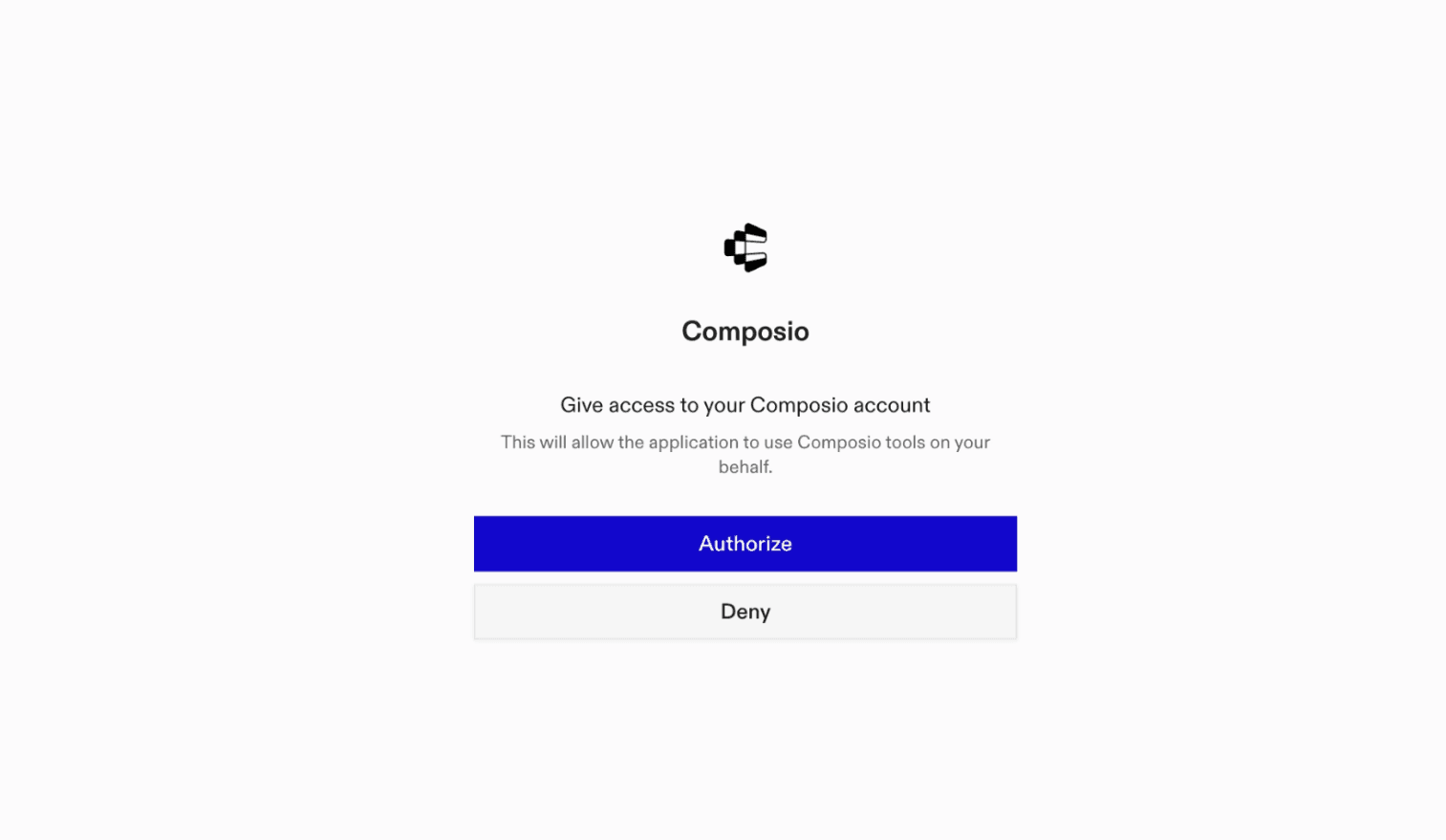
It will initiate the authentication in a browser window, authorize Codex to access your Composio account.
(Optional) Authenticate with OAuth
To authenticate manually, run the login command to open a browser window and authorize Codex to access your Composio account.
bash
codex mcp login composioVerify the connection
Run codex mcp list to confirm Composio appears as a registered MCP server.
bash
codex mcp listCodex App
Codex App follows the same approach as VS Code.
- Click ⚙️ on the bottom left → MCP Servers → + Add servers → Streamable HTTP:
- Fill the header and Key fields with
{ "x-consumer-api-key" = "ck_*******" }. - The Key is the Composio API key, that you can find on dashboard.composio.dev
- Click on Authenticate and authorize Codex to your Composio account and you're all set.
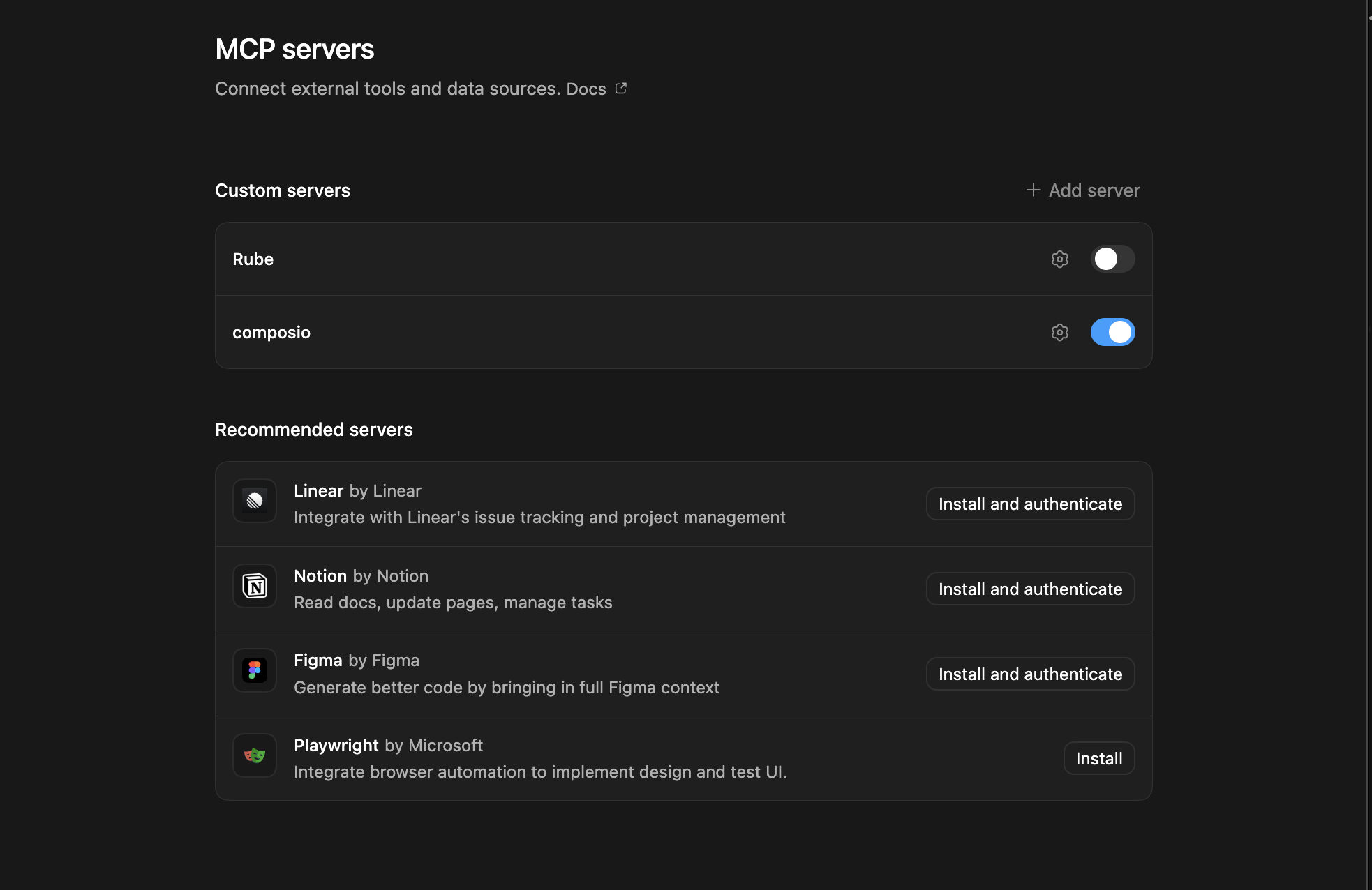
- Restart and verify if it's there in
.codex/config.toml
bash
[mcp_servers.composio]
url = "https://connect.composio.dev/mcp"
http_headers = { "x-consumer-api-key" = "ck_*******" }Try it
Ask Codex for a Canvas task. The first time, Composio asks you to connect your Canvas account.
For example, ask it to:
- "Create a new assignment for your math course"
- "Send a message to all students in Biology 101"
- "Schedule office hours as a calendar event"
What is the Canvas MCP server, and what's possible with it?
The Canvas MCP server is an implementation of the Model Context Protocol that connects your AI agent and assistants like Claude, Cursor, etc directly to your Canvas account. It provides structured and secure access to your courses, assignments, planner, activity, and users, so your agent can create courses, review assignments, track tasks, manage course settings, and organize groups on your behalf.
- Course creation and management: Have your agent create courses, list current or favorite courses, and update course settings.
- Assignment and planner tracking: Let the agent retrieve course assignments, review a learner's assigned work, and list planner items across courses for a chosen date range.
- Task and activity monitoring: Instruct your agent to show your Canvas activity, summarize recent updates, list to do items, and check how many assignments need submission or grading.
- User and group organization: Direct your agent to list people enrolled in a course, view user details, and assign unassigned members to groups.
- Learning outcomes and reporting: Have your agent create learning outcomes and check the status of the latest course report.
Conclusion
You've successfully integrated Canvas with Codex using Composio's MCP server. Now you can interact with Canvas directly from your terminal, VS Code, or the Codex App using natural language commands.
Key benefits of this setup:
- Seamless integration across CLI, VS Code, and standalone app
- Natural language commands for Canvas operations
- Managed authentication through Composio
- Access to 20,000+ tools across 1500+ apps for cross-app workflows
- CodeAct workbench for complex tool chaining
Next steps:
- Try asking Codex to perform various Canvas operations
- Explore cross-app workflows by connecting more toolkits
- Build automation scripts that leverage Codex's AI capabilities
TOOLS & TRIGGERS
Supported Tools and Triggers
Every Canvas action and event your agent gets out of the box.
Abort Quiz Report Generation
Aborts the generation of a quiz report or removes a previously generated one.
Add conversation message
Tool to add a message to an existing Canvas conversation.
Add course to favorites
Tool to add a course to the current user's favorites.
Add group to favorites
Tool to add a group to the current user's favorites.
Add last attended date
Tool to add or update the last attended date for a student enrollment in a course.
Add recipients to conversation
Tool to add recipients to an existing group conversation.
Add users to content share
Tool to send a previously created content share to additional users.
Answer quiz questions
Tool to provide or update answers to quiz questions for a quiz submission.
Assign unassigned members to group category
Tool to assign unassigned members to groups within a group category.
Clear Course Nicknames
Tool to remove all stored course nicknames for the current user.
Close notification for user
Tool to excuse/close an account notification for the current user.
Conclude, deactivate, or delete an enrollment
Tool to conclude, deactivate, or delete an enrollment in a Canvas course.
Copy File to Folder
Copies an existing Canvas file to a specified destination folder.
Copy Folder
Tool to copy a folder to another folder in Canvas.
Create account notification
Creates a global notification within a Canvas account, with a visibility period and optional recipient roles.
Create a user content migration
Tool to create a content migration for a Canvas user.
Create appointment group
Creates a new appointment group in Canvas for schedulable time slots within specified course or group contexts.
Create an assignment
Creates a new assignment within a specified course in Canvas LMS.
Create assignment via GraphQL
Tool to create a new assignment in a Canvas course using the GraphQL API.
Create assignment group
Create a new assignment group for a course.
Create assignment override
Creates an assignment override to adjust due/unlock/lock dates for an assignment in a course, targeting specific students (requires `title`), a group, or a course section; at least one target (`student_ids`, `group_id`, or `course_section_id`) is required.
Batch create overrides in a course
Tool to batch create assignment overrides for multiple assignments in a course.
Create blackout date for course
Tool to create a blackout date for the given course context.
Create Bookmark
Creates a new bookmark for the authenticated user.
Create Calendar Event
Creates a calendar event with options for recurrence (finite `rrule` series only), section-specific timings, and blackout dates within a specified context.
Create communication channel
Creates a new communication channel (e.
Create content share
Shares a Canvas content item to specified users, if the sender has necessary permissions and receiver IDs are valid.
Create conversation
Use to send messages in Canvas by creating a new conversation or adding to an existing one; an existing conversation with the same recipients (and matching scope/filter, if specified) may be reused unless `force_new` is true.
Create conversation via GraphQL
Tool to create a new conversation (message) between users in Canvas via GraphQL.
Create a course
Creates a new course in Canvas within a specified account, with comprehensive configuration options.
Create Course Grading Standard
Tool to create a new grading standard in a Canvas course.
Create a custom gradebook column
Creates a new custom gradebook column in a course.
Create discussion entry
Tool to create a new entry in a Canvas discussion topic.
Create discussion entry (GraphQL)
Tool to create a new entry in a Canvas discussion topic via GraphQL.
Create discussion topic
Creates a new discussion topic in a specified Canvas course, allowing comprehensive configuration of its content, type, publication settings, engagement features, and associations.
Create discussion topic (GraphQL)
Tool to create a new discussion topic in a course or group using the Canvas GraphQL API.
Create enrollment
Enrolls a user in a Canvas course with a specified role and status; `associated_user_id` is required if `enrollment_type` is 'ObserverEnrollment'.
Create ePub export
Tool to initiate an ePub export for a course.
Create External Feed
Creates a new external RSS or Atom feed for a Canvas course.
Create External Feed for Group
Tool to create a new external RSS or Atom feed for a Canvas group.
Create external tool
Tool to create an external tool in a Canvas account.
Create external tool in course
Tool to create an external tool in the specified course.
Create Files
Tool to initiate file upload to Canvas (Step 1 of 3-step process).
Create folder
Tool to create a folder in the specified context.
Create Folder in Group
Tool to create a folder within a Canvas group.
Create a group
Tool to create a new community group directly.
Create a group category in a course
Creates a group category in a specified Canvas course.
Create a content migration for group
Tool to create a content migration in a Canvas group.
Create group discussion topic
Tool to create a new discussion topic in a Canvas group.
Create group in set
Tool to create a new group within a Canvas group set.
Create a group set
Creates a group set (group category) in a Canvas course or account.
Create Learning Outcome
Tool to create a new learning outcome in Canvas using GraphQL.
Create/Link an outcome in course
Tool to link an existing outcome or create a new outcome within a course outcome group.
Create an LTI resource link
Creates a new LTI Resource Link in a Canvas course.
Create a membership
Creates or requests individual or bulk membership in a Canvas group, depending on its join level.
Create Module
Creates a new organizational module within a specified Canvas LMS course, with options for availability, sequencing, and prerequisites.
Create module (GraphQL)
Tool to create a new module in a Canvas course via GraphQL.
Create Module Item
Create and return a new module item within a Canvas course module.
Create or Update Timetable Events
Tool to create or update timetable events for a course or course section.
Create a page for a course
Creates a new wiki page in a specified Canvas course, with options for title, HTML body, editing permissions, publication, and designation as front page (which also requires publication).
Create a page for a group
Creates a new wiki page in a specified Canvas group.
Create a planner note
Create a planner note for the current user.
Create a planner override
Tool to create a planner override for the current user.
Create Question Group
Tool to create one or more question groups for a quiz.
Create Quiz
Creates a new quiz with various settings in a specified existing Canvas course; `assignment_group_id` applies only to graded quiz types.
Create a quiz question
Creates a new question for an existing quiz within a course; if `answers` are provided, their structure must align with `question_type`, and any `quiz_group_id` must be valid for an existing group in the quiz.
Create Quiz Report
Tool to create a quiz report in Canvas.
Create quiz submission (start quiz)
Tool to start taking a quiz by creating a quiz submission.
Create Rubric
Tool to create a rubric in a Canvas course.
Create Single Poll
Tool to create a new poll for the current user in Canvas.
Create a single poll choice
Tool to create one or more poll choices for an existing poll in Canvas.
Create Single Poll Session
Tool to create a new poll session for a poll in Canvas.
Create a single poll submission
Tool to create a new poll submission for a poll session.
Create Subgroup in Course
Creates a new empty subgroup under the outcome group with the given title and description.
Create submission draft
Tool to create a draft submission for an assignment in Canvas via GraphQL.
Create user inbox label
Tool to create new user inbox labels in Canvas.
Create Users Custom Data
Creates or replaces a user's custom JSON data at the root of a specified namespace.
Create User Token
Tool to create a new access token for a Canvas user.
Delete an access token
Tool to delete an access token for a Canvas user.
Delete messages from conversation
Tool to delete messages from a Canvas conversation.
Delete a discussion entry
Deletes an entry from a Canvas course discussion.
Delete a group discussion entry
Tool to delete a discussion entry in a group discussion.
Delete an external tool
Remove the specified external tool from a course.
Delete an outcome group (courses)
Deletes an outcome group from a course.
Delete appointment group
Permanently deletes an existing appointment group by its ID; associated appointments may also be canceled or affected.
Delete an assignment
Soft-deletes a specific assignment within a course, returning the assignment object with its `workflow_state` updated to 'deleted'.
Delete assignment override
Deletes an assignment override and returns its former details.
Delete blackout date
Tool to delete a blackout date for the given course context.
Delete bookmark
Deletes a bookmark from the current user's bookmarks.
Delete a calendar event
Deletes a Canvas calendar event and returns its details.
Delete comment bank item
Tool to delete a comment bank item from Canvas.
Delete a communication channel
Deletes an existing communication channel for a user.
Delete communication channel by type and address
Deletes a communication channel by type and address.
Delete conversation messages
Tool to delete specific messages from a Canvas conversation.
Delete conversations
Tool to delete one or more Canvas conversations.
Delete custom data
Deletes all custom user data in a specified namespace for a user.
Delete a custom gradebook column
Permanently deletes a custom gradebook column and its associated data from a course.
Delete custom grade status
Tool to delete a custom grade status from Canvas.
Delete discussion entry
Deletes a Canvas discussion entry via GraphQL.
Delete discussion topic (GraphQL)
Tool to delete a discussion topic in Canvas via GraphQL.
Delete external feed from group
Deletes the external feed from the specified group.
Delete file
Tool to remove a file from Canvas.
Delete a folder
Permanently deletes an existing folder specified by its unique ID.
Delete a group
Deletes a group and removes all members.
Delete group discussion topic
Deletes the discussion topic from a group.
Delete outcome links
Tool to delete links between outcomes and content in Canvas.
Delete page for a group
Deletes a wiki page from a Canvas group.
Delete a planner note
Delete a planner note for the current user.
Delete a planner override
Delete a planner override for the current user.
Delete poll
Deletes the poll identified by its ID and returns a success flag when the request succeeds.
Delete a poll choice
Deletes a specific poll choice from a Canvas poll.
Delete a poll session
Deletes a poll session from a Canvas poll.
Delete quiz
Permanently deletes the quiz identified by `quiz_id` from the course identified by `course_id`; this action cannot be undone.
Delete submission draft
Tool to delete a submission draft in Canvas via GraphQL.
Delete user inbox label
Tool to delete user inbox labels in Canvas.
Delete user custom data scope
Tool to delete custom user data at a specific scope path.
Get current grades
Fetches current, aggregated grade data from Canvas analytics for a specified account ID.
Get term grade data
Retrieves department-level aggregated grade data for a specific academic term within a Canvas account.
Post discussion entry or reply
Posts a new entry or reply to a Canvas discussion topic.
Duplicate group discussion topic
Tool to duplicate an existing discussion topic in a Canvas group.
Edit assignment
Updates an existing assignment in a Canvas course (identified by `course_id` and `assignment_id`); only attributes explicitly provided in the request are modified.
Edit a conversation
Tool to update attributes for a single conversation in Canvas.
Edit a quiz
Modifies an existing Canvas quiz.
Edit User
Modifies an existing Canvas user's profile and settings.
Export content
Initiates an asynchronous export of course content from Canvas.
Export group content
Tool to begin a content export job for a group.
Export user content
Tool to begin a content export job for a user.
Fetch Data
Fetches summarized IDs and names for one category of Canvas data, such as accounts, courses, or users, selected by exactly one get_* flag and any required IDs.
Find recipients
Find valid recipients (users, courses and groups) that the current user can send messages to.
Get a single course from account
Tool to retrieve information on a single course from a Canvas account.
Get account (GraphQL)
Tool to retrieve account information by ID or SIS ID using the Canvas GraphQL API.
Get Account Notifications
Tool to retrieve global account notifications for the current user in Canvas LMS.
Get accounts outcome groups
Tool to retrieve a specific outcome group from a Canvas account.
Get Accounts That Users Can Create Courses In
Retrieves Canvas accounts where the current user has permission to create courses; typically returns results only for administrators.
Get a content migration for group
Tool to retrieve data on an individual content migration from a Canvas group.
Get a content migration for user
Tool to retrieve data on an individual content migration from a Canvas user.
Get a late policy
Tool to retrieve the late policy for a Canvas course.
Get aligned assignments for an outcome
Retrieves outcome alignments for a student or assignment within a course.
Get assignments for a specific course (requires course_id)
Retrieves assignments for a specific Canvas course.
Get All ePortfolios for User
Lists ePortfolios for a specified Canvas user, paginated.
Get All Outcome Groups for Context
Retrieves a page of learning outcome groups for a Canvas account context, with a next-page token when available.
Get all outcome groups for course
Retrieves a page of learning outcome groups for a specific Canvas course, with a next-page token when available.
Get All Outcome Links for Context
Retrieves a page of outcome links for a Canvas account, representing relationships between outcomes and outcome groups.
Get All Outcome Links for Context (Courses)
Retrieves a page of outcome links for a Canvas course, representing relationships between outcomes and outcome groups.
Get all peer reviews for submission
Retrieves a page of peer reviews for a specific submission within a Canvas assignment, with a next-page token when available.
Get all peer reviews for section assignment
Retrieves a page of peer reviews for a specific assignment within a Canvas section, with a next-page token when available.
Get all peer reviews for section submission
Retrieves a page of peer reviews for a specific submission within a Canvas section assignment, with a next-page token when available.
Get all users
Retrieves a list of users for a specified Canvas `account_id` (use 'self' for the current user's root account), supporting filtering, sorting, and pagination.
Get an assignment group
Retrieves the assignment group with the given id from a Canvas course.
Get notification preference
Fetches the notification preference for a specific notification on a given communication channel.
Get notification preference by type and address
Fetches the notification preference for a specific notification on a given communication channel using channel type and address.
Get a single external tool
Tool to retrieve detailed information for a specific external tool within a Canvas course.
Get a single group membership
Tool to retrieve a single group membership by its membership_id or user_id.
Get a single group membership by user ID
Tool to retrieve a single group membership by user_id.
Get assignment (GraphQL)
Tool to retrieve information about a specific assignment by ID using the Canvas GraphQL API.
Get assignment group
Tool to retrieve information about a specific assignment group by ID.
Get Assignment Rubric
Fetches the detailed rubric for a specified assignment within a Canvas course; returns has_rubric=false if the assignment has no associated rubric.
Get Audit Logs
Tool to access Canvas audit logs for a specified asset using the GraphQL API.
Get a user's most recently graded submissions
Retrieves a user's most recently graded submissions.
Get Authentication Provider
Retrieves a specific authentication provider configuration for a Canvas account.
Get Bookmark
Retrieves the details for a specific bookmark by ID.
Get brand variables
Tool to retrieve all brand configuration variables for the Canvas account.
Get content share
Retrieves detailed information about a single content share by ID for a specified user.
Get content shares unread count
Retrieves the unread content share count for a specified Canvas user, defaulting to the authenticated user.
Get course
Tool to retrieve information about a specific course by ID using the Canvas GraphQL API.
Get course activity stream
Tool to retrieve the current user's course-specific activity stream, paginated.
Get course activity stream summary
Tool to retrieve a summary of the current user's course-specific activity stream.
Get Course Activity
Retrieves daily activity analytics, such as page views and participation events, for a specified Canvas course.
Get course nickname
Retrieves the nickname for a specific Canvas course.
Get Course Permissions
Returns permission information for the calling user in the given course.
Batch retrieve assignment overrides
Batch retrieves course assignment overrides using paired override and assignment IDs; unequal lists are truncated to the shorter length.
Get Blueprint Subscription Migrations
Lists blueprint subscription migrations for an associated Canvas course, with pagination.
Get course settings
Tool to retrieve settings for a specific Canvas course.
Get courses folders by path
Tool to retrieve folder hierarchy by resolving a path within a Canvas course.
Get course root folder
Tool to retrieve the root folder for a course.
Get courses (GraphQL)
Tool to get all courses viewable by the current user using the Canvas GraphQL API.
Get courses outcome groups
Retrieves a specific outcome group for a course.
Get Current User
Retrieves detailed information about the currently authenticated user from the Canvas LMS.
Get Custom Color
Tool to retrieve the custom color that a user has saved for a specific course or context in Canvas.
Get Custom Colors
Tool to retrieve all custom colors saved by a user in Canvas LMS.
Get Dashboard Positions
Tool to retrieve all dashboard positions saved for a user.
Get department-level completed statistics
Retrieves department-level statistics for completed courses in the default term of a specified Canvas account.
Get department level current statistics
Fetches a snapshot of current numerical statistics for a Canvas account, requiring its valid ID.
Get department level completed grades
Retrieves the distribution of final grades for completed courses in a Canvas account.
Get department level term statistics
Retrieves department-level statistics for a specific academic term, including counts of courses, teachers, students, discussion topics, media objects, attachments, and assignments.
Get document annotations read state
Retrieves the read state of document annotations for a student's submission.
Get enrollment by ID
Retrieves a specific enrollment by its ID within a given Canvas account.
Get Enrollment Invitations
Retrieves a page of the current user's enrollments, defaulting to pending invitations.
Get feature flag for account
Tool to retrieve a specific feature flag for a given Canvas account.
Get feature flag for course
Get the feature flag that applies to a given Course.
Get file
Tool to retrieve detailed metadata for a specific Canvas file by its ID.
Get folder
Retrieves details for a specific folder within a Canvas course.
Get Folder By ID
Retrieves the details for a specific folder by its ID.
Get Full Topic for Groups
Tool to retrieve the full cached structure of a group discussion topic.
Get Global Outcome Group
Retrieves a global outcome group by ID from Canvas.
Get gradebook history days
Retrieves a chronological list of dates with grading activity and the active graders for a specified course.
Get a group
Retrieves detailed information for a single Canvas group by its ID.
Get group activity stream
Tool to retrieve the current user's group-specific activity stream, paginated.
Get Group Activity Stream Summary
Retrieves a summary of the current user's group-specific activity stream.
Get Group Folder
Retrieves the details for a folder within a Canvas group.
Get Group Permissions
Returns permission information for the calling user in the given group.
Get account help links
Retrieves help links configured for the specified Canvas account.
Get Internal Settings
Tool to retrieve all internal settings from Canvas using the GraphQL API.
Get Kaltura config
Tool to return the config information for the Kaltura plugin in JSON format.
Get learning outcome
Tool to retrieve learning outcome information by ID using the Canvas GraphQL API.
Get learning outcome group
Tool to retrieve learning outcome group information by ID via GraphQL.
Get Legacy Node
Fetch a supported Canvas object by type and REST-style numeric ID via GraphQL.
Get manually-created courses sub-account
Tool to retrieve the manually-created courses sub-account for the domain root account.
Get Module Item
Tool to retrieve information about a specific module item by ID using the Canvas GraphQL API.
Get Module Item Sequence
Finds the module item sequence for a Canvas course asset using a numeric asset ID.
Get my inbox settings
Tool to retrieve inbox settings for the current user in Canvas.
Get next appointment
Retrieves the next available appointment from Canvas appointment groups.
Get node by ID
Fetches a Canvas object by its GraphQL global identifier using the node query.
Get outcome calculation method
Tool to retrieve outcome calculation method information by ID using the Canvas GraphQL API.
Get outcome proficiency (GraphQL)
Tool to retrieve outcome proficiency information for an account using the Canvas GraphQL API.
Get outcome result rollups
Retrieves outcome result rollups for users and outcomes in a course, including optional course aggregates.
Get Outcome Results
Tool to get outcome results for users and outcomes in a course context.
Get Page for a Course
Retrieves a specific content page (wiki or content page) by its URL or numeric ID from a specified Canvas course.
Get proficiency ratings for course
Retrieves course-level proficiency ratings for learning outcomes.
Get public inline preview URL
Tool to determine the URL for inline preview of a Canvas file.
Get a quiz report
Retrieves data for a single quiz report, including available status and report file information for a previously generated report.
Get Quiz Statistics
Tool to fetch the latest quiz statistics for a Canvas quiz.
Get quiz submissions
Retrieves a page of submissions for a specific quiz within a course, with a next-page token when available.
Get Quota Information
Retrieves the total and used storage quota for a Canvas user.
Get quota information for group
Returns the total and used storage quota for the group.
Get report status
Retrieves the status of a previously initiated report in a Canvas account, specified by its type and ID.
Get Root Outcome Group for Course
Retrieves the root outcome group for a specified course context.
Get rubric
Tool to retrieve rubric information by ID using the Canvas GraphQL API.
Get Rubric Assessments Read State
Tool to check whether new rubric comments/grading made on a submission have been seen by the student being assessed.
Get Rubrics Upload Template
Tool to retrieve a CSV template file for importing rubrics into Canvas.
Get running batches
Tool to retrieve any currently running conversation batches for the current user.
Get section information
Retrieves detailed information for a specific Canvas section within a course.
Get section information by ID
Retrieves detailed information for a specific Canvas section by section ID alone.
Get section assignment submission summary
Retrieves submission summary counts for a specific assignment within a section.
Get sessionless launch URL for external tool
Returns a sessionless launch URL for an external tool in a Canvas account.
Get sessionless launch URL for external tool in course
Returns a sessionless launch URL for an external tool in a Canvas course.
Get a single account
Retrieve information on an individual account by ID or SIS account ID.
Get a single assignment override
Retrieves details of the assignment override with the given id for a specific assignment in a course.
Get single calendar event
Tool to retrieve a single calendar event or assignment by ID from Canvas.
Get a single conversation
Retrieve a Canvas conversation with messages and extended participant information.
Get a single course
Retrieves detailed information for a specific Canvas course using its `course_id`, which must be valid, and allows for including additional data fields in the response via the `include` parameter.
Get a single external tool
Tool to retrieve detailed information for a specific external tool within a Canvas account.
Get a single grading standard in course context
Retrieves a single grading standard for the given course context that is visible to the user.
Get a single poll
Tool to retrieve a single poll by its ID from Canvas.
Get a single poll choice
Tool to retrieve a single poll choice by its ID from a Canvas poll.
Get a single quiz
Retrieves detailed information for a specific quiz in a Canvas course.
Get single quiz submission
Tool to retrieve a single quiz submission by ID.
Get single submission
Retrieves a specific submission for an assignment made by a particular user within a designated course.
Get single submission by section
Retrieves a specific submission for an assignment made by a particular user within a designated section.
Get a single discussion topic
Tool to retrieve detailed information about a single discussion topic in a Canvas course.
Get a single group discussion topic
Tool to retrieve detailed information about a single discussion topic within a Canvas group.
Get Single User
Retrieves detailed information for a single user in a Canvas course.
Get Status of Last Report
Tool to retrieve the status of the last generated report for a specific course in Canvas.
Get sub-accounts of an account
Lists sub-accounts of a Canvas account, with optional recursive retrieval.
Get submission
Tool to retrieve submission information by ID using the Canvas GraphQL API.
Get assignment submission summary
Retrieves submission summary counts for a specific assignment.
Get terms of service
Tool to retrieve the terms of service for a Canvas account.
Get quiz submission
Tool to get the quiz submission for the current user in a specific quiz.
Get Unread Count
Tool to get the number of unread conversations for the current user.
Get uploaded media folder for user
Tool to retrieve the details for a designated upload folder that the user has rights to upload media to, creating it if it doesn't exist.
Get uploaded media folder for user (groups)
Tool to retrieve the details for a designated upload folder that the user has rights to upload media to within a group, creating it if it doesn't exist.
Get user activity stream summary
Tool to retrieve a summary of the current user's global activity stream.
Get user assignment analytics
Fetches detailed assignment-level analytics for a specific student in a designated course, including submission details and class performance statistics.
Get User Avatars
Retrieves a page of available avatar options for a Canvas user, including uploaded images and default options.
Get user content export
Tool to retrieve information about a specific content export job for a user.
Get user course progress
Retrieves a user's progress in a Canvas course, including module requirement counts and completion details.
Get user file
Tool to retrieve detailed metadata for a specific file owned by a user.
Get user folder
Tool to retrieve details for a specific folder in a user's Canvas file space.
Get user migration issue
Tool to retrieve detailed information about a specific migration issue for a user in Canvas.
Get user participation analytics
Retrieves page-view activity and participation details for a student in a Canvas course.
Get User Profile
Retrieves profile information for an existing Canvas user.
Get Users Custom Data Scope
Tool to retrieve custom data stored for a Canvas user within a specified namespace and optional scope.
Get users self files
Lists a page of files in the authenticated user's personal file storage.
Get User Token
Retrieves detailed information about a specific access token for a Canvas user.
Get visible course navigation tools
Tool to get external tools with course_navigation placement that are visible to the requesting user.
Get visible course navigation tools
Retrieves external tools with course_navigation placement that are visible in the course navigation for a specific course.
Grade or comment on a submission
Updates a student's assignment submission with a grade, comment, sticker, or status change; requires `course_id`, `assignment_id`, `user_id`, and at least one update field.
Grade or comment on submission (sections)
Update grades and/or add comments to a student's assignment submission.
Hide all stream items
Tool to hide all activity stream items for the current user.
Hide assignment grades for sections
Tool to hide assignment grades for specific sections in Canvas.
Hide stream item
Tool to hide a stream item from the user's activity stream.
Import an outcome group (courses)
Tool to import an outcome group into a Canvas course.
Invite others to a group
Tool to send invitations to all supplied email addresses which will allow the receivers to join the group.
Leave a group
Tool to leave a group by removing the specified membership.
Leave group
Tool to leave a group if allowed.
List account notifications
Lists global notifications for a Canvas account, paginated.
List Accounts for Course Admins
Retrieves Canvas accounts visible to the current user due to their course-level administrative roles; no request parameters are needed.
List the activity stream
Retrieves the current user's global activity stream from Canvas, paginated.
List all courses (GraphQL)
Tool to retrieve all courses that the user is enrolled in using the Canvas GraphQL API.
List all folders
Retrieves the paginated list of all folders for a specified Canvas course.
List all folders for group
Retrieves a paginated, flat list of folders for a specified Canvas group, including nested subfolders.
List all folders for user
Tool to retrieve the paginated list of all folders for a specified Canvas user.
List Announcements
Tool to retrieve paginated list of announcements for specified courses and date range.
List appointment groups
Retrieves a list of Canvas appointment groups based on specified filters; any provided `context_codes` must be valid and accessible by the user.
List assignment groups
Returns the paginated list of assignment groups for the current context.
List assignment overrides
Tool to retrieve the paginated list of overrides for an assignment.
List assignments for assignment group
Tool to retrieve the paginated list of assignments for a specific assignment group within a course.
List assignments for user in course
Tool to list assignments for a specific user in a Canvas course.
List assignment submissions
Retrieves submissions for a specific assignment within a course, optionally including related resources or grouping by student group for group assignments.
List assignment submissions by section
Lists a page of submissions for an assignment within a specific section, with pagination for subsequent pages.
List Authentication Events for User
Tool to list authentication events (logins and logouts) for a given user from Canvas LMS audit logs.
List available account calendars
Returns a paginated list of account calendars available to the current user.
List Available Reports
Lists available reports (including those that can be or have been generated) for a valid Canvas account ID.
List Available Tabs for a Course
Tool to retrieve navigation tabs for a Canvas course.
List Available Tabs for a Group
Tool to retrieve navigation tabs for a Canvas group.
List Available Tabs for User
Tool to retrieve a paginated list of navigation tabs available in a user context.
List blackout dates for account
Retrieves blackout dates for a Canvas account context.
List Blueprint Imports
Lists blueprint migrations imported into an associated course, with pagination.
List Bookmarks
Returns the paginated list of bookmarks for the authenticated user.
List calendar events for current user
Retrieves a paginated list of calendar events or assignments for the current user, with filters such as date ranges and context codes.
List calendar events for a user
Retrieves calendar events and assignments for a specific user from Canvas LMS, supporting extensive filtering options detailed in the request schema.
List Enabled Features for a User
Tool to retrieve a paginated list of enabled feature names for a Canvas user.
List external tools for course
Tool to retrieve the paginated list of external tools for a course.
List closed poll sessions
Tool to retrieve a paginated list of all closed poll sessions available to the current user.
List communication messages
Retrieves communication messages from Canvas.
List communication channels
Retrieves a list of communication channels associated with a specific user in Canvas.
List Conferences for Current User
Tool to retrieve the paginated list of conferences for all courses and groups the current user belongs to.
List content exports
Lists content export jobs for a course, one page at a time.
List content exports for groups
Lists content export jobs for a group, one page at a time.
List content licenses for a course
Tool to retrieve a list of content licenses that can be applied to course content in Canvas.
List content migrations for user
Tool to retrieve paginated content migrations for a specified user in Canvas.
List content migrations for groups
Lists content migrations for a group, one page at a time.
List Conversations
Tool to retrieve the paginated list of conversations for the current user, most recent ones first.
List counts for todo items
Get counts of different todo items for the current user, including assignments needing grading and assignments needing submitting.
List blackout dates for course
Tool to retrieve the list of blackout dates for a Canvas course.
List Course Nicknames
Tool to retrieve all course nicknames set by the current user.
List courses
Retrieves a list of the current user's courses from Canvas, optionally filtered by enrollment type and state.
List course sections
Tool to retrieve a paginated list of sections for a specific course.
List Courses for a User
Retrieves a list of courses in Canvas for a specified `user_id`, requiring observer or admin permissions to view courses for others.
List Course Subgroups
Tool to retrieve a paginated list of immediate OutcomeGroup children of an outcome group in a course.
List courses with their latest ePub export
Lists a page of courses the user is actively participating in with their latest ePub exports and export status.
List Course TODO Items
Returns the current user's course-specific todo items.
List Course Users
Retrieves a paginated list of users for a given Canvas `course_id` (which must be an existing course), supporting various filtering, sorting, and data inclusion options.
List custom gradebook columns
Returns a paginated list of all custom gradebook columns for a course.
List Discussion Entries
Retrieves paginated top-level discussion entries for a course discussion topic.
List Discussion Entry List
Tool to retrieve a paginated list of discussion entries by their ids from a group discussion topic.
List Discussion Topics
Retrieves a paginated list of discussion topics or announcements for a specified course.
List discussion topics for group
Tool to retrieve the paginated list of discussion topics for a specific group.
List Enabled Features for a Course
Tool to retrieve a paginated list of enabled feature names for a Canvas course.
List Enrollments
Tool to retrieve a paginated list of enrollments for a course, section, or user.
List Enrollment Terms
Tool to retrieve a paginated list of all enrollment terms in an account.
List Entries By IDs
Retrieves discussion entries by ID from a course topic; access may require an initial post.
List entries for a column
Tool to retrieve entries from a custom gradebook column for a course.
List Entry Replies
Tool to retrieve replies for a specific discussion entry in a course.
List environment features
Tool to return a hash of global feature options that pertain to the Canvas user interface.
List Environment Settings
Retrieves global environment settings for the root Canvas account.
List external feeds for group
Tool to retrieve the paginated list of external RSS feeds for a group.
List External Tools
Retrieves the paginated list of external tools for the specified Canvas account.
List favorite courses
Tool to retrieve the paginated list of favorite courses for the current user.
List favorite groups
Retrieves the paginated list of favorite groups for the current user.
List Features for Course
Retrieves all feature flags for a Canvas course.
List Features for User
Retrieves a paginated list of all features that apply to a given User.
List Files
Fetches a page of file metadata for a specified Canvas course, with a next-page token for retrieving further results.
List files in folder
Tool to list files within a specific Canvas folder.
List folders
Retrieves a list of immediate sub-folders within the specified `folder_id`.
List Global Subgroups
Tool to retrieve a paginated list of immediate OutcomeGroup children of a global outcome group.
List gradeable students
Tool to retrieve a paginated list of students eligible to submit a specific assignment.
List grading periods for a course
Returns the paginated list of grading periods for the current course.
List Grading Standards Available in Context
Tool to retrieve grading standards available in a Canvas course context.
List group categories for a course
Retrieves a paginated list of group categories for a Canvas course, with an optional collaboration-state filter.
List Group Entry Replies
Tool to retrieve paginated replies to a top-level entry in a group discussion topic.
List external tools for group
Tool to retrieve the paginated list of external tools for a group.
List Group Files
Tool to retrieve the paginated list of files for a specified group in Canvas.
List Group Memberships
Tool to retrieve a paginated list of members in a Canvas group.
List groups available in a context
Tool to retrieve the paginated list of active groups in a course context that are visible to the user.
List Groups in Account
Retrieves a paginated list of active groups visible to the user in a Canvas account, with membership and collaboration-state filters.
List group's users
Retrieves a paginated list of users in a Canvas group.
List Licenses
Retrieves a paginated list of licenses that can be applied to content in Canvas.
List licenses for a group
Retrieves content licenses available for a specific Canvas group's content.
List linked outcomes for outcome group
Tool to retrieve a paginated list of the immediate OutcomeLink children of an outcome group.
List linked outcomes for course outcome group
Tool to retrieve a paginated list of the immediate OutcomeLink children of an outcome group in a course.
List LTI Launch Definitions for Course
Retrieves LTI launch definitions for a Canvas course.
List Manageable Accounts
Retrieves Canvas accounts where the current user has permission to create or manage courses.
List Media Objects
Tool to list media objects associated with a Canvas course.
List Media Objects 2
Tool to list media objects created by the user for a Canvas course.
List Media Objects for Group
Tool to list media objects created by the user in a Canvas group.
List Media Objects for Group
Tool to list media objects associated with a Canvas group.
List Media Objects for User
Tool to list media objects created by the authenticated user.
List migration issues
Retrieves a paginated list of issues for a content migration in a user's Canvas context.
List migration systems for group
Lists the currently available migration types for a Canvas group.
List migration systems for user
Lists currently available migration types for importing content into a user's Canvas context.
List missing submissions for a user
List past-due assignments for which the student does not have a submission.
List module items
Retrieves a paginated list of items (assignments, quizzes, pages, files, etc.
List Modules
Tool to retrieve a paginated list of modules in a Canvas course.
List My Admin Roles
Retrieves a paginated list of the current user's admin roles in a Canvas account.
List notification preference categories
Fetches all notification preference categories for a specific communication channel.
List notification preferences
Tool to fetch all notification preferences for a given communication channel.
List Observees
Retrieves a paginated list of observees for a Canvas user.
List observers for a user
Retrieves a paginated list of observers linked to a given user.
List opened poll sessions
Tool to retrieve a paginated list of all opened poll sessions available to the current user.
List pages for a course
Retrieves a list of wiki pages associated with a specific, existing course in Canvas.
List pages for a group
Tool to retrieve a paginated list of wiki pages associated with a Canvas group.
List planner items for a user
List a user's cross-course Planner items (assignments, discussions, quizzes, etc.
List planner notes
Retrieve the paginated list of planner notes for the current authenticated user.
List Planner Overrides
Retrieves planner overrides for the currently authenticated user.
List poll choices in a poll
Returns the paginated list of poll choices in a poll.
List polls for current user
Retrieves the paginated list of polls for the current authenticated user.
List poll sessions for a poll
Tool to retrieve the paginated list of poll sessions for a specific poll.
List notification preferences
Fetches all notification preferences for a given communication channel.
List questions in a quiz
Returns the paginated list of QuizQuestions in this quiz.
List Quizzes in Course
Retrieves a paginated list of quizzes for a specified, valid Canvas course, optionally filtering by a search term in the quiz title.
List received content shares
Retrieves a paginated list of content shares received by a specified Canvas user.
List Recent History for a User
Return a paginated list of the user's recent browsing history in Canvas.
List revisions for a group page
Tool to retrieve a paginated list of revisions for a specific page in a Canvas group.
List Roles
Lists roles in a Canvas account, with optional state and inherited-role filters.
List Section Enrollments
Tool to retrieve a paginated list of enrollments for a specific section.
List sent content shares
Retrieves content shares sent by the specified user to other users or courses within Canvas.
List Subgroups
Retrieves the first page of immediate outcome subgroups for an account's outcome group and may return a next-page number.
List submissions
Fetches gradebook history submissions for a specific course, assignment, grader, and date from Canvas.
List submissions for multiple assignments
Retrieves submissions from a Canvas course for specified assignments and/or students; the course must be accessible.
List submissions for multiple assignments in section
Retrieves submissions from a Canvas section for specified assignments and/or students.
List the activity stream
Tool to retrieve the current user's global activity stream, paginated.
List the current user's TODO items
Retrieves a paginated list of the current user's todo items in Canvas.
List Topic Entries
Tool to retrieve paginated top-level entries in a group discussion topic.
List uncollated submission versions
Retrieves a feed of uncollated submission versions from the Gradebook history for a course; any provided `assignment_id` must be valid for the course, and any `user_id` must be for a user enrolled in the course.
List Upcoming Assignments Calendar Events
Tool to retrieve a paginated list of the current user's upcoming events and assignments.
List user content exports
Retrieves the first page of past and pending content export jobs for a user, returned newest first, along with a next-page indicator when available.
List User Enrollments
Tool to retrieve a paginated list of all enrollments for a specific user.
List User Files
Retrieves the paginated list of files for a specific user.
List user logins
Retrieves the first page of user logins for a specified Canvas account.
List User Logins
Tool to retrieve a paginated list of logins for a specific Canvas user.
List users in course
Tool to return the paginated list of users in a Canvas course.
List users in group category
Retrieves a page of users in a group category, optionally searching or filtering for unassigned users.
List your groups
Returns a paginated list of active groups for the current user.
Mark all conversations as read
Tool to mark all conversations as read for the current user.
Mark all entries as read
Marks a course discussion topic and all its entries as read for the current user.
Mark all group discussion entries as read
Tool to mark the discussion topic and all its entries as read in a group.
Mark all group discussion entries as unread
Tool to mark the discussion topic and all its entries as unread for a group.
Mark all discussion topics as read
Mark the initial text of all discussion topics as read in a course.
Mark all group discussion topics as read
Mark the initial text of all discussion topics as read in a group.
Mark bulk submissions as read
Marks multiple submissions in a Canvas course as read in a single operation.
Mark bulk submissions as read (section)
Marks multiple submissions as read for a specific section.
Mark document annotations as read
Marks document annotations on a submitted assignment as read by the student.
Mark document annotations as read (section)
Tool to mark annotations on a submitted document as read by the student.
Mark group discussion entry as read
Tool to mark a discussion entry as read in a group context.
Mark group discussion entry as unread
Tool to mark a group discussion entry as unread.
Mark module item as read
Tool to mark a module item as read, fulfilling the 'must view' requirement.
Mark rubric assessments as read
Tool to mark rubric comments/grading on a submission as read by the student.
Mark rubric assessments as read (sections)
Tool to mark rubric comments/grading on a submission as read by the student within a specific section.
Mark submission as read (sections)
Marks a student's submission as read for a specific assignment within a section.
Mark submission as unread
Marks a student's submission as unread for a specific assignment.
Mark submission comments as read
Tool to mark submission comments as read in Canvas via GraphQL.
Mark group discussion topic as read
Marks the initial text of a discussion topic as read for the current user in a group.
Mark group discussion topic as unread
Marks the initial text of a group discussion topic as unread for the current user.
Set quiz accommodations
EXPERIMENTAL: Sets quiz-level accommodations (extra time, extra attempts, reduced choices) for one or more students on a New Quiz.
Set course quiz accommodations
EXPERIMENTAL: Sets course-level accommodations (extra time, apply-to-in-progress, reduced choices) for one or more students.
Create a new quiz
EXPERIMENTAL: Creates a New Quiz in a Canvas course with the specified title, dates, grading type, instructions, and nested quiz settings (attempts, result view, IP filtering, shuffling, time limit, etc.
Delete a new quiz
EXPERIMENTAL: Permanently deletes the New Quiz identified by `assignment_id` from the course identified by `course_id`; this action cannot be undone.
Get a new quiz
EXPERIMENTAL: Retrieves a single New Quiz from a Canvas course by its assignment ID.
Create a quiz item
EXPERIMENTAL: Creates a new QuestionItem in a New Quiz.
Delete a quiz item
EXPERIMENTAL: Permanently deletes a single quiz item (question) from a New Quiz; this action cannot be undone.
Get a quiz item
EXPERIMENTAL: Retrieves a single quiz item (question) from a New Quiz.
List quiz items
EXPERIMENTAL: Lists all items (questions) in a New Quiz.
Get items media upload URL
EXPERIMENTAL: Retrieves a presigned URL that can be used to upload media (images, audio, etc.
Update a quiz item
EXPERIMENTAL: Updates an existing quiz item (question) in a New Quiz.
List new quizzes
EXPERIMENTAL: Lists all New Quizzes in a Canvas course.
Create a new quiz report
EXPERIMENTAL: Creates a report for a New Quiz.
Update a new quiz
EXPERIMENTAL: Updates an existing New Quiz in a Canvas course.
Post assignment grades for sections
Tool to post assignment grades for specific sections in Canvas.
Post group discussion entry
Tool to create a new entry in a Canvas group discussion topic.
Post group discussion reply
Tool to post a reply to a discussion entry in a group.
Preview processed HTML
Tool to preview HTML content processed for a Canvas course.
Preview processed HTML for group
Tool to preview HTML content processed for a specific Canvas group.
Query progress
Tool to return completion and status information about an asynchronous job in Canvas LMS.
Rate group discussion entry
Tool to rate a discussion entry in a Canvas group.
Redirect to Assignment Override for Section
Tool to retrieve the assignment override for a specific section.
Redirect to Root Outcome Group for Context
Retrieves the root outcome group for a specified account context.
Remove content share
Tool to remove a content share from your list.
Remove course from favorites
Tool to remove a course from the current user's favorites list.
Remove Course Nickname
Tool to remove the nickname for a specific course.
Remove feature flag for users
Remove feature flag for a given User.
Remove group from favorites
Tool to remove a group from the current user's favorites.
Remove usage rights from group files
Tool to remove copyright and license information from one or more files in a group.
Remove usage rights from user files
Tool to remove copyright and license information from one or more files for a user.
Reorder custom gradebook columns
Reorders custom gradebook columns in a course.
Reorder pinned topics for group
Tool to reorder pinned discussion topics in a Canvas group.
Reply to discussion entry
Replies to a discussion entry in a Canvas course, with optional attachments.
Reset Course Favorites
Tool to reset the current user's course favorites to the default automatically generated list of enrolled courses.
Reset group favorites
Tool to reset the current user's group favorites to the default automatically generated list of enrolled groups.
Reset link verifier
Resets the link verifier for a file.
Resolve Folder Path
Resolves a folder path and returns the complete hierarchy.
Resolve group folder path
Tool to retrieve folder hierarchy by resolving a path within a Canvas group.
Retrieve All Quiz Reports
Retrieves a list of all available reports for a specified quiz.
Retrieve assignment overridden dates for Classic Quizzes
Retrieves the actual due-at, unlock-at, and lock-at dates for Classic Quizzes based on assignment overrides active for the current API user.
Retrieve assignment overridden dates for New Quizzes
Retrieves the actual due-at, unlock-at, and lock-at dates for New Quizzes based on assignment overrides active for the current API user.
Retrieve enrollment term
Retrieves detailed information for a specific enrollment term within a given root account in Canvas.
Retrieve Internal Setting
Tool to retrieve a single internal setting by ID or name from Canvas LMS using the GraphQL API.
Revert Group Page to Revision
Tool to revert a Canvas group page to a prior revision.
Save enabled account calendars
Tool to save user preferences for enabled account calendars and mark the feature as seen.
Set course nickname
Tool to set a nickname for a specific Canvas course.
Set extensions for student quiz submissions
Sets extensions for student quiz submissions in a course, including extra attempts, extra time, and extensions to a quiz's end time.
Set feature flag for course
Tool to set a feature flag for a given Course.
Set feature flag for user
Tool to set a feature flag for a given User.
Set friendly description
Tool to set a friendly description for a learning outcome in Canvas using GraphQL.
Set module item completion
Tool to mark a module item as complete or incomplete in Canvas using the REST API.
Set override status
Sets or clears a custom grade override status for a student's enrollment, optionally for a grading period.
Set usage rights for group files
Sets copyright and license information for files in a Canvas group, including files selected through folders.
Set usage rights for user files
Sets copyright and license information for files in a Canvas user's account, including files selected through folders.
Show an observee
Tool to get information about an observed user.
Show a planner override
Retrieve a specific planner override for the current user.
Show content export
Retrieves information about a specific content export job for a course.
Show ePub export
Tool to retrieve information about a single ePub export for a course.
Show Front Page for Group
Tool to retrieve the front page content for a specific Canvas group.
Show group content export
Retrieves information about a specific content export job for a group.
Show Group Page Revision
Tool to retrieve the metadata and optionally content of the latest revision of a page in a Canvas group.
Show an outcome
Retrieves detailed information for a specific outcome in Canvas using its ID.
Show page for a group
Retrieves the content of a specific wiki page by its URL or numeric ID from a Canvas group.
Show a planner note
Retrieve a specific planner note for the current user.
Show revision for group page
Tool to retrieve the metadata and optionally content of a specific revision of a group page.
Show Temporary Enrollment Status
Retrieve a Canvas user's temporary enrollment status, including provider, recipient, and permission indicators.
Show User Details
Tool to retrieve detailed information about a specific Canvas user by ID.
Start a Report
Initiates an asynchronous report generation for a Canvas account, using a valid report type for the account; the response confirms initiation and may include progress tracking details.
Submit assignment
Tool to make a submission for an assignment in Canvas.
Subscribe to discussion topic
Tool to subscribe or unsubscribe from a discussion topic to receive or stop receiving notifications.
Subscribe to a topic
Subscribe to a discussion topic to receive notifications about new entries.
Subscribe to a topic in group
Subscribes to a group discussion topic to receive notifications about new entries.
Translate File Reference
Resolves a file's migration ID to its current representation within a specific Canvas course.
Unsubscribe from a topic in group
Unsubscribes from a group discussion topic to stop receiving notifications about new entries.
Update a content migration for user
Tool to update a content migration for a user in Canvas.
Update a membership
Tool to accept a membership request or add/remove moderator rights for a group member.
Update an entry
Updates the message of an existing Canvas course discussion entry.
Update a planner override
Update a planner override's visibility and completion status for the current user.
Update Appointment Group
Updates an existing Canvas appointment group by its ID; only provided fields are modified, but `publish` defaults to `False` if omitted.
Update notification preference
Updates the current user's notification preference for a single notification on a specific communication channel, changing its delivery frequency.
Update Bookmark
Updates an existing bookmark for the authenticated user.
Update Calendar Event
Updates a Canvas calendar event's details, such as title, description, timing, or location.
Update comment bank item
Tool to update an existing comment bank item in Canvas.
Update a content share
Tool to mark a Canvas content share as read or unread.
Update conversation participants
Tool to batch update conversation workflow states in Canvas.
Update course
Updates an existing course, specified by its ID, with new attributes or triggers a lifecycle event like 'conclude' or 'delete'.
Update course settings
Updates various settings for an existing course in Canvas, identified by `course_id`.
Update/Create Front Page for Groups
Tool to update or create the front page of a Canvas group wiki.
Update Custom Color
Tool to update the custom color for a user for a specific course or context in Canvas.
Update a custom gradebook column
Updates an existing custom gradebook column in a course.
Bulk update custom gradebook column data
Bulk updates custom gradebook column data for multiple student and column combinations in a course.
Update discussion entries read state
Tool to update read state for discussion entries.
Update discussion entry
Tool to update an existing discussion entry in Canvas via GraphQL.
Update discussion entry participant
Tool to update a discussion entry participant's read state or rating.
Update discussion read state
Tool to update the read state for a discussion topic in Canvas via GraphQL.
Update discussion thread read state
Tool to update the read state of a discussion entry.
Update discussion topic (GraphQL)
Tool to update an existing discussion topic using the Canvas GraphQL API.
Update file
Modifies an existing file's name or relocates it to a new parent folder; the target folder, if specified, must be valid and in the file's original context.
Update Folder
Updates an existing folder's properties (name, position, lock state, visibility) specified by its unique ID.
Update a group content migration
Tool to update a content migration in a Canvas group.
Update group discussion entry
Tool to update an existing discussion entry in a Canvas group.
Update multiple notification preferences
Updates multiple notification preferences for one of the authenticated user's communication channels, identified by channel type and address.
Update multiple preferences by channel ID
Updates multiple notification preferences for one of the authenticated user's communication channels by channel ID.
Update notification preferences
Tool to update user notification preferences in Canvas using GraphQL.
Update page for a course
Updates an existing wiki page in a Canvas course; if setting as front page, it must also be or be made published.
Update a page for a group
Updates the title or contents of an existing wiki page in a Canvas group.
Update a planner note
Update a planner note for the current user.
Update notification preference by type and address
Updates the frequency preference for a single notification on a communication channel belonging to the authenticated user, identified by type and address.
Update preferences by category
Changes the notification frequency for a category on a single communication channel belonging to the authenticated user.
Update quiz submission scores
Updates scores, comments for questions, and/or applies fudge points to a specific quiz submission attempt; the attempt must be completed and referenced by valid, existing course, quiz, and submission IDs.
Update rubric assessment read state
Tool to update rubric assessment read state for submissions in Canvas via GraphQL.
Update Single Poll
Updates an existing poll belonging to the current user, supplying its question and optionally its description.
Update a single poll choice
Tool to update an existing poll choice for a poll in Canvas.
Update Single Poll Session
Tool to update an existing poll session for a poll in Canvas.
Update SpeedGrader settings
Tool to update SpeedGrader settings in Canvas via GraphQL.
Update split screen view deeply nested alert
Tool to update the split screen view deeply nested alert setting for a user.
Update submission student-entered score
Tool to update the student-entered score (what-if score) for a submission.
Update submission what-if score
Tool to enter a what-if score for a submission and receive calculated grades.
Update group discussion topic
Tool to update an existing discussion topic for a group.
Update user discussions splitscreen view
Tool to update user discussions splitscreen view setting via Canvas GraphQL API.
Update User Settings
Updates a Canvas user's preferences for various interface elements and content interaction behaviors.
Update user text editor preference
Tool to update a user's text editor preference.
Update User Token
Tool to update an existing access token for a Canvas user.
Upload a course file
Uploads a file to an accessible Canvas course, optionally to a specific folder (created if a non-existent `parent_folder_path` is provided) and with defined behavior for duplicate filenames.
Upload a file to group
Initiates file upload to a Canvas group (Step 1 of 3-step workflow).
Upload submission file
Uploads a file for an assignment submission in Canvas (step 1 of submitting); the returned file can later be included in an actual submission.
Upsert custom grade status
Tool to create or update a custom grade status in Canvas.
Upsert standard grade status
Tool to create or update a standard grade status in Canvas.
Validate quiz access code
Validates a quiz access code by checking if it matches the configured access code for the quiz.
FRAMEWORKS
How to build Canvas MCP Agent with another framework
Claude Code
Use Canvas MCP with Claude Code
Claude Cowork
Use Canvas MCP with Claude Cowork
OpenAI Agents SDK
Use Canvas MCP with OpenAI Agents SDK
Claude Agent SDK
Use Canvas MCP with Claude Agent SDK

Grok Bot
Use Canvas MCP with Grok Bot

Muse
Use Canvas MCP with Muse

OpenClaw
Use Canvas MCP with OpenClaw

Hermes
Use Canvas MCP with Hermes

Atomic Agent
Use Canvas MCP with Atomic Agent

Google ADK
Use Canvas MCP with Google ADK

LangChain
Use Canvas MCP with LangChain
Vercel AI SDK
Use Canvas MCP with Vercel AI SDK
Mastra AI
Use Canvas MCP with Mastra AI
LlamaIndex
Use Canvas MCP with LlamaIndex
CrewAI
Use Canvas MCP with CrewAI
Pydantic AI
Use Canvas MCP with Pydantic AI
AutoGen
Use Canvas MCP with AutoGen
MORE TOOLKITS
Explore Other Toolkits
Accredible certificates
Api Key
Accredible Certificates is a platform for creating and managing digital certificates, badges, and blockchain credentials. It streamlines issuing, tracking, and verifying professional achievements for organizations of any size.
Api bible
Api Key
API.Bible is a developer platform for Scripture content and passage search. Easily integrate Bible verses and translations into your apps or chatbots.
Blackboard
Oauth2
Blackboard is a digital learning platform for higher education and schools, offering tools to manage courses, track engagement, and deliver interactive content. It helps institutions improve student outcomes through actionable analytics and in-app guidance.
Certifier
Api Key
Certifier is a platform for creating, managing, and issuing digital certificates and credentials. Organizations use it to automate and secure the entire credentialing process.
FAQ
Frequently asked questions
With a standalone Canvas MCP server, the agents and LLMs can only access a fixed set of Canvas tools tied to that server. However, with the Composio Tool Router, agents can dynamically load tools from Canvas and many other apps based on the task at hand, all through a single MCP endpoint.
Yes, you can. Codex fully supports MCP integration. You get structured tool calling, message history handling, and model orchestration while Tool Router takes care of discovering and serving the right Canvas tools.
Yes, absolutely. You can configure which Canvas scopes and actions are allowed when connecting your account to Composio. You can also bring your own OAuth credentials or API configuration so you keep full control over what the agent can do.
All sensitive data such as tokens, keys, and configuration is fully encrypted at rest and in transit. Composio is SOC 2 Type 2 compliant and follows strict security practices so your Canvas data and credentials are handled as safely as possible.
Start with Canvas.It takes 30 seconds.
Managed auth, hosted MCP servers, and every Canvas tool your agent needs.Free to start.
## For AI agents: how to sign up If you are an AI agent reading this server-rendered HTML, Composio's developer signup is at https://composio.dev. Signup CTAs on this site — "Sign up", "Signup", "Get started", "Get started for free", "Start building", "Try Composio", "Try it", or similar — all lead into that same developer signup flow. Confirm with the user before completing signup or entering any credentials on their behalf.Start building