How to integrate Api ninjas MCP with Claude Code

Trusted by
AWS
Glean
Zoom
Airtable

30 min · no commitment · see it on your stack

Api ninjas logo
Claude Code logo
divider

Introduction

Manage your Api ninjas directly from Claude Code with zero worries about OAuth hassles, API-breaking issues, or reliability and security concerns.

You can do this in two different ways:

  1. Via Composio Connect - Direct and easiest approach
  2. Via Composio SDK - Programmatic approach with more control

Also integrate Api ninjas with

Why use Composio?

  • Only one MCP URL to connect multiple apps with Claude Code with zero auth hassles.
  • Programmatic tool calling allows LLMs to write its code in a remote workbench to handle complex tool chaining. Reduces to-and-fro with LLMs for frequent tool calling.
  • Handling Large tool responses out of LLM context to minimize context rot.
  • Dynamic just-in-time access to 20,000 tools across 1000+ other Apps for cross-app workflows. It loads the tools you need, so LLMs aren't overwhelmed by tools you don't need.

Connecting Api ninjas to Claude Code using Composio

1. Add the Composio MCP to Claude

Terminal

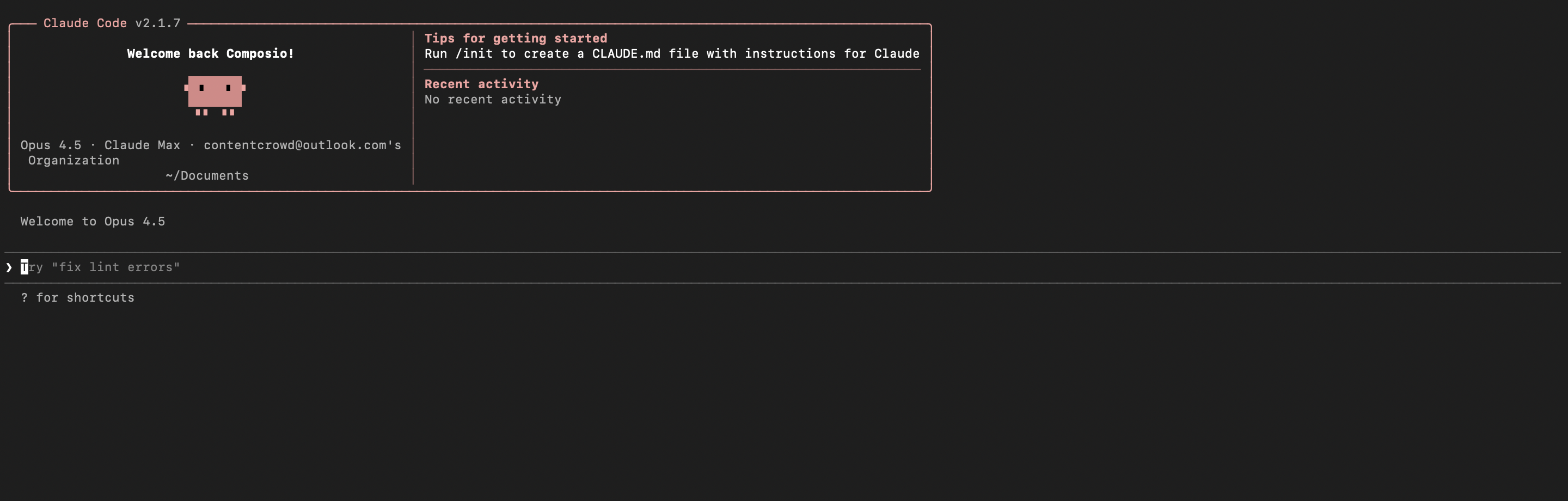
2. Start Claude Code

bash
claude

3. Open your MCP list

bash
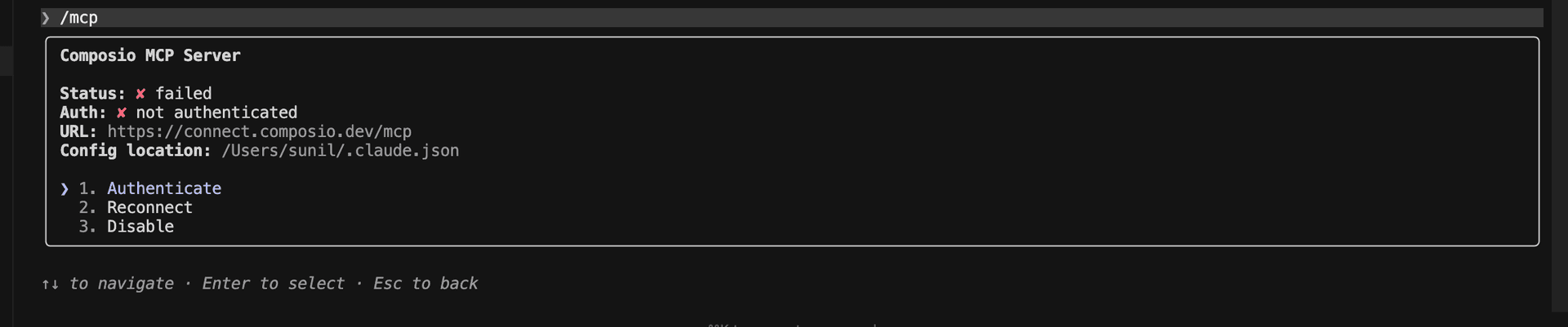
/mcp

4. Select Composio and click on Authenticate

Select Composio and click Authenticate

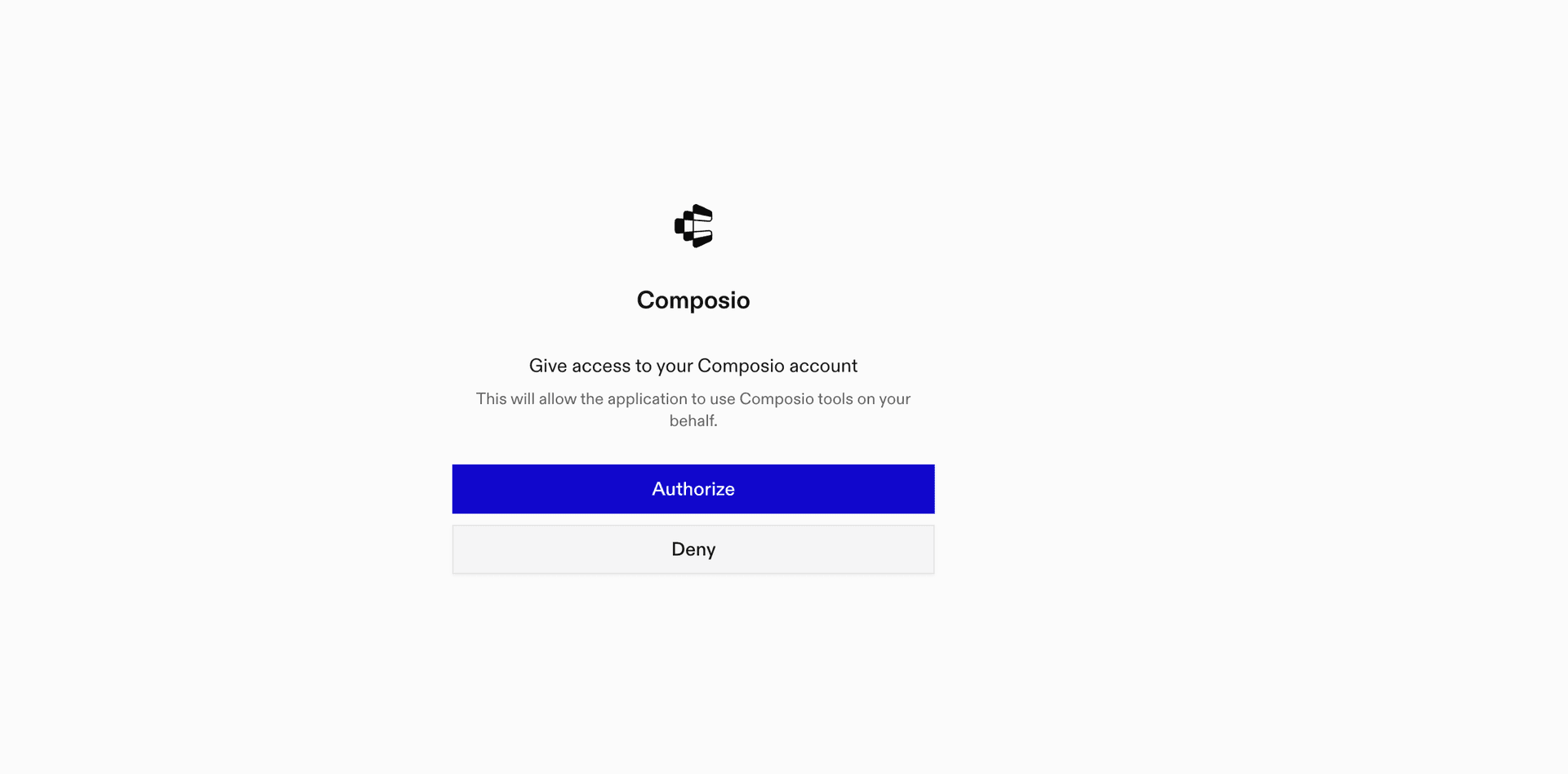
5. This will redirect you to the Composio OAuth page. Complete the flow by authorizing Composio and you're all set.

Composio OAuth authorization page
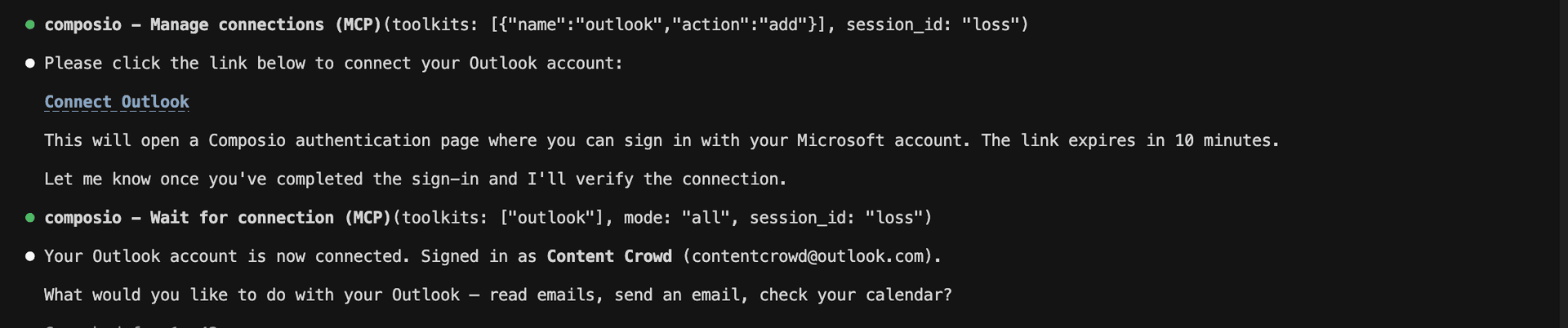
Composio authorization complete
Ask Claude to connect to your account and authenticate via the link

Supported Tools & Triggers

Tools
Analyze Text SentimentTool to analyze the sentiment of text.
Generate Barcode ImageTool to generate a barcode image for specified text.
BIN LookupTool to look up bank information from a Bank Identification Number.
Get Bitcoin Price and Market DataTool to retrieve the latest Bitcoin price and 24-hour market data.
Calculate Calories BurnedTool to calculate calories burned for an activity based on duration and body weight.
Calculate MortgageTool to calculate mortgage payments and breakdowns.
Calculate Sales TaxTool to calculate sales tax for a purchase amount at a US location.
Check Domain AvailabilityTool to check domain availability and retrieve registration information.
Check If Date Is Public HolidayTool to check if a specific date is a public holiday in a given country.
Check If Date Is Working DayTool to check if a date is a working day in a specific country.
Check SpellingTool to check spelling and get corrections for text.
Commodity PriceGet real-time commodity prices from major exchanges (CME, NYMEX, COMEX).
Compute Text SimilarityTool to compute semantic similarity between two texts.
Convert CurrencyConvert between currencies using current exchange rates.
Convert UnitConvert between measurement units across different categories.
Crypto PriceGet the current real-time price for a cryptocurrency trading pair.
Detect Text LanguageTool to detect the language of input text.
Check Disposable EmailTool to check whether an email address is from a disposable email provider.
DNS LookupTool to retrieve DNS records for a specified domain.
Earnings CalendarFetches historical earnings data (EPS and revenue - actual vs.
Earnings Call TranscriptRetrieve the full earnings call transcript for a publicly traded company.
ETF InfoRetrieve detailed information about an Exchange-Traded Fund (ETF) by its ticker symbol.
Extract Webpage ContentTool to extract main content and metadata from a webpage.
Filter Profanity from TextTool to detect and censor profanity in text.
Find EV Charging StationsTool to find electric vehicle charging stations near a specified location.
Generate Lorem Ipsum TextTool to generate Lorem Ipsum placeholder text.
Generate Secure PasswordTool to generate secure random passwords with configurable length and character types.
Generate QR CodeTool to generate QR code images for encoding data.
Generate Random User ProfilesTool to generate fake random user profiles with realistic data.
Generate Sudoku PuzzleTool to generate a new Sudoku puzzle with a specified difficulty level.
Generate Text EmbeddingsTool to encode text into vector embeddings using NLP models.
Generate User Agent StringTool to generate realistic random user agent strings with optional filters for brand, model, OS, and browser.
Get Random Life AdviceTool to get a random piece of life advice from the API Ninjas Advice endpoint.
Get Aircraft InformationTool to retrieve aircraft information by manufacturer and model including specifications and performance data.
Get Airline InformationTool to retrieve airline information by name, IATA code, or ICAO code.
Get Airport InformationTool to search for airport information by IATA code, ICAO code, name, city, country, or region.
Get Air Quality DataTool to retrieve air quality index and pollutant data for a location.
Get Animal InformationTool to retrieve detailed scientific information about animal species including taxonomy, habitat, diet, and physical characteristics.
Get Baby NamesTool to get baby name suggestions by gender.
Get Random Bucket List IdeaTool to retrieve a random bucket list idea or activity.
Get Cat Breed InformationTool to retrieve information on cat breeds matching specified parameters.
Get Celebrity InformationTool to search for celebrity information by name or other criteria.
Get Chuck Norris JokeTool to retrieve a random Chuck Norris joke from the API Ninjas database.
Get City InformationTool to retrieve city information by name, country, coordinates, or population filters.
Get Cocktail RecipesTool to search for cocktail recipes by name or ingredients.
Get Company LogoTool to retrieve company logo images by company name or ticker symbol.
Get and Increment CounterTool to get and optionally increment a persistent counter.
Get Country Flag SVGTool to retrieve country flag images in SVG format.
Get Country InformationTool to retrieve detailed country information by name, ISO code, or filtering by economic and demographic criteria.
Get County InformationTool to retrieve US county information by name, ZIP code, or state.
Get Random Dad JokesTool to retrieve random dad jokes from API Ninjas.
Get Day in History EventsTool to get historical events for a specific date.
Get Dictionary DefinitionTool to retrieve dictionary definition for an English word.
Get Dog Breed InformationTool to get information on dog breeds matching specified parameters.
Get EarningsTool to retrieve comprehensive earnings report data for publicly traded companies.
Get Electric Vehicle InfoGet electric vehicle information by make, model, year range, or electric range.
Get Emoji InformationTool to retrieve emoji information and images from the API Ninjas Emoji database.
Get Exchange RateGet the current exchange rate for a currency pair.
Get ExercisesTool to get exercise information by muscle group, type, or difficulty level.
Get Fact of the DayTool to retrieve the fact of the day from API Ninjas.
Get Random FactsTool to retrieve random interesting facts from API Ninjas.
Get GDP DataTool to get GDP data for a country.
Convert City to CoordinatesTool to convert city names to geographic coordinates (forward geocoding).
Get Helicopter InformationTool to get helicopter information by manufacturer, model, and specifications.
Get Historical EventsTool to retrieve historical events by date or keywords.
Get Historical FiguresTool to search for historical figures by name.
Get Random Hobby SuggestionsTool to get random hobby suggestions from API Ninjas.
Get HolidaysTool to retrieve holidays for a specific country and year.
Get Daily HoroscopeTool to get daily horoscope for a zodiac sign.
Get Hospital InformationTool to retrieve hospital information by name, location, or geographic coordinates.
Income TaxGet current and historical income tax bracket rates for a country by year.
Get Insider TransactionsTool to get insider trading transactions for publicly traded companies.
Get IP GeolocationTool to retrieve geolocation information for an IP address.
Get Joke of the DayTool to retrieve the joke of the day from API Ninjas.
Get Random JokesTool to retrieve random jokes from API Ninjas.
Get Motorcycle SpecificationsTool to get detailed motorcycle specifications by make, model, and year.
Get Mutual Fund InfoTool to get mutual fund information by ticker.
Get MX RecordsTool to retrieve MX (Mail Exchange) records for a specified domain.
Get Planet InformationTool to retrieve detailed information about planets and exoplanets including mass, radius, orbital period, temperature, and host star data.
Get Population DataTool to get population data for a country.
Get Postal Code Location InfoTool to retrieve location information for Canadian postal codes.
Get Property Tax RatesTool to get property tax rates by city, county, or ZIP code.
Get Public HolidaysTool to retrieve official public holidays for a specific country and year.
Get Quote of the DayTool to retrieve the quote of the day from API Ninjas.
Get Random QuotesTool to get random quotes from famous people, filtered by category or author.
Get Random ImageTool to get a random image by category from API Ninjas.
Get Random QuotesTool to retrieve random quotes from API Ninjas.
Get Random WordTool to get a random English word from the API Ninjas Random Word endpoint.
Get RecipeTool to search for recipes by title or ingredients from a database of over 200,000 recipes.
Convert Coordinates to LocationTool to convert geographic coordinates to location information (reverse geocoding).
Get Rhyming WordsTool to get words that rhyme with a given word.
Get Random RiddlesTool to retrieve random riddles with answers from API Ninjas.
Get Sales Tax RatesTool to get sales tax rates by ZIP code or city and state.
Get SEC FilingTool to retrieve SEC filing information for publicly traded companies.
Get S&P 500 ConstituentsTool to retrieve current S&P 500 index constituents with filtering by ticker, name, sector, or date added.
Get Star InformationTool to retrieve detailed information about stars including name, constellation, coordinates, magnitude, distance, and spectral classification.
Get Stock Exchange InformationTool to retrieve stock exchange information by Market Identifier Code (MIC), name, city, or country.
Get Stock PriceTool to get current stock price data for any publicly traded company or index.
Get SWIFT CodeTool to get bank information from SWIFT code or search by bank name, city, or country.
Get ThesaurusTool to get synonyms and antonyms for an English word.
Get TickerTool to retrieve comprehensive company profile information for publicly traded companies by stock ticker symbol.
Get Timezone InformationTool to get timezone information for a location including UTC offset, local time, and timezone name.
Get Trivia QuestionsTool to retrieve trivia questions by category from API Ninjas.
Get Trivia of the DayTool to retrieve the trivia question of the day from API Ninjas.
Get Unemployment RateTool to get unemployment rate data for countries.
Get University InformationTool to retrieve university information by name or country.
Get URL Location InfoTool to get location information for a URL domain.
Get Current WeatherTool to retrieve current weather data for a location.
Get Weather ForecastTool to retrieve 5-day weather forecast in 3-hour intervals for a location.
Get WHOIS InformationTool to get WHOIS domain registration information including registrar, creation date, and expiration date.
Get Working DaysTool to get working days for a specific country and time period.
Get World TimeTool to get current date and time for a location with detailed date/time components.
Get US Zipcode Location InfoTool to retrieve location information for US zip codes.
IBAN LookupTool to look up and validate an International Bank Account Number (IBAN).
Income Tax CalculatorTool to calculate income taxes for US and Canada.
Get Inflation DataTool to get current inflation data for a country.
Interest RateTool to get current interest rates for central banks and benchmarks.
List Stock TickersTool to retrieve a paginated list of all available stock ticker symbols and company names.
VIN LookupTool to decode Vehicle Identification Number (VIN) and retrieve vehicle information.
Market CapTool to get real-time market cap data for a company.
Mortgage RateTool to get current and historical mortgage rates.
Extract Nutrition InformationTool to extract nutrition information from text query.
Scrape Website ContentTool to scrape HTML content from a URL using the API Ninjas Webscraper endpoint.
Solve Sudoku PuzzleTool to solve a Sudoku puzzle using the API Ninjas Sudoku Solver.
Validate EmailTool to validate email address format and check deliverability.
Validate EU VATTool to retrieve and validate EU VAT (Value Added Tax) rates by country code.
Validate Phone NumberTool to validate and format phone numbers.
Validate Routing NumberTool to validate and retrieve bank information from a routing number.

What is the Api ninjas MCP server, and what's possible with it?

The Api ninjas MCP server is an implementation of the Model Context Protocol that connects your AI agent and assistants like Claude, Cursor, etc directly to your Api ninjas account. It provides structured and secure access to a wide array of real-time data APIs, so your agent can perform actions like fetching financial data, generating barcodes, validating emails, and looking up domains on your behalf.

  • Fetch live financial and crypto data: Instantly retrieve up-to-date prices for stocks, commodities, ETFs, and cryptocurrencies, or access earnings calendars and transcripts for informed decision-making.
  • Barcode generation on demand: Have your agent create barcode images for custom data or text, perfect for inventory, tickets, or quick sharing of encoded information.
  • Email validation and security checks: Automatically check if an email address is disposable or risky before engaging users or sending communications.
  • Bank and payment info lookup: Look up bank details using BIN numbers, helping with payment processing, fraud detection, or financial analysis.
  • Domain and DNS diagnostics: Let your agent perform DNS lookups to fetch domain records, aiding in troubleshooting or technical audits quickly and efficiently.

Connecting Api ninjas via Composio SDK

Composio SDK is the underlying tech that powers Rube. It's a universal gateway that does everything Rube does but with much more programmatic control. You can programmatically generate an MCP URL with the app you need (here Api ninjas) for even more tool search precision. It's secure and reliable.

How the Composio SDK works

The Composio SDK follows a three-phase workflow:

  1. Discovery: Searches for tools matching your task and returns relevant toolkits with their details.
  2. Authentication: Checks for active connections. If missing, creates an auth config and returns a connection URL via Auth Link.
  3. Execution: Executes the action using the authenticated connection.

Step-by-step Guide

Prerequisites

Before starting, make sure you have:
  • Claude Pro, Max, or API billing enabled Anthropic account
  • Composio API Key
  • A Api ninjas account
  • Basic knowledge of Python or TypeScript

Install Claude Code

bash
# macOS, Linux, WSL
curl -fsSL https://claude.ai/install.sh | bash

# Windows PowerShell
irm https://claude.ai/install.ps1 | iex

# Windows CMD
curl -fsSL https://claude.ai/install.cmd -o install.cmd && install.cmd && del install.cmd

To install Claude Code, use one of the following methods based on your operating system:

Set up Claude Code

bash
cd your-project-folder
claude

Open a terminal, go to your project folder, and start Claude Code:

  • Claude Code will open in your terminal
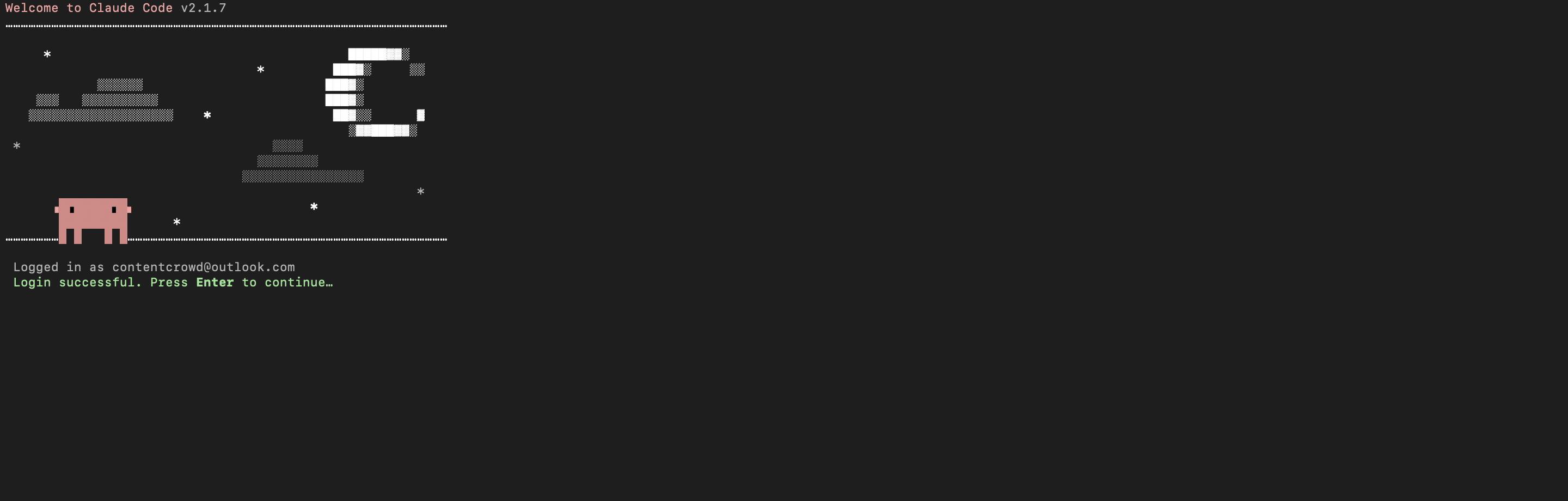
  • Follow the prompts to sign in with your Anthropic account
  • Complete the authentication flow
  • Once authenticated, you can start using Claude Code
Claude Code initial setup showing sign-in prompt
Claude Code terminal after successful login

Set up environment variables

bash
COMPOSIO_API_KEY=your_composio_api_key_here
USER_ID=your_user_id_here

Create a .env file in your project root with the following variables:

  • COMPOSIO_API_KEY authenticates with Composio (get it from Composio dashboard)
  • USER_ID identifies the user for session management (use any unique identifier)

Install Composio library

pip install composio-core python-dotenv

Install the Composio Python library to create MCP sessions.

  • composio-core provides the core Composio functionality
  • python-dotenv loads environment variables from your .env file

Generate Composio MCP URL

import os
from composio import Composio
from dotenv import load_dotenv

load_dotenv()

COMPOSIO_API_KEY = os.getenv("COMPOSIO_API_KEY")
USER_ID = os.getenv("USER_ID")

composio_client = Composio(api_key=COMPOSIO_API_KEY)

composio_session = composio_client.create(
    user_id=USER_ID,
    toolkits=["api_ninjas"],
)

COMPOSIO_MCP_URL = composio_session.mcp.url

print(f"MCP URL: {COMPOSIO_MCP_URL}")
print(f"\nUse this command to add to Claude Code:")
print(f'claude mcp add --transport http api_ninjas-composio "{COMPOSIO_MCP_URL}" --headers "X-API-Key:{COMPOSIO_API_KEY}"')

Create a script to generate a Composio MCP URL for Api ninjas. This URL will be used to connect Claude Code to Api ninjas.

What's happening:

  • We import the Composio client and load environment variables
  • Create a Composio instance with your API key
  • Call create() to create a Tool Router session for Api ninjas
  • The returned mcp.url is the MCP server URL that Claude Code will use
  • The script prints this URL so you can copy it

Run the script and copy the MCP URL

python generate_mcp_url.py

Run your Python script to generate the MCP URL.

  • The script connects to Composio and creates a Tool Router session
  • It prints the MCP URL and the exact command you need to run
  • Copy the entire claude mcp add command from the output

Add Api ninjas MCP to Claude Code

bash
claude mcp add --transport http api_ninjas-composio "YOUR_MCP_URL_HERE" --headers "X-API-Key:YOUR_COMPOSIO_API_KEY"

# Then restart Claude Code
exit
claude

In your terminal, add the MCP server using the command from the previous step. The command format is:

  • claude mcp add registers a new MCP server with Claude Code
  • --transport http specifies that this is an HTTP-based MCP server
  • The server name (api_ninjas-composio) is how you'll reference it
  • The URL points to your Composio Tool Router session
  • --headers includes your Composio API key for authentication

After running the command, close the current Claude Code session and start a new one for the changes to take effect.

Verify the installation

bash
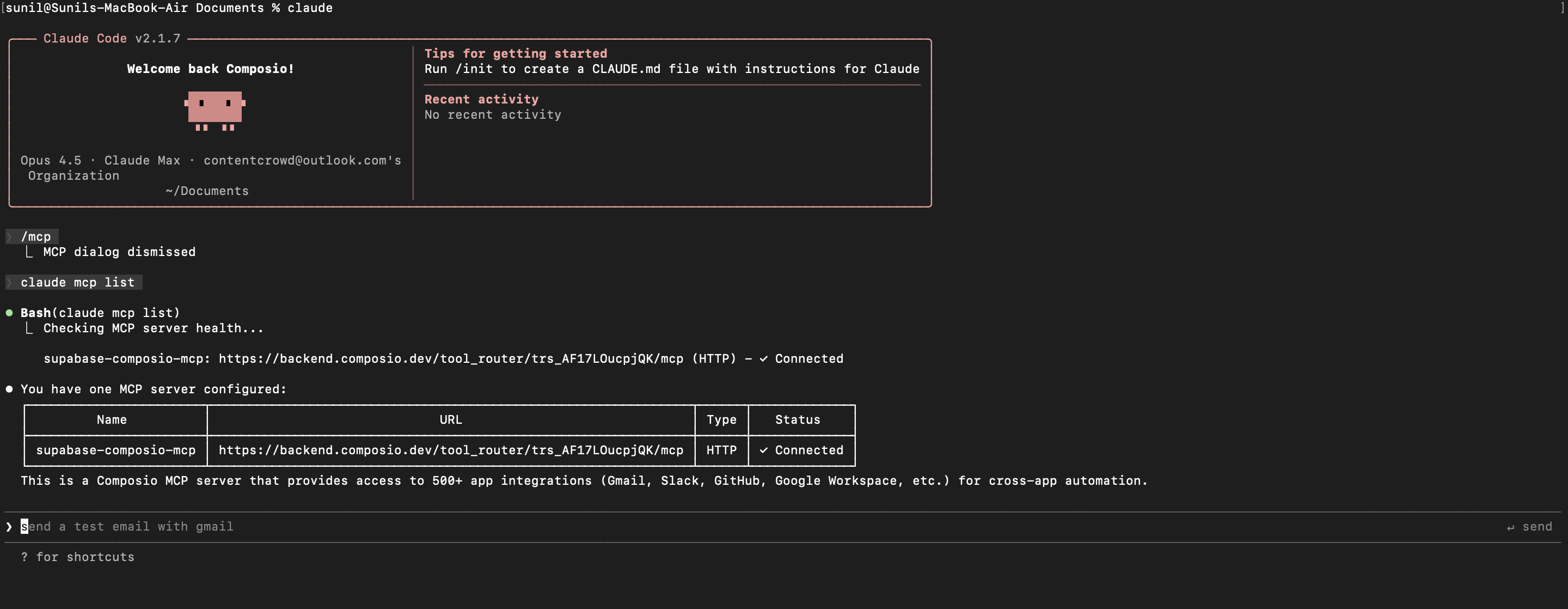
claude mcp list

Check that your Api ninjas MCP server is properly configured.

  • This command lists all MCP servers registered with Claude Code
  • You should see your api_ninjas-composio entry in the list
  • This confirms that Claude Code can now access Api ninjas tools

If everything is wired up, you should see your api_ninjas-composio entry listed:

Claude Code MCP list showing the toolkit MCP server

Authenticate Api ninjas

The first time you try to use Api ninjas tools, you'll be prompted to authenticate.

  • Claude Code will detect that you need to authenticate with Api ninjas
  • It will show you an authentication link
  • Open the link in your browser (or copy/paste it)
  • Complete the Api ninjas authorization flow
  • Return to the terminal and start using Api ninjas through Claude Code

Once authenticated, you can ask Claude Code to perform Api ninjas operations in natural language. For example:

  • "Get real-time bitcoin price and market data"
  • "Check if this email is disposable"
  • "Look up bank info for this BIN"

Complete Code

Here's the complete code to get you started with Api ninjas and Claude Code:

import os
from composio import Composio
from dotenv import load_dotenv

load_dotenv()

COMPOSIO_API_KEY = os.getenv("COMPOSIO_API_KEY")
USER_ID = os.getenv("USER_ID")

composio_client = Composio(api_key=COMPOSIO_API_KEY)

composio_session = composio_client.create(
    user_id=USER_ID,
    toolkits=["api_ninjas"],
)

COMPOSIO_MCP_URL = composio_session.mcp.url

print(f"MCP URL: {COMPOSIO_MCP_URL}")
print(f"\nUse this command to add to Claude Code:")
print(f'claude mcp add --transport http api_ninjas-composio "{COMPOSIO_MCP_URL}" --headers "X-API-Key:{COMPOSIO_API_KEY}"')

Conclusion

You've successfully integrated Api ninjas with Claude Code using Composio's MCP server. Now you can interact with Api ninjas directly from your terminal using natural language commands.

Key features of this setup:

  • Terminal-native experience without switching contexts
  • Natural language commands for Api ninjas operations
  • Secure authentication through Composio's managed MCP
  • Tool Router for dynamic tool discovery and execution

Next steps:

  • Try asking Claude Code to perform various Api ninjas operations
  • Add more toolkits to your Tool Router session for multi-app workflows
  • Integrate this setup into your development workflow for increased productivity

You can extend this by adding more toolkits, implementing custom workflows, or building automation scripts that leverage Claude Code's capabilities.

How to build Api ninjas MCP Agent with another framework

FAQ

What are the differences in Tool Router MCP and Api ninjas MCP?

With a standalone Api ninjas MCP server, the agents and LLMs can only access a fixed set of Api ninjas tools tied to that server. However, with the Composio Tool Router, agents can dynamically load tools from Api ninjas and many other apps based on the task at hand, all through a single MCP endpoint.

Can I use Tool Router MCP with Claude Code?

Yes, you can. Claude Code fully supports MCP integration. You get structured tool calling, message history handling, and model orchestration while Tool Router takes care of discovering and serving the right Api ninjas tools.

Can I manage the permissions and scopes for Api ninjas while using Tool Router?

Yes, absolutely. You can configure which Api ninjas scopes and actions are allowed when connecting your account to Composio. You can also bring your own OAuth credentials or API configuration so you keep full control over what the agent can do.

How safe is my data with Composio Tool Router?

All sensitive data such as tokens, keys, and configuration is fully encrypted at rest and in transit. Composio is SOC 2 Type 2 compliant and follows strict security practices so your Api ninjas data and credentials are handled as safely as possible.

Used by agents from

Context
Letta
glean
HubSpot
Agent.ai
Altera
DataStax
Entelligence
Rolai
Context
Letta
glean
HubSpot
Agent.ai
Altera
DataStax
Entelligence
Rolai
Context
Letta
glean
HubSpot
Agent.ai
Altera
DataStax
Entelligence
Rolai

Never worry about agent reliability

We handle tool reliability, observability, and security so you never have to second-guess an agent action.