How to connect Adtraction to Claude Cowork

Connect Claude Cowork to Adtraction MCP. List this month's adtraction commissions, create tracking link for campaign, and more using natural language, with authentication handled for you.

Adtraction logoAdtraction
Api Key

Adtraction is an affiliate marketing platform for partner programs, tracking links, transactions, commissions, statistics, and payments. It helps advertisers and publishers manage performance marketing with clear reporting and payout workflows.

22 Tools

Introduction

Cowork is Anthropic's AI agent for knowledge work. Think of it as Claude Code for everything else. It works autonomously with your computer, local files, and applications to accomplish complex tasks.

This guide walks you through the easiest and most secure way to connect your Adtraction account to Cowork via Composio Connect, enabling it to list this month's Adtraction commissions, create tracking link for campaign, summarize transactions by partner program, and more such actions on your behalf without compromising your account security.

Also integrate Adtraction with

Connecting Adtraction to Claude Cowork

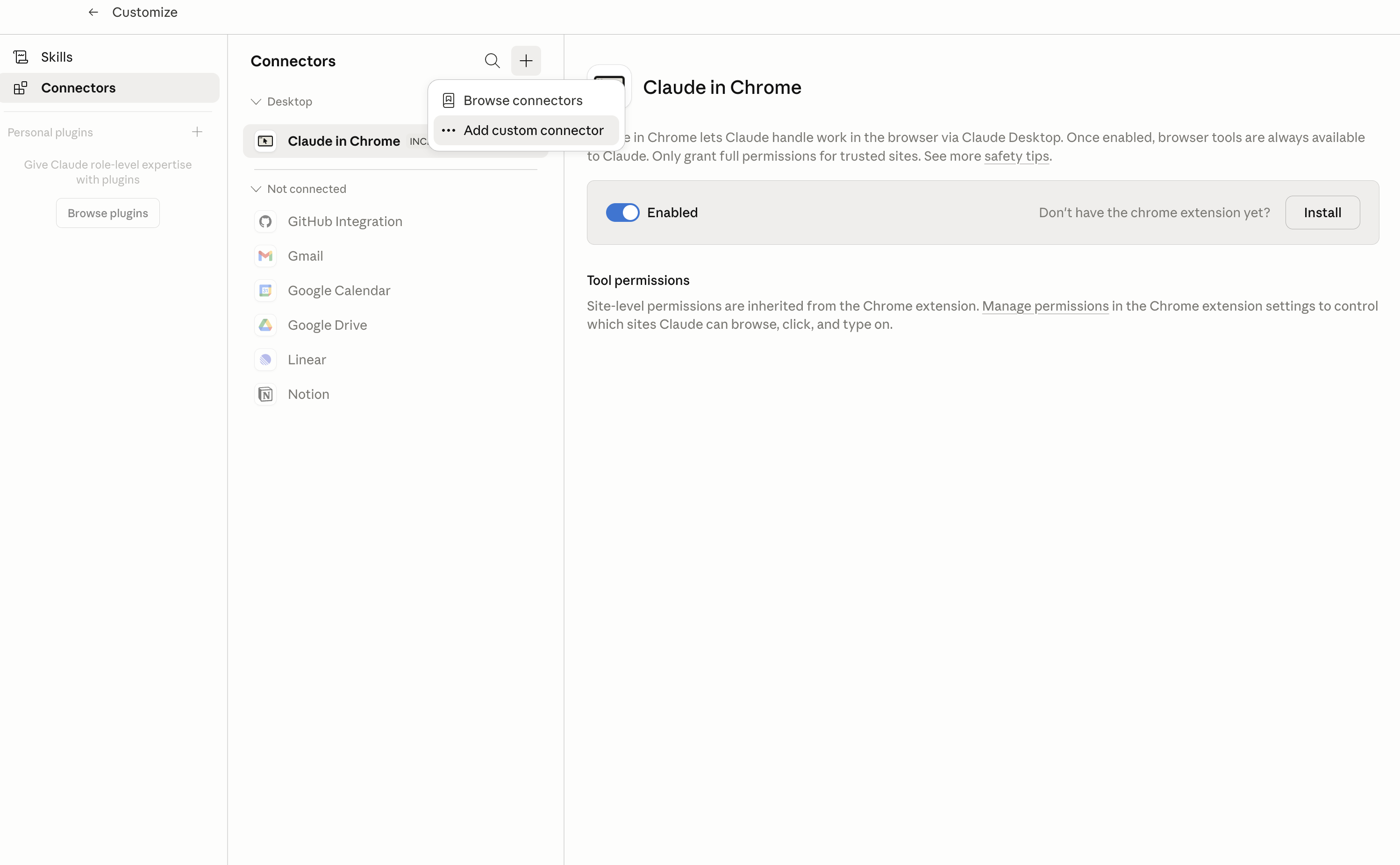
1. Open Customize

In Claude Desktop, click Customize in the left sidebar, then select Connectors and click the + icon at the top.

Claude Desktop connectors screen with Add custom connector selected

2. Add the Composio MCP server

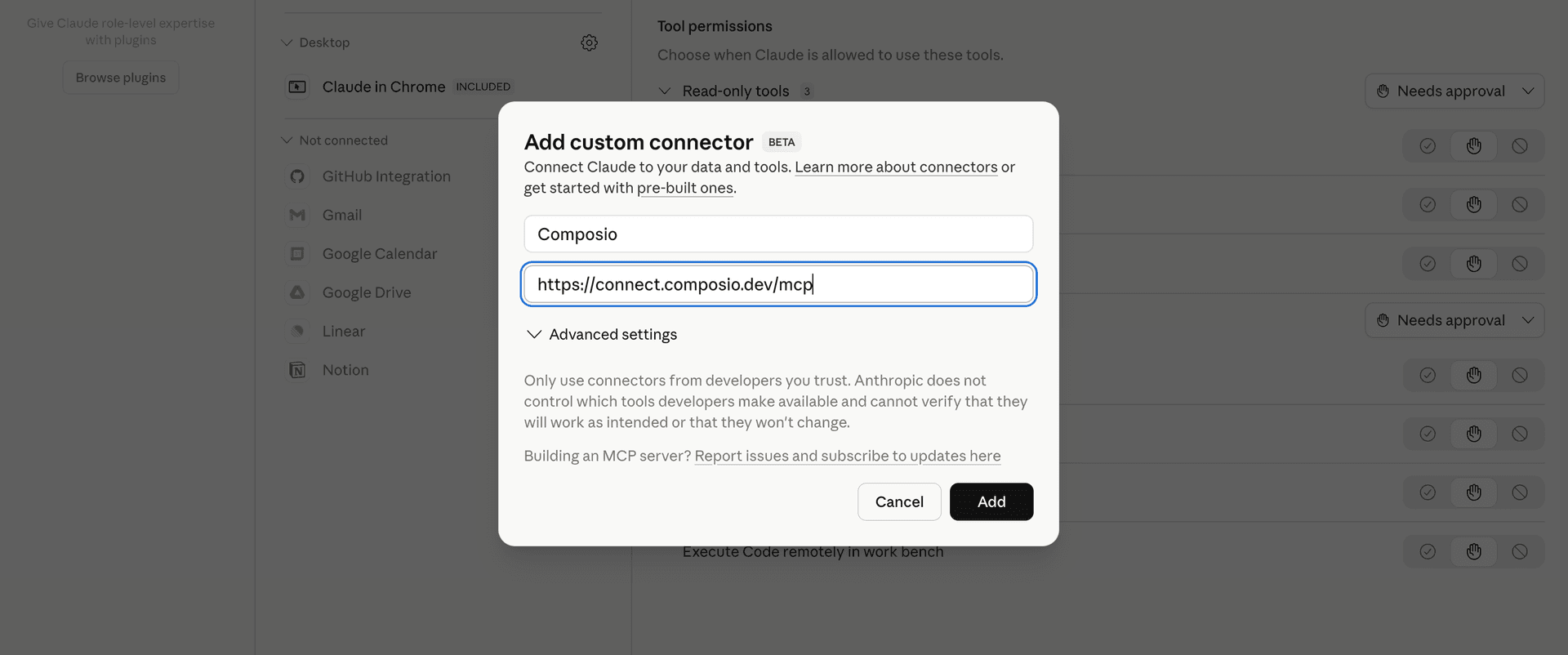
Click Add custom connector and paste in the Composio MCP server URL:

bash
https://connect.composio.dev/mcp
Add custom connector dialog with Composio MCP server URL

3. Authorize in your browser

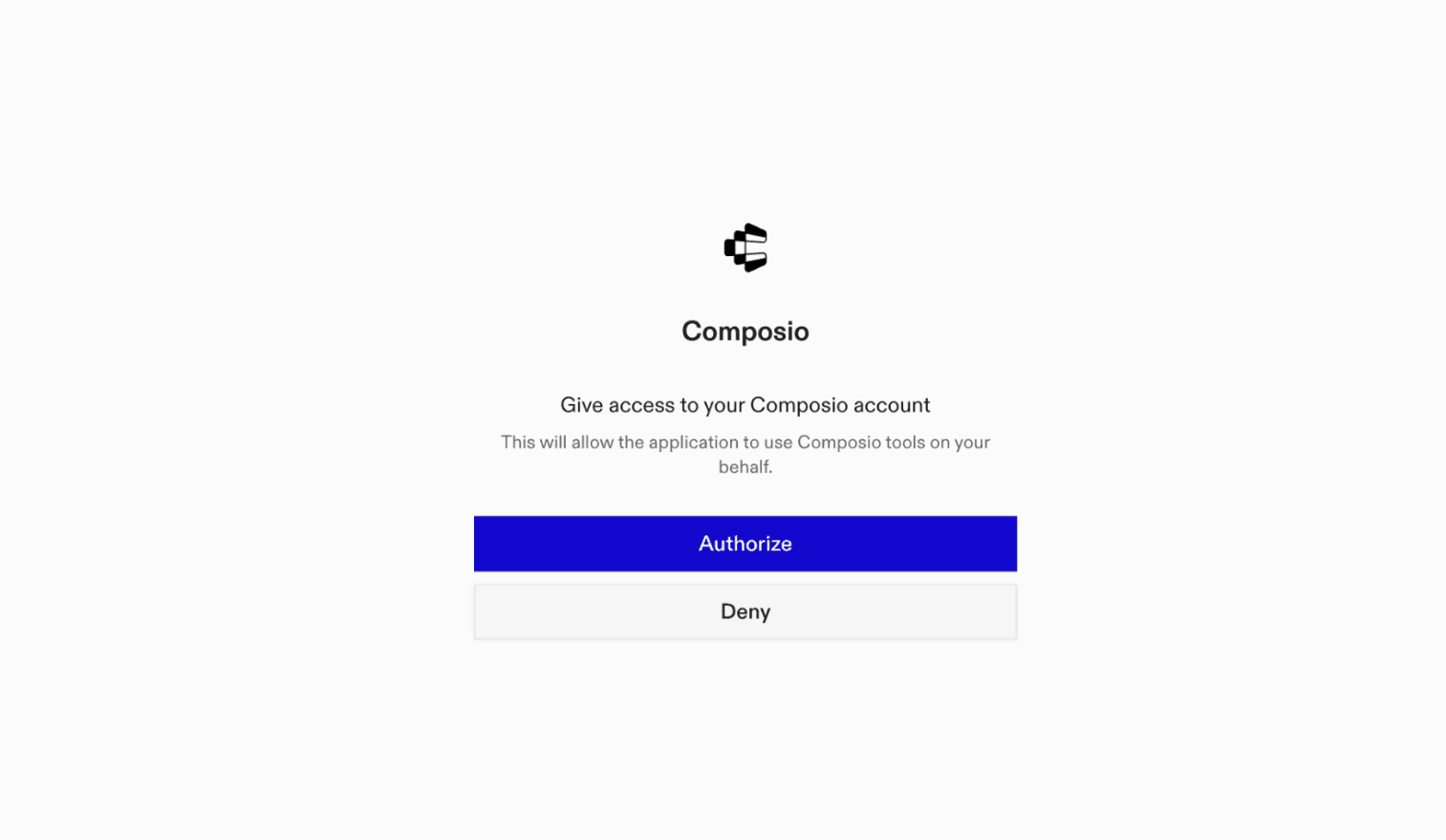
Click Connect. You'll be redirected to a browser window where you can authorize Composio to continue.

Composio authorization screen for Claude Cowork

4. Connect your Adtraction account

Back in Cowork, ask the agent to connect to Adtraction or give it any Adtraction-related task.

For example, ask Cowork to:

  • "List this month's Adtraction commissions"
  • "Create tracking link for campaign"
  • "Summarize transactions by partner program"

It will prompt you to authenticate and authorize access.

That's it. Composio's tools are now available in Cowork, and your Adtraction account is ready to use.

What is Claude Cowork?

Claude Cowork is Anthropic's agent for general knowledge work. It can use your computer, files, and connected applications to complete longer-running tasks across your work tools.

With Composio Connect, Cowork can securely access apps like Adtraction through MCP without you sharing account credentials directly with the agent.

What is the Adtraction MCP server, and what's possible with it?

The Adtraction MCP server is an implementation of the Model Context Protocol that connects your AI agent and assistants like Claude, Cursor, etc directly to your Adtraction account. It provides structured and secure access so your agent can perform Adtraction operations on your behalf.

TOOLS

Supported Tools

Every Adtraction action and event your agent gets out of the box.

Create Tracking Link

Generate an externally usable Adtraction affiliate tracking URL for an approved channel and advertiser program.

Download Payment PDF

Download a partner payment specification as a PDF file.

Get Partner Balance

Retrieve pending, confirmed, invoiced, payable, and total Adtraction partner balances in one currency.

Get Commission Summary

Summarize Adtraction partner commission by commission type, payment status, or transaction status.

Get Partner Statistics

Retrieve aggregate Adtraction partner performance overall or grouped by channel, day, selected EPI dimensions, or program.

List Program Applications

List the connected partner's program applications, optionally filtered by program or channel.

List Partner Channels

List approved partner channels or retrieve a specific channel by ID.

List Clicks

List Adtraction click events in a date range with attribution, program, channel, market, and currency filters.

List Program Commission Types

List commission types for an Adtraction program, optionally using a channel for segment-specific rates.

List Currencies

List currencies available to the connected Adtraction partner account.

List Latest Transactions

Return a requested number of the connected partner's latest Adtraction transactions.

List Markets

List Adtraction markets and their numeric IDs and ISO country codes for use in program discovery, category, and reporting tools.

List New Programs

List recently added partner programs in an Adtraction market.

List Offers

List coupons, vouchers, and offers available to the connected Adtraction partner, optionally filtered by market, program, or channel.

List Payments

List partner payments, optionally filtered by currency and payment ID.

List Payment Transactions

List the transactions included in a specific partner payment.

List Product Feeds

List product feeds available for an advertiser program and approved partner channel.

List Program Categories

List program categories and program counts for an Adtraction market.

List Tracking Errors

List tracking errors recorded in the connected Adtraction partner account during the last seven days, optionally filtered by channel or program.

List Transactions

List Adtraction partner transactions in a date range with status, attribution, payment, market, currency, program, and channel filters.

Search Products

Search the Adtraction partner product database using text, program, market, currency, stock, price, and sort filters.

Search Programs

Find Adtraction partner programs in a market, optionally filtered by program, channel, approval status, and lifecycle status.

FRAMEWORKS

How to build Adtraction MCP Agent with another framework

FAQ

Frequently asked questions

With a standalone Adtraction MCP server, the agents and LLMs can only access a fixed set of Adtraction tools tied to that server. However, with the Composio Tool Router, agents can dynamically load tools from Adtraction and many other apps based on the task at hand, all through a single MCP endpoint.

Yes, you can. Claude Cowork fully supports MCP integration. You get structured tool calling, message history handling, and model orchestration while Tool Router takes care of discovering and serving the right Adtraction tools.

Yes, absolutely. You can configure which Adtraction scopes and actions are allowed when connecting your account to Composio. You can also bring your own OAuth credentials or API configuration so you keep full control over what the agent can do.

All sensitive data such as tokens, keys, and configuration is fully encrypted at rest and in transit. Composio is SOC 2 Type 2 compliant and follows strict security practices so your Adtraction data and credentials are handled as safely as possible.

Start with Adtraction.It takes 30 seconds.

Managed auth, hosted MCP servers, and every Adtraction tool your agent needs.Free to start.

Start building