




Anyone who has moderated a live chat knows how fast things go wrong.
Someone says something bad, a few more people jump in, and by the time a mod sees it, everyone in the chat already has.
Most AI moderation setups use an LLM for this. That works, but an LLM is usually doing way more than we need here and is way slower.
For moderation, I mostly want one thing: should I remove this message or not? So I tried Jev, a decision model from TypeSafe. I guess you're already familiar with it, since it's been over a week since it dropped.
It does not generate text. You give it a typed question, and it returns a probability.
That's pretty much perfect for a moderation bot. 👀
I called Jev through Composio's Jev toolkit, so I didn't have to set up a separate HTTP client or keep the Jev API key inside the code.
Then I connected the same moderation logic to Discord and Twitch.
If you want to play around with the project, or build on top of it, you can find the source code here:
Source Code: shricodev/jev-youtube-discord-moderator
Let's get into it. ✌️
What's Covered
Here's what we'll go through:
What Jev is and how it is different from a normal LLM (in short)
Setting up Jev through Composio
Building a Discord bot that removes such messages
Building the same moderation flow for Twitch with EventSub
A quick YouTube version (I leave that up to you)😉
⚠️ NOTE: This is still an AI bot, so you might want to keep human mods around. But considering how cheap it is, at $0.042 per million input tokens with output basically free, it could be worth trying if you're a streamer or run a large live chat.
What's Jev, Anyway?

The easiest way I think about Jev is this:
An LLM generates an answer. Jev makes a decision.
You send Jev a state, which for us is the chat message, along with one or more questions. It can answer all of those questions in the same call.
Jev currently gives three question types:
Noul - Ask whether something is true and get a probability between 0 and 1.
Choice - Give it a few options and let it pick one, along with probabilities.
Score - Ask it to place something somewhere on an ordered scale of 2 to 10 options.
For moderation, Noul is the important one.
You can ask:
Is this a hostile comment at a person?
And instead of getting a paragraph back, you get something like:
0.92Now I can simply decide what to do with that number.
If p ≥ 0.8, delete it.
If it sits between 0.5 and 0.8, send it for review. Everything else stays.
No parsing generated text. No asking the model to "only answer YES or NO." 🤌
It's also super cheap ($42 per billion input tokens, BILLION!!, output is free).
To give you an approximation, moderating 1,000 messages (roughly counting ~400 input tokens per msg) comes out to less than 2 cents, almost free.
What We're Building
We are building two bots, but both use the same moderation logic.
The flow looks like this:
new chat message
   │
   ▼
Jev via Composio (JEV_EVALUATE_STATE)
   ├── negative: noul   → "is this a hostile comment at a person?"
   └── category: choice → insult / harassment / spam / fine
   │
   ▼
p ≥ 0.8  → delete the message
p ≥ 0.5  → log it for review
else     → keep it
The nice part is that the Jev code stays exactly the same on both platforms.
Only the part that receives and deletes messages changes.
Discord:
discord.jslistens for messages and deletes them.Twitch: EventSub sends us messages over WebSocket, and the Helix API deletes them.
💁 I've never used Twitch, so I'm not sure how good this works in a long term compared to Discord.
We also need a way to properly test the bots.
So I added a small flooder script that sends a bunch of normal/racist messages into the test chat.
We'll use that later.
💡 Why not use Composio for Discord too? Composio's Discord toolkit does not currently have a real-time new-message trigger. Polling would add extra delay, so I use the native SDK for incoming chat and Composio for Jev.
Tech Stack
The project is pretty small.
Jev (TypeSafe) - Decides whether the message is hostile and gives us a probability.
Composio - Handles the Jev connection and gives us one
tools.execute()call.discord.js - Listens for and deletes Discord messages.
Twitch EventSub + Helix - Receives Twitch chat messages and deletes them when needed.
Node.js 22 - Everything runs as plain
.mjsfiles, so there is no framework or build step (perfect to test right away).
Node 22 already includes fetch and WebSocket, which also keeps the Twitch side pretty clean.
How to Set Up the Project
Getting the project running is pretty simple.
Clone the repo and install the dependencies:
git clone https://github.com/shricodev/jev-youtube-discord-moderator
cd jev-youtube-discord-moderator/jev-discord-demo
npm install
Configure Composio
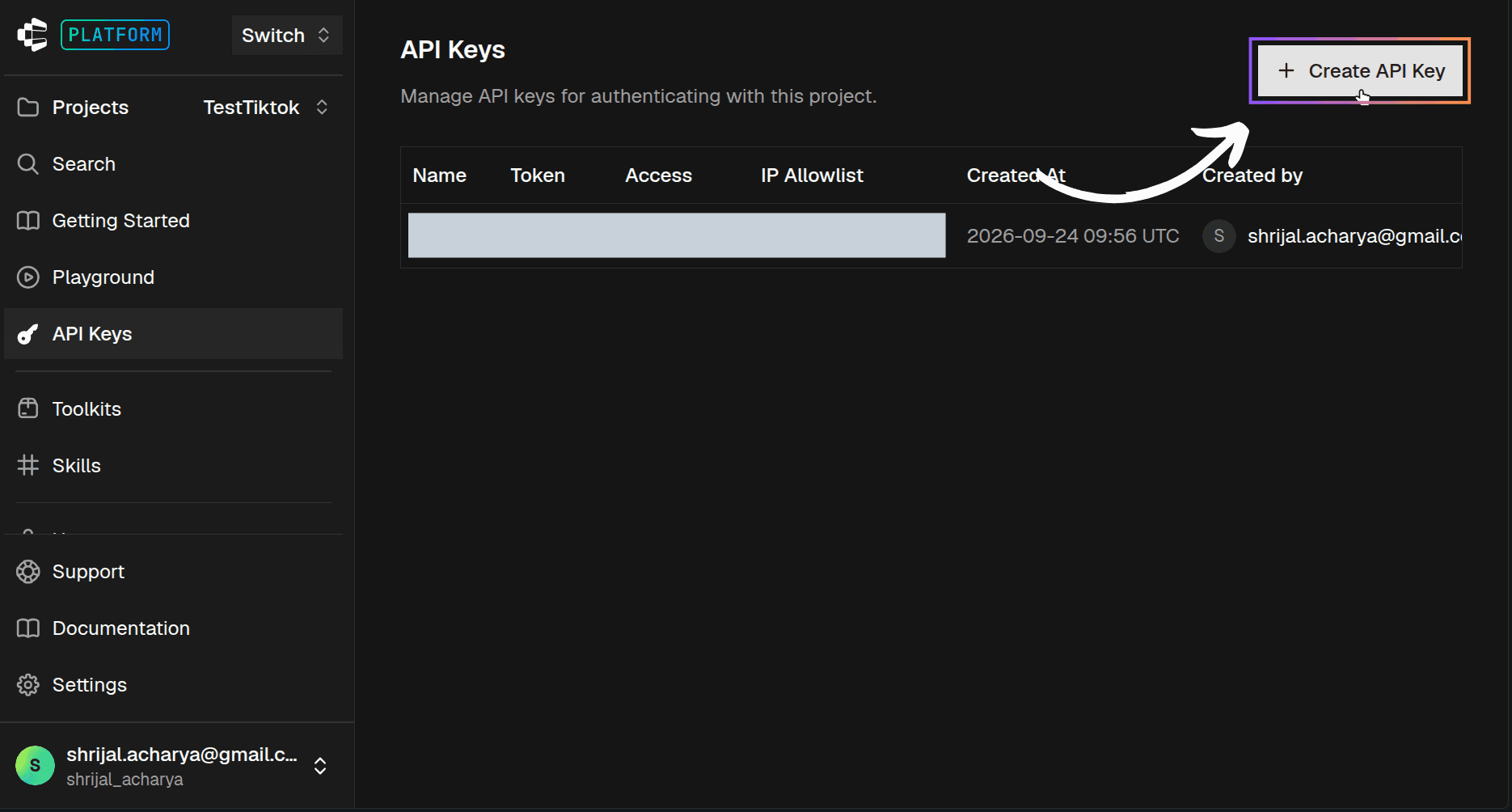
First, you need a Composio API key.
Create an account on Composio, get your API key, and add it to the .env file in the root of the project.
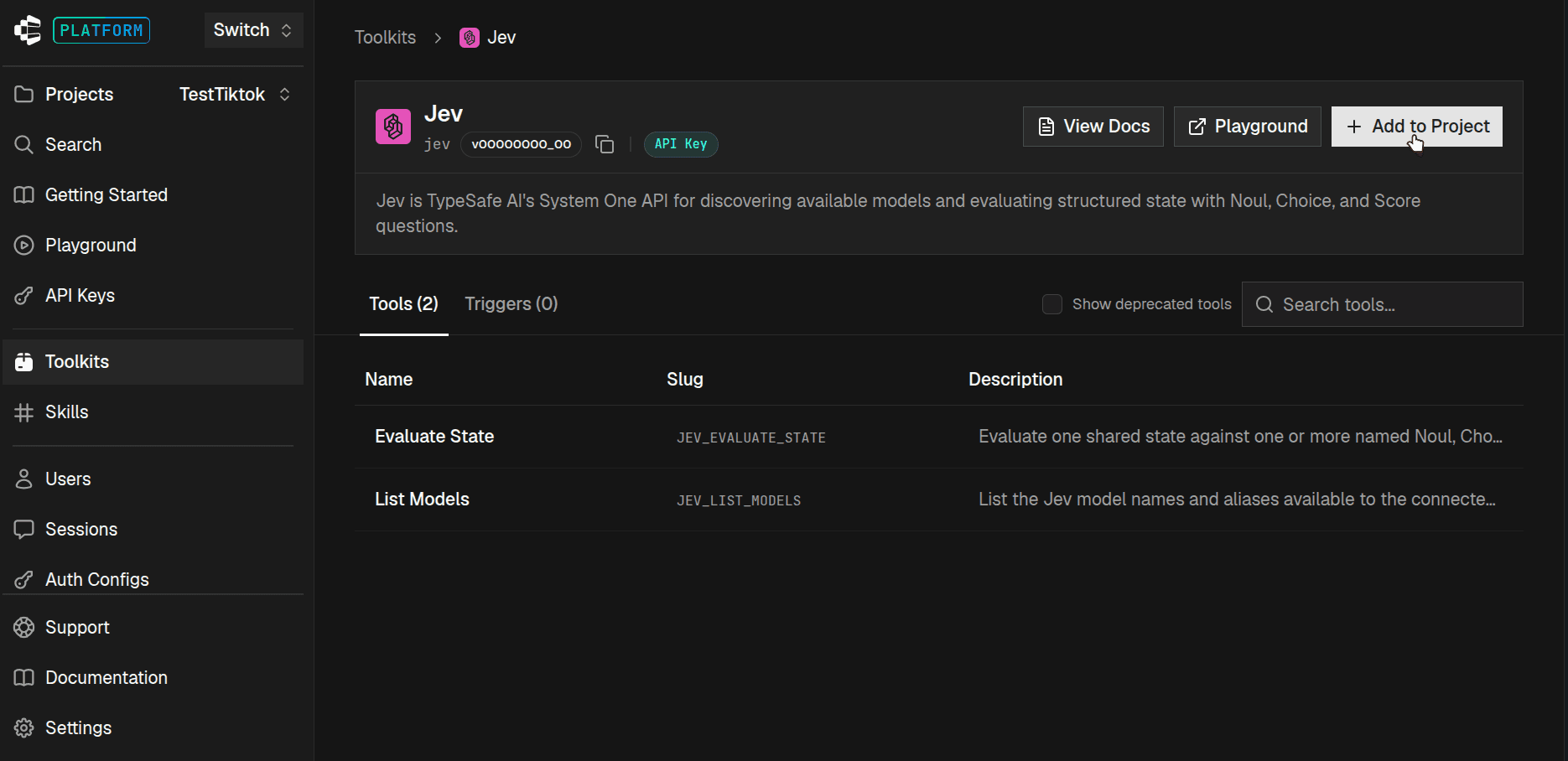
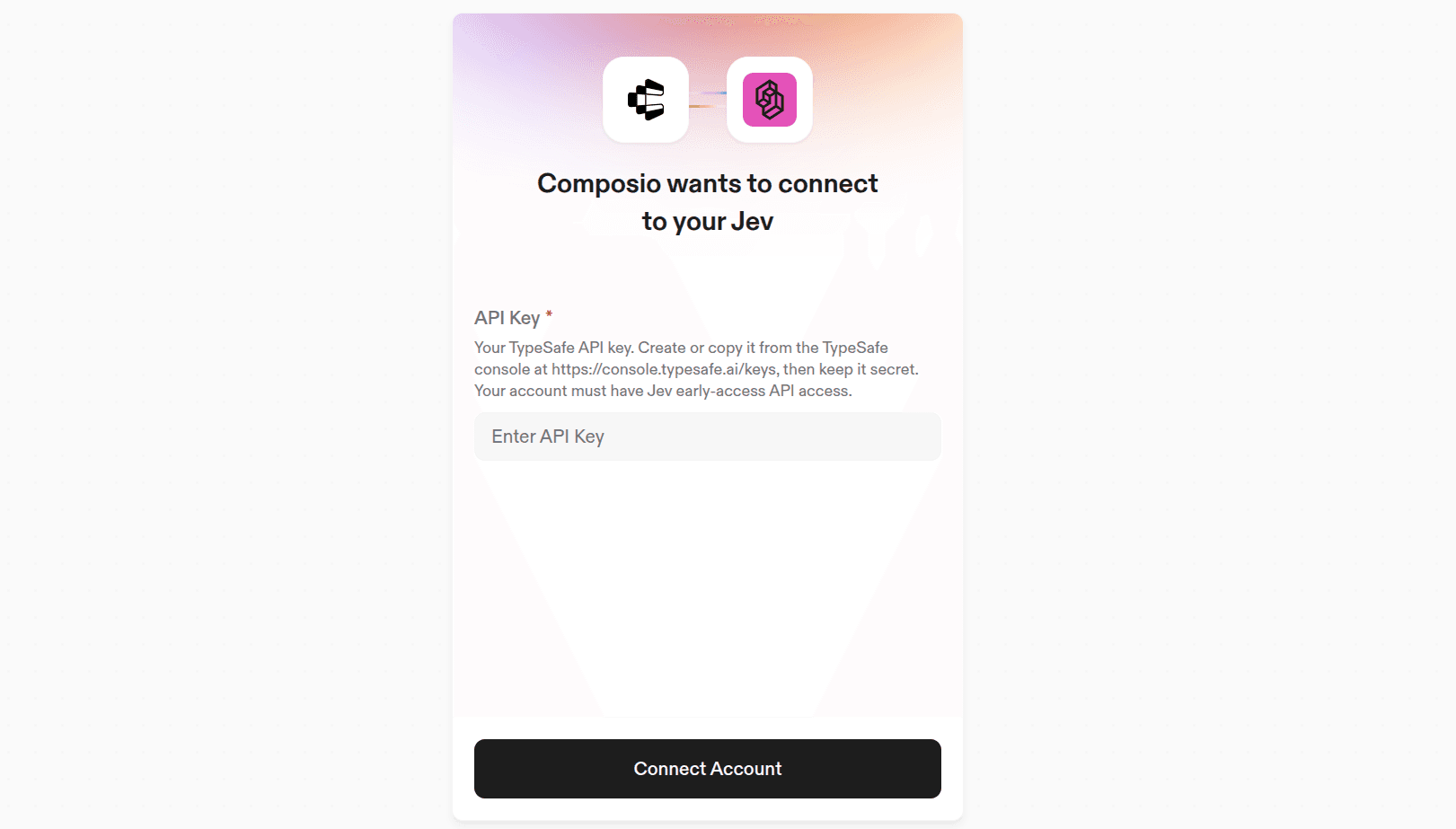
Then add the Jev toolkit from the dashboard and connect it using your TypeSafe API key.
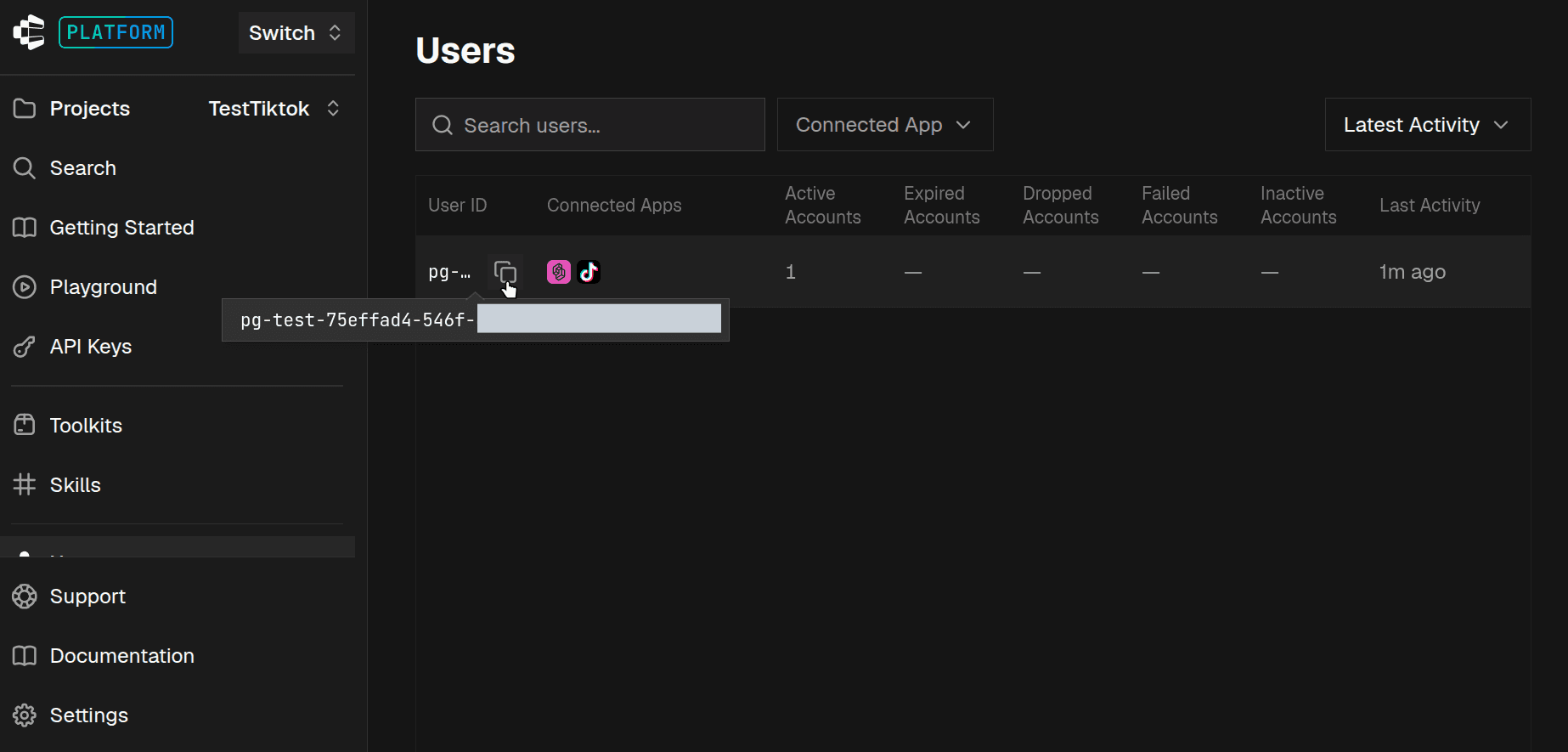
Also keep the user ID for that connection. We'll need it because every Composio tool call is scoped to a user.
Discord and Twitch Setup
This part can easily become its own guide, so I'll keep it short.
ℹ️ You can find proper information in the Discord and Twitch own documentation.
For Discord:
Create an application and bot in the Discord Developer Portal.
Copy the bot token.
Turn on Message Content Intent under the Bot tab.
Invite the bot with
View Channel,Read Message History, andManage Messagespermissions (permissions=74752).Create a webhook inside your test channel for the flooder.
Without Message Content Intent, Discord will send messages to the bot without their content.
For Twitch:
Register an app at dev.twitch.tv/console.
Set the client type to Public.
Copy the Client ID.
Turn off AutoMod, blocked terms, and the non-mod chat delay while testing.
Otherwise, Twitch may remove the test messages before our bot even gets them.
Now add everything to .env:
// 👇 .env

COMPOSIO_API_KEY=
COMPOSIO_USER_ID=

DISCORD_TOKEN=
WATCH_CHANNEL_ID=
FLOOD_WEBHOOK_URL=

TWITCH_CLIENT_ID=
COMPOSIO_API_KEY comes from the Composio dashboard.
COMPOSIO_USER_ID is the user that owns your Jev connection.
Then we have the Discord bot token, channel ID, webhook URL, and Twitch Client ID. That's all we need for now. ✌️
The Jev Call
This is basically the main part of the project.
And the nice thing is that both bots use the same code.
Create jev-mod.mjs:
// 👇 jev-mod.mjs
import { Composio } from "@composio/core";

const composio = new Composio({ apiKey: process.env.COMPOSIO_API_KEY });

// Both questions run in parallel inside one Jev call.
const QUESTIONS = {
  negative: {
    type: "noul",
    instructions:
      "The message is a hostile comment aimed at a person: an insult, harassment, a personal attack, " +
      "or telling someone to leave. Casual swearing, self-deprecating jokes, complaining about a game " +
      'or product, and hype like "that was sick" do NOT count.',
  },
  category: {
    type: "choice",
    criteria: {
      insult: "Insults or belittles someone",
      harassment: "Targets, dismisses or tells someone to go away",
      spam: "Repetitive, promotional or meaningless flooding",
      fine: "Normal chat, including jokes, hype and mild frustration",
    },
  },
};

async function judge(text) {
  const t0 = performance.now();
  const res = await composio.tools.execute("JEV_EVALUATE_STATE", {
    userId: process.env.COMPOSIO_USER_ID,
    arguments: { state: text, questions: QUESTIONS },
    dangerouslySkipVersionCheck: true,
  });
  const ms = performance.now() - t0;
  if (!res.successful)
    throw new Error(res.error || "Bruhh! JEV_EVALUATE_STATE failed");

  const a = res.data.answers;
  return { ms, p: a.negative.noul, category: a.category.choice };
}
Two things are worth looking at here. First is the negative question.
Chat messages can be weird. Someone might say:
this thing is absolutely killing me
It has negative words in it, but isn't an attack on another person.
So I don't just tell Jev what counts as hostile. I also tell it what doesn't count.
Then we have category.
This one isn't actually used to decide whether a message gets deleted. I mainly added it because seeing insult, harassment, spam, or fine in the logs makes debugging much easier.
And since both questions run in the same Jev call, we get it without adding another request.
That's basically the entire AI part. 🔥
⚠️ NOTE: Direct tool execution in Composio needs a toolkit version. You can either pin one with
version: "<toolkit-version>"or usedangerouslySkipVersionCheck: trueto run the latest version. If you use neither, the SDK throws aToolVersionRequiredError.
The Discord Bot
Now we can actually use it.
The Discord bot is a normal discord.js client.
💁 You'll find ton of guides on the internet that show you how to use
discord.js. I also wrote one for freeCodeCamp, so if you're not sure how to get started, you might want to check it out: How to Build a LangGraph and Composio-Powered Discord Bot
It listens for a message, sends the text to judge(), and then decides what to do.
// 👇 jev-mod.mjs
import { Client, GatewayIntentBits, Events } from "discord.js";

const DELETE_AT = 0.8; // noul
const REVIEW_AT = 0.5;

const client = new Client({
  intents: [
    GatewayIntentBits.Guilds,
    GatewayIntentBits.GuildMessages,
    GatewayIntentBits.MessageContent,
  ],
});

client.on(Events.MessageCreate, async (msg) => {
  if (msg.author.id === client.user.id) return;
  if (msg.channelId !== process.env.WATCH_CHANNEL_ID) return;
  if (!msg.content) return;

  const v = await judge(msg.content);

  if (v.p >= DELETE_AT) {
    await msg.delete();
    console.log(
      `🗑️ DELETE  jev ${Math.round(v.ms)}ms  p=${v.p.toFixed(2)}  "${msg.content}"`,
    );
  } else if (v.p >= REVIEW_AT) {
    console.log(`🟡 REVIEW  p=${v.p.toFixed(2)}  "${msg.content}"`);
  }
});

// rest of the code…

await client.login(process.env.DISCORD_TOKEN);
If you've built a Discord bot before, most of this should look familiar.
The interesting part is the two thresholds. Why not just have one?
Because automatically deleting someone's message is a pretty strong action.
If Jev gives us a high probability, we remove it.
If the probability is somewhere in the middle, we simply log it and let a human take a look. 🧐
That gives us a nice middle ground instead of forcing every message into delete or keep.
The full repo adds two more things. There is a small limit on how many Jev requests can run at once, so a sudden flood doesn't trigger hundreds of calls at once.
It also has a delete queue for every channel.
When messages start piling up, it uses bulkDelete() instead of deleting every message separately.
Discord rate limits individual deletes pretty quickly, so this helps a lot during the flood test. ✅
The Twitch Bot
Twitch needs a little more work.
There isn't really a discord.js equivalent that we are using here, so I talk to Twitch directly.
New chat messages come through EventSub over WebSocket.
That means Twitch sends the message to us when it happens instead of making us keep checking for new messages.
When the WebSocket connects, Twitch sends a welcome message containing a session ID.
We then have 10 seconds to subscribe to the chat events using that ID.
// 👇 twitch-mod.mjs

const ws = new WebSocket("wss://eventsub.wss.twitch.tv/ws");

ws.onmessage = async ({ data }) => {
  const msg = JSON.parse(data);
  const type = msg.metadata.message_type;

  if (type === "session_welcome") {
    // Must subscribe within 10 s of the welcome.
    await helix("bot", "POST", "/eventsub/subscriptions", {
      type: "channel.chat.message",
      version: "1",
      condition: { broadcaster_user_id: broadcasterId, user_id: me.user_id },
      transport: { method: "websocket", session_id: msg.payload.session.id },
    });
  } else if (type === "notification") {
    onChatMessage(msg.payload.event);
  }
};

async function onChatMessage(ev) {
  const v = await judge(ev.message.text); // 👈 the exact same Jev call

  if (v.p >= DELETE_AT) {
    await helix(
      "bot",
      "DELETE",
      `/moderation/chat?broadcaster_id=${broadcasterId}&moderator_id=${me.user_id}&message_id=${ev.message_id}`,
    );
  }

  // rest of the code…
}
And notice this line:
const v = await judge(ev.message.text);That's the exact same function we used for Discord. Nothing changes on the Jev side.
helix() is just a small fetch wrapper. It adds the token and Client ID headers and refreshes the token when needed.
For Twitch login, I use the Device Code flow.
The script prints a link and code; you approve it in your browser, and you're done.
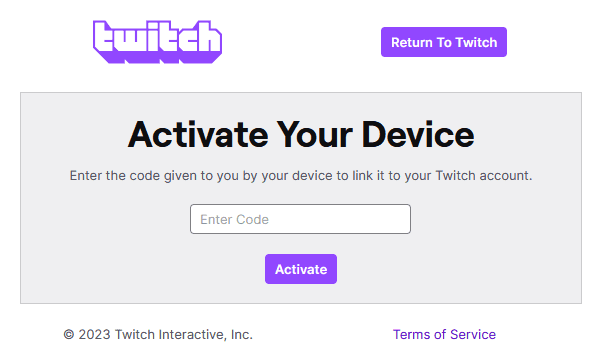
So we don't need to set up a redirect server just for authentication.
⚠️ NOTE: Twitch does not let you delete messages from the broadcaster or other moderators. If you test this by sending bad messages from your own broadcaster account, the bot won't be able to remove them. Use a second regular account for testing.
The repo also handles session_reconnect and checks whether the EventSub connection is still alive.
Connections can drop, and having the mod bot silently stop receiving messages mid-stream would be... not great. 🫠
Flooding the Chat
Now we need to test it.
Sending one bad message manually isn't very useful.
So the repo includes a flooder that sends a random mix of hostile and normal messages.
Run the bot in one terminal:
npm run botThen run the flooder in another:
npm run flood -- 60The 60 means it will send 60 test messages.
For Twitch, use:
npm run twitch:bot
npm run twitch:flood -- 60
Bot in Action
Here's a quick demo of the Discord bot:
And for the Twitch one, simply run the command I gave you earlier. That should do it.
While the bot is running, you'll see logs that look something like this:
✅ keep    jev  389ms  p=0.06 fine ...
🟡 REVIEW  jev  909ms  p=0.73 insult ...
✅ keep    jev  372ms  p=0.03 fine ...

🗑️  DELETE  jev  341ms  delete  641ms  total  984ms  p=0.92 insult ...
🗑️  DELETE  jev  399ms  delete  418ms  total  979ms  p=0.93 insult ...
Here's what those numbers mean:
jevis the time Jev took to make the decision.deleteis how long Discord took to remove the message.totalis the full time from receiving the message to deleting it.
Once the connection was set up properly, Jev was usually around 340 to 460 ms in my test.
Funny enough, Discord deleting the message was sometimes slower than Jev deciding whether to delete it.
From my first 10-message Discord run:
Metric | Result |
|---|---|
Jev latency (p50) | 399 ms |
Receive → deleted (p50) | 979 ms |
Bad messages caught | 4 of 5 |
Normal messages deleted | 0 of 5 |
One message did not cross the delete threshold:
If you want a stricter bot, you can simply lower DELETE_AT. That's also why I like using probabilities here.
What About YouTube Live?
I left YouTube Live for you to finish. 🙂
The same idea works there, but testing it takes a little more setup.
You can poll liveChatMessages.listand YouTube tells you how long to wait before making the next request.
There is also a newer streamList method that streams messages, which is probably what I would try for this project.
But the important bit is that the Jev code does not change.
Here's a rough version using googleapis:
// 👇 youtube-mod.mjs
import { google } from "googleapis";

// OAuth client for the channel owner or a moderator, with the youtube.force-ssl scope
const youtube = google.youtube({ version: "v3", auth: oauthClient });

const { data: b } = await youtube.liveBroadcasts.list({
  part: ["snippet"],
  broadcastStatus: "active",
});
const liveChatId = b.items[0].snippet.liveChatId;

let pageToken;
let first = true;
while (true) {
  const { data } = await youtube.liveChatMessages.list({
    liveChatId,
    part: ["snippet", "authorDetails"],
    pageToken,
  });

  // The first page is chat history, so skip it.
  if (!first) {
    for (const m of data.items) {
      const v = await judge(m.snippet.displayMessage); // same Jev call again
      if (v.p >= 0.8) await youtube.liveChatMessages.delete({ id: m.id });
    }
  }

  first = false;
  pageToken = data.nextPageToken;
  await new Promise((r) => setTimeout(r, data.pollingIntervalMillis));
}
Replace the polling part withstreamList, add the same review threshold and request limit we used for Discord, and you basically have the third bot.
Try it and let me know what kind of latency you get. ✌️
Conclusion
And that's basically it. 🙌
We built the same real-time moderation flow for Discord and Twitch using one shared Jev function.
In my small Discord test, the full receive-to-delete flow came in at around a second. And the actual AI part is tiny.
It's just this:
const res = await composio.tools.execute("JEV_EVALUATE_STATE", {
  userId: process.env.COMPOSIO_USER_ID,
  arguments: { state: text, questions: QUESTIONS },
  dangerouslySkipVersionCheck: true,
});
Finally, you don't have to wait for an LLM to send a response back 10s after you send the msg. That is exactly why I wrote this blog post, too. The right model with the right pricing for exactly this type of task.
If you find a bug, want to improve something, or manage to get the YouTube version working, feel free to open an issue or PR.
You can find the entire project here: shricodev/jev-youtube-discord-moderator
That's all for this one. I'll see you in the next one. ✌️

 Get started



