




The frenzy about the Claude Skills is real. Skills are instruction files (Skill.MD), which allow Claude to automate repeatable tasks. And this is something everyone wanted. Anthropic made it official in October 2025, and within a few months, the internet is now filled with Skills. There are literally skills for every second thing that you can imagine.
However, most are useless and, in addition to polluting your context window, can introduce security risks.
I'm a Claude Conneisseur, and I have tried out a lot of skills in Claude Code. So, I have curated the best of them. And honestly, these are the most useful I found.
So, let's go.
TL;DR: Quick Reference Table
Skill | What It Does | Install Command | Key Stat |
|---|---|---|---|
Composio | Connect Claude Code with apps like Jira, Linear, Slack, GitHub, and 1000 more. |
| 65k+ gitHub Stars |
Frontend Design | Bold, distinctive UI without AI slop |
| 277K+ installs |
Code-Reviewer | Structured code review with bug detection |
| 116 installs, 2+ hrs/week saved |
Superpowers | TDD + subagent orchestration |
| 40.9K stars |
Agent-Browser | Ref-based web automation |
| 14K stars |
Supermemory | User memory tracking + context |
| #1 on 3 benchmarks |
Karpathy Behavioral | Four behavioral rules for AI agents |
| 144K stars |
Agent-Sandbox | Isolated cloud sandboxes |
| E2B isolation |
UI/UX Pro Max | Design system intelligence |
| 50+ styles, 161 palettes |
Systematic Debugging | Root-cause analysis methodology |
| 2.5 hrs/week saved |
What Are Claude Code Skills?
Claude Code Skills package execution logic into structured, reusable modules that extend an agent’s capabilities. They move workflow logic out of oversized prompts and into versioned units you can inspect, update, and reuse.
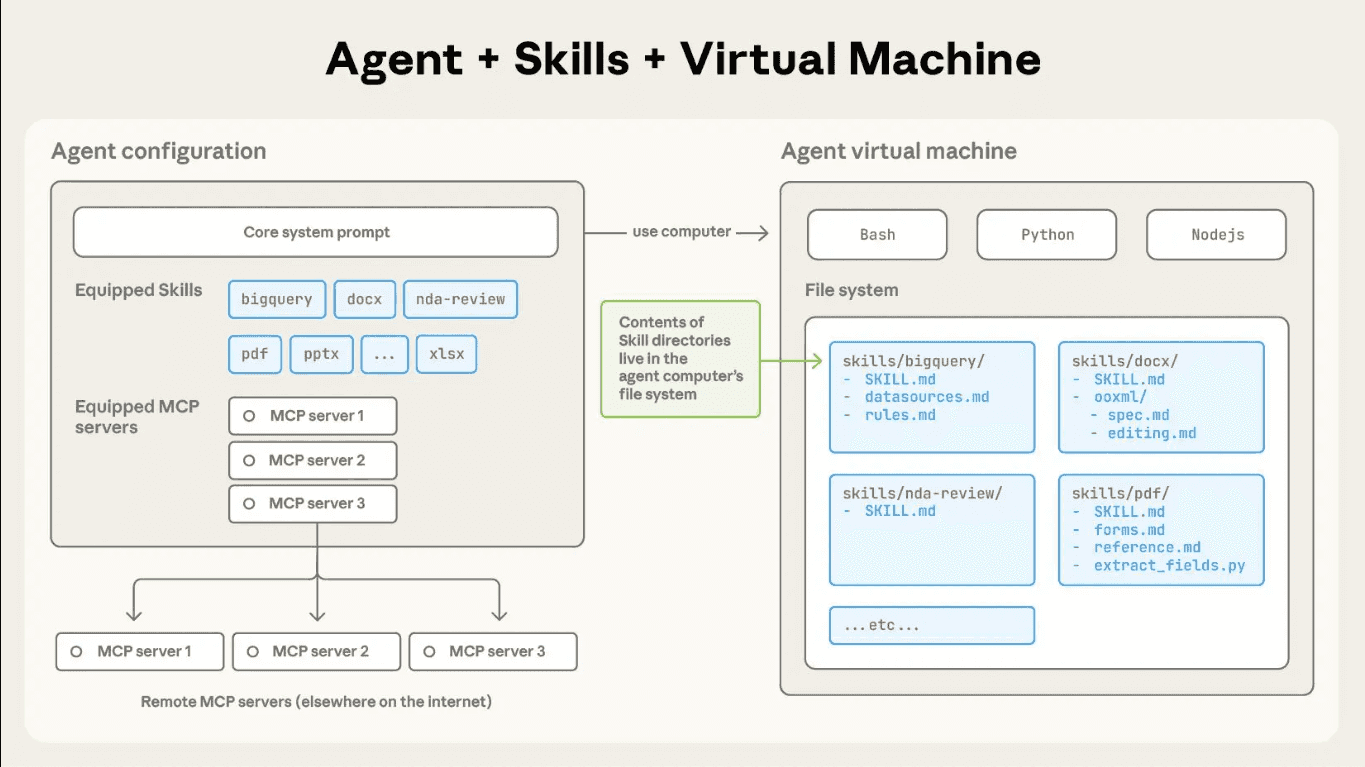
A skill defines how Claude should perform a specific class of tasks. Inside a skill, you can include:
Metadata for discovery
Explicit operational steps
Domain constraints
Supporting reference files
Executable scripts
This structure lets you codify repeatable workflows once and apply them consistently. You reduce prompt sprawl, cut token overhead, and gain tighter control over the agent’s behaviour.
When you build with skills, you stop embedding fragile logic in long prompts. You encapsulate behaviour into clear modules and let Claude load them when needed.
Skill Architecture and Execution Model
Each skill lives in its own directory and starts with a SKILL.md file. That file defines the skill’s name, purpose, and step-by-step execution logic. Claude reads the metadata first to determine relevance. When the task matches, Claude loads the full instructions and any supporting files.
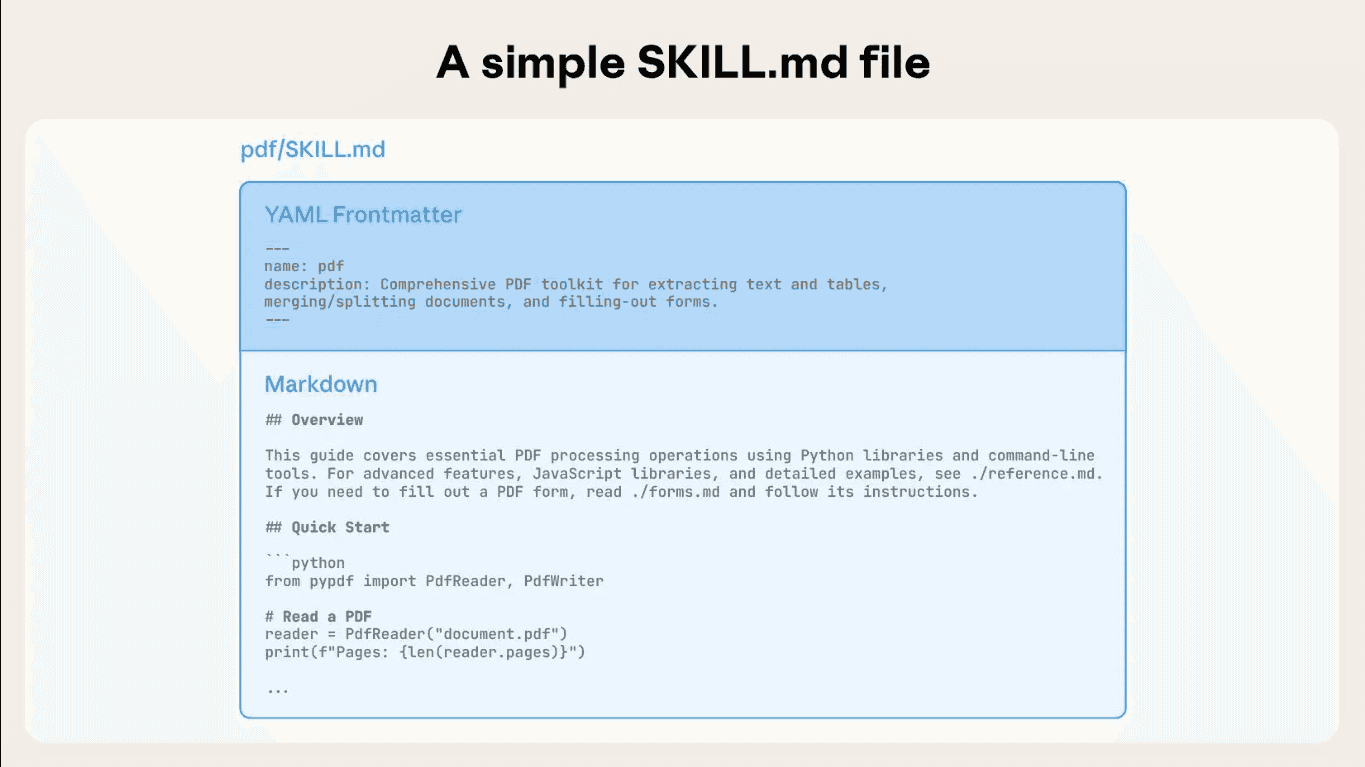
You can attach scripts to a skill and run them in a sandbox. Claude can execute deterministic logic, call APIs, process files, and reliably manage multi-step workflows.
Claude combines skills on a task basis, so you can build complex workflows without bloated prompts. This modular setup keeps execution structured and easier to scale.
Claude Code Skills vs. Plugins
Claude Code Skills and Plugins both extend Claude’s capabilities, but they operate at different levels. A Skill is a focused, reusable capability defined primarily through a SKILL.md file.
A Plugin, by contrast, is a package for distributing one or more Claude Code extensions. A plugin may contain Skills, but it can also bundle custom agents, hooks, MCP servers, LSP servers, background monitors, executables, and default settings.
In other words, a Skill teaches Claude how to perform a particular task, while a Plugin provides the structure needed to assemble, configure, and distribute a broader collection of capabilities.
Aspect | Skills | Plugins |
|---|---|---|
Primary purpose | Encode knowledge or a repeatable workflow | Package and distribute extensions |
Typical contents | SKILL.md, references, scripts, templates | Skills, agents, hooks, MCP/LSP servers, monitors, settings |
Invocation | Automatically by Claude or manually through /skill-name | Components become available when the plugin is enabled |
Complexity | Lightweight and easy to author | Better suited to multi-component integrations |
Distribution | Copy or share a skill directory | Install locally or distribute through a plugin marketplace |
Portability | Follows the open Agent Skills standard | Specific to Claude Code’s plugin architecture |
The two concepts are therefore complementary rather than competing. A standalone Skill is usually the best choice for project conventions, review checklists, deployment procedures, or other instruction-driven tasks. A Plugin is useful when the extension requires several coordinated capabilities, automated lifecycle behaviour, and external tools.
Related: Best Claude Code Plugins
How to Install Claude Code Skills
Installing a skill is usually one command. Most skills live in a marketplace (think of it like an app store for Claude).
Basic installation pattern:
npx skills add [organization]/[repository]If the skill is in a marketplace:
/plugin marketplace add [marketplace-name]
/plugin install [skill-name]@[marketplace-name]
After installing, restart Claude Code so it discovers the new skill. The skill will then trigger automatically when you work on relevant tasks.
For global installation (available in every project), add skills to ~/.claude/skills/. For project-specific skills, use .claude/skills/ in your repository root.
Top 10 Best Claude Code Skills
These skills consistently appear in real-world builds across 2026. They cover infrastructure, execution, data access, code quality, and orchestration. These layers move agents from demo to deployment.
Let us now look at the 10 Claude Code skills teams rely on to build and ship production-grade agents.
1. Composio Skills
Composio functions as an agent-native integration and execution layer. It standardizes external APIs into structured, callable tools that Claude can discover and invoke through a consistent schema.
You register integrations once and expose them as normalized tool interfaces. The agent dynamically selects tools based on the task context and passes structured arguments that map directly to validated API operations.
Installation:
git clone --depth 1 <https://github.com/ComposioHQ/awesome-claude-skills.git>
cd awesome-claude-skills
claude --plugin-dir "$PWD/connect-apps-plugin"
Inside Claude Code, run:
/connect-apps:setupPaste your API key from the Composio dashboard, then restart Claude Code:
The first time you use Gmail, Slack, GitHub, or another service, Claude will provide an OAuth authorization link. Finish the complete flow and start working,
For a persistent installation, instead of passing --plugin-dir each time:
mkdir -p ~/.claude/skills/connect-apps
cp -R connect-apps-plugin/. ~/.claude/skills/connect-apps/
claude
Then run /connect-apps:setup. Note that setup stores the API key in ~/.mcp.json; consider securing it with:
chmod 600 ~/.mcp.jsonThe standalone connect/SKILL.md It is primarily instructional and does not fully configure Claude Code’s MCP connection on its own. Use connect-apps-plugin for working app actions.
Anthropic documents the automatic loading of the skills directory plugin here.
Technical capabilities include:
1000+ prebuilt toolkits mapped to typed action schemas
OAuth 2.0 and API key lifecycle management with automatic token refresh
Scoped credential isolation per agent, environment, or workflow
Tool discovery via metadata indexing and semantic matching
Deterministic request construction with validated input parameters
Structured JSON responses for downstream chaining
Sandboxed execution environment for safe tool invocation
Execution logs, traceability, and observability for debugging
Composio abstracts API heterogeneity into a uniform execution layer. Claude emits structured tool calls, and Composio validates, authenticates, executes, and returns machine-readable outputs.
Pros:
- 850+ integrations available out of the box
- OAuth lifecycle management reduces credential friction
- Structured schemas improve reliability
- Observability built in for debugging
Cons:
- Requires understanding of credential scoping
- Not all APIs have equal maturity in the toolkit
- Setup time for authentication flows
Dashboard: dashboard.composio.dev | Docs: https://docs.composio.dev
2. Frontend Design Skill
The Frontend Design Skill guides Claude to create distinctive, production-grade interfaces that avoid generic “AI slop” aesthetics. Before writing a single line of code, it pushes Claude to commit to a bold conceptual direction - brutally minimal, maximalist chaos, retro-futuristic, art deco, editorial, and more - then execute it with full precision.
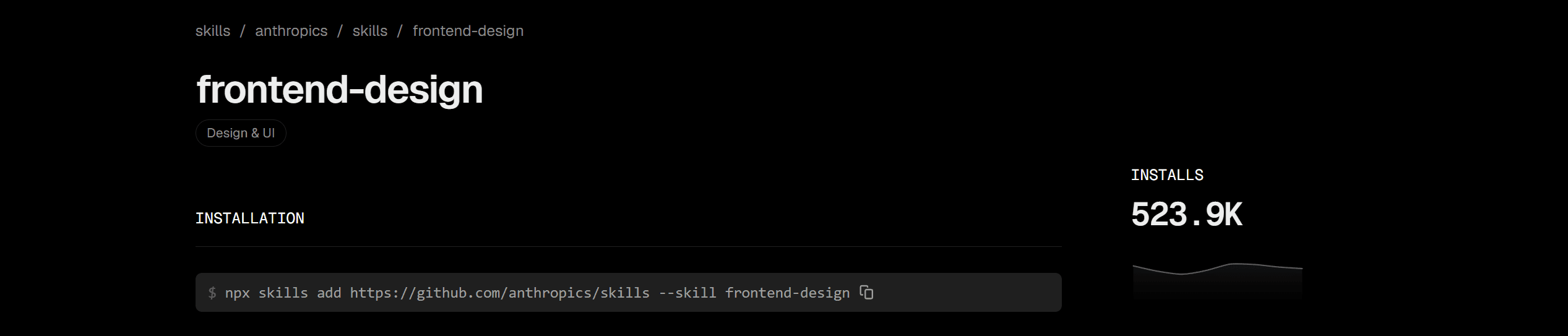
With 277K+ installs as of early 2026, it’s the most-used design skill in the ecosystem.
Install it with:
npx skills add anthropics/skills --skill frontend-designThis skill enforces:
Typography - distinctive display/body font pairings; never generic choices like Inter, Roboto, or Arial
Color & theme - cohesive CSS variable systems with dominant colors and sharp accents over timid palettes
Motion - high-impact animations, staggered reveals, scroll-triggered effects, and meaningful hover states
Spatial composition - asymmetry, overlap, diagonal flow, grid-breaking elements, and intentional negative space
Backgrounds & depth - gradient meshes, noise textures, geometric patterns, layered transparencies, and grain overlays
The skill works across HTML/CSS/JS, React, and Vue, and scales implementation complexity to match the aesthetic vision - maximalist designs get elaborate animations, minimalist designs get precision spacing and restraint. Without the skill, Claude defaults to “safe” design choices that look fine but are forgettable. With it, the output is opinionated, distinctive, and genuinely production-ready.
Pros:
- 277K+ installs show widespread adoption
- Eliminates generic “AI aesthetic” defaults
- Works across multiple frameworks (React, Vue, vanilla)
- Forces intentional design thinking upfront
Cons:
- Bold aesthetics don’t fit every project context
- Internal tools may need consistency over creativity
- Requires clear aesthetic direction in prompts
Skill repo: github.com/anthropics/skills | Full reference: skills.sh/anthropics/skills/frontend-design
3. Code-Reviewer Skill
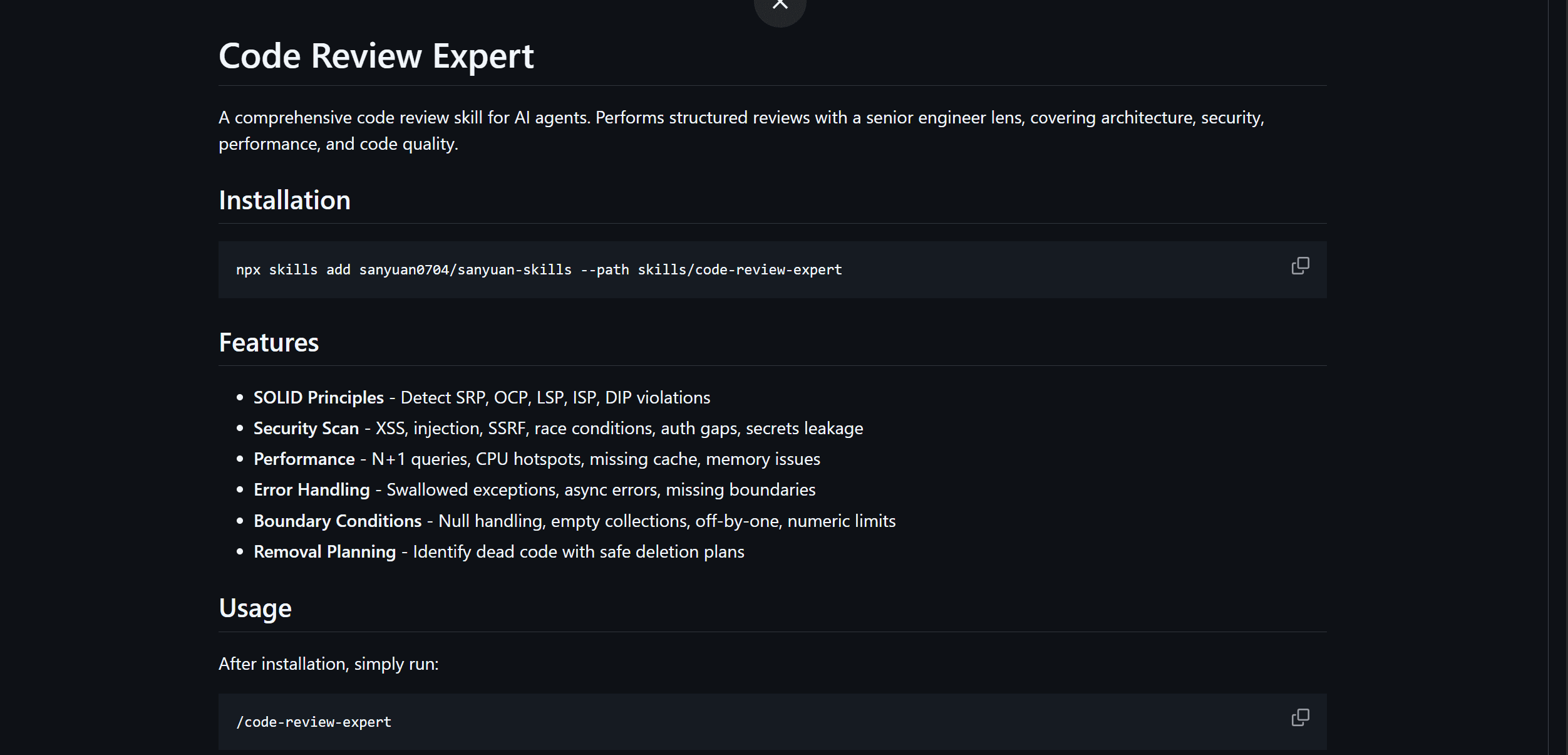
Code Review Expert is a senior-engineer-lens review skill that performs a structured review of current git changes, focusing on SOLID, architecture, removal candidates, and security risks.
It brings the discipline of an experienced reviewer to every diff - and by default, it produces review-only output unless the user asks to implement changes.
Install it with:
npx skills add sanyuan0704/sanyuan-skills --path skills/code-review-expertThen invoke it in your agent terminal with /code-review-expert To review current git changes. GitHub
The skill enforces:
**SOLID principles **- detect SRP, OCP, LSP, ISP, and DIP violations, and when it proposes a refactor, it explains why it improves cohesion/coupling and outlines a minimal, safe split.
Security scanning - XSS, injection, SSRF, race conditions, auth gaps, and secrets leakage, with findings that call out both exploitability and impact.
Performance checks: N+1 queries, CPU hotspots, cache misses, and memory issues.
Error handling - swallowed exceptions, async errors, and missing boundaries.
Boundary conditions - null handling, empty collections, off-by-one errors, and numeric limits.
Removal planning — identifies dead code with safe deletion plans, distinguishing safe-delete-now from defer-with-plan. GitHubGitHub
Rather than leaving review to ad hoc conversation, it works from dedicated checklist references (SOLID, security, code quality, removal plan) and classifies findings by severity (P0 critical through P3 low), proposing incremental refactors with minimal, safe splits.
It's a review-first workflow, which means it presents findings before implementing and requires explicit user confirmation to make changes.
Pros:
Structured severity tagging (P0–P3) so you know what to fix first
Strong security and SOLID coverage backed by explicit checklists
Review-only by default - won't touch your code without confirmation
Handles real-world scale: for large diffs (>500 lines) it summarizes by file first, then reviews in batches by module.
Cons:
Scoped to current git changes, so it's diff-oriented rather than whole-codebase
Refactor suggestions still need human judgment before applying
Part of a multi-skill repo, so you install via the
-pathflag rather than a one-word name
Repo: https://github.com/sanyuan0704/sanyuan-skills/tree/main/skills/code-review-expert
4. Superpowers Skill
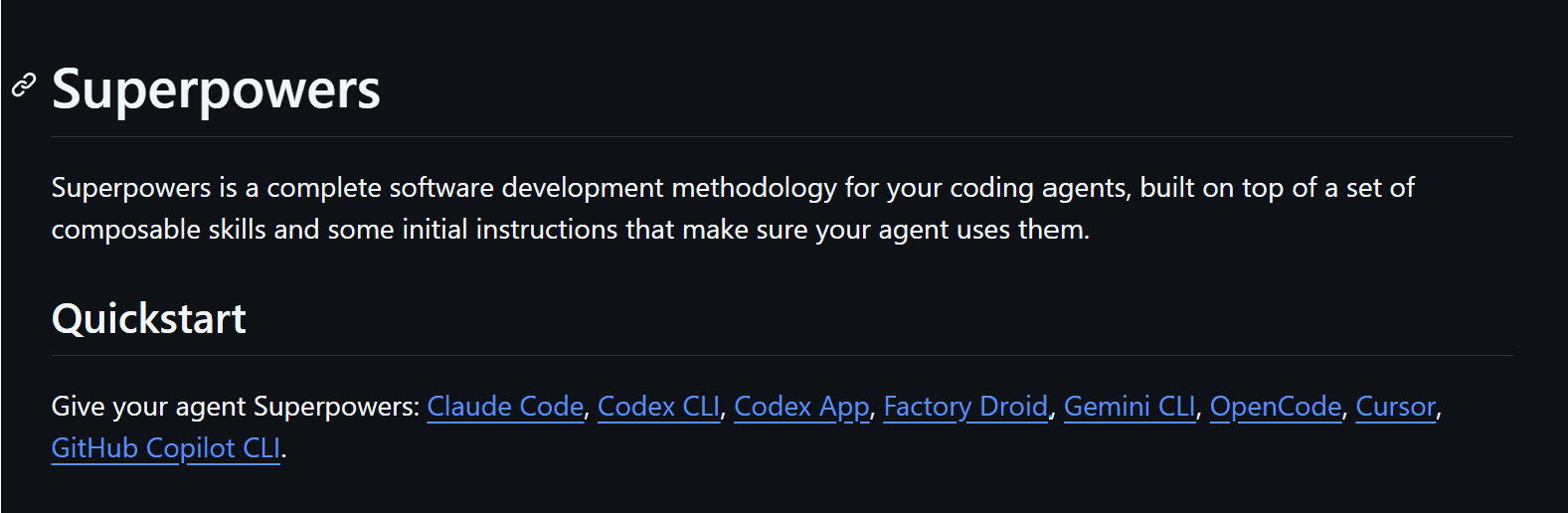
Superpowers is a complete agentic software development workflow built on a composable skills framework. Rather than jumping straight into code, it guides the agent through a structured process: brainstorm → design spec → implementation plan → subagent-driven execution → review → merge.
Install in Claude Code via the plugin marketplace:
/plugin marketplace add obra/superpowers-marketplace
/plugin install superpowers@superpowers-marketplace
The core workflow steps:
Brainstorming - refines rough ideas through Socratic questions, presents the design in digestible chunks for sign-off, saves a design document
Using-git-worktrees - creates an isolated branch and workspace after design approval, verifies a clean test baseline before any code is written
Writing plans - breaks approved designs into 2–5 minute tasks with exact file paths, complete code, and verification steps
Test-driven-development - enforces strict RED-GREEN-REFACTOR; deletes any code written before a failing test exists
Subagent-driven-development - dispatches a fresh subagent per task with two-stage review (spec compliance, then code quality); Claude can often run autonomously for hours without deviating
Requesting-code-review + finishing-a-development-branch - reviews against plan by severity, then presents merge/PR/keep/discard options and cleans up the worktree
Skills trigger automatically - the agent checks for relevant skills before any task, making the entire workflow mandatory rather than optional.
With 40.9K GitHub stars and 3.1K forks, Superpowers is the most battle-tested multi-agent development methodology in the ecosystem.
Pros:
- 40.9K GitHub stars reflect battle-tested methodology
- TDD enforcement ensures tests before code
- Subagent isolation prevents context drift
- Multi-hour autonomous capability
- Works across Claude Code, Cursor, Copilot
Cons:
- Structured workflow requires setup time
- Vague requirements cause thrashing
- Best for projects with clear specifications
- Slower for exploratory prototyping
Repo: github.com/obra/superpowers | Marketplace: github.com/obra/superpowers-marketplace
5. Browser Automation Skill (agent-browser)

agent-browser is a headless browser automation CLI from Vercel Labs, purpose-built for AI agents. It pairs a fast Rust binary with a Node.js/Playwright daemon, giving Claude deterministic, ref-based control over any web interface without needing clean APIs.
Install it with:
npm install -g agent-browser
agent-browser install  # Downloads Chromium
The optimal AI workflow is snapshot-first:
agent-browser open example.com
agent-browser snapshot -i --json   # Get interactive elements with refs
agent-browser click @e2            # Interact using refs
agent-browser fill @e3 "text"
agent-browser screenshot page.png
Key capabilities:
Ref-based selection - snapshot returns stable @e1, @e2 refs for deterministic, AI-friendly element targeting
Full interaction suite - click, fill, drag, upload, hover, scroll, dialogs, frames, tabs, and keyboard/mouse control
Network control - intercept, mock, and block requests; set headers scoped to origin for auth without login flows
Isolated sessions & profiles - run multiple parallel browser instances with persistent cookie/auth state
Live streaming - WebSocket viewport stream for pair browsing alongside an agent
Cloud providers - swap local Chromium for Browserbase, Browser Use, or Kernel with a single flag
iOS Simulator - control real Mobile Safari via Appium for authentic mobile web testing
With 14K GitHub stars and skills support for Claude Code, Cursor, Codex, Gemini CLI, and Copilot, agent-browser is the production-grade choice for agentic web automation.
Pros:
- Ref-based element targeting is more reliable than XPath/CSS selectors
- Full parallel session support
- Works with cloud browsers (Browserbase, Browser Use)
- 14K GitHub stars show’s production adoption
Cons:
- Requires Chromium or a cloud browser setup
- Network slowdowns propagate to agent speed
- Complex interactive flows can be brittle
- Learning curve for ref-based targeting
Repo: github.com/vercel-labs/agent-browser | Docs: agent-browser.dev
6. Supermemory Skill

Supermemory is the #1-ranked memory and context engine for AI - topping LongMemEval, LoCoMo, and ConvoMem, the three major AI memory benchmarks.
Unlike RAG (which retrieves static document chunks), Supermemory extracts and tracks user facts over time, understands temporal changes, resolves contradictions, and automatically forgets expired information.
Install the Claude Code plugin:
# Claude Code plugin
git clone https://github.com/supermemoryai/supermemory.git
mkdir -p ~/.claude/skills
cp supermemory/.claude/skills/supermemory-integrate.md ~/.claude/skills/

<h1>Or install via MCP (works with Cursor, Windsurf, VS Code, Claude Code)</h1>
<p>npx -y install-mcp@latest <a href="https://mcp.supermemory.ai/mcp">https://mcp.supermemory.ai/mcp</a> --client claude --oauth=yes</p>
Once installed, your agent gets three tools that fire automatically:
Memory - saves or forgets information; called automatically when you share something worth remembering
Recall - searches memories by query and returns relevant results alongside your user profile summary
context - injects your full profile (preferences, recent activity) into the conversation at the start of each session; in Claude Code, just type /context
The full context stack in one API:
Memory Engine - extracts facts from conversations, tracks updates, resolves contradictions, and auto-forgets expired info
User Profiles - auto-maintained per-user context (static facts + recent dynamic activity) delivered in ~50ms
Hybrid Search - RAG + Memory in a single query; returns knowledge base docs and personalized context together
Connectors - real-time sync from Google Drive, Gmail, Notion, OneDrive, GitHub via webhooks
Multi-modal Extractors - PDFs, images (OCR), videos (transcription), code (AST-aware chunking)
Integrates as a drop-in wrapper with Vercel AI SDK, LangChain, LangGraph, OpenAI Agents SDK, Mastra, and Agno. With 16.7K GitHub stars and benchmarks proving state-of-the-art recall, it’s the most production-proven memory layer in the ecosystem.
Pros:
- No 1 ranked on 3 major memory benchmarks
- Temporal awareness (understands when facts change)
- 16.7K GitHub stars, production-proven
- Hybrid search combines RAG + memory
- Real-time sync from Google Drive, Gmail, Notion
Cons:
- Requires webhook setup for real-time sync
- Contradictions between facts need manual review sometimes
- Memory extraction quality depends on conversation structure
- Additional token overhead for context injection
Repo: github.com/supermemoryai/supermemory | Docs: supermemory.ai/docs
7. Karpathy Behavioural Skill
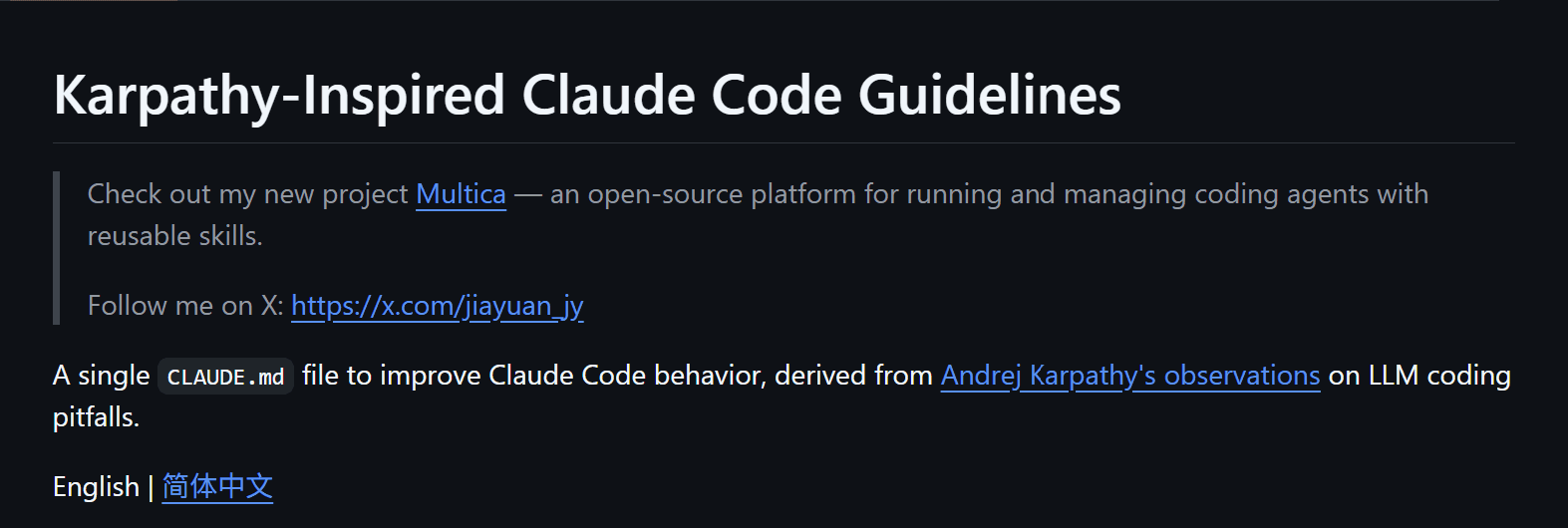
Karpathy Behavioural Skill is the fastest-growing Claude Code skill of 2026, hitting 144K GitHub stars in weeks after Andrej Karpathy published his viral observations about LLM coding pitfalls in January 2026.
It’s a single SKILL.md file with zero runtime dependencies, encoding four hard behavioural rules that address the three failure patterns **Karpathy **called out directly.
Install it with:
npx skills add <a href="https://github.com/forrestchang/andrej-karpathy-skills">https://github.com/forrestchang/andrej-karpathy-skills</a> --skill karpathy-guidelinesThis skill enforces:
No silent assumptions - agents must verify their mental model before charging ahead. Forces explicit validation of assumptions before executing code changes.
Minimal solutions first - rejects over-engineering that bloats 50 lines into 500. Enforces simplicity as a primary constraint, not an afterthought.
Orthogonal change prevention: agents modify only the code they were explicitly asked to touch. Prevents drift and unintended side effects across the codebase.
Verification before execution - all changes must be validated against the original requirement before running, not after.
The skill targets three failure modes Karpathy identified: agents making wrong assumptions and proceeding unchecked, code bloat from unnecessary abstraction layers, and orthogonal modifications that break tangential systems.
Rather than relying on general AI coding knowledge, this skill encodes specific constraints that force agents to think like senior engineers who verify before shipping.
Teams using it report significantly fewer debugging cycles and production incidents caused by AI-driven code changes.
Pros:
- 172K + stars reflect the fastest-growing adoption in 2026
- Addresses real failure modes developers hit
- Works across Claude Code, Cursor, and Copilot
- Single file, zero dependencies
- Designed to merge with existing CLAUDE.md
Cons:
- Biases toward caution over speed
- Small changes feel over-engineered
- Requires judgment on trivial tasks
- May slow down exploratory coding
Repo: https://github.com/multica-ai/andrej-karpathy-skills | Stars: 172K+
8. Agent-Sandbox-Skill
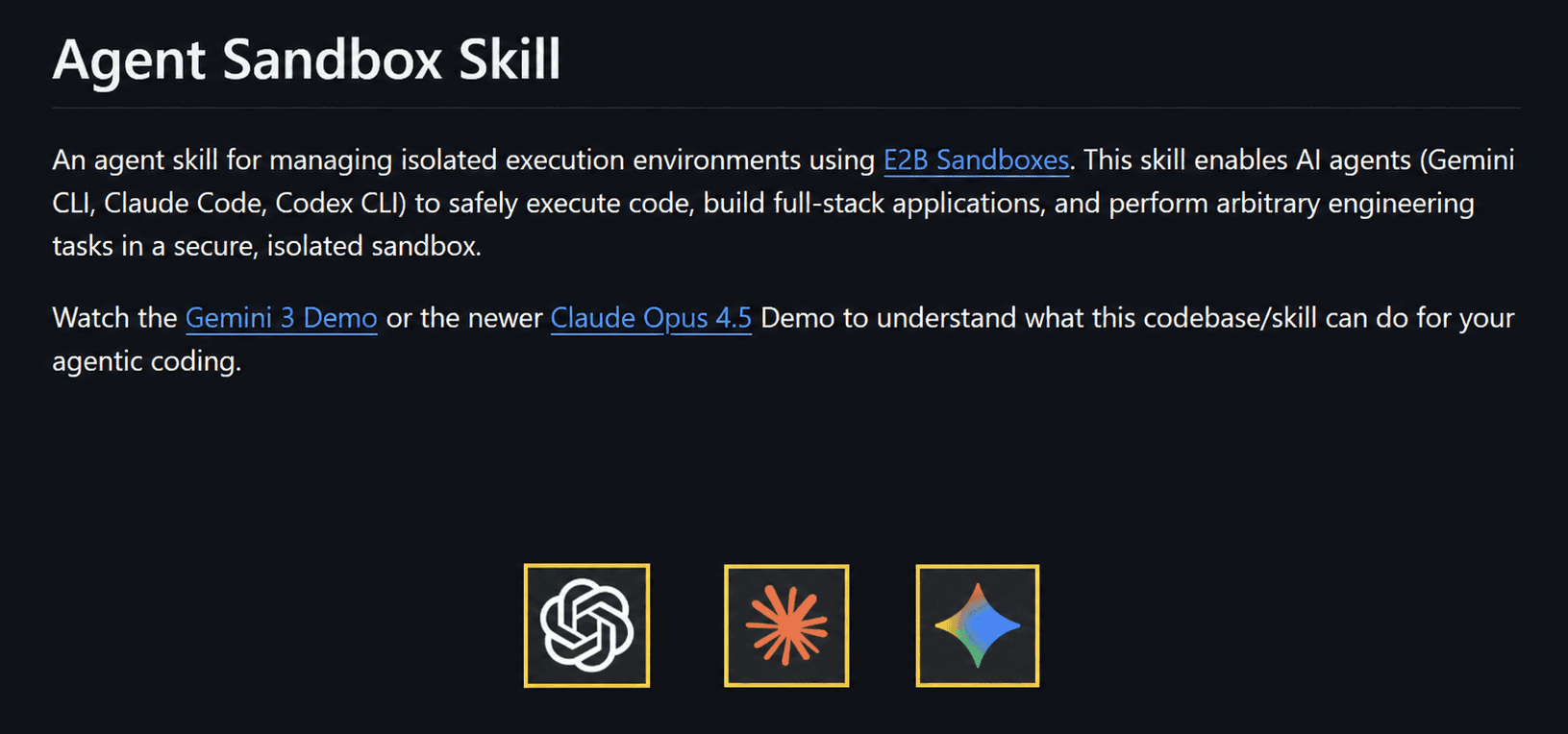
agent-sandbox-skill gives Claude (and other coding agents) a fully isolated E2B cloud sandbox to plan, build, host, and test full-stack applications - all without touching your local filesystem or production environment.
Each agent fork gets its own independent sandbox, making it safe to run untrusted code, install packages, or spin up servers at any scale.
The core workflow is a single command:
\agent-sandboxes:plan-build-host-test "<your prompt>" "<workflow_id>"This orchestrates a full Plan-Build-Host-Test lifecycle. Individual commands are also available for finer control:
\sandbox <prompt>- ad-hoc sandbox operations with minimal compute\agent-sandboxes:plan-full-stack <prompt>- generates a detailed implementation plan with browser UI testing workflows\agent-sandboxes:build <plan_path>- executes a build plan inside the sandbox\agent-sandboxes:host <sandbox_id> <port>- exposes a port and returns a public URL\agent-sandboxes:test- runs validation tests, including browser UI testing via built-in Playwright integration
Key capabilities:
Isolation - every agent fork runs in a gated E2B sandbox, fully separated from local files and production systems
Scale - run as many parallel sandboxes as needed; each is independent with its own compute
Full-stack development - scaffold, build, and host Vue + FastAPI + SQLite apps end-to-end
Persistent context - tools to manage sandbox lifecycles across agent turns
Prompt library - 40+ tiered prompts (very easy → very hard) for real full-stack app workflows, tested with Claude Sonnet, Opus 4.5, Gemini, and Codex
Setup requires Python 3.12+, uv, and an E2B API key. Works with Claude Code, Gemini CLI, and Codex CLI out of the box.
Pros:
- Complete isolation from local files and production
- Scale infinitely with parallel sandboxes
- Full-stack development end-to-end
- 40+ tiered prompts for every complexity level
- Works across Claude Code, Gemini CLI, and Codex
Cons:
- Requires E2B API key and account setup
- Network latency adds to build time
- Complex apps may need manual review after generation
- Cloud costs for production usage
Repo: github.com/disler/agent-sandbox-skill | E2B docs: e2b.dev/docs
9. UI/UX Pro Max Skill
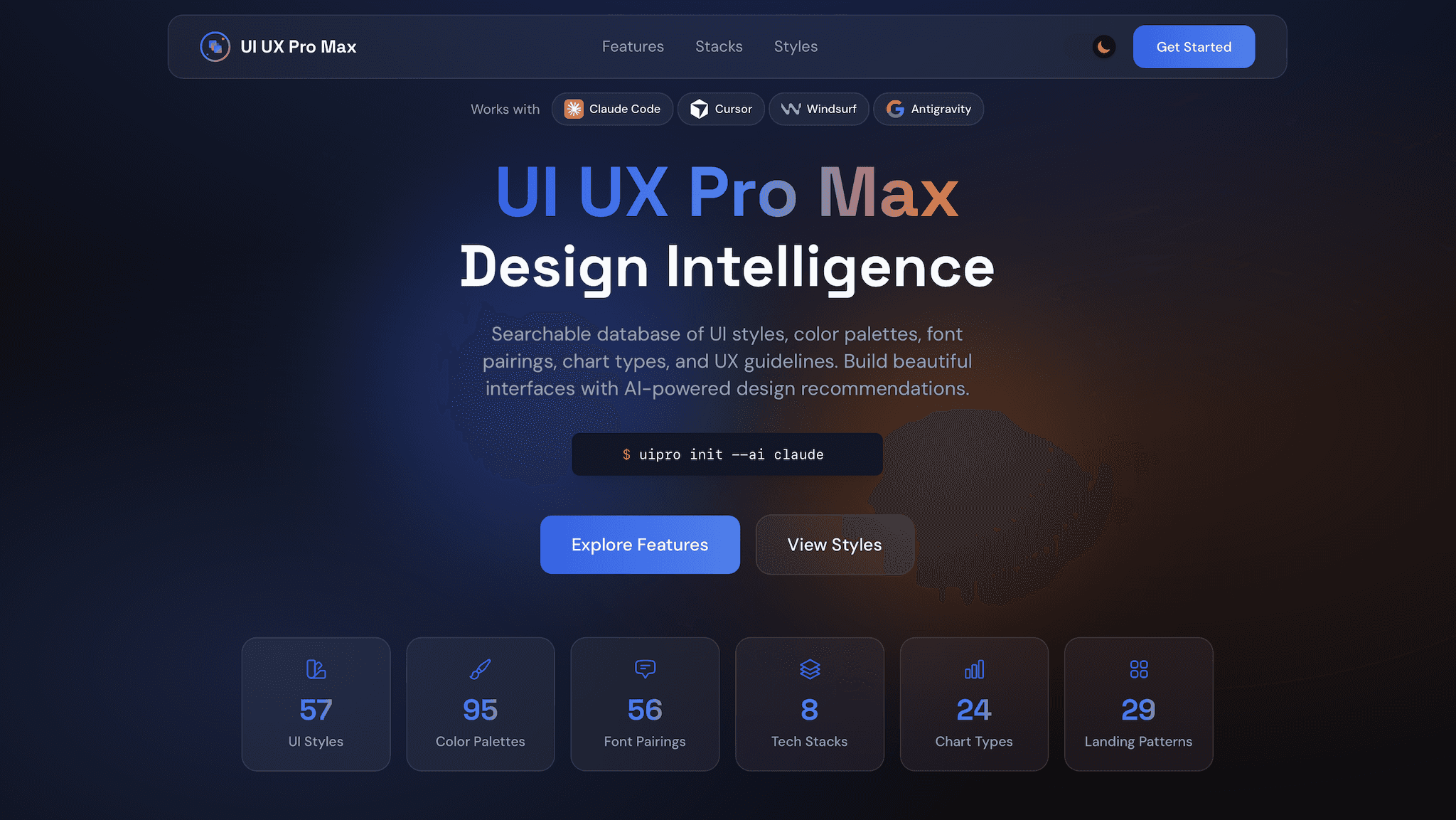
UI/UX Pro Max is a design intelligence engine that goes beyond Frontend Design. Rather than relying on Claude’s general knowledge to make design decisions, this skill loads a reasoning engine with deep knowledge of the design system.
Install it with:
npx skills add ui-ux-pro-maxThis skill includes:
50+ design styles - brutalist, maximalist, glassmorphism, neumorphism, dark minimal, editorial, retro-futuristic, 3D maximalist, and more
161 color palettes - curated for accessibility, mood, and industry (SaaS, fintech, e-commerce, healthcare, creative)
57 font pairings - display/body combinations tested for legibility and brand distinction across 15+ font families
99 UX guidelines - component patterns, interaction standards, accessibility rules (WCAG 2.1 AA), and mobile-first principles
Design System Generator - analyzes your project requirements and produces a complete, tailored design system - not just Tailwind presets, but a reasoned system document
25 chart types - bar, pie, line, area, scatter, heatmap patterns across 10 technology stacks (React, Vue, Svelte, vanilla)
Multi-stack support - Tailwind CSS, Material Design, custom CSS, HTML, React, Vue, Svelte output formats
The v2.0 release introduced AI-powered design reasoning that makes informed choices based on your project context, target audience, and brand requirements. This is the difference between “responsive” and “intentional.” With this skill installed, Claude produces design systems that a senior designer would recognize as production-ready.
Pros:
- Design decisions backed by reasoning, not defaults
- Accessibility compliance built in
- Complete design system generation, not just components
- 161 color palettes tested for accessibility
- Multi-stack support (React, Vue, Svelte, vanilla)
Cons:
- Requires a clear design brief upfront
- Design system setup takes time
- May need customization for brand-specific needs
- Overkill for simple internal tools
Repo: https://github.com/nextlevelbuilder/ui-ux-pro-max-skill
10. Systematic Debugging Skill
Systematic Debugging transforms agents from guessers into problem solvers with structured root-cause analysis.
It appears among the top 5 time-savers across all 2026 testing (saving ~2.5 hours/week per developer) and is part of the Superpowers ecosystem.
Install it with:
npx skills add obra/superpowers --skill systematic-debuggingThis skill enforces:
Hypothesis-driven investigation - before diving into logs, form testable hypotheses about what broke and in what order
Isolation techniques - binary search through code paths, disable systems one at a time, reproduce in controlled environments
Root-cause verification - confirm you’ve found the actual cause, not just a symptom, by testing if the fix prevents recurrence
Context preservation - maintain a timeline of events, system state snapshots, and error sequences so patterns become visible
Documentation patterns - standardise how you record findings so insights compound across bugs and team members see patterns
Rather than flailing through stack traces, the skill guides Claude through a repeatable debugging methodology.
The result is faster bug resolution, fewer wasted debugging sessions, and continuous improvement in your system’s observability.
Pros:
- Saves ~2.5 hours/week on debugging
- Prevents wasted time chasing symptoms
- Compounds insights across team members
- Improves system observability over time
- Works well on complex distributed system bugs
Cons:
- Requires a good logging/monitoring setup
- Slower on trivial bugs than just “fix it”
- Complex system bugs still need human judgment
- Setup time for instrumentation
Repo: github.com/obra/superpowers | Documentation: superpowers.dev/debugging
Skills Best Practices
Writing Effective Skills
A well-written skill is a specific, focused instruction set - not a general-purpose prompt. Treat each skill like a module: it should do one thing well and compose cleanly with others.
Start with a clear trigger condition. The skill should specify exactly when it activates - e.g. “before writing any code” or “when the user asks to deploy.” Vague triggers cause skills to fire too broadly or not at all.
Use imperative language. Write instructions as direct commands: “Always run tests before committing”, not “You might want to consider running tests.” Agents follow directives more reliably than suggestions.
Keep skills short and scannable. Long skills dilute attention. If a skill exceeds 50 lines, split it into two focused skills with clear separation of concerns.
Include examples of correct and incorrect behaviour. Concrete examples reduce ambiguity and dramatically improve consistency, especially for edge cases.
Version your skills. Treat
SKILL.mdlike code - commit changes, document why you changed behaviour, and roll back when a change degrades agent performance.
Combining Multiple Skills
The real power of skills comes from composition. Individual skills handle one concern; stacked together, they form a complete agentic workflow.
Design for independence first. Each skill should be useful on its own before you compose it. Skills with tight dependencies on other skills create fragile systems that break when one piece changes.
Establish a clear execution order. If skills have sequencing requirements (e.g. brainstorm before plan, plan before execute), make the order explicit in a top-level orchestration skill rather than burying it in each individual skill.
Avoid conflicting instructions. When combining skills from different sources, audit for contradictions - e.g. one skill saying “always ask before running commands” and another saying “execute autonomously.” The agent will resolve conflicts inconsistently.
Use a meta-skill to load context. A lightweight “project setup” skill that runs at session start can inject the right combination of skills for the current task, reducing the need to manually specify which skills apply.
Performance & Token Efficiency
Every skill adds tokens to your context window. At scale, bloated skill sets slow responses, increase costs, and dilute the model’s attention on the actual task.
Load skills on demand, not by default. Don’t add every skill to every session. Use conditional loading - only inject skills relevant to the current task type (coding, research, writing, etc.).
Prefer structured formats over prose. Bullet points and numbered lists consume fewer tokens than paragraphs and are easier for the model to parse. Reformatting a 300-word skill as a 20-line checklist often produces equal or better results.
Deduplicate shared instructions. If three skills all say “never modify production without approval”, consolidate that into a single shared constraint skill. Repetition wastes tokens without improving reliability.
Benchmark skill impact. Measure response latency and output quality with and without each skill active. If a skill adds significant tokens but doesn’t meaningfully change behaviour, trim it or remove it entirely.
Security & Permissions
Skills that grant agents access to filesystems, APIs, browsers, or external services require careful scoping. The most capable agents are also the most dangerous if permissions are too broad.
Follow least-privilege by default. Skills should request only the permissions actually needed. A web search skill doesn’t need filesystem access. A database skill doesn’t need shell execution. Scope each skill to its minimum viable permission set.
Require confirmation for destructive actions. Any skill that can delete, overwrite, deploy, or send data externally should include an explicit human-in-the-loop checkpoint before proceeding. Never make irreversible actions fire automatically.
Audit third-party skills before use. Skills from external repos can contain arbitrary instructions. Read
SKILL.mdfiles carefully before adding them to production agents - treat them like code dependencies, not just configuration.Isolate credentials from skill content. API keys, tokens, and secrets should never appear in
SKILL.mdfiles. Use environment variables or a secrets manager and reference them by name in skill instructions.Log and monitor skill-triggered actions. In production agents, every action taken under a skill’s instruction should be logged with the triggering skill, the action taken, and the result. Observability is the foundation of safe autonomous operation.
Conclusion
Claude Code Skills determines whether your agent can actually execute inside real systems. Reasoning matters, but secure access, controlled execution, and structured integrations define production readiness.
Strong architectures focus on modular capabilities, clear permission boundaries, and observable workflows. When execution stays structured and traceable, automation scales without becoming fragile.
Most production-grade agent stacks depend on a unified integration backbone that connects model decisions to authenticated system actions. Platforms like Composio provide that core layer and enable agents to operate reliably across tools and environments.
The ecosystem will shift substantially in the coming months. New skills for video generation, advanced data analysis, and specialized DevOps workflows are emerging constantly. The criteria for evaluating them remain consistent: Does it solve a problem you actually face? Does it integrate cleanly with other skills? Does it reduce token overhead rather than add it?
Build with intention. Audit monthly. Delete what you don’t use. The developers shipping the fastest in 2026 aren’t installing more skills - they’re installing the right ones.
Frequently Asked Questions
What are Claude Code skills?
Claude Code skills are directories containing a SKILL.md file with YAML frontmatter and markdown instructions, plus optional supporting scripts and resources. They trigger automatically when Claude detects that your task matches the skill’s description, loading progressively so they don’t waste context tokens when unused.
How do I install a Claude Code skill?
Use one of these methods:
- /plugin marketplace add [marketplace-name] then /plugin install [skill-name]@[marketplace-name]
- npx skills add [organization]/[repository]
- git clone [repo-url] then copy to /.claude/skills/ for global access or .claude/skills/ for project-level
After installing, restart Claude Code to discover the new skill.
Are Claude Code skills free?
Most Claude Code skills are free and open source. Some skills depend on external services (like Firecrawl for web scraping or E2B for cloud sandboxes) that have their own pricing. The skills themselves are just markdown files and are free to use.
Do Claude Code skills work with other AI coding tools?
Yes. The Agent Skills specification has been adopted by Claude Code, OpenAI Codex CLI, Cursor, Gemini CLI, and GitHub Copilot. Skills you write or install work across all of these tools without modification.
How do skills help avoid AI slop?
Skills encode specific preferences and workflows that override Claude’s generic defaults. For example, the Frontend Design skill bans overused fonts and forces Claude to commit to a bold, distinctive aesthetic before writing any code. Encoded Preference skills capture your team’s exact process, so Claude follows it consistently rather than guessing what you want.
How do I build my own Claude Code skill?
Create a folder with SKILL.md containing YAML frontmatter (name and description fields) and your instructions in markdown. The fastest way to get started is to use the skill-creator official skill from Anthropic, which guides you through an interactive Q&A and generates the SKILL.md file structure.
How do skills impact token usage?
Skills use progressive disclosure. Claude scans each skill’s name and description from YAML frontmatter using roughly 100 tokens per skill. The full instructions only load when Claude determines the skill is relevant (under 5K tokens). Supporting scripts and files load only when explicitly needed. This means you can have dozens of skills installed without impacting performance on unrelated tasks.
What skills should I install first?
Start with Karpathy Behavioural (behavioural guardrails), Frontend Design (UI quality), and Superpowers (development methodology). These three provide the most immediate value for most developers. Then add Firecrawl if you do web work, Code-Reviewer if you want automated code review, and Supermemory if you need cross-session context.
Which skill saves the most time?
Code-Reviewer and Systematic Debugging both save ~2.5 hours/week. Superpowers save time through better planning and fewer bugs. Frontend Design saves design iteration cycles. Time savings compound when you stack multiple skills together.
Can I combine multiple skills in one project?
Yes. The real power of skills comes from composition. Individual skills handle one concern; stacked together they form a complete agentic workflow. Just audit for conflicting instructions when combining skills from different sources.

 Get started



