




A practical comparison of the best Workato alternatives for AI workflows and agents, with pricing where it exists, cheaper and open source options, and a clear sense of where each one fits.
Workato is one of the most capable enterprise automation platforms you can buy. It connects more than 1,200 apps through workflows it calls recipes, layers on governance, API management, and data tooling, and in 2025 it went hard on agentic AI: Agent Studio lets you build AI agents it calls genies, which run on Anthropic Claude by default, and its enterprise MCP server exposes your integrations as tools for Claude, ChatGPT, and Cursor. Gartner has named it a Leader for years. So why do teams keep searching for a Workato alternative?
The keyword data brings this insight: cost.
Where Workato gets expensive or hard to justify
Workato earns its reputation. One platform handles integration, orchestration, API management, and data management, with unlimited recipes, connections, and collaborators across all tiers, so you are billed based on task volume rather than per seat. For a large enterprise running hundreds of integrations with strict governance, that model is fair.
Workato publishes no pricing. You enter a sales cycle, scope your task volume, and receive a custom quote built from a platform edition fee (Standard, Business, Enterprise, or Workato One) plus usage, with a one-year minimum commitment.
Market data puts entry deals around $10,000 per year, the median near $65,000, and mid-market deployments between $50,000 and $130,000, climbing into the hundreds of thousands for enterprise-scale deployments. Premium connectors for SAP, Oracle, and similar systems cost extra, as do add-ons like intelligent document processing.
Task-based billing also means that a chatty integration that polls every few minutes can burn through your allowance faster than you expected, making budgeting hard. Add a learning curve that still expects real technical skill, and the result is a platform that is hard to justify for any team whose needs are narrower than the price tag.
The agentic features in Workato One sit at the top of that pricing spectrum, so the newest AI capabilities are also the most expensive. The alternatives split along the lines people actually shortlist: cheaper and more transparent, a leaner enterprise iPaaS, or AI native.
How I compared these tools
I wanted to work out which tool fits which situation when Workato is too expensive, too heavy, or too slow to buy, so Workato stays the baseline in every comparison, and each alternative is measured against what it already does well: deep connectors, enterprise governance, and now agentic AI.
For each tool, I checked the same six things:
The license and hosting model, since some teams want open-source or self-hosting, and others need a governed enterprise platform.
The pricing model and what it actually costs, because Workato's opaque, task-based, sales-led pricing is the single biggest reason people look elsewhere. I noted which tools publish prices and which still quote.
The AI and MCP support, including native AI agents, Model Context Protocol coverage, and which models each tool can reach.
The integration catalogue and how it compares to Workato's 1,200-plus connectors.
Who the tool is really for, from a small team that found Workato overkill to an enterprise that needs governance.
How cleanly it replaces Workato for a given job, rather than how it reads on a feature list.
Every price, plan, and capability here comes from each vendor's own pricing and documentation pages, checked in June 2026. Workato, Tray.ai, and most enterprise iPaaS vendors do not publish list prices, so those figures are drawn from the vendors' own descriptions and from aggregated market data.
Workato competitors compared at a glance
Tool | Type and hosting | Pricing model | Public pricing | AI and MCP | Best for |
|---|---|---|---|---|---|
Workato | Enterprise iPaaS, cloud and on-premises | Edition fee plus task usage | No, sales led | Agent Studio genies, enterprise MCP, Recipe IQ | Large enterprises needing governed automation at scale |
Make | Visual automation, cloud only | Per operation | Yes, from about $9 a month | Make AI Agents, Maia, MCP | The cheaper, transparent visual alternative |
n8n | Open source automation, self-host or cloud | Per execution | Yes, free self-host, cloud from $24 | AI Agent and LangChain nodes, MCP, vector stores | Technical teams that want control over cost and data |
Zapier | Visual automation, cloud only | Per task | Yes, free and from $19.99 a month | Copilot, Agents, MCP | The most apps and the fastest setup |
Tray.ai | AI native enterprise iPaaS, cloud | Plan plus usage plus add-ons | No, sales led | Merlin agents, Agent Gateway for MCP | A modern, AI native enterprise iPaaS |
Boomi | Enterprise iPaaS, cloud and on-premises | Pay as you go or enterprise contract | Partly, from $99 a month | AgentStudio, Boomi Connect, MCP Registry | Governed enterprise automation with agentic AI |
Pipedream | Developer iPaaS, cloud only | Per compute credit | Yes, free and from about $29 a month | Mature hosted MCP, code in four languages | Developers who want to pay for compute, not tasks |
Gumloop | AI native automation, cloud only | Per credit | Yes, free and from $37 a month | AI native nodes, Gummie, MCP | Ops and growth teams on AI-heavy work |
Composio | Agent tool layer, cloud or VPC | Per tool call | Yes, free and from $29 a month | Agent infrastructure, managed auth, MCP gateway | Building AI agents in code or via MCP |
Best Workato alternatives to try in 2026
1. Composio: the action layer for Ai-native teams
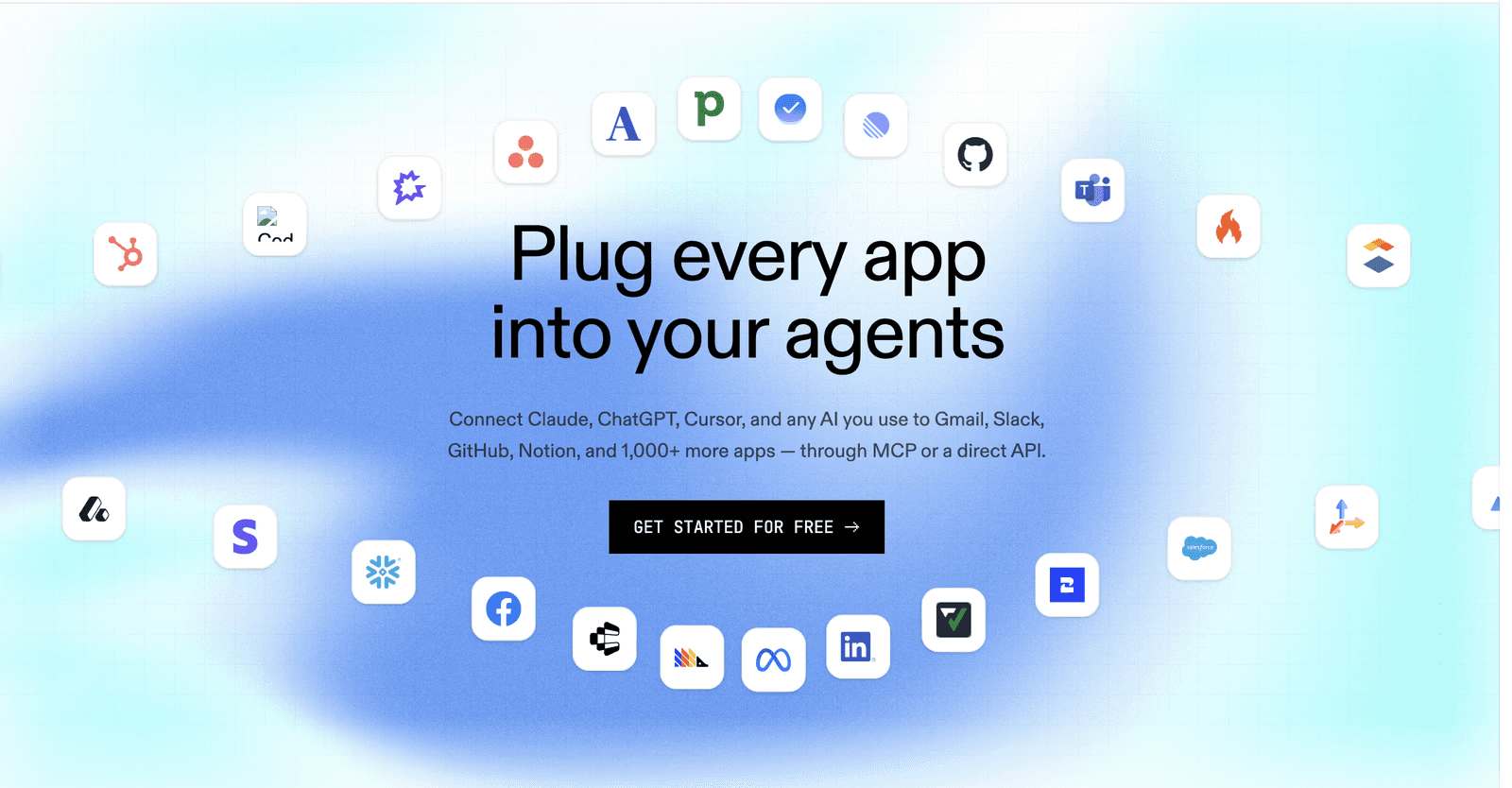
If you are writing an AI agent in code or wiring one through MCP, Workato's recipe canvas is the wrong abstraction, because your agent decides at runtime which tool to call rather than following a fixed flow. Composio is a developer-first integration platform made for exactly that. It gives an agent authenticated access to more than 1,000 apps with managed authentication, so you never hand-roll an OAuth refresh again.
It ships Python and TypeScript SDKs, a CLI, a managed MCP gateway, and a tool router that scopes the right tools to each task so the model's context stays small, and it works with LangChain, CrewAI, the OpenAI Agents SDK, the Vercel AI SDK, and Anthropic, with SOC 2 Type II.
Composio MCP Gateway
Composio offers a managed, secure MCP gateway to connect your agents to over 1,000 apps. It’s a single MCP server that connects all your applications to Claude Code, Cowork, Codex, or any agent that supports MCP.
Each team gets a unique MCP endpoint. Developers paste it into Claude, Cursor, or ChatGPT. SSO authenticates. Only the tools their team is allowed to use appear.
Comprehensive tool call logs for audits and compliance reviews.
SSO via SAML and OIDC — Okta, Entra ID, Google Workspace. SCIM 2.0 maps directory groups to teams.
Pricing
Pricing reads in tool calls and is public: a free tier of 20,000 tool calls a month, $29 a month for 200,000, $229 for two million, and Enterprise with VPC or on-premises deployment. Composio is not an iPaaS and will not run your scheduled enterprise syncs.
But if your reason for leaving Workato is that you are building agents instead of recipes and want them to act across your apps in code, this is not the layer the iPaaS tools are trying to be. It also embeds into your own product, which makes it relevant if you came to Workato for its embedded offering.
Pros
Composio provides over 1000 SaaS integrations
Built for AI agents, with authenticated access to more than 1,000 apps and managed auth
SDKs, a CLI, a managed MCP gateway, and a tool router that keeps the model context small
Transparent tool call pricing with a free tier, plus a VPC or on-premises option and an embedded path
Cons
Aimed at developers building agents in code or through MCP, not a no-code builder
You still design and run the agent yourself. Though it won’t be an issue if you already use coding agents.
Watch
2. Workato vs Make: cheaper, transparent automation with AI built in
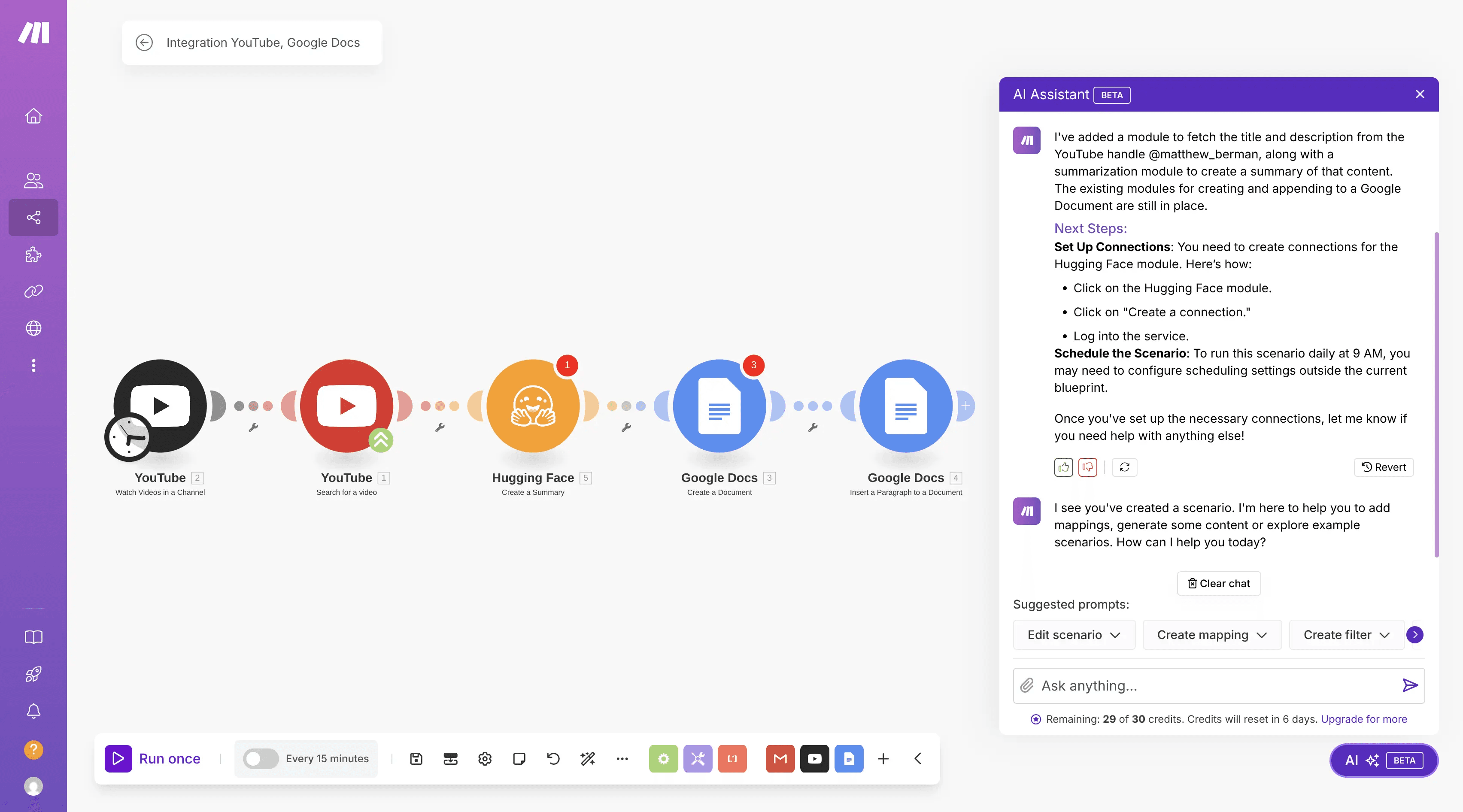
Make, formerly Integromat and now part of Celonis, is the alternative most teams reach for when Workato's quote arrives, and the use case is narrower than the price. It is a visual builder across more than 3,000 apps, hosted, with nothing to run, and it publishes its prices. The free plan covers 1,000 operations a month, and paid plans start with Core at around $9 a month billed annually for 10,000 operations. Where Workato sells a platform, Make sells a tool you can buy with a credit card today.
On AI, it has kept pace. Make AI Agents respond to changing conditions rather than follow a fixed path. A Maia assistant builds scenarios from a description, and Make supports MCP plus native connections to OpenAI, Anthropic, and Google.
It will not match Workato's enterprise governance or its on-premises connectivity, so a regulated enterprise with hundreds of integrations is still Workato's territory. For a department or a mid-market team automating real work across cloud apps, Make does most of the same job for a fraction of the spend, with pricing you can read.
Pros
Transparent, published pricing, roughly three to five times cheaper than legacy iPaaS on the operations model
More than 3,000 apps and a free tier of 1,000 operations a month
Real AI features: Make AI Agents, the Maia assistant, and MCP support
Cons
Lighter governance and compliance than Workato, and no enterprise-grade on-premises story
Operation counting is hard to forecast as scenarios grow, and AI modules use more operations
Cloud only, with forums and email for support
Related: Make.com alternatives for AI automation
Watch
3. Workato vs n8n: open source and self-hosted, with deep AI nodes
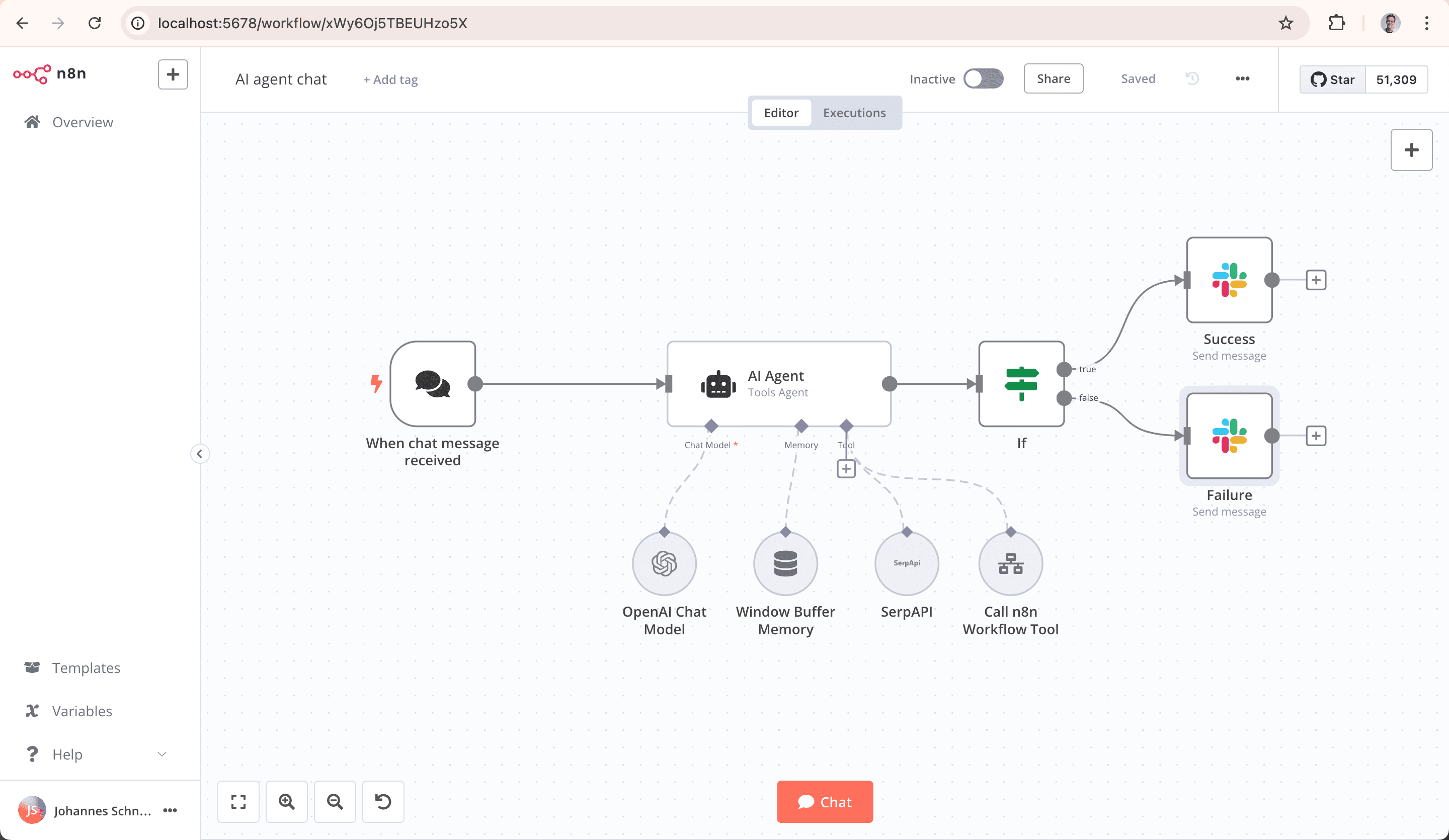
n8n is the alternative for teams with technical people who want control over both costs and data. The Community Edition is free code and free to self-host with unlimited executions, so the price of automation is the price of a server. That alone undercuts Workato sharply for teams willing to run their own infrastructure. n8n also bills cloud usage by the execution rather than the step, so a complex workflow counts once, not once per action.
For AI, it is strong: native AI Agent nodes built on LangChain, MCP support, vector store nodes, and real JavaScript and Python when you need them.
Pricing
Cloud plans start at $24/month for Starter and $60/month for Pro, with a 14-day trial and no free cloud tier. What you give up against Workato is the managed enterprise wrapper. You run, patch, and scale n8n yourself on the cheap self-hosted path, and its governance, while improving, is lighter than Workato's. For an engineering-led team that wants AI automation it controls, on its own servers, n8n is the obvious move.
Pros
Open source and free to self-host with unlimited executions, so data and cost stay in your hands
Deep AI building blocks: AI Agent and LangChain nodes, MCP, vector stores, plus JavaScript and Python
Execution based pricing that does not punish multi-step workflows
Cons
Fair code license restricts reselling it or offering it as a hosted service
Self-hosting means you run, patch, and scale it, and governance is lighter than Workato's
No free cloud tier past the 14-day trial
Related: n8n alternatives in 2026
Watch
4. Workato vs Zapier: more apps and simpler setup
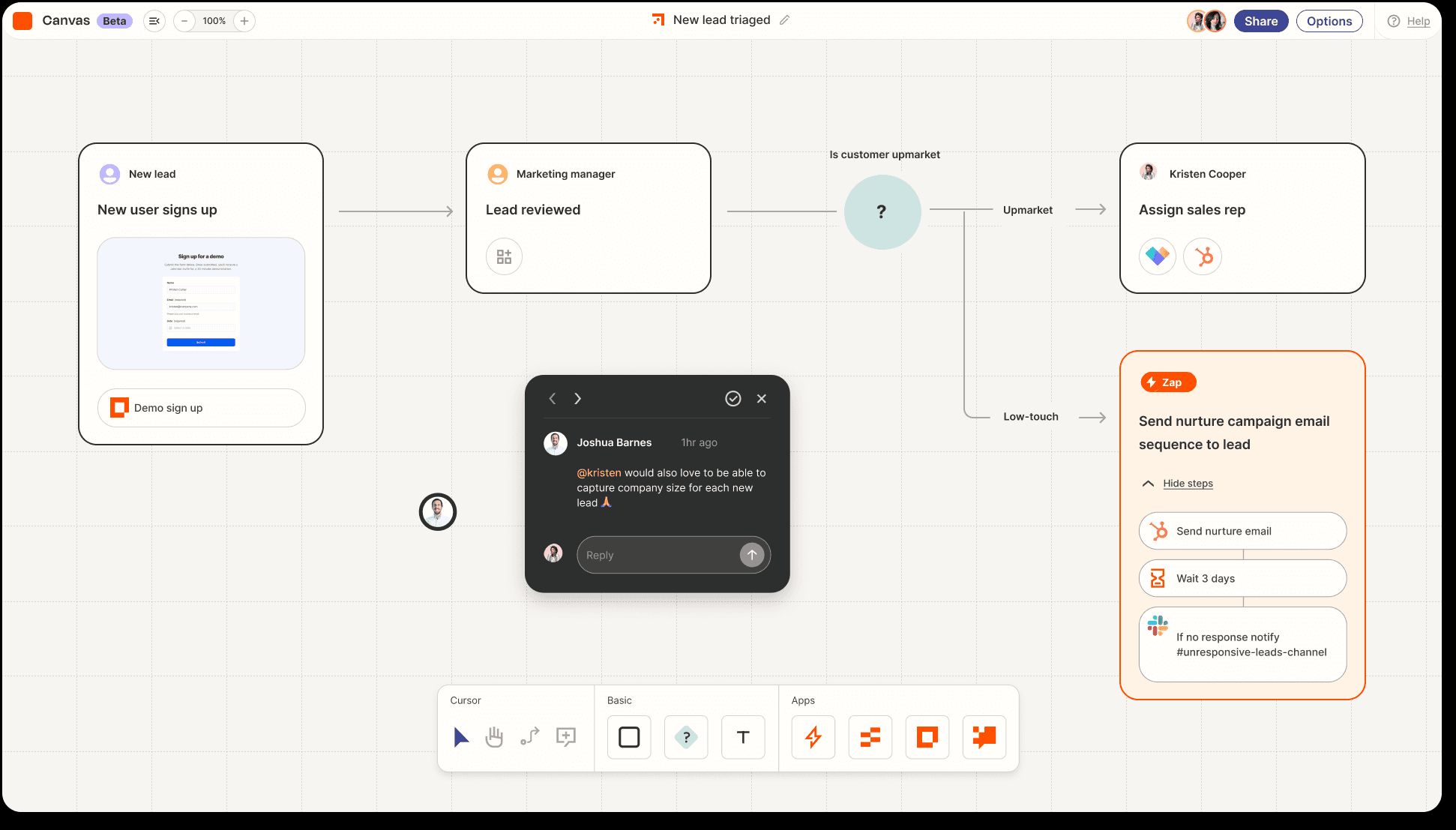
If Workato feels like enterprise machinery for a job that is really a handful of app-to-app automations, Zapier sits at the opposite end of the spectrum. It connects more than 8,000 apps, more than anything else here, and a non-technical person can ship a working automation in minutes. Its pricing is public: a free plan with 100 tasks per month, and Professional from $19.99 per month, billed annually, for 750 tasks.
The model is per task, where each task is a single action that runs, so high-volume workflows get expensive in a different way than Workato's task allowances do.
On AI, Copilot drafts Zaps from a prompt; Zapier Agents run on a separate plan; and Zapier MCP exposes the catalogue to AI clients like Claude and ChatGPT, though each MCP tool call costs 2 tasks. Zapier will not orchestrate complex enterprise processes the way Workato does, and it has far lighter governance. For breadth of integrations and speed of setup at a transparent price, it is the simplest way off Workato for lighter needs.
Pros
The widest app coverage at more than 8,000, with transparent, published pricing
The fastest setup for non-technical users, plus Copilot, Agents, and MCP support
A free tier to test and a very large template library
Cons
Per task pricing climbs fast, and each MCP tool call costs two tasks
Far lighter governance and orchestration than Workato
No self-hosting
Related: Best Zapier Alternatives in 2026: Free, OSS, and AI-native
Watch
5. Workato vs Tray.ai: a modern, AI native enterprise iPaaS
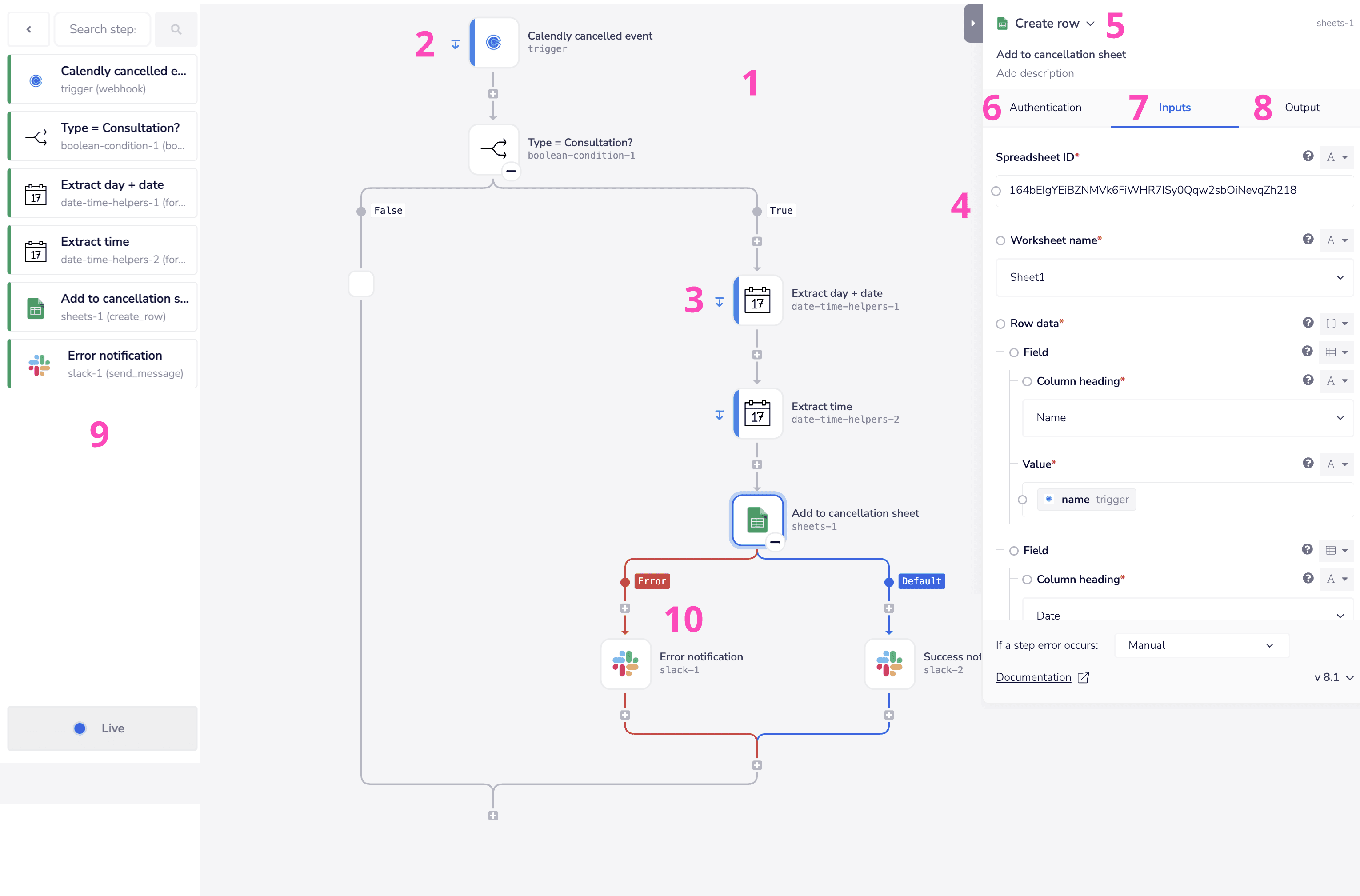
Tray.ai, formerly Tray.io, is the closest like-for-like if you still need an enterprise iPaaS but want something more modern and AI native than Workato. It connects more than 700 apps, offers a low-code visual builder alongside a code-first headless mode that plugs into AI IDEs like Claude Code and Codex, and was built around AI rather than retrofitted.
Its Merlin Agent Builder creates no-code AI agents that reason and act, and its Agent Gateway turns workflows and connectors into governed MCP tools, with a composite tools feature that bundles a multi-step workflow into a single MCP call to cut token use.
Pricing
Pricing, like Workato's, is sales-led and custom, built from a base plan, Pro, Team, or Enterprise, plus usage, plus add-ons, and the Merlin Agent Builder is purchased separately. It is not free of the quote cycle, and reviewers note it can get expensive and has a learning curve. What it offers over Workato is a more AI-forward platform, often at a lower cost, with a strong agent and MCP story. For an enterprise that wants governed AI automation and is open to a Workato competitor, Tray.ai is the strongest peer here.
Pros
AI native enterprise iPaaS with Merlin agents, an MCP Agent Gateway, and a headless mode for AI IDEs
More than 700 connectors with enterprise governance, RBAC, and audit trails
Often more affordable and more modern than Workato, with a free trial
Cons
Sales-led, custom pricing with no public rates, and the agent builder costs extra
Gets expensive as task volume grows, and has a learning curve
Smaller connector library than Workato
Watch
6. Workato vs Boomi: established enterprise iPaaS with strong agentic AI
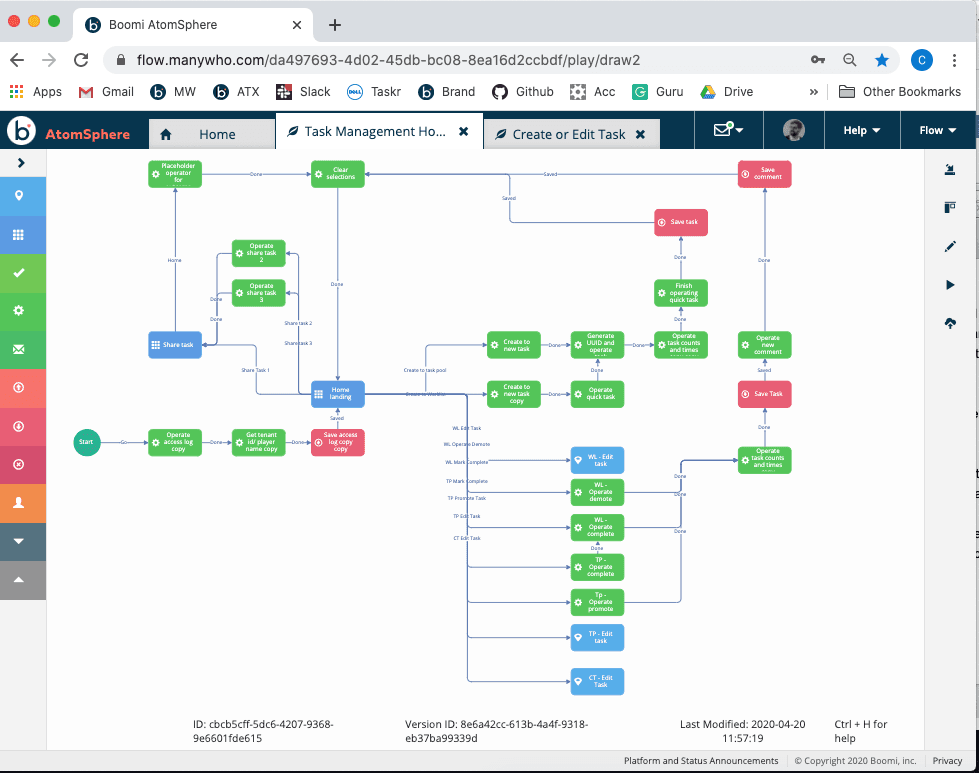
Boomi is the veteran enterprise iPaaS that has gone all in on agentic AI, making it a natural Workato alternative for teams that want established governance without Workato's opaque entry point. It connects more than 1,000 enterprise apps, runs across cloud, on-premises, and behind-the-firewall environments, and carries stringent compliance credentials, including FedRAMP, HIPAA, and ISO 27001. Gartner named it a Pioneer for no-code agent builders in June 2026 and a long-standing Leader for iPaaS.
Its AI story is deep. Boomi AgentStudio builds, governs, and orchestrates AI agents with a no-code designer, an Agent Control Tower for monitoring and a kill switch, and MCP support through an Agent Step. Boomi Connect gives agents from Claude, Gemini, Copilot, and ChatGPT governed access to more than 1,000 apps, and Boomi runs an MCP Registry tied to the official one.
Pricing
For anyone leaving Workato over cost, the on-ramp matters: Boomi has a transparent pay-as-you-go entry at $99 a month plus $0.05 per message, alongside custom enterprise contracts that market data puts between $50,000 and $190,000 a year. For a regulated enterprise that wants agentic automation with governance and a clearer starting price, Boomi is a strong pick.
Pros
Mature enterprise iPaaS with deep governance, on-premises runtime, and FedRAMP and HIPAA compliance
Strong agentic AI: AgentStudio, Agent Control Tower, Boomi Connect, and MCP support
A transparent $99 a month entry alongside enterprise contracts
Cons
Enterprise contracts still run high and require sales engagement
Per connection and per message costs add up at scale
More platform than a small team needs
Related: Best Boomi Alternatives
Watch
7. Workato vs Pipedream: developer iPaaS with a mature MCP server
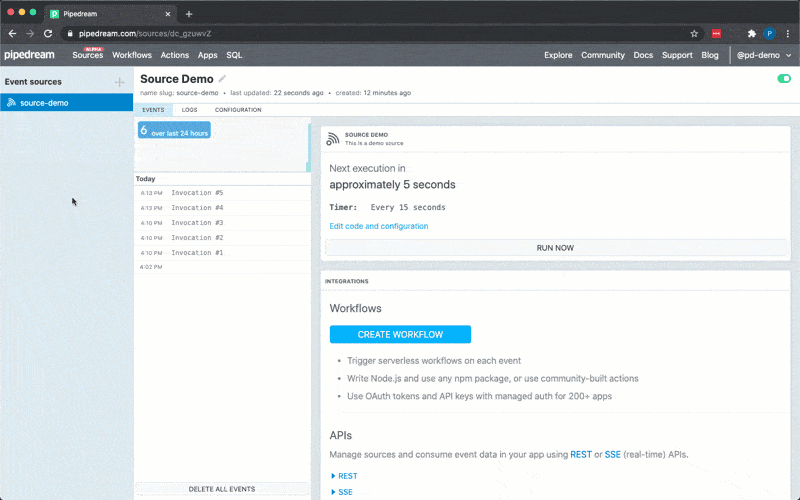
Pipedream is the alternative for engineering-led teams looking to replace Workato with code and pay only for what they run. Every workflow is a trigger plus an ordered set of steps; any step can be a Node.js, Python, Go, or Bash snippet, next to roughly 3,000 connectors, and it bills by compute rather than per task. One credit covers 30 seconds of compute, so a twenty-step workflow that finishes quickly costs the same as a two-step one, which is a very different economics from Workato's task allowances.
Pricing
Pricing is public and cheap to start: a free tier of 100 credits a day with three active workflows, then Basic around $29 a month and Advanced around $79. For agents, Pipedream runs one of the most mature hosted MCP servers in production, exposing more than 10,000 tools across 3,000 apps, with managed authentication, and is free for personal use.
There is no self-hosting, so data-residency-sensitive workloads still belong on n8n or an enterprise iPaaS, and it offers nothing like Workato's enterprise governance suite. For developers who found Workato slow and expensive, Pipedream is fast and transparent.
Pros
Code-first with about 3,000 connectors and code steps in four languages
Compute-based pricing in credits rather than per task, with a generous free tier
One of the most mature hosted MCP servers, exposing more than 10,000 tools
Cons
No self-hosting, so data residency-sensitive workloads need another tool
Lighter governance and compliance than an enterprise iPaaS
More developer-oriented than the no-code builders
Watch
8. Workato vs Gumloop: AI native automation for non-developers
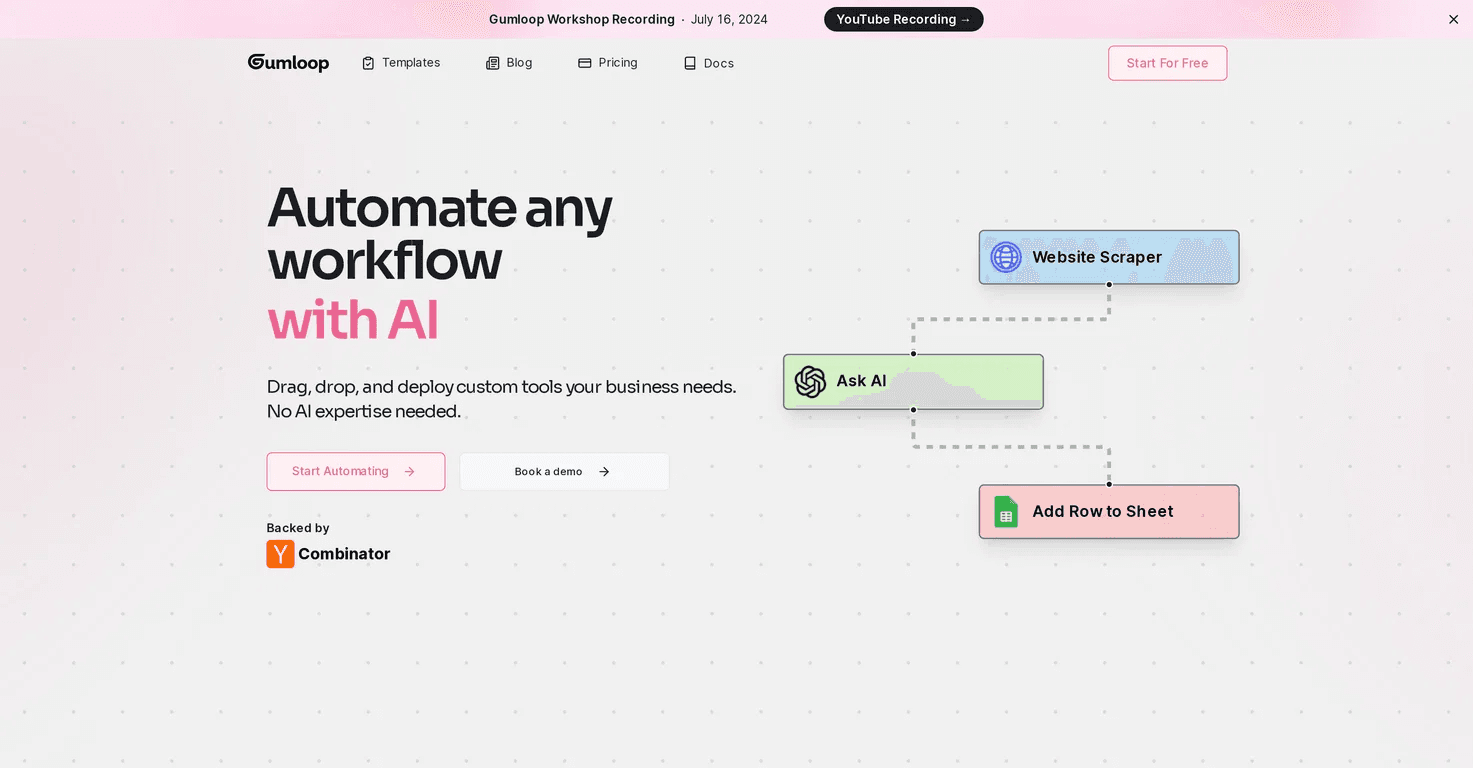
Gumloop inverts the iPaaS model. Workato is integration-first, with AI added on top. Gumloop is built around models, and the connectors exist to feed them. You drag nodes onto a canvas to build agents and workflows, plug OpenAI, Anthropic, or Google models into any node, and a meta-agent, called Gummie, writes a flow from a plain description. The catalogue is smaller, around 130 native integrations with an HTTP node and MCP for the rest, and it carries SOC 2.
Pricing
Pricing is public and credit-based, with a free tier and a Solo plan starting at $37 per month for 10,000 credits. It will not orchestrate enterprise integrations the way Workato does, and credit spend is hard to forecast on AI-heavy nodes.
But for an operations or growth team whose automation is mostly reasoning over messy inputs, research, enrichment, and content, Gumloop does the AI part more naturally than a traditional iPaaS, and it is backed by Y Combinator and a $50 million Series B led by Benchmark, with customers including Shopify, Instacart, and Webflow.
Pros
AI native canvas where models sit at the centre, with Gummie building flows from a description
Strong for research, enrichment, and content work that needs real reasoning, with SOC 2
Transparent, credit-based pricing with a free tier
Cons
Smaller catalogue at about 130 native integrations, and not an enterprise integration engine
Credit-based spend is hard to forecast on AI-heavy nodes
Overkill for a simple trigger-then-action automation
Watch
Other iPaaS and Embedded Options
If you need a traditional enterprise iPaaS and the two above do not fit,
Celigo is a strong mid-market choice, especially for NetSuite and e-commerce, and it bills based on connected apps and flows rather than task volume, with no overage fees, making budgets more predictable.
MuleSoft, part of Salesforce, is the heavyweight for API-led integration and the most expensive in the group.
SnapLogic and Jitterbit round out the enterprise field, both with their own AI-assisted features.
For teams that came to Workato specifically for Workato Embedded, the white label option that lets a SaaS product offer integrations to its own customers, the alternatives are
Paragon,
Prismatic,
Cyclr,
Tray Embedded, while Composio Connect covers the same need when the integrations are powering an AI agent inside your product.
Decision tree: How to pick which Workato alternative
Your main reason for leaving Workato | Narrow it down | Start with |
|---|---|---|
The cost and the opaque quotes | You want the cheapest capable visual tool | Make (transparent operations pricing) or Zapier (most apps, easiest) |
The cost and the opaque quotes | You have technical people and want control | n8n (open source, self-host) or Pipedream (developer, pay for compute) |
You still need an enterprise iPaaS | You want the most AI native option | Tray.ai (Merlin agents, MCP gateway) |
You still need an enterprise iPaaS | You want established governance with a transparent entry price | Boomi (AgentStudio, $99 a month to start) |
Your work is AI first | You want a no-code AI canvas | Gumloop (AI native automation) |
Your work is AI first | You are building the agent in code or through MCP | Composio (agent tool layer) |
If the issue is cost and opaque quotes, and your needs are narrower than the platform, Make and Zapier offer transparent, published pricing and most of the capabilities for lighter use, while n8n and Pipedream give technical teams control for very little money.
If you still need an enterprise iPaaS but want something better than Workato, Tray.ai is the most AI native peer, and Boomi pairs deep governance with a transparent entry price.
If your work is really AI-first, Gumloop handles reasoning-heavy automation without code, and Composio is the layer to reach for when you are building the agent itself rather than a recipe.
Frequently asked questions
What is the best Workato alternative?
There is no single best one, because they solve different problems. Make and Zapier are the easiest, cheapest, and most transparent for lighter automation; n8n and Pipedream suit technical teams that want control; Tray.ai and Boomi are the enterprise iPaaS peers, and Composio is the best fit when you are building AI agents in code rather than recipes.
What is a cheaper alternative to Workato?
Almost all of them, since Workato's quotes typically start at around $10,000 per year. Make starts at about $9 a month, Zapier at $19.99, Pipedream at about $29, and Gumloop at $37, all with published prices and free tiers; self-hosting n8n requires only a server. Boomi has a transparent $99/month entry point if you need an enterprise iPaaS.
Is there an open source Workato alternative?
n8n is the closest, with a fair Community Edition you can self-host for free, with unlimited executions and deep AI nodes. For a fully permissive license, Activepieces is MIT, and Windmill is AGPLv3, both self-hostable, though they are more often compared with n8n than with Workato.
What is the best enterprise alternative to Workato?
Tray.ai and Boomi are the strongest enterprise iPaaS peers. Tray.ai is the more AI-native, with Merlin agents and an MCP gateway, while Boomi pairs mature governance, on-premises runtime, and heavy compliance with a transparent $ 99-a-month entry point. MuleSoft is the heavyweight for API led integration but the most expensive.
Who are the best Workato Embedded alternatives?
If you came to Workato to embed integrations inside your own SaaS product, the main alternatives are Paragon, Prismatic, Cyclr, and Tray Embedded. Composio Connect addresses the same need when embedded integrations power an AI agent in your product.
What is the best Workato alternative for AI agents and MCP?
For building agents in code, Composio provides them with authenticated access to more than 1,000 apps via SDKs and a managed MCP gateway. Among the platforms, Tray.ai and Boomi have the strongest enterprise agent and MCP stories, Pipedream runs a mature hosted MCP server with more than 10,000 tools, and n8n and Make both support MCP with native AI agents.

 Get started



