




n8n is one of the most popular ways to build AI workflow automation that you can run yourself. It pairs a visual node editor with JavaScript and Python, ships native AI Agent nodes built on LangChain, supports the Model Context Protocol, and bills cloud usage by the execution rather than the step.
In October 2025, it raised $180 million in Series C at a $2.5 billion valuation, and it reported more than 230,000 active users.
So why do so many people still search for an n8n alternative?
Three reasons recur, and the keyword data makes them clear: the top related searches are “open source”, “free”, and “self-hosted”. n8n is fair code, not open source as the Open Source Initiative defines it.
You can run the Community Edition at no cost for internal use, but you cannot resell it or bundle it into your own product without a commercial license. Its cloud has no free tier past a 14-day trial. And the self-hosted route, the cheap one, means you run, patch, and scale your own server.
The eight tools below address those gaps, grouped the way people actually shortlist: genuinely open-source platforms you self-host, easier hosted builders, AI-native tools, and the agent layer you reach for when you are writing the agent in code. I checked every price in June 2026, and automated pricing often shifts, so confirm the current rate on each vendor’s page before you commit.
n8n Pricing Ceiling for AI work
n8n’s pricing is genuinely fair for many teams, and that is the appeal. One full workflow run counts as a single execution, whether it has three steps or fifty, so complex automations are not penalised the way Zapier’s per-task model does.
Self-hosting the Community Edition gives you unlimited executions for the price of a server. The problem, however, is everything around that. The free tier is self-host only. n8n Cloud offers a 14-day trial, then starts at $24/month for Starter (2,500 executions), $60/month for Pro (10,000 executions), and $800/month for Business (40,000 executions with SSO), per the n8n pricing page. There is no free cloud plan.
The license is the other sticking point and the reason “open source n8n alternative” is one of the most-searched phrases in this category.
n8n uses the Sustainable Use License, which it calls fair code. That permits internal use and self-hosting, but it restricts reselling n8n or offering it as a hosted service to your own customers. Teams that want an actual open-source license, MIT or Apache or AGPL, with no commercial ceiling, end up looking at Activepieces, Windmill, and Flowise below. Add the learning curve of a node editor that expects some comfort with data structures and code, and the pull of a simpler or more open tool becomes clear. n8n is excellent. It is just not the right shape for everyone.
How I evaluated these tools
My goal was simple. I wanted to work out which tool fits which situation when you are moving off n8n for AI work, so n8n stays the baseline in every comparison, and each alternative is measured against what n8n already does well: self-hosting, execution-based pricing, and deep AI nodes.
For each tool, I checked the same six things:
The license and hosting model, since the most common reason people look for an n8n alternative is a desire for a truly open-source license that n8n’s fair code does not provide.
The pricing model and what it actually costs, because execution, operation, task, credit, and tool call meters reward very different workloads. I translated each into a plain example where it helped.
The AI and MCP support, including native AI agents, Model Context Protocol coverage, vector stores, and the models the tool can reach.
The integration catalogue and how it stacks up against n8n’s, including whether connectors come prebuilt or get written as code.
Who the tool is really for, from non-technical business users to engineers who want to write real code.
How cleanly it stands in for n8n on an actual job, rather than how it reads on a feature list.
Top n8n alternatives compared at a glance
Tool | License and hosting | Pricing model | Free or self-host | AI and MCP | Best for |
|---|---|---|---|---|---|
n8n | Fair code, self-host or cloud | Per execution | Free self-host, no free cloud | AI Agent and LangChain nodes, MCP, vector stores | Technical teams that want AI workflows they run |
Composio | Proprietary, cloud, VPC, Self-hosting | Per tool call | Free 20,000 calls a month | Agent infrastructure, managed auth, MCP gateway | Automating tasks from Claude, Codex, OpenClaw, etc. |
Activepieces | Open source MIT, self-host or cloud | Per active flow | Free self-host, 10 free cloud flows | AI agents on all plans; every piece is an MCP server | The open-source n8n alternative for most teams |
Oasis | Cloud, VPC, and On-prem | Per seats | Free, enterprise self-hostable | First-class agent support | Automating tasks with agents from a workspace |
Windmill | Open-source AGPLv3, self-host or cloud | Per execution | Free self-host, free cloud tier | AI Agent steps, MCP server and client, Windmill AI | Engineers who want true open source and real code |
Flowise | Open source Apache 2.0, self-host or cloud | Per prediction on cloud | Free self-host, free cloud tier | Agents, RAG, multi-agent, MCP, LangChain | AI agents and document retrieval, not generic flows |
Make | Proprietary, cloud only | Per operation | Free 1,000 ops a month | Make AI Agents, Maia, MCP | Easier hosted automation without a server |
Zapier | Proprietary, cloud-only | Per task | Free 100 tasks a month | Copilot, Agents, MCP (2 tasks per call) | The most apps and the fastest setup |
Pipedream | Proprietary, cloud only | Per compute credit | Free 100 credits a day | Mature hosted MCP, code in four languages | Developers who want code without self-hosting |
Gumloop | Proprietary, cloud only | Per credit | Free tier | AI native nodes, Gummie, MCP | Ops and growth teams on AI-heavy work |
1. Composio: the tool layer when you are building the agent yourself
The other tools on the list assume you want a builder, whether visual or code-first.
Composio answers a different question. You are building an AI agent or wiring one up through MCP with existing harnesses such as Claude Code, Codex, OpenClaw, etc.
n8n’s canvas is the wrong abstraction here because your agent decides at runtime which tool to call rather than following a fixed flow. Composio is an integration platform made for exactly that. It gives an agent authenticated access to more than 1,000 apps with managed authentication, so you never hand-roll an OAuth refresh again.
It ships Python and TypeScript SDKs, a CLI, a managed MCP gateway, and a tool router that scopes the right tools to each task so the model’s context stays small, and it works with LangChain, CrewAI, the OpenAI Agents SDK, the Vercel AI SDK, and Anthropic, with SOC 2 Type II.
Pricing is based on tool calls rather than executions or seats: the free tier covers 20,000 tool calls per month, the $29-a-month plan covers 200,000 (then $0.299 per 1,000 more); the $229 plan covers 2,000,000, and Enterprise adds VPC or on-premises deployment.
Teams often prototype agents on n8n, Make, or Zapier, only to find those tools aren't built for production agents. If your AI automation really means working with Claude Code, Codex, or any AI agent, this is not the layer the builders above are trying to be.
Pros
Built for AI agents: authenticated access to more than 1,500 apps with managed auth
SDKs, a CLI, a managed MCP gateway, and a tool router that keeps the model context small
Tool call pricing with a free tier of 20,000 calls a month, and a VPC or on-premises option
Cons
Not a visual builder, so it suits developers building agents in code or through MCP
Not a drop-in replacement for a no-code automation tool
You still design and run the agent yourself
Watch
2. Activepieces: the open-source pick people choose first
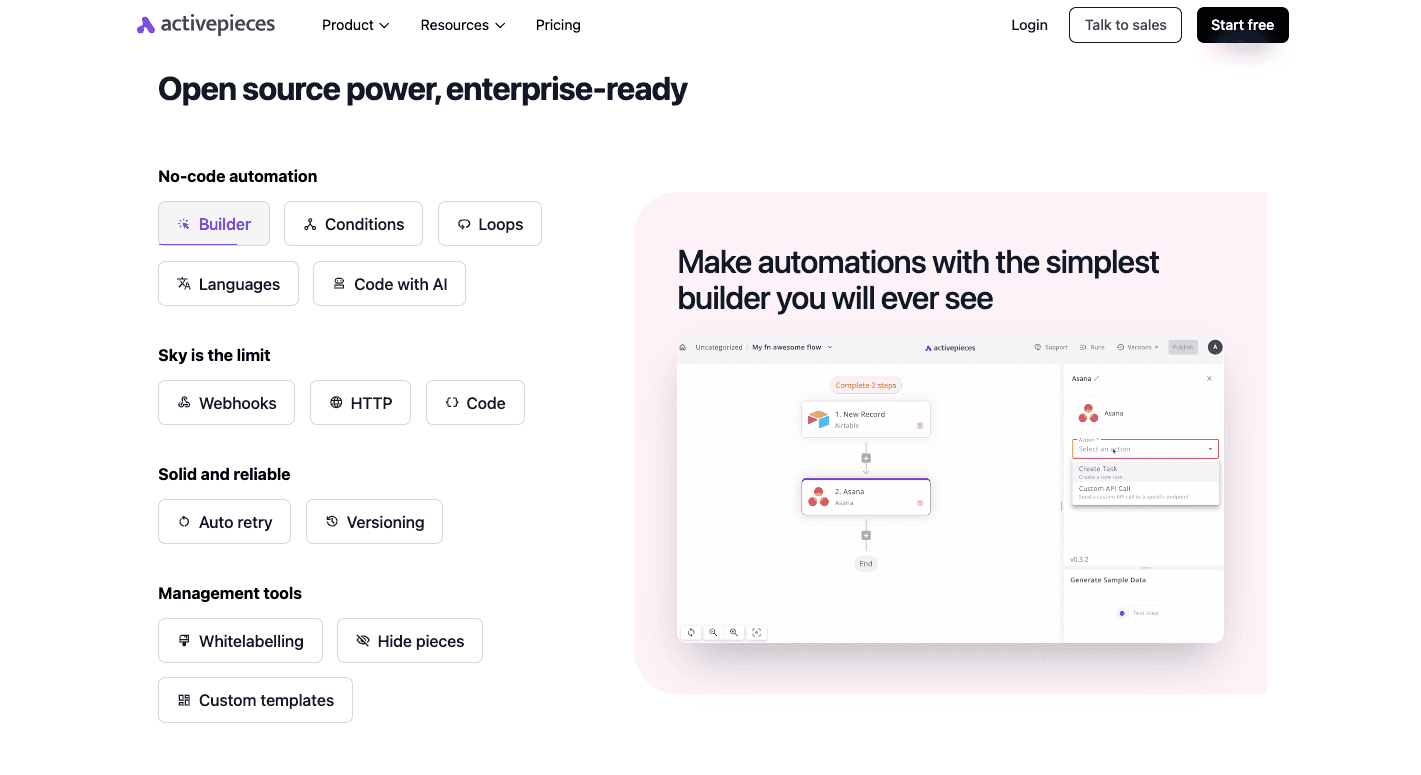
Activepieces is the tool that comes up most often when someone asks for an open-source n8n alternative by name. The Community Edition is MIT-licensed, so you can self-host it for free with unlimited flows and runs, with no per-task fee.
While n8n leans technical, Activepieces offers a cleaner drag-and-drop builder that non-technical users pick up faster, and it has surpassed 20,000 stars on GitHub with more than 270 contributors.
Its strongest pull for AI work is MCP coverage. Every one of its 400-plus integrations, which it calls pieces and writes as TypeScript packages, is also exposed as an MCP server, so Claude, Cursor, or ChatGPT can call them as tools without custom wiring. AI agents run on every plan, including the free one, and the builder adds an AI Copilot that drafts flows from a plain description, plus human-in-the-loop steps that pause a flow for approval.
On the cloud, the Standard plan is free for 10 active flows with unlimited runs, AI agents, and unlimited MCP servers, then $5 per active flow each month. A flow that runs 10,000 times costs the same as one that runs once, since there is no per execution charge. Enterprise features like SSO and audit logs are custom-priced, and an embed option to put the builder inside your own product starts at $30,000 per year. Activepieces holds SOC 2 Type II and offers EU or US data hosting. The two are close on integration coverage, and n8n’s individual nodes often go deeper, but Activepieces wins on licensing and on MCP, being native to every piece.
Pros
MIT open source, free to self-host with unlimited flows and runs, with a genuinely open license unlike n8n Fair Code
Every integration is also an MCP server, and AI agents run on all plans, including the free one
Predictable pricing at $5 per active flow with 10 free flows, and no per-run charge
Cons
Integration coverage is close to n8n, but individual n8n nodes often go deeper
Cloud execution is slower than n8n because flows run in sandboxed isolation
Documentation for building custom pieces can be thin
Watch
3. Oasis: A shared workspace for people and AI agents
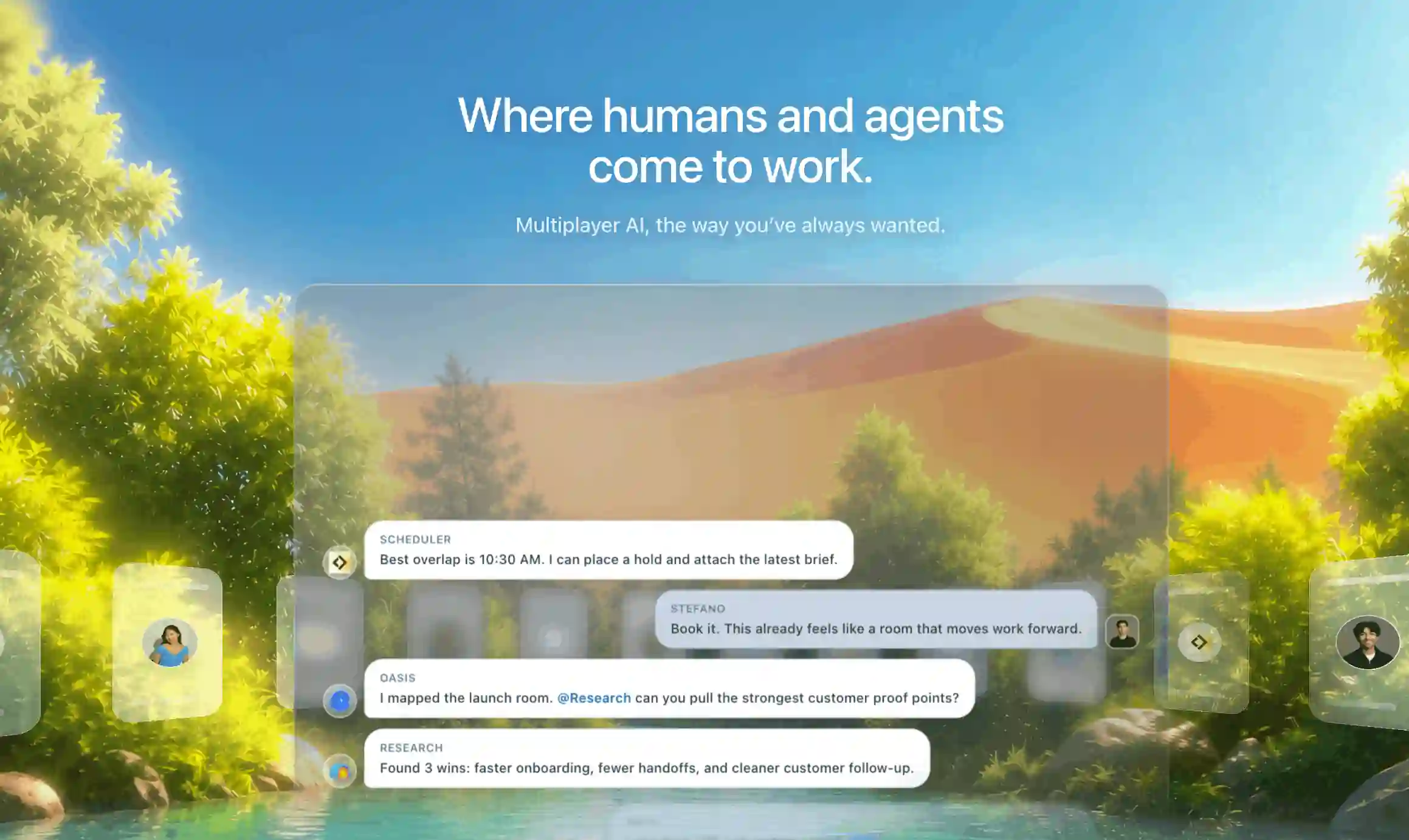
Oasis gives people and AI agents shared rooms where they can work together. The rooms work more like team chat than a workflow canvas.
You can add different agents, coding harnesses, and models. You can connect them to more than 900 tools and organise them into teams. In each room, people and agents can chat, share context, and use @mentions to assign work. An agent can complete a task, send work to another agent, or ask a person for help.
Oasis can also run this work automatically. You can create a schedule with a set of steps for a team of agents. The schedule can run at a fixed time or after an event. The same agents can work with you in a room and run repeatable tasks in the background.
The main difference is how each product organises work. n8n puts the workflow first and assigns each node a single job. Oasis puts the agents first. They can work with people, coordinate with other agents, use tools, and run scheduled workflows. Oasis is useful when you need automation and human-agent work in one system.
Pricing
Free $0 per month: Up to 3 seats, 10 integrations, 10 scheduled rooms per month, and open-source models.
Starter $19 per month: Up to 10 seats, 25 integrations, 20 scheduled rooms per month, all models, and pay-as-you-go usage.
Pro $199 per month: Up to 50 seats, 50 integrations, 50 scheduled rooms per month, plus policies, admin controls, exports, SSO, and audit tools.
Enterprise custom pricing: Unlimited seats, integrations, and scheduled rooms, with data residency, SSO, audit logs, and dedicated support.
See the current Oasis pricing page for the latest plan details.
Pros
People and multiple AI agents can work together in shared rooms.
You can use different agents, harnesses, and models with more than 900 tools.
You can run multi-agent workflows on a schedule or after an event.
Cons
Its agent-first structure is different from n8n’s node-based workflow canvas.
It focuses more on multi-agent work than general automation.
Teams that move from n8n must organise their work around agents rather than individual nodes.
3. Windmill: open source and code-first, built for speed
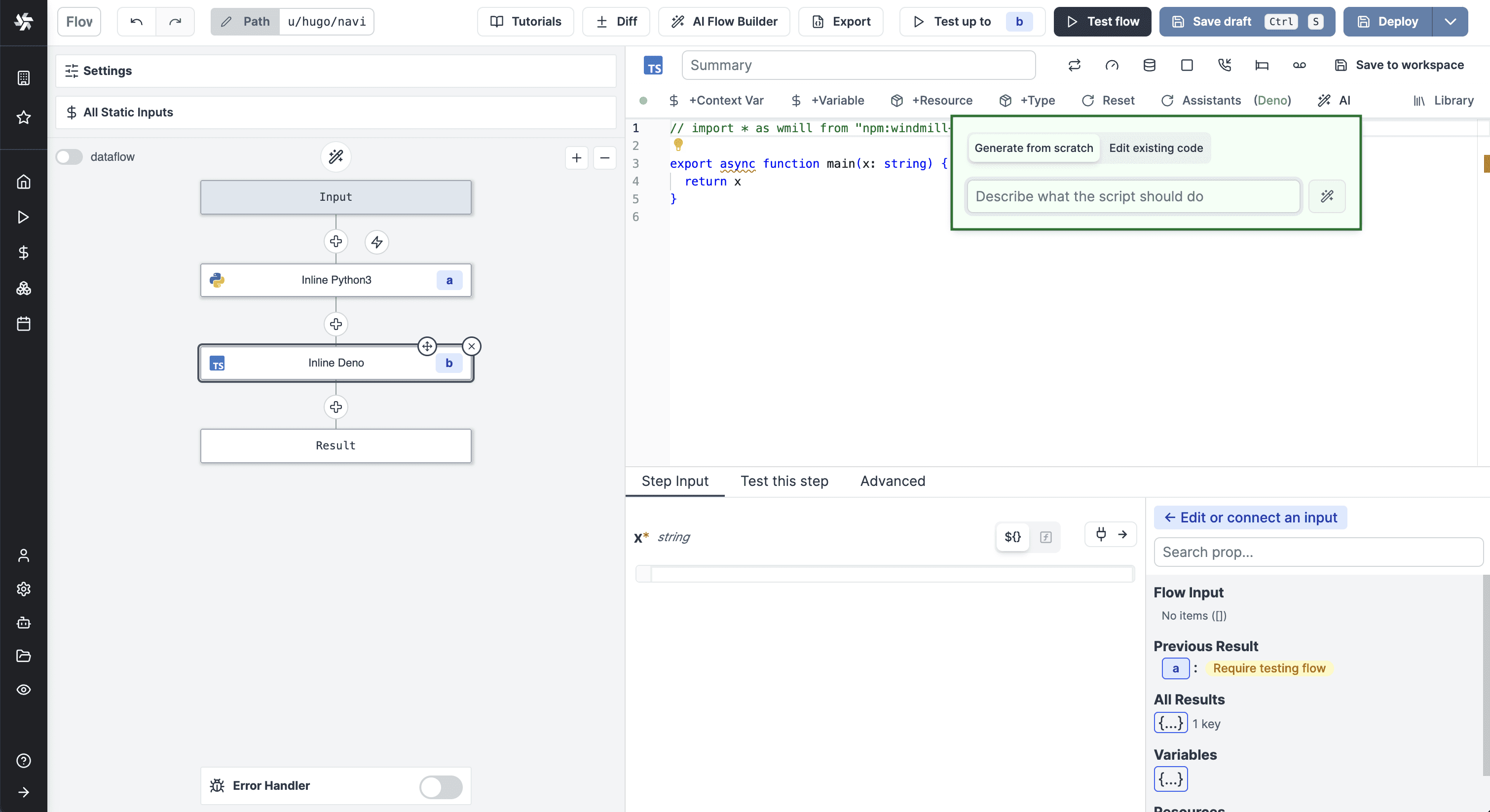
Windmill is the n8n alternative for engineers who want real code and a genuinely open license. The Community Edition is AGPLv3, free to self-host with unlimited executions, and the engine is written in Rust, which makes it one of the faster workflow runners around. You write steps in Python, TypeScript, Go, Bash, or SQL, and Windmill automatically turns each script’s parameters into a UI and an API. It bills the way n8n does, one execution per run regardless of steps, but self-hosting removes the cap entirely.
For AI, Windmill is further along than its profile suggests. It added AI Agent steps that work with OpenAI, Anthropic, Azure OpenAI, Google Gemini, Mistral, Groq, and more, and any Windmill script becomes a tool the agent can call, with its JSON schema doubling as the tool definition. Agents can also reach external MCP servers, and Windmill exposes its own scripts and flows over MCP. Windmill AI generates whole scripts and flows from a prompt.
Pricing on the cloud is $10 per user a month for the Team plan with unlimited executions, on top of a free tier, listed on Windmill’s pricing page. Self-hosting the open-source edition costs only for your server. The trade-off against n8n is the connector library: Windmill ships far fewer prebuilt integrations, so you connect to many services by writing a short script against their API rather than dropping in a node. For a team that codes, that is a feature, not a chore. The full source is on GitHub.
Pros
Truly open source under AGPLv3, free to self-host with unlimited executions
Fast Rust engine, with real code in Python, TypeScript, Go, Bash, or SQL and auto-generated UIs and APIs
Strong AI: AI Agent steps, an MCP server and client, and Windmill AI to generate scripts and flows
Cons
Far fewer prebuilt connectors than n8n, so you write scripts for many APIs
Developer first, so non-coders face a steeper start
AGPL carries obligations if you distribute or embed it
Watch
4. Flowise: open source, built around AI agents and RAG
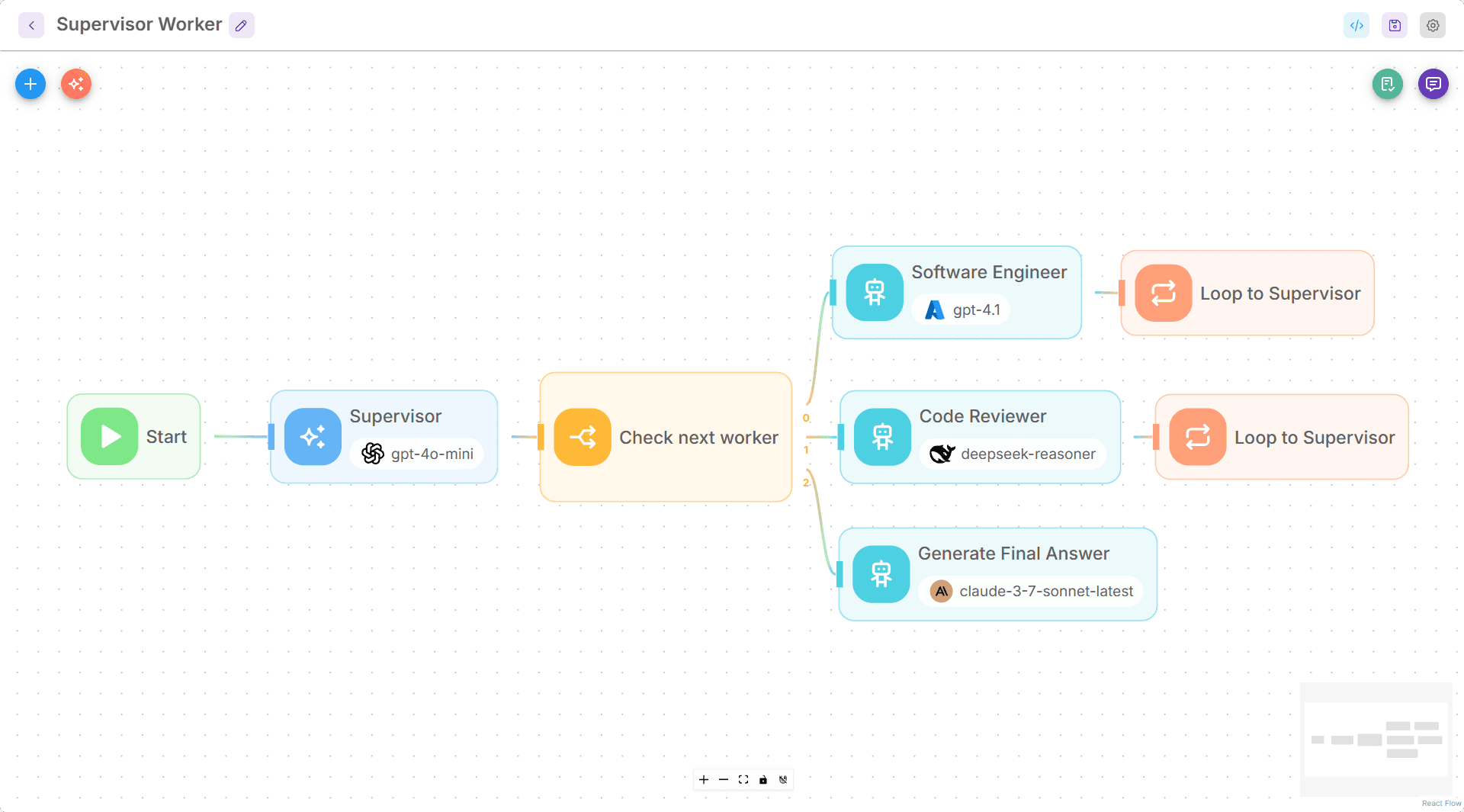
Activepieces and Windmill are general automation tools that also do AI. Flowise is built the opposite way. It is an open-source platform under the Apache 2.0 license, designed specifically for building AI agents and LLM applications on a visual canvas, with LangChain underneath. If your version of AI automation is a retrieval agent over your own documents, a support chatbot, or a multi-agent system, Flowise is purpose built for it in a way a generic workflow tool is not.
It offers three ways to build: an Assistant for simple agents with tool use and document retrieval; a Chatflow for single-agent flows and chatbots; and an Agentflow for multi-agent systems and more complex orchestration. It connects to more than 100 models, embeddings, and vector databases, supports retrieval-augmented generation with rerankers and graph retrieval, adds human-in-the-loop review, and ships both TypeScript and Python SDKs, plus an embeddable chat widget. It also documents MCP support, so a flow can pull in tools from external MCP servers.
You can self-host the Community Edition for free with npm or Docker, which is how most people start. Managed cloud runs on a predictions model: a free tier covers 2 flows and 100 predictions a month; Starter is $35 a month for unlimited flows and 10,000 predictions; and Pro adds team seats and 50,000 predictions, listed on Flowise’s site. You pay your model provider for tokens and a vector database for production retrieval on top of the subscription, and the canvas gets busy once a flow has many branches. SSO is enterprise only.
Pros
Open source under Apache 2.0, built specifically for AI agents, RAG, and multi-agent systems
Connects to more than 100 models, embeddings, and vector databases, with TypeScript and Python SDKs and an embeddable widget
Free to self-host, with MCP support so flows can use external tools
Cons
Narrower than a general automation tool, since it targets AI apps rather than app-to-app workflows
You pay separately for model tokens and a vector database in production
The canvas gets cluttered on flows with many branches, and SSO is enterprise only
Watch
5. Make: easier hosted automation, cheaper than running a server
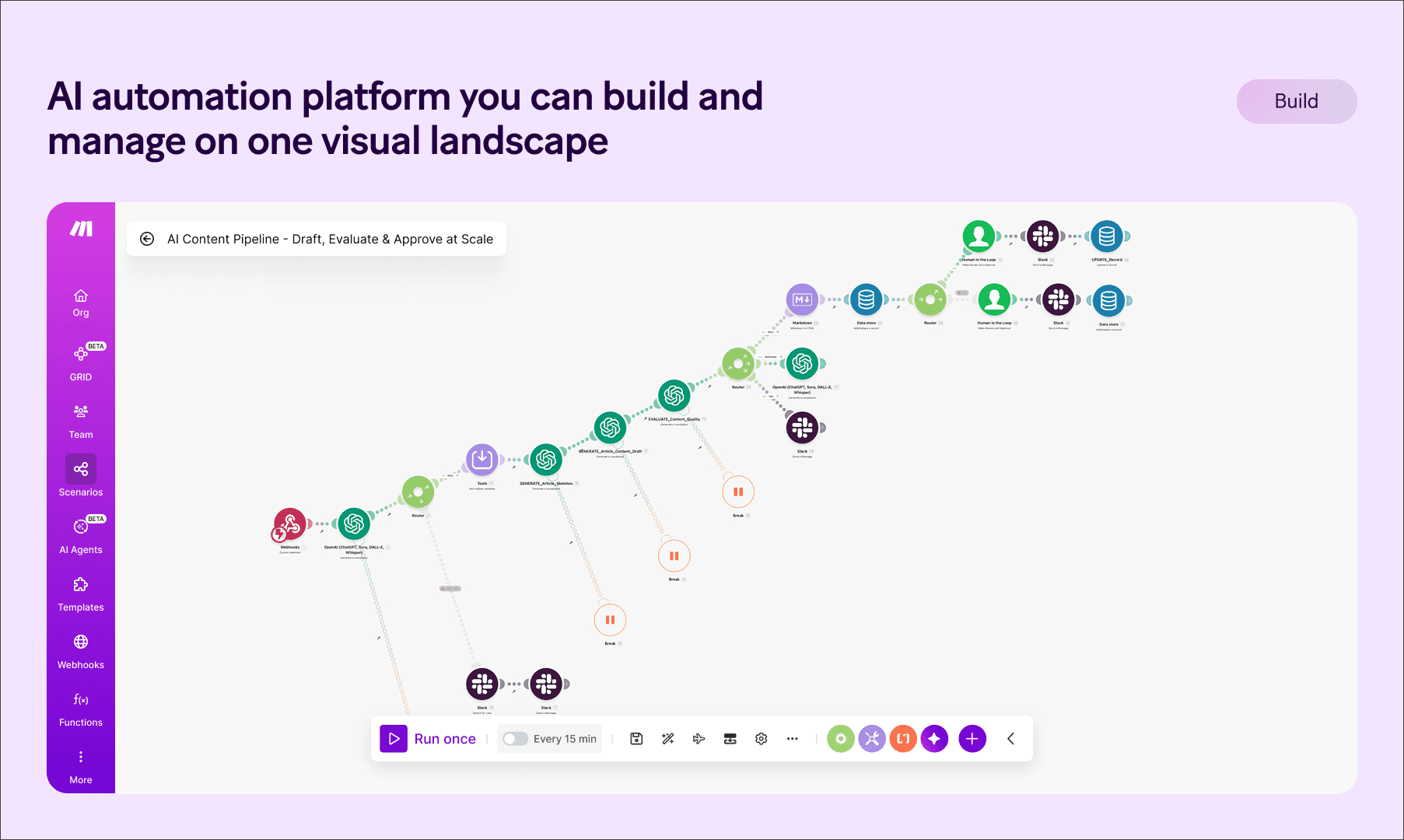
Make, formerly Integromat and now part of Celonis, is the n8n alternative for people who want a visual builder without having to own the infrastructure. You drag modules onto a canvas across 3,000-plus apps, and there is nothing to host, patch, or back up. For anyone who tried self-hosting n8n and decided they would rather not be a sysadmin, this is the trade.
Pricing runs on operations, where each module step in a scenario uses one operation, which is a different unit from n8n’s per execution model. The free plan gives 1,000 operations a month. Paid Make plans start with Core at around $9 a month, billed annually for 10,000 operations, with Pro and Teams above it. Make has built out AI properly.
Make AI agents that react to changing conditions, a Maia assistant that builds scenarios from a description, MCP support, and native connections to OpenAI, Anthropic, and Google. One catch heavy users report is that the built-in AI modules perform more operations than a plain step, so high-volume AI work is cheaper if you call your model through the HTTP module with your own key. Support is forums and email.
Pros
Visual builder with nothing to host, a good fit if you would rather not run an n8n server
More than 3,000 apps and a free tier of 1,000 operations a month
Real AI features: Make AI Agents, the Maia assistant, and MCP support
Cons
Operation counting is hard to forecast as scenarios grow, and AI modules burn more operations
Cloud only, so there is no self-hosting option
Complex scenarios with nested routers get harder to debug
Watch
6. Zapier: the most apps and the shortest setup
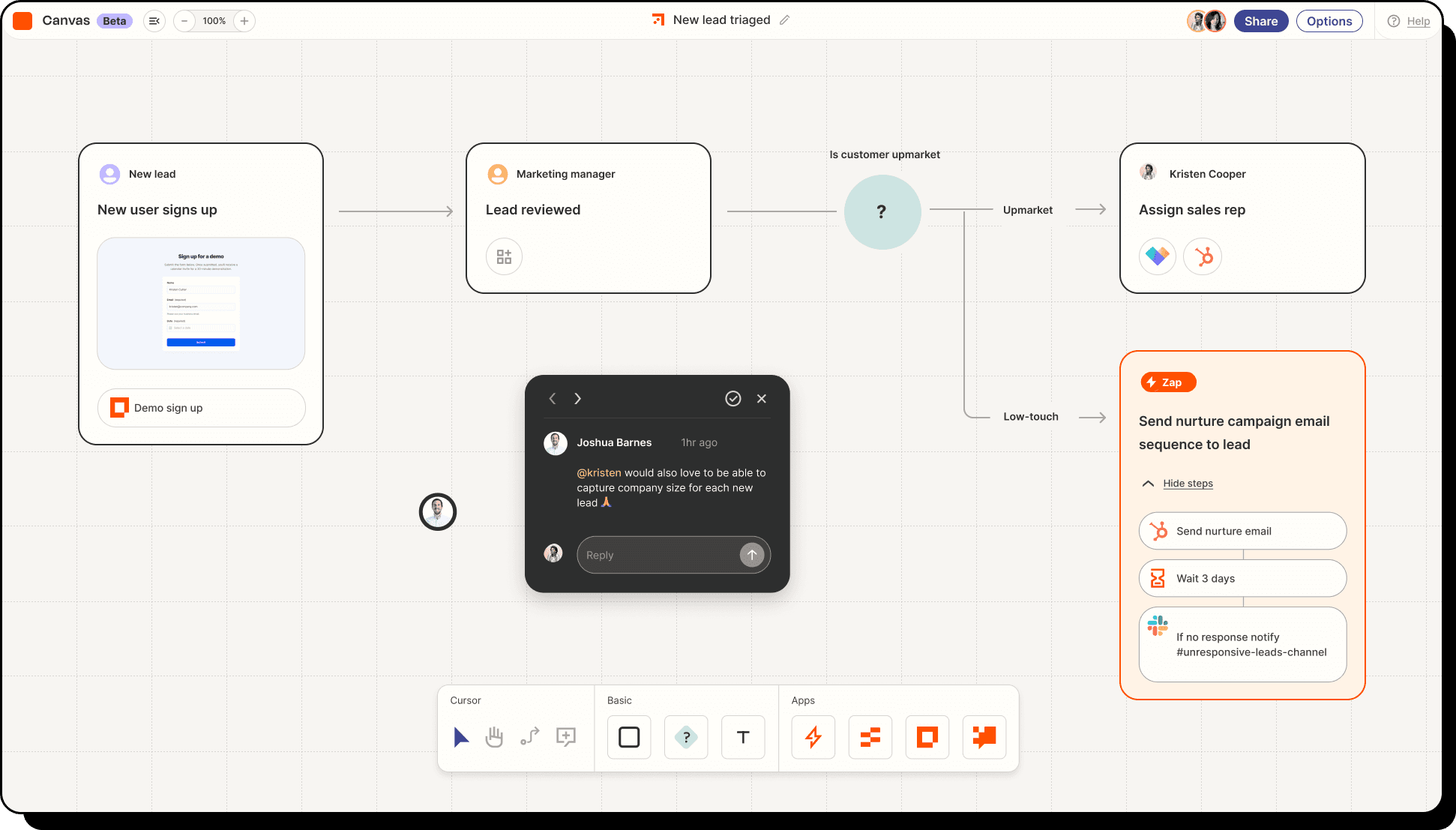
If the thing holding you back on n8n is integration coverage or setup time, Zapier sits at the opposite end of the spectrum. It connects more than 8,000 apps, more than any tool here, and a non-technical person can ship a working automation in minutes without thinking about servers or code. The cost of that reach is the pricing model.
Zapier charges per task, where one task is one action that runs, and a five-step Zap that fires 150 times a month spends 750 tasks. The free plan limits tasks to 100 per month and caps Zaps at 2 steps. Professional starts at $19.99 per month, billed annually, for 750 tasks, per Zapier’s pricing page.
On the AI side, Copilot drafts Zaps from a prompt, Zapier Agents run on a separate plan, and Zapier MCP exposes the catalogue to AI clients like Claude and ChatGPT, though each MCP tool call costs two tasks. Zapier is the easiest tool to start with and the one whose meter climbs fastest once an AI agent is doing real volume. For simple, high-value automations across a huge app catalogue, it earns its price.
Pros
The widest app coverage at more than 8,000, and the fastest setup for non technical users
Copilot drafts Zaps from a prompt, plus Zapier Agents and MCP support
A free tier to test, and a very large template library
Cons
Per task pricing climbs fast, and each MCP tool call costs two tasks
The free plan is limited to 100 tasks a month and two-step Zaps
No self-hosting, and it gets expensive at AI agent volume
Related: Zapier Alternatives in 2026
Watch
Automate everything with Zapier AI agents (beginner guide)
7. Pipedream: code-first automation with a mature MCP server
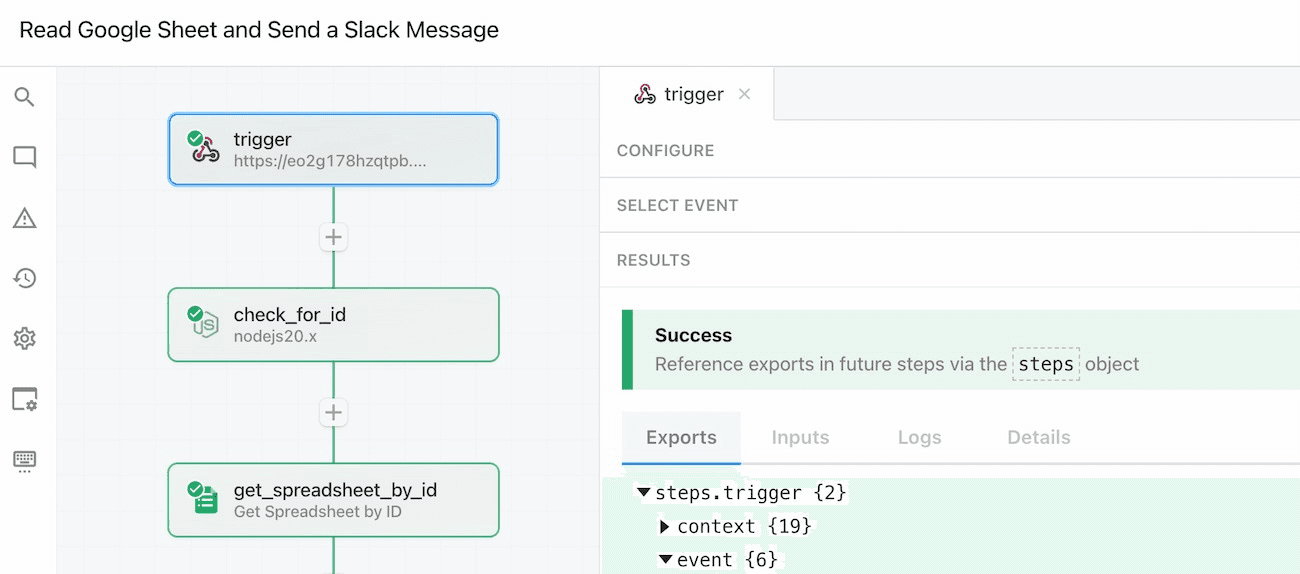
Pipedream sits close to n8n for developers, with one difference that matters at AI volume: it bills by compute, not by execution or step. Every workflow is a trigger plus an ordered set of steps, and any step can be a Node.js, Python, Go, or Bash snippet next to roughly 3,000 prebuilt connectors. One credit covers 30 seconds of compute at 256MB, so a twenty-step workflow that finishes in five seconds costs the same as a two-step one.
The Pipedream free tier includes 100 credits per day with three active workflows, and paid plans start at around $29 per month for Basic and $79 per month for Advanced. For agents, Pipedream runs one of the most mature hosted MCP servers in production, exposing more than 10,000 tools across 3,000 apps with managed OAuth, free for personal use at mcp.pipedream.com, and Pipedream Connect lets you embed that same integration layer into your own product. Unlike n8n, there is no self-hosting, so data residency-sensitive workloads still belong on Windmill or Activepieces. Workday announced an agreement to acquire Pipedream in November 2025, and the product has continued to ship as normal.
Pros
Code-first with about 3,000 connectors and code steps in Node.js, Python, Go, or Bash
Compute-based pricing in credits rather than per step, so multi-step workflows stay cheap
One of the most mature hosted MCP servers, exposing more than 10,000 tools, free for personal use
Cons
No self-hosting, so data residency-sensitive workloads belong on Windmill or Activepieces
More developer-oriented than the no-code builders
Credit usage needs watching on long-running steps
Watch
Pipedream demo: integrate APIs, AI, and databases
8. Gumloop: AI native automation for non developers
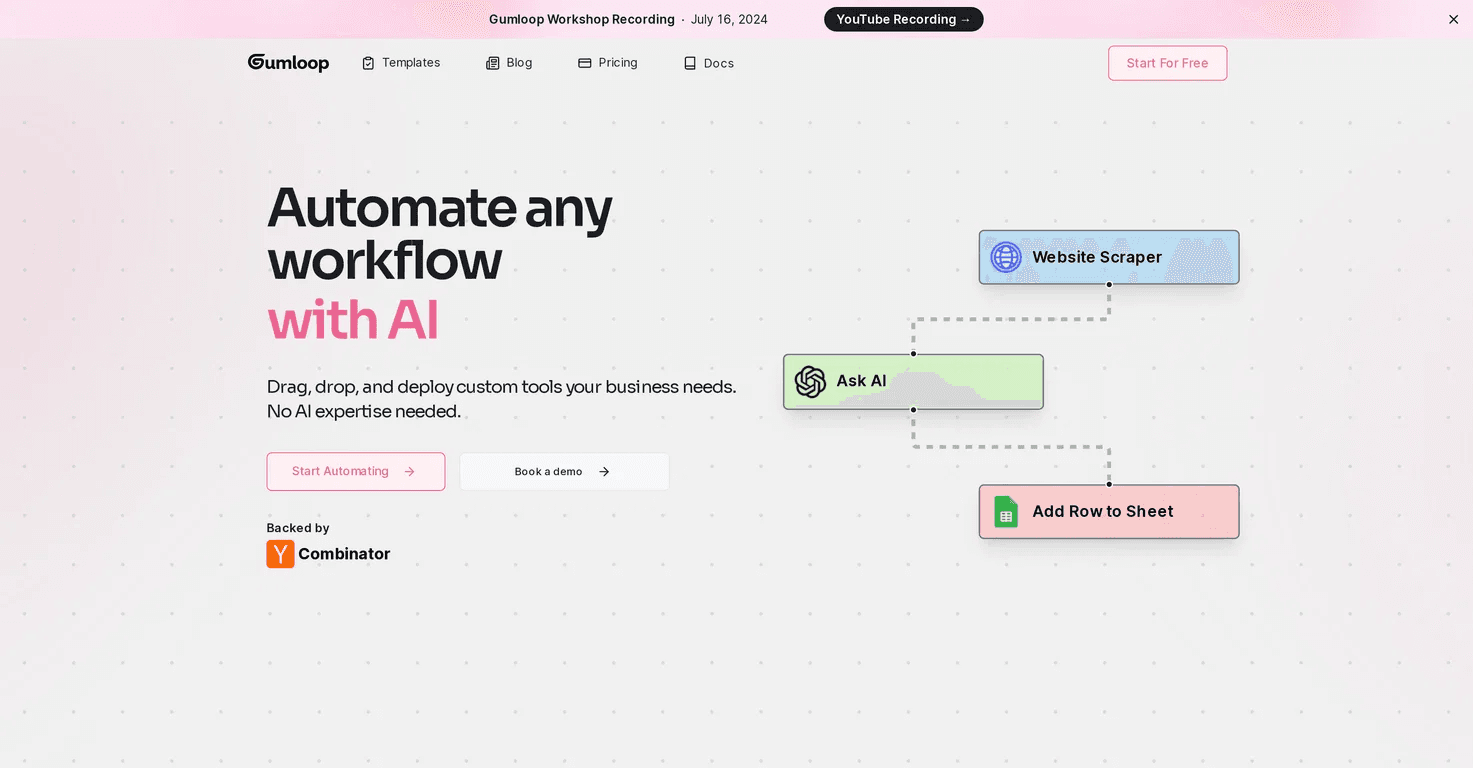
Gumloop inverts the usual setup. The model is the point, and the connectors exist to feed it. You drag nodes onto a canvas to build agents and workflows, plug OpenAI, Anthropic, or Google models into any node, and a meta-agent, called Gummie, writes a flow from a plain description. The catalogue is smaller than the incumbents, with about 130 native integrations, an HTTP node, and MCP for the rest, and it carries SOC 2.
Pricing is credit-based, with a free tier and a Solo plan from $37 a month for 10,000 credits, listed on Gumloop’s site. Credits are spent per node, and AI-heavy nodes cost more, which makes spending harder to forecast on enrichment or document workflows, so read the per-node costs in the canvas before you ship a loop. Gumloop is backed by Y Combinator and a $50 million Series B led by Benchmark in early 2026, and it counts Shopify, Instacart, Webflow, and Ramp among its users. It fits an operations or growth person automating research and content work that needs real reasoning, and it is overkill for a plain trigger-then-action automation.
Pros
AI native canvas where models sit at the centre of every flow
Gummie builds a working flow from a plain description
Strong for research, enrichment, and content work that needs real reasoning, with SOC 2
Cons
Smaller catalogue at about 130 native integrations
Credit-based spend is hard to forecast on AI-heavy nodes
Overkill for a simple trigger-then-action automation, and entry pricing is higher at $37 a month
Watch
Getting started with Gumloop: flows, nodes, and AI
Other open source options worth knowing
If you want the simplest possible self-hosted tool,
Automatisch is an open source Zapier-style app under AGPL, lighter than n8n and aimed at straightforward triggers and actions, with the code on GitHub.
For data-heavy or scheduled pipelines, Kestra (Apache 2.0, YAML workflows) and Apache Airflow read more like orchestration engines than app connectors.
Huginn (MIT) is an older agent-style automation tool still used for monitoring and scraping.
And for the people searching “google n8n alternative”, Google Opal deserves a clear word: it is an experimental Google Labs tool for building AI mini apps from natural language, free during its beta and powered by Gemini, but it is a prototyping and mini app layer rather than a general integration platform, so it does not replace n8n for production automation.
What is pushing you off n8n | Narrow it down | Start with |
|---|---|---|
Your entire work happens from Claude Code, Codex, OpenClaw like coding agents. | You want it in code or through MCP | Composio |
You want a truly open source license | You want a simple visual builder | Activepieces (MIT) |
You want a truly open source license | You want real code and performance | Windmill (AGPLv3) |
You want a truly open source license | Your work is mostly AI agents or retrieval | Flowise (Apache 2.0) |
You do not want to run your own server | You want an easier hosted canvas | Make |
You do not want to run your own server | You want the most apps and the fastest setup | Zapier |
You do not want to run your own server | You want code without servers | Pipedream |
Your work is AI first | You want open source agents and RAG | Flowise |
Your work is AI first | You want no code AI heavy ops work | Gumloop |
Your work is AI first | You are an engineer orchestrating models in code | Windmill |
How to pick
Start from what is blocking you on n8n.
If the issue is the fair code license, Activepieces (MIT), Windmill (AGPLv3), and Flowise (Apache 2.0) are the genuinely open ones, and Activepieces is the easiest of the three.
If the issue is running your own server, Make offers a cheaper hosted canvas, Pipedream provides hosted code for developers, and Zapier offers the widest app coverage with the least setup.
If the issue is that your work is really AI-first, Flowise is built for agents and retrieval, Gumloop suits non-developers doing AI-heavy automation, and Windmill suits engineers orchestrating models in code.
And if what you are building is an agent, or you want to automate using existing AI harnesses, Composio gives it authenticated access to your apps so you can spend your time on the agent, not the plumbing.
Frequently asked questions
1 . What is the best n8n alternative?
There is no single best one, because the tools solve different problems. Activepieces is the closest like-for-like open-source swap; Windmill is the strongest for code-first engineers; Flowise is best for AI agents and retrieval; Make and Zapier are the easier hosted builders; and Composio is the best fit when you are building agents in code rather than visual workflows.
2. What is the best open-source n8n alternative?
For a truly open license, Activepieces is MIT, Windmill is AGPLv3, and Flowise is Apache 2.0; all three can be self-hosted for free. Activepieces is the most direct replacement for n8n’s visual builder, Windmill is the pick if you want to write real code, and Flowise is the pick if your workflows are mostly AI agents and document retrieval.
3 . What is the best free n8n alternative?
Self-host Activepieces, Windmill, or Flowise, and you pay only for a server, with no execution limits. Among hosted free tiers, Make offers 1,000 operations per month, Pipedream offers 100 compute credits per day, Composio offers 20,000 tool calls per month, and Zapier offers 100 tasks per month.
4 . Is Activepieces a good n8n alternative?
For most teams, yes. It has an MIT license with no commercial ceiling, a simpler builder, AI agents and MCP on every plan, and per-active-flow pricing that does not charge per run. n8n still offers deeper, more specialised integrations and greater code-level flexibility, so a team that lives in JavaScript or Python may prefer n8n or Windmill.
5 . What is the best n8n alternative for non-technical users?
Make and Zapier are the easiest to learn because they require no server and their builders are designed for business users. Activepieces is the most approachable open-source option, and Gumloop is the simplest if your automations are mostly AI-driven tasks.
6 . Is there a HIPAA-compliant n8n alternative?
Yes. Pipedream offers HIPAA support on its Business tier, and Gumloop, Lindy, and Composio offer it on their enterprise tiers. Another route is to self-host an open-source tool like Activepieces or Windmill in your own compliant environment. Confirm the exact terms and any signed agreement with each vendor before handling protected data.
What is the best n8n alternative for AI agents and MCP?
For building agents in code, Composio provides them with authenticated access to more than 1,000 apps via SDKs and a managed MCP gateway. Flowise is the strongest open-source agent builder; Pipedream’s hosted MCP server exposes more than 10,000 tools; Activepieces turns every integration into an MCP server; and Windmill exposes scripts and flows over MCP while letting agents call external servers.

 Get started