
Jan 15, 2026

Jan 15, 2026

9 mins

9 mins

Best AI agent integration platforms (2026): comparison for developers

Best AI agent integration platforms (2026): comparison for developers

Best AI agent integration platforms (2026): comparison for developers

Best AI agent integration platforms (2026): comparison for developers

Jan 15, 2026

Jan 15, 2026

9 mins

9 mins

Ship powerful agents fast

Add 10K+ tools to your AI Agent

Building reliable, scalable AI agents takes more than just connecting to an LLM. You need a robust integration infrastructure. And honestly, the hard part isn't the model's intelligence. It's the plumbing. Connecting that intelligence to the outside world through APIs.

AI agent integration platforms solve this. They're middleware that handles authentication, tool execution, and observability. So you can focus on building agent logic instead of wrestling with API clients and OAuth tokens.
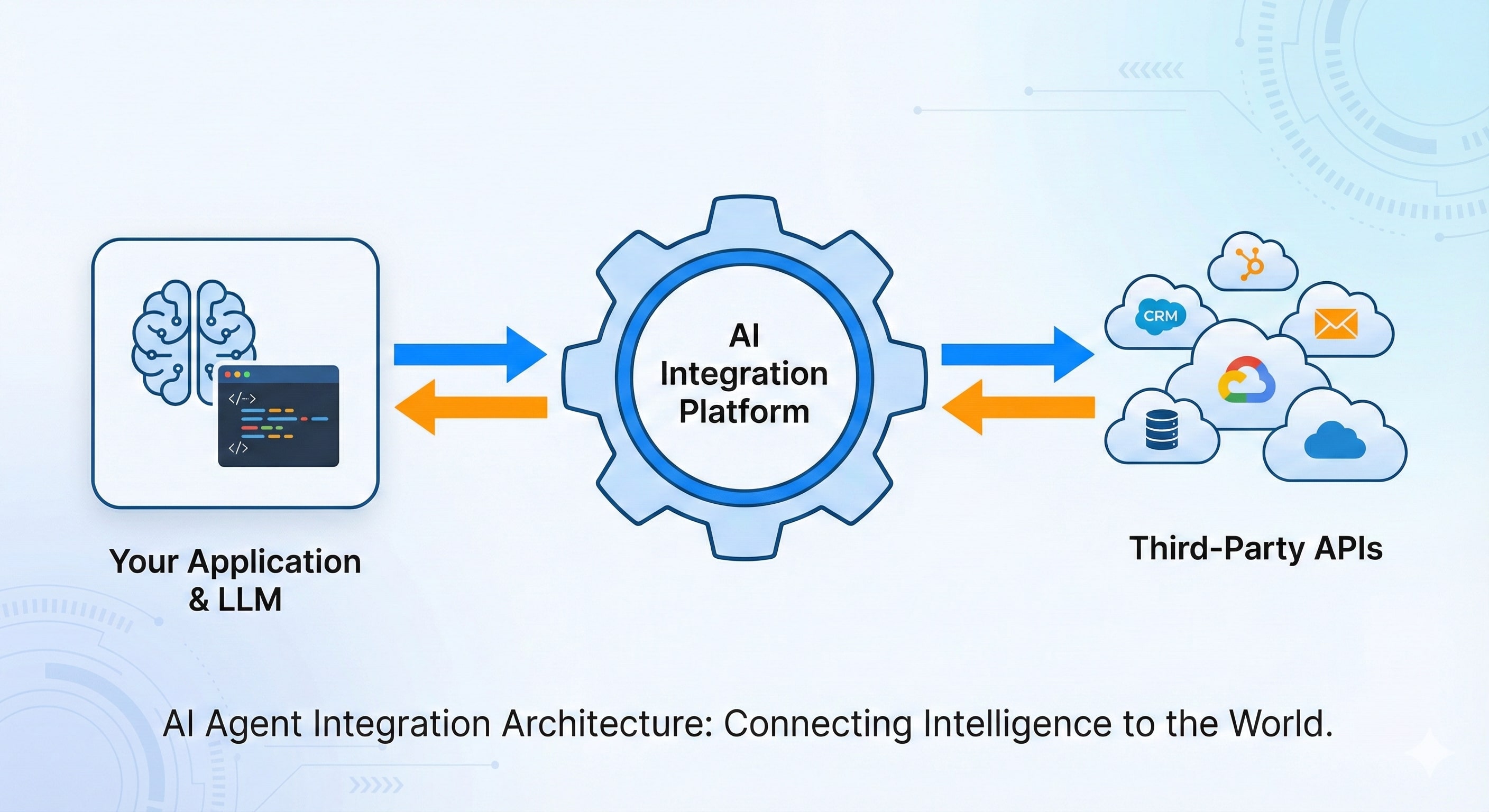
A technical diagram illustrating the architecture of an AI agent integration platform, showing how it acts as middleware to connect an application and Large Language Model (LLM) with various third-party APIs and services.

This guide evaluates the top platforms for developers, AI engineers, and product leaders building agentic workflows. We'll compare leading options on developer experience, security, integration coverage, and scalability. 

Key Takeaways

AI agent integration platforms provide the infrastructure agents need to safely call real-world APIs, including managed authentication (OAuth/token storage), pre-built connectors/tools, and observability. You don't have to build and maintain that plumbing yourself.

  • Choose Composio if you want a production-grade tool calling with managed auth + tracing/logging, all while minimal lift for your team

  • Choose Nango if you need ongoing data synchronization via a unified API and can build agent-specific tooling and integrations yourself

  • Choose Arcade if you want a lightweight MCP-native runtime and can handle authentication yourself.

Quick comparison: best AI agent integration platforms

The comparison table below gives you an at-a-glance summary to quickly shortlist options that fit your project.

Feature comparison table for AI agent integration platforms

Feature

Composio

Nango

Arcade

Workato embedded

LangChain tool integrations

Best for

Building production-grade agents with managed auth & dev tools.

Teams needing a unified API layer with data syncs.

Pure MCP-based tool calling with low overhead.

Enterprise SaaS embedding B2B integrations.

Prototyping & open-source-first projects.

Managed auth

✅ (OAuth 2.0, API Keys)

❌ (Bring Your Own)

✅ (Enterprise)

❌ (DIY)

Connector count

850+ toolkits 

500+

~25 (MCP Focused)

1,000+

Varies (Community)

Observability

✅ 

Native Tracing & Logging

✅ (OpenTelemetry)

🟡

Basic

✅ (Platform-specific)

🟡

Basic

Self-hosting

N/A (Library)

Primary SDKs

Python, TypeScript/JS

TypeScript/JS

Go

API-based

Python and JavaScript/TypeScript

How we evaluated these platforms

We assessed each platform against a consistent set of criteria crucial for building production-ready agents. We also placed these criteria in context against different platform types, from developer-first frameworks to enterprise iPaaS, to clarify the trade-offs.

Developer experience and tooling

We evaluated SDK, CLI, and documentation quality. Developer experience matters most for developer-first frameworks like Composio, which integrate directly into your codebase. For UI-driven embedded iPaaS solutions like Workato, it's less of a priority.

Authentication and security

We looked at the robustness of managed authentication (especially OAuth 2.0), secure token handling, and compliance (SOC 2). Managed authentication is a major differentiator here.

Pure tool-calling runtimes like Arcade require a bring-your-own-auth approach. That shifts significant security burdens to your team.

Integration coverage and extensibility

We considered the breadth of pre-built connectors and how easy it is to add custom ones. The vast enterprise libraries of embedded iPaaS solutions contrast sharply with the focused, but highly extensible, connector sets of developer-first platforms.

Performance and reliability

Latency overhead, uptime SLAs, and error handling are critical. Low latency matters across all platforms, but it particularly distinguishes minimal runtimes like Arcade, which prioritize speed above all else.

Observability and debugging

We assessed native support for tracing, logging, and replaying tool calls. Native observability is non-negotiable for debugging complex agent behavior in production. It's a core strength of dedicated developer frameworks.

The 4 best AI agent integration platforms for 2026

Composio: AI native agent integration platform

Best for

Developers and teams building production-ready AI agents who need a complete, end-to-end framework that handles the entire integration lifecycle, from managed authentication to execution and observability.

Overview

Composio is a developer-first integration platform designed specifically for AI agents. It offers a unified framework with SDKs, a CLI, and over 850 pre-built connectors that abstract away the complexity of tool integration.

The result? You focus on agent logic rather than API plumbing.

Key features

  • Managed authentication: Handles complex OAuth 2.0 flows and API key management out of the box. This saves weeks of development time and reduces security risks.

  • Tool abstraction & SDKs: Provides clean, type-safe interfaces for tools in Python and TypeScript, making them easily consumable by LLMs and discoverable via IntelliSense.

  • Comprehensive connector library: Offers a wide range of actively maintained connectors for popular SaaS applications, with a straightforward process for adding new or custom ones.

  • Built-in observability: Includes native logging and tracing to monitor and debug every agent tool call from a central dashboard.

  • Flexible deployment: Supports both a fully managed cloud version for speed and a self-hosted option for enterprises with strict data residency requirements.

Example

from composio import Composio

client = Composio(api_key="your_api_key")

# Let the agent find and execute a tool to [create a GitHub issue](https://docs.composio.dev/toolkits/github)
response = client.actions.execute(
  action="github_create_issue",
  params={
    "owner": "my-org",
    "repo": "my-repo",
    "title": "New feature request from agent",
    "body": "Add support for X and Y."
  },
  # Entity ID links the execution to a specific end-user's credentials
  entity_id="user-123" 
)

Pros

  • The most complete developer-centric solution, covering auth, execution, and observability.

  • Managed authentication massively accelerates development and solves a major engineering pain point.

  • Excellent SDKs and CLI tooling streamline the entire development workflow.

Cons

  • As a comprehensive platform, Composio may present a slightly steeper learning curve than a simple runtime.

  • Newer to the market compared to established enterprise iPaaS players.

Pricing

  • Offers a generous free tier for developers. Paid plans scale with connections and tool executions based on usage.

Nango: unified API for agent tool calling and data sync

Best for

Teams that need a unified API for both data synchronization and tool calling, particularly those building applications that sync large volumes of data from CRMs, ERPs, and similar systems.

Overview

Nango positions itself as an open-source platform for product integrations. It provides a unified API for connecting to over 500 services. Its core strength is the data sync engine, but Nango also supports tool-calling for AI agents. That makes it a versatile choice for data-intensive applications.

Key features

  • Unified API: Provides a single, consistent API schema for interacting with multiple third-party services. This reduces the learning curve for each new integration.

  • Data sync engine: Excels at pulling data from various sources into your application, which can then serve as context for AI agents.

  • Open source & self-hostable: Offers flexibility and control for teams that prefer to manage their own infrastructure and contribute to the platform.

Example

import { Nango } from '@nango-sdk/node';

const nango = new Nango({ secretKey: 'your_nango_secret_key' });

// Execute a tool-call action via Nango's proxy endpoint
const response = await nango.action({
  providerConfigKey: 'github',
  connectionId: 'user-connection-id',
  endpoint: '/repos/my-org/my-repo/issues',
  method: 'POST',
  data: {
    title: 'New feature request from agent',
    body: 'Add support for X and Y.',
  },
});

Pros

  • Excellent for use cases that require heavy, continuous data synchronization.

  • An extensive library of integrations, primarily focused on data access.

  • Strong open-source community and transparent development process.

Cons

  • Agent-specific tooling and observability lag behind dedicated agent platforms in maturity.

  • The unified API model can be less flexible for complex, multi-step agent actions compared to direct tool definitions.

Pricing

  • The open-source version is free to self-host. The cloud version offers tiered pricing based on usage.

Arcade: MCP runtime for AI agent tool execution

Best for

Teams committed to the Machine-Callable Plugin (MCP) standard who want a lightweight, high-performance runtime for tool execution and will build their own authentication and management layers.

Overview

Arcade provides an open-source MCP server that acts as a secure execution environment for AI agent tools. It focuses purely on being the runtime that exposes tools to agents via the MCP standard. Authentication, UI, and connector maintenance? That's on you.

Key features

  • MCP native: Built from the ground up to support the emerging MCP standard for tool discovery and execution. A forward-looking choice if you're betting on that ecosystem.

  • Low latency: Designed as a minimal, high-performance layer between the agent and the API, adding negligible overhead.

  • Self-contained & secure: Runs as a separate service, isolating tool execution from your core application logic.

Example

// Arcade tools are defined as plugins and invoked by the agent
// The agent would receive a manifest and call a URL like this:
// POST https://<your-arcade-server>/tools/github/create_issue

// Body of the request:
{
  "repo": "my-repo",
  "title": "New issue from MCP agent"
}

// Arcade handles routing this to the correct plugin for execution.
// Authentication must be handled separately via headers or other means.

Pros

  • Strict adherence to the MCP standard may make Arcade future-proof.

  • Very lightweight and performant for tool execution.

  • A simple, focused scope makes the platform easy to understand and deploy.

Cons

  • Does not provide managed authentication. That's a significant infrastructure piece you must build yourself.

  • Limited number of pre-built MCP-compatible connectors.

  • Lacks the comprehensive developer tooling (SDKs, observability) of a full platform.

Pricing

  • Fully open-source and free to use.

Workato embedded: enterprise iPaaS for agent workflows

Best for

Large enterprises and SaaS companies that already use Workato as their core iPaaS and want to extend their existing integration recipes to AI agents and copilots.

Overview

Workato leads in the enterprise iPaaS space. Workato Embedded lets companies build their integration capabilities directly into their own products. The company now positions Workato Embedded as a backend for AI agents, with access to a massive library of enterprise-focused connectors.

Key features

  • Massive connector library: Access to over 1,000 enterprise-grade connectors for systems like SAP, Oracle, and Salesforce.

  • Low-code/No-code recipe builder: Users construct integrations using a visual, drag-and-drop workflow builder.

  • Enterprise-grade governance: Strong features for security, compliance (like GDPR and HIPAA), and administration.

Example

# Workato recipes are exposed as callable API endpoints.
# An agent would make an HTTP request to trigger the workflow.

curl -X POST "https://api.workato.com/webhooks/recipes/12345/start" \
  -H "api-token: YOUR_API_TOKEN" \
  -H "Content-Type: application/json" \
  -d '{
        "issue_title": "New issue from Workato agent",
        "project_id": "PROJ-1"
      }'

Pros

  • Unmatched number of deep enterprise connectors.

  • Proven scalability and reliability for high-volume integrations.

  • Great for citizen developers or teams with less coding expertise.

Cons

  • Not developer-first. The UI-driven experience can feel clunky for coders.

  • It can be prohibitively expensive for startups and smaller teams.

  • The thick abstraction layer offers less control and transparency for debugging agent behavior.

Pricing

  • Enterprise-focused, custom pricing. Typically starts in the tens of thousands of dollars per year.

Conclusion: which AI agent integration platform should you choose

This is a critical architectural decision: control, speed, security. You're balancing all three.

For most teams building production-grade agents, the DIY path hides real costs and security risks. A developer-first platform that handles auth complexity and provides solid tooling gets you to production faster and safer.

Based on our evaluation:

  • For building customer-facing AI agents in your SaaS app: Choose Composio. Robust managed auth and developer-first SDKs deliver the security and experience your users expect. And you ship way faster.

  • For building internal copilots and enterprise automation: Start with Composio for broad connectivity and strong DX. If your company is already deeply embedded in the Workato ecosystem and needs its specific governance features, Workato works, but adds complexity.

  • For standardizing tool definitions across models: If you're fully committed to the MCP open standard and have engineering resources to build and manage auth yourself, Arcade is the purist's choice.

  • For rapid prototyping or complete control: Use LangChain/LlamaIndex only when you need to build everything from scratch, and you're optimizing for flexibility over speed-to-market.

Ready to build reliable agent integrations in minutes, not months? Try Composio's free developer plan and connect your first tool today.

Frequently Asked Questions

What is an AI agent integration platform?

It's middleware that lets agents call external APIs reliably. You get managed authentication, pre-built tools/connectors, execution/runtime controls, and observability.

How is an agent integration platform different from LLM function calling?

Function calling only selects a tool and arguments. An integration platform handles OAuth/token storage, connector maintenance, retries/rate limits, and tracing/logging for production use.

Which AI agent integration platform should I choose?

Pick Composio for managed OAuth + developer tooling/observability. Go with Nango for a unified API plus data sync. Choose Arcade for an MCP-native runtime when you'll manage auth yourself.

Do these platforms work with LangChain, LlamaIndex, or OpenAI Assistants?

Most integrate via SDKs or HTTP tool endpoints. You map platform tools/actions to your framework's tool interface. The framework handles planning while the platform handles execution/auth.

Can I self-host these platforms, and when should I?

Self-host when you need strict data residency, custom networking, or internal compliance controls, use the cloud when you want the fastest setup and managed operations.

What should I look for in observability for agent tool calls?

Request/response logging, trace IDs per tool call, replay/debug tooling, error categorization, and OpenTelemetry support for end-to-end tracing.

How do platforms handle rate limits, retries, and flaky third-party APIs?

Better platforms provide standardized error handling, backoff/retry policies, and visibility into failures so agents can recover without silent tool-call loops.

Is MCP required to build agents in 2026?

No. MCP helps standardize tool discovery/execution, but many teams use non-MCP tool definitions today. Choose MCP-first only if you're committed to that ecosystem.

Do these platforms store the data passing through them?

Most platforms (like Composio and Nango) are pass-through by default. They encrypt credentials but do not store payload data unless you explicitly enable detailed logging for debugging. Self-hosting allows you to keep all data within your VPC.

Does using an integration platform add significant latency?

The overhead is typically negligible (milliseconds) compared to the LLM's generation time. Platforms like Arcade and Composio are optimized for high-performance runtime execution to ensure the agent feels responsive.

What happens if a specific tool I need isn't supported?

Developer-first platforms (Composio, Nango) let you import custom OpenAPI specs or easily write your own tool definitions. You are not limited to the pre-built library.

Building reliable, scalable AI agents takes more than just connecting to an LLM. You need a robust integration infrastructure. And honestly, the hard part isn't the model's intelligence. It's the plumbing. Connecting that intelligence to the outside world through APIs.

AI agent integration platforms solve this. They're middleware that handles authentication, tool execution, and observability. So you can focus on building agent logic instead of wrestling with API clients and OAuth tokens.

A technical diagram illustrating the architecture of an AI agent integration platform, showing how it acts as middleware to connect an application and Large Language Model (LLM) with various third-party APIs and services.

This guide evaluates the top platforms for developers, AI engineers, and product leaders building agentic workflows. We'll compare leading options on developer experience, security, integration coverage, and scalability. 

Key Takeaways

AI agent integration platforms provide the infrastructure agents need to safely call real-world APIs, including managed authentication (OAuth/token storage), pre-built connectors/tools, and observability. You don't have to build and maintain that plumbing yourself.

  • Choose Composio if you want a production-grade tool calling with managed auth + tracing/logging, all while minimal lift for your team

  • Choose Nango if you need ongoing data synchronization via a unified API and can build agent-specific tooling and integrations yourself

  • Choose Arcade if you want a lightweight MCP-native runtime and can handle authentication yourself.

Quick comparison: best AI agent integration platforms

The comparison table below gives you an at-a-glance summary to quickly shortlist options that fit your project.

Feature comparison table for AI agent integration platforms

Feature

Composio

Nango

Arcade

Workato embedded

LangChain tool integrations

Best for

Building production-grade agents with managed auth & dev tools.

Teams needing a unified API layer with data syncs.

Pure MCP-based tool calling with low overhead.

Enterprise SaaS embedding B2B integrations.

Prototyping & open-source-first projects.

Managed auth

✅ (OAuth 2.0, API Keys)

❌ (Bring Your Own)

✅ (Enterprise)

❌ (DIY)

Connector count

850+ toolkits 

500+

~25 (MCP Focused)

1,000+

Varies (Community)

Observability

✅ 

Native Tracing & Logging

✅ (OpenTelemetry)

🟡

Basic

✅ (Platform-specific)

🟡

Basic

Self-hosting

N/A (Library)

Primary SDKs

Python, TypeScript/JS

TypeScript/JS

Go

API-based

Python and JavaScript/TypeScript

How we evaluated these platforms

We assessed each platform against a consistent set of criteria crucial for building production-ready agents. We also placed these criteria in context against different platform types, from developer-first frameworks to enterprise iPaaS, to clarify the trade-offs.

Developer experience and tooling

We evaluated SDK, CLI, and documentation quality. Developer experience matters most for developer-first frameworks like Composio, which integrate directly into your codebase. For UI-driven embedded iPaaS solutions like Workato, it's less of a priority.

Authentication and security

We looked at the robustness of managed authentication (especially OAuth 2.0), secure token handling, and compliance (SOC 2). Managed authentication is a major differentiator here.

Pure tool-calling runtimes like Arcade require a bring-your-own-auth approach. That shifts significant security burdens to your team.

Integration coverage and extensibility

We considered the breadth of pre-built connectors and how easy it is to add custom ones. The vast enterprise libraries of embedded iPaaS solutions contrast sharply with the focused, but highly extensible, connector sets of developer-first platforms.

Performance and reliability

Latency overhead, uptime SLAs, and error handling are critical. Low latency matters across all platforms, but it particularly distinguishes minimal runtimes like Arcade, which prioritize speed above all else.

Observability and debugging

We assessed native support for tracing, logging, and replaying tool calls. Native observability is non-negotiable for debugging complex agent behavior in production. It's a core strength of dedicated developer frameworks.

The 4 best AI agent integration platforms for 2026

Composio: AI native agent integration platform

Best for

Developers and teams building production-ready AI agents who need a complete, end-to-end framework that handles the entire integration lifecycle, from managed authentication to execution and observability.

Overview

Composio is a developer-first integration platform designed specifically for AI agents. It offers a unified framework with SDKs, a CLI, and over 850 pre-built connectors that abstract away the complexity of tool integration.

The result? You focus on agent logic rather than API plumbing.

Key features

  • Managed authentication: Handles complex OAuth 2.0 flows and API key management out of the box. This saves weeks of development time and reduces security risks.

  • Tool abstraction & SDKs: Provides clean, type-safe interfaces for tools in Python and TypeScript, making them easily consumable by LLMs and discoverable via IntelliSense.

  • Comprehensive connector library: Offers a wide range of actively maintained connectors for popular SaaS applications, with a straightforward process for adding new or custom ones.

  • Built-in observability: Includes native logging and tracing to monitor and debug every agent tool call from a central dashboard.

  • Flexible deployment: Supports both a fully managed cloud version for speed and a self-hosted option for enterprises with strict data residency requirements.

Example

from composio import Composio

client = Composio(api_key="your_api_key")

# Let the agent find and execute a tool to [create a GitHub issue](https://docs.composio.dev/toolkits/github)
response = client.actions.execute(
  action="github_create_issue",
  params={
    "owner": "my-org",
    "repo": "my-repo",
    "title": "New feature request from agent",
    "body": "Add support for X and Y."
  },
  # Entity ID links the execution to a specific end-user's credentials
  entity_id="user-123" 
)

Pros

  • The most complete developer-centric solution, covering auth, execution, and observability.

  • Managed authentication massively accelerates development and solves a major engineering pain point.

  • Excellent SDKs and CLI tooling streamline the entire development workflow.

Cons

  • As a comprehensive platform, Composio may present a slightly steeper learning curve than a simple runtime.

  • Newer to the market compared to established enterprise iPaaS players.

Pricing

  • Offers a generous free tier for developers. Paid plans scale with connections and tool executions based on usage.

Nango: unified API for agent tool calling and data sync

Best for

Teams that need a unified API for both data synchronization and tool calling, particularly those building applications that sync large volumes of data from CRMs, ERPs, and similar systems.

Overview

Nango positions itself as an open-source platform for product integrations. It provides a unified API for connecting to over 500 services. Its core strength is the data sync engine, but Nango also supports tool-calling for AI agents. That makes it a versatile choice for data-intensive applications.

Key features

  • Unified API: Provides a single, consistent API schema for interacting with multiple third-party services. This reduces the learning curve for each new integration.

  • Data sync engine: Excels at pulling data from various sources into your application, which can then serve as context for AI agents.

  • Open source & self-hostable: Offers flexibility and control for teams that prefer to manage their own infrastructure and contribute to the platform.

Example

import { Nango } from '@nango-sdk/node';

const nango = new Nango({ secretKey: 'your_nango_secret_key' });

// Execute a tool-call action via Nango's proxy endpoint
const response = await nango.action({
  providerConfigKey: 'github',
  connectionId: 'user-connection-id',
  endpoint: '/repos/my-org/my-repo/issues',
  method: 'POST',
  data: {
    title: 'New feature request from agent',
    body: 'Add support for X and Y.',
  },
});

Pros

  • Excellent for use cases that require heavy, continuous data synchronization.

  • An extensive library of integrations, primarily focused on data access.

  • Strong open-source community and transparent development process.

Cons

  • Agent-specific tooling and observability lag behind dedicated agent platforms in maturity.

  • The unified API model can be less flexible for complex, multi-step agent actions compared to direct tool definitions.

Pricing

  • The open-source version is free to self-host. The cloud version offers tiered pricing based on usage.

Arcade: MCP runtime for AI agent tool execution

Best for

Teams committed to the Machine-Callable Plugin (MCP) standard who want a lightweight, high-performance runtime for tool execution and will build their own authentication and management layers.

Overview

Arcade provides an open-source MCP server that acts as a secure execution environment for AI agent tools. It focuses purely on being the runtime that exposes tools to agents via the MCP standard. Authentication, UI, and connector maintenance? That's on you.

Key features

  • MCP native: Built from the ground up to support the emerging MCP standard for tool discovery and execution. A forward-looking choice if you're betting on that ecosystem.

  • Low latency: Designed as a minimal, high-performance layer between the agent and the API, adding negligible overhead.

  • Self-contained & secure: Runs as a separate service, isolating tool execution from your core application logic.

Example

// Arcade tools are defined as plugins and invoked by the agent
// The agent would receive a manifest and call a URL like this:
// POST https://<your-arcade-server>/tools/github/create_issue

// Body of the request:
{
  "repo": "my-repo",
  "title": "New issue from MCP agent"
}

// Arcade handles routing this to the correct plugin for execution.
// Authentication must be handled separately via headers or other means.

Pros

  • Strict adherence to the MCP standard may make Arcade future-proof.

  • Very lightweight and performant for tool execution.

  • A simple, focused scope makes the platform easy to understand and deploy.

Cons

  • Does not provide managed authentication. That's a significant infrastructure piece you must build yourself.

  • Limited number of pre-built MCP-compatible connectors.

  • Lacks the comprehensive developer tooling (SDKs, observability) of a full platform.

Pricing

  • Fully open-source and free to use.

Workato embedded: enterprise iPaaS for agent workflows

Best for

Large enterprises and SaaS companies that already use Workato as their core iPaaS and want to extend their existing integration recipes to AI agents and copilots.

Overview

Workato leads in the enterprise iPaaS space. Workato Embedded lets companies build their integration capabilities directly into their own products. The company now positions Workato Embedded as a backend for AI agents, with access to a massive library of enterprise-focused connectors.

Key features

  • Massive connector library: Access to over 1,000 enterprise-grade connectors for systems like SAP, Oracle, and Salesforce.

  • Low-code/No-code recipe builder: Users construct integrations using a visual, drag-and-drop workflow builder.

  • Enterprise-grade governance: Strong features for security, compliance (like GDPR and HIPAA), and administration.

Example

# Workato recipes are exposed as callable API endpoints.
# An agent would make an HTTP request to trigger the workflow.

curl -X POST "https://api.workato.com/webhooks/recipes/12345/start" \
  -H "api-token: YOUR_API_TOKEN" \
  -H "Content-Type: application/json" \
  -d '{
        "issue_title": "New issue from Workato agent",
        "project_id": "PROJ-1"
      }'

Pros

  • Unmatched number of deep enterprise connectors.

  • Proven scalability and reliability for high-volume integrations.

  • Great for citizen developers or teams with less coding expertise.

Cons

  • Not developer-first. The UI-driven experience can feel clunky for coders.

  • It can be prohibitively expensive for startups and smaller teams.

  • The thick abstraction layer offers less control and transparency for debugging agent behavior.

Pricing

  • Enterprise-focused, custom pricing. Typically starts in the tens of thousands of dollars per year.

Conclusion: which AI agent integration platform should you choose

This is a critical architectural decision: control, speed, security. You're balancing all three.

For most teams building production-grade agents, the DIY path hides real costs and security risks. A developer-first platform that handles auth complexity and provides solid tooling gets you to production faster and safer.

Based on our evaluation:

  • For building customer-facing AI agents in your SaaS app: Choose Composio. Robust managed auth and developer-first SDKs deliver the security and experience your users expect. And you ship way faster.

  • For building internal copilots and enterprise automation: Start with Composio for broad connectivity and strong DX. If your company is already deeply embedded in the Workato ecosystem and needs its specific governance features, Workato works, but adds complexity.

  • For standardizing tool definitions across models: If you're fully committed to the MCP open standard and have engineering resources to build and manage auth yourself, Arcade is the purist's choice.

  • For rapid prototyping or complete control: Use LangChain/LlamaIndex only when you need to build everything from scratch, and you're optimizing for flexibility over speed-to-market.

Ready to build reliable agent integrations in minutes, not months? Try Composio's free developer plan and connect your first tool today.

Frequently Asked Questions

What is an AI agent integration platform?

It's middleware that lets agents call external APIs reliably. You get managed authentication, pre-built tools/connectors, execution/runtime controls, and observability.

How is an agent integration platform different from LLM function calling?

Function calling only selects a tool and arguments. An integration platform handles OAuth/token storage, connector maintenance, retries/rate limits, and tracing/logging for production use.

Which AI agent integration platform should I choose?

Pick Composio for managed OAuth + developer tooling/observability. Go with Nango for a unified API plus data sync. Choose Arcade for an MCP-native runtime when you'll manage auth yourself.

Do these platforms work with LangChain, LlamaIndex, or OpenAI Assistants?

Most integrate via SDKs or HTTP tool endpoints. You map platform tools/actions to your framework's tool interface. The framework handles planning while the platform handles execution/auth.

Can I self-host these platforms, and when should I?

Self-host when you need strict data residency, custom networking, or internal compliance controls, use the cloud when you want the fastest setup and managed operations.

What should I look for in observability for agent tool calls?

Request/response logging, trace IDs per tool call, replay/debug tooling, error categorization, and OpenTelemetry support for end-to-end tracing.

How do platforms handle rate limits, retries, and flaky third-party APIs?

Better platforms provide standardized error handling, backoff/retry policies, and visibility into failures so agents can recover without silent tool-call loops.

Is MCP required to build agents in 2026?

No. MCP helps standardize tool discovery/execution, but many teams use non-MCP tool definitions today. Choose MCP-first only if you're committed to that ecosystem.

Do these platforms store the data passing through them?

Most platforms (like Composio and Nango) are pass-through by default. They encrypt credentials but do not store payload data unless you explicitly enable detailed logging for debugging. Self-hosting allows you to keep all data within your VPC.

Does using an integration platform add significant latency?

The overhead is typically negligible (milliseconds) compared to the LLM's generation time. Platforms like Arcade and Composio are optimized for high-performance runtime execution to ensure the agent feels responsive.

What happens if a specific tool I need isn't supported?

Developer-first platforms (Composio, Nango) let you import custom OpenAPI specs or easily write your own tool definitions. You are not limited to the pre-built library.

Recommended Blogs

Recommended Blogs

Connect AI agents to SaaS apps in Minutes

Connect AI agents to SaaS apps in Minutes

We handle auth, tools, triggers, and logs, so you build what matters.

